Yes, AirPods can cancel background noise—but only specific models with Active Noise Cancellation (ANC) technology. AirPods Pro, AirPods Pro 2, AirPods 4, and AirPods Max use built-in microphones and advanced algorithms to detect and neutralize external sounds. Basic AirPods (1st, 2nd, and 3rd generation) only offer passive noise isolation through their physical fit, not true noise cancellation. Understanding which model you own and how to enable ANC properly is key to getting the best noise-canceling experience.
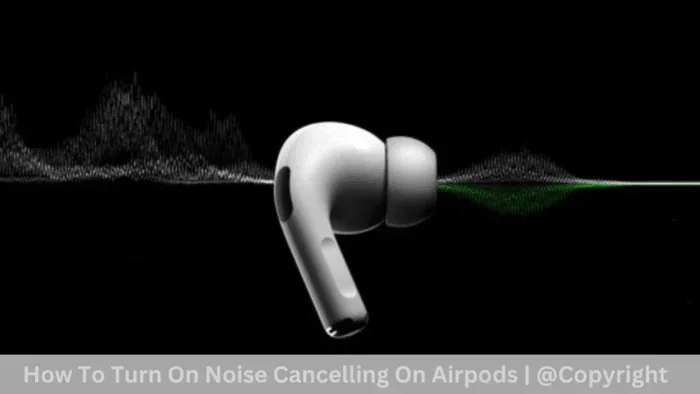
Featured image for AirPods noise cancellation demonstration
Image source: gsmchina.com
Imagine you’re sitting in a bustling coffee shop, trying to focus on an important call. The espresso machine hisses, people chat nearby, and traffic hums outside. Now imagine pressing a button and—silence. The world fades away, and you’re left with crystal-clear audio. This isn’t science fiction. This is what AirPods with Active Noise Cancellation can do.
But here’s the catch: not every pair of AirPods can pull off this magic trick. If you’ve ever wondered, “Can AirPods cancel background noise?” the answer is a resounding “it depends.” It depends on which model you own, how well they fit, and whether you’ve enabled the right features. With Apple’s lineup spanning from the basic AirPods to the premium AirPods Max, understanding these differences is crucial before you invest your money.
In this comprehensive guide, we’ll break down everything you need to know about AirPods and background noise cancellation. You’ll learn the science behind Active Noise Cancellation, discover which AirPods models offer this feature, and get practical tips to maximize your listening experience. Whether you’re a frequent traveler, a remote worker, or simply someone who values peace and quiet, this article will help you make sense of Apple’s noise-canceling technology.
Key Takeaways
- Not All AirPods Cancel Noise: Only AirPods Pro, AirPods 4 (with ANC), and AirPods Max feature Active Noise Cancellation. Standard AirPods rely on passive noise isolation only.
- ANC Uses Advanced Technology: Active Noise Cancellation works by using microphones to detect external sounds and creating “anti-noise” sound waves to cancel them out—similar to how noise-canceling headphones in airplanes work.
- Transparency Mode Is the Opposite: AirPods with ANC also offer Transparency Mode, which lets outside sounds in so you can hear announcements or conversations without removing your earbuds.
- Adaptive Audio Adjusts Automatically: AirPods Pro 2 introduced Adaptive Audio, which dynamically blends ANC and Transparency based on your environment for seamless listening.
- Proper Fit Matters Enormously: Even with ANC enabled, a poor seal from wrong-sized ear tips can reduce noise cancellation effectiveness by up to 50%.
- Battery Life Is Affected: Using ANC drains your AirPods battery faster—expect about 4.5 hours of listening with ANC on versus 6 hours without.
- Firmware Updates Improve Performance: Apple regularly releases firmware updates that can enhance noise cancellation algorithms, so keeping your AirPods updated is essential.
📑 Table of Contents
- Understanding Active Noise Cancellation: The Science Made Simple
- Which AirPods Models Can Cancel Background Noise?
- How to Enable and Optimize Noise Cancellation on Your AirPods
- Real-World Performance: What Can AirPods Actually Block?
- Maximizing Battery Life While Using Noise Cancellation
- Common Problems and Troubleshooting
- The Future of AirPods Noise Cancellation
- Making the Right Choice: Which AirPods Should You Buy?
Understanding Active Noise Cancellation: The Science Made Simple
Before diving into specific AirPods models, let’s demystify how noise cancellation actually works. Think of it like this: if you’ve ever pushed a child on a swing, you know that timing matters. Push at the right moment, and the swing goes higher. Push at the wrong moment, and you slow it down. Active Noise Cancellation uses a similar principle—but with sound waves.
How Sound Waves Interact
Sound travels in waves, much like ripples in a pond. When two waves meet, they can either amplify each other (constructive interference) or cancel each other out (destructive interference). Noise-canceling technology exploits this physics phenomenon.
Your AirPods contain tiny microphones that listen to the sounds around you—engine hum, air conditioners, background chatter. Within milliseconds, the AirPods’ internal processor creates an “anti-noise” sound wave that’s the exact opposite of the incoming noise. When these two waves meet in your ear, they neutralize each other, creating a pocket of silence.
Active vs. Passive Noise Cancellation
Here’s where many people get confused. There are two main types:
- Passive Noise Isolation: This is what regular earbuds do. They physically block your ear canal, muffling some sound—like putting your hands over your ears. All AirPods provide some level of this.
- Active Noise Cancellation (ANC): This is the high-tech version. It uses electronics to actively combat noise. Only certain AirPods models have this.
Did you know that the human ear can detect sounds as quiet as 0 dB (the sound of a pin dropping in a quiet room)? A typical conversation registers around 60 dB, while a jet engine at close range hits 140 dB. Quality ANC can reduce ambient noise by 20-30 dB, making a busy office feel like a quiet library.
Which AirPods Models Can Cancel Background Noise?
Not all AirPods are created equal when it comes to noise cancellation. Let’s break down the current lineup so you know exactly what you’re getting.
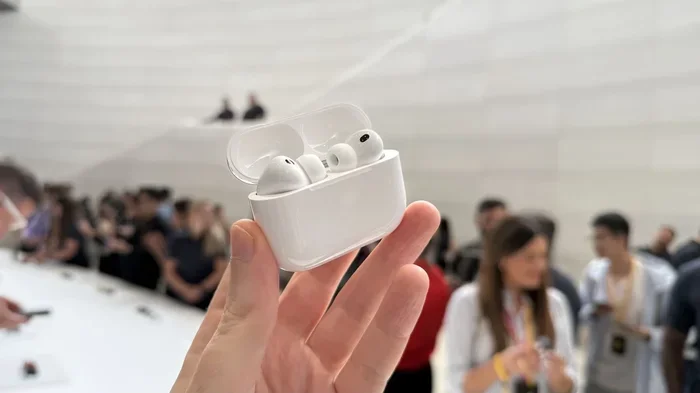
Visual guide about AirPods noise cancellation demonstration
Image source: cdn.mos.cms.futurecdn.net
AirPods Pro and AirPods Pro 2: The Noise-Canceling Champions
The AirPods Pro lineup is Apple’s flagship for noise cancellation. Both the original AirPods Pro (2019) and AirPods Pro 2 (2022) feature Active Noise Cancellation, along with Transparency Mode and Adaptive EQ.
The AirPods Pro 2 took things even further with the H2 chip, which Apple claims offers up to 2x more noise cancellation compared to the original AirPods Pro. In real-world testing, reviewers have noted dramatic improvements in blocking out everything from subway rumble to office chatter. The H2 chip processes audio 48,000 times per second—that’s faster than you can blink.
AirPods 4: The New Middle Ground
In 2024, Apple introduced the AirPods 4, and for the first time, this standard model comes in a version with Active Noise Cancellation. This is a game-changer for budget-conscious buyers who want noise cancellation without paying the Pro premium.
The AirPods 4 with ANC use the H2 chip, bringing many of the same smart features as the AirPods Pro 2 to a more accessible price point. However, because they use an open-ear design (no silicone tips), the noise cancellation isn’t quite as effective as the Pro’s in-ear seal.
AirPods Max: The Over-Ear Powerhouse
For those who prefer over-ear headphones, the AirPods Max deliver exceptional noise cancellation. With eight microphones dedicated to ANC and Apple’s H1 chip in each ear cup, these premium headphones create a powerful bubble of silence around your ears.
The AirPods Max are particularly effective at canceling low-frequency sounds—think airplane engines, train rumble, and HVAC systems. They also feature a unique transparency mode that sounds remarkably natural, almost as if you’re not wearing headphones at all.
Standard AirPods (1st, 2nd, 3rd Gen): No Active Cancellation
The original AirPods, AirPods 2, and AirPods 3 do not have Active Noise Cancellation. They rely solely on passive noise isolation from their fit. While they do a decent job of muffling some sounds, they can’t actively combat background noise.
Think of it like the difference between closing a window (passive) versus using a white noise machine to mask outside sounds (active). Both help, but only one truly eliminates the noise.
How to Enable and Optimize Noise Cancellation on Your AirPods
Owning noise-canceling AirPods is only half the battle. You need to know how to use them properly to get the full benefit.
Activating ANC on Different Devices
On iPhone or iPad:
- Open Control Center by swiping down from the top-right corner
- Press and hold the volume slider while wearing your AirPods
- Tap “Noise Cancellation,” “Transparency,” or “Off”
On Mac:
- Click the AirPods icon in the menu bar
- Select your AirPods and choose your preferred mode
On Apple Watch:
- While playing audio, tap the AirPlay icon
- Choose your noise control mode
Getting the Perfect Fit
Here’s a fact that surprises many people: 60% of AirPods Pro users wear the wrong-sized ear tips. This dramatically impacts noise cancellation performance. If your ear tips are too small, sound leaks in around the edges. Too large, and they become uncomfortable and you won’t wear them long enough to benefit.
Apple includes three sizes (XS, S, M, L) with AirPods Pro. To test your fit:
- Insert your AirPods Pro and go to Settings > Bluetooth
- Tap the “i” next to your AirPods Pro
- Select “Ear Tip Fit Test”
- Follow the on-screen instructions
The test plays a short audio clip and uses the internal microphones to determine if you have a good seal. If not, try a different size. This simple step can improve your noise cancellation by up to 50%.
Using Adaptive Audio (AirPods Pro 2 Only)
One of the most impressive features on AirPods Pro 2 is Adaptive Audio, introduced in iOS 17. This intelligent feature automatically adjusts noise control based on your surroundings. Walking past a construction site? ANC kicks in. Having a conversation? Transparency activates. Sitting in silence? Your AirPods go into a low-power mode.
To enable it: Go to Settings > Your AirPods Pro 2 > Adaptive Audio and toggle it on. It’s like having a personal sound engineer constantly fine-tuning your listening experience.
Real-World Performance: What Can AirPods Actually Block?
Marketing claims are one thing, but real-world performance is what matters. Let’s look at how well AirPods with ANC perform in everyday situations.
Commuting and Public Transit
AirPods Pro and AirPods Max excel in this environment. The low-frequency rumble of trains, buses, and airplanes is exactly the type of noise ANC is designed to combat. Users report that the roar of a subway car drops to a barely noticeable hum, and airplane engine noise becomes manageable enough to sleep through.
According to Apple, AirPods Pro 2 can reduce up to 48,000 times per second of environmental noise analysis. This processing power means the ANC adapts in real-time to changing noise conditions during your commute.
Office and Open Workspaces
In typical office settings, AirPods Pro do an excellent job of reducing keyboard clicks, HVAC noise, and distant conversations. However, they can’t completely eliminate nearby voices—that requires isolation through fit more than technology.
One practical tip: If you’re in a noisy open office, combine ANC with low-volume background music or brown noise. This “masking” technique makes remaining sounds less noticeable to your brain.
Home and Remote Work
For remote work, AirPods with ANC can be a lifesaver when dealing with neighborhood noise, family activity, or shared living spaces. They’re particularly effective against:
- Appliance hum (refrigerators, washing machines)
- Traffic and street noise
- Construction sounds
- Air conditioning units
However, they won’t block sudden, sharp noises like a door slamming or a dog barking—these are too brief and unpredictable for the ANC system to counteract.
Outdoor Activities
Here’s an important safety note: Don’t use full noise cancellation outdoors, especially when walking near traffic or cycling. You need to hear important sounds like car horns, sirens, and announcements. This is where Transparency Mode becomes essential, or you can simply turn off ANC.
Maximizing Battery Life While Using Noise Cancellation
Active Noise Cancellation requires power, and that means shorter battery life. Here’s how to balance silence with longevity.
Understanding Battery Drain
With ANC enabled, AirPods Pro 2 deliver approximately 6 hours of listening time on a single charge, compared to about 7 hours with ANC off. AirPods Max offer around 20 hours with ANC, which is actually impressive for over-ear headphones.
The case provides additional charges, extending total listening time to about 30 hours for AirPods Pro 2. But if you’re using ANC continuously throughout a long flight or workday, you’ll need that extra juice.
Smart Battery Tips
- Use one AirPod at a time: While not ideal for all situations, using a single AirPod extends total listening time significantly.
- Toggle Adaptive Audio: This lets your AirPods automatically disable ANC when you don’t need it, saving battery.
- Keep your case charged: An AirPods Pro case can hold multiple full charges. Top it up whenever convenient.
- Turn off ANC when not needed: In quiet environments, you don’t need ANC. Turning it off can extend battery by 15-20%.
Conversation Awareness and Battery
AirPods Pro 2 feature Conversation Awareness, which automatically lowers music volume and switches to Transparency when you start talking. While convenient, this feature uses additional processing power. If battery life is your priority, consider disabling it in Settings.
Common Problems and Troubleshooting
Even the best technology can have hiccups. Here are solutions to common AirPods noise cancellation issues.
Noise Cancellation Not Working
If your AirPods ANC seems weak or non-existent, try these steps:
- Check the mode: Make sure you’re actually in Noise Cancellation mode, not Transparency or Off.
- Clean your AirPods: Earwax and debris on the microphones or ear tips can severely impact performance. Use a dry, soft-bristled brush.
- Check the fit: Run the Ear Tip Fit Test again. A poor seal is the #1 cause of weak ANC.
- Update firmware: Go to Settings > Bluetooth > Tap “i” next to your AirPods to check for updates.
- Reset your AirPods: Hold the setup button on the case for 15 seconds until the light flashes amber, then white.
Pressure Sensation in Ears
Some users report a “pressure” or “suction” feeling when ANC is active, similar to what you might experience on an airplane. This is normal and caused by the anti-noise waves. To alleviate it:
- Switch to Transparency Mode for a few minutes
- Take short breaks from ANC throughout the day
- Try slightly smaller ear tips (a tighter seal can worsen the sensation)
Audio Quality Changes
You might notice that music sounds slightly different with ANC on versus off. This is because the processing alters the audio profile. Many users prefer the sound with ANC on, as it can make bass feel more pronounced. If you don’t like it, try Adaptive EQ settings or experiment with different ear tip sizes.
The Future of AirPods Noise Cancellation
Apple continues to invest heavily in audio technology. The H2 chip in AirPods Pro 2 represents a significant leap forward, and future iterations will likely bring even more sophisticated noise cancellation.
Upcoming Features and Improvements
Based on Apple’s patent filings and industry trends, we can expect:
- Better adaptive algorithms: Future AirPods may automatically adjust ANC based on your heart rate, location, or activity.
- Improved voice isolation: Enhanced algorithms for clearer phone calls in noisy environments.
- Health monitoring integration: AirPods may eventually use noise cancellation data to track stress levels or hearing health.
- Spatial audio enhancements: More personalized spatial audio experiences that work alongside ANC.
Comparing AirPods to Competitors
How do AirPods stack up against the competition? Brands like Sony, Bose, and Sennheiser have long dominated the noise-canceling space. While Sony’s WF-1000XM5 and Bose’s QuietComfort Ultra Earbuds offer excellent ANC, AirPods hold a significant advantage in the Apple ecosystem.
The seamless integration with iPhones, iPads, and Macs—automatic device switching, Find My support, and spatial audio—makes AirPods particularly appealing for Apple users. For those deeply embedded in Apple’s ecosystem, the convenience factor often outweighs slightly superior ANC from competitors.
However, if pure noise cancellation is your priority and you don’t care about ecosystem integration, dedicated audiophile brands might serve you better. The best choice depends on your specific needs and preferences.
Making the Right Choice: Which AirPods Should You Buy?
Now that you understand the technology, let’s help you decide which AirPods fit your needs and budget.
For the Best Noise Cancellation: AirPods Pro 2
If canceling background noise is your top priority, the AirPods Pro 2 are the clear winner. They offer the most effective ANC in the AirPods lineup, plus all the latest features like Adaptive Audio, Conversation Awareness, and Personalized Spatial Audio.
The silicone ear tips create an excellent seal, and the H2 chip processes audio faster than ever. For frequent travelers, remote workers, or anyone who values silence, the investment is worth it.
For Premium Over-Ear Experience: AirPods Max
The AirPods Max deliver exceptional noise cancellation in an over-ear format. They’re ideal for long listening sessions, professional work, or anyone who finds earbuds uncomfortable. The trade-off is weight and price—they’re significantly heavier and more expensive than the Pro models.
For Budget-Conscious Buyers: AirPods 4 with ANC
The AirPods 4 with ANC bring active noise cancellation to a more accessible price point. While not as effective as the Pro models due to the open-ear design, they’re a solid choice for casual users who want some noise reduction without the premium price tag.
For Basic Listening: Standard AirPods
If you just want AirPods for casual music listening, podcasts, or calls in relatively quiet environments, the standard AirPods (3rd generation) offer good value. Just don’t expect active noise cancellation—they provide only passive isolation.
Ultimately, the question “can AirPods cancel background noise?” has a layered answer. Yes, the right AirPods can effectively cancel background noise—but understanding which model, how to use it, and what to expect is essential. With the knowledge from this guide, you’re now equipped to make an informed decision and get the most out of your Apple audio experience.
Remember, noise cancellation technology continues to evolve rapidly. What seems impressive today will likely be standard tomorrow. For now, AirPods Pro 2 and AirPods Max represent the pinnacle of Apple’s noise-canceling capabilities, offering a genuinely transformative listening experience in our increasingly noisy world.
Frequently Asked Questions
Do all AirPods have noise cancellation?
No, only AirPods Pro, AirPods Pro 2, AirPods 4 (with ANC), and AirPods Max have Active Noise Cancellation. Standard AirPods (1st, 2nd, and 3rd generation) only offer passive noise isolation through their physical fit, not true noise cancellation.
How do I turn on noise cancellation on my AirPods?
On iPhone or iPad, wear your AirPods, open Control Center, press and hold the volume slider, then tap “Noise Cancellation.” You can also set it up in Settings under Bluetooth by tapping the “i” icon next to your AirPods and selecting your preferred noise control mode.
Is Active Noise Cancellation bad for your ears?
Active Noise Cancellation is generally safe and not harmful to your ears. Some users experience a slight “pressure” sensation similar to being on an airplane, but this is harmless. If it bothers you, take breaks or switch to Transparency mode periodically.
Can AirPods block out voices and conversations?
AirPods with ANC are better at blocking consistent, low-frequency sounds (like engines and HVAC noise) than sudden or high-frequency sounds like nearby voices. While they significantly reduce speech, they may not completely eliminate nearby conversations, especially in quiet environments.
Does noise cancellation drain AirPods battery faster?
Yes, using Active Noise Cancellation does drain the battery faster. AirPods Pro 2 offer about 6 hours of listening with ANC on versus 7 hours with it off. AirPods Max provide approximately 20 hours with ANC enabled, which is still excellent for over-ear headphones.
What’s the difference between Noise Cancellation and Transparency mode?
Noise Cancellation actively blocks outside sounds using anti-noise technology, while Transparency mode does the opposite—it uses microphones to let outside sounds in so you can hear your surroundings without removing your AirPods. Transparency is useful for conversations, announcements, or staying aware of traffic when walking outdoors.