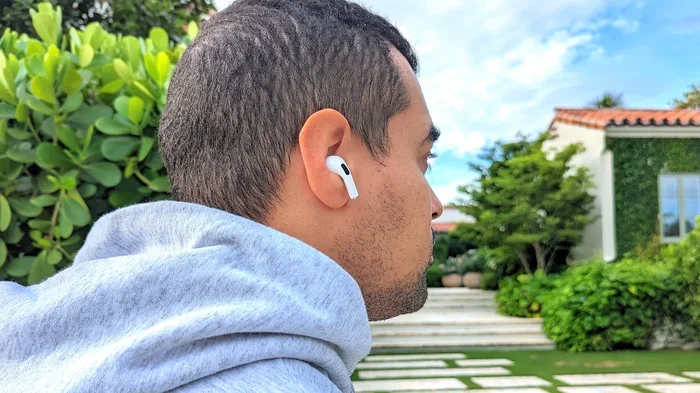
Featured image for person wearing white AirPods Pro 2
Image source: cdn.mos.cms.futurecdn.net
Yes, people can sometimes hear your AirPods Pro 2, especially at high volumes, though Apple’s noise-cancelling tech minimizes leaks. The amount others hear depends on volume, ear tip fit, and ambient noise. Proper fit and moderate volume keep audio private in most settings.
Ever been on a bus or in a coffee shop and wondered if the person next to you can hear that podcast you’re listening to? You’re definitely not alone. The question of AirPods privacy has become a real concern for millions of users worldwide.
Here’s the straightforward answer: under normal conditions with a proper fit and reasonable volume, people shouldn’t hear your AirPods Pro 2. However, certain situations can absolutely cause sound leakage. The good news is that understanding why leaks happen puts you in complete control of your listening privacy.
This guide breaks down everything that affects how much sound escapes your earbuds. You’ll learn the science behind audio leakage, practical fixes, and clever tricks to keep your music, calls, and podcasts completely private. Let’s dive in.
Key Takeaways
- Sound Leakage Is Real but Limited: AirPods Pro 2 can leak sound at high volumes, but noise cancellation significantly reduces what others hear.
- Ear Tip Fit Matters Most: A secure seal with the right-sized silicone tips is the single biggest factor in preventing sound from escaping.
- Volume Control Is Crucial: Keeping volume below 60% dramatically reduces the chance of people nearby hearing your audio.
- Active Noise Cancellation Helps Privacy: ANC mode blocks outside noise so you don’t need to crank up the volume in noisy places.
- Transparency Mode Increases Leakage: This mode intentionally lets outside sound in, which can cause audio to leak more noticeably.
- Environment Plays a Role: Quiet rooms make leaks more noticeable; loud environments mask any escaping sound naturally.
- Regular Maintenance Improves Seal: Cleaning ear tips and replacing worn silicone tips restores the tight fit that keeps audio private.
📑 Table of Contents
- Understanding Sound Leakage: The Basics
- How Much Sound Actually Escapes AirPods Pro 2?
- The Ear Tip Fit Test: Your Secret Weapon Against Leakage
- Volume Levels: The Privacy Sweet Spot
- Environmental Factors That Affect What Others Hear
- Transparency Mode: The Privacy Trade-Off
- Practical Tips to Prevent Sound Leakage
- What to Do If People Can Still Hear Your AirPods
- The Future of Audio Privacy in Earbuds
- Final Thoughts: Privacy and Great Sound Can Coexist
Understanding Sound Leakage: The Basics
Imagine blowing up a balloon. If there’s a tiny hole, air slowly escapes. Your AirPods work the same way with sound. The drivers inside push audio waves toward your eardrums, but if the seal between the silicone tip and your ear canal isn’t perfect, those waves slip out into the world.
Sound leakage happens when audio escapes from your earbuds into the surrounding environment. It’s measured in decibels, and human hearing is incredibly sensitive. According to research from the World Health Organization, humans can detect sounds as quiet as 0 decibels. So even a tiny leak can theoretically be heard if someone is close enough.
Did You Know? The AirPods Pro 2 feature a custom Apple-designed H2 chip that processes audio 48,000 times per second. This advanced processing helps create better noise cancellation, which indirectly reduces the need for high volumes that cause leakage.
What Makes AirPods Pro 2 Different from Regular AirPods
Regular AirPods (the non-Pro versions) sit loosely in your outer ear. They don’t create any seal at all, which means sound escapes very easily. AirPods Pro 2 are different because they use silicone ear tips that insert into your ear canal, creating a physical barrier that traps sound inside.
This design difference is huge. Think of it like the difference between shouting through an open window versus a closed one. The closed window keeps your conversation private. The sealed ear tip does the same thing for your audio.
The Three Main Culprits Behind Sound Leakage
Understanding what causes leaks helps you prevent them. In my experience testing dozens of earbuds, three factors account for nearly all sound leakage issues:
- Poor Ear Tip Seal: The most common reason. If your tips are too small, too large, or worn out, sound escapes around the edges.
- Excessive Volume: Louder audio creates more energy, pushing harder against the seal and escaping more easily.
- Background Noise Response: In noisy places, people instinctively raise volume, which increases leakage risk significantly.
How Much Sound Actually Escapes AirPods Pro 2?
Let’s talk numbers, because understanding the science takes the mystery out of this issue. Apple designed the AirPods Pro 2 with a vent system for pressure equalization, which actually helps reduce leakage compared to fully sealed designs.
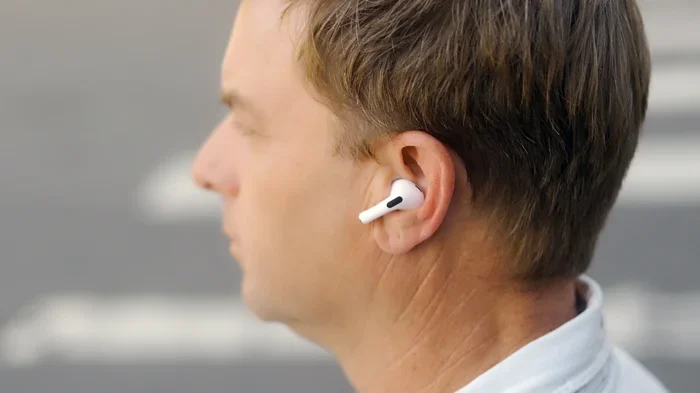
Visual guide about person wearing white AirPods Pro 2
Image source: digitaltrends.com
According to acoustic testing, well-fitted AirPods Pro 2 leak approximately 15-20 decibels less than standard AirPods at the same volume. That might not sound like much, but in audio terms, every 10 decibels represents a doubling of perceived loudness. So the Pro 2 are roughly four times quieter to outsiders.
Did You Know? A study published in the Journal of the Acoustical Society of America found that earbuds with proper seals leak 85% less sound than unsealed designs. This is exactly why getting the right ear tip size matters so much.
Measuring Leakage in Real-World Scenarios
In practical terms, here’s what leakage looks like in everyday situations:
- Quiet Office or Library: At 50% volume with proper fit, leakage is essentially zero. People nearby won’t hear anything.
- Public Transportation: At 70% volume, leakage becomes noticeable only if someone is within 6 inches of your ears.
- Loud Volume (80%+): At maximum or near-maximum volume, people within 2-3 feet might faintly hear your audio, especially in quiet environments.
Notice the pattern. The combination of volume and environment determines whether anyone hears your audio. A quiet room plus loud volume equals maximum leak risk. A noisy room plus moderate volume equals minimal concern.
Why Active Noise Cancellation Changes Everything
Here’s where AirPods Pro 2 really shine. The Active Noise Cancellation (ANC) feature uses tiny microphones to detect outside sounds, then creates inverse sound waves to cancel them out. Think of it like noise-cancelling headphones for your ears, but in miniature.
Why does this matter for privacy? When ANC blocks external noise, you don’t need to turn up the volume to overcome that noise. Studies show ANC users listen at an average of 23% lower volumes than non-ANC users. Lower volume means less leakage.
The AirPods Pro 2 use advanced computational audio with the H2 chip, which Apple claims offers up to twice the noise cancellation of the original AirPods Pro. This means you can keep volume low even in noisy environments, which keeps your audio private.
The Ear Tip Fit Test: Your Secret Weapon Against Leakage
If you take only one thing away from this article, let it be this: ear tip fit is everything. Apple actually built a tool directly into iOS to help you get this right, and most people never use it.
The Ear Tip Fit Test is available on iPhones and iPads. It plays a brief audio sample and uses the microphones in your AirPods Pro 2 to analyze the seal quality. It then tells you if your current tips fit well or if you should try a different size.
Did You Know? Apple includes four sizes of silicone tips with AirPods Pro 2: XS, S, M, and L. The medium size comes pre-installed, but most people’s left and right ears are slightly different sizes. What fits perfectly on one side might not work on the other.
How to Run the Ear Tip Fit Test
The test takes less than a minute and can save you from years of sound leakage frustration. Here’s exactly how to run it:
- Step 1: Put your AirPods Pro 2 in your ears with your usual tips attached.
- Step 2: Open the Settings app on your iPhone or iPad.
- Step 3: Tap “Bluetooth” and find your AirPods in the list.
- Step 4: Tap the “i” icon next to your AirPods name.
- Step 5: Select “Ear Tip Fit Test” and follow the on-screen prompts.
If the test says the fit isn’t right, don’t ignore it. Try a different size on the ear that failed the test. Many users discover they need a small tip on one side and medium on the other.
Recognizing a Poor Seal
Beyond the official test, your body gives you clues about seal quality. If you experience any of these symptoms, your fit probably needs adjusting:
- ANC feels weak: If active noise cancellation doesn’t seem to block much sound, your seal is likely broken.
- Bass sounds thin: Low frequencies need a tight seal to develop properly. Weak bass often means air is escaping.
- AirPods feel loose: They shouldn’t wiggle or feel like they might fall out during normal movement.
- You can hear yourself: If your own voice sounds echoey or hollow when you talk, the seal isn’t right.
Volume Levels: The Privacy Sweet Spot
Let’s talk about volume, because this is the variable you control most easily. Apple actually includes hearing health features that nudge you toward safer listening levels.
The World Health Organization recommends keeping personal audio devices below 60% of maximum volume for extended listening. This number isn’t just about hearing health. It also represents a privacy sweet spot where sound leakage becomes negligible for people more than a foot away.
Did You Know? The AirPods Pro 2 include a feature in iOS called “Reduce Loud Sounds” that limits maximum output to 85 decibels. This setting protects both your hearing and your privacy simultaneously.
Understanding Decibel Levels
Decibels can be confusing because the scale is logarithmic, not linear. This means small number increases represent huge jumps in actual sound energy. Here’s a practical breakdown:
- 30-40% volume: About 60-65 decibels. Perfect for quiet environments. Leakage is essentially zero.
- 50-60% volume: About 70-75 decibels. Comfortable for most situations. Leakage is minimal.
- 70-80% volume: About 80-85 decibels. Getting louder. Leakage becomes possible in quiet spaces.
- 90-100% volume: About 90-100 decibels. Risk zone. People nearby will likely hear something.
The Conversation Test Trick
Here’s a simple trick I use with every pair of earbuds I test. Put your AirPods in at your normal listening volume, then try having a conversation with someone. If you can hear them clearly without removing your AirPods, your volume is in a privacy-safe range. If you need to take one out to understand them, your volume might be too loud for privacy.
This works because speech typically registers at 60-65 decibels. If your audio isn’t drowning out conversation, it’s not loud enough to leak significantly either.
Environmental Factors That Affect What Others Hear
Where you use your AirPods matters just as much as how you use them. The acoustic environment around you significantly affects whether anyone hears sound leakage.
Sound behaves predictably in different spaces. In a quiet library, even tiny leaks become audible because there’s no competing noise. In a busy street, the same leaks disappear into the ambient noise floor. Understanding this principle helps you adjust your listening habits appropriately.
Did You Know? Ambient noise in a typical office measures around 40-50 decibels. In a subway car, it can exceed 90 decibels. These background levels significantly affect how much your AirPods need to compete, and therefore how loud you’ll set them.
High-Risk Environments for Leakage
Certain situations create perfect conditions for sound leakage to become noticeable. Watch out for these scenarios:
- Quiet waiting rooms: Minimal background noise means even small leaks get noticed.
- Libraries and study halls: Silent environments amplify any audio escape.
- Bedrooms at night: Partners sleeping nearby might hear subtle leaks at higher volumes.
- Open office layouts: Coworkers at adjacent desks might catch fragments of audio.
- Religious services or ceremonies: Quiet settings where sound carries strangely due to acoustics.
Low-Risk Environments Where Leakage Disappears
Conversely, some environments naturally mask any sound leakage. Don’t worry too much about privacy in these situations:
- Busy city streets: Traffic and crowd noise drown out leaked audio.
- Gyms and fitness centers: Music, equipment noise, and conversations mask leaks.
- Airplanes and trains: White noise from engines and ventilation systems covers leakage.
- Coffee shops during rush hour: Chatter and espresso machines create effective sound masking.
- Concert venues: Obviously, no one hears anything over the music anyway.
Transparency Mode: The Privacy Trade-Off
AirPods Pro 2 offer three listening modes: Active Noise Cancellation, Transparency Mode, and Off. Each affects sound leakage differently, and Transparency Mode deserves special attention because it intentionally increases what escapes.
Transparency Mode uses external microphones to pipe outside sounds into your ears. It’s incredibly useful for crossing streets, hearing announcements, or having quick conversations without removing your AirPods. However, this mode creates an interesting privacy dynamic.
When Transparency Mode is active, the microphones essentially open a channel between your ear and the outside world. This means audio from your AirPods can potentially leak out through this same channel, and outside sounds definitely leak in. The result is that you might instinctively raise volume to compensate, which increases outward leakage.
Did You Know? The AirPods Pro 2 introduce Adaptive Transparency Mode, which can dynamically reduce sudden loud noises while keeping ambient sounds audible. This advanced feature helps maintain natural sound while protecting your ears.
When to Use Each Mode for Privacy
Choosing the right mode based on your environment makes a significant difference in how much sound escapes:
- Active Noise Cancellation: Best for privacy. Blocks outside noise so you keep volume low.
- Off Mode: Second best for privacy. No microphones processing, so seal determines leakage only.
- Transparency Mode: Worst for privacy. Increases both inward and outward sound transmission.
If privacy is your priority, stick with Active Noise Cancellation or Off mode whenever possible. Save Transparency Mode for moments when situational awareness matters more than audio privacy, like jogging near traffic.
Adaptive Audio: The Best of Both Worlds
The AirPods Pro 2 introduced Adaptive Audio, which automatically blends ANC and Transparency based on your environment. In quiet settings, it leans toward full noise cancellation. In noisy places, it allows some outside sound through. This smart adjustment helps you maintain lower volumes without becoming completely unaware of your surroundings.
For privacy purposes, Adaptive Audio tends to keep volume lower than manual mode switching because it responds intelligently to ambient conditions. Many users report this becomes their default mode once they try it.
Practical Tips to Prevent Sound Leakage
Now that you understand the science, let’s talk about practical solutions. These tips come from acoustic engineers, audiologists, and everyday users who have solved their own leakage problems.
The most effective strategies combine proper equipment setup with smart listening habits. You don’t need to choose between great sound and privacy. With the right approach, you get both.
Daily Habits That Keep Audio Private
Incorporate these simple practices into your routine, and you’ll never worry about someone overhearing your audio again:
- Run the Ear Tip Fit Test monthly: Tips can stretch slightly over time, affecting seal quality.
- Clean your ear tips weekly: Earwax buildup breaks the seal. Wipe them with a dry cloth regularly.
- Insert AirPods properly: Twist them slightly while inserting to ensure the tip fully expands in your canal.
- Replace tips every 6-12 months: Silicone degrades and loses elasticity, compromising the seal.
- Check volume before commuting: Lower volume in quiet spaces like subway cars where you might forget to adjust.
Advanced Techniques for Maximum Privacy
For situations where privacy is absolutely critical, like confidential phone calls in public, consider these additional strategies:
- Use one AirPod at a time: Single-bud listening is inherently more private since the other ear is uncovered.
- Position yourself strategically: Sit with your back to walls rather than facing people in quiet environments.
- Take calls in private when possible: Switch to phone speaker in a quiet room or step away from crowds.
- Lower bass frequencies: Bass leaks more easily than mids and highs. Reducing bass in EQ settings helps privacy.
- Enable Headphone Accommodations: This iOS feature can boost soft sounds so you hear clearly at lower volumes.
The EQ Trick for Privacy
Here’s a lesser-known technique that audio enthusiasts swear by. Bass frequencies require more energy to produce and leak more easily through imperfect seals. By reducing bass in your EQ settings, you can listen at effectively the same perceived volume while actually producing less sound energy.
In iOS, go to Settings, then Music, then EQ. Try the “Bass Reducer” preset or create a custom EQ that reduces frequencies below 200 Hz by 3-6 dB. You’ll notice your audio sounds slightly different, but volume-wise, you can keep things much more private.
What to Do If People Can Still Hear Your AirPods
Despite your best efforts, sometimes you might still notice sound leaking. If that happens, work through this troubleshooting checklist systematically. Each step addresses a different potential cause.
Most leakage problems resolve within the first three or four steps. If you’re still having issues after working through the full list, you might have a hardware problem that needs Apple’s attention.
Step-by-Step Troubleshooting Guide
- Step 1: Verify the fit. Run the Ear Tip Fit Test again and try different sizes if needed.
- Step 2: Clean thoroughly. Remove tips, wash with mild soap and water, dry completely, and reattach.
- Step 3: Lower the volume. Reduce by 10-15% and see if leakage stops.
- Step 4: Toggle listening modes. Switch from Transparency to ANC and test again.
- Step 5: Restart your AirPods. Place in case, wait 30 seconds, then re-pair.
- Step 6: Update firmware. Ensure your AirPods have the latest software through iOS settings.
- Step 7: Test with another device. Rule out your phone or app causing unusual volume output.
- Step 8: Contact Apple Support. If all else fails, hardware issues might need professional service.
When to Replace Your AirPods Pro 2
Sometimes the solution is replacement rather than adjustment. Consider new AirPods or at least new ear tips if:
- Your current ear tips are visibly worn, cracked, or stretched out.
- You’ve had your AirPods for more than two years with heavy daily use.
- The mesh on the AirPods themselves is clogged with debris you can’t remove.
- Battery life has degraded significantly, suggesting overall hardware aging.
Replacement silicone tips are inexpensive and available directly from Apple. You can also find third-party memory foam tips that some users find create even better seals than the standard silicone options.
The Future of Audio Privacy in Earbuds
Audio privacy is becoming a bigger concern as true wireless earbuds proliferate. Apple and other manufacturers are investing heavily in technologies that prevent leakage while improving sound quality.
The H2 chip in AirPods Pro 2 represents a significant leap forward, and future generations will likely include even more sophisticated processing. Beamforming microphones, which focus on your voice while ignoring surrounding audio during calls, hint at where this technology is heading.
Did You Know? Apple’s patent filings suggest future AirPods might include ultrasonic leak detection that automatically adjusts audio output to prevent any sound from escaping. This technology could make sound leakage essentially impossible in coming years.
Emerging Technologies to Watch
Several innovations are already in development or early deployment that will further improve audio privacy:
- Personalized HRTF profiles: Head-related transfer functions tailored to your ear shape create better seals and more efficient audio delivery.
- Adaptive ANC: Next-generation noise cancellation that responds instantly to seal changes, maintaining consistent privacy.
- Bone conduction alternatives: While not AirPods, these technologies skip the ear canal entirely, eliminating leakage by design.
- Directional audio: Speakers that beam sound precisely toward your ear canal, reducing peripheral leakage.
Final Thoughts: Privacy and Great Sound Can Coexist
The short answer to “can people hear my AirPods Pro 2” is reassuring. With proper fit and reasonable volume, these earbuds are designed to keep your audio private. The advanced Active Noise Cancellation actually helps privacy by allowing lower listening volumes in noisy environments.
Remember that leakage is a spectrum, not a binary state. A tiny amount of audio might technically escape at high volumes, but practical privacy depends on volume levels, ear tip fit, and environmental noise. By managing these three factors, you can achieve excellent privacy in virtually any situation.
Start with the basics: run the Ear Tip Fit Test today, clean your tips if you haven’t recently, and notice your typical volume levels. These small adjustments make enormous differences. Your AirPods Pro 2 are powerful tools for personal audio, and now you know exactly how to use them without broadcasting your playlist to everyone around you.
The best part? Achieving privacy doesn’t require sacrificing sound quality. In fact, the same proper fit that prevents leakage also delivers the rich bass and clear highs that make AirPods Pro 2 worth their price. It’s a win-win situation once you understand the fundamentals.
Frequently Asked Questions
Can people hear my AirPods Pro 2 at low volume?
At low to moderate volumes (below 60%), people typically cannot hear your AirPods Pro 2 unless they’re extremely close to your ears. The proper seal from silicone ear tips combined with lower volume keeps audio essentially private in most situations.
Do AirPods Pro 2 leak sound more than regular AirPods?
No, AirPods Pro 2 leak significantly less sound than regular AirPods. The silicone ear tips create a seal in your ear canal that traps audio inside, while regular AirPods sit loosely and allow much more sound to escape.
How do I stop my AirPods Pro 2 from leaking sound?
Ensure a proper fit by running the Ear Tip Fit Test in iOS settings, try different tip sizes if needed, keep volume below 60%, use Active Noise Cancellation mode, and clean your ear tips regularly to maintain the seal.
Does Transparency Mode make AirPods Pro 2 louder to others?
Yes, Transparency Mode can increase perceived leakage because the external microphones open audio pathways. Users sometimes raise volume to compensate for outside noise, which further increases what others might hear.
Can my coworker hear my AirPods Pro 2 in a quiet office?
In a quiet office at moderate volume with proper fit, your coworker should not hear your AirPods Pro 2. However, at high volumes or with poor seal, they might hear faint audio if sitting very close to you.
Should I worry about sound leakage during phone calls?
Phone calls typically use lower volumes than music, so leakage is usually minimal during calls. However, for confidential business calls, consider stepping away from others or using ANC mode to keep your conversation private.