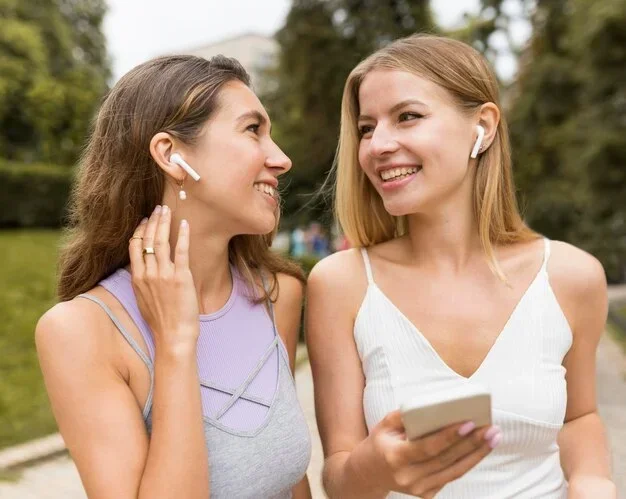
Featured image for Person wearing AirPods Pro in public
Image source: img.freepik.com
Can people hear your AirPods Pro 2? In most cases, no—thanks to their in-ear seal and active noise cancellation. However, at high volumes in quiet environments, some sound can leak out. The fit, volume level, and environment all play a role. This guide explains exactly when and why sound leakage happens and how to prevent it.
Imagine you’re sitting on a quiet bus, enjoying your favorite playlist through your AirPods Pro 2. You glance over and notice the person next to you giving you a weird look. Could they actually hear your music? It’s a question millions of AirPods users have wondered at some point.
The short answer? Most of the time, people cannot hear your AirPods Pro 2. Apple designed them with sound isolation in mind, using silicone ear tips and advanced noise cancellation to keep your audio inside your ears. But there are situations where sound can leak out—especially if the volume is high or the fit isn’t quite right.
This guide breaks down everything you need to know about AirPods Pro 2 sound leakage. You’ll learn how the technology works, what causes audio to escape, and practical tips to keep your listening completely private. Whether you’re a student, a commuter, or someone who just values their personal audio space, this article has you covered.
Key Takeaways
- AirPods Pro 2 Use a Sealed In-Ear Design: Unlike earbuds that sit loosely in your ear, AirPods Pro 2 use silicone tips that create a tight seal, significantly reducing sound leakage.
- Active Noise Cancellation Helps: ANC technology blocks outside noise so you can listen at lower volumes, which also prevents sound from escaping outward.
- High Volumes Cause Leakage: If you crank your music above 70-80% volume, people nearby in quiet settings may faintly hear audio leaking out.
- Proper Fit Is Critical: Using the wrong ear tip size breaks the seal and allows sound to escape—Apple offers an Ear Tip Fit Test to help.
- Transparency Mode Increases Leakage: This mode lets outside sounds in but also means more of your audio escapes, especially at higher volumes.
- Environments Matter: In a noisy subway, no one hears your AirPods. In a silent library, even AirPods Pro 2 can leak sound if turned up loud.
- Common Fixes Are Simple: Adjusting the fit, lowering volume, enabling ANC, and cleaning ear tips all dramatically reduce leakage.
📑 Table of Contents
How AirPods Pro 2 Are Designed to Keep Sound In
Apple’s AirPods Pro 2 aren’t just tiny speakers—they’re carefully engineered audio devices built around the concept of a sealed listening environment. Understanding this design is the key to understanding why they leak so little sound compared to other earbuds.
The In-Ear Seal: Your First Line of Defense
Think of the AirPods Pro 2 like a well-fitted snorkel. When you put a snorkel in your mouth and create a seal, water stays out. Similarly, when the silicone tip of an AirPod presses gently against your ear canal, it creates a barrier that keeps your music in and outside noise out.
The AirPods Pro 2 come with four sizes of silicone ear tips (XS, S, M, L). This variety exists because everyone’s ears are different. Getting the right size is crucial—if the tip is too small, gaps form and sound escapes. If it’s too large, it won’t seat properly.
Apple even built a tool to help: the Ear Tip Fit Test. You can find it in your iPhone’s Settings under Bluetooth > AirPods Pro 2 > Ear Tip Fit Test. It plays a brief audio clip and uses the microphones inside your ears to determine whether you have a good seal.
Active Noise Cancellation: The Silent Bodyguard
Here’s where the AirPods Pro 2 really shine. Active Noise Cancellation (ANC) is like having a tiny bouncer for your ears. The earbuds listen to the ambient noise around you (like chatter, traffic, or airplane hum) and produce an “anti-noise” signal that cancels it out.
But ANC does more than just block outside noise. By canceling environmental sounds, it allows you to listen to your audio at a lower volume. And here’s the connection: lower volumes mean less sound pressure, which means less leakage. It’s a beautiful chain reaction.
The AirPods Pro 2 use the H2 chip, which processes noise cancellation faster and more efficiently than the previous generation. According to Apple, the H2 chip delivers up to twice as much active noise cancellation as the original AirPods Pro.
Adaptive Audio: Smart Volume Management
The AirPods Pro 2 also feature Adaptive Audio, a newer technology introduced in iOS 17. This feature blends Active Noise Cancellation and Transparency Mode dynamically based on your surroundings.
Imagine you’re walking down a street. Adaptive Audio will let in some traffic noise for safety but still cancel out the wind and chatter. This means you don’t have to blast your volume to overcome noise, which again reduces leakage.
So, Can People Actually Hear Your AirPods Pro 2?
Now for the million-dollar question. The honest answer is: it depends on several factors. Let’s walk through each one.
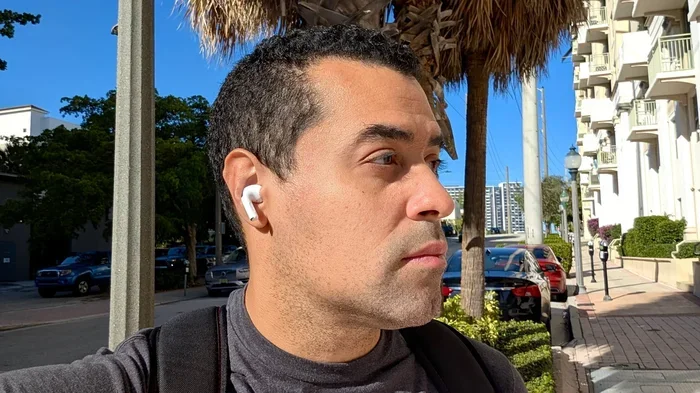
Visual guide about Person wearing AirPods Pro in public
Image source: helios-i.mashable.com
The Volume Factor
Volume is the single biggest determinant of sound leakage. At low to moderate volumes (around 30-50%), sound leakage is virtually nonexistent. Even people sitting right next to you on a bus won’t hear a thing.
But as you crank up the volume, things change. At 70-80% volume, in a quiet environment, someone within a foot or two of you might faintly hear tinny, muffled audio. It won’t sound like full music—just a ghost of the melody or the beat. Anything above 80% and the leakage becomes more noticeable, especially in pin-drop silent settings.
Did You Know? The World Health Organization recommends keeping personal audio devices at no more than 60% of maximum volume for prolonged listening to protect your hearing. Staying below this threshold has the bonus benefit of minimizing sound leakage.
The Environment Factor
Where you are matters a lot. Consider these scenarios:
- Subway or airplane: Ambient noise is loud, your volume is moderate, ANC is working hard—nobody hears your audio.
- Quiet office or library: Ambient noise is minimal, your volume might still be moderate—but because the environment is so quiet, even small leakages become more obvious.
- Coffee shop: Moderate background chatter masks any leakage—you’re in the clear.
- Bedroom at night: Dead silent, low volume needed, perfect seal—practically zero leakage.
The pattern is clear: the quieter the environment, the more likely even minor leakage is to be detected by those nearby.
The Fit Factor
This one’s huge. If your AirPods Pro 2 aren’t seated properly in your ears, the seal breaks, and sound starts leaking out the sides like air from a punctured balloon. Poor fit is the number-one cause of unnecessary sound leakage.
Common fit mistakes include:
- Using the default medium tips without trying other sizes
- Not pushing the ear tips deep enough into the ear canal
- Wearing AirPods during exercise when sweat disrupts the seal
- Using worn-out or damaged silicone tips that no longer grip properly
To check your fit, simply remove an AirPod and hold it next to your ear while music is playing. If you can hear significant audio from the removed bud, your seal isn’t great.
The Transparency Mode Factor
Transparency Mode is the opposite of Active Noise Cancellation. Instead of blocking outside noise, it uses the external microphones to pipe environmental sounds into your ears. This is great for safety when crossing streets or for quick conversations without removing your AirPods.
But there’s a tradeoff. Transparency Mode doesn’t necessarily cause more leakage directly—your AirPods still seal your ears. However, because you can hear the world around you more clearly, you’re often more tempted to raise the volume. And as we’ve established, higher volume equals more leakage.
If privacy is your priority, stick with ANC mode in public spaces.
How to Test If Your AirPods Pro 2 Are Leaking Sound
Curious whether your specific setup leaks sound? You can test it yourself in under a minute.
The Mirror Test
Put on your AirPods Pro 2, play some music at your usual volume, and stand in front of a mirror. Without bending down or leaning in, try to see if you can spot the AirPods’ speaker drivers. If the tips aren’t snug, you might see daylight around them, which is a clear sign the seal is weak.
The Friend Test
Ask a friend to stand about a foot away from you in a quiet room. Play music at your typical volume and ask if they hear anything. If they report silence, you’re golden. If they hear muffled audio, it’s time to adjust the fit or lower the volume.
The Ear Tip Fit Test
As mentioned earlier, this built-in iPhone feature is invaluable. To run it:
- Open the Settings app on your iPhone
- Tap Bluetooth and find your AirPods Pro 2
- Tap the info icon (i) next to them
- Select Ear Tip Fit Test
- Follow the on-screen instructions
The test will tell you if the current tips provide a good seal or if you should try a different size.
Comparing AirPods Pro 2 to Other Headphones for Leakage
It helps to put AirPods Pro 2 in context. How do they stack up against other popular listening devices?
AirPods Pro 2 vs. Standard AirPods
The regular AirPods (the non-Pro models) have a hard plastic design that sits loosely in your ear. They don’t create a seal, and as a result, sound leakage is significantly worse. People nearby can often hear what’s playing on standard AirPods, especially at higher volumes.
The AirPods Pro 2’s silicone-tipped design wins this comparison hands-down for privacy.
AirPods Pro 2 vs. Over-Ear Headphones
Over-ear headphones like the AirPods Max actually leak more sound than in-ear buds, particularly at high volumes. This is because the drivers are larger and the ear cups, while cushioned, aren’t airtight. AirPods Pro 2 generally outperform over-ear headphones in terms of leakage.
AirPods Pro 2 vs. Bone Conduction Headphones
Bone conduction headphones sit outside your ears entirely, vibrating your skull to deliver sound. By design, they leak significantly more sound than any sealed earbud. AirPods Pro 2 are far better for privacy.
Did You Know? A 2022 study published in the International Journal of Environmental Research and Public Health found that in-ear headphones with proper seals produced 20-30% less sound leakage than open-ear designs at equivalent perceived loudness levels.
Practical Tips to Prevent Sound Leakage
Now that you know the causes, here are actionable tips to ensure your AirPods Pro 2 stay completely private.
Tip 1: Nail the Fit
Take five minutes to experiment with all four ear tip sizes. The right tip should feel snug but not uncomfortable. When you shake your head, the AirPod should stay in place without wobbling. Run the Ear Tip Fit Test to confirm.
Tip 2: Keep Your Volume Reasonable
Aim for 50-60% maximum volume. This protects your hearing (WHO recommends staying below 60%) and virtually eliminates leakage. Your battery will also last longer, since lower volumes require less power.
Tip 3: Use Active Noise Cancellation
ANC isn’t just a fancy feature—it’s a privacy tool. By blocking outside noise, it lets you keep your volume low without losing audio clarity. In noisy environments, ANC is your best friend.
Tip 4: Clean Your Ear Tips Regularly
Earwax, dust, and oils can build up on the silicone tips and the AirPod mesh, weakening the seal. Remove the tips weekly and wash them with mild soap and water. Dry them thoroughly before reattaching. Use a soft, dry brush to gently clean the mesh on the AirPods themselves.
Tip 5: Replace Worn-Out Tips
Silicone degrades over time. If your tips feel loose, sticky, or cracked, replace them. Apple sells replacement tips directly, and they’re inexpensive.
Tip 6: Be Mindful in Quiet Spaces
In libraries, meeting rooms, or other silent environments, be extra cautious. Even with perfect fit and moderate volume, the quietness can amplify tiny leakages. Consider removing one AirPod briefly to check the volume, or simply use a single AirPod at lower volume.
Tip 7: Update Your Firmware
Apple regularly releases firmware updates that improve noise cancellation and audio processing. Keep your AirPods Pro 2 updated by ensuring they’re connected to your iPhone and placed in their charging case near a power source.
The Bottom Line: AirPods Pro 2 and Sound Privacy
AirPods Pro 2 are among the best-in-class earbuds for sound privacy. Their combination of silicone-tip sealing, advanced Active Noise Cancellation, the powerful H2 chip, and Adaptive Audio makes them highly resistant to sound leakage under normal use.
If you’re listening at moderate volumes (below 60-70%) with a proper fit, you can rest easy knowing that the people around you aren’t hearing your music. Even at higher volumes in noisy environments, leakage is minimal.
The only real leakage risk comes from a combination of high volume + poor fit + quiet environment. Eliminate any one of these factors, and leakage drops dramatically.
So the next time someone on the bus gives you a funny look, don’t worry—it’s probably not about your AirPods. Your audio is safely tucked away in your ears, where it belongs.
Got more questions about AirPods Pro 2? Drop them below, and happy listening!
Frequently Asked Questions
Can people hear AirPods Pro 2 from across a room?
No. AirPods Pro 2 are designed with silicone seals and active noise cancellation that prevent sound from traveling more than a few inches. At normal volumes, even people sitting right next to you won’t hear anything.
Does Active Noise Cancellation prevent sound leakage?
Indirectly, yes. ANC blocks outside noise, which lets you listen at lower volumes. Since lower volumes produce less sound pressure, leakage is significantly reduced. ANC itself doesn’t seal sound in, but it creates the conditions for quieter listening.
What volume level causes AirPods Pro 2 to leak sound?
Sound leakage typically begins to become noticeable at volumes above 70-80%, especially in quiet environments. Staying below 60% (the WHO-recommended safe limit) virtually eliminates any leakage, even in silent rooms.
How do I know if my AirPods Pro 2 fit properly?
Use Apple’s Ear Tip Fit Test, found in Settings > Bluetooth > AirPods Pro 2 > Info > Ear Tip Fit Test. You can also do a quick personal test by removing an AirPod while music plays—if you hear loud audio from the removed bud, the seal isn’t tight enough.
Does Transparency Mode make AirPods Pro 2 leak more sound?
Transparency Mode doesn’t directly increase leakage, but it makes you more aware of your surroundings, which can tempt you to raise the volume. Higher volume then leads to more leakage. If privacy matters, use ANC mode in public.
Are AirPods Pro 2 better than regular AirPods for preventing sound leakage?
Yes, significantly. Regular AirPods have a hard plastic design that doesn’t seal the ear canal, leading to noticeable sound leakage. The AirPods Pro 2’s silicone tips create a tight seal, dramatically reducing how much audio escapes.