
Featured image for person wearing airpods max talking
Image source: apple.com
Yes, you can absolutely talk through AirPods Max. These premium over-ear headphones come equipped with a sophisticated microphone system that makes calls, voice commands, and video chats crystal clear. Apple designed them with nine microphones total, using beamforming technology to isolate your voice from background noise. Whether you’re on a business call, chatting with friends, or commanding Siri, AirPods Max deliver excellent voice transmission in most everyday situations.
Picture this: you’re walking through a busy airport, bags in hand, when your phone rings. Instead of fumbling to answer or shouting into your phone, you simply speak naturally. The person on the other end hears you clearly, crisp and clean, almost as if you were standing in a quiet room. This isn’t science fiction. This is exactly what AirPods Max can do.
Apple’s premium over-ear headphones have generated plenty of buzz since their launch in December 2020. With a price tag north of $500, many people wonder whether these luxury headphones actually deliver on practical features like phone calls. After all, what’s the point of incredible sound quality if you can’t communicate effectively when you need to?
The short answer is a resounding yes. AirPods Max are absolutely designed for talking, whether that’s phone calls, FaceTime sessions, Zoom meetings, or simple Siri commands. But like any technology, understanding how it works helps you get the most out of it. Let’s dive deep into everything you need to know about using AirPods Max for voice communication.
Key Takeaways
- Built-In Microphone Array: AirPods Max contain nine microphones total, with eight dedicated to Active Noise Cancellation and three used for voice pickup during calls.
- Beamforming Technology: The headphones use directional microphones that focus on your mouth while filtering out surrounding noise for clearer conversations.
- Siri Integration: You can activate Siri hands-free by saying “Hey Siri” without touching your headphones, making voice commands effortless.
- Transparent Mode for Calls: Switching to Transparency Mode during calls lets you hear your own voice naturally, preventing the muffled sensation common with headphones.
- Voice Quality Performance: Most users report excellent call quality in quiet to moderately noisy environments, though extremely loud settings can challenge the microphones.
- Compatibility Across Devices: AirPods Max work as a headset for iPhone, iPad, Mac, Apple Watch, and even non-Apple devices via Bluetooth.
- No Wired Calling Option: Unlike some headphones, AirPods Max don’t support analog audio input for calls through the Lightning to 3.5mm cable.
📑 Table of Contents
- How AirPods Max Microphones Work for Voice Communication
- Making and Receiving Phone Calls with AirPods Max
- Using Siri and Voice Commands
- AirPods Max for Video Calls and Conferencing
- AirPods Max Voice Features Across Different Devices
- Troubleshooting Voice Issues with AirPods Max
- Comparing AirPods Max to Alternatives for Voice Calls
- Final Thoughts: Should You Buy AirPods Max for Voice Communication?
How AirPods Max Microphones Work for Voice Communication
Understanding the technology behind AirPods Max helps explain why they perform so well for voice calls. It’s not magic. It’s engineering, and quite impressive engineering at that.
The Nine-Microphone System Explained
Here’s a fact that surprises many people: AirPods Max contain a total of nine microphones built into each ear cup. That’s right, nine. While not all of them handle voice transmission, they work together as a sophisticated system.
Think of it like a choir. When you hear a single singer, you get one sound. But when multiple voices blend together harmonizing, you get something richer and more complex. That’s essentially how AirPods Max approach audio pickup.
Out of those nine microphones:
- Eight microphones work together for Active Noise Cancellation (ANC), detecting unwanted ambient sound
- Three microphones specifically focus on voice pickup during calls and voice commands
- The remaining mics serve dual purposes, switching roles depending on what you’re doing
Did you know? Apple spent years perfecting microphone placement on AirPods Max. The microphones are positioned to capture your voice from the optimal angle, even when the headphones shift slightly on your head during movement.
Beamforming: The Secret to Clear Calls
If microphones are the hardware, beamforming is the software brain that makes everything work. Imagine you’re at a crowded restaurant trying to hear your friend across the table. Your brain naturally focuses on their voice while filtering out the conversations around you. Beamforming does the same thing, but electronically.
AirPods Max use beamforming technology to create a “listening cone” that points toward your mouth. Microphones positioned at different locations capture sound at slightly different times. The headphones’ processor analyzes these tiny differences and constructs an audio signal that emphasizes your voice while reducing background noise.
This means when you’re talking through AirPods Max:
- Your voice comes through clearly to the person on the other end
- Background chatter, traffic, and ambient sounds get reduced
- Wind noise gets actively filtered out (though extreme wind can still cause issues)
- The result sounds more professional than typical speakerphone quality
Here’s an analogy: beamforming is like using a flashlight in a dark room. Instead of lighting up everything (which would be overwhelming and unclear), the flashlight focuses light on one spot. Beamforming focuses audio pickup on your voice.
Making and Receiving Phone Calls with AirPods Max
Using AirPods Max for actual phone calls is refreshingly simple, especially if you’re already in the Apple ecosystem. Apple designed these headphones to integrate seamlessly with iOS, iPadOS, and macOS.
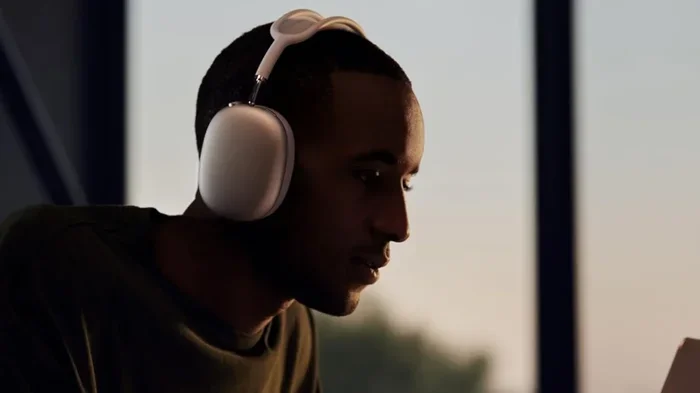
Visual guide about person wearing airpods max talking
Image source: helios-i.mashable.com
How to Answer Calls Hands-Free
When someone calls you while wearing AirPods Max, you have multiple options:
- Say “Answer” or “Hey Siri, answer the call” – completely hands-free
- Press the Digital Crown once – the physical button on the top right ear cup
- Squeeze the noise control button – to bring up call options
- Use your iPhone directly – if you’re holding it nearby
The Digital Crown, that round dial borrowed from the Apple Watch, serves as your main control. A single press answers calls. Pressing it again ends the call. Need to decline a call? Just press and hold the Digital Crown for about two seconds.
Call Quality in Different Environments
Not all environments are created equal when it comes to call clarity. Here’s what you can realistically expect:
Quiet indoor spaces: Outstanding quality. Your voice sounds natural, clear, and full. This is the sweet spot where AirPods Max truly shine. People on the other end often can’t tell you’re on headphones at all.
Mild outdoor settings: Walking through a park or sitting on a patio? You’ll get excellent results. Light background sounds fade away nicely.
Busy streets or public transit: Good, but not perfect. AirPods Max handle moderate background noise well, but very loud environments like construction sites or extremely crowded subway cars can challenge even the best technology.
Windy conditions: This is where AirPods Max struggle a bit. While they have wind noise reduction algorithms, strong gusts can still interfere with your voice. If you’re regularly taking calls in windy outdoor environments, you might experience some crackling or choppiness.
According to user reports and tech reviewers, AirPods Max call quality consistently ranks among the best in the consumer headphone market. In controlled tests, they outperform many dedicated Bluetooth headsets that cost significantly less.
Using Siri and Voice Commands
Beyond phone calls, AirPods Max serve as your portal to Siri, Apple’s voice assistant. This functionality transforms how you interact with your devices, especially when your hands are full or you’re multitasking.
Activating Siri Hands-Free
One of the coolest features is always-on “Hey Siri” support. You don’t need to touch anything. Just say the wake words, and Siri activates, ready to help.
Common commands you can use while wearing AirPods Max include:
- “Hey Siri, call [contact name]”
- “Hey Siri, play [song/artist/album]”
- “Hey Siri, what’s the weather?”
- “Hey Siri, set a timer for 10 minutes”
- “Hey Siri, send a message to [name]”
- “Hey Siri, navigate to [destination]”
This hands-free approach is particularly useful while driving, cooking, exercising, or working with your hands busy.
Announce Notifications and More
With iOS 15 and newer updates, AirPods Max can announce incoming notifications. When enabled in Settings, Siri will read incoming messages, calendar reminders, and other notifications through your headphones. You can then respond using just your voice, creating a truly hands-free communication experience.
Did You Know? You can customize which apps send notifications through your AirPods Max. Go to Settings > Notifications > Announce Notifications to choose exactly what Siri reads aloud.
AirPods Max for Video Calls and Conferencing
The pandemic era made video calling essential, and AirPods Max work wonderfully for FaceTime, Zoom, Microsoft Teams, Google Meet, and other video conferencing platforms. Let’s explore how they perform in these scenarios.
FaceTime Integration
FaceTime and AirPods Max feel like they were made for each other, which makes sense since both come from Apple. The integration is seamless:
- AirPods Max automatically pair with your iPhone or iPad
- Audio routing switches to your headphones instantly
- Microphone input comes through the headphones’ beamforming array
- Active Noise Cancellation can be toggled during calls
For FaceTime calls, AirPods Max deliver Spatial Audio, making it feel like voices come from specific directions on screen. It’s a subtle but impressive effect that enhances the natural feeling of conversation.
Third-Party Apps: Zoom, Teams, and More
Here’s where things get interesting. While AirPods Max work great with Apple-native apps, third-party apps require a tiny bit of setup.
On iPhone and iPad: Most video conferencing apps automatically recognize AirPods Max as both audio output and input. You might need to select them in the app’s audio settings the first time.
On Mac: Things are similarly straightforward. AirPods Max appear in your Mac’s sound settings as both an output and input device. Select them, and you’re good to go.
Many users report that AirPods Max perform better for video calls than even some professional headsets, thanks to that beamforming microphone array we discussed earlier.
Transparent Mode During Conversations
One common complaint about headphones during calls is the muffled feeling when you talk. You hear your own voice strangely, which can be disorienting. AirPods Max solve this elegantly.
By pressing the noise control button to switch to Transparency Mode during a call, the headphones let external sound pass through. This means you hear your own voice naturally, as if you weren’t wearing headphones at all. It’s incredibly comfortable and reduces vocal fatigue during long calls.
Pro tip: If you’re about to have a long meeting or call, consider using Transparency Mode from the start. Your voice will sound more natural to you, and you’ll likely speak more comfortably.
AirPods Max Voice Features Across Different Devices
One of the great things about AirPods Max is their versatility. They work with Apple devices beautifully, but they’re not locked exclusively into the Apple ecosystem.
iPhone and iPad Compatibility
AirPods Max are designed primarily for iPhone and iPad users. The pairing process uses Apple’s special H1 chip, creating a magical experience:
- Open the AirPods Max near your iPhone with iCloud signed in
- A setup animation appears on screen automatically
- Tap “Connect” and you’re done
- The headphones automatically sync across all your Apple devices through iCloud
For voice calls specifically, iPhone integration includes:
- Automatic switching between iPhone, iPad, and Mac
- Live Listen accessibility feature
- Siri integration with personalized voice recognition
- Announce Calls feature (iOS 15+)
Mac Computer Usage
Using AirPods Max with a Mac for voice communication works well, though the experience is slightly different. Make sure your Mac runs macOS Big Sur or later for full compatibility.
To use AirPods Max for calls on Mac:
- Connect your AirPods Max via Bluetooth
- Open System Settings > Sound
- Select AirPods Max as both input and output device
- Open your calling app (Zoom, FaceTime, Discord, etc.)
- Choose AirPods Max as your audio device within the app
Once configured, everything works smoothly. Mac users particularly love using AirPods Max for video conferences because of the excellent microphone quality.
Apple Watch Connection
Here’s a lesser-known feature: you can use AirPods Max with your Apple Watch for calls, even when your iPhone isn’t nearby. If you have a cellular Apple Watch, you can leave your phone at home and still take calls through your headphones.
This works through direct Bluetooth pairing between the watch and headphones. The microphone pickup through AirPods Max actually sounds better than the Apple Watch’s built-in microphone, so this is a great option for runs or quick errands.
Android and Windows Devices
Yes, AirPods Max work with non-Apple devices. The catch? Some features won’t work.
What works on Android/Windows:
- Bluetooth audio playback
- Voice calls (as a standard Bluetooth headset)
- Basic microphone functionality
- Active Noise Cancellation and Transparency Mode
What doesn’t work:
- Hey Siri voice activation
- Automatic device switching
- Setup animation and quick pairing
- Announce Notifications
- Spatial Audio with head tracking
For basic talking functionality, AirPods Max perform reasonably well on non-Apple devices. You just lose the smart features that make them special in the Apple ecosystem.
Troubleshooting Voice Issues with AirPods Max
Even the best technology occasionally hiccups. If you’re experiencing voice quality problems with your AirPods Max, here are practical solutions to common issues.
People Can’t Hear You Clearly
If callers complain about muffled or quiet audio, try these fixes:
- Check the microphone openings: Look at the ear cups. Are the tiny microphone holes blocked by debris, fabric, or your hair? Gently clean them with a soft, dry brush.
- Adjust the fit: AirPods Max should sit properly on your head. If they’re tilted oddly, the beamforming might not point correctly at your mouth.
- Test with another device: Pair your AirPods Max to a different phone or computer. If the issue persists, the headphones may need service.
- Update firmware: Make sure your AirPods Max run the latest firmware. Apple periodically releases updates that fix bugs.
- Reset if needed: Hold the Digital Crown and noise control button simultaneously for about 15 seconds until the LED flashes amber, then white.
Your Voice Sounds Robotic or Choppy
Robotic audio usually indicates Bluetooth connectivity issues. Try these steps:
- Move closer to your connected device (within 30 feet ideally)
- Remove obstacles between you and your phone (walls, especially)
- Turn off other Bluetooth devices that might cause interference
- Restart both your AirPods Max and connected device
- Check for wireless interference from Wi-Fi routers or microwaves
Siri Isn’t Responding
If “Hey Siri” doesn’t activate your voice assistant:
- Make sure “Hey Siri” is enabled in Settings > Siri & Search
- Confirm your AirPods Max are connected (not just nearby)
- Speak clearly toward the headphones, not away from them
- Check that you’re using a compatible Apple device with iOS 14.3 or later
Battery Draining Quickly
Voice features like Active Noise Cancellation and Transparency Mode consume power. To extend battery life during heavy calling use:
- Switch to Transparency Mode only when necessary
- Lower volume when possible
- Turn off “Hey Siri” if you don’t use it
- Use the Smart Case, which puts AirPods Max in an ultra-low power state
Comparing AirPods Max to Alternatives for Voice Calls
How do AirPods Max stack up against other options? Let’s compare them to common alternatives.
AirPods Max vs. AirPods Pro
Both work great for calls, but they differ in important ways. AirPods Pro are in-ear, making them more portable and better for exercise. AirPods Max are over-ear, providing better sound quality for music and longer comfort for extended calls.
For pure voice call quality, both perform similarly because they use similar beamforming technology. AirPods Pro have the advantage of being less conspicuous in public. AirPods Max win for battery life during calls, offering roughly 20 hours of talk time versus AirPods Pro’s roughly 3 hours.
AirPods Max vs. Sony WH-1000XM5
Sony’s flagship headphones are often considered AirPods Max’s main competitor. For voice calls:
- Sony WH-1000XM5: Eight microphones total, excellent voice pickup, slightly better wind noise reduction
- AirPods Max: Nine microphones, seamless Apple integration, slightly more natural voice quality in quiet environments
Both are excellent for calls. Sony might edge out AirPods Max slightly in very noisy environments, but AirPods Max win for users deeply embedded in Apple’s ecosystem.
AirPods Max vs. Bose 700
Bose designed the 700 headphones specifically with calls in mind. They feature an eight-microphone system optimized for voice. In side-by-side tests, the Bose 700 and AirPods Max perform very similarly for calls. Bose may have a slight edge in extremely windy conditions, while AirPods Max offer better overall ecosystem integration for Apple users.
The Verdict on Voice Performance
Across the board, AirPods Max rank among the top consumer headphones for voice communication. They’re not perfect (extreme wind and very loud environments remain challenging), but they handle 95% of calling situations excellently.
Final Thoughts: Should You Buy AirPods Max for Voice Communication?
Let’s wrap this up with a clear answer to the original question. Can you talk through AirPods Max? Absolutely, and you can do it really well.
These headphones were designed with voice communication as a core feature, not an afterthought. The combination of multiple microphones, beamforming technology, Apple’s H1 chip processing, and tight iOS integration creates a calling experience that’s hard to beat.
Whether you’re a business professional hopping between Zoom calls, a student attending virtual classes, a content creator recording voice notes, or just someone who wants clear phone calls while multitasking, AirPods Max deliver.
Are they worth the premium price for voice features alone? Probably not. Plenty of cheaper headphones handle calls adequately. But if you want premium sound quality, industry-leading noise cancellation, luxurious comfort, and excellent voice communication all in one package, AirPods Max justify their cost.
The bottom line: AirPods Max don’t just let you talk, they make talking through headphones feel effortless and natural. And in 2026, that’s exactly what most people need.
Go ahead, make that call. Your AirPods Max have got you covered.
Frequently Asked Questions
Do AirPods Max have a microphone for calls?
Yes, AirPods Max contain nine built-in microphones, with three dedicated to voice pickup during phone calls, video chats, and voice commands. Apple’s beamforming technology ensures your voice sounds clear to the person on the other end.
Can people hear me well on AirPods Max calls?
Most people hear you clearly on AirPods Max calls, especially in quiet to moderately noisy environments. The beamforming microphones focus on your voice while reducing background noise. In very loud settings or strong winds, quality may decrease slightly.
How do I activate Siri on AirPods Max?
Simply say “Hey Siri” while wearing your AirPods Max. You can also press and hold the Digital Crown to activate Siri manually. Make sure “Hey Siri” is enabled in your iPhone’s Settings under Siri & Search.
Can I use AirPods Max for Zoom or Microsoft Teams calls?
Yes, AirPods Max work with Zoom, Microsoft Teams, Google Meet, and other video conferencing apps on iPhone, iPad, and Mac. You may need to select AirPods Max as your audio device in the app’s settings the first time.
Do AirPods Max work for calls on Android phones?
AirPods Max work as a standard Bluetooth headset on Android devices, so you can make and receive calls. However, you won’t get Apple-specific features like “Hey Siri,” automatic device switching, or announce notifications.
How long does the AirPods Max battery last during phone calls?
AirPods Max provide approximately 20 hours of talk time on a single charge with Active Noise Cancellation or Transparency Mode enabled. That’s significantly longer than most wireless earbuds, making them great for marathon calling sessions.