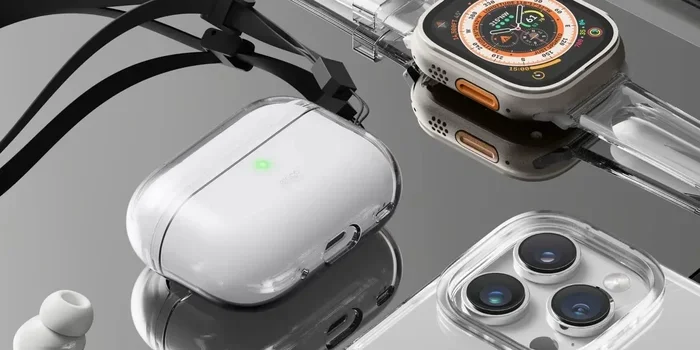
Featured image for AirPods Pro 2 case update
Image source: 9to5toys.com
Yes, the AirPods Pro 2 received a major update in 2025 alongside iOS 26, introducing groundbreaking features like live translation, heart rate monitoring, and clinical-grade hearing aid functionality. Apple also released new firmware updates (7E93 and earlier) that added features such as adaptive audio, conversation awareness, and improved noise cancellation. These updates transformed the AirPods Pro 2 from premium earbuds into comprehensive health and communication devices.
Imagine buying a pair of earbuds and, months later, waking up to discover they can now monitor your heartbeat, translate languages in real time, and even help you hear better in noisy restaurants. That’s exactly what happened to AirPods Pro 2 owners in 2025. Apple delivered one of the most significant software updates in consumer electronics history, transforming familiar earbuds into multi-functional health and communication tools without requiring anyone to buy new hardware.
This comprehensive guide answers every question you might have about AirPods Pro 2 updates, from the latest iOS 26 features to the smaller firmware improvements that have rolled out over the years. Whether you bought your AirPods Pro 2 in 2022 or just picked up a pair last week, understanding these updates helps you get maximum value from your investment. We’ll explore what changed, when it changed, why it matters, and how to ensure your earbuds are running the latest software.
Think of this article as your one-stop reference for everything related to AirPods Pro 2 software evolution. By the end, you’ll know precisely which features your earbuds support, how to check your current firmware version, and what exciting capabilities might arrive in future updates.
Key Takeaways
- Major iOS 26 Integration: AirPods Pro 2 received the biggest software update in their history with iOS 26, adding heart rate sensing, live translation, and hearing aid features.
- Firmware Updates Matter: Beyond iOS features, dedicated firmware updates (like 7E93) brought adaptive audio, conversation awareness, and personalized volume controls.
- Health Monitoring Capabilities: The AirPods Pro 2 can now measure heart rate during workouts using a built-in sensor, making them a legitimate fitness companion.
- Hearing Health Revolution: With iOS 26, AirPods Pro 2 became the first over-the-counter clinical-grade hearing aids, helping millions with mild to moderate hearing loss.
- Live Translation Feature: Real-time language translation during face-to-face conversations is now possible, breaking down language barriers in 2025.
- Free Compatibility: All these updates are free for existing AirPods Pro 2 owners, adding tremendous value to a product already on the market.
- Automatic Updates: Firmware updates happen automatically when your AirPods are charging and near your iPhone, though you can manually trigger them too.
📑 Table of Contents
- The Short Answer: Yes, AirPods Pro 2 Received Multiple Major Updates
- The 2025 iOS 26 Update: A Game-Changing Release
- Recent Firmware Updates: Smaller but Significant Improvements
- How to Check and Update Your AirPods Pro 2
- Why Apple Updates AirPods: The Business and Philosophy Behind Free Features
- The Future of AirPods Pro 2 Updates: What Might Come Next
- Conclusion: The Best Time to Own AirPods Pro 2 Is Right Now
The Short Answer: Yes, AirPods Pro 2 Received Multiple Major Updates
Let’s get straight to the point. The AirPods Pro 2 have received numerous updates since their original release in September 2022. These updates fall into two distinct categories that work together to enhance your experience.
Firmware updates are software improvements pushed directly to your AirPods hardware. Think of these like updates to your TV’s smart features; they add new capabilities and fix bugs without you buying anything new. The most recent firmware version is 7E93, released in 2025, which introduced several adaptive audio features.
iOS integration updates are features that arrive when Apple updates the iPhone operating system. The biggest leap came with iOS 26 in 2025, which unlocked hardware capabilities already built into your AirPods Pro 2. It’s like discovering your car had a turbocharger that just needed the right software activation to use it.
Did you know that Apple designs AirPods with future capabilities in mind? The heart rate sensor in AirPods Pro 2 was physically present when the device launched, but Apple waited until the software and algorithms were refined before enabling the feature. This approach means your existing hardware keeps getting better years after purchase.
The 2025 iOS 26 Update: A Game-Changing Release
The iOS 26 update, released in September 2025, represents the most significant enhancement to AirPods Pro 2 since their launch. Apple essentially turned these earbuds into three devices in one: premium noise-cancelling headphones, a fitness tracker, and a clinical-grade hearing aid.
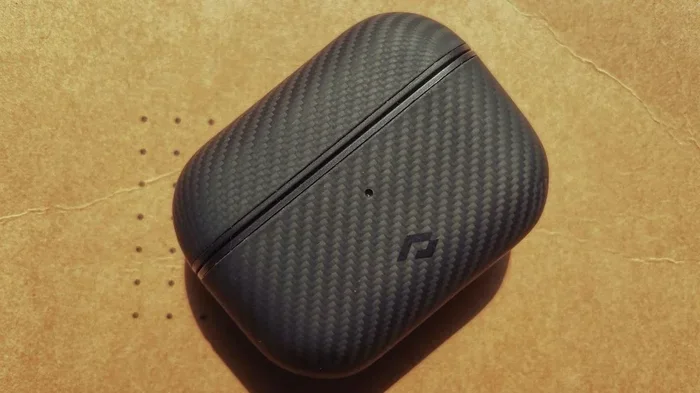
Visual guide about AirPods Pro 2 case update
Image source: appsntips.com
Heart Rate Monitoring: Your Ears Know Your Pulse
Here’s something fascinating: your ear canal is one of the best places on your body to measure heart rate. Blood flow is strong, movement is minimal, and the skin is thin. Apple leveraged this biology by embedding a heart rate sensor into the AirPods Pro 2.
With iOS 26, this sensor activates and works seamlessly with the Apple Fitness app. You can now track workout intensity, calories burned, and heart rate zones without wearing an Apple Watch. Imagine doing jumping jacks and your AirPods are keeping score of your cardiovascular effort like a tiny personal trainer sitting in your ears.
The practical benefits include hands-free heart rate tracking during gym sessions, running, cycling, and even swimming (AirPods Pro 2 are IP54 rated for water resistance). For people who find wrist-worn devices uncomfortable, this ear-based alternative provides accurate biometric data without the bulk.
Live Translation: Breaking Language Barriers in Real Time
Picture yourself sitting in a café in Tokyo, trying to order breakfast in Japanese. With iOS 26 and AirPods Pro 2, you can speak English, and the person across the table hears Japanese translation through their phone. Their Japanese response comes back to your ears in English. It feels like something from a science fiction movie, but it’s available right now.
This live translation feature supports multiple languages at launch, including English, Spanish, French, German, Portuguese, Italian, Japanese, Korean, and Chinese (simplified). The system processes speech on-device for privacy, meaning your conversations don’t get uploaded to external servers. Apple designed this with security in mind, recognizing that translation often involves sensitive or personal content.
To use this feature, you need iOS 26 on your iPhone, AirPods Pro 2 with updated firmware, and the Translate app set up on your device. The feature works in two modes: face-to-face conversations where each person takes turns speaking, and solo mode where you’re listening to a foreign language presentation or video.
Clinical-Grade Hearing Aid Functionality
Perhaps the most impactful update from iOS 26 is the transformation of AirPods Pro 2 into clinical-grade hearing aids. This wasn’t just a marketing claim; Apple received FDA clearance for this feature, making AirPods Pro 2 the first over-the-counter hearing aid software approved in the United States.
Here’s how it works in simple terms: your AirPods Pro 2 can perform a scientifically validated hearing test right from your iPhone. The process takes about five minutes and produces an audiogram showing your hearing profile across different frequencies. The AirPods then automatically adjust their audio output to compensate for your specific hearing loss patterns.
According to the World Health Organization, approximately 1.5 billion people worldwide experience some degree of hearing loss, yet only a fraction use traditional hearing aids due to cost and social stigma. AirPods Pro 2 hearing aid features cost nothing extra for existing owners and look identical to regular earbuds, addressing both financial and social barriers to hearing assistance.
The hearing aid feature includes a “Conversation Boost” mode that amplifies voices in front of you while reducing background noise, making restaurant conversations dramatically clearer. There’s also a “Media Assist” feature that enhances phone calls and audio content for people with hearing difficulties.
Recent Firmware Updates: Smaller but Significant Improvements
Beyond the headline-grabbing iOS 26 features, Apple has steadily improved AirPods Pro 2 through dedicated firmware updates. These updates focus on audio quality, connectivity, and intelligent features that adapt to your environment.
Firmware Version 7E93: The 2025 Audio Enhancement
The 7E93 firmware, released in mid-2025, introduced three interconnected features that work together to create a more intelligent listening experience. Let’s break each one down with a real-world analogy.
Adaptive Audio is like having a sound engineer constantly adjusting your audio settings. If you start walking from a quiet office to a noisy street, Adaptive Audio automatically blends Active Noise Cancellation with Transparency mode, finding the perfect balance for your new environment. You don’t need to pull out your phone or tap your earbuds; the transition happens seamlessly.
Conversation Awareness works like a polite friend who lowers the music when you start talking. When you begin speaking while wearing AirPods, the audio volume automatically drops, noise cancellation adjusts to let in ambient sound, and your music pauses. When you stop talking for a few seconds, everything returns to normal. This feature is incredibly useful for quick interactions with baristas, coworkers, or anyone you encounter during your day.
Personalized Volume uses machine learning to understand your volume preferences over time. If you consistently turn up the volume in coffee shops but lower it at home, your AirPods learn this pattern and adjust automatically. It’s similar to how a smart thermostat learns your temperature preferences and adjusts without you touching the controls.
Earlier Firmware Milestones
Looking back, the AirPods Pro 2 firmware journey includes several notable updates. The 6F8 update in early 2024 improved connection stability and battery optimization. The 6B34 firmware enhanced Find My accuracy, making it easier to locate misplaced charging cases. Each update has refined the user experience in meaningful ways.
Apple doesn’t always publish detailed changelogs for AirPods firmware updates, but the company’s pattern shows consistent improvement in three areas: audio processing algorithms, power management, and connectivity reliability. These behind-the-scenes improvements often go unnoticed but contribute significantly to long-term user satisfaction.
How to Check and Update Your AirPods Pro 2
Knowing about updates is one thing; ensuring your AirPods actually have them installed is another. Here’s the straightforward process to check your current firmware version and trigger updates.
Checking Your Current Firmware Version
Grab your iPhone and follow these steps to see what version your AirPods are running. First, make sure your AirPods Pro 2 are connected to your iPhone via Bluetooth. Open the Settings app and tap on Bluetooth. Find your AirPods Pro 2 in the device list and tap the small “i” icon next to them. Scroll down to the “About” section, and you’ll see the firmware version listed.
Alternatively, you can go to Settings, then General, then About, and select your AirPods Pro 2 from the list. Both methods show the same information, so use whichever feels more comfortable.
Triggering Manual Updates
Apple designed AirPods updates to happen automatically, but sometimes the process needs a gentle push. To manually update your firmware, place your AirPods Pro 2 in their charging case and connect the case to a power source using a Lightning or USB-C cable (depending on your model). Keep the case within Bluetooth range of your iPhone, and make sure your iPhone has a stable Wi-Fi connection.
Leave everything alone for about 30 minutes. During this time, your AirPods should detect and install any available updates. You can verify the update by checking the firmware version again afterward. If the version number hasn’t changed, try the process again with a different charging cable or outlet.
Think of firmware updates like watering a plant. You can do everything right (provide power, connectivity, time), but the update will only “bloom” when conditions are just right. Patience and proper setup are key.
Ensuring iOS Compatibility
For the iOS 26 features like live translation and hearing aid functionality, your iPhone must run iOS 26 or later. This means you need an iPhone 11 or newer (iPhone XS and XR don’t support iOS 26). Check your iOS version by going to Settings, then General, then Software Update.
If you’re running an older iOS version, your AirPods Pro 2 will still work for basic functions like music playback and calls, but you’ll miss out on the newest features. Updating your iPhone is the gateway to unlocking your AirPods’ full potential.
Why Apple Updates AirPods: The Business and Philosophy Behind Free Features
You might wonder why Apple invests millions in developing features for products people already bought. The answer involves both business strategy and brand philosophy working together.
Customer Loyalty and Brand Trust
When Apple adds valuable features to existing products, it sends a powerful message: “We stand behind what we sell.” This approach builds tremendous customer loyalty. According to a 2024 customer satisfaction survey by ACSI, Apple ranked highest in the headphone category with a score of 84 out of 100, partly due to ongoing software support.
From a pure business perspective, a happy customer is more likely to buy their next iPhone, Apple Watch, or Mac from Apple rather than switching to competitors. The free AirPods updates are essentially long-term relationship investments.
Environmental Sustainability Angle
Apple has publicly committed to environmental responsibility. Extending the useful life of existing products through software updates reduces electronic waste. If your AirPods Pro 2 gain hearing aid capabilities three years after purchase, you’re less likely to discard them, and Apple doesn’t need to manufacture as many replacement devices.
This sustainability messaging also resonates with younger consumers who increasingly factor environmental impact into purchasing decisions. By updating existing products, Apple demonstrates that its ecosystem supports longevity rather than planned obsolescence.
Competitive Differentiation
The earbud market is crowded with competitors like Sony, Bose, Samsung, and countless others. Most of these companies release new hardware every year with incremental improvements. Apple’s approach of dramatically upgrading existing products through software is genuinely different and harder for competitors to replicate at scale.
When Sony releases new earbuds, people have to buy them to get new features. When Apple releases new features, existing AirPods owners get them automatically. This dynamic creates a powerful incentive to stay within the Apple ecosystem.
The Future of AirPods Pro 2 Updates: What Might Come Next
Based on Apple’s update patterns and emerging technologies, we can make educated predictions about future AirPods Pro 2 enhancements. While nothing is confirmed, certain directions seem likely given industry trends and Apple’s research investments.
Advanced Health Monitoring Possibilities
Apple has filed patents for ear-based temperature sensing, blood oxygen monitoring, and even stress detection through skin conductance. The heart rate sensor introduced in iOS 26 might be just the beginning. Imagine your AirPods detecting early signs of illness by monitoring subtle changes in your ear temperature or stress levels throughout the day.
The ear is a surprisingly rich source of biometric data. Beyond heart rate, it can theoretically measure body temperature, respiratory rate, and even blood glucose levels with the right sensor technology. Apple has the research capacity to make any of these features a reality within the next few years.
Enhanced Spatial Audio and AI Integration
Apple Intelligence, the company’s artificial intelligence platform, will likely integrate more deeply with AirPods. Future updates might enable real-time audio descriptions of your surroundings for visually impaired users, personalized audio equalization that adapts to your hearing profile in real-time, or contextual audio adjustments based on what you’re doing (working out, sleeping, studying).
These features would leverage the processing power of your iPhone while using AirPods as the delivery mechanism. The combination creates possibilities neither device could achieve alone.
Improved Connectivity and Battery Life
While less exciting than health features, Apple consistently works on connectivity improvements and power efficiency. Future firmware updates will likely reduce latency, improve Bluetooth range, extend battery life, and enhance the seamless switching between Apple devices that users love.
One area ripe for improvement is audio quality during phone calls. While AirPods Pro 2 already offer excellent call quality, Apple continues investing in beam-forming microphone technology and noise suppression algorithms. Future updates might make your voice sound crystal clear even in the noisiest environments.
Conclusion: The Best Time to Own AirPods Pro 2 Is Right Now
The AirPods Pro 2 update story is fundamentally about value multiplication. When you bought these earbuds, you got excellent noise-cancelling headphones. Today, you also have a fitness tracker, language translator, and clinical-grade hearing aid, all for the original price you paid.
This trajectory of continuous improvement represents a significant shift in how we think about consumer electronics. Traditionally, products depreciate after purchase as newer models emerge. AirPods Pro 2 have appreciated in functionality since their 2022 release, making them an increasingly valuable investment over time.
Make sure your AirPods are running the latest firmware (currently 7E93) and that your iPhone has iOS 26 installed. Take five minutes to run the hearing test feature, even if you think your hearing is fine; you might be surprised by what you learn. Try the live translation with a friend who speaks a different language. Explore the heart rate monitoring during your next workout. These features are sitting in your earbuds right now, waiting to be discovered.
The question “Did AirPods Pro 2 get an update?” has a simple answer: absolutely, and they keep getting better. Apple has turned these earbuds into a platform rather than a static product, and that platform continues evolving in exciting ways. Your AirPods Pro 2 from 2022 are more capable today than the day you bought them, and that capability will only continue expanding with future updates.
Frequently Asked Questions
What is the latest AirPods Pro 2 firmware version in 2025?
The latest AirPods Pro 2 firmware version is 7E93, released in 2025. This update introduced Adaptive Audio, Conversation Awareness, and Personalized Volume features. To ensure you have the latest version, keep your AirPods in their charging case near your iPhone with a Wi-Fi connection for automatic updates.
Do AirPods Pro 2 work as hearing aids now?
Yes, with iOS 26 and firmware 7E93 or later, AirPods Pro 2 function as FDA-cleared clinical-grade hearing aids for people with mild to moderate hearing loss. You can take a built-in hearing test through your iPhone, and the AirPods will automatically adjust audio output to compensate for your specific hearing profile. This feature is completely free for existing AirPods Pro 2 owners.
Can AirPods Pro 2 measure heart rate without an Apple Watch?
Absolutely. AirPods Pro 2 include a built-in heart rate sensor that activates with the iOS 26 update. You can track your heart rate during workouts, monitor your cardiovascular health, and record data in the Apple Fitness app without needing an Apple Watch. The ear canal provides highly accurate heart rate measurements due to strong blood flow and minimal movement.
How do I manually update my AirPods Pro 2 firmware?
To manually update your AirPods Pro 2, place them in their charging case, connect the case to power using a cable, and keep it within Bluetooth range of your iPhone that’s connected to Wi-Fi. Wait approximately 30 minutes for the update to complete. You can verify the update by checking Settings, then Bluetooth, tapping the “i” icon next to your AirPods, and looking at the firmware version.
Which iPhone do I need for the new AirPods Pro 2 features?
You need an iPhone 11 or newer running iOS 26 to access the latest AirPods Pro 2 features like live translation, heart rate monitoring, and hearing aid capabilities. iPhone XS and XR don’t support iOS 26, so they can only use basic AirPods functions. Older iPhones still work for music and calls but miss out on the newest features.
Is live translation free on AirPods Pro 2?
Yes, live translation is completely free for AirPods Pro 2 owners with compatible hardware. You need AirPods Pro 2 with updated firmware, an iPhone 11 or newer running iOS 26, and the Apple Translate app installed. Currently, live translation supports English, Spanish, French, German, Portuguese, Italian, Japanese, Korean, and Chinese, with more languages likely added in future updates.