Featured image for Apple AirPods Pro with Android phone
Image source: descriptive.audio
Yes, you can absolutely use Apple AirPods Pro 2 without an iPhone! They work with any Bluetooth-enabled device, including Android phones, Windows PCs, and smart TVs. However, you’ll miss out on some premium features like spatial audio customization and seamless device switching that are exclusive to Apple devices. This guide explains everything you need to know about using AirPods Pro 2 across different platforms.
Picture this: you’re excited about your brand-new AirPods Pro 2, but you don’t own an iPhone. Maybe you’re an Android loyalist, or you switched to a Windows laptop for work. The big question pops into your head: can you actually use these premium earbuds without an iPhone?
The short answer is a resounding yes! AirPods Pro 2 are far more versatile than many people realize. Think of them like a universal remote control that works with almost any TV, even though it was designed with one brand in mind. While Apple created these earbuds primarily for their ecosystem, they built them on standard Bluetooth technology, which opens the door to billions of devices worldwide.
Did you know that Bluetooth audio devices shipped over one billion units globally in 2023 alone? That’s a massive market, and AirPods Pro 2 are designed to capture a slice of it, regardless of what phone you carry. This comprehensive guide will walk you through everything you need to know about using AirPods Pro 2 without an iPhone, including what works, what doesn’t, and how to get the best possible experience on any device.
Key Takeaways
- Universal Bluetooth Compatibility: AirPods Pro 2 work with any Bluetooth-enabled device, including Android phones, Windows computers, Macs, smart TVs, and gaming consoles.
- Basic Features Always Available: Core functions like active noise cancellation, transparency mode, audio playback, and microphone use work on all devices.
- iPhone-Exclusive Features: Advanced features like spatial audio personalization, Find My precision tracking, and automatic device switching require an Apple device.
- Android Limitations: You can use AirPods Pro 2 on Android but won’t get firmware updates, battery widgets, or customizable controls without third-party apps.
- Setup Differences: Pairing is instant on iPhone with popup animations, while Android requires manual Bluetooth settings navigation.
- Firmware Updates Need Apple: To update AirPods Pro 2 firmware, you must occasionally connect them to an iPhone, iPad, or Mac.
- Best Experience Stays with Apple: For full feature access, using AirPods Pro 2 within the Apple ecosystem delivers the smoothest, most integrated experience.
📑 Table of Contents
- The Short Answer: Yes, AirPods Pro 2 Work Without an iPhone
- What Works on Non-Apple Devices
- What Doesn’t Work Without an iPhone
- Using AirPods Pro 2 With Android Devices
- Using AirPods Pro 2 With Windows PCs and Macs
- Tips for the Best Non-iPhone Experience
- The Final Verdict: Should You Buy AirPods Pro 2 Without an iPhone?
The Short Answer: Yes, AirPods Pro 2 Work Without an iPhone
Let’s clear up the biggest misconception right away. AirPods Pro 2 are not locked to Apple devices. They use Bluetooth 5.3, which is a universal wireless standard. This means they can connect to virtually any modern device that supports Bluetooth audio, whether that’s a Samsung Galaxy, a Dell laptop, or even your friend’s old iPod Touch.
When Apple launched the original AirPods back in 2016, many people assumed they only worked with iPhones. That assumption has followed the product line ever since. However, the underlying technology tells a different story. Bluetooth is Bluetooth, and any device broadcasting an audio signal can theoretically pair with your AirPods Pro 2.
What “Compatible” Actually Means
When we say AirPods Pro 2 are “compatible” with non-Apple devices, we mean you can:
- Pair them through standard Bluetooth settings
- Listen to music, podcasts, and audiobooks
- Take phone calls and video calls
- Use active noise cancellation and transparency mode
- Access basic touch controls (though customization requires iOS)
What we don’t mean is that you’ll get every single feature. Some premium functions require Apple-specific chips and software integration. But the core experience? Absolutely there.
The 80/20 Rule of AirPods Compatibility
Here’s a helpful way to think about it: roughly 80% of what makes AirPods Pro 2 great works on any device. That includes the exceptional sound quality, industry-leading noise cancellation, and comfortable fit. The remaining 20% consists of “nice-to-have” features that Apple reserves for its ecosystem. If you’re someone who mainly wants great audio, you’ll be thrilled even without an iPhone.
What Works on Non-Apple Devices
You might be surprised at how much functionality you retain when using AirPods Pro 2 outside the Apple ecosystem. Let’s break down exactly what you can expect.
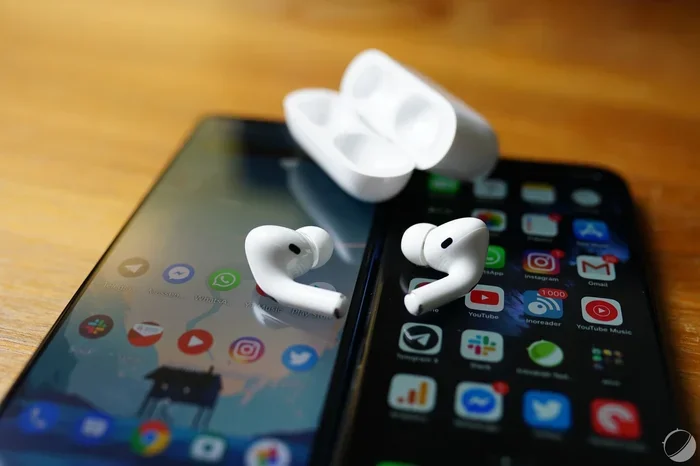
Visual guide about Apple AirPods Pro with Android phone
Image source: images.frandroid.com
Audio Quality and Noise Cancellation
The star of the show is the audio performance, and this works perfectly regardless of your device. The AirPods Pro 2 feature a custom Apple-designed driver and the powerful H2 chip, which processes audio in real-time. When connected to an Android phone or Windows laptop, you’ll still enjoy:
- Active Noise Cancellation (ANC): The H2 chip processes environmental noise and cancels it out, creating that signature “bubble of silence” experience.
- Transparency Mode: This lets outside sounds in naturally, so you can hear traffic or conversations without removing your earbuds.
- Adaptive Audio: Available with firmware updates, this feature automatically blends ANC and transparency based on your environment.
- High-Quality Sound: The custom driver delivers rich bass, clear mids, and crisp highs whether you’re on Spotify, YouTube Music, or any other service.
Think of it like driving a luxury car. Even if you can’t access every tech feature, the engine, transmission, and core driving experience remain identical regardless of the road you take.
Microphone and Call Quality
Need to take a work call on your Samsung Galaxy or join a Zoom meeting on your Windows PC? AirPods Pro 2 handle calls beautifully on any device. Each earbud contains dual beamforming microphones that isolate your voice from background noise. Callers report hearing you clearly, even in moderately noisy environments like coffee shops or busy streets.
Basic Touch and Press Controls
The stems of your AirPods Pro 2 have built-in force sensors that respond to presses. These work universally:
- Single Press: Play, pause, or answer a call
- Double Press: Skip forward
- Triple Press: Skip backward
- Long Press: Switch between ANC and transparency mode
You won’t need an iPhone to use these controls. They function through standard Bluetooth commands that any device recognizes.
What Doesn’t Work Without an iPhone
Now let’s talk about the features that require an Apple device. Knowing these limitations upfront helps you set realistic expectations and avoid disappointment.
iPhone-Exclusive Features
Apple has built several integrations that simply can’t function without their proprietary chips and software. Here’s what you’re missing:
- Personalized Spatial Audio: This scans your ear shape and head geometry to create a custom sound profile. The setup process uses the iPhone’s TrueDepth camera, which Android phones don’t have in the same way.
- Find My with Precision Finding: While basic “Find My” works through Bluetooth pinging, the precise directional tracking with distance indicators requires the U1 chip found in newer iPhones.
- Automatic Device Switching: Start a movie on your iPad, then pick up a call on your iPhone, and your AirPods automatically jump between devices. This magic only happens within the Apple ecosystem.
- Audio Sharing: Share one audio stream between two pairs of AirPods on one iPhone or iPad.
- Hands-Free Siri: While you can still activate Siri by holding the stem, “Hey Siri” voice activation requires an Apple device.
Firmware Updates Require Apple
Here’s a crucial point many users overlook. AirPods Pro 2 firmware updates can only be installed through an Apple device. Period. No exceptions.
Apple releases firmware updates periodically to fix bugs, improve battery life, and add features. If you never connect your AirPods to an iPhone, iPad, or Mac, you’ll miss these updates forever. Over time, your earbuds might develop compatibility issues with newer software or miss out on valuable improvements.
Did you know that Apple has released over 15 firmware updates for AirPods Pro 2 since launch? Each one has brought meaningful improvements. To update, you simply need to connect your AirPods to an Apple device while it’s connected to Wi-Fi, and the update happens automatically in the background.
Battery and Connection Status
On an iPhone, you get beautiful battery widgets that show exact percentages for each earbud and the charging case. You also see a popup animation when you open the case. On Android, none of this is available natively. You’ll need to rely on the LED indicator on the case and audible low-battery warnings through the earbuds themselves.
Using AirPods Pro 2 With Android Devices
Android is the world’s most popular mobile operating system, with over 70% global market share. If you’re one of the billions of Android users, here’s what you need to know.
How to Pair AirPods Pro 2 With Android
Pairing isn’t quite as magical as the iPhone experience, but it’s still straightforward:
- Open your Android phone’s Settings app
- Tap Connections or Bluetooth
- Make sure Bluetooth is turned on
- Open your AirPods Pro 2 case with the earbuds inside
- Press and hold the small setup button on the back of the case until the LED flashes white
- Look for “AirPods Pro” in your list of available devices
- Tap to pair, and you’re done!
The whole process takes about 30 seconds once you know the steps. Think of it like connecting a generic Bluetooth speaker: it’s a simple menu navigation that works the same way every time.
Recommended Third-Party Apps
Since Android lacks native AirPods settings, several developers created apps to fill the gap. Two popular options include:
- AirBattery: Shows battery levels for each earbud and the case, similar to the iPhone experience
- MaterialPods: Adds a notification showing AirPods connection status and battery information
These apps don’t unlock hidden features, but they do provide convenience and information that Apple restricts to iOS.
Android-Specific Limitations
Beyond the missing iPhone features, Android users should know about these additional limitations:
- No native ear detection sensors (audio won’t auto-pause when you remove an earbud)
- Can’t customize the press-and-hold action (stuck on ANC toggle)
- No automatic switching between audio sources on the same device
- Limited codec support (no AAC optimization on some Android versions)
The codec issue deserves special attention. AirPods Pro 2 primarily use the AAC Bluetooth codec, which works well on iOS. Some Android devices handle AAC inconsistently, potentially causing slight audio delays or quality differences. Most users won’t notice, but audiophiles might.
Using AirPods Pro 2 With Windows PCs and Macs
Computers open up another world of possibilities for your AirPods Pro 2.
Windows Compatibility
Windows 10 and 11 both support standard Bluetooth audio devices, including AirPods Pro 2. The pairing process is similar to Android: navigate to Settings, then Devices, then Bluetooth, and add a new device.
Once connected, AirPods Pro 2 work excellently for:
- Zoom, Microsoft Teams, and other video conferencing platforms
- Listening to music while working
- Watching movies and YouTube videos
- Gaming (though latency might be noticeable in fast-paced games)
One quirk: Windows sometimes treats AirPods as two separate audio devices (one for calls, one for music). You might need to manually select the correct output in your sound settings, especially after reconnecting.
Mac Compatibility
If you have a Mac, you’ll actually get many of the same benefits as iPhone users, including automatic device switching if you also own other Apple products. Macs run a customized version of the same operating system foundation as iPhones, so they can communicate with AirPods at a deeper level than Windows machines.
Gaming Consoles and Smart TVs
PlayStation 5 and Xbox Series X don’t support standard Bluetooth audio directly, so AirPods Pro 2 won’t work natively. However, you can use a Bluetooth audio transmitter that plugs into the console’s USB or optical port.
Smart TVs from Samsung, LG, Sony, and others typically support Bluetooth audio. Once paired, AirPods Pro 2 become excellent private listening devices, perfect for late-night movie watching without disturbing others.
Tips for the Best Non-iPhone Experience
Want to squeeze every drop of performance from your AirPods Pro 2 without an iPhone? These practical tips will help.
Periodic Apple Device Connection
Even if you’re a dedicated Android user, consider borrowing a friend’s iPhone or visiting an Apple Store once every few months. Connecting your AirPods to an iPhone, even briefly, allows firmware updates to install. This keeps your AirPods running smoothly and compatible with the latest features and security patches.
Master the Press-and-Hold Gesture
Since you can’t customize this gesture on Android or Windows, it always toggles between Active Noise Cancellation and Transparency Mode. Learn to use this quickly: a long, firm press on either stem switches modes instantly. This is your main tool for adapting to changing environments.
Use the Right Ear Tip Size
AirPods Pro 2 come with four silicone tip sizes: extra small, small, medium, and large. Most people default to medium without trying others. The right fit dramatically improves noise cancellation effectiveness and bass response. Spend five minutes testing each size, especially if you’ve never used in-ear headphones before.
Keep Your Case Charged
The charging case provides roughly 24 hours of additional listening time. The case itself charges via Lightning, USB-C (depending on the version you purchased), Qi wireless, or MagSafe. Keep it topped up so you never run out of juice during important calls or long commutes.
Manage Bluetooth Connections Carefully
AirPods Pro 2 can remember up to eight paired devices. If you’re switching between multiple devices frequently, you might occasionally need to manually disconnect from one before connecting to another. This is where iPhone users have an advantage with automatic switching.
The Final Verdict: Should You Buy AirPods Pro 2 Without an iPhone?
Now that you understand the full picture, let’s address the practical question: are AirPods Pro 2 worth buying if you don’t own an iPhone?
The answer depends on your priorities and budget. AirPods Pro 2 cost around $249, which is premium pricing. For that investment, you’re getting industry-leading noise cancellation, excellent sound quality, and a comfortable, portable design. These qualities shine on any device.
If audio quality and noise cancellation are your top priorities, AirPods Pro 2 are absolutely worth considering even without an iPhone. Few earbuds match their noise-canceling prowess, and the sound profile appeals to most listeners.
If you’re deeply invested in the Apple ecosystem features, consider whether those missing functions matter to you. Spatial audio and seamless device switching are delightful but not essential for everyone.
If budget is a major concern, excellent alternatives exist for Android users. The Sony WF-1000XM5, Bose QuietComfort Ultra Earbuds, and Samsung Galaxy Buds3 Pro offer comparable features with deeper Android integration. Research these options if you want the smoothest non-Apple experience.
Who Should Buy AirPods Pro 2 Without an iPhone?
AirPods Pro 2 make sense for non-iPhone users who:
- Prioritize best-in-class noise cancellation
- Already own other Apple products like a Mac or Apple TV
- Want a premium, recognizable brand
- Don’t mind missing some ecosystem-exclusive features
- Plan to occasionally connect to an Apple device for updates
Who Should Consider Alternatives?
You might prefer other earbuds if you:
- Want full feature parity with your primary device
- Need automatic firmware updates without extra effort
- Prefer Android-specific features like Samsung’s Galaxy AI integration
- Want to save money for similar audio quality
Ultimately, AirPods Pro 2 transcend the iPhone. They’re premium earbuds that happen to work best within Apple’s ecosystem but remain genuinely excellent on any platform. The 80% of functionality you get on non-Apple devices represents a fantastic experience that satisfies most users’ needs.
So go ahead: use those AirPods Pro 2 with confidence, whether you’re team Android, Windows, or something else entirely. The freedom to choose your devices while enjoying premium audio is one of technology’s greatest gifts, and AirPods Pro 2 deliver exactly that flexibility.
Frequently Asked Questions
Do AirPods Pro 2 work with Samsung Galaxy phones?
Yes, AirPods Pro 2 work perfectly with Samsung Galaxy phones and any other Android device that supports Bluetooth. You’ll get full audio quality, noise cancellation, and microphone functionality. However, you won’t have access to firmware updates or iPhone-exclusive features like personalized spatial audio without connecting to an Apple device periodically.
Can I use AirPods Pro 2 with a Windows laptop?
Absolutely! AirPods Pro 2 pair with any Windows 10 or Windows 11 laptop via standard Bluetooth settings. They’re great for video calls, music, movies, and general audio. Some users report needing to manually select the correct audio output after reconnecting, but overall compatibility is excellent for work and entertainment purposes.
Will I miss out on noise cancellation without an iPhone?
No, active noise cancellation works fully on any device. The H2 chip inside AirPods Pro 2 handles noise processing independently, so you’ll get the same premium ANC experience whether connected to an iPhone, Android, or Windows device. Transparency mode also functions identically across all platforms.
How do I update AirPods Pro 2 firmware without an iPhone?
Unfortunately, firmware updates require an Apple device. You need to connect your AirPods Pro 2 to an iPhone, iPad, or Mac while connected to Wi-Fi. The update installs automatically in the background. Consider borrowing a friend’s device or visiting an Apple Store every few months to ensure your AirPods stay current.
Can I track lost AirPods Pro 2 with an Android phone?
Basic Bluetooth tracking works through third-party apps on Android, but you won’t get Apple’s “Find My” precision finding with directional guidance. Apple’s Find My network leverages millions of Apple devices globally to locate lost items, which simply doesn’t exist in the Android ecosystem at the same scale.
Are AirPods Pro 2 worth buying for Android users in 2026?
AirPods Pro 2 remain an excellent choice for Android users who prioritize noise cancellation and sound quality above all else. While alternatives like Sony WF-1000XM5 and Samsung Galaxy Buds3 Pro offer deeper Android integration, AirPods Pro 2 deliver a premium experience that transcends platforms. Your decision should depend on which features matter most to you.