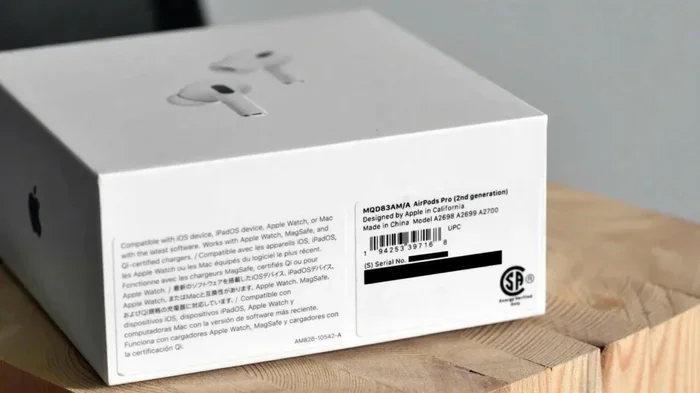
Featured image for AirPods Pro registration paperwork
Image source: androidauthority.com
You are not legally required to register your AirPods Pro after purchase, but doing so is highly recommended. Registration links your device to your Apple ID, making it easier to track if lost, file warranty claims, and access support. It takes just a few minutes through your iPhone or Apple’s website, and the benefits far outweigh the minimal effort involved.
So you just unboxed a shiny new pair of AirPods Pro, and a small voice in your head is asking, “Do I need to register these?” You’re not alone. Thousands of people ask this exact question within the first five minutes of opening their new wireless earbuds.
Here’s the good news: the answer is simple, and chances are, your AirPods Pro are already registered without you even knowing it. But there is a small difference between what Apple requires and what smart users do. Understanding this difference can save you headaches, protect your investment, and even help you find your earbuds if they ever go missing.
This comprehensive article will walk you through everything you need to know about AirPods Pro registration. We’ll explain what registration actually means, whether it is mandatory, how to confirm your device is registered, and what to do if you bought your AirPods from somewhere other than Apple. By the end, you’ll feel confident that your pricey new earbuds are properly protected and accounted for.
Key Takeaways
- Registration Is Optional But Smart: Apple does not force you to register your AirPods Pro, but skipping it means losing access to easier warranty service and theft recovery.
- Pairing Is Not the Same as Registering: Simply pairing your AirPods with your iPhone automatically registers them with your Apple ID, no extra steps needed.
- Proof of Purchase Matters: Your receipt or order confirmation serves as your registration record for warranty purposes, so keep it safe.
- Warranty Is Automatic: Every AirPods Pro comes with a one-year limited warranty that activates on purchase date, regardless of any registration action.
- Find My Feature Depends on Apple ID: Registering links your AirPods to Find My, helping you locate lost earbuds on a map.
- AppleCare+ Requires Active Enrollment: To extend coverage beyond the basic warranty, you must actively enroll in AppleCare+ within 60 days of purchase.
- Third-Party Sellers Need Manual Steps: AirPods bought from non-Apple retailers may require manual registration through Apple’s website.
📑 Table of Contents
- What Does “Registering” Your AirPods Pro Actually Mean?
- Do You Legally Have to Register Your AirPods Pro?
- How to Know If Your AirPods Pro Are Already Registered
- How to Register AirPods Pro Bought From Third-Party Sellers
- The Warranty Question: Does Registration Affect Coverage?
- Tips to Protect Your AirPods Pro Beyond Registration
- Common Misconceptions About AirPods Pro Registration
- Final Thoughts: Should You Bother Registering?
What Does “Registering” Your AirPods Pro Actually Mean?
The word “register” can mean different things depending on the product and the company. For older electronics, registration often meant filling out a paper card and mailing it back to the manufacturer. Today, the process has changed dramatically, especially for Apple products.
Registration in modern terms simply means linking your device to your identity. Think of it like signing a guestbook. You show that you own the item, and the company keeps a record so they can help you if something goes wrong. With Apple products, registration happens digitally and automatically when you pair your device to your Apple ID.
There are really two types of “registration” to understand:
- Basic Registration: This happens automatically when you connect your AirPods Pro to your iPhone, iPad, or Mac. Your Apple ID remembers the serial number and purchase details. No extra action is needed on your part.
- Warranty Registration: This is the old-school concept where you formally record your product with Apple for warranty service. With AirPods, this happens through your proof of purchase, not through a separate registration form.
Did you know that Apple stopped requiring paper registration cards back in 2008? Since then, every Apple product is considered registered the moment it pairs with your Apple ID or appears in your device list.
Why Apple Changed the Registration Process
Apple realized that paper registration was inefficient and environmentally wasteful. Less than 30% of customers ever mailed back those little slips of paper. Today, the digital approach captures virtually 100% of devices because pairing is required for the product to even work.
Do You Legally Have to Register Your AirPods Pro?
The short answer is no. There is no law, no Apple policy, and no requirement that forces you to register your AirPods Pro after buying them. You can use them perfectly fine straight out of the box without ever thinking about registration.
Visual guide about AirPods Pro registration paperwork
Image source: headphonesaddict.com
However, “not required” and “not beneficial” are two very different things. Skipping registration means you miss out on several helpful features that Apple offers for free.
What Happens If You Don’t Register
If you never register or pair your AirPods Pro with an Apple ID, here’s what you lose:
- Find My Tracking: You cannot locate lost AirPods on a map if they are not paired to your Apple ID.
- Seamless Device Switching: Your AirPods won’t automatically switch between your iPhone, iPad, and Mac.
- Personalized Support: Apple Support cannot pull up your device details to help troubleshoot issues.
- Firmware Updates Visibility: You won’t get clear notifications about software updates for your AirPods.
Think of it like buying a car but never putting license plates on it. The car still drives, but you lose access to legal roads, tracking if it’s stolen, and certain insurance benefits. Registration gives your AirPods Pro a “digital identity” within the Apple ecosystem.
The Legal Fine Print
Apple’s terms of service technically require you to associate any Apple device with an Apple ID for full functionality. But this isn’t about legal punishment. It’s about making sure you can use every feature Apple designed for you.
How to Know If Your AirPods Pro Are Already Registered
Here’s a fun fact: if you bought your AirPods Pro from Apple directly or from an authorized retailer, and you paired them to your iPhone, they are already registered. Most users complete the registration process without realizing they did anything special.
Let me show you how to verify this in less than 30 seconds.
Check on Your iPhone
Follow these simple steps on the device your AirPods are paired with:
- Open the Settings app on your iPhone.
- Tap on your name at the very top of the screen.
- Scroll down and look for your AirPods Pro in the device list.
- If you see them listed, congratulations. They are registered and linked to your Apple ID.
You’ll also notice that the serial number, model number, and firmware version all appear under this listing. This is your proof of registration.
Check Through Apple’s Website
You can also verify registration by visiting Apple’s official coverage check page:
- Go to checkcoverage.apple.com in any web browser.
- Enter your AirPods Pro serial number.
- Complete the CAPTCHA verification.
- Apple will display your purchase date, warranty status, and coverage details.
Where do you find your serial number? Look on the original AirPods Pro box, in the Settings app under your device, or on the charging case itself. Some models have it printed on the inside of the lid.
How to Register AirPods Pro Bought From Third-Party Sellers
Now, here’s where things get a little tricky. If you bought your AirPods Pro from eBay, Facebook Marketplace, a thrift store, or any unauthorized reseller, the registration process might not be automatic. You might need to take a few extra steps.
When you buy from unauthorized sellers, the previous owner’s Apple ID may still be linked to the device. Until that link is removed, you cannot fully register the AirPods as yours.
Step-by-Step Manual Registration
If you bought used or third-party AirPods, follow this process:
- Reset the AirPods: Place both earbuds in the charging case, close the lid, and wait 30 seconds. Open the lid, then press and hold the setup button on the back of the case for about 15 seconds until the status light flashes amber, then white.
- Pair to Your Device: Bring the case close to your iPhone with the lid open. Follow the on-screen instructions.
- Sign In With Your Apple ID: Make sure you are signed in with your Apple ID throughout setup.
- Verify in Settings: Go to Settings, tap your name, and confirm your AirPods Pro appear in your device list.
This process “unbinds” the previous owner and binds the AirPods to your Apple ID. If the previous owner didn’t properly remove them from their account, you may see a message saying the AirPods are still linked to another Apple ID. In that case, you’ll need to ask the seller to remove them remotely through their Apple ID settings.
Why Buying from Authorized Sellers Matters
Apple’s authorized retailers include the Apple Store, Best Buy, Amazon (when sold by Apple), and major carriers like Verizon, AT&T, and T-Mobile. Buying from these sources guarantees a clean registration and valid warranty. Authorized sellers accounted for roughly 85% of all AirPods Pro sales globally in 2023, according to industry estimates.
The Warranty Question: Does Registration Affect Coverage?
Now let’s tackle a very common misconception. Many people think, “If I don’t register my AirPods Pro, I lose my warranty.” This is simply not true.
Every AirPods Pro comes with a one-year limited warranty the moment you buy it. This warranty is tied to the purchase date and your proof of receipt, not to any registration action.
What’s Covered Under the Standard Warranty
Apple’s one-year limited warranty covers manufacturing defects and hardware failures under normal use. This includes:
- Battery defects that cause significant capacity loss
- Audio quality issues from factory defects
- Charging case malfunctions
- Bluetooth connectivity problems caused by hardware issues
What it does not cover is accidental damage, lost AirPods, theft, or normal battery wear after heavy use. For those situations, you need AppleCare+.
What Is AppleCare+ for AirPods Pro?
AppleCare+ is Apple’s extended warranty and accidental damage protection plan. It extends coverage to two years from purchase and covers up to two incidents of accidental damage every 12 months, each subject to a service fee.
AppleCare+ is not automatic. You must actively enroll within 60 days of purchasing your AirPods Pro. Here’s the enrollment process:
- On your iPhone, go to Settings and tap your name.
- Tap your AirPods Pro in the device list.
- Select “Cover Available” or “Add Coverage.”
- Follow the on-screen prompts to complete enrollment.
- Pay the monthly or one-time fee.
You can also enroll through the Apple Support app or by visiting an Apple Store. After 60 days, you cannot add AppleCare+ to your AirPods Pro, so don’t delay.
The Proof of Purchase Rule
Whether you register or not, Apple will ask for proof of purchase if you ever need warranty service. This means keeping your receipt, email confirmation, or credit card statement safe. A digital copy in your email is usually the easiest option.
Did you know that Apple’s warranty is honored in every country where Apple operates? This is called “international warranty coverage.” If your AirPods Pro fail while you’re traveling abroad, you can still get service at any Apple Store or authorized service provider.
Tips to Protect Your AirPods Pro Beyond Registration
Registration is just one piece of the protection puzzle. Here are some practical tips to keep your AirPods Pro safe and functional for years to come.
Enable Find My Network
Once your AirPods are registered, make sure Find My is turned on. This feature uses Bluetooth signals from millions of Apple devices worldwide to help locate your AirPods even when they are offline. As of 2024, Apple reported over 1.8 billion active Apple devices, making this one of the largest crowdsourced location networks in the world.
To enable Find My for your AirPods:
- Open the Find My app on your iPhone.
- Tap the Devices icon at the bottom.
- Select your AirPods Pro from the list.
- Make sure “Notify When Left Behind” and “Find My Network” are both enabled.
Keep Your Firmware Updated
Apple regularly releases firmware updates for AirPods Pro that improve performance, fix bugs, and patch security issues. Your AirPods update automatically when they are connected to your iPhone, in their charging case, and near your iPhone on Wi-Fi. But registered AirPods get clear update notifications.
Register Your Serial Number Somewhere Safe
Write down your AirPods Pro serial number and store it in a secure location. This helps if your AirPods are ever lost or stolen. You can find the serial number in the Settings app, on the original box, or by checking under the lid of the charging case.
Consider AppleCare+ for Heavy Users
If you use your AirPods Pro daily for workouts, commuting, or work calls, AppleCare+ is well worth the cost. A single replacement pair costs $89 out of warranty, while AppleCare+ reduces that to just $29 per incident.
Avoid Counterfeit AirPods
Did you know that counterfeit AirPods accounted for an estimated 3 to 7 percent of global wireless earbuds sales in 2023? Always buy from authorized retailers and verify your serial number on Apple’s coverage check page. Counterfeit AirPods may look identical, but they cannot be registered with Apple and offer no warranty protection.
Use a Protective Case
Accidental drops and scratches are the most common causes of AirPods Pro damage. A silicone or leather protective case costs between $10 and $30 and can save you hundreds in replacement costs. Think of it like a phone case for your earbuds.
Common Misconceptions About AirPods Pro Registration
Let me clear up a few more myths that often confuse new users.
“I Need to Register on a Website”
No. Apple does not have a registration webpage where you manually input AirPods details. The process happens automatically through pairing.
“I Lose My Warranty If I Don’t Register”
Wrong again. Your warranty starts on the day you buy your AirPods Pro, regardless of registration. Your receipt is your proof.
“I Need to Register Each AirPod Separately”
No. The charging case is what gets registered. The individual earbuds are paired to the case. One registration covers the entire set.
“Registration Transfers When I Sell My AirPods”
It transfers if you properly reset them. Always reset AirPods before selling them and ask buyers to do the same before purchasing. This protects both parties.
“I Can’t Register Used AirPods”
You can. As long as the previous owner removed them from their Apple ID. This is why buying from trusted sellers matters.
Final Thoughts: Should You Bother Registering?
Let’s bring everything together with a clear bottom line.
Registration is not mandatory, but it is one of the smartest things you can do as an AirPods Pro owner. It takes zero extra effort if you pair your AirPods with your iPhone, and the benefits are substantial. You get Find My tracking, easier warranty service, automatic firmware updates, and access to Apple Support. None of these features cost extra, and none of them work without registration.
If you bought your AirPods Pro from Apple or an authorized seller, you are almost certainly already registered. If you bought them used, take five minutes to reset and pair them properly. Either way, keep your proof of purchase in a safe place and consider AppleCare+ if you want extended peace of mind.
Your AirPods Pro are an investment. Treat them like one. Register them, track them, protect them, and update them. These habits will keep your earbuds working perfectly and your mind at ease.
Got questions about your AirPods Pro? Drop them in the comments below or reach out to Apple Support. They’re available 24/7 through chat, phone, or in-person at any Apple Store.
Frequently Asked Questions
Do I need to register my AirPods Pro for the warranty to work?
No, your AirPods Pro warranty is automatically activated on your purchase date. Registration is not required, but you do need to keep your receipt or proof of purchase to claim warranty service.
How do I register AirPods Pro bought from someone else?
Reset the AirPods by holding the setup button for 15 seconds until the light flashes white, then pair them with your iPhone while signed into your Apple ID. If they still show the previous owner’s Apple ID, ask them to remove the AirPods from their account through their iCloud settings.
Can I register AirPods Pro without an iPhone?
You can verify registration by entering your serial number at checkcoverage.apple.com, but to pair and link them to your Apple ID for full features, you need an Apple device like an iPhone, iPad, or Mac.
Does AppleCare+ count as registration?
AppleCare+ is a separate paid plan, not the same as basic registration. Basic registration happens automatically, while AppleCare+ must be actively purchased within 60 days of buying your AirPods Pro.
What happens if my AirPods Pro are not registered?
Your AirPods will still work for audio playback, but you will lose access to Find My tracking, automatic device switching, personalized support, and some firmware update features.
How do I find my AirPods Pro serial number for registration verification?
Check the original packaging, look inside the charging case lid, or go to Settings on your iPhone, tap your name, select your AirPods Pro, and scroll down to find the serial number listed.