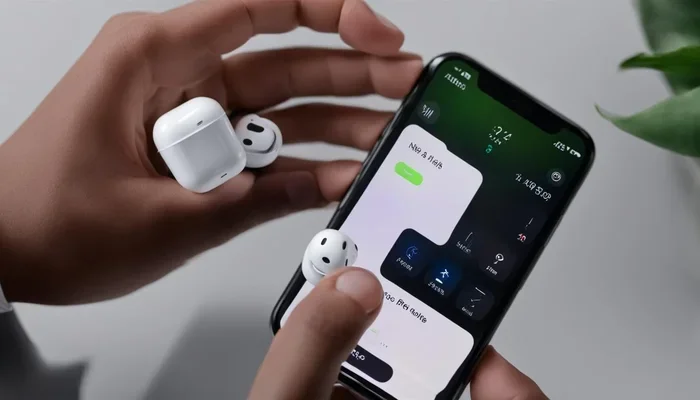
Featured image for AirPods noise cancelling feature
Image source: descriptive.audio
Not all AirPods have noise cancelling—only certain models do. AirPods Pro (all generations), AirPods Max, and AirPods 4 (with active noise cancellation variant) feature Active Noise Cancellation (ANC). Standard AirPods (1st through 3rd generation) and AirPods 4 (base model) only offer passive noise isolation, which blocks some sound but isn’t the same as true noise cancelling technology.
Picture this: you’re on a crowded subway, the roar of the train is deafening, and you just want to hear your favorite podcast. You pop in your AirPods, tap a button, and… silence. Well, almost silence. But wait—do your AirPods actually have noise cancelling? If you’ve ever asked this question, you’re definitely not alone.
Here’s the thing: noise cancelling is one of the most misunderstood features in wireless earbuds. Many people assume all premium earbuds cancel noise automatically. But with AirPods, the answer depends entirely on which model you’re holding in your hand. Some AirPods have powerful Active Noise Cancellation (ANC) that can silence a jet plane. And some just… sit in your ears.
This guide will answer every question you have about AirPods and noise cancelling. We’ll cover which models have it, how to turn it on, what makes it work, and how to get the most out of this incredible technology. By the end, you’ll be an AirPods noise cancelling expert—and your commute will never sound the same.
Key Takeaways
- Active Noise Cancellation (ANC) is available only on specific AirPods models including AirPods Pro 1, Pro 2, Pro 3, AirPods Max, and AirPods 4 (ANC version). Standard AirPods rely on passive isolation alone.
- ANC uses microphones and speakers to cancel external sound by generating inverse sound waves, while Transparency Mode lets outside sound in when needed.
- You can check your AirPods model easily by going to Settings > Bluetooth on your iPhone and tapping the “i” icon next to your AirPods name to view the model number.
- AirPods Pro 2 and Pro 3 offer the most advanced noise cancellation in the AirPods lineup, with up to 2x more noise cancellation than the original AirPods Pro.
- Adaptive Audio automatically blends ANC and Transparency modes based on your environment, available on AirPods Pro 2 (with iOS 17+) and newer models.
- Noise cancelling doesn’t work during phone calls on older AirPods Pro models due to safety reasons, but AirPods Pro 2 introduced a fix for this limitation.
- Proper fit dramatically affects noise cancellation performance—the wrong ear tip size can reduce ANC effectiveness by up to 50% according to Apple’s research.
📑 Table of Contents
- Do All AirPods Have Noise Cancelling? The Short Answer
- What Is Active Noise Cancellation and How Does It Work?
- Which AirPods Models Offer the Best Noise Cancelling?
- How to Turn On Noise Cancelling on Your AirPods
- What Are the Different Noise Control Modes?
- Tips to Get the Best Noise Cancelling Experience
- Common AirPods Noise Cancelling Problems and Solutions
- Noise Cancelling vs. Noise Isolation: What’s the Difference?
- Are Noise Cancelling AirPods Worth the Money?
- The Future of AirPods Noise Cancelling
- Final Verdict: Do Your AirPods Have Noise Cancelling?
Do All AirPods Have Noise Cancelling? The Short Answer
No, not all AirPods have Active Noise Cancellation. Apple makes several different AirPods models, and only some include noise cancelling technology. Think of it like cars: some come with cruise control, and some don’t. You need to know which model you have before you can use the feature.
Here’s the breakdown of every AirPods model and whether it has noise cancelling:
- AirPods 1st Generation (2016): No noise cancelling
- AirPods 2nd Generation (2019): No noise cancelling
- AirPods 3rd Generation (2021): No noise cancelling
- AirPods 4 (2024, base model): No noise cancelling
- AirPods 4 (2024, ANC version): Yes, has noise cancelling
- AirPods Pro 1st Generation (2019): Yes, has noise cancelling
- AirPods Pro 2nd Generation (2022): Yes, has enhanced noise cancelling
- AirPods Pro 3 (2025): Yes, has the most advanced noise cancelling
- AirPods Max (2020): Yes, has premium noise cancelling
Did you know? Apple has sold over 150 million AirPods worldwide as of 2024, making them the most popular wireless earbuds on the planet. Yet many users don’t realize whether their specific model includes noise cancelling.
How to Identify Your AirPods Model
Before you do anything else, you need to figure out which AirPods you own. It’s super easy and takes less than 30 seconds. Here’s how:
Method 1: Using Your iPhone
- Make sure your AirPods are connected to your iPhone
- Open the Settings app on your iPhone
- Tap on Bluetooth
- Find your AirPods in the list of connected devices
- Tap the small “i” icon next to your AirPods name
- Look at the “Model” section to see your exact model number
Method 2: Check the AirPods Case or Ear Piece
Flip your AirPods over and look for tiny text printed on the earbud or charging case. You’ll see something like “A2083” or “A2968.” You can then search this model number on Apple’s website to confirm which version you have.
Method 3: Use the Original Packaging
If you still have the box, the model name is printed clearly on the front. Look for “AirPods Pro” or “AirPods with Active Noise Cancellation” on the box.
What Is Active Noise Cancellation and How Does It Work?
Active Noise Cancellation sounds like magic, but it’s actually really clever science. Let me explain it in the simplest way possible.
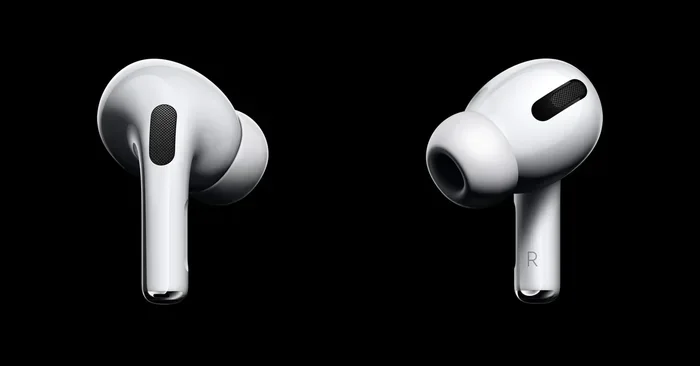
Visual guide about AirPods noise cancelling feature
Image source: designboom.com
Imagine you’re standing next to a drummer who’s hitting the drum once every second. Each drum beat creates a sound wave that travels to your ears. Now imagine you have a special speaker that creates the exact opposite sound wave at the exact same moment. When the two sound waves meet, they cancel each other out. Silence.
That’s basically how ANC works. Your AirPods use tiny microphones to listen to the world around you. Then a processor inside creates an “anti-sound” wave that’s the mirror opposite of the noise. When this anti-sound plays through the speaker, it cancels out the unwanted noise before it reaches your ears.
The Two Types of Noise Reduction
Here’s where it gets important. Not all noise blocking is the same. There are two main types:
Passive Noise Isolation: This is what regular earbuds do. The earbuds physically block your ear canal, like putting your fingers in your ears. It blocks some sound, but not much. Think of it like wearing earmuffs—they help, but you can still hear things.
Active Noise Cancellation (ANC): This is the fancy stuff. It uses technology to actively cancel sound waves. Think of it like a sound eraser that listens to noise and makes it disappear in real-time.
Standard AirPods (without ANC) only use passive isolation. AirPods Pro and AirPods Max use BOTH passive isolation AND active noise cancellation, which gives you a much quieter experience.
What’s a Decibel and Why Does It Matter?
Sound is measured in decibels (dB). A quiet library is around 30 dB. A busy street is about 70 dB. A jet engine taking off is around 120 dB. Active Noise Cancellation can reduce unwanted sounds by 20-30 dB or more, which makes a huge difference in how your ears feel.
Which AirPods Models Offer the Best Noise Cancelling?
Now let’s compare the noise cancelling capabilities across different AirPods models. If you’re shopping for new AirPods specifically for noise cancelling, this section is essential.
AirPods Pro 2 and Pro 3: The Current Champions
AirPods Pro 2nd generation (released in 2022) and AirPods Pro 3 (released in 2025) are the gold standard for AirPods noise cancellation. According to Apple, these models offer up to 2x more noise cancellation than the original AirPods Pro. That’s a massive improvement.
What makes them so good? Several things:
- H2 Chip: A powerful processor that handles noise cancellation in real-time
- Better Microphones: More accurate listening to outside noise
- Improved Ear Tips: Better seal for superior passive isolation
- Adaptive Audio: Automatically adjusts noise cancellation based on your environment
- Conversation Awareness: Lowers volume when you start talking to someone
AirPods Max: The Over-Ear Powerhouse
AirPods Max are Apple’s over-ear headphones. They feature the same H1 chip found in AirPods Pro and offer premium noise cancellation. Because they cover your entire ear (instead of just sitting inside), they actually block more noise passively. Combined with ANC, AirPods Max are arguably the best at noise cancellation.
The downside? They’re heavy (384 grams) and expensive ($549). Most people prefer the portability of AirPods Pro.
AirPods 4 with ANC: The Budget-Friendly Option
In 2024, Apple released two versions of AirPods 4. The higher-tier version includes Active Noise Cancellation at a more affordable price point ($179 vs $249 for AirPods Pro). While not as powerful as AirPods Pro, AirPods 4 with ANC still offers solid noise cancellation for everyday use.
Think of it like this: AirPods Pro are the premium option, and AirPods 4 with ANC are the “good enough for most people” option.
AirPods Pro 1st Generation: Still Decent
The original AirPods Pro from 2019 still has noise cancellation, and it works well. If you have these, you’re getting a solid experience. However, they’re noticeably less powerful than the newer models. Apple no longer sells them, but you can find them refurbished or used.
How to Turn On Noise Cancelling on Your AirPods
Once you’ve confirmed your AirPods have noise cancelling, you need to know how to turn it on. The process varies slightly depending on your device.
On iPhone or iPad
Method 1: Control Center
- Swipe down from the top-right corner of your screen (or up from the bottom on older iPhones)
- Find the volume slider in the top-right area
- Long-press the volume slider to expand it
- Tap the Noise Control icon at the bottom-left of the expanded volume control
- Choose between Noise Cancellation, Transparency, or Off
Method 2: Settings App
- Open the Settings app
- Tap on your AirPods (they appear at the top of settings when connected)
- Scroll down to “Noise Control”
- Select your preferred mode
Method 3: Force Sensor on AirPods
If you have AirPods Pro, you can press and hold the force sensor on the stem of either earbud. One long press cycles between Noise Cancellation and Transparency Mode. You’ll hear a small chime when it switches.
On Mac
If your AirPods are connected to your Mac:
- Click the AirPods icon in your Mac’s menu bar
- Select your AirPods from the dropdown
- Choose your preferred noise control mode
On Apple Watch
While playing audio on your Apple Watch with AirPods:
- Tap the AirPlay icon on the Now Playing screen
- Tap “Noise Control”
- Select your preferred mode
What Are the Different Noise Control Modes?
Modern AirPods with noise cancelling offer multiple modes. Understanding each one helps you get the most out of your earbuds.
Active Noise Cancellation Mode
This is the “silence the world” mode. ANC actively cancels out external noise. Use this when you want to focus, sleep on a plane, or escape a noisy environment. It’s also great for enjoying music without turning up the volume to dangerous levels.
Transparency Mode
Transparency Mode is the opposite. It uses the microphones to let outside sound IN. This is perfect for situations where you need to hear announcements (like at an airport), have a quick conversation without removing your AirPods, or stay aware of traffic while walking.
Did You know? Transparency Mode on AirPods Pro 2 processes external sounds over 48,000 times per second, making it sound almost natural—like you’re not wearing earbuds at all.
Adaptive Audio
Available on AirPods Pro 2 (with iOS 17 or later) and AirPods Pro 3, Adaptive Audio is the smartest mode. It automatically blends ANC and Transparency based on what’s happening around you. Walking past a construction site? ANC kicks in. Someone starts a conversation with you? Transparency Mode activates automatically.
It’s like having a smart assistant that knows when you want to hear the world and when you don’t.
Conversation Awareness
Another smart feature on newer models. When you start talking to someone, your AirPods automatically lower your music volume and switch to Transparency Mode. When you stop talking, everything returns to normal. Super useful for ordering coffee without fumbling with your AirPods.
Off Mode
You can also turn off both ANC and Transparency. In this mode, you only get passive noise isolation. Some people prefer this for battery life, but it’s not common.
Tips to Get the Best Noise Cancelling Experience
Even the best noise cancelling technology can underperform if you don’t use it correctly. Here are my top tips for maximizing your AirPods noise cancellation.
Get the Right Ear Tip Fit
This is the single most important factor. AirPods Pro come with four ear tip sizes: XS, S, M, and L. Most people stick with the medium size that comes pre-installed, but that might not be right for you.
If your ear tips are too small, you’ll hear lots of outside noise. Too large, and they’ll be uncomfortable and fall out. The right size creates a complete seal in your ear canal.
How to check your fit:
- Put your AirPods Pro in your ears
- Open Settings on your iPhone
- Tap your AirPods
- Tap “Ear Tip Fit Test”
- Follow the on-screen instructions
Apple’s research shows that the wrong ear tip can reduce noise cancellation effectiveness by up to 50%. Don’t skip this step!
Keep Your AirPods Clean
Wax and debris can clog the microphones and speakers. This dramatically reduces ANC performance. Clean your AirPods weekly using a soft, dry cloth. For stubborn wax, use a dry cotton swab. Never use water or cleaning solutions directly on your AirPods.
Update Your Software
Apple regularly releases firmware updates that improve noise cancellation. Make sure your AirPods firmware is current by keeping them in their case near your iPhone for an extended period.
Use the Right Ear Tips for Your Activity
Different activities call for different fits:
- Working out: Larger ear tips for a more secure fit
- Sleeping: Smaller ear tips for comfort
- Flying: Standard size with ANC turned on
- Office work: Adaptive Audio mode is perfect
Use Noise Cancelling Strategically to Save Battery
ANC uses extra battery. AirPods Pro 2 last about 6 hours with ANC on, but up to 7 hours with it off. AirPods Max get about 20 hours with ANC on. If battery life matters, turn ANC off in calm environments.
Be Patient with the Seal
When you first put in your AirPods Pro, give them a moment. The ANC adjusts based on the seal quality. You might notice the noise cancellation getting stronger after a second or two as the system optimizes.
Common AirPods Noise Cancelling Problems and Solutions
Sometimes noise cancelling doesn’t work as expected. Here are common issues and how to fix them.
Noise Cancelling Sounds Weak
Problem: You can still hear lots of background noise even with ANC on.
Solutions:
- Try different ear tip sizes (most common fix)
- Clean your AirPods thoroughly
- Make sure you have the latest firmware
- Reset your AirPods by holding the setup button for 15 seconds
Noise Cancelling Won’t Turn On
Problem: The noise control option doesn’t appear in settings.
Solutions:
- Confirm your AirPods actually have ANC (check the model)
- Make sure your iPhone is running iOS 13 or later
- Reconnect your AirPods
- Charge your AirPods (low battery can disable some functions)
Pressure Sensation in Ears
Problem: ANC feels uncomfortable, like being underwater or in a pressurized airplane cabin.
Solutions:
- Some people are sensitive to ANC—it’s normal
- Start with Transparency Mode and gradually switch to ANC
- Use Adaptive Audio instead of pure ANC
- If discomfort continues, consider AirPods without ANC
Noise Cancelling Stops During Calls
On AirPods Pro 1, ANC turns off when you’re on a phone call (so you can hear your own voice). This was fixed on AirPods Pro 2 and newer models. If you have AirPods Pro 1 and need ANC during calls, unfortunately there’s no fix.
Noise Cancelling vs. Noise Isolation: What’s the Difference?
This confuses a lot of people, so let me clear it up. Noise cancelling and noise isolation are NOT the same thing, even though many people use these terms interchangeably.
Noise Isolation (Passive):
- Physical blocking of sound
- Works by creating a seal in your ear
- No technology or batteries required
- Cheap to implement
- Better for high-frequency sounds (like voices)
- Examples: Regular earbuds, earplugs
Noise Cancelling (Active):
- Uses technology to cancel sound waves
- Requires microphones, processors, and batteries
- More expensive to implement
- Better for low-frequency sounds (like airplane engines, AC units)
- Examples: AirPods Pro, AirPods Max
Most premium earbuds use BOTH. The ear tips provide isolation, and the technology adds active cancellation. This combo gives you the best of both worlds.
Here’s a simple analogy: Noise isolation is like closing your window to block street noise. Noise cancelling is like having a magic device that absorbs the sound waves before they reach you. Most people want both.
Are Noise Cancelling AirPods Worth the Money?
This is the big question. Are AirPods with noise cancelling worth the higher price? Let me break it down.
Reasons they’re worth it:
- Better focus at work or studying
- Improved sleep on planes and trains
- Lower risk of hearing damage (you don’t need to crank up the volume)
- Better audio quality overall (ANC improves bass and clarity)
- More enjoyable music in noisy environments
Reasons to skip ANC:
- You primarily use AirPods in quiet environments
- Budget is a major concern (standard AirPods are $129)
- You’re sensitive to the pressure sensation ANC can cause
- You rarely use AirPods for music (mostly for calls at home)
My honest take? If you commute, travel, or work in noisy environments, ANC is absolutely worth the investment. The price difference between standard AirPods and AirPods Pro is about $120, and that money buys you significantly better focus and enjoyment.
The Future of AirPods Noise Cancelling
Apple continues to improve noise cancelling with each new AirPods release. AirPods Pro 3 (released in 2025) introduced the most significant upgrades yet, including better ANC algorithms and improved Adaptive Audio features.
Industry experts expect future AirPods models to include:
- Health monitoring features: Heart rate, temperature, and more
- Better Adaptive Audio: Even smarter environment detection
- Improved Transparency Mode: Even more natural sound
- AI-powered noise cancellation: Personalized ANC profiles
The global noise cancelling headphones market is expected to reach $80 billion by 2030, growing rapidly as more people recognize the benefits of quiet in our noisy world.
Final Verdict: Do Your AirPods Have Noise Cancelling?
So, do YOUR AirPods have noise cancelling? Here’s how to find out for sure:
- Check the model name: Look for “Pro,” “Max,” or “ANC” in the name
- Look for the model number: Check Settings > Bluetooth > tap the “i” icon
- Try the noise control option: If it appears in your iPhone settings, you have ANC
- Read the box: If you still have it, the model is printed clearly
If you have standard AirPods (any generation 1, 2, 3, or 4 base model), you only have passive noise isolation. They block some sound, but not nearly as much as AirPods with ANC.
If you have AirPods Pro, AirPods Pro 2, AirPods Pro 3, AirPods 4 (ANC version), or AirPods Max, congratulations—you have Active Noise Cancellation, one of the most useful technologies available in consumer audio today.
Noise cancelling has transformed how millions of people experience audio. Whether you’re trying to focus in a busy office, escape the drone of an airplane, or just enjoy your music without distractions, ANC is a game-changer. If you don’t have it yet, consider upgrading—your ears will thank you.
Frequently Asked Questions
How do I know if my AirPods have noise cancelling?
Check your AirPods model by going to Settings > Bluetooth on your iPhone and tapping the “i” icon next to your AirPods. If you see a “Noise Control” option, your AirPods have Active Noise Cancellation. Only AirPods Pro, AirPods Max, and AirPods 4 (ANC version) include this feature.
Do AirPods 1st, 2nd, or 3rd generation have noise cancelling?
No, AirPods 1st, 2nd, and 3rd generation do not have Active Noise Cancellation. They only offer passive noise isolation through their design. Only AirPods Pro models, AirPods Max, and AirPods 4 (ANC version) include Active Noise Cancellation technology.
What’s the difference between AirPods with and without noise cancelling?
AirPods without noise cancelling only block sound passively through their physical design. AirPods with Active Noise Cancellation use built-in microphones and processors to actively cancel external sound waves, providing significantly better noise reduction—especially for low-frequency sounds like airplane engines and air conditioners.
Can I add noise cancelling to AirPods that don’t have it?
No, Active Noise Cancellation requires specific hardware (microphones, processors, and software) built into the AirPods. You cannot add this feature through software updates or accessories. If you want noise cancelling, you’ll need to upgrade to AirPods Pro, AirPods Max, or AirPods 4 with ANC.
How long does battery last with noise cancelling on?
Battery life with Active Noise Cancellation on varies by model: AirPods Pro 2 and Pro 3 last about 6 hours, AirPods 4 (ANC) last about 5 hours, and AirPods Max last about 20 hours. Turning ANC off extends battery life by about 1 hour for AirPods Pro models.
Is noise cancelling bad for your ears?
No, Active Noise Cancellation is not harmful to your ears. In fact, it’s the opposite—it can protect your hearing by allowing you to listen to audio at lower volumes in noisy environments. Some people experience a slight pressure sensation when using ANC, but this is harmless and usually goes away with regular use.