Apple earbuds work with non-Apple products, but with limitations depending on the model. Wired EarPods function with any device featuring a 3.5mm jack or Lightning-to-3.5mm adapter. AirPods offer the best experience with Apple devices but still pair with Android, Windows, and other Bluetooth-enabled gadgets via standard Bluetooth protocols.
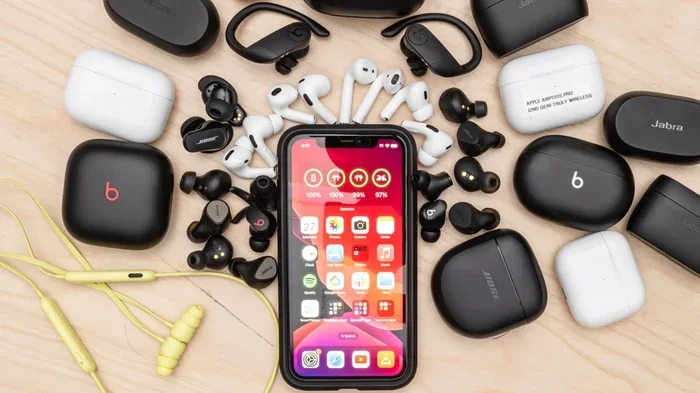
Featured image for Apple earbuds with multiple devices
Image source: i.rtings.com
You have probably asked this question at least once: do Apple earbuds only work with Apple products? Maybe you saw a pair of AirPods on sale and wondered if they would function with your Android phone. Or perhaps you inherited some classic EarPods and wanted to use them with your Windows laptop. Whatever the reason, you are not alone in asking.
The short answer is no, Apple earbuds are not locked to Apple devices. Both wired EarPods and wireless AirPods use industry-standard connection methods that work across thousands of devices. However, the complete feature experience is reserved for Apple products, which is where things get interesting.
Think of it like a universal power adapter for international travel. The plug fits into many outlets, but only certain outlets give you fast charging and extra features. Apple earbuds work the same way. They will physically connect to most gadgets, but premium perks like spatial audio and instant device pairing show up only when you are inside the Apple ecosystem.
This guide breaks down everything you need to know about Apple earbud compatibility. We will explore wired models, wireless models, platform-specific features, and practical tips for getting the most out of your earbuds no matter what device you own.
Key Takeaways
- Universal Wired Compatibility: Apple EarPods with a 3.5mm headphone jack work with virtually any device that has a standard audio port, including Android phones, laptops, and MP3 players.
- Bluetooth Is Universal: AirPods rely on standard Bluetooth technology, allowing them to pair with non-Apple devices like Android phones, Windows PCs, smart TVs, and gaming consoles.
- Apple Extras Require Apple: Features like automatic ear detection, spatial audio, seamless iCloud pairing, and “Hey Siri” only function when AirPods are connected to Apple devices running recent software.
- Lightning Models Need Adapters: EarPods with a Lightning connector require a Lightning-to-3.5mm adapter for use with non-Apple devices that lack a Lightning port.
- USB-C EarPods Are Flexible: The newer USB-C EarPods work with any USB-C port, including iPads, MacBooks, Android phones, and Windows laptops.
- Sound Quality Stays Consistent: Audio performance remains identical across devices because the sound hardware inside the earbuds does not change based on what they are plugged into.
- Best Experience on Apple: While AirPods function everywhere, the full feature set is unlocked only within the Apple ecosystem.
📑 Table of Contents
- Understanding Apple Earbud Models and Their Connection Types
- How Apple Earbuds Work With Non-Apple Devices
- Apple-Exclusive Features You Will Miss on Non-Apple Devices
- Practical Tips for Using Apple Earbuds Across Multiple Devices
- Common Misconceptions About Apple Earbud Compatibility
- The Future of Apple Earbud Compatibility
- Final Verdict: Should You Buy Apple Earbuds for a Non-Apple Device?
Understanding Apple Earbud Models and Their Connection Types
Before diving into compatibility, you need to know which Apple earbuds you own or plan to buy. Apple currently sells or has sold several versions, and each one connects to devices differently. The connection type determines what works with what.
Wired EarPods With a 3.5mm Headphone Jack
These are the classic white earbuds that shipped with iPhones for years. They feature a traditional 3.5mm headphone plug, which has been the universal audio standard since the 1980s. If your device has a headphone port, these EarPods will work.
Did You Know? The 3.5mm audio jack has been around since the 19th century, originally used by telephone operators. Today it remains one of the most recognized connection standards in the world.
This means you can plug them into Android phones, BlackBerry devices, Windows laptops, portable DVD players, airplane entertainment systems, and even some modern smart TVs. The audio quality is consistent because the earbuds themselves contain the speaker drivers, microphones, and remote controls.
Wired EarPods With a Lightning Connector
When Apple removed the headphone jack from iPhones in 2016, they shipped Lightning EarPods instead. The Lightning connector is Apple’s proprietary port, but that does not mean these EarPods only work with Apple products.
Any device with a Lightning port can technically accept audio through these earbuds. However, very few non-Apple devices use Lightning, so their real-world compatibility is mostly limited to iPhones and iPads. If you want to use Lightning EarPods with a non-Apple device, you will need a Lightning-to-3.5mm adapter, which Apple sells separately.
Wired EarPods With a USB-C Connector
After the European Union mandated USB-C as a universal charging standard, Apple released EarPods with a USB-C connector. These are far more versatile than Lightning versions because USB-C is now found on Android phones, iPads, MacBooks, Windows laptops, Nintendo Switch, and many other modern devices.
According to the European Commission, USB-C became the mandatory common charger for smartphones and many other electronics in December 2024. This shift dramatically expanded the compatibility of USB-C EarPods across non-Apple platforms.
AirPods (All Generations)
AirPods are Apple’s true wireless earbuds and they use Bluetooth. Every AirPod ever made, including AirPods 1st through 4th generation, AirPods Pro, and AirPods Max, relies on the same Bluetooth standard that powers wireless headphones from Sony, Bose, Samsung, and countless other brands.
Bluetooth is managed by the Bluetooth Special Interest Group (SIG), an industry body with over 36,000 member companies. This universal approach is why your AirPods can theoretically pair with any Bluetooth-enabled device, not just iPhones.
How Apple Earbuds Work With Non-Apple Devices
Now that you know the connection types, let us explore how each model behaves when connected to non-Apple gear. The experience varies significantly, so understanding these differences will save you frustration.
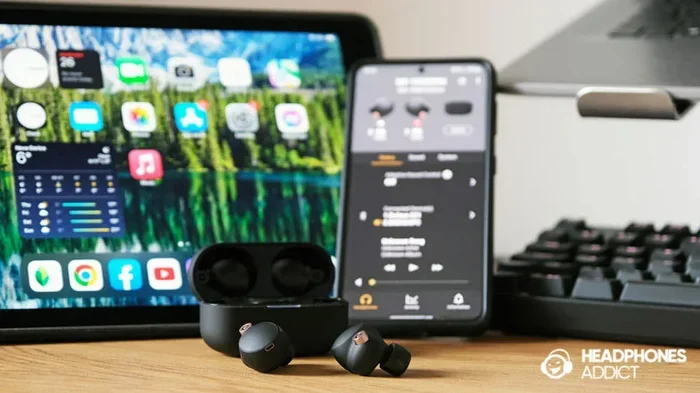
Visual guide about Apple earbuds with multiple devices
Image source: headphonesaddict.com
Pairing AirPods With Android Phones and Tablets
Pairing AirPods with an Android device is surprisingly simple. Just put the AirPods in their case, open the lid, press and hold the setup button on the back until the light flashes white, then find the AirPods in your Android device’s Bluetooth settings.
Once paired, AirPods deliver full audio for music, videos, calls, and most apps. The sound quality is identical to what you would hear on an iPhone. However, you will not get features such as automatic ear detection, spatial audio head tracking, battery notifications on screen, or “Hey Siri” voice activation.
Some Android apps like AirBattery or MaterialPods can simulate a few of these missing features by displaying battery levels and detecting when you remove an earbud. They are not perfect, but they close the gap somewhat.
Using AirPods With Windows PCs and Laptops
Windows computers support Bluetooth audio natively, so AirPods pair easily with most laptops built after 2015. After pairing, you can use AirPods for video calls on Zoom, Microsoft Teams, Skype, or Google Meet, as well as for music, movies, and games.
One limitation is that Windows sometimes experiences a slight audio delay, which can be noticeable when watching videos or playing games. This happens because Windows does not always use the most efficient Bluetooth audio codec for AirPods.
The microphone also works on Windows, making AirPods a functional headset for remote work and online classes.
Connecting AirPods to Smart TVs and Gaming Consoles
Many modern smart TVs from Samsung, LG, Sony, and Roku support Bluetooth audio, which means you can pair AirPods for private listening. This is especially handy for late-night viewing without disturbing others.
Gaming consoles are trickier. The PlayStation 5 does not support standard Bluetooth audio, so AirPods will not pair directly. However, you can use a Bluetooth audio transmitter that plugs into the controller’s headphone jack. The Nintendo Switch supports Bluetooth audio after a system update in 2021, so AirPods work wirelessly there. Xbox Series X and S support Bluetooth as well.
Using Wired EarPods Across Platforms
Wired EarPods are plug-and-play with any device that has the matching port. There is no pairing process, no batteries to charge, and no software to install. Just plug them in and start listening.
Microphone functionality may not work on every device though. Some older Android phones use a different wiring standard called OMTP, while Apple uses CTIA. If the mic does not work on a particular Android phone, you might need an OMTP-to-CTIA adapter.
For inline volume and playback controls, EarPods generally work with iPhones, most Android phones, iPads, Macs, Windows PCs, and many smart TVs. However, the buttons might control different functions depending on the device.
Apple-Exclusive Features You Will Miss on Non-Apple Devices
While Apple earbuds work with many devices, certain features are locked to the Apple ecosystem. Here is a closer look at what you gain or lose when stepping outside iPhone, iPad, and Mac.
Automatic Device Switching
One of AirPods’ most beloved features is the ability to seamlessly switch between your iPhone, iPad, and Mac without manually reconnecting. This is powered by iCloud and Apple’s H1 or H2 chip inside newer AirPods.
On Android or Windows, you must manually disconnect from the current device and connect to the new one. It takes a few extra seconds, but the audio still works.
Spatial Audio and Head Tracking
Spatial audio creates an immersive, theater-like surround sound experience. Head tracking even keeps the audio positioned in space as you turn your head, making it feel like the sound is coming from the screen.
This feature is exclusive to Apple devices running iOS 15 or later, iPadOS 15 or later, macOS Monterey or later, and Apple TV 4K. On other platforms, AirPods deliver standard stereo audio.
“Hey Siri” and Voice Control
AirPods Pro, AirPods 2nd generation and later, and AirPods Max support hands-free “Hey Siri” voice commands. This is powered by Apple’s voice assistant and only works when connected to an Apple device.
On non-Apple devices, you can still tap the AirPods to activate Google Assistant or Bixby on Android, but the experience requires extra setup and is not as smooth.
Find My Integration
Apple’s Find My network helps you locate lost AirPods by showing their last known location on a map. You can also play a sound to find them nearby.
On Android, Find My is replaced by the basic Bluetooth range finder built into your phone’s settings. You will not see the last known location if your AirPods are out of range.
Adaptive EQ and Conversation Awareness
AirPods Pro features like Adaptive EQ, which automatically tunes music to the shape of your ear, and Conversation Awareness, which lowers audio when you start speaking, are exclusive to Apple devices. These intelligent features rely on deep integration with iOS and macOS.
Practical Tips for Using Apple Earbuds Across Multiple Devices
To get the best experience from your Apple earbuds regardless of the device, follow these practical tips.
Tip 1: Choose the Right Model for Your Needs
If you live primarily in the Apple ecosystem, AirPods Pro or AirPods Max unlock the most features. If you split time between Apple and Android, consider AirPods for their balance of features and flexibility. If you want simple, no-fuss audio, USB-C EarPods are the most universally compatible option.
Tip 2: Keep Firmware Updated
Apple releases updates that improve AirPods performance, battery life, and compatibility. Updates happen automatically when AirPods are in their case, charging, and near a paired iPhone. To ensure you get the latest firmware, connect your AirPods to an Apple device occasionally.
Tip 3: Use the Right Codec
Bluetooth audio uses codecs to compress and transmit sound. AirPods support SBC and AAC, which work on most devices. For the best audio quality, use AAC when available on your Android device, as it provides better sound than SBC.
Tip 4: Consider a Bluetooth Transmitter for Older Devices
If you want to use AirPods with a TV or gaming console that lacks Bluetooth, a Bluetooth transmitter is an affordable solution. These small devices plug into a 3.5mm jack or optical audio port and broadcast audio to your AirPods.
Tip 5: Protect Your Investment With a Case
AirPods cases are notoriously easy to lose or damage. A silicone or leather cover protects the case from scratches and drops, especially when tossing it into a bag alongside other devices.
Common Misconceptions About Apple Earbud Compatibility
Several myths persist about Apple earbuds. Let us clear up the most common ones.
Myth 1: AirPods Will Not Work With Android at All
This is false. AirPods use standard Bluetooth, which Android fully supports. You may miss some features, but audio, calls, and microphone all work normally.
Myth 2: Wired EarPods Only Work With iPhones
Also false. Any device with a matching port accepts EarPods. The audio and microphone work across platforms, though button functions may vary slightly.
Myth 3: AirPods Sound Worse on Android
The hardware inside AirPods does not change based on what they are paired with. Sound quality is identical, though codec support can affect streaming performance in edge cases.
Myth 4: You Need an Apple ID to Use AirPods
No Apple ID is required for basic Bluetooth pairing. You only need an Apple ID to access features like Find My, automatic device switching, and spatial audio.
The Future of Apple Earbud Compatibility
Apple has gradually embraced cross-platform functionality, but it still keeps its most advanced features exclusive. The shift to USB-C EarPods signals a more universal approach, especially in markets where regulations demand open standards.
Industry analysts at IDC predict that true wireless earbuds will ship over 700 million units globally by 2027. As competition intensifies, Apple faces pressure to make AirPods more attractive to Android users, which may eventually unlock more features for non-Apple platforms.
For now, AirPods remain a premium choice within the Apple ecosystem and a solid, if feature-limited, option everywhere else.
Final Verdict: Should You Buy Apple Earbuds for a Non-Apple Device?
Apple earbuds are absolutely worth considering even if you do not own an iPhone. They deliver excellent sound quality, reliable Bluetooth performance, and a comfortable design that has been refined over multiple generations.
You will lose some smart features when pairing with Android, Windows, or other platforms, but the core listening experience remains excellent. If you value seamless integration, spatial audio, and automatic switching, an iPhone or Mac is still the best companion for AirPods.
If you want earbuds that work everywhere without compromise, USB-C EarPods are a versatile choice. They offer wired reliability, universal compatibility, and Apple’s signature sound at an accessible price.
Ultimately, Apple earbuds are not locked to Apple products. They are premium audio tools designed to shine brightest within the Apple ecosystem while remaining perfectly functional across the wider universe of technology.
Frequently Asked Questions
Do Apple EarPods work with Android phones?
Yes, Apple EarPods work with Android phones that have a 3.5mm headphone jack. You can listen to music and take calls, though the inline remote buttons may control different functions depending on your device.
Can I use AirPods with a Windows laptop?
Absolutely. AirPods pair with any Windows laptop that supports Bluetooth. Audio and microphone functions work well, though you may experience slight latency during video playback or gaming.
Will AirPods Pro features work on Android?
Core audio features work, but premium features like spatial audio, adaptive EQ, conversation awareness, and “Hey Siri” require an Apple device connected to your AirPods Pro.
Do USB-C EarPods work with iPhones?
Only iPhone 15 and later models feature a USB-C port and can directly use USB-C EarPods. Older iPhones require a Lightning to USB-C adapter, which is rarely used.
Can AirPods connect to smart TVs?
Yes, most modern smart TVs from brands like Samsung, LG, Sony, and Roku support Bluetooth audio. Pair your AirPods through the TV’s settings menu for private listening.
Do I lose audio quality when using AirPods with non-Apple devices?
No, the audio hardware in AirPods remains unchanged. Sound quality is consistent across devices, though codec support and Bluetooth implementation can affect streaming performance in rare cases.