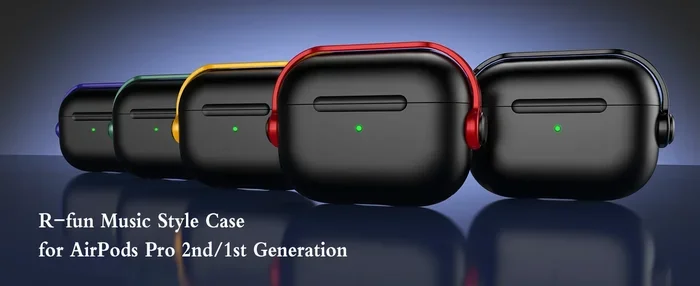
Featured image for AirPods Pro 2 USB-C case
Image source: m.media-amazon.com
Yes, the AirPods Pro (2nd generation) with the Lightning case was replaced in September 2023 by a version that uses USB C for charging. If you bought your AirPods Pro 2 before that date, your case has a Lightning port. If you bought them after September 2023, the case has a USB C port. Both versions work identically in terms of audio, noise cancellation, and features, but the USB C case offers slightly faster wired charging and better compatibility with modern devices.
Here’s a fun fact: Apple made one of its quietest yet most important changes in late 2023. The AirPods Pro 2, which had been around for a year, suddenly showed up with a different charging port. Same earbuds, same price, but a brand new connector. If you’re shopping today, wondering what to buy, or just confused about which version you already own, this guide is for you.
The short answer is yes, the AirPods Pro 2 do use USB C, but only if they were made after September 2023. Think of it like buying a phone: two different models, same name on the box, but one tiny detail sets them apart. In this guide, I’ll walk you through how to tell which version you have, what changed, why Apple made the switch, and how it affects your daily use.
We’ll cover everything from charging speeds to compatibility, throw in some interesting facts, and answer the most common questions people ask. By the end, you’ll be the most informed person in any conversation about AirPods and USB C.
Key Takeaways
- Two versions exist: AirPods Pro 2 came in a Lightning case (2022) and a USB C case (2023 onward). The earbuds themselves are identical.
- Look at the charging port: A small, oval Lightning port means older model. A rounded rectangular USB C port means newer model.
- USB C is now the standard: Since late 2024, Apple has fully transitioned AirPods Pro 2 to USB C only.
- Faster charging: The USB C case charges about 10% quicker than the Lightning version when using a compatible cable.
- Same wireless features: Both cases support MagSafe, Qi, and Qi2 wireless charging identically.
- No audio differences: Sound quality, Active Noise Cancellation, and Adaptive Audio are the same on both versions.
- Cable not included: Apple does not ship a charging cable in the box for either version, so you’ll need your own.
📑 Table of Contents
- The Quick Answer: Yes, But It Depends on When You Bought Them
- How to Tell Which AirPods Pro 2 You Have
- When and Why Apple Switched to USB C
- What Stayed the Same Between the Two Versions
- Charging Speed and Battery Life: What’s Different
- Practical Tips and Things to Know
- Myths and Misconceptions About AirPods Pro 2 and USB C
- The Future of AirPods Charging
- Final Thoughts
The Quick Answer: Yes, But It Depends on When You Bought Them
Let’s get the most important thing out of the way first. The AirPods Pro 2nd generation does use USB C for its charging case, but only on the model released in September 2023 and later. The original AirPods Pro 2, launched in September 2022, used Apple’s Lightning connector instead.
So, if you walked into an Apple Store or shopped online after late 2023, chances are very high that the AirPods Pro 2 you got have a USB C port on the bottom of the case. If you bought them earlier, you have the Lightning version.
Here’s a simple way to think about it. Imagine two cars with the same model name, but one was built in 2022 and another in 2023. They look almost identical from the outside, but under the hood or in the charging port, they might be different. That’s exactly the situation with AirPods Pro 2.
The Two Models Side by Side
- AirPods Pro 2 (2022): Lightning charging case, model number A2968
- AirPods Pro 2 (2023): USB C charging case, model number A2968 (same!) but with a different port
Did you know? The model number printed on the case is actually the same for both versions. The only real way to tell them apart visually is by looking at the port itself. Apple kept the model number the same because, from a regulatory and parts perspective, the earbuds are identical. Only the case changed.
How to Tell Which AirPods Pro 2 You Have
This is probably the most practical question you have, so let’s make it simple. There are a few easy ways to check whether your AirPods Pro 2 use USB C or Lightning, and none of them require any special tools.
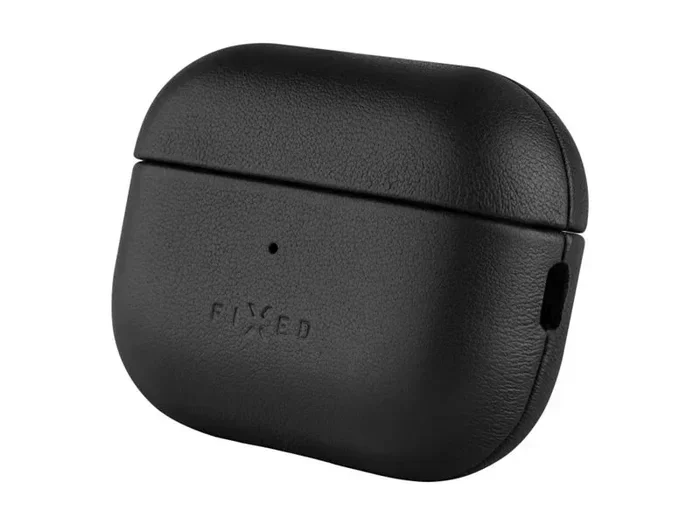
Visual guide about AirPods Pro 2 USB-C case
Image source: images.kaina24.lt
Look at the Charging Port
The most obvious way is to flip your AirPods case over and look at the charging port on the bottom. If it’s a thin, oval-shaped slot, that’s Lightning. If it’s a small, rounded rectangular port that looks the same as the one on your MacBook or modern iPhone, that’s USB C. The difference is honestly as simple as that.
Check the Model Number
Flip open the case lid and look on the inside of the lid, or check the underside of the case. You should see a model number printed in tiny text. For the USB C version, the case model is A2968. For the Lightning version, it’s also A2968. Confusing, right? That’s because Apple reused the same model number. The earbuds themselves are identical.
The real differentiator is something called the “part number” or by checking your settings. On your iPhone, go to Settings, then Bluetooth, tap the “i” next to your AirPods, and look at the model number listed there. If you see A2968, you have to look at the port to know for sure.
Check the Serial Number
If you have the original packaging, the serial number on the box can tell you a lot. You can enter it on Apple’s coverage checker website at checkcoverage.apple.com. The page will show you the model and the type of case you have. It takes about 30 seconds and gives you a definitive answer.
Tip: If you no longer have the box, you can find the serial number in your iPhone settings. Go to Settings, then General, then About, and scroll down to your AirPods. Tap on them, and the serial number will appear.
When and Why Apple Switched to USB C
Apple didn’t make this change because it suddenly loved USB C. The company was pushed into it by regulators in Europe. In 2022, the European Union passed a law requiring all smartphones, tablets, and many other electronic devices to use USB C as a standard charging port by the end of 2024. The goal was to reduce electronic waste and make life easier for consumers.
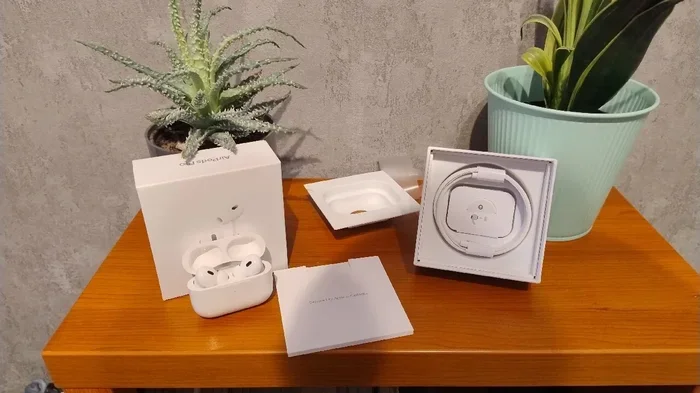
Visual guide about AirPods Pro 2 USB-C case
Image source: a.allegroimg.com
Apple, which had been using its proprietary Lightning port on iPhones since 2012, finally had to make the switch. The iPhone 15, launched in September 2023, was the first iPhone to use USB C. Right alongside that release, Apple quietly updated the AirPods Pro 2 to also use USB C. It was a coordinated move.
The Official Timeline
- September 2022: AirPods Pro 2 launched with a Lightning case
- September 2023: AirPods Pro 2 updated with a USB C case, announced at the iPhone 15 event
- September 2024: Apple officially discontinued the Lightning version in most markets
- Late 2024 onward: Only the USB C version is sold new, including in the United States and Canada
Did you know? Apple sold the Lightning version alongside the USB C version for over a year. You could walk into a store in early 2024 and still find both. This was to help clear out inventory. Today, however, only the USB C version is available for purchase as new stock.
The Real Reasons Behind the Change
Beyond legal pressure, USB C has real benefits. It can carry more power, transfer data faster, and works with thousands of devices. You can use the same cable to charge your MacBook, iPad, Nintendo Switch, Android phone, and now your AirPods Pro 2. That’s a huge convenience.
For Apple, it was also a brand consistency move. Having a mix of Lightning and USB C across their product lineup was becoming awkward. By switching AirPods Pro 2 to USB C, Apple made the transition smoother for customers who already had a drawer full of USB C cables.
What Stayed the Same Between the Two Versions
Here’s something that might surprise you: almost everything about the AirPods Pro 2 is identical between the two versions. The earbuds themselves use the exact same H2 chip, deliver the same sound quality, and offer the same features like Active Noise Cancellation, Transparency mode, and Adaptive Audio.
Apple didn’t add or remove any audio features when switching to USB C. The only changes are in the case. This means if you’re upgrading from the Lightning version to the USB C version, your listening experience will be identical. The upgrade is more about convenience than performance.
Audio Quality and Features
Both versions of AirPods Pro 2 support the same features:
- Active Noise Cancellation (up to 2x more than the original AirPods Pro)
- Adaptive Audio
- Conversation Awareness
- Personalized Spatial Audio
- Sweat and water resistance (IP54)
- Skin-detect sensors
If a friend tells you that the USB C version sounds better, they’re probably imagining things. The audio performance is identical because the earbuds are physically the same.
Wireless Charging
Both cases support wireless charging, including MagSafe, Qi, and Qi2. The USB C version added a small benefit here: it can also be charged using an Apple Watch charger, which the Lightning version cannot. This is because the USB C case has a slightly different internal design that supports that feature.
So if you have an Apple Watch charger lying around, the USB C AirPods Pro 2 case is a bit more versatile.
Charging Speed and Battery Life: What’s Different
Now we get to the part that actually matters in daily use. Does USB C charge faster than Lightning? Yes, but only slightly. The difference is small enough that most people won’t notice it in everyday use, but it’s worth understanding if you’re curious about the details.
Wired Charging Comparison
Both cases support fast charging, where 5 minutes in the case gives you about 1 hour of listening time. However, the USB C case has a slight edge when it comes to fully recharging the case itself. According to Apple and various third-party tests, the USB C case can go from 0 to 100% about 10 to 15 minutes faster than the Lightning version when using a high-quality USB C cable.
Why? USB C can handle more power input, up to 20 volts in some cases, while Lightning is limited to about 12 watts. With a compatible charger and cable, the USB C case can draw more power and charge faster.
Battery Life: Same Numbers
Battery life is identical between the two versions. You get up to 6 hours of listening time on a single charge (with Active Noise Cancellation enabled) and up to 30 hours total with the case. Talk time is up to 4.5 hours on a single charge. These numbers haven’t changed because the battery inside the case is the same size and capacity.
Tip: If you want to maximize battery life, store your AirPods in the case when you’re not using them, avoid extreme temperatures, and try to keep the battery between 20% and 80% for long-term health.
What Cables Work with Each Version
- Lightning case: Requires a USB C to Lightning cable, or any Lightning cable connected to a USB power adapter. Apple stopped including this cable in the box, so you’ll need to buy one separately or use an old one.
- USB C case: Works with any USB C cable. You can use the same one that comes with your iPhone 15 or later, your iPad, or your MacBook.
Did you know? Apple does not include a charging cable in the box with either version of AirPods Pro 2. This was an environmental decision to reduce packaging waste, but it does mean you need to have a compatible cable on hand when you set them up for the first time.
Practical Tips and Things to Know
Now that you know the basics, let’s go over some practical tips that will make your life easier, whether you’re buying new, upgrading, or just trying to figure out what to do with the AirPods you already have.
If You’re Buying New Today
As of late 2024, every new AirPods Pro 2 sold by Apple, Best Buy, Amazon, and other major retailers comes with a USB C case. You don’t need to worry about accidentally buying the Lightning version. The Lightning version has been officially discontinued and is no longer manufactured as new stock.
However, if you’re shopping on a used or refurbished market, like eBay or Facebook Marketplace, double-check which version you’re getting. Some sellers might not even realize there are two versions. Ask for a photo of the charging port before you buy.
If You’re Upgrading from Lightning to USB C
Here’s the question on many people’s minds: should I upgrade just for the USB C port? The honest answer is no, not unless you have a specific reason. The audio quality, features, and overall experience are the same. The main reasons to upgrade would be:
- You want to use a single USB C cable for all your devices
- You want the ability to charge your case with an Apple Watch charger
- You lost or damaged your old Lightning case and need a replacement anyway
- You’re buying a second pair for a family member and want consistency
Otherwise, hold on to your Lightning AirPods Pro 2. They still work great and will continue to receive software updates for years to come.
Travel and Compatibility Tips
USB C is the international standard for charging, which makes the USB C AirPods Pro 2 a better travel companion. You can use the same cable for your phone, tablet, laptop, and earbuds. In hotels, airports, and cafes, USB C ports are everywhere. You’ll almost always be able to find a way to charge.
If you have the Lightning version, consider packing a small USB C to Lightning cable in your travel kit. They’re cheap, lightweight, and ensure you’re never stuck without a way to charge.
What About AirPods Pro 3?
As of early 2025, Apple has not released an AirPods Pro 3. The AirPods Pro 2 remains the current model, and all new units use USB C. If you’re waiting for the next generation, you can expect it to also use USB C, since Apple has fully committed to this standard across its product lineup.
Rumors suggest the AirPods Pro 3 might launch in 2025 or 2026, with new health features like a heart rate monitor and possibly a body temperature sensor. But the charging port will almost certainly be USB C.
Myths and Misconceptions About AirPods Pro 2 and USB C
There are a lot of myths floating around about this topic, so let’s clear up the most common ones. Some of these come from outdated information, while others are just misunderstandings about how the product works.
Myth 1: All AirPods Pro 2 Use USB C
False. Only the version released in September 2023 and later uses USB C. The original 2022 version uses Lightning. This is one of the most common misconceptions, especially among people who bought their AirPods in 2022 or early 2023.
Myth 2: The USB C Version Sounds Better
False. The audio components are identical. The earbuds use the same drivers, amplifiers, and H2 chip. Sound quality is determined by the earbuds, not the charging port. If someone tells you they can hear a difference, it’s likely a placebo effect.
Myth 3: You Need a Special USB C Cable
False. Any USB C cable that works with another device will work with the AirPods Pro 2 USB C case. You don’t need a “Made for iPhone” certified cable. A basic USB C to USB C cable from a reputable brand will do the job.
Myth 4: The Lightning Case Is Obsolete
False. The Lightning case still works perfectly. It will continue to charge your AirPods, hold a charge, and pair with your devices. The only downside is that you need a Lightning cable to charge it, which is becoming harder to find but still widely available.
Myth 5: USB C AirPods Pro 2 Have Better Water Resistance
False. Both versions have an IP54 rating for sweat and water resistance. This hasn’t changed between the two versions. The case and earbuds are equally resistant to splashes and sweat.
Myth 6: You Can’t Use Old AirPods Cases with New Earbuds
Partially true. The Lightning case from 2022 works with the original 2022 AirPods Pro 2, and the USB C case from 2023 works with the 2023 earbuds. However, you cannot mix and match between the two. The firmware is different, and the cases are not interchangeable.
The Future of AirPods Charging
USB C is the current standard, but what comes next? The industry is slowly moving toward wireless charging as the primary method, with companies exploring over-the-air charging and other futuristic technologies. Apple is also reportedly working on improving MagSafe and Qi2 support, which could eventually eliminate the need for a charging port altogether.
For now, USB C is the port you’ll find on every new Apple device. iPhones, iPads, MacBooks, and AirPods all use it. This standardization is a big win for consumers, who no longer have to keep track of multiple cable types.
Did you know? The European Union’s USB C law is expected to save consumers around €250 million per year in reduced cable purchases. It also reduces electronic waste by an estimated 11,000 tons annually. That’s a lot of cables not ending up in landfills.
Final Thoughts
So, does the AirPod Pro 2 use USB C? Yes, if you bought it after September 2023. The original 2022 version uses Lightning, but Apple has since transitioned fully to USB C. The change was driven by European regulations and makes sense from a convenience standpoint, since USB C is now the universal standard for most modern electronics.
The good news is that both versions of AirPods Pro 2 are excellent. The audio quality, noise cancellation, and features are identical. The only real difference is the charging port, which affects convenience more than performance. If you’re shopping today, you’ll get the USB C version. If you already own the Lightning version, there’s no urgent need to upgrade unless you really want to simplify your cable situation.
At the end of the day, AirPods Pro 2 remain one of the best wireless earbuds on the market, regardless of which charging port they use. Whether you have Lightning or USB C, you’re getting a premium listening experience that has set the bar for the entire industry. The charging port is just a small detail in a much bigger picture.
If you have any other questions about AirPods Pro 2, USB C, or anything else Apple-related, feel free to ask. I’m always happy to help you make sense of the ever-changing world of tech.
Frequently Asked Questions
Does the AirPods Pro 2 come with a USB C cable in the box?
No, Apple does not include a charging cable with either version of the AirPods Pro 2. You will need to use a USB C to USB C cable (for the 2023 model) or a USB C to Lightning cable (for the 2022 model) that you already own or purchase separately.
Can I charge the AirPods Pro 2 with an iPhone 15 charger?
Yes, if you have the USB C version of AirPods Pro 2, you can use the same USB C cable that comes with your iPhone 15 or later. If you have the Lightning version, you can use a USB C to Lightning cable connected to your iPhone’s power adapter.
Is there a sound quality difference between Lightning and USB C AirPods Pro 2?
No, the sound quality is identical between the two versions. The earbuds use the same H2 chip, drivers, and audio components. The only difference is the charging port on the case, which has no impact on audio performance.
How do I know if my AirPods Pro 2 has USB C?
Look at the charging port on the bottom of the case. If it’s a small, rounded rectangular port, it’s USB C. If it’s a thin, oval-shaped slot, it’s Lightning. You can also check the original packaging or use Apple’s coverage checker website with your serial number.
Can I use a wireless charger with both versions of AirPods Pro 2?
Yes, both the Lightning and USB C cases support MagSafe, Qi, and Qi2 wireless charging. The USB C version has the added benefit of being chargeable with an Apple Watch charger, which the Lightning version does not support.
Is Apple still selling the Lightning version of AirPods Pro 2?
As of late 2024, Apple has officially discontinued the Lightning version in most markets. Only the USB C version is available for purchase as new stock, though you may still find the Lightning version on used or refurbished marketplaces.