Yes, many AirPods models can cancel out background noise — but only specific ones have Active Noise Cancellation (ANC). AirPods Pro, AirPods Pro 2, AirPods 4 (with ANC), and AirPods Max use built-in microphones and smart algorithms to detect and reduce unwanted sound. Basic AirPods (2nd and 3rd generation) rely only on passive noise isolation from their fit. For the best noise cancellation experience, you need the right model and the right settings.
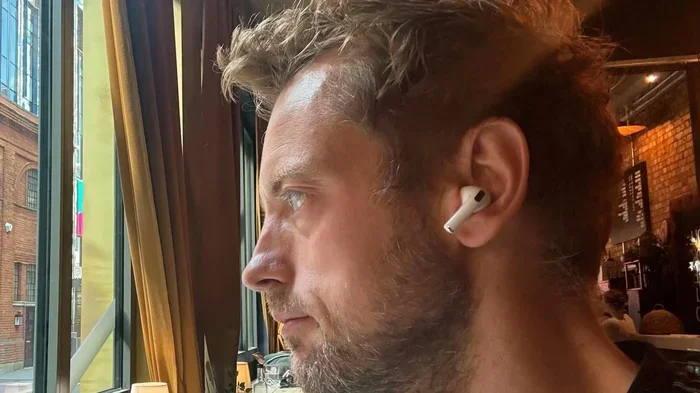
Featured image for Person wearing AirPods in noisy café
Image source: digitaltrends.com
Imagine this: you’re sitting in a coffee shop, trying to focus on an important call. The espresso machine is screaming, someone’s blender is whirring, and a group nearby is laughing loudly. You pop in your AirPods and — poof — the world goes quiet. Sounds magical, right? But does it actually work that way? And are all AirPods capable of this kind of audio wizardry?
If you’ve ever wondered whether your AirPods can truly cancel out background noise, you’re not alone. Millions of people buy AirPods every year, and noise cancellation is one of the top reasons they do. But the truth is, not every pair of AirPods can do it. Some rely on the physical fit of the earbuds to block sound, while others use advanced technology to actively fight noise in real time.
In this guide, we’ll break down exactly how AirPods handle noise cancellation, which models have the feature, how to get the best results, and what their limitations are. Whether you’re a frequent flyer, a remote worker, or just someone who wants peace on their commute, this article will help you understand what your AirPods can (and can’t) do.
Key Takeaways
- Not All AirPods Cancel Noise: Only AirPods Pro, AirPods Pro 2, AirPods 4 (ANC version), and AirPods Max feature Active Noise Cancellation.
- ANC Works Differently Than Passive Isolation: Active Noise Cancellation uses microphones and speakers to “fight” sound waves, while passive isolation just physically blocks them.
- Transparency Mode Lets Sound In: Most ANC AirPods let you switch modes so you can hear announcements or conversations without removing them.
- Fit and Seal Matter A Lot: Even the best ANC won’t work well if your ear tips are the wrong size or the seal isn’t tight.
- Battery Life Drops with ANC On: Using noise cancellation uses more power, so your listening time will be shorter.
- AirPods Can’t Cancel Everything: Sudden, sharp sounds and high frequencies are harder to block than steady, low-frequency sounds.
- Settings and Updates Improve Performance: Keeping your firmware updated and learning your AirPods settings helps you get the most out of noise cancellation.
📑 Table of Contents
- Understanding Noise Cancellation: What Does It Actually Mean?
- Which AirPods Models Can Cancel Background Noise?
- How to Get the Best Noise Cancellation from Your AirPods
- What Kinds of Noise Can AirPods Actually Cancel?
- Comparing AirPods Noise Cancellation to Other Brands
- Common Mistakes People Make with AirPods Noise Cancellation
- The Future of Noise Cancellation in AirPods
- Final Thoughts: Are AirPods Worth It for Noise Cancellation?
Understanding Noise Cancellation: What Does It Actually Mean?
Before we talk about AirPods specifically, let’s clear up a common misunderstanding. The phrase “noise cancellation” gets thrown around a lot, but there are really two different types: passive and active. They work very differently, and knowing the difference will help you set realistic expectations.
Passive Noise Isolation: The Basic Block
Passive noise isolation is the simplest form of noise reduction. It works exactly like putting your hands over your ears. When you put earbuds in your ears, they physically block some sound waves from entering your ear canal. This is why a tight-fitting pair of earbuds sounds better than loose ones.
Think of it like closing a window. You can still hear some traffic outside, but the noise is much quieter. Passive isolation doesn’t use any technology — it’s just physics. The materials of the earbuds (usually silicone or foam tips) and the shape of your ear canal determine how well this works.
Active Noise Cancellation (ANC): The Smart Solution
Active Noise Cancellation is where the magic happens. ANC uses tiny microphones to listen to the sounds around you. Then, it creates a mirror image of that sound wave — but flipped upside down. When the original sound wave and the flipped wave meet, they cancel each other out. This is called “destructive interference.”
Here’s a simple analogy: imagine you’re pushing a heavy box. Someone else pushes from the other side with equal force. The box doesn’t move. That’s what ANC does to sound waves. It pushes back against the noise with equal force, so the noise basically disappears.
Did you know that the concept of active noise cancellation was first developed for pilots and airplane engines in the 1950s? Bose and other aviation companies created the technology so pilots could hear their radios clearly. It took decades for this tech to shrink down small enough to fit in earbuds!
According to a 2023 report by Grand View Research, the global noise-cancelling headphones market was valued at over $12 billion, and it’s expected to grow by more than 6% every year. That tells you just how popular this feature has become.
Which AirPods Models Can Cancel Background Noise?
Here’s the key question: not all AirPods are created equal. Apple offers several models, and only some of them have Active Noise Cancellation. If you bought basic AirPods expecting them to block out the world, you might be disappointed. Let’s break it down model by model.

Visual guide about Person wearing AirPods in noisy café
Image source: img.freepik.com
AirPods Pro and AirPods Pro 2: The Top Performers
The AirPods Pro (1st generation) and AirPods Pro 2 are Apple’s most popular noise-cancelling earbuds. They use silicone ear tips that come in three sizes (XS, S, M, L for Pro 2), which create a tight seal in your ear. This seal is essential because it gives the ANC a quiet baseline to work from.
The AirPods Pro 2 takes things even further. Apple says it has “2x more Active Noise Cancellation” compared to the first generation. It uses the new H2 chip, which processes sound faster and smarter than ever before. In real-world testing, reviewers consistently rank the AirPods Pro 2 among the best noise-cancelling earbuds you can buy — even compared to competitors from Sony and Bose.
AirPods 4: ANC Comes to the Mainstream
In 2024, Apple released the AirPods 4, and one version of them includes Active Noise Cancellation. This is a big deal because it brings ANC to a non-Pro model for the first time. The AirPods 4 with ANC also includes Transparency Mode and Adaptive Audio, which automatically adjusts how much noise cancellation you get based on your environment.
However, because the AirPods 4 don’t have silicone ear tips (they use an open-ear design like the original AirPods), their noise cancellation isn’t quite as strong as the Pro models. They block more noise than basic AirPods, but the seal isn’t as tight.
AirPods Max: The Over-Ear Powerhouse
The AirPods Max are Apple’s over-ear headphones, and they offer some of the best noise cancellation available. Because they fully cover your ears, they have both great passive isolation and powerful ANC. Apple uses eight microphones around the ear cups to detect and cancel noise.
The AirPods Max are heavier and more expensive than earbuds, but many users say their noise cancellation is excellent for long flights or office work. They also feature Spatial Audio and high-fidelity sound.
AirPods 2nd and 3rd Generation: No Active Noise Cancellation
Standard AirPods (the ones without “Pro” or “Max” in the name) do not have Active Noise Cancellation. The AirPods 2nd generation and 3rd generation rely only on their shape and fit to passively block some noise. If you’re in a loud environment, you’ll still hear a lot of background sound.
This doesn’t mean they’re useless — they still work great for casual listening. But if canceling noise is your priority, you need a Pro, Max, or AirPods 4 (ANC) model.
How to Get the Best Noise Cancellation from Your AirPods
Owning noise-cancelling AirPods is one thing. Using them properly is another. Many people don’t get the full benefit because they don’t optimize their fit, settings, or environment. Let’s fix that.
Get the Right Ear Tip Size
This might sound obvious, but ear tip size matters more than you think. If your ear tips are too small, sound will leak in around the edges, and ANC won’t work well. If they’re too big, they’ll be uncomfortable and might not seal properly either.
Apple includes a “Ear Tip Fit Test” in your iPhone settings. Here’s how to use it: go to Settings > Bluetooth > tap the “i” next to your AirPods > choose Ear Tip Fit Test. The test plays a sound and tells you if your tips are creating a good seal. If not, try a different size.
Think of it like a door. If there’s a gap at the bottom, cold air (or in this case, noise) will sneak in. You need the seal to be airtight.
Choose the Right Mode for Your Situation
AirPods Pro, Pro 2, Max, and AirPods 4 with ANC give you three main modes:
- Active Noise Cancellation: Blocks out as much noise as possible. Best for planes, trains, and noisy offices.
- Transparency Mode: Lets outside sound in naturally. Great for walking on busy streets, hearing announcements, or having quick conversations.
- Adaptive Audio (newer models): A smart blend that adjusts automatically based on your surroundings.
To switch modes, press and hold the force sensor on the stem of your AirPods Pro, or use the volume slider on your iPhone. You can also ask Siri: “Hey Siri, turn on noise cancellation.”
Keep Your Firmware Updated
Apple regularly updates AirPods firmware to improve noise cancellation, fix bugs, and add features. While AirPods update automatically when they’re in their case and connected to Wi-Fi, you can make sure you have the latest version by checking your iPhone settings.
Did you know that one firmware update in 2022 actually improved the ANC performance of AirPods Pro 2? Apple doesn’t always tell you what changed, but many users noticed better noise blocking after that update. So don’t skip updates!
Manage Your Battery Wisely
ANC uses extra battery power. If you turn it on, you’ll get shorter listening time. The AirPods Pro 2, for example, deliver about 6 hours of listening with ANC off, but only about 5.5 hours with ANC on. The AirPods Max last around 20 hours with ANC on.
If you’re running low on battery, turning ANC off can extend your listening time. But in most cases, the difference isn’t huge, and the peace is worth it.
What Kinds of Noise Can AirPods Actually Cancel?
Here’s something most people don’t realize: ANC works much better on some sounds than others. If you expect your AirPods to block out everything, you’ll be disappointed. But if you understand what they excel at, you’ll love them.
Low, Steady Sounds Are the Easiest to Cancel
AirPods ANC works best on consistent, low-frequency sounds. Think airplane engine hum, air conditioning, or the rumble of a train. These sounds have predictable wave patterns, which makes them easy for the algorithm to detect and cancel.
This is why AirPods are so popular with travelers. The drone of an airplane is exactly the kind of noise ANC was made to fight.
Sudden, Sharp Sounds Are Harder
If someone drops a glass or a dog barks suddenly, your AirPods won’t cancel that noise as well. These sounds are short and unpredictable, so the ANC doesn’t have time to react. You’ll still hear them, but they’ll be softer.
Similarly, high-frequency sounds like babies crying or squeaky brakes are tougher to cancel. ANC is more effective with bass and mid-range frequencies than with high-pitched noises.
Human Voices Are a Mixed Bag
What’s interesting is that human voices fall somewhere in the middle. If a group of people is talking at a steady volume nearby, ANC will reduce their chatter. But if someone is talking directly to you, you’ll still hear them — especially in Transparency Mode.
Some users describe it as the voices becoming “muffled” rather than disappearing entirely. That’s a realistic expectation. If you’re trying to drown out office conversation, ANC helps a lot. If you’re trying to ignore one specific person talking loudly right next to you, you’ll still hear some of it.
Comparing AirPods Noise Cancellation to Other Brands
Apple isn’t the only company making noise-cancelling earbuds. Sony, Bose, Samsung, and others all compete in this space. How do AirPods stack up?
AirPods Pro 2 vs. Sony WF-1000XM5
The Sony WF-1000XM5 is widely considered the gold standard for ANC in earbuds. In many head-to-head tests, Sony slightly edges out AirPods Pro 2 in pure noise cancellation performance. However, AirPods Pro 2 win big on integration with iPhones, ease of use, and call quality.
If you’re deep in the Apple ecosystem, the AirPods Pro 2 are likely the best choice for you. The seamless switching between iPhone, iPad, and Mac is hard to beat.
AirPods Pro 2 vs. Bose QuietComfort Earbuds
Bose has been a leader in noise cancellation for decades. The Bose QuietComfort Earbuds offer strong ANC and excellent sound quality. In some reviews, Bose matches or slightly beats AirPods in noise cancellation, but Apple wins on compactness and features like Spatial Audio.
Are AirPods Worth It for ANC?
Even if competitors offer slightly better noise cancellation in lab tests, AirPods Pro 2 deliver around 90% of the performance with much better daily usability. For most people, that trade-off is well worth it.
Common Mistakes People Make with AirPods Noise Cancellation
Even with the best gear, people often make simple mistakes that reduce the effectiveness of their AirPods. Let’s make sure you avoid them.
Mistake #1: Wearing Them Without a Proper Seal
This is the number one mistake. If your ear tips aren’t the right size, or if you’re not putting them in correctly, noise will leak in. The ANC still works, but it’s fighting against a flood of sound.
Pro tip: After putting in your AirPods Pro, twist them slightly to lock them in place. You should feel a gentle “suction” — that’s the seal forming.
Mistake #2: Not Cleaning Your AirPods
Earwax and debris can clog the mesh of your AirPods, which affects both sound quality and noise cancellation. Clean them regularly with a soft, dry cloth or a dedicated cleaning tool. Avoid using water or sharp objects.
Mistake #3: Forgetting to Use Transparency Mode When Needed
Some people leave ANC on all the time and then complain that they “can’t hear anything important.” That’s what Transparency Mode is for! Use it when you need to hear announcements, cross a street safely, or talk to someone briefly.
Mistake #4: Expecting Silence
ANC doesn’t create true silence. It reduces noise significantly, but you’ll still hear some sound. If you expect absolute silence, you’ll be disappointed. If you expect a noticeable reduction in background noise, you’ll be thrilled.
The Future of Noise Cancellation in AirPods
Apple is always innovating. Looking ahead, we can expect even better noise cancellation in future AirPods models. Here’s what’s likely coming.
Smarter Adaptive Audio
The AirPods Pro 2 already introduced Adaptive Audio, which blends ANC and Transparency based on your environment. Future updates will likely make this smarter. Imagine your AirPods automatically turning down noise cancellation when someone starts talking to you, then turning it back up when they walk away.
Health and Hearing Features
Apple has added hearing health features to AirPods Pro 2, like the ability to use them as hearing aids. Future models may include real-time hearing protection, where the AirPods actually protect your ears from sudden loud sounds.
Better Battery and Efficiency
Future H-series chips will process noise faster and use less power. That means longer battery life and even better noise cancellation.
Potential Integration with Vision Pro and AI
With Apple Vision Pro and Apple’s push into AI, future AirPods might work with spatial audio in new ways. They could intelligently isolate the voice you want to hear in a crowd, like a futuristic hearing filter.
Did you know that Apple holds over 200 patents related to noise cancellation technology? They are heavily invested in making their audio products smarter every year.
Final Thoughts: Are AirPods Worth It for Noise Cancellation?
So, can AirPods cancel out background noise? The answer is: yes, but only if you have the right model and use them correctly. AirPods Pro, AirPods Pro 2, AirPods 4 (with ANC), and AirPods Max all offer excellent Active Noise Cancellation that can dramatically reduce background noise in everyday situations.
Basic AirPods don’t have ANC, so they rely on passive noise isolation. They’re fine for quiet environments, but they won’t help much on a noisy plane or in a bustling café.
If canceling noise is a top priority for you, invest in the AirPods Pro 2. They offer the best balance of price, performance, and features for most people. Make sure you choose the right ear tip size, use the right mode for your environment, and keep your firmware updated.
Once you experience true noise cancellation, you won’t want to go back. Whether you’re trying to focus at work, relax on a flight, or just enjoy your music without distractions, the right AirPods can transform your listening experience.
Now that you know everything about how AirPods handle background noise, you can make an informed choice and get the most out of your earbuds. Happy listening!
Frequently Asked Questions
Can all AirPods cancel background noise?
No, only specific models have Active Noise Cancellation. AirPods Pro, AirPods Pro 2, AirPods 4 (ANC version), and AirPods Max can actively cancel noise. Standard AirPods 2nd and 3rd generation rely only on passive isolation from their fit.
How does Active Noise Cancellation work in AirPods?
ANC uses built-in microphones to detect external sounds, then creates an “anti-noise” sound wave that’s the opposite of the detected noise. When these waves meet, they cancel each other out, reducing the volume of the background noise.
What’s the difference between Noise Cancellation and Transparency Mode?
Noise Cancellation blocks outside sounds as much as possible, while Transparency Mode lets outside sound through so you can hear your surroundings naturally. Both modes are useful in different situations, and you can switch between them easily.
Will AirPods noise cancellation work without music playing?
Yes, you can use Noise Cancellation on its own without music. Many people use it to focus, sleep, or simply enjoy quiet in noisy environments. The feature works independently of audio playback.
Does using noise cancellation drain the battery faster?
Yes, using Active Noise Cancellation requires extra processing power, which reduces battery life slightly. For example, AirPods Pro 2 last about 6 hours with ANC off and around 5.5 hours with ANC on. The difference is small but noticeable.
Can AirPods block out voices and conversations?
AirPods can reduce the volume of nearby conversations, but they won’t completely block them. ANC works best on consistent, low-frequency sounds like engines or air conditioning. Human voices are harder to cancel, but they will sound more muffled when ANC is on.