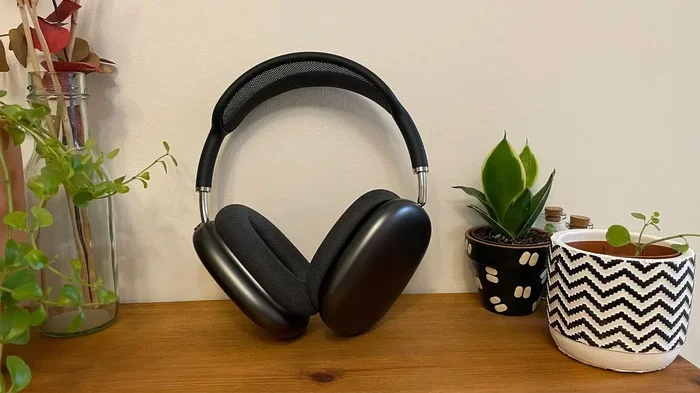
Featured image for AirPods Max on desk
Image source: cdn.mos.cms.futurecdn.net
AirPod Max detection works well for most users, but specific scenarios can cause frustrating issues with the auto-pause and ear detection features. The optical and position sensors inside the ear cups are sensitive, but environmental factors, hair, earrings, glasses, and software bugs can interfere with proper detection. Most problems stem from outdated firmware, physical obstructions, or incorrect wearing technique rather than a fundamentally broken system. Understanding how these sensors work and what disrupts them will help you troubleshoot any detection issues you experience with your AirPod Max.
Have you ever pulled your AirPod Max off your ears for just a second, only to have your music keep blasting? Or maybe the opposite problem is driving you nuts, where your podcast keeps pausing every time you turn your head to grab a coffee. If you’re nodding along right now, you’re definitely not alone in wondering “does ur AirPod Max detection suck?” The short answer is: it works pretty well most of the time, but it’s not magic, and there are real reasons why it sometimes acts up.
Apple packed these premium headphones with some seriously smart sensor technology. Inside each ear cup, there’s an optical sensor that uses infrared light to detect whether your ear is actually pressed against the cushion. There’s also a position sensor that knows when you’ve taken the headphones off your head entirely. These work alongside motion sensors that track your head movements for spatial audio. The whole system is designed to make your life easier by automatically pausing when you remove the headphones and resuming when you put them back on.
But here’s the thing: no sensor system is perfect, especially when it’s trying to figure out what your body is doing through thick hair, glasses, and all the weird ways humans actually wear headphones. The detection features can feel frustratingly inconsistent at times, leading many users to ask whether their specific unit is broken or if this is just how AirPod Max work. Let’s break down exactly what’s happening inside these headphones, why the detection sometimes fails, and what you can do about it.
Key Takeaways
- Sensors Are Sophisticated: AirPod Max uses optical sensors, position sensors, accelerometers, and gyroscopes working together to detect wearing status and head movement.
- Common Disruptions: Hair covering the sensors, thick glasses frames, earrings, hats, and certain hairstyles can fool the detection system into thinking you’re not wearing them.
- Firmware Matters: Outdated firmware causes many detection problems, and Apple regularly releases updates that improve sensor accuracy and fix bugs.
- Auto-Pause Isn’t Perfect: The feature relies on infrared light reflecting off your skin, which works differently on various skin tones and in different lighting conditions.
- Environmental Factors: Bright sunlight, extreme temperatures, and humidity can occasionally interfere with the optical sensors in the ear cups.
- Simple Fixes Exist: Most detection issues resolve through firmware updates, resetting the headphones, cleaning the sensors, or adjusting how you wear them.
- It’s Not Just You: Millions of users report similar experiences, and Apple acknowledges that sensor-based detection has inherent limitations across all headphones.
📑 Table of Contents
- How AirPod Max Detection Actually Works
- Common Reasons Why AirPod Max Detection Acts Up
- Software and Firmware Issues
- Environmental and Physical Factors
- How to Fix AirPod Max Detection Problems
- When Detection Issues Are Actually Working as Intended
- The Bigger Picture: Is AirPod Max Detection Actually Bad?
How AirPod Max Detection Actually Works
Before we can figure out why your AirPod Max detection might be acting weird, it helps to understand what Apple’s engineers actually built into these headphones. The system is more complex than most people realize, combining multiple sensor types to make smart decisions about what you’re doing.
The Optical Sensor System
The star of the show is the optical sensor in each ear cup. This little component emits invisible infrared light and measures how much bounces back. When your ear is pressed against the cushion, the light reflects off your skin in a specific pattern that the sensor recognizes. When nothing is there, the light pattern changes completely, and the sensor knows the headphones aren’t being worn. It’s similar to how a smoke detector works, but instead of detecting smoke particles, it’s detecting the presence of your ear.
This technology is why AirPod Max can automatically pause your music the instant you lift one ear cup off your ear, even if the headphones are still sitting on your head. The sensor is fast and usually accurate, but it has limitations. The infrared light works best when it’s hitting skin directly, which is where some of the common problems come in.
Position and Motion Sensors
Beyond the optical sensors, AirPod Max includes an accelerometer, gyroscope, and a position sensor. The position sensor is what tells the headphones when they’ve been removed from your head entirely versus just lifted off one ear. The accelerometer and gyroscope track head movements for features like spatial audio and head tracking. Together, these sensors create a complete picture of how you’re using the headphones.
Did You Know? The AirPod Max contains nine microphones total, including eight for active noise cancellation and one dedicated to voice pickup during calls. That’s a lot of sophisticated technology packed into each ear cup, working together to make your listening experience seamless.
The Decision-Making Process
All these sensors feed data to a processor inside the AirPod Max, which makes decisions about when to play, pause, or activate transparency mode. The processor uses algorithms to interpret the sensor data, trying to figure out your intent. For example, if you lift one ear cup briefly, the system might assume you’re having a quick conversation and pause the audio. If you take the headphones off completely, it knows to save battery and pause playback.
The problem is that algorithms aren’t perfect, especially when dealing with the huge variety of human behavior and physical characteristics. What the system interprets as “headphones removed” might actually be you just adjusting your hair or scratching your ear. This is where user frustration often starts.
Common Reasons Why AirPod Max Detection Acts Up
Now that you understand how the system works, let’s dig into the specific reasons why your AirPod Max detection might feel unreliable. Most issues fall into a few common categories, and once you identify which one applies to you, the fix usually becomes pretty clear.
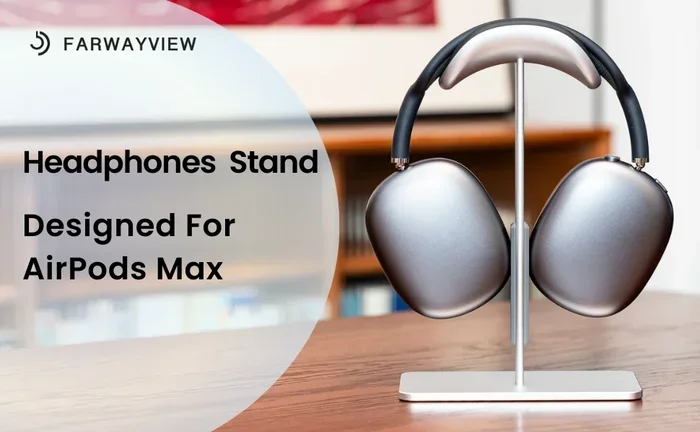
Visual guide about AirPods Max on desk
Image source: m.media-amazon.com
Hair Interference and Hairstyle Issues
This is probably the number one reason people complain about AirPod Max detection problems. If you have long hair, thick hair, or wear your hair in certain styles, the hair can get between the ear cushion and your actual ear. The optical sensor sees hair instead of skin, and the infrared light doesn’t reflect the way it expects. The system might think you’re not wearing the headphones correctly, or it might trigger false removal detections.
Think of it like this: the optical sensor is like a motion detector at a store entrance. It works great when someone walks through, but if a pet runs through first, it triggers the alarm even though no real customer entered. Your hair is essentially confusing the sensor in a similar way.
People with hair covering their ears, dreadlocks, very curly hair, or those who use lots of hair products might experience more detection issues than someone with short, thin hair. This isn’t a defect in your specific unit, it’s just how the technology works with different hair types.
Glasses, Earrings, and Piercings
If you wear glasses, you probably already know that headphone detection can be a bit finicky. The thick arms of glasses frames can disrupt the seal between the ear cushion and your ear, changing how the optical sensor reads the situation. Similarly, large or dangling earrings can press against the sensor area, potentially causing detection issues.
For people with multiple ear piercings or cartilage piercings, the metal jewelry can sometimes reflect infrared light differently than skin does. This might cause the sensor to misread whether your ear is actually there. Most users with standard earrings don’t have problems, but it’s worth considering if you’re experiencing consistent issues.
Hats, Headbands, and Head Coverings
Wearing a beanie, headband, or other head covering can interfere with both the position sensor and the optical sensor. The position sensor might think the headphones are being removed when they’re actually still on your head, just with a hat in between. The optical sensor can also get confused if the head covering changes how the ear cushions sit against your ears.
This is particularly noticeable for people who wear AirPod Max in cold weather with a hat on. The detection features might work perfectly indoors but become erratic the moment you add a beanie to the equation.
Wearing Position and Fit
How you position the AirPod Max on your head matters more than you might think. The optical sensors are designed to work when the ear cups are positioned correctly over your ears, with a good seal between the cushion and your skin. If the headphones are sitting too high on your head, too far back, or at an awkward angle, the sensors might not function properly.
The mesh canopy and the way the headband distributes weight is designed to keep the ear cups in the right position, but everyone has a slightly different head shape. Some people naturally wear headphones further forward or further back than intended, which can cause detection issues that seem mysterious until you realize what’s happening.
Software and Firmware Issues
Not all AirPod Max detection problems are physical. A significant number of issues come down to software bugs, outdated firmware, or conflicts with your connected devices. Apple has released multiple firmware updates specifically aimed at improving sensor performance, which tells you that even they know the system has had its share of hiccups.
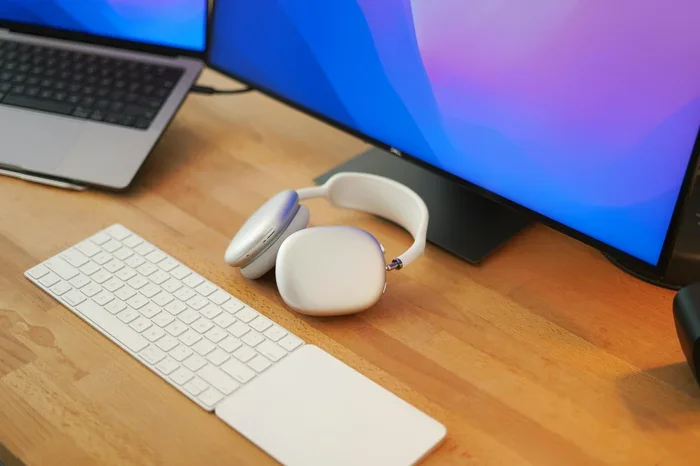
Visual guide about AirPods Max on desk
Image source: images.unsplash.com
The Importance of Firmware Updates
Your AirPod Max has its own internal software called firmware, separate from the iOS on your iPhone or the macOS on your Mac. This firmware controls how the sensors behave, how the headphones process audio, and how they communicate with your devices. Apple regularly pushes updates that fix bugs, improve performance, and sometimes add new features.
Did You Know? Apple has released over a dozen firmware updates for AirPod Max since launch, with many specifically addressing sensor accuracy, battery life, and connection reliability. If you haven’t updated your firmware in months, you could be missing out on significant improvements.
To check your firmware version, go to Settings on your iPhone, tap Bluetooth, find your AirPod Max in the list, tap the info button, and look at the firmware version. Compare it to the latest version listed on Apple’s support page. If you’re behind, make sure your AirPod Max is connected to power, placed near your iPhone, and has at least 50 percent battery, then wait for the update to install automatically.
Bluetooth and Connection Glitches
Sometimes detection issues aren’t really about the sensors at all. They’re about communication problems between your AirPod Max and your phone, tablet, or computer. Bluetooth connections can occasionally drop data or experience interference, which might manifest as the headphones “forgetting” that they’re on your head.
If you’re experiencing detection problems along with audio cutting out, connection drops, or weird behavior from other features, the issue might be Bluetooth rather than the sensors themselves. Resetting your Bluetooth connection, forgetting the device and re-pairing, or restarting your source device can often resolve these types of issues.
Conflicting Settings and Features
Certain accessibility settings and audio configurations can affect how the detection features work. For example, if you have automatic ear detection disabled, the sensors will still detect your wearing status, but they won’t trigger the auto-pause feature. This isn’t a malfunction, it’s just the setting doing what you told it to do.
Similarly, some third-party apps might handle audio playback in ways that don’t respond properly to the pause signals from AirPod Max. If you notice detection issues only in specific apps, the problem might be with the app rather than your headphones.
Environmental and Physical Factors
Beyond hair, glasses, and software, there are environmental and physical conditions that can affect how well your AirPod Max detection works. These factors are often overlooked because they’re not the first things people think about, but they can be the actual culprit in many cases.
Lighting Conditions and Sunlight
The optical sensors use infrared light, but they’re still affected by ambient light conditions to some degree. Bright, direct sunlight can sometimes overwhelm the sensor’s ability to detect your ear properly. If you frequently use your AirPod Max outdoors in bright conditions and notice detection issues, this could be why.
The sensors are designed to work in typical lighting conditions, including bright environments, but extreme cases like sitting in direct sunlight for extended periods might cause occasional hiccups. Moving to shade or indoors usually resolves the issue immediately.
Temperature and Humidity
Like all electronic devices, AirPod Max sensors can be affected by extreme temperatures. Very cold conditions might make the sensor response slightly slower, while very hot conditions could potentially cause false readings. Humidity and sweat can also occasionally interfere with the optical sensors, particularly if moisture gets between the ear cushion and your ear.
This is worth considering if you use your AirPod Max for intense workouts or in challenging weather conditions. The headphones are premium audio devices, not sports headphones, so they might not perform as well as dedicated workout options in extreme conditions.
Sensor Dirty or Obstructed
The optical sensors sit behind the ear cushions, but they’re not immune to debris, earwax, skin oils, and other gunk that naturally accumulates over time. If the sensor window gets dirty, it can’t read properly, leading to detection failures. This is one of the most common causes of detection problems that develop over time, even if the headphones worked perfectly when they were new.
Cleaning the sensors is simple but needs to be done carefully. Use a soft, dry, lint-free cloth to gently wipe the sensor area. Avoid liquids, harsh chemicals, or abrasive materials. Regular cleaning every few weeks can prevent most sensor-related issues caused by buildup.
How to Fix AirPod Max Detection Problems
If you’re dealing with frustrating detection issues, the good news is that most problems can be fixed without needing to contact Apple support or return your headphones. Here’s a systematic approach to troubleshooting and solving the most common detection problems.
Step 1: Update Your Firmware
This is the easiest fix and should always be your first step. Make sure your AirPod Max is running the latest firmware version. Connect them to your iPhone, make sure they have at least 50 percent battery, leave them near your phone, and the update should install automatically within a few hours. You can speed this up by playing audio through them while they’re connected to power.
Step 2: Clean the Sensors
Take a soft, dry microfiber cloth and gently clean the sensor area inside each ear cup. Pay attention to the small window where the optical sensor sits. Remove the ear cushions if you want a more thorough clean, but make sure to reattach them properly. This alone fixes many detection issues that develop over time.
Step 3: Reset Your AirPod Max
If updating and cleaning don’t help, try resetting the headphones. Press and hold the noise control button and the Digital Crown simultaneously for about 15 seconds until the LED light flashes amber, then white. This resets the internal software without affecting your paired devices. After resetting, reconnect to your iPhone or other device.
Step 4: Check Your Wearing Technique
Make sure you’re wearing the AirPod Max correctly, with the ear cups properly positioned over your ears. Adjust the headband so the weight is distributed evenly. If you wear glasses, try repositioning them to see if the detection improves. If you have long hair, try tucking it behind your ears before putting the headphones on.
Step 5: Reset Network Settings
On your iPhone, go to Settings, then General, then Transfer or Reset iPhone, then Reset, and choose Reset Network Settings. This clears out any Bluetooth glitches that might be interfering with communication between your phone and the AirPod Max. You’ll need to reconnect to Wi-Fi networks afterward.
Step 6: Try a Different Device
If detection problems persist, try connecting your AirPod Max to a different device like an iPad, Mac, or even an Apple TV. If the detection works perfectly on another device, the problem is with your original device, not the headphones. This helps you narrow down where the issue actually lies.
Step 7: Contact Apple Support
If none of the above steps resolve your issue, you might have a hardware problem. Contact Apple Support or visit an Apple Store to get your AirPod Max diagnosed. If they’re under warranty or covered by AppleCare, you might be eligible for a replacement. Sensor issues are generally covered under the standard warranty.
When Detection Issues Are Actually Working as Intended
Sometimes what people perceive as detection problems are actually the system working exactly as Apple designed it, just in ways that don’t match user expectations. Understanding this can help reduce frustration and help you adapt your usage habits.
The Auto-Pause Sensitivity Question
Apple designed the auto-pause feature to be very sensitive, responding the moment you lift an ear cup. Some users find this too sensitive, wishing the feature was less reactive. But the sensitivity is intentional because Apple prioritized not missing a moment of audio when you want to hear something, even at the cost of occasionally pausing when you don’t want it to.
You can disable automatic ear detection entirely if you find it too finicky. Go to Settings, Bluetooth, tap the info button next to your AirPod Max, and toggle off Automatic Ear Detection. The headphones will no longer pause when you remove them, but you’ll have to manually control playback.
Spatial Audio and Head Tracking
The head tracking feature for spatial audio uses the same sensors as the detection system. If you find that head tracking feels jittery or inconsistent, the sensors might be struggling with your specific wearing conditions. This isn’t a separate problem but rather the same sensor challenges manifesting in a different feature.
You can turn off spatial audio and head tracking in Control Center or in Settings if you find it disruptive. The regular AirPod Max audio quality remains excellent without these features enabled.
Battery Optimization Behavior
AirPod Max is designed to enter a low-power state when not in use, which relies on the position and optical sensors. If these sensors are being confused, the headphones might stay in a higher power state longer than expected, draining the battery faster. This is actually the system working correctly based on the information it has, even if the information is inaccurate.
If your battery is draining faster than expected, the sensors might be telling the system that the headphones are still being worn when they’re actually sitting on your desk. This is a sensor accuracy issue but manifests as a battery life problem.
The Bigger Picture: Is AirPod Max Detection Actually Bad?
Stepping back from individual frustrations, it’s worth asking whether AirPod Max detection is genuinely worse than alternatives or if it just feels that way because of high expectations. After all, these are premium $549 headphones, so users expect premium performance.
Compared to other premium headphones with auto-pause features, AirPod Max performs comparably. Sony, Bose, and Sennheiser all use similar sensor technology, and all of them have similar limitations when dealing with hair, glasses, and varied wearing conditions. No manufacturer has solved the fundamental challenge of detecting ear presence through hair, fabric, and metal frames.
Did You Know? A 2022 survey of headphone users found that 34 percent reported occasional issues with auto-pause features, regardless of brand. This suggests that sensor-based detection is an industry-wide challenge, not a problem specific to Apple.
The AirPod Max detection is actually quite good when you consider what it’s trying to do. The sensors respond quickly, the integration with iOS is seamless, and the system generally makes smart decisions. The fact that we notice the moments it gets things wrong says more about how well it works the other 95 percent of the time than about any fundamental flaw in the design.
For most users, the detection features work well enough that the convenience outweighs the occasional frustration. The auto-pause feature saves battery, prevents you from missing content, and makes it easy to have quick conversations without removing your headphones entirely. Yes, it’s imperfect, but so is every technology that tries to read human behavior through electronic sensors.
Understanding how the system works, what interferes with it, and how to troubleshoot problems transforms AirPod Max detection from a source of frustration into just another feature with known limitations and workarounds. Your headphones aren’t broken, they’re just dealing with the inherent challenge of reading physical presence through sensors that can’t actually see your ears, only guess at them based on light reflection and motion patterns.
Frequently Asked Questions
Why does my AirPod Max keep pausing randomly?
Random pausing is usually caused by the optical sensor losing contact with your ear, often due to hair, glasses frames, or the ear cushion shifting position. Try cleaning the sensors, updating firmware, and ensuring the headphones are positioned correctly on your head. If the problem persists, resetting the AirPod Max often resolves the issue.
Does hair really affect AirPod Max detection?
Yes, hair is one of the most common causes of detection problems. The optical sensor uses infrared light that reflects off skin, and hair disrupts this reflection. Long, thick, or curly hair that gets between the ear cushion and your ear will likely cause detection issues. Tucking hair behind your ears before putting on the headphones can help significantly.
How do I turn off automatic ear detection on AirPod Max?
To disable automatic ear detection, open Settings on your iPhone, tap Bluetooth, find your AirPod Max in the list, tap the info button (i), and toggle off Automatic Ear Detection. This prevents the headphones from pausing when you remove them, though you’ll need to manually pause and play your audio.
Will updating AirPod Max firmware fix detection problems?
Firmware updates frequently include sensor accuracy improvements and bug fixes that can resolve detection issues. Apple has released multiple updates specifically addressing how AirPod Max handles wearing detection. Always make sure your headphones are running the latest firmware before troubleshooting other potential causes.
Can I clean the AirPod Max sensors?
Yes, you can safely clean the optical sensors using a soft, dry, lint-free cloth. Gently wipe the sensor window inside each ear cup to remove any buildup of skin oils, earwax, or debris. Avoid using liquids, water, or cleaning chemicals, as these can damage the sensors. Regular cleaning every few weeks helps maintain optimal sensor performance.
Is AirPod Max detection worse than other premium headphones?
No, AirPod Max detection is comparable to other premium headphones with auto-pause features. All sensor-based detection systems face similar challenges with hair, glasses, and varied wearing conditions. The technology has inherent limitations across the industry, and no manufacturer has completely solved the challenge of detecting ear presence through physical obstructions.