Yes, you can absolutely charge AirPods Pro with USB cables. Modern AirPods Pro models support both USB-C and Lightning cables, depending on your generation. This guide explains exactly which cable works with your AirPods Pro, how to charge them properly, and how to troubleshoot common charging issues.
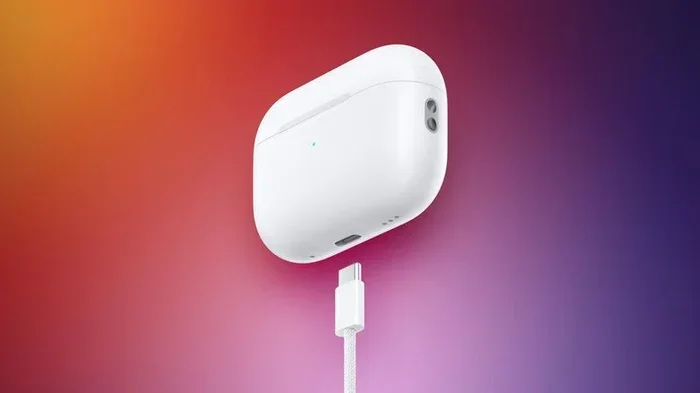
Featured image for AirPods Pro USB charging cable
Image source: images.macrumors.com
Ever wondered if you can charge your AirPods Pro with a regular USB cable? You’re definitely not alone. This is one of the most common questions AirPods owners ask, especially when they misplace the original cable or want to travel lighter.
Here’s the good news: charging AirPods Pro with USB is not only possible, it’s actually really simple once you know which cable you need. Think of it like charging your phone. Your phone has one charging port, and your AirPods Pro case has one too. You just need the right cable for the right port.
Whether you have the original AirPods Pro, the AirPods Pro 2 with Lightning, or the newer AirPods Pro 2 with USB-C, this guide will walk you through everything. We’ll cover which cables work, how to charge properly, and what to do when things don’t go as planned. Let’s dive in!
Key Takeaways
- Two cable types supported: AirPods Pro 2 (USB-C) uses USB-C cables, while AirPods Pro 1 and Pro 2 (Lightning) use Lightning cables.
- Case must have charge: You can only charge AirPods through their case, never directly with a cable to the earbuds.
- 5V power requirement: AirPods Pro cases need a 5V USB power source, which most standard chargers and computers provide.
- Fast charging available: Just 5 minutes in the case gives you about 1 hour of listening time.
- Wireless charging works too: AirPods Pro cases support Qi and MagSafe wireless charging pads.
- Avoid cheap cables: Non-certified cables may damage your AirPods or charge them very slowly.
- Check charging status: The LED light on your case tells you if charging is working properly.
📑 Table of Contents
- The Short Answer: Yes, You Can Charge AirPods Pro with USB
- How to Charge AirPods Pro with USB: Step-by-Step Guide
- AirPods Pro Charging Times: What to Expect
- USB-C vs. Lightning: Which Is Better for Charging?
- Common AirPods Pro Charging Problems and Solutions
- Can You Charge AirPods Pro Without the Case?
- Charging AirPods Pro Wirelessly: A USB Alternative
- Best Practices for Charging AirPods Pro with USB
- Charging AirPods Pro with Different USB Power Sources
- The Future of AirPods Pro Charging
- Final Thoughts: Charging AirPods Pro with USB Made Simple
The Short Answer: Yes, You Can Charge AirPods Pro with USB
Let’s get straight to the point. Yes, you can charge AirPods Pro with a USB cable. Every AirPods Pro model comes with a charging case that has its own charging port. This port accepts a specific type of USB cable.
But here’s the important part: you cannot charge the AirPods themselves directly. The earbuds only charge when they sit inside the case. The case is like a little power bank for your AirPods. It holds its own battery, and it transfers that battery power to the earbuds when they’re inside.
Think of it like a toy box that runs on batteries. The toys (your AirPods) don’t have their own batteries. They get their power from the toy box (the case). And the toy box itself needs to be plugged in to recharge. That plug is your USB cable.
Which USB Cable Does Your AirPods Pro Need?
This is where many people get confused. Apple made different versions of AirPods Pro, and each one uses a different cable type:
- AirPods Pro (1st generation): Uses a Lightning to USB cable. This came in the box when you bought them.
- AirPods Pro (2nd generation, Lightning): Also uses a Lightning to USB cable. Released in 2022.
- AirPods Pro (2nd generation, USB-C): Uses a USB-C to USB-C cable. Released in 2023.
- AirPods Pro (3rd generation… wait, that doesn’t exist yet for Pro): Currently, these are the only models available.
Not sure which model you have? It’s easy to check. Look at the charging port on the bottom of your AirPods Pro case. If it’s a small, narrow oval shape, that’s Lightning. If it’s a smaller, rounded rectangle, that’s USB-C.
Another way to tell? Look at the model number on the case. It’s printed in tiny letters on the back of the case. The model numbers are:
- A2190, A2191, A2192: AirPods Pro 1st generation
- A2700, A2701, A2702: AirPods Pro 2nd generation (Lightning)
- A2968, A2700 (USB-C version): AirPods Pro 2nd generation (USB-C)
How to Charge AirPods Pro with USB: Step-by-Step Guide
Now that you know which cable you need, let’s talk about how to actually charge your AirPods Pro. The process is super simple, but following these steps will help you charge them safely and efficiently.
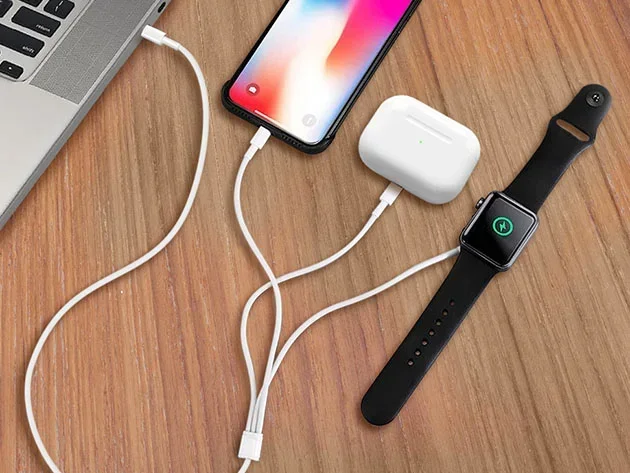
Visual guide about AirPods Pro USB charging cable
Image source: mactrast.com
Step 1: Find the Right Cable
First things first, grab the correct cable for your case. If you have the older model, that’s a Lightning cable. If you have the newer model, that’s a USB-C cable.
Did You Know? The AirPods Pro 2 with USB-C actually comes with a USB-C cable in the box. The older models come with a Lightning to USB-A cable. The USB-A end is the bigger, rectangular connector that plugs into a standard wall charger or computer.
If you lost your cable, don’t worry. You can buy replacements at any electronics store, Apple Store, or online retailer like Amazon. Just make sure you’re buying a certified cable (more on that later).
Step 2: Plug the Cable into a Power Source
Next, plug the USB end of your cable into a power source. Here are your options:
- Wall charger: Any 5V USB wall charger works. Apple recommends a 5W or higher charger, but you can use the charger from your iPhone or iPad.
- Computer: Plug the USB end into any USB port on your laptop or desktop computer.
- Power bank: Yes, you can charge AirPods Pro with a portable battery pack. Great for travel!
- Car charger: Any USB car charger will do the trick.
The key thing to remember is that AirPods Pro cases don’t need a lot of power. They’re tiny devices with small batteries. So almost any 5V USB power source will work just fine.
Step 3: Connect the Cable to Your AirPods Pro Case
Now, take the other end of your cable (Lightning or USB-C) and plug it into the charging port on the bottom of your AirPods Pro case. The port is small, but you can’t miss it.
Make sure the cable clicks into place. A loose connection won’t charge your case properly. If the cable wiggles or falls out easily, try a different cable.
Step 4: Check the LED Light
Once plugged in, look at the LED indicator light on the front (or front and back, depending on the model) of your case. This light tells you everything you need to know about charging status.
- Orange/amber light: Your case is currently charging. Battery is below 80%.
- Green light: Your case is fully charged (100%) or has enough charge to last a long time.
- No light: Either the case isn’t receiving power, the cable is broken, or the case is fully charged and has shut off the indicator.
Pro tip: If you don’t see any light at all, try a different cable or power source. This is usually the fastest way to figure out what’s wrong.
Step 5: Wait for a Full Charge
A full charge from 0% takes about 1 hour for the AirPods Pro case. But you don’t need to wait for a full charge to use them. Just 5 minutes in the case gives you about 1 hour of listening time or 1 hour of talk time. Pretty amazing, right?
This fast-charging feature is one of the best things about AirPods Pro. If you’re in a rush, just pop them in the case while you grab your keys, and you’ll have enough battery for your commute.
AirPods Pro Charging Times: What to Expect
Let’s talk numbers. How long does it actually take to charge AirPods Pro with USB? Here’s a breakdown:
AirPods Pro Case Charging Times
- 0% to 100%: About 1 hour via USB cable
- 5 minutes of charging: Roughly 1 hour of listening time
- 15 minutes of charging: Roughly 3 hours of listening time
- 30 minutes of charging: About 50-60% battery
AirPods Earbuds Charging Times (Inside Case)
- 0% to 100%: About 20-30 minutes inside the case
- 5 minutes in the case: About 1 hour of listening time
The case itself holds enough power for about 24 hours of total listening time. That means if you fully charge your case and your AirPods, you can go almost a full day without needing to plug in again.
Did You Know? The AirPods Pro 2 case has a slightly larger battery than the original AirPods Pro case. This means more total listening time before you need to charge the case itself.
USB-C vs. Lightning: Which Is Better for Charging?
If you’re in the market for new AirPods Pro or thinking about upgrading, you might wonder: which is better, USB-C or Lightning? Let’s compare.
USB-C Advantages
- Universal compatibility: USB-C is the industry standard. Most new phones, tablets, laptops, and gadgets use it.
- Faster charging speeds: USB-C can technically support faster charging, though AirPods Pro don’t need it.
- One cable for everything: You can use the same cable for your iPhone 15, MacBook, iPad, and AirPods Pro.
- Future-proof: Apple is moving everything to USB-C. Even iPhones now use it.
Lightning Advantages (or Lack Thereof)
- Works with older Apple devices: If you have an older iPhone, iPad, or iPod, you already have Lightning cables.
- That’s pretty much it: Honestly, Lightning is an older standard that’s being phased out.
The bottom line? USB-C is the future. If you’re buying new AirPods Pro today, go with the USB-C version. But if you already have the Lightning version, don’t worry. It still works perfectly fine with your Lightning cables.
Think of it like this: Lightning is like the old phone charger style that almost everyone used in the 2010s. USB-C is the new universal charger that works with almost everything. Both get the job done, but one is more convenient.
Common AirPods Pro Charging Problems and Solutions
Sometimes things don’t go as smoothly as we’d like. Here are the most common charging problems and how to fix them.
Problem 1: AirPods Pro Not Charging with USB
Your case is plugged in, but nothing happens. No LED light, no charging. What gives?
Solutions:
- Try a different cable: Cables break, especially at the connectors. Test with another cable you know works.
- Clean the charging port: Dust, lint, and debris can get stuck in the port. Use a dry, soft-bristled brush (like a clean toothbrush) to gently clean it out.
- Try a different power source: Plug into a wall outlet instead of your computer, or vice versa.
- Check the outlet: Make sure the outlet works by plugging in something else.
- Restart the case: Put the AirPods in the case, close the lid, wait 30 seconds, then try again.
Problem 2: Charging Is Very Slow
Your AirPods Pro case is charging, but it takes forever. Or the battery drains faster than it charges.
Solutions:
- Use a higher-wattage charger: While 5W works, a 10W or 12W charger can speed things up.
- Replace the cable: Cheap or damaged cables charge slowly. Invest in a quality cable.
- Update your firmware: Outdated firmware can sometimes cause charging issues. Keep your AirPods updated by connecting them to your iPhone.
- Check for battery drain: If your AirPods case battery drains quickly even when not in use, the battery might be worn out.
Problem 3: Case Gets Hot While Charging
It’s normal for the case to feel slightly warm during charging, like your phone does. But if it’s hot to the touch, that’s a problem.
Solutions:
- Unplug immediately: If the case is too hot to hold comfortably, unplug it.
- Move to a cooler location: Don’t charge in direct sunlight or in a hot car.
- Remove the case cover: If you have a thick silicone case on the AirPods case, remove it while charging. It can trap heat.
- Try a different charger: A faulty charger can cause overheating.
Did You Know? Lithium-ion batteries (which AirPods Pro use) can be damaged by extreme heat. If your case frequently overheats, it might be time to replace the battery or the case itself.
Problem 4: One AirPod Not Charging
Both AirPods are in the case, but only one is charging. Frustrating!
Solutions:
- Clean the AirPod stem and case interior: Dirt on the charging contacts can prevent charging.
- Reseat the AirPod: Take it out and put it back in. Make sure it sits firmly.
- Reset your AirPods: Forget the device in your Bluetooth settings, then pair them again.
- Check for physical damage: If the AirPod has been dropped or exposed to water, the battery might be damaged.
Can You Charge AirPods Pro Without the Case?
This is another super common question. The short answer is no, you cannot charge AirPods Pro without the case.
The earbuds don’t have a charging port. They rely entirely on the case for power. It’s like trying to charge a wireless mouse without its dock. The mouse has no port for a cable. It needs the dock to recharge.
So what do you do if you lose your case? Here are your options:
- Buy a replacement case: Apple sells replacement cases, or you can find third-party options online.
- Use Apple’s replacement program: If your case is under warranty or you have AppleCare+, you might be able to get a discounted replacement.
- Borrow a friend’s case (if compatible): AirPods Pro 1st gen and 2nd gen use different cases, but within the same generation, cases are interchangeable.
Just make sure you buy the correct case for your generation. They look similar but aren’t interchangeable between AirPods Pro 1 and AirPods Pro 2.
Charging AirPods Pro Wirelessly: A USB Alternative
Want to cut the cord completely? AirPods Pro cases support wireless charging too. This means you don’t need a USB cable at all if you have a wireless charging pad.
How Wireless Charging Works on AirPods Pro
Wireless charging uses something called electromagnetic induction. Sounds complicated, but it’s pretty simple. Think of it like two magnets talking to each other through a table. The charging pad creates a magnetic field, and your AirPods Pro case has a coil that turns that field into electricity. No cables needed!
To charge wirelessly:
- Place your AirPods Pro case on a Qi-compatible or MagSafe charging pad.
- Make sure the case is centered on the pad.
- Look for the LED light to confirm charging has started.
- Wait for a full charge, which takes a bit longer than USB (about 1.5-2 hours).
MagSafe vs. Qi Charging
- MagSafe: Apple’s magnetic charging technology. The case snaps into place on the charger. Works with AirPods Pro 2.
- Qi: The universal wireless charging standard. Works with any Qi pad. Works with all AirPods Pro models that have wireless charging cases.
MagSafe is more convenient because the magnets align everything perfectly. Qi is more universal because you can use any wireless charger.
Did You Know? Wireless charging is slightly less efficient than wired charging. Some energy is lost as heat. So if you want the fastest charge, USB is still your best bet.
Best Practices for Charging AirPods Pro with USB
Want to keep your AirPods Pro battery healthy for as long as possible? Follow these tips.
Use Certified Cables
Always use MFi-certified (Made for iPhone) Lightning cables or USB-IF certified USB-C cables. These cables meet Apple’s strict quality standards. Cheap, knock-off cables might work, but they can damage your battery over time or even pose a safety risk.
A good Lightning cable costs around $10-15. A good USB-C cable costs around $8-12. That’s a small price to pay to protect a $200+ pair of earbuds.
Don’t Let the Battery Die Completely
Lithium-ion batteries don’t like being drained to 0%. Try to charge your AirPods Pro when the case drops below 20%. This helps the battery last longer over time.
Think of it like a car engine. You don’t have to redline it every time you drive. Keeping it in a comfortable range helps it run better for longer.
Avoid Extreme Temperatures
Don’t charge your AirPods Pro in extreme heat or cold. The ideal charging temperature is between 50°F and 85°F (10°C to 30°C). Avoid leaving them in a hot car or in freezing weather while charging.
Don’t Overcharge
Modern AirPods Pro cases have smart charging technology that stops charging when the battery is full. So you don’t need to worry about overcharging. But it’s still good practice to unplug them once they’re fully charged, just to be safe.
Keep the Charging Port Clean
Dust and debris can build up in the charging port over time. Make a habit of cleaning it gently every few weeks. A clean port ensures a good connection and faster charging speeds.
Update Your AirPods Regularly
Apple releases firmware updates that can optimize battery life and charging performance. To update, make sure your AirPods Pro are connected to your iPhone, in their case, and near your phone. The update happens automatically over Wi-Fi.
Charging AirPods Pro with Different USB Power Sources
Not all USB power sources are created equal. Let’s break down how different options affect your charging experience.
Wall Chargers
Wall chargers are the fastest and most reliable option. Apple recommends a 5W to 20W charger. Here’s what different wattages mean:
- 5W: Standard slow charging. Takes about 1 hour for a full charge.
- 10-12W: Slightly faster. About 45-50 minutes for a full charge.
- 20W+: AirPods Pro won’t actually charge faster than 12W, but it’s safe to use a higher wattage charger. The case only draws what it needs.
Computer USB Ports
Charging from a computer USB port works, but it’s slower than a wall charger. Older USB 2.0 ports are slower than newer USB 3.0 ports. If you’re in a rush, use a wall charger. If you’re not, any USB port will do.
Power Banks
Power banks are great for travel. Any portable battery with a USB output will charge your AirPods Pro case. Just make sure the power bank has enough capacity. A 5,000mAh power bank can charge your AirPods Pro case about 5-6 times.
Car Chargers
Car USB chargers work fine for AirPods Pro. Just make sure you’re using a quality car charger. Cheap ones can deliver inconsistent power, which can damage your battery over time.
Solar Chargers
Yes, you can charge AirPods Pro with a solar charger if it has a USB output. This is great for camping or outdoor adventures. Just make sure the solar panel provides a steady 5V output.
The Future of AirPods Pro Charging
What’s next for AirPods Pro charging? Apple is always innovating. Here are some things we might see in the future:
- Faster wireless charging: New Qi standards are emerging that could double wireless charging speeds.
- Reverse wireless charging: Your iPhone might one day charge your AirPods Pro case just by placing the case on the back of your phone.
- USB-C across the board: Apple is already moving to USB-C. Expect all future AirPods to use USB-C.
- Better battery technology: Solid-state batteries could offer longer life and faster charging in future models.
For now, USB charging is the most reliable, fastest, and universal way to charge your AirPods Pro. And that’s unlikely to change anytime soon.
Final Thoughts: Charging AirPods Pro with USB Made Simple
So, can you charge AirPods Pro with USB? Absolutely yes! Whether you have the Lightning or USB-C version, all you need is the right cable and a 5V power source. It’s as simple as plug, wait, and enjoy.
To recap the key points: Always use certified cables to protect your battery. Clean your charging port regularly. Don’t let the battery die completely. And when in doubt, check the LED light on your case for charging status.
Charging your AirPods Pro should be the easiest part of your day. With the tips in this guide, you’ll keep your earbuds powered up and ready to go whenever you need them. No more worrying about dead batteries or confusing cables. Just simple, reliable charging every time.
If you found this guide helpful, share it with fellow AirPods owners who might have the same questions. Happy listening!
Frequently Asked Questions
Can I charge AirPods Pro with any USB cable?
No, you need the specific cable for your model. AirPods Pro 1 and Pro 2 (Lightning) need a Lightning cable, while AirPods Pro 2 (USB-C) needs a USB-C cable. Using the wrong cable won’t work and could potentially damage the charging port.
How long does it take to charge AirPods Pro with USB?
A full charge from empty takes about 1 hour using a USB wall charger. However, just 5 minutes in the case gives you approximately 1 hour of listening time, making fast charging very convenient for quick top-ups.
Can I charge AirPods Pro with my iPhone charger?
Yes, you can absolutely use your iPhone wall charger to charge your AirPods Pro case. Any 5W or higher USB power adapter works perfectly. The case only draws the power it needs, so a 20W charger won’t damage it.
Do all AirPods Pro support wireless charging?
Not all models support wireless charging out of the box. The original AirPods Pro came in both wired-only and wireless charging case versions. The AirPods Pro 2 (both Lightning and USB-C versions) supports MagSafe and Qi wireless charging as a standard feature.
Can I charge AirPods Pro without the case?
No, you cannot charge AirPods Pro earbuds without their case. The earbuds have no charging port and rely entirely on the case for power. If you lose your case, you’ll need to purchase a replacement compatible with your specific AirPods Pro generation.
Is it safe to charge AirPods Pro overnight with USB?
Yes, it’s completely safe to charge your AirPods Pro case overnight. The case has built-in smart charging technology that stops drawing power once the battery reaches 100%. This prevents overcharging and protects the battery’s long-term health.