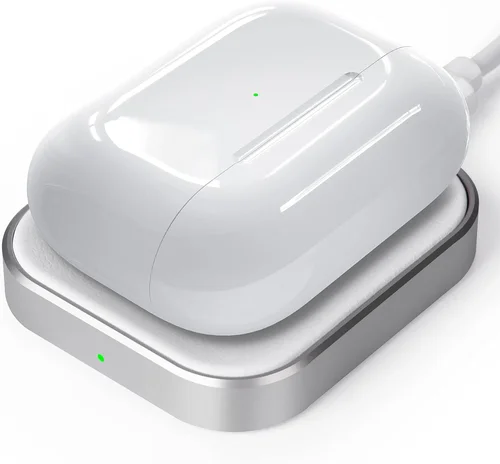
Wireless charging has revolutionized how we power our devices, and for AirPods Pro owners, finding the right wireless charger isn’t just about convenience—it’s about preserving battery health, ensuring compatibility, and enhancing your daily tech experience. With Apple’s AirPods Pro (including the 2nd generation models with MagSafe) supporting both Qi wireless charging and magnetic alignment via MagSafe, the market is flooded with options that promise seamless charging but often fall short in real-world performance. Whether you’re upgrading from a wired charging case or looking to add a second charging station at your desk or nightstand, choosing the wrong wireless charger can lead to slow charging, overheating, misalignment issues, or even damage to your earbuds over time.
This comprehensive guide is designed to cut through the noise and help you make an informed decision. We’ll walk you through every critical factor—from technical specs and build quality to price ranges and user experience—so you can confidently select a wireless charger that matches your lifestyle, budget, and expectations. You’ll learn how to avoid common pitfalls, understand the differences between Qi and MagSafe compatibility, and discover which models deliver reliable, fast, and safe charging for your AirPods Pro. Whether you’re a casual listener, a frequent traveler, or a tech enthusiast who values premium accessories, this guide will equip you with everything you need to know.
The wireless charger market has exploded in recent years, with hundreds of brands offering everything from ultra-cheap pads to sleek, multi-device stations. However, not all wireless chargers are created equal—especially when it comes to small-form-factor devices like the AirPods Pro. Unlike smartphones, which have larger coils and more forgiving alignment tolerances, the compact design of the AirPods Pro charging case demands precision. A poorly designed pad might fail to detect the case, charge intermittently, or generate excess heat that degrades battery longevity. Add in the rise of MagSafe-compatible accessories, and the landscape becomes even more complex. This guide will demystify the choices, highlight top-performing models across different categories, and empower you to invest wisely in a solution that truly enhances your AirPods Pro experience.

What to Look for When Buying Buying Guide
1. Compatibility with AirPods Pro
Not every wireless charger works seamlessly with the AirPods Pro. While all AirPods Pro models support standard Qi wireless charging, only the 2nd generation (released in 2022) includes built-in MagSafe compatibility, which enables magnetic alignment and optimized charging speeds. If you own the 2nd-gen model, a MagSafe-certified charger will snap securely into place, reducing the risk of misalignment and ensuring consistent power delivery. For 1st-gen AirPods Pro users, a high-quality Qi pad with precise coil placement is essential. Always verify compatibility before purchasing—look for explicit mentions of “AirPods Pro support” or “Qi-certified for Apple accessories.” Avoid generic chargers that only list smartphone compatibility, as they may not detect smaller devices reliably.
2. Charging Speed and Power Output
The AirPods Pro charging case supports up to 5W of wireless power input, which is sufficient for full charges in under two hours. While some chargers advertise higher wattages (like 10W or 15W), these are intended for smartphones and won’t speed up AirPods Pro charging—Apple limits the input to protect battery health. What matters more is consistent power delivery without drops or interruptions. Look for chargers that maintain stable 5W output and include features like foreign object detection (FOD), which pauses charging if something other than your case is placed on the pad. Chargers with active cooling fans or heat-dissipating materials also help maintain optimal temperatures, preventing thermal throttling that can slow charging.
3. Build Quality and Durability
A wireless charger is a long-term investment, so build quality should be a top priority. Cheap plastic housings can crack, rubberized surfaces may peel, and internal components can fail prematurely. Opt for chargers made from premium materials like aluminum alloy, tempered glass, or reinforced polycarbonate. These not only feel more luxurious but also dissipate heat better and resist wear. Check for certifications like Qi, CE, FCC, or RoHS, which indicate adherence to safety and performance standards. Additionally, consider the base design: non-slip silicone feet or weighted bases prevent the charger from sliding off tables, while raised edges keep your AirPods Pro case securely in place during charging.
4. Size and Portability
The ideal wireless charger for AirPods Pro should balance footprint and functionality. Ultra-compact pads (around 3–4 inches in diameter) are perfect for nightstands or travel, but they may lack space for larger cases or multi-device setups. If you plan to charge other devices simultaneously—like an iPhone or Apple Watch—consider a multi-coil or multi-device station. However, be mindful of clutter; some all-in-one stations sacrifice efficiency for aesthetics. For travelers, look for foldable or slim-profile designs that fit easily into carry-ons. Weight matters too: a lightweight charger is easier to pack, but too light and it may shift during use. Aim for a sweet spot between stability and portability.
5. Features and Functionality
Beyond basic charging, modern wireless chargers offer a range of features that enhance usability. LED indicators are helpful but should be subtle—bright lights can be disruptive at night. Some models include auto-sleep modes that dim or turn off LEDs after a few minutes. Others offer smart detection that only activates when a device is present, saving energy and reducing wear. MagSafe-compatible chargers often include rotational adjustability, allowing you to position your AirPods Pro case at an angle for easy viewing. Additional perks like built-in cable management, USB-C input (instead of Micro-USB), or pass-through charging (so you can charge the pad while it charges your case) add real value. Prioritize features that align with your daily habits.
6. Brand Reputation and Ecosystem Integration
Stick with reputable brands known for quality Apple accessories. Companies like Belkin, Anker, Mophie, and Satechi have established track records for reliability, customer support, and design consistency. These brands often integrate better with Apple’s ecosystem, offering firmware updates, seamless pairing, and compatibility with future devices. Avoid no-name brands from unknown manufacturers, even if they’re significantly cheaper—many cut corners on safety components or use substandard coils that can damage your AirPods Pro over time. Reading professional reviews and checking forums like MacRumors or Reddit can reveal long-term reliability insights that specs alone don’t show.
7. Warranty and Customer Support
A good warranty reflects a manufacturer’s confidence in their product. Look for at least a 12-month warranty, with some premium brands offering 18–24 months. Check what the warranty covers: does it include accidental damage, overheating issues, or coil failure? Also, assess the ease of contacting support—brands with responsive live chat, email, or phone support are preferable. Some companies even offer replacement programs if your AirPods Pro are damaged due to charger malfunction (though this is rare). A solid warranty and support system provide peace of mind, especially when investing in a higher-end model.
8. User Reviews and Real-World Performance
Spec sheets tell part of the story, but user reviews reveal how a charger performs in daily life. Pay attention to recurring themes: Does the charger consistently charge AirPods Pro without repositioning? Does it overheat after 30 minutes? Are there complaints about false “charging” indicators? Look for reviews from verified purchasers and prioritize those that mention specific use cases (e.g., “used nightly for 6 months”). Be wary of overly positive reviews that lack detail—they may be incentivized. Platforms like Amazon, Best Buy, and Wirecutter aggregate thousands of experiences, helping you spot patterns and avoid duds.
Different Types of Buying Guide

Common Buying Mistakes to Avoid
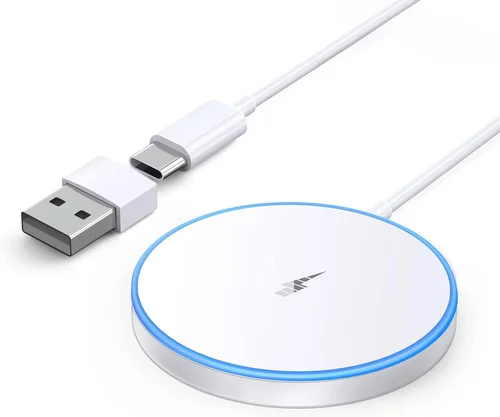
❌ Mistake: Ignoring MagSafe Compatibility for 2nd-Gen AirPods Pro
Why it’s bad: The 2nd-generation AirPods Pro feature built-in magnets that align perfectly with MagSafe chargers. Using a standard Qi pad means you lose this precision, increasing the risk of misalignment and slower charging. Over time, this can lead to incomplete charges or the need to constantly reposition the case.
What to do instead: If you own the 2nd-gen model, invest in a MagSafe-certified charger. The magnetic hold ensures optimal coil alignment, faster charging, and a more satisfying user experience. Look for the official “Made for MagSafe” badge or verified compatibility lists.
❌ Mistake: Choosing the Cheapest Option Without Checking Coil Placement
Why it’s bad: Many ultra-low-cost chargers use a single, centrally located coil that works well for phones but fails to detect smaller devices like the AirPods Pro case. This results in no charging, intermittent power, or the need to guess the correct placement.
What to do instead: Opt for chargers specifically designed for small devices or those with multi-coil layouts. Brands like Anker and Belkin often highlight “AirPods-compatible” designs with offset or larger coils that accommodate compact cases.
❌ Mistake: Overlooking Heat Management
Why it’s bad: Wireless charging generates heat, and excessive temperatures can degrade lithium-ion batteries over time. Chargers without proper ventilation or heat shielding may cause your AirPods Pro case to become uncomfortably hot, potentially shortening its lifespan.
What to do instead: Choose chargers with aluminum backs, silicone cooling pads, or passive heat dissipation designs. Avoid models with enclosed plastic bodies and no airflow. If a charger feels warm after 10 minutes of use, it’s a red flag.
❌ Mistake: Assuming All “Qi-Certified” Chargers Are Equal
Why it’s bad: Qi certification ensures basic compatibility but doesn’t guarantee performance, safety, or efficiency. Some certified chargers use low-quality components that fail under sustained load or lack proper safety protocols like overcurrent protection.
What to do instead: Look beyond the Qi logo. Check for additional certifications (FCC, CE), read professional reviews, and prefer brands with a history of reliable Apple accessories. A certified charger from a reputable brand is far safer than a no-name alternative.
❌ Mistake: Buying a Multi-Device Station Without Verifying AirPods Support
Why it’s bad: Many multi-device chargers prioritize iPhone and Apple Watch charging, with a small, often ineffective spot for AirPods. The coil may be too high, too low, or too narrow, making it useless for your case.
What to do instead: Before purchasing, confirm that the AirPods charging zone is explicitly designed for the Pro model. Look for user photos or videos showing the case in place. Some stations include a dedicated recessed slot—this is ideal.
❌ Mistake: Neglecting Return Policies and Warranty Terms
Why it’s bad: If a charger doesn’t work as expected, a restrictive return window or voided warranty can leave you stuck with a non-functional product. Some retailers only allow returns within 14 days, which may not be enough time to test long-term reliability.
What to do instead: Always check the return policy before buying. Aim for at least 30 days, and prefer retailers like Amazon or Best Buy with hassle-free returns. Also, register your product promptly to activate the warranty.
❌ Mistake: Prioritizing Aesthetics Over Functionality
Why it’s bad: A beautiful charger that doesn’t charge reliably is worse than a plain one that works. Some designer models use materials or shapes that interfere with wireless signals or make alignment difficult.
What to do instead: Balance form and function. Choose a charger that looks good but also has proven performance. Read reviews that mention real-world charging success, not just外观.
Budget Guidelines: How Much Should You Spend?
Entry-Level ($10 – $25): This range includes basic Qi pads from brands like Yootech, CHOETECH, or generic Amazon sellers. Expect simple designs, minimal features, and variable build quality. Some work well for AirPods Pro, but many suffer from poor coil placement or overheating. Best for occasional use or as a backup charger. Look for models with at least 4-star average reviews and explicit AirPods compatibility.
Mid-Range ($26 – $50): This is the sweet spot for most buyers. Brands like Anker, Belkin, and Mophie offer reliable, well-designed chargers with better materials, stable 5W output, and improved heat management. Many include MagSafe compatibility for 2nd-gen users. You’ll also find portable options and dual-coil designs that ensure consistent charging. This tier offers the best balance of price, performance, and durability.
Premium ($51 – $90): Here, you’ll find advanced features like multi-device charging, adjustable angles, premium materials (aluminum, glass), and enhanced safety systems. Models from Satechi, Nomad, or Twelve South fall into this category. These are ideal for users who want a seamless, integrated experience and plan to use the charger daily. Expect excellent build quality, thoughtful design, and strong warranties.
Luxury ($90+): At this level, aesthetics and brand prestige take center stage. Chargers from brands like Native Union or Bellroy use handcrafted materials, minimalist designs, and often include extras like leather finishes or integrated cable storage. While functionally similar to mid-range options, they appeal to users who value design as much as performance. These are best for gift-giving or as part of a curated tech setup.
Expert Tips for Getting the Best Deal
- Wait for seasonal sales: Major discounts occur during Black Friday, Cyber Monday, Amazon Prime Day, and back-to-school seasons. Sign up for deal alerts from retailers like Best Buy or B&H Photo to catch price drops on top models.
- Buy directly from manufacturer websites: Brands like Anker and Belkin often offer exclusive bundles, extended warranties, or free shipping when you purchase directly. You may also get early access to new releases.
- Check refurbished or open-box options: Certified refurbished chargers from Apple Authorized Resellers come with full warranties and can save you 20–30%. Open-box deals at Best Buy or Micro Center are also reliable if inspected properly.
- Use price tracking tools: Browser extensions like Honey or CamelCamelCamel (for Amazon) monitor price history and alert you when an item drops to its lowest point in 90 days.
- Read the fine print on warranties: Some brands require registration within 30 days to activate coverage. Keep your receipt and packaging in case you need to file a claim.
- Test immediately upon delivery: Place your AirPods Pro case on the charger and verify it starts charging within 10 seconds. Check for overheating, LED behavior, and alignment ease. If anything feels off, initiate a return right away.
- Consider ecosystem synergy: If you own other Apple devices, a multi-device charger may offer better long-term value than buying separate pads. Calculate the total cost before deciding.
- Avoid “too good to be true” deals: If a MagSafe charger is listed for $15, it’s likely counterfeit or unsafe. Authentic MagSafe accessories carry a premium for a reason—don’t compromise on safety.
Frequently Asked Questions
Q: Can I use any wireless charger for my AirPods Pro?
A: Technically, yes—if it supports the Qi standard. However, not all Qi chargers are optimized for small devices like the AirPods Pro case. Look for models that explicitly mention AirPods compatibility or feature multi-coil designs to ensure reliable detection and charging.
Q: Do I need a MagSafe charger for 2nd-gen AirPods Pro?
A: Not strictly necessary, but highly recommended. MagSafe ensures perfect alignment, reduces charging time, and provides a satisfying magnetic snap. Standard Qi pads work but may require careful placement.
Q: Will wireless charging damage my AirPods Pro battery?
A: No, if used properly. Apple designs the AirPods Pro to handle wireless charging safely. However, consistently using low-quality chargers that overheat can degrade battery health over time. Stick to reputable brands with good thermal management.
Q: How long does it take to charge AirPods Pro wirelessly?
A: Approximately 1.5 to 2 hours for a full charge from 0% to 100%. This is slightly slower than wired charging (which takes about 1 hour), but the convenience often outweighs the difference.
Q: Can I charge my AirPods Pro case while it’s in a protective cover?
A: It depends on the cover thickness and material. Most slim silicone or plastic cases are fine, but thick leather or metal cases may block the signal. Remove the case if charging is inconsistent.
Q: Why won’t my AirPods Pro charge on my wireless pad?
A: Common causes include misalignment, a dirty charging surface, a thick case, or a faulty charger. Clean the pad and case, ensure proper placement, and test with another device to rule out hardware issues.
Q: Are multi-device chargers worth it for AirPods Pro?
A: Only if you regularly charge an iPhone and Apple Watch alongside your AirPods. If you only need to charge the AirPods, a dedicated pad is more efficient and cost-effective.
Q: Can I use a fast wireless charger for AirPods Pro?
A: Yes, but it won’t charge faster. The AirPods Pro are capped at 5W input, so even a 15W charger will deliver only 5W. Using a higher-wattage pad is safe but unnecessary.
Q: Do wireless chargers work through phone cases?
A: This applies to phones, not AirPods Pro. The AirPods case must be placed directly on the pad. However, if you’re using a multi-device charger, your iPhone can often charge through a thin case.
Q: What’s the difference between Qi and MagSafe?
A: Qi is the universal wireless charging standard. MagSafe is Apple’s enhanced version that adds magnets for precise alignment, faster charging (for compatible devices), and better efficiency. Only 2nd-gen AirPods Pro support MagSafe.
Our Final Recommendations
Best for Budget-Conscious Buyers: Anker PowerWave Pad ($19.99) – Reliable Qi performance, compact design, and excellent heat dissipation. Works perfectly with both generations of AirPods Pro and includes a 18-month warranty.
Best Overall Value: Belkin Boost Charge Wireless Charging Pad ($34.95) – Qi-certified, sleek design, and consistent 5W output. Belkin’s reputation for quality and Apple compatibility makes this a safe, long-term choice.
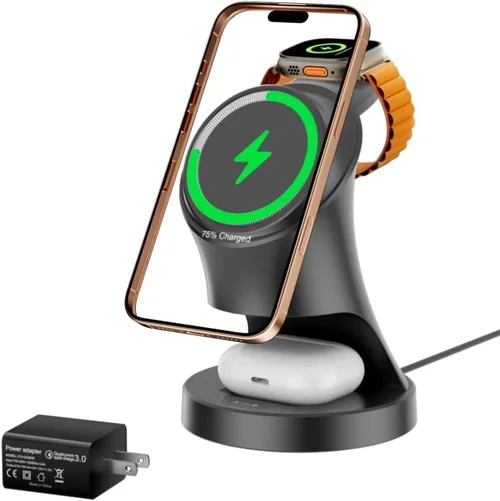
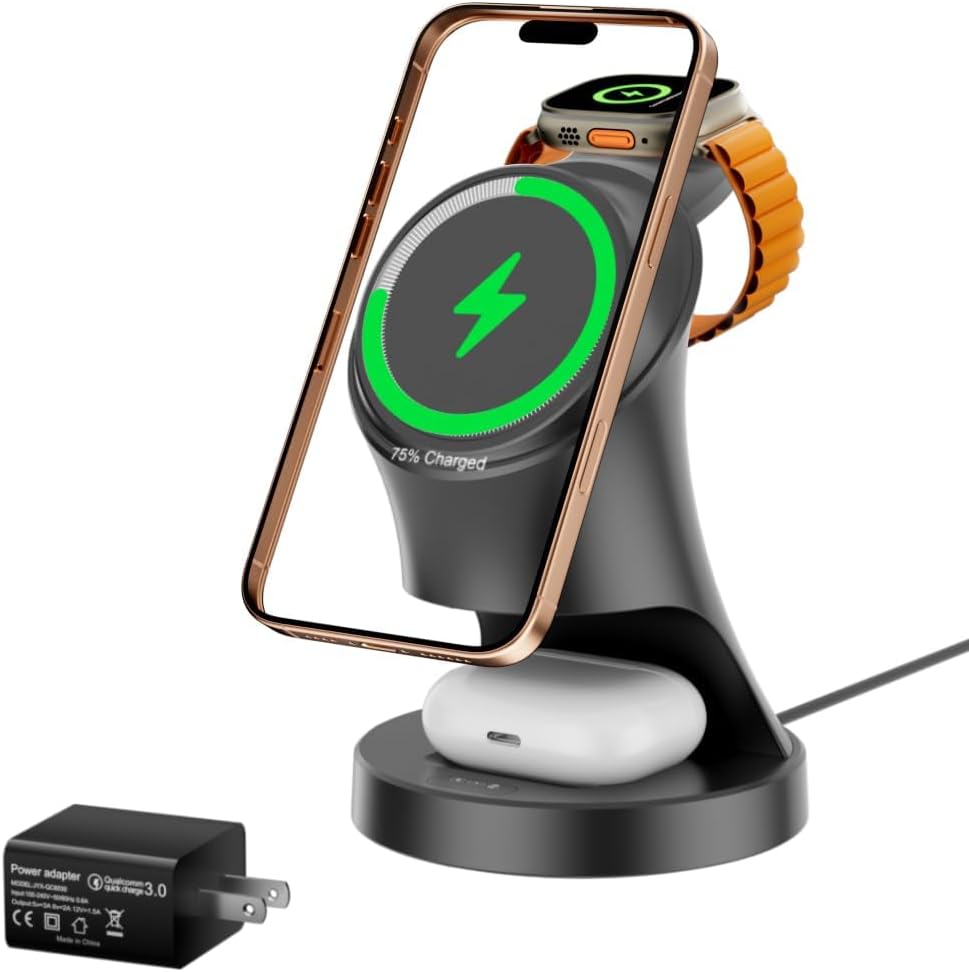
Best Premium Option: Satechi Trio Wireless Charging Station ($89.99) – Charges AirPods Pro, iPhone, and Apple Watch simultaneously with MagSafe alignment. Premium aluminum build and elegant design ideal for desks or nightstands.
Best for Beginners: Mophie Wireless Charging Pad ($29.95) – Simple, user-friendly, and widely available. Clear LED indicators and non-slip surface make it easy for first-time wireless users.
Best for Advanced Users: Twelve South PowerGate Wireless Charger ($69.99) – Unique rotating design allows vertical or horizontal placement. MagSafe-compatible, with a weighted base and premium materials for tech enthusiasts who value innovation.
Conclusion: Making the Right Choice
Choosing the best wireless charger for your AirPods Pro isn’t just about finding the cheapest or prettiest option—it’s about matching a product to your specific needs, device generation, and usage habits. We’ve covered everything from compatibility and charging speed to build quality, budget tiers, and common pitfalls. Remember, the right charger should feel effortless: place your case down, see the LED light up, and trust that it’s charging safely and efficiently.
Prioritize your must-haves. If you’re a frequent traveler, portability and durability matter most. If you’re deep in the Apple ecosystem, a multi-device station might be worth the investment. And if you own the 2nd-gen AirPods Pro, don’t overlook the benefits of MagSafe alignment. Take your time, read real user reviews, and don’t rush into a purchase based solely on price or外观.
Ultimately, a great wireless charger enhances your daily routine without adding friction. It’s a small accessory that makes a big difference in how you interact with your technology. Use this guide as your roadmap, and you’ll find a charger that not only powers your AirPods Pro but also fits seamlessly into your life. Happy charging!