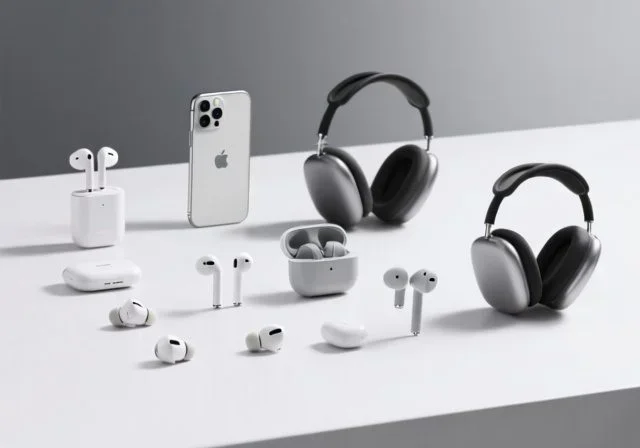
Featured image for wireless headphones with iPhone
Image source: boundbyflame.com
Yes, you can use virtually any wireless headphones with an iPhone, as long as they support Bluetooth technology. Since the iPhone 7 (released in 2016), Apple has included Bluetooth as a standard wireless feature, making it compatible with thousands of third-party headphones. While AirPods offer special features like automatic pairing and spatial audio, standard Bluetooth headphones work great for music, calls, and most everyday tasks. Your iPhone will pair with any Bluetooth-enabled headphones, regardless of brand or price point.
Picture this: you’re standing in an electronics store, surrounded by hundreds of wireless headphones. AirPods, Beats, Sony, Bose, and dozens of other brands are all calling your name. But you own an iPhone, and a question pops into your head: can I use any wireless headphones with my iPhone? It’s a super common question, and the answer is simpler than you might think.
The short answer is yes. Your iPhone works with practically every wireless headphone on the market. Think of Bluetooth like a universal language that your iPhone speaks fluently. Just like how you can chat with someone who speaks English, French, or Spanish, your iPhone can “talk” to headphones made by Apple, Samsung, Sony, or that small brand you just discovered online. As long as both devices understand Bluetooth, they’ll get along just fine.
But here’s where it gets interesting. While any Bluetooth headphone will connect to your iPhone, some features work better with certain brands. Apple has built a special ecosystem around AirPods and Beats headphones that unlocks bonus features. Don’t worry, though. You’ll still get amazing sound quality, clear phone calls, and reliable connections with non-Apple options. This guide will walk you through everything you need to know about using wireless headphones with your iPhone.
Key Takeaways
- Bluetooth is universal: All iPhones from the 7 onward support Bluetooth, which is the standard technology behind wireless headphones.
- AirPods offer extras, not requirements: Apple-specific features require AirPods, but basic audio works with any Bluetooth headphones.
- Pairing is simple: Connecting non-Apple headphones takes just a few taps in your Settings menu.
- Audio quality varies: The iPhone supports advanced Bluetooth codecs like AAC and aptX for better sound.
- Battery life is independent: Your iPhone’s battery drains the same regardless of which wireless headphones you use.
- Some features are limited: Features like automatic ear detection and Find My only work with Apple-made or certified products.
- Price options are endless: Quality wireless headphones range from $20 to $500+, so you can find options for any budget.
📑 Table of Contents
- Understanding Bluetooth: The Magic Behind Wireless Headphones
- The Compatibility Question: Will Your Favorite Headphones Work?
- How to Pair Any Wireless Headphones with Your iPhone
- Apple-Specific Features: What You Get (and Don’t Get) with Non-AirPods
- Audio Quality and Codecs: Getting the Best Sound
- Popular Wireless Headphones That Work Great with iPhone
- Special Considerations for iPhone Users
- Common Myths About iPhone Wireless Headphones
- Making Your Decision: A Final Guide
Understanding Bluetooth: The Magic Behind Wireless Headphones
Before we dive into the nitty-gritty, let’s talk about the technology that makes all this magic happen. Bluetooth is basically a wireless communication system that lets two devices talk to each other using radio waves. Think of it like walkie-talkies for your gadgets. Your iPhone sends audio signals through the air to your headphones, and your headphones play those signals as sound.
How Bluetooth Actually Works
Bluetooth uses radio waves on a specific frequency (2.4 GHz, if you want to get technical). When you pair your headphones with your iPhone, the two devices create a tiny, private network just for them. Your iPhone sends compressed audio data, and your headphones decode it back into the music, podcasts, or calls you want to hear.
Here’s something cool: modern Bluetooth can transmit data super quickly. In fact, Bluetooth 5.0 and newer versions can handle up to 2 Mbps (megabits per second). That’s about 250 times faster than the original Bluetooth from 1999. This speed improvement means better sound quality and less lag when watching videos or playing games.
Different Bluetooth Versions Explained
You might see numbers like Bluetooth 4.2, 5.0, 5.1, or 5.3 when shopping for headphones. These versions matter, but not as much as you might think. Here’s a simple breakdown:
- Bluetooth 4.0-4.2: Older but still functional. Range up to 33 feet (10 meters). Good for basic listening.
- Bluetooth 5.0: Twice the speed and four times the range of older versions. Most common in modern headphones.
- Bluetooth 5.1-5.3: Even better efficiency and connection stability. Great for premium audio experiences.
Did You Know? The iPhone 8 was the first Apple phone to support Bluetooth 5.0. Every iPhone since then has included this faster, more reliable version. So if you have a relatively recent iPhone, you’re already set up for excellent wireless audio.
The Compatibility Question: Will Your Favorite Headphones Work?
Let’s get to the heart of the matter. Will any wireless headphone work with your iPhone? In almost every case, yes. But there are some nuances worth knowing about.
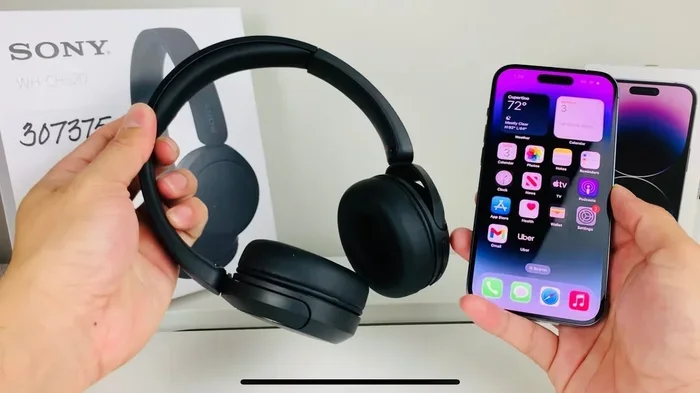
Visual guide about wireless headphones with iPhone
Image source: i.ytimg.com
Apple AirPods and Beats: The Native Experience
AirPods and Beats headphones are made by Apple, so they offer the smoothest experience with iPhones. When you open a case of AirPods near your iPhone, a popup appears asking if you want to connect. It takes about three seconds. That’s the kind of seamless magic Apple is famous for.
But here’s the thing: Apple has started opening up some of these features to other brands. For example, many non-Apple headphones now support features like:
- One-tap pairing (though the popup may not appear automatically)
- Access to battery levels in the iPhone’s Batteries widget
- Basic audio playback controls
- Microphone use for calls and Siri
Third-Party Wireless Headphones: A World of Choice
Here’s where things get exciting. Brands like Sony, Bose, Samsung, Jabra, Anker, and hundreds of others make excellent Bluetooth headphones that work perfectly with iPhones. Some popular categories include:
- Over-ear headphones: Sony WH-1000XM5, Bose QuietComfort, Sennheiser Momentum
- In-ear earbuds: Samsung Galaxy Buds, Google Pixel Buds, Jabra Elite series
- Budget options: Anker Soundcore, SoundPEATS, JLab Audio
- Sport-focused: Beats Powerbeats Pro, Jaybird Vista, Shokz (bone conduction)
All of these will connect to your iPhone through standard Bluetooth pairing. You won’t miss out on core features like music playback, phone calls, or voice assistant access. The iPhone is pretty brand-agnostic when it comes to wireless audio.
What About Non-Bluetooth Wireless Headphones?
Now, here’s an important distinction. There’s a difference between wireless and Bluetooth. Some headphones use proprietary wireless technology that only works with specific transmitters. For example, some TV headphones use a 2.4 GHz wireless signal with a dedicated base station. These won’t work with your iPhone because they don’t speak Bluetooth.
Stick with Bluetooth-enabled headphones, and you’re golden. This is the universal standard for wireless audio on smartphones, tablets, and computers.
How to Pair Any Wireless Headphones with Your iPhone
Pairing wireless headphones with an iPhone is one of those things that sounds complicated but is actually super simple. Let me walk you through it step by step.
The Basic Pairing Process
Step 1: Put your headphones in pairing mode. This usually means holding down a button on the headphones or the case until a light starts flashing. Check your headphone’s manual for the exact method. Some headphones enter pairing mode automatically the first time you turn them on.
Step 2: Open the Settings app on your iPhone and tap “Bluetooth.” Make sure Bluetooth is toggled on. You’ll see a list of available devices.
Step 3: Find your headphones in the list and tap them. Your iPhone might ask you to confirm the pairing by tapping “Pair” on a popup. That’s it! You’re connected.
Step 4: To use them in the future, just turn on the headphones near your iPhone. They’ll automatically reconnect. Pretty easy, right?
Troubleshooting Common Pairing Issues
Sometimes, things don’t go smoothly on the first try. Don’t panic. Here are some common issues and quick fixes:
- Headphones not showing up: Make sure they’re in pairing mode (usually indicated by a flashing light). Also, keep them close to your iPhone, within about three feet.
- Connection keeps dropping: Move closer to your iPhone. Walls, microwaves, and other electronics can interfere with Bluetooth signals.
- Audio quality is poor: Check if your headphones support AAC codec (most do). Also, make sure they’re fully charged. Low battery can affect performance.
- Can’t connect multiple devices: Most Bluetooth headphones remember multiple devices, but they can only actively connect to one at a time. Disconnect from other devices first.
Pro Tip: If your iPhone doesn’t see your headphones, try forgetting the device. Go to Settings, Bluetooth, tap the “i” next to the headphone name, and select “Forget This Device.” Then start the pairing process again.
Connecting to Multiple Devices
Here’s something really useful. Many modern wireless headphones support multipoint connection, which means they can be connected to two devices at once. Imagine listening to music on your iPhone, then switching to your MacBook for a video call, all without manually reconnecting. Premium headphones from Sony, Bose, and Jabra often include this feature.
However, this feature works through standard Bluetooth protocols, so any headphone that supports it will work with your iPhone. It’s not limited to Apple-specific brands.
Apple-Specific Features: What You Get (and Don’t Get) with Non-AirPods
This is where we need to have an honest conversation. AirPods do offer some special features that you won’t get with other brands. But you might not need them all, depending on how you use your headphones.
Features That Work Only with AirPods and Beats
Automatic Ear Detection: AirPods can sense when you take them out of your ears and automatically pause your music. This is super convenient but not essential. You can just press pause on your phone.
Spatial Audio: This feature creates a 3D surround sound experience when watching movies or TV shows. It works with AirPods Pro, AirPods Max, and some Beats models. Non-Apple headphones can offer similar effects (like Sony’s 360 Reality Audio), but the experience is different.
Find My Integration: Lose your AirPods? The Find My app can show you their last location on a map. Some non-Apple brands like Samsung and JBL have their own apps for this, but they don’t work with Apple’s Find My network.
Automatic Device Switching: If you’re signed into the same Apple ID on multiple devices, AirPods can automatically switch between your iPhone, iPad, and Mac. It’s seamless, but not a must-have for everyone.
Hands-Free Siri: AirPods allow you to say “Hey Siri” without touching your phone. Most other wireless headphones have a button to activate Siri or Google Assistant, but it requires a physical tap.
Features That Work with Any Bluetooth Headphones
Here’s the good news. Most of what you actually use headphones for works perfectly with any Bluetooth pair:
- Music playback and pause controls
- Volume adjustment
- Phone calls and microphone use
- Voice assistant activation (Siri, Google Assistant)
- Video and movie audio
- Podcast listening
- Audiobook playback
- Gaming audio (though some latency might exist)
For about 90% of daily use, you won’t notice the difference between AirPods and quality third-party headphones. The differences mostly show up in bonus features, not core functionality.
Audio Quality and Codecs: Getting the Best Sound
Now let’s talk about sound quality, because who doesn’t want great audio? Your iPhone supports several Bluetooth audio codecs that affect how good your music sounds.
What Are Bluetooth Codecs?
Think of codecs as translators for audio data. When your iPhone sends music to your headphones, it has to compress the audio file for faster transmission. The codec determines how that compression works, which affects sound quality.
Different codecs prioritize different things. Some focus on sound quality, others on connection stability, and some on low latency for videos and games.
The Codecs Your iPhone Supports
Here’s what you need to know about the main audio codecs:
- SBC: The basic codec that all Bluetooth devices support. It’s universal but doesn’t offer the best sound quality. Think of it as standard definition TV.
- AAC: Apple’s preferred codec. It offers better quality than SBC, especially at lower bitrates. Most wireless headphones support AAC, making it the go-to choice for iPhone users.
- aptX and aptX HD: Qualcomm’s codecs that offer CD-like quality. However, iPhones don’t support these natively, so they’re less relevant for Apple users.
- LDAC: Sony’s high-resolution codec. Like aptX, iPhones don’t support it, though Sony headphones will still work, just with standard codecs.
Did You Know? Since the iPhone 7, Apple has used a custom Bluetooth chip called the W1 (and later H1 and H2) in AirPods. These chips allow for higher bandwidth and more efficient transmission, which contributes to better sound quality and battery life. However, these custom features work only with Apple-made headphones.
Does Codec Choice Really Matter?
Honestly, for most people, the difference between AAC and SBC is subtle. Unless you’re an audiophile with trained ears, you might not notice the difference in casual listening. The biggest factors in sound quality are actually:
- The headphone drivers themselves (bigger often means better bass)
- Proper fit and seal in your ears
- Active noise cancellation quality
- The source audio file quality (lossless vs. compressed)
Don’t get too caught up in codec wars. A well-made pair of $100 headphones will sound better than a poorly made pair of $300 headphones, regardless of codec support.
Popular Wireless Headphones That Work Great with iPhone
Let me share some recommendations across different price points and use cases. Remember, all of these work perfectly with your iPhone through Bluetooth.
Premium Options (Over $200)
Sony WH-1000XM5: These over-ear headphones are often considered the best noise-canceling option on the market. They work flawlessly with iPhones and offer 30 hours of battery life. The sound quality is outstanding.
AirPods Pro (2nd Generation): Apple’s flagship earbuds offer seamless iPhone integration, excellent noise cancellation, and spatial audio. They’re pricier than some options but offer the best Apple-specific features.
Bose QuietComfort Ultra: Another top-tier noise-canceling option with incredible comfort and immersive audio features. Works perfectly with iPhones through standard Bluetooth.
Mid-Range Options ($50-$200)
Samsung Galaxy Buds Pro 2: Despite being made by Samsung, these earbuds work great with iPhones. They offer good sound quality, effective noise cancellation, and a comfortable fit.
Jabra Elite 85t: These earbuds are known for excellent call quality and a customizable sound profile through the Jabra app. A solid choice for business users.
Beats Studio Buds: Made by Apple but more affordable than AirPods Pro. They offer many of the same features at a lower price point.
Budget Options (Under $50)
Anker Soundcore Life P2: For about $40, you get surprisingly good sound quality and reliable Bluetooth connection. Perfect for casual listeners.
SoundPEATS TrueFree 2: Even more budget-friendly at around $25. They lack fancy features but deliver solid audio for everyday use.
JLab Go Air Pop: At just $20, these are among the cheapest wireless earbuds available. They work with iPhones and offer decent sound for the price.
Stat Check: The global wireless headphones market was valued at over $70 billion in 2023 and is expected to grow to more than $150 billion by 2030. This massive growth means more options and better prices for consumers like you.
Special Considerations for iPhone Users
Before you make your final decision, there are a few iPhone-specific things worth considering.
The Lightning and USB-C Transition
Here’s something people often forget: wireless headphones need charging, and they charge through cables. Most wireless headphones use USB-C for charging these days, which is the same port on newer iPhones (iPhone 15 and later). If you have an older iPhone with a Lightning port, you’ll need a separate Lightning cable or charger for your headphones.
Some headphones, like AirPods, use Apple’s proprietary Lightning cable for charging. Others use standard USB-C or Micro-USB. Plan accordingly, especially if you’re traveling.
Latency and Gaming
If you’re a mobile gamer, latency matters. Latency is the tiny delay between when audio is sent and when you hear it. All Bluetooth headphones have some latency, but newer Bluetooth versions (5.0+) have reduced it significantly.
For casual gaming, any modern Bluetooth headphone will work fine. For competitive gaming where milliseconds matter, you might want to look into headphones with low-latency modes or gaming-specific features. However, this is a minor concern for most iPhone users.
Water and Sweat Resistance
Planning to use your headphones for workouts? Look for an IP rating. IPX4 means the headphones can handle splashes of water, while IPX7 means they can survive being submerged briefly. This rating is completely independent of whether the headphones work with your iPhone. Both Apple and non-Apple brands offer various levels of water resistance.
Battery Life Expectations
Battery life varies wildly between models. Budget earbuds might last 4-5 hours per charge, while premium over-ear headphones can last 30-40 hours. The charging case adds multiple charges, so total listening time is often much higher.
Your iPhone’s battery drains very little when using Bluetooth headphones, usually only about 1-2% per hour of audio. So you don’t need to worry about wireless headphones significantly impacting your phone’s battery life.
Common Myths About iPhone Wireless Headphones
Let’s bust some myths that might be floating around in your head.
Myth 1: Only AirPods Work with iPhones
This is completely false. Your iPhone works with any Bluetooth-enabled headphone. Period. Apple has no restrictions on third-party Bluetooth devices. This myth probably exists because of clever marketing, but it’s simply not true.
Myth 2: Non-Apple Headphones Sound Worse on iPhones
Not true. Sound quality depends on the headphone hardware, not the brand of your phone. A pair of Sony, Bose, or Sennheiser headphones will deliver excellent sound quality when connected to your iPhone.
Myth 3: You Need an App for Every Headphone
Many premium headphones come with companion apps for customizing sound profiles and updating firmware. However, these apps are optional. Your headphones will work perfectly fine without them, using basic Bluetooth audio.
Myth 4: Bluetooth Headphones Drain iPhone Battery Quickly
Modern Bluetooth is very energy efficient. Streaming audio via Bluetooth uses about the same amount of battery as playing audio through your iPhone’s speaker. You won’t notice a significant difference.
Myth 5: All Wireless Headphones Have Terrible Connection Quality
Old Bluetooth had connection issues, but modern versions (5.0 and newer) are very reliable. As long as you’re within 30 feet of your iPhone with minimal obstructions, you’ll enjoy a stable connection.
Making Your Decision: A Final Guide
So, can you use any wireless headphones with your iPhone? Absolutely yes. But you should still choose wisely based on your needs and preferences.
Choose AirPods If:
- You want the smoothest possible iPhone integration
- You use multiple Apple devices regularly
- You value Find My and automatic switching features
- You’re willing to pay a premium for the Apple ecosystem
Choose Third-Party Headphones If:
- You want better value for your money
- You need specific features like industry-leading noise cancellation
- You prefer a specific sound signature (some brands focus on bass, others on clarity)
- You use both Apple and non-Apple devices and want flexibility
Things to Check Before Buying
Regardless of brand, make sure the headphones check these boxes:
- Bluetooth version 5.0 or newer for best performance
- Battery life that matches your usage (4+ hours minimum)
- Comfortable fit for extended wear
- AAC codec support for optimal iPhone compatibility
- Solid warranty from a reputable manufacturer
- Reviews from other iPhone users (to confirm compatibility)
Did You Know? Apple’s “Made for iPhone” (MFi) program primarily covers wired accessories. Wireless headphones don’t need MFi certification to work with iPhones, which is why you see so many brands offering Bluetooth options without this certification.
The wireless headphone market is healthier and more competitive than ever. According to recent industry reports, over 500 million wireless earbuds were sold globally in 2023. This means manufacturers are constantly improving their products, dropping prices, and adding new features. Whether you choose AirPods, Beats, Sony, Bose, or any other reputable brand, you’re getting a product that will work seamlessly with your iPhone.
Remember, the “best” wireless headphones aren’t about brand loyalty or ecosystem lock-in. They’re about finding the right combination of sound quality, comfort, features, and price for your personal needs. Your iPhone is ready and waiting to connect to whatever pair you choose. So go ahead, explore your options, and enjoy the freedom of wireless audio.
Frequently Asked Questions
Can I use non-Apple wireless headphones with my iPhone?
Yes, absolutely! Your iPhone works with any Bluetooth-enabled wireless headphones, regardless of brand. Whether you choose Sony, Bose, Samsung, or any other manufacturer, pairing is simple and audio quality is excellent. You only miss out on some Apple-specific bonus features like Find My and automatic device switching.
Do wireless headphones work with older iPhones?
Most iPhones from the iPhone 5 onward support Bluetooth, but Bluetooth quality improves with newer models. For the best experience, use an iPhone 8 or newer, which supports Bluetooth 5.0. Older iPhones still work with wireless headphones, but you might experience slightly reduced range or audio quality.
Will AirPods features work with non-Apple headphones?
Generally, no. Features like automatic ear detection, spatial audio with head tracking, and Find My integration are exclusive to AirPods and some Beats models. However, basic features like music playback, calls, and Siri activation work with any Bluetooth headphones. Some third-party brands offer their own versions of premium features through separate apps.
Why won’t my wireless headphones connect to my iPhone?
Common reasons include the headphones not being in pairing mode, being too far from your iPhone, or having a low battery. Try forgetting the device in your Bluetooth settings, restart both devices, and make sure the headphones are charged. If problems persist, check for firmware updates for your headphones.
Can I connect two pairs of wireless headphones to one iPhone?
Yes! iPhones with iOS 13 or later support Audio Sharing, which lets you connect two pairs of AirPods or compatible Beats headphones simultaneously. This works great for watching movies together on a plane or sharing music with a friend. Both pairs need to be Apple or Beats branded for this feature.
Are expensive wireless headphones worth it for iPhone users?
It depends on your priorities. Premium headphones offer better noise cancellation, superior build quality, and longer battery life. However, mid-range options under $150 often deliver excellent sound quality and core features. For casual listeners, budget-friendly options can be perfectly adequate. Consider how often you’ll use them and which features matter most to you before deciding.