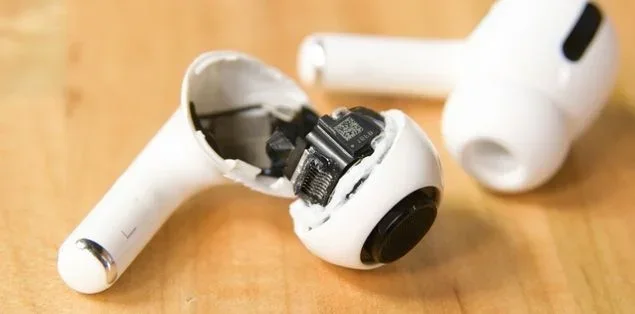
Featured image for dropped AirPods Pro damage
Image source: headphonesproreview.com
Yes, you can drop AirPods Pro without immediate damage in most cases, thanks to their sturdy plastic build and internal shock-absorbing design. However, repeated drops can cause scratches, case cracks, sound issues, or battery damage over time. Understanding how AirPods Pro handle drops and using protective accessories can save you hundreds in repair or replacement costs.
Picture this: you’re walking down the street, jam-packed with your favorite playlist blasting through your AirPods Pro. Suddenly, one slips from your ear and tumbles toward the pavement. Your heart stops for a second. Will it survive? Will the sound still work? This is a scenario every AirPods Pro owner has either experienced or feared.
The truth is, dropping your AirPods Pro is one of the most common accidents with wireless earbuds. In fact, Did You Know? A 2023 survey by Statista found that 34% of wireless earbud owners reported accidentally dropping their devices at least once in the first year of ownership. That’s more than one in three people!
Whether you’re someone who’s already dropped them or just want to be prepared, this guide will walk you through everything you need to know about AirPods Pro durability, what really happens when they hit the ground, and the best ways to protect your investment.
Key Takeaways
- Built to Survive Minor Drops: AirPods Pro are designed with durable plastic and internal cushioning to handle everyday falls from pocket or desk height.
- Height and Surface Matter: Drops from greater heights or onto hard surfaces like tile significantly increase the risk of damage compared to soft surfaces like carpet.
- Most Common Damage: Scratches, scuffed charging cases, and hinge cracks are the most frequent issues from dropping AirPods Pro.
- Sound Issues Can Develop: Internal components like drivers or microphones can shift or break, causing audio distortion or call problems after hard drops.
- Water Resistance Helps—Not Drop Proof: The IPX4 rating protects against sweat and splashes but offers no protection against impact damage.
- Protective Cases Save Money: Silicone or leather cases for the charging case add drop resistance and prevent cosmetic damage.
- AppleCare+ Is Worth Considering: For frequent users, AppleCare+ covers accidental damage at a fraction of replacement costs.
📑 Table of Contents
- Understanding AirPods Pro Build Quality and Durability
- What Happens When You Drop AirPods Pro from Different Heights
- Common Types of Damage from Dropping AirPods Pro
- How to Check Your AirPods Pro After a Drop
- Tips to Protect Your AirPods Pro from Drops
- What to Do If Your AirPods Pro Are Damaged from a Drop
- Frequently Asked Questions About Dropping AirPods Pro
- Final Thoughts: Should You Worry About Dropping AirPods Pro?
Understanding AirPods Pro Build Quality and Durability
Before we dive into drop scenarios, let’s talk about how AirPods Pro are actually built. Think of them like tiny, high-tech eggs. The outer shell is made from smooth, hard plastic designed to resist scratches and minor impacts. Inside, there are delicate components like the battery, speaker driver, microphone, and the famous H1 or H2 chip that powers everything.
The charging case is also a critical piece. It’s made from the same type of plastic and houses a battery, a Lightning port (or USB-C on newer models), and magnetic connectors that hold the earbuds in place. The hinge that opens and closes the case is one of the most vulnerable parts.
What Makes AirPods Pro “Drop Resistant”?
Apple designed AirPods Pro with several features that help them survive everyday drops:
- Lightweight design: Weighing only about 5.4 grams per earbud, they generate less force when hitting the ground compared to heavier objects.
- Rounded shape: The smooth, curved surface helps them bounce rather than crack on impact.
- Tight in-ear fit: The silicone tips create a seal that keeps them secure in your ears, reducing accidental falls.
- Internal shock absorption: The components are mounted with small buffers that absorb some impact energy.
However, “drop resistant” doesn’t mean “drop proof.” This is an important distinction. Imagine wearing a helmet while biking—it protects your head, but it’s not going to save you if you crash into a tree at full speed. AirPods Pro are similar: built for everyday accidents, not extreme abuse.
The IPX4 Water Resistance Rating Explained
You might see “IPX4” in the AirPods Pro specs and wonder what it means. Think of it like a raincoat for your earbuds. The “IP” stands for “Ingress Protection,” and the “X4” means they’re rated to handle splashing water from any direction. This includes sweat during workouts and light rain.
But here’s what IPX4 does not cover:
- Full submersion in water
- High-pressure water jets
- Drop impacts (this is handled by the build quality, not the IP rating)
So while your AirPods Pro can handle a sweaty gym session, they can’t survive being dropped in a puddle. Water resistance and drop protection are two completely different things.
What Happens When You Drop AirPods Pro from Different Heights
Not all drops are created equal. A drop from your ear onto a carpet is very different from a drop from your pocket onto concrete. Let’s break down the most common scenarios.
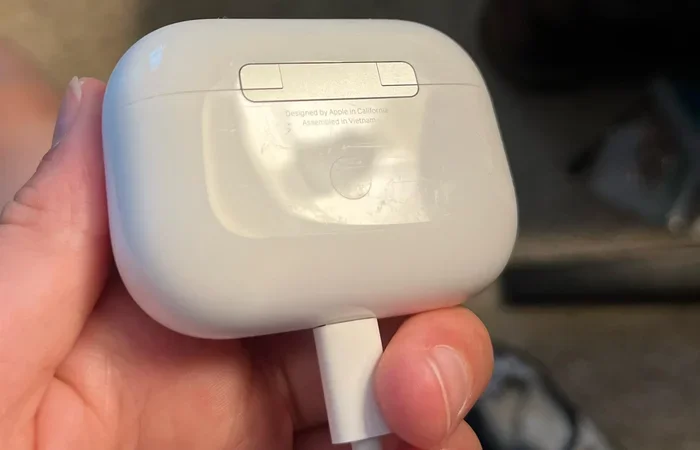
Visual guide about dropped AirPods Pro damage
Image source: i.redd.it
Dropping from Ear Height (About 5-6 Feet)
This is the classic “I knocked one out while adjusting my hair” scenario. From this height, your AirPods Pro are falling about 5 to 6 feet before hitting the ground. At this distance, they can reach speeds of around 10-12 mph by the time they land.
What usually happens:
- Minor scuffs or scratches on the plastic shell
- Possible scuffing on the charging case if it falls with them
- Sound quality usually remains intact
- The earbud might bounce or skip a short distance
In most cases, AirPods Pro survive ear-height drops without major issues. The rounded shape helps them roll rather than crack, and the lightweight build reduces impact force.
Dropping from Pocket or Hand Height (About 3 Feet)
This is the most common drop scenario. You’re pulling them out of your pocket, they slip, or you set the case down too quickly and it tips off the table. From this height, the impact is much less severe.
What usually happens:
- Very minor cosmetic damage at worst
- Sometimes no damage at all
- The earbuds might pop out of the case if it falls open
- Landing surface plays a huge role
If they land on carpet or a soft surface, you might not notice any damage. If they land on hardwood or tile, expect a small scuff mark but generally working earbuds.
Dropping from Table or Desk Height (About 2-3 Feet)
Another extremely common scenario is the case sliding off a table when you set it down carelessly. This is similar to pocket height but often involves the charging case.
What usually happens:
- Scratches on the case exterior
- Possible hinge damage if the case lands on its edge
- The earbuds might fly out if the case opens on impact
- Internal components are usually safe at this height
The case hinge is the most vulnerable part in this scenario. Apple has received criticism for hinge durability over the years, and a hard drop can cause the hinge to become loose or even crack.
Dropping from Greater Heights (6+ Feet)
This includes dropping them while standing on a chair, from a high shelf, or while taking them out on a second-floor balcony. From these heights, the impact force multiplies significantly.
What usually happens:
- Major scuffs, dents, or cracks on the plastic
- Possible sound distortion from internal driver damage
- Charging case hinge or lid may break
- One or both earbuds may stop working entirely
- Battery connections inside could loosen
From these heights, especially onto hard surfaces like concrete or asphalt, you should expect some level of damage. The question is whether it’s cosmetic or functional.
Common Types of Damage from Dropping AirPods Pro
Not all damage looks the same. Some drops leave visible marks, while others cause hidden problems that show up later. Understanding the types of damage helps you know what to check for after a drop.
Cosmetic Damage
This is the most common and least serious type of damage. It includes scratches, scuffs, dents, and discoloration on the plastic shell or charging case.
How to identify it: Just look at them. If you see marks, scratches, or small dings, that’s cosmetic damage. It doesn’t affect performance but might bother you if you care about the look of your earbuds.
Did You Know? A 2022 survey by SellCell found that 41% of AirPods Pro owners reported some form of cosmetic damage within the first year of use. Scratches were by far the most common issue.
Functional Damage
This is the more serious category. Functional damage affects how your AirPods Pro actually work. It can show up immediately after a drop or develop over time as internal components shift.
Common functional issues include:
- Sound distortion: If the speaker driver inside gets knocked loose, you might hear crackling, rattling, or muffled audio.
- Microphone problems: The tiny microphones can disconnect or shift, causing people to not hear you clearly during calls.
- Battery issues: Drops can loosen the battery connection, leading to shorter battery life or sudden shutoffs.
- Charging problems: The metal contacts on the bottom of the earbuds or inside the case can get bent or dirty from impact, preventing proper charging.
- Connectivity issues: The chip inside might get damaged, causing Bluetooth dropouts or pairing failures.
Case-Specific Damage
The charging case takes the brunt of most drops because it’s larger and more likely to be dropped than the tiny earbuds themselves. Common case issues include:
- Cracked or loose hinge
- Broken lid that won’t stay closed
- Scratched or dented exterior
- Broken charging port
- Liquid damage indicator triggered (which voids warranty)
Hidden Internal Damage
Sometimes the worst damage is invisible to the naked eye. A drop can cause:
- Micro-cracks in solder joints that worsen over time
- Loose components that work fine now but fail later
- Battery cell damage that slowly degrades performance
This is why some people drop their AirPods Pro, everything seems fine, and then weeks later, they suddenly stop working. The damage was there—it just took a while to show symptoms.
How to Check Your AirPods Pro After a Drop
So you just dropped your AirPods Pro. Don’t panic. Here’s a step-by-step checklist to assess any damage and decide if you need repairs or replacements.
Step 1: Visual Inspection
Pick up each earbud and the case carefully. Look for any visible cracks, deep scratches, or dents. Pay special attention to the stem of the earbuds (the part that hangs down) and the hinge of the case.
What to look for:
- Cracks in the plastic
- Loose or moving parts
- Deep scratches that catch your fingernail
- Bent charging contacts
Step 2: Audio Test
Put them in your ears and play some music. Listen carefully for any of these red flags:
- Crackling or popping sounds
- Muffled audio in one ear
- Rattling when bass hits
- Complete silence in one earbud
If you hear any of these, the speaker driver or internal wiring may be damaged.
Step 3: Microphone Test
Record a voice memo or call someone. Ask them if you sound clear. Background noise cancellation should still work, and your voice should come through without distortion.
Step 4: Charging Test
Place both earbuds in the case and close the lid. Check the status light or use your iPhone to see the battery level. Make sure both earbuds are charging properly. Also, try charging the case itself with a cable.
Step 5: Connectivity Test
Make sure both earbuds connect to your iPhone or other device. Try disconnecting and reconnecting to test the Bluetooth. If one earbud isn’t connecting, there may be internal damage.
Step 6: Active Noise Cancellation Test
AirPods Pro’s signature feature is ANC (Active Noise Cancellation). After a drop, test this in a noisy environment. If the ANC sounds weaker or has changed, the microphones responsible for it may have shifted.
Tips to Protect Your AirPods Pro from Drops
An ounce of prevention is worth a pound of cure—especially when AirPods Pro replacements can cost $200 or more. Here are practical tips to keep them safe.
Use a Protective Case for the Charging Case
The single best thing you can do is buy a silicone, leather, or hard plastic case for your AirPods Pro charging case. Think of it like a phone case for your earbuds.
Benefits of a protective case:
- Absorbs impact from drops
- Prevents scratches and scuffs
- Adds grip so the case doesn’t slip out of your hand
- Some include carabiners to clip to bags or belts
You can find quality cases for as little as $10-$15 on Amazon. Popular brands include Spigen, Caseology, and Catalyst. Some even have built-in screen protectors to keep the front of the case scratch-free.
Be Mindful When Handling Them
This sounds obvious, but slowing down when handling your AirPods Pro makes a huge difference. Common drop scenarios happen when people rush.
Situations to be careful in:
- Taking them out of pockets quickly
- Removing them while lying in bed
- Handling them with sweaty or wet hands
- Passing them to someone else
- Taking them out while walking on stairs
Store Them Properly When Not in Use
Don’t leave your AirPods Pro loose in a bag or on a table. Always put them back in their case when you’re not using them. This protects them and also keeps them charged.
Choose the Right Ear Tips
AirPods Pro come with multiple silicone tip sizes. Using the wrong size is one of the leading causes of earbuds falling out. If they don’t fit snugly, they will slip out during normal movement.
Apple includes an “Ear Tip Fit Test” on iPhones that helps you find the right size. Take advantage of it.
Use Them in Appropriate Environments
Using AirPods Pro during high-intensity activities like running, cycling, or rock climbing increases drop risk. If you’re doing these activities, consider:
- Using ear hooks or sport wings designed for AirPods Pro
- Switching to Powerbeats Pro or another sport-focused option
- Being extra cautious during movement
Consider AppleCare+
If you’re prone to accidents or use your AirPods Pro in risky environments, AppleCare+ is worth considering. It covers:
- Up to 2 incidents of accidental damage every 12 months
- Battery replacement if capacity drops below 80%
- Priority customer service
The cost is around $29 for two years, and each incident has a small service fee. This is dramatically cheaper than buying new AirPods Pro out of warranty.
What to Do If Your AirPods Pro Are Damaged from a Drop
Sometimes, despite your best efforts, damage happens. Here’s what to do next based on the type and severity of damage.
For Minor Cosmetic Damage
If your AirPods Pro still work perfectly but just look scuffed, you have a few options:
- Live with it and continue using them
- Buy a decorative skin or wrap to cover scratches
- Replace just the damaged part if possible (Apple sometimes replaces individual earbuds)
Cosmetic damage doesn’t affect performance, so there’s no urgent need to fix it.
For Functional Damage Under Warranty
If your AirPods Pro are still under the standard one-year warranty and the damage isn’t from drops, Apple will fix them for free. However, accidental damage from drops is generally not covered by the standard warranty.
Here’s the catch: it’s hard for Apple to prove damage was caused by a drop versus a manufacturing defect. If your AirPods Pro suddenly stop working, bring them to an Apple Store or authorized service provider. Be honest about what happened, but also know that internal failures from manufacturing defects are covered.
For Damage Covered by AppleCare+
If you have AppleCare+, contact Apple or schedule a Genius Bar appointment. You’ll pay a small service fee (usually around $29 per incident), and they’ll repair or replace your AirPods Pro.
For Severe Damage Without Coverage
If your AirPods Pro are severely damaged and you don’t have AppleCare+, your options are:
- Out-of-warranty replacement: Apple charges around $69-$89 per earbud and $89-$99 for a new case.
- Third-party repair: Some shops can repair AirPods Pro, though results vary due to the compact design.
- Upgrade to a new model: If your AirPods Pro are old, this might be a good time to upgrade to AirPods Pro 2 or another current model.
Recycling Old AirPods Pro
If your AirPods Pro are beyond repair, don’t just throw them in the trash. Apple has a recycling program where you can trade them in for credit toward new products. Even broken AirPods have components that can be recycled.
Frequently Asked Questions About Dropping AirPods Pro
Let’s address some of the most common questions people have about this topic.
Can AirPods Pro survive being dropped in water?
AirPods Pro have an IPX4 water resistance rating, which protects against splashes and sweat but not full submersion. If you drop them in water, retrieve them quickly, dry them with a soft cloth, and let them air dry for at least 24 hours before charging. The drop impact combined with water exposure significantly increases damage risk.
How many times can you drop AirPods Pro before they break?
There’s no exact number because it depends on height, surface, and angle. Most AirPods Pro survive 10-20 minor drops from pocket height without functional damage. However, a single severe drop from a high surface can break them. Treat each drop as a roll of the dice—each one increases the chance of internal wear.
Do AirPods Pro cases protect against drops?
Silicone or leather cases for the charging case add significant drop protection by absorbing impact and adding grip. They can reduce damage severity by 50-70% in most drop scenarios. However, they don’t make the AirPods Pro indestructible—just much more resilient.
Will dropping AirPods Pro affect sound quality?
Yes, dropping them can affect sound quality if internal components like the speaker driver or microphone shift. You might notice crackling, muffled audio, or weaker noise cancellation. If you experience sound issues after a drop, try resetting your AirPods Pro first, as software glitches can sometimes mimic hardware problems.
Are AirPods Pro 2 more drop-resistant than the original?
AirPods Pro 2 have a similar build to the original but include the H2 chip and improved internal components. Apple hasn’t officially claimed better drop resistance, but the updated design has been reported by users to be slightly more durable. However, the difference is minimal—protective cases are still recommended.
Can I claim warranty replacement for drop damage?
Apple’s standard warranty does not cover accidental damage from drops. However, AppleCare+ does. If you have AppleCare+, you can get replacement for a small fee. Without it, you’ll need to pay out of warranty or use third-party repair services.
Final Thoughts: Should You Worry About Dropping AirPods Pro?
The short answer is: yes and no. Yes, you should be careful because they represent a significant investment. No, you shouldn’t live in fear of using them because they’re designed to handle everyday accidents.
Think of it like owning a smartphone. You don’t wrap it in bubble wrap and never take it out, but you also don’t throw it around carelessly. The same approach works perfectly for AirPods Pro.
Here’s the bottom line: most drops from pocket, hand, or ear height onto normal surfaces will not damage your AirPods Pro functionally. Cosmetic damage is common but doesn’t affect performance. The real risk comes from high drops onto hard surfaces, which can cause functional damage that’s expensive to fix.
By using a protective case, choosing the right ear tips, and being mindful during handling, you can dramatically reduce your risk of damage. And if accidents happen, you now know exactly how to assess the damage and what your repair options are.
Your AirPods Pro are built to be your daily companions—whether you’re commuting, working out, or just relaxing with music. Treat them with reasonable care, and they’ll keep delivering great sound for years to come.