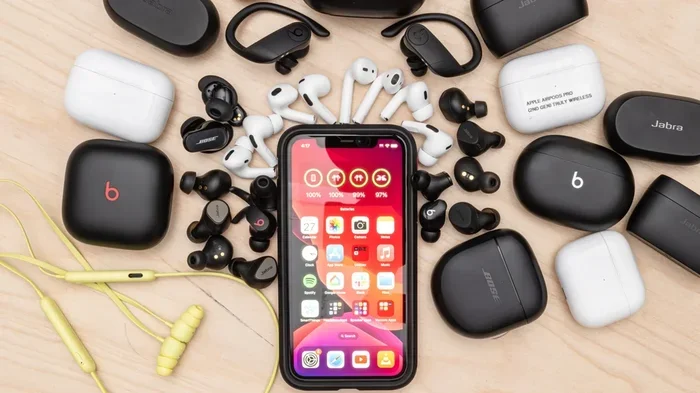
Featured image for wireless earbuds with iPhone
Image source: i.rtings.com
Yes, you can use virtually any wireless earbuds with your iPhone, as long as they support Bluetooth connectivity. The iPhone is compatible with all Bluetooth-enabled audio devices, regardless of brand. However, you’ll get the most seamless experience with Apple-made AirPods, including features like automatic switching and spatial audio. Third-party options still deliver excellent sound quality and core functionality.
Picture this: you’re standing in an electronics store, holding a pair of sleek wireless earbuds that aren’t AirPods, wondering if they’ll work with your iPhone. It’s one of the most common questions in the world of personal audio, and the good news is simpler than you might think.
The iPhone has supported Bluetooth audio devices since 2007, making it one of the most versatile smartphones for wireless audio compatibility. Whether you own the latest iPhone 15 Pro or an older model like the iPhone 8, your device can connect to virtually any wireless earbuds on the market. This openness has created a thriving ecosystem where consumers enjoy genuine choice rather than being locked into one brand.
This comprehensive guide will walk you through everything you need to know about using wireless earbuds with your iPhone. We’ll cover compatibility basics, feature comparisons, setup instructions, and help you decide which option best fits your needs and budget.
Key Takeaways
- Universal Bluetooth Compatibility: The iPhone works with any wireless earbuds that use Bluetooth technology, which is the standard for all modern wireless audio devices.
- Best Experience with AirPods: Apple-designed features like instant pairing, Find My integration, and automatic device switching work exclusively with AirPods and Beats products.
- Bluetooth Version Matters: Newer Bluetooth versions (5.0 and above) provide better range, battery life, and connection stability with your iPhone.
- Codec Support Varies: While iPhones use AAC codec primarily, many third-party earbuds support additional codecs for enhanced audio quality.
- Feature Limitations Exist: Some features like spatial audio with head tracking and ear detection may not work with non-Apple wireless earbuds.
- Price Flexibility: You can find quality wireless earbuds for iPhone at every price point, from budget options under $30 to premium alternatives over $300.
- Easy Pairing Process: Connecting any wireless earbuds to an iPhone takes less than a minute through the standard Bluetooth settings menu.
📑 Table of Contents
- Understanding iPhone Bluetooth Compatibility
- AirPods vs. Third-Party Wireless Earbuds: What You Gain and Lose
- How to Connect Any Wireless Earbuds to Your iPhone
- Best Wireless Earbud Brands for iPhone Users
- Special Features and Codec Considerations
- Making Your Decision: AirPods or Alternatives?
- Maintaining Your Wireless Earbuds and iPhone Connection
- The Future of Wireless Audio and iPhone
- Final Thoughts: Your Earbuds, Your Choice
Understanding iPhone Bluetooth Compatibility
Your iPhone acts like a universal remote control for audio. Think of Bluetooth as a common language that devices use to talk to each other wirelessly. Every iPhone since the original has spoken this language fluently.
The Foundation of Wireless Audio
Bluetooth technology creates a short-range wireless connection between your iPhone and your earbuds. The iPhone 15 lineup features Bluetooth 5.3, while older models like the iPhone 8 use Bluetooth 5.0. According to the Bluetooth Special Interest Group, over 4.7 billion Bluetooth-enabled devices ship each year, making this one of the most widely adopted wireless standards in history.
Here’s what this means for you in simple terms: if the earbuds box says “Bluetooth” anywhere on it, they will connect to your iPhone. Period. There’s no special chip or proprietary technology required for basic audio playback.
How Bluetooth Pairing Works
Connecting wireless earbuds to your iPhone is like introducing two people at a party. The first time, they exchange information and remember each other. After that initial meeting, they recognize each other instantly.
When you put your earbuds in pairing mode and select them from your iPhone’s Bluetooth menu, the two devices exchange security keys and connection preferences. This handshake takes about 3-5 seconds, and your iPhone remembers the earbuds for future use. Most modern earbuds can store pairing information for multiple devices, though iPhones typically connect to only one audio source at a time.
AirPods vs. Third-Party Wireless Earbuds: What You Gain and Lose
Choosing between AirPods and other wireless earbuds is like choosing between an all-inclusive resort and a boutique hotel. Both provide excellent experiences, but the level of integration differs significantly.
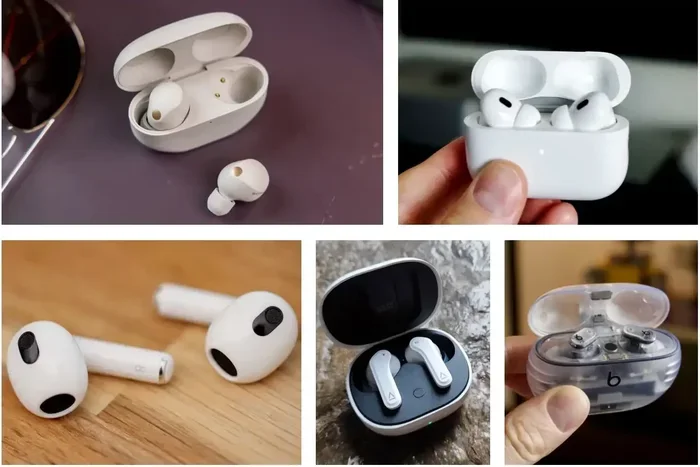
Visual guide about wireless earbuds with iPhone
Image source: macworld.com
What AirPods Offer That Others Don’t
Apple has crafted a tightly integrated experience between iPhones and AirPods that goes beyond basic Bluetooth connectivity. Here are the exclusive features you gain:
- Instant Pairing: Open the AirPods case near your iPhone, and a setup animation appears automatically. No need to dig through Settings menus.
- Automatic Device Switching: Start playing music on your iPhone, then pick up your iPad, and the audio seamlessly transfers. This works across all Apple devices signed into the same iCloud account.
- Find My Integration: Lose your AirPods? The Find My app shows their last known location on a map, and you can play a sound to locate them nearby.
- Spatial Audio with Head Tracking: Movies and supported music create an immersive, theater-like experience where sound appears to come from fixed points in space, even when you turn your head.
- Ear Detection: Remove an AirPod, and your music automatically pauses. Put it back, and playback resumes.
- Siri Integration: Hands-free “Hey Siri” voice commands work without touching your iPhone, including message dictation and call management.
What You Get with Third-Party Earbuds
Third-party wireless earbuds still deliver excellent core functionality with your iPhone. You’ll enjoy:
- High-Quality Audio: Most premium earbuds from brands like Sony, Bose, Samsung, and Jabra support AAC codec, which is what iPhones prefer for Bluetooth audio.
- Active Noise Cancellation: Many non-Apple earbuds offer noise cancellation that rivals or exceeds AirPods Pro.
- Customizable Controls: Brand-specific apps often provide more customization options than Apple’s standard AirPods settings.
- Better Price-to-Performance Ratio: You can often find earbuds with similar or superior sound quality at lower prices than AirPods.
- Unique Features: Some brands offer specialized features like adjustable EQ, hearing tests, or fitness tracking that AirPods don’t have.
Did You Know?
According to a 2023 report by Counterpoint Research, Apple’s AirPods captured approximately 31% of the global true wireless earbuds market, while the remaining 69% belonged to dozens of other manufacturers. This means more people than ever are successfully using non-Apple earbuds with their iPhones.
How to Connect Any Wireless Earbuds to Your iPhone
Connecting wireless earbuds to your iPhone is refreshingly simple. Whether you’re using AirPods, Samsung Galaxy Buds, or budget earbuds from a lesser-known brand, the process follows the same basic steps.
Step-by-Step Pairing Guide
Follow these steps to connect any wireless earbuds to your iPhone:
- Charge your earbuds: Make sure they have enough battery power to complete the pairing process. Most earbuds need at least 20% battery to pair reliably.
- Enable pairing mode: Put your earbuds in pairing mode. This usually involves holding a button on the case or earbuds until an LED flashes (often blue or white). Check your specific model’s instructions if you’re unsure.
- Open iPhone Settings: Tap the Settings app on your iPhone’s home screen, then tap “Bluetooth.” Make sure the toggle is switched on (green).
- Select your earbuds: Under “Other Devices,” you’ll see your earbuds listed by name. Tap them to connect.
- Confirm connection: Once connected, the earbuds will move to “My Devices” and show “Connected.”
The entire process typically takes less than 60 seconds. After the initial pairing, your iPhone will automatically reconnect to your earbuds whenever they’re powered on and within range.
Troubleshooting Common Connection Issues
Sometimes, things don’t work on the first try. Here are solutions to the most common pairing problems:
Earbuds won’t appear in the list: Make sure they’re actually in pairing mode. Many earbuds exit pairing mode after 30-60 seconds if no connection is established. Also, ensure no other device is currently connected to the earbuds, as most can only pair with one device at a time.
Connection keeps dropping: Stay within 30 feet of your iPhone. Walls, microwaves, and other electronic devices can interfere with Bluetooth signals. Also, check for iOS updates, as Apple regularly releases Bluetooth stability improvements.
Audio quality is poor: Forget the device in your Bluetooth settings and re-pair. This clears any corrupted connection data and often resolves audio quality issues.
Best Wireless Earbud Brands for iPhone Users
Not all wireless earbuds are created equal, and some brands have invested more effort in iPhone compatibility than others. Here’s a breakdown of the top options across different price points.
Premium Options ($200+)
Sony WF-1000XM5: These earbuds are widely regarded as having the best noise cancellation in the industry. They support AAC codec natively, work flawlessly with iPhones, and offer 8 hours of battery life with noise cancellation enabled.
Bose QuietComfort Ultra Earbuds: Bose’s flagship earbuds deliver exceptional comfort and noise cancellation. Their CustomTune technology automatically calibrates audio to your ear shape, and they integrate smoothly with iOS devices.
Sennheiser Momentum True Wireless 3: Audiophiles appreciate these earbuds for their detailed, balanced sound signature. They support aptX Adaptive codec, though iPhones use AAC regardless, so you’ll still get excellent audio quality.
Mid-Range Options ($100-200)
Beats Fit Pro: Since Apple owns Beats, these earbuds offer near-AirPods functionality at a lower price. You get active noise cancellation, spatial audio, and Apple H1 chip integration for seamless pairing.
Jabra Elite 7 Pro: These earbuds excel at call quality with their multi-sensor voice technology. They’re durable, comfortable, and offer customizable sound through the Jabra Sound+ app.
Samsung Galaxy Buds Pro 2: Despite being a Samsung product, these earbuds work perfectly with iPhones, though you lose some Samsung-specific features. The sound quality and noise cancellation are excellent.
Budget Options (Under $100)
Anker Soundcore Life P3: These earbuds offer surprising quality at a budget price, including active noise cancellation, wireless charging, and customizable EQ through the Soundcore app.
EarFun Air Pro 3: With Bluetooth 5.3 and active noise cancellation under $80, these earbuds punch well above their weight class.
JLab Go Air Pop: At around $20, these are among the cheapest wireless earbuds that reliably work with iPhones. They don’t have premium features, but they deliver solid audio for the price.
Special Features and Codec Considerations
Understanding audio codecs is like understanding the difference between standard definition and high definition television. Both work, but one delivers a noticeably better experience.
What Audio Codecs Mean for You
An audio codec compresses digital audio files for wireless transmission. The iPhone supports these Bluetooth codecs:
- AAC (Advanced Audio Coding): This is Apple’s preferred codec. It delivers good sound quality at moderate bitrates and is what iPhones use by default with compatible devices. Most wireless earbuds support AAC.
- SBC (Sub-Band Coding): The universal fallback codec that all Bluetooth audio devices support. Sound quality is acceptable but not optimal.
- aptX and LDAC: Qualcomm’s aptX and Sony’s LDAC codecs offer superior audio quality, but iPhones don’t support them natively. This doesn’t mean your earbuds won’t work, just that they’ll fall back to AAC or SBC.
Here’s the good news: for most listeners, the difference between AAC and higher-end codecs is minimal. Apple’s implementation of AAC is quite good, and the convenience of wireless audio often outweighs the small quality differences.
Did You Know?
Apple’s AirPods Max, despite being premium headphones, don’t support lossless audio even when wired. Apple Music’s lossless and spatial audio experiences work through specific conditions, but standard Bluetooth connections use lossy AAC compression. This shows that even Apple’s own products have codec limitations.
Features That Depend on Apple’s W1/H1/H2 Chips
Apple’s custom chips in AirPods and Beats products enable several features that genuinely require Apple hardware. These aren’t just software limitations; they’re hardware-based capabilities:
- H2 Chip (AirPods Pro 2): Enables adaptive transparency mode, personalized spatial audio, and improved noise cancellation.
- H1 Chip (AirPods 2 and later): Powers hands-free “Hey Siri,” audio sharing between two AirPod sets, and reduced gaming latency.
- W1 Chip (older AirPods and Beats): Enables fast pairing and extended range.
Third-party earbuds replicate many of these features through their own chips and apps, but the integration won’t be quite as seamless. For example, while Sony’s app lets you adjust noise cancellation levels, you can’t access it through iOS settings like you can with AirPods.
Making Your Decision: AirPods or Alternatives?
Choosing wireless earbuds for your iPhone ultimately comes down to what you value most. There’s no wrong answer, just different priorities.
Choose AirPods If:
- You own multiple Apple devices and want seamless switching between them
- You frequently use Siri for voice commands
- You value the “it just works” simplicity of Apple’s ecosystem
- You want Find My integration to track lost earbuds
- You frequently use spatial audio for movies and music
- Budget isn’t a primary concern
Choose Third-Party Earbuds If:
- You want the best possible sound quality for your money
- You prefer specific features like adjustable EQ or hearing tests
- You’re looking for better noise cancellation than AirPods Pro offer
- You want earbuds optimized for specific activities (gaming, fitness, etc.)
- You prefer a particular brand or design aesthetic
- You want to save money without sacrificing core functionality
The Hybrid Approach
Many iPhone users actually own multiple pairs of earbuds for different situations. You might use AirPods for daily commuting and calls, while keeping premium noise-cancelling earbuds for focused work or travel. This isn’t redundant; it’s strategic. Different earbuds excel in different scenarios, and the iPhone makes it easy to switch between them.
To switch between paired earbuds, simply go to Settings > Bluetooth, tap the “i” icon next to your currently connected earbuds, and select “Disconnect.” Then tap your other earbuds to connect. You can also use the AirPlay icon in Control Center for quicker access to audio output options.
Maintaining Your Wireless Earbuds and iPhone Connection
Like any relationship, the connection between your iPhone and earbuds benefits from a little maintenance. Here are tips to keep everything running smoothly for years to come.
Software Updates Matter
Both your iPhone and your wireless earbuds receive firmware updates that improve performance, fix bugs, and occasionally add features. Make sure to:
- Update iOS regularly: Go to Settings > General > Software Update to check for the latest iOS version.
- Update earbud firmware: Most brands push updates through their companion apps. Check the app every few months.
Apple released iOS 17.2 in December 2023, which included improvements to AirPods connectivity and new features for third-party hearing devices. This shows how ongoing software updates continue to refine the wireless audio experience.
Battery Health Considerations
Wireless earbuds typically maintain 80% battery capacity after 500 complete charge cycles, according to most manufacturers. To maximize battery lifespan:
- Avoid letting earbuds fully discharge regularly
- Don’t leave them in extreme temperatures (hot cars, freezing outdoors)
- Use the charging case rather than third-party chargers when possible
- Store them at around 50% charge if you won’t use them for extended periods
Cleaning for Optimal Performance
Dirty earbuds don’t just look bad; they affect sound quality and can cause connection issues. Clean your earbuds monthly using a dry, soft-bristled brush to remove debris from speaker grilles and charging contacts. Avoid liquids, as most earbuds aren’t fully waterproof despite having some water resistance.
The Future of Wireless Audio and iPhone
The wireless audio landscape continues to evolve rapidly, with iPhones at the center of many innovations.
Emerging Technologies to Watch
Bluetooth LE Audio: This next-generation Bluetooth standard promises better audio quality, lower power consumption, and support for hearing aids. The iPhone 15 series already includes Bluetooth LE Audio support, and broader adoption is expected in 2024-2025.
Lossless Audio Over Bluetooth: Qualcomm’s aptX Lossless and Sony’s LDAC have shown that CD-quality audio is possible wirelessly. While iPhones don’t currently support these codecs, Apple’s investment in spatial audio suggests they may be exploring alternative approaches to higher-fidelity wireless sound.
Improved Spatial Audio: Apple continues to expand spatial audio support, with personalized spatial audio now available for any headphones through iOS 16 and later. This feature uses your iPhone’s TrueDepth camera to create a custom audio profile based on your head and ear shape.
What This Means for Your Decision
Today’s wireless earbuds are better than ever, and tomorrow’s will be even more impressive. When choosing earbuds, consider longevity. A pair that supports firmware updates will continue improving for years, while cheaper options without update support may feel outdated within months.
Remember that the “best” earbuds are the ones that fit your ears comfortably, deliver sound you enjoy, and work reliably with your iPhone. Whether that’s a $200 pair of AirPods Pro or a $40 pair of Anker Soundcore earbuds, the choice is yours to make.
Final Thoughts: Your Earbuds, Your Choice
Using wireless earbuds with your iPhone doesn’t require buying AirPods. The iPhone’s robust Bluetooth support means you’re free to choose from thousands of options across every price point and feature set. While AirPods offer undeniable convenience within Apple’s ecosystem, third-party earbuds often deliver superior sound quality, better noise cancellation, and unique features at competitive prices.
The key is understanding what you value most. If seamless integration with all your Apple devices matters most, AirPods are hard to beat. If pure audio performance or specific features drive your decision, the broader market offers incredible alternatives that work seamlessly with your iPhone.
Start by identifying your budget, listing the features that matter to you, and reading recent reviews from trusted sources. Your perfect pair of wireless earbuds is out there, and your iPhone will happily connect to them regardless of the brand on the box.
Frequently Asked Questions
Do all wireless earbuds work with iPhone?
Yes, any wireless earbuds with Bluetooth connectivity will work with any iPhone model from the past decade. The iPhone supports universal Bluetooth audio standards, so brand doesn’t matter for basic functionality. You’ll get reliable audio playback regardless of whether you choose AirPods, Sony, Bose, or budget options.
Will AirPods features work on non-Apple wireless earbuds?
No, exclusive features like automatic device switching, Find My integration, hands-free Siri, and personalized spatial audio are limited to AirPods and Beats products. However, many third-party earbuds offer their own unique features like customizable EQ, adaptive noise cancellation, and app-based controls.
How do I pair non-AirPods wireless earbuds with my iPhone?
Put your earbuds in pairing mode (usually by holding a button until an LED flashes), then go to Settings > Bluetooth on your iPhone, and tap your earbuds’ name under “Other Devices.” The whole process takes less than a minute, and your iPhone will remember them for future automatic connections.
Do wireless earbuds drain iPhone battery faster?
Bluetooth audio uses minimal battery power, typically reducing your iPhone’s battery life by only 5-10% during extended listening sessions. Modern Bluetooth 5.0 and above is very efficient, so you can use wireless earbuds for hours without significantly impacting your phone’s battery.
Can I use wireless earbuds with older iPhone models?
Absolutely. The iPhone 5 and later support Bluetooth 4.0 or higher, which works with all modern wireless earbuds. However, newer iPhone models with Bluetooth 5.0+ offer better range, connection stability, and battery efficiency when paired with newer earbuds.
Are expensive wireless earbuds worth it for iPhone users?
It depends on your priorities. Premium earbuds typically offer better sound quality, superior noise cancellation, and more durable construction. However, many mid-range options under $100 deliver excellent audio and core features that satisfy most listeners. Consider your usage patterns and which features matter most before investing in premium options.