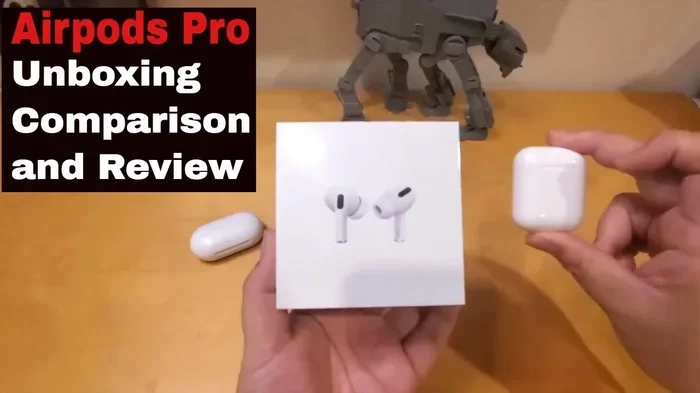
Featured image for AirPods Pro unboxing comparison
Image source: i.ytimg.com
You cannot directly upgrade regular AirPods to AirPods Pro because they are completely different hardware products. The AirPods Pro include physical components like silicone ear tips, active noise cancellation sensors, and a vent system that simply don’t exist on standard AirPods. Your best options are to trade in your old AirPods for credit toward AirPods Pro, sell them privately, or simply purchase the Pro model as a separate device.
If you’ve ever wished your regular AirPods could magically transform into AirPods Pro, you’re definitely not alone. Maybe you bought AirPods a year ago, and now you’re seeing friends enjoy the noise cancellation feature on their Pro models. Perhaps you’re wondering if there’s a software update that could unlock those premium features you keep hearing about. The truth might surprise you, and it might also save you from spending money on solutions that simply don’t work.
Let’s get straight to the point: you cannot upgrade AirPods to AirPods Pro. It’s not a hidden feature, a secret menu, or an upcoming software release. These are two completely different products made with different parts, different designs, and different price tags. Think of it like trying to turn a bicycle into a motorcycle by adding accessories. The core components are just too different for a simple upgrade to work.
But don’t close this tab just yet. While you can’t upgrade your existing AirPods, there are several smart ways to get AirPods Pro features without throwing your current earbuds in the trash. We’ll walk you through exactly why the upgrade isn’t possible, what makes the Pro version special, and what your realistic options are. By the end, you’ll have a clear picture of your best path forward.
Key Takeaways
- No Hardware Upgrade Path Exists: Apple does not offer any way to physically transform standard AirPods into AirPods Pro, as they are two separate products with different internal components.
- Key Physical Differences Matter: AirPods Pro have silicone ear tips, a vent system, and noise cancellation microphones that standard AirPods completely lack.
- Software Updates Cannot Add Pro Features: Firmware updates only improve existing features within the same product line, never add new hardware-dependent capabilities.
- Trade-In Programs Offer Real Savings: Apple’s Trade In program can give you credit toward AirPods Pro, though older AirPods models receive minimal credit value.
- Third-Party Ear Tips Are Not a Real Solution: While silicone covers exist for regular AirPods, they cannot provide noise cancellation or the Pro audio experience.
- Generational Gaps Are Significant: Each AirPods generation (1st, 2nd, 3rd, 4th gen, and Pro versions) has unique features that don’t transfer between models.
- Consider Your Actual Needs: If you want Pro features for specific situations, renting or buying used Pro models may be more cost-effective than expected.
📑 Table of Contents
Why You Can’t Physically Upgrade AirPods to AirPods Pro
Understanding why an upgrade isn’t possible starts with understanding what’s actually different between these two products. The differences go far beyond software. They’re built differently from the ground up, and Apple designed them that way intentionally.
The Hardware Reality Check
AirPods and AirPods Pro share the Apple logo and the general concept of wireless earbuds, but that’s where the similarities end. The Pro version includes specialized hardware components that standard AirPods simply don’t have. It’s like comparing a regular car to one with four-wheel drive. Both will get you down the road, but the underlying engineering is fundamentally different.
Here’s a simple analogy: imagine you have a basic calculator and you want it to become a scientific calculator. You can’t just download an app to add graphing capabilities because the physical buttons and processing chips aren’t there. The same principle applies to AirPods. Software can only work with the hardware it has access to.
The AirPods Pro contain a vent system for pressure equalization, custom silicone ear tips in multiple sizes, an inward-facing microphone for noise cancellation, and a force sensor on the stem. Your regular AirPods have none of these components. No amount of software wizardry can create hardware that doesn’t exist.
Why Apple Doesn’t Offer an Upgrade Program
Did You Know? Apple’s AirPods product line has never included a formal upgrade path between generations or between standard and Pro models. This is different from iPhones, where Apple has offered trade-in programs specifically designed to help users move to newer models.
The reason is simple economics and product design. Apple makes significant profit margins on each AirPods sale, and creating a trade-in infrastructure for earbuds that cost between $129 and $249 would cut into those margins considerably. Additionally, used AirPods have hygiene concerns that iPhones don’t face. Would you want to put earbuds in your ears that someone else previously wore?
Apple also wants you to buy new products rather than upgrade old ones. This business model has worked incredibly well for technology companies for decades. Your old AirPods becoming “obsolete” in the Pro comparison is actually a feature of their business strategy, not a bug.
What Actually Makes AirPods Pro Different
Before we explore your options, it helps to understand exactly what features you’d gain by switching to AirPods Pro. These aren’t just marketing buzzwords. They’re real, functional differences that many users find genuinely valuable.
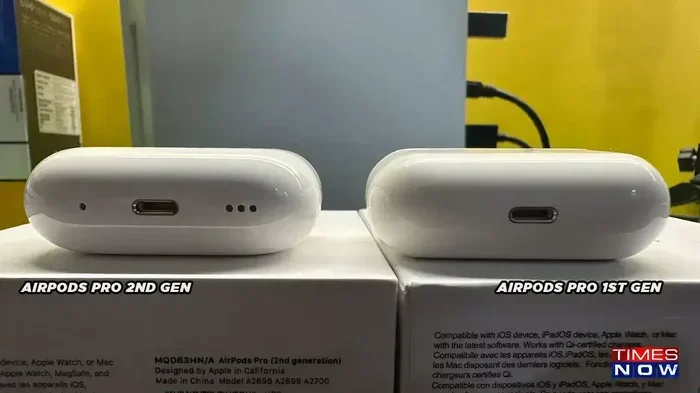
Visual guide about AirPods Pro unboxing comparison
Image source: static.tnn.in
Active Noise Cancellation Explained
Active noise cancellation, often called ANC, is the headline feature of the AirPods Pro. It uses microphones both inside and outside the ear to detect ambient sounds, then creates an “anti-noise” sound wave that cancels out unwanted background noise. Think of it like noise-canceling headphones for airplane engines, but miniaturized for your ears.
This technology requires dedicated processing chips and specialized microphones. Standard AirPods have microphones for phone calls, but they’re not positioned or designed to handle the constant sound analysis that noise cancellation requires. It’s the difference between a security camera that records video and a security system that actively detects intruders. Both involve cameras, but they serve fundamentally different purposes.
Transparency Mode and Adaptive Audio
AirPods Pro also offer Transparency Mode, which lets outside sounds pass through so you can hear announcements or have conversations without removing your earbuds. The newer AirPods Pro models even include Adaptive Audio, which automatically blends noise cancellation and transparency based on your environment.
Did You Know? The AirPods Pro 2 (second generation) contains the H2 chip, which processes audio 2 times faster than the H1 chip in original AirPods Pro. This processing power is what enables features like Adaptive Audio and Personalized Volume.
Standard AirPods lack the processing power and microphone configuration to offer any version of transparency or adaptive listening. They simply play audio through the speakers without any awareness of your surrounding environment.
The Ear Tip Difference
One of the most overlooked differences is the ear tip design. AirPods Pro come with silicone ear tips in four sizes (XS, S, M, L), creating a seal in your ear canal. This seal is essential for noise cancellation to work properly, and it also improves bass response and overall audio quality.
Standard AirPods use a one-size-fits-all hard plastic design that sits in your ear but doesn’t create a seal. Some people find this more comfortable, but it also means outside noise leaks in and bass frequencies escape out. The Pro design creates an acoustic chamber that fundamentally changes how sound reaches your eardrum.
The Truth About “Upgrades” People Try
If you’ve spent any time searching online for AirPods upgrades, you’ve probably seen some pretty creative suggestions. Let’s look at the most common ones and explain why they don’t actually work.
Third-Party Ear Tips and Covers
Several companies sell silicone covers and ear tips designed to fit on regular AirPods. These products typically cost between $10 and $30 and claim to improve comfort, sound quality, or even add “noise isolation.” While some of these accessories can make AirPods more comfortable or provide a tighter fit, they cannot add active noise cancellation.
The distinction between noise isolation and noise cancellation is crucial. Noise isolation is a physical barrier that blocks some sound, similar to putting your hands over your ears. Noise cancellation is an active electronic process that eliminates specific frequencies. Silicone covers can provide isolation, but they cannot perform the digital signal processing that ANC requires.
Firmware Updates and Hidden Settings
Some forum posts and YouTube videos suggest that specific firmware versions or iOS settings can unlock “Pro features” on standard AirPods. These claims are false. Firmware updates can improve connection stability, fix bugs, and occasionally add minor features, but they cannot create hardware where none exists.
Apple’s firmware updates for AirPods have historically added features like:
- Improved battery management
- Better device switching
- Enhanced Find My integration
- Updated Bluetooth connectivity
None of these updates have ever transformed standard AirPods into Pro models, and no future update will either. The physical microphone array and H1 or H2 chip required for Pro features simply aren’t present in regular AirPods.
Jailbreaking or Modifying AirPods
While technically inclined users have explored modifying various Apple products, AirPods present unique challenges. The earbuds contain proprietary chips, encrypted firmware, and hardware pairing that makes meaningful modifications extremely difficult. Unlike an iPhone, where jailbreaking can unlock software restrictions, AirPods modifications would require physical hardware changes that aren’t feasible for consumers.
Even if you could somehow add components to regular AirPods, you’d need precision tools, the parts themselves, and expertise in micro-soldering. The result would almost certainly be a non-functional mess that voids any remaining warranty.
What You Should Actually Do Instead
Now that we’ve established you can’t upgrade AirPods to AirPods Pro, let’s talk about what you can do. Depending on your situation, you have several practical options that make financial sense.
Apple’s Trade In Program
Apple offers a Trade In program that accepts various devices, including AirPods, in exchange for credit toward new purchases. The credit amount depends on the generation and condition of your AirPods.
Typical trade-in values (these change periodically, so check Apple’s website for current rates):
- AirPods (1st generation): Minimal credit, often $0 to $25
- AirPods (2nd generation): Approximately $25 to $50
- AirPods (3rd generation): Approximately $50 to $75
- AirPods Pro (1st generation): Approximately $75 to $100
- AirPods Pro (2nd generation): Approximately $125 to $150
The process is straightforward: you answer questions about your AirPods’ condition, receive an instant estimate, ship them to Apple (sometimes with a prepaid shipping label), and receive credit toward your next purchase. While the credit values aren’t huge, they’re better than letting old AirPods collect dust in a drawer.
Selling Your AirPods Privately
Private sales typically yield more money than trade-in programs, though they require more effort. Platforms like eBay, Swappa, Facebook Marketplace, and Decluttr allow you to set your own price and sell directly to other consumers.
For realistic pricing in the secondhand market:
- 1st generation AirPods with case: $30 to $50
- 2nd generation AirPods with case: $50 to $75
- 3rd generation AirPods with case: $80 to $110
When selling privately, be honest about condition, include all original accessories if possible, and take clear photos. Clean your AirPods thoroughly before photographing them. Buyers are more likely to pay good prices for products that look well-maintained and include original packaging.
Buying AirPods Pro Strategically
If you decide to purchase AirPods Pro, timing your purchase can save significant money. Apple rarely discounts current-generation products, but authorized retailers like Amazon, Best Buy, and Target often offer sales. Refurbished AirPods Pro from Apple’s Refurbished Store come with full warranties and cost 15 to 20 percent less than new models.
Did You Know? Apple’s Refurbished products undergo full functionality testing, replacement of any defective components, and a thorough cleaning process. They come in new packaging with all accessories and cables, and they include the standard one-year warranty identical to new products.
Consider which generation of AirPods Pro makes sense for your budget. The AirPods Pro 2 (current generation) include the H2 chip, which provides better noise cancellation, longer battery life, and features like Adaptive Audio. The original AirPods Pro (1st generation) are still available through some retailers at reduced prices and offer genuine noise cancellation, though without the latest features.
Understanding Each AirPods Generation
To make an informed decision, it helps to understand the different AirPods models currently available and their key features. This timeline will help you see why the “upgrade” question is even more complicated than it first appears.
The AirPods Family Tree
Apple currently sells several AirPods models, each with distinct characteristics:
AirPods (2nd generation): Released in 2019, these are the entry-level option with the H1 chip, hands-free Siri, and up to 5 hours of listening time. They lack water resistance, spatial audio, and any noise cancellation features.
AirPods (3rd generation): Released in 2021, these added spatial audio, water resistance, and a redesigned contoured shape. They use the H1 chip and offer up to 6 hours of listening time, but still lack noise cancellation.
AirPods (4th generation): Released in late 2024, these represent the current entry-level model with the H2 chip, improved sound quality, and a USB-C charging case. They come in two versions: standard and with Active Noise Cancellation.
AirPods Pro 2: Released in 2022 with an update in 2023, these are the premium option featuring active noise cancellation, transparency mode, adaptive audio, and the H2 chip. They include silicone ear tips and a vent system for comfort.
AirPods Pro 3: Apple’s newest professional model, featuring enhanced noise cancellation, improved audio processing, and updated health-related features. These represent the current top-tier option for users who want the best audio experience.
Each generation represents a complete redesign with new features, not just incremental improvements. This is why cross-generation upgrades are impossible. A 2nd generation AirPod cannot become a 3rd generation through any user-accessible means.
What If You Only Need Pro Features Sometimes?
Here’s a creative option many people overlook: if you primarily need Pro features for specific situations like flights, focus work, or noisy commutes, consider buying AirPods Pro as a secondary device. Many people use their regular AirPods for everyday tasks and keep Pro models for situations where noise cancellation matters.
This dual-device approach isn’t practical for everyone, but it spreads the cost over time. You might buy regular AirPods now and add Pro models later when your budget allows. You can use each pair with different devices (one with your iPhone, one with your Mac, for example) or share between family members.
Another option is to check if any friends or family members own AirPods Pro and would let you borrow them for a trial. Many Apple stores also offer demo units you can test in person. This hands-on experience helps you decide whether the Pro features justify the cost for your specific needs.
Making Your Final Decision
Choosing whether to buy AirPods Pro ultimately depends on how much you value the specific features they offer. Let’s walk through a practical decision framework that helps you figure out the right choice for your situation.
Who Actually Benefits from AirPods Pro?
AirPods Pro features provide the most value for people in specific circumstances. Frequent travelers benefit enormously from noise cancellation on planes and in airports. Office workers in open environments appreciate the ability to focus without distractions. People who commute on public transportation find transparency mode helpful for hearing announcements without removing their earbuds.
Conversely, if you primarily use earbuds at home in quiet environments, for casual music listening, or for occasional phone calls, standard AirPods might serve you perfectly well. The extra $100 or more for Pro models represents a significant investment that may not improve your experience noticeably.
Consider Your Existing AirPods’ Value
Before purchasing Pro models, honestly assess what your current AirPods are worth to you. If you bought them recently and they’re in good condition, selling them privately or trading them in can offset a significant portion of the Pro cost. If they’re older or have battery degradation, you might be better off keeping them as backup earbuds rather than expecting meaningful trade-in value.
Did You Know? AirPods batteries are designed to retain up to 80 percent of their original capacity after 500 complete charge cycles. Most users reach this threshold after about 2 to 3 years of regular use. Once battery capacity degrades, listening time shortens noticeably and the earbuds may need replacement.
Long-Term Cost Considerations
When evaluating the cost of AirPods Pro, think about how long you plan to use them. Apple products typically have useful lifespans of 3 to 5 years for earbuds. If you divide the cost by the months of use, the monthly expense becomes more manageable. A $249 pair of AirPods Pro used for 4 years costs about $5 per month, roughly the price of a basic coffee shop drink.
Also consider that AirPods hold their resale value better than most consumer electronics. If you buy Pro models and decide they aren’t for you, you can likely resell them for 50 to 70 percent of the original price, assuming good condition. This makes the actual cost of trying them relatively low compared to many other purchases.
In the end, while the straightforward answer to “can you upgrade AirPods to AirPods Pro” is no, this limitation shouldn’t feel discouraging. You have realistic paths forward, whether that means trading in your current AirPods, selling them privately, or simply adding Pro models to your collection for specific situations. The key is making an informed decision based on your actual needs, budget, and how much you’ll genuinely use the Pro features. Your ears, and your wallet, will thank you for taking the time to choose wisely.
Frequently Asked Questions
Can you upgrade AirPods to AirPods Pro through a software update?
No, software updates cannot upgrade AirPods to AirPods Pro because the Pro model includes specialized hardware components like noise cancellation microphones, a vent system, and silicone ear tips that standard AirPods physically lack. Firmware updates can only enhance features that the existing hardware supports.
Does Apple offer a trade-in program for upgrading to AirPods Pro?
Yes, Apple’s Trade In program accepts older AirPods models and provides credit toward new purchases, including AirPods Pro. Credit values depend on the generation and condition of your AirPods, with newer models receiving higher credit amounts. You can get an instant estimate on Apple’s website before committing to the trade-in.
Are there any third-party accessories that can make regular AirPods work like AirPods Pro?
While silicone ear tip covers and cases can improve comfort and provide some noise isolation, they cannot add active noise cancellation or transparency mode. These Pro features require specialized microphones and processing chips that third-party accessories cannot replicate. Real Pro functionality requires actual AirPods Pro hardware.
How much can I get if I sell my old AirPods privately?
Private sale prices vary based on generation and condition, but you can typically expect $30 to $50 for 1st generation AirPods, $50 to $75 for 2nd generation, and $80 to $110 for 3rd generation models. Selling on platforms like eBay, Swappa, or Facebook Marketplace usually yields more money than trade-in programs.
Is it worth buying AirPods Pro if I already have regular AirPods?
The value depends on how much you’ll use Pro-specific features like active noise cancellation and transparency mode. If you frequently travel, work in noisy environments, or want better audio quality, the upgrade is often worthwhile. If you primarily use earbuds in quiet settings, your current AirPods may be sufficient.
Can I use both regular AirPods and AirPods Pro at the same time?
Yes, you can pair both regular AirPods and AirPods Pro with the same iCloud account and switch between them as needed. Many people use regular AirPods for everyday tasks and AirPods Pro for situations requiring noise cancellation, like flights or focused work sessions. Each pair connects independently to your Apple devices.