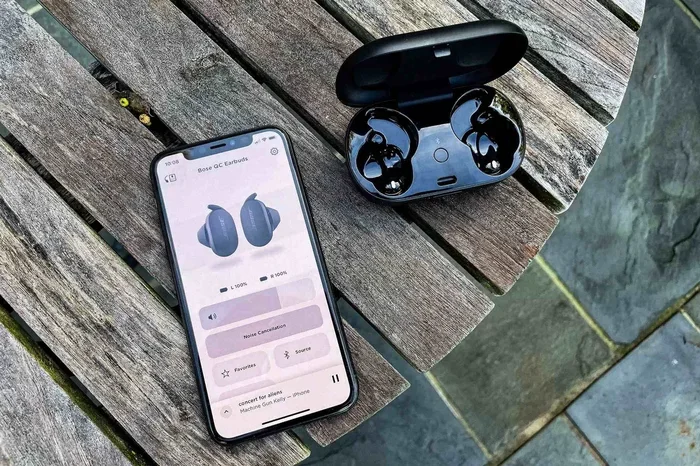
Featured image for wireless earbuds iPhone pair
Image source: citizenside.com
Yes, you can use virtually any wireless earbuds with an iPhone! Thanks to Bluetooth technology, iPhones work with countless brands and models of wireless earbuds, not just AirPods. While AirPods offer exclusive features like automatic pairing and spatial audio, third-party options can deliver excellent sound quality at various price points. This guide breaks down compatibility, setup, and tips to help you choose the perfect pair.
Imagine walking into a coffee shop and seeing someone tap their iPhone to instantly connect their earbuds. No buttons, no fuss. That’s the magic of AirPods. But here’s a question many iPhone users wonder: do you have to buy AirPods to enjoy wireless audio? Can you use any wireless earbuds with iPhone?
The short answer is a resounding yes. Your iPhone is like a friendly host at a party. It doesn’t care who shows up, as long as they speak the same language. In the tech world, that language is called Bluetooth. Since 2007, every iPhone has come equipped with Bluetooth, which acts like a universal translator for wireless devices. Whether you own $25 budget earbuds or $400 premium noise-cancelling ones, chances are they’ll work seamlessly with your iPhone.
However, not all wireless earbuds are created equal. Some offer special features when paired with iPhones, while others might require a tiny bit more setup. In this comprehensive guide, we’ll walk you through everything you need to know about using wireless earbuds with your iPhone. From understanding compatibility to setting up different brands, we’ve got you covered. Think of this as your friendly roadmap to wireless audio freedom.
Key Takeaways
- Universal Bluetooth Compatibility: iPhones support any wireless earbuds that use Bluetooth, which is the universal standard for wireless audio.
- AirPods Have Exclusive Perks: Apple-designed features like instant pairing, Find My, and spatial audio only work fully with AirPods and Beats products.
- Sound Quality Varies: Premium third-party earbuds often rival or exceed AirPods in sound quality, battery life, and noise cancellation.
- Codec Support Matters: iPhones use the AAC Bluetooth codec, so earbuds supporting AAC deliver the best audio experience on iOS.
- Setup Is Simple: Pairing non-AirPod earbuds takes just a few extra steps compared to AirPods, but the process is still quick and easy.
- Price Range Is Wide: Quality wireless earbuds for iPhone range from $20 to $400+, offering options for every budget.
- Future-Proof Choice: As Bluetooth evolves, investing in earbuds with the latest Bluetooth version ensures long-term compatibility.
📑 Table of Contents
- Understanding iPhone Wireless Earbud Compatibility
- AirPods vs. Other Wireless Earbuds: What’s the Real Difference?
- How to Connect Non-AirPod Wireless Earbuds to Your iPhone
- The Best Wireless Earbuds for iPhone (Besides AirPods)
- Bluetooth Codecs: The Secret to Better Audio Quality
- Future-Proofing Your Wireless Earbuds Investment
- Making the Right Choice for Your Needs
Understanding iPhone Wireless Earbud Compatibility
Let’s start with the basics. When people ask, “Can you use any wireless earbuds with iPhone?” they’re really asking about Bluetooth compatibility. Think of Bluetooth like a common language that devices use to talk to each other. Your iPhone speaks this language fluently, and so do virtually all modern wireless earbuds.
The Universal Bluetooth Standard
Bluetooth is a wireless technology that allows devices to communicate over short distances, typically up to 33 feet (10 meters). It’s been the industry standard for wireless audio since the early 2010s. In fact, over 4.7 billion Bluetooth devices ship every year, according to the Bluetooth Special Interest Group. That’s more than half the population of Earth!
Every iPhone from the original 2007 model to today’s iPhone 15 series supports Bluetooth audio. However, the version of Bluetooth matters. Newer versions offer better range, faster connections, and improved battery efficiency. Here’s a quick breakdown:
- Bluetooth 4.0-4.2: Found in iPhones 4S through 6. Basic wireless audio support.
- Bluetooth 5.0: Introduced with iPhone 8. Double the speed and four times the range of 4.2.
- Bluetooth 5.3: Latest version in iPhone 14 and 15. Improved efficiency and connection stability.
Here’s the beautiful part: Bluetooth is backward compatible. That means even if your earbuds use an older Bluetooth version, they’ll still connect to your newer iPhone. It’s like how an old DVD can still play on a brand-new Blu-ray player, even though the player supports much more.
What About Wireless Earbuds Without Bluetooth?
Here’s a fun fact that might surprise you. Not all “wireless” earbuds use Bluetooth. Some use a different technology called RF (Radio Frequency), which typically comes with a dedicated transmitter that plugs into your device’s headphone jack. Since iPhones haven’t had a headphone jack since 2016 (starting with iPhone 7), these RF earbuds won’t work without an adapter.
There’s also a rare breed of “true wireless” earbuds that use proprietary wireless technology, but these are extremely uncommon. When shopping for wireless earbuds for your iPhone, always check the box for “Bluetooth” compatibility. If you see that word, you’re good to go.
AirPods vs. Other Wireless Earbuds: What’s the Real Difference?
Now that we’ve established any Bluetooth earbuds work with iPhones, let’s explore why AirPods seem special. It’s not just marketing hype. Apple has built a tight ecosystem, like a neighborhood where everyone knows each other and the gates open automatically for residents.
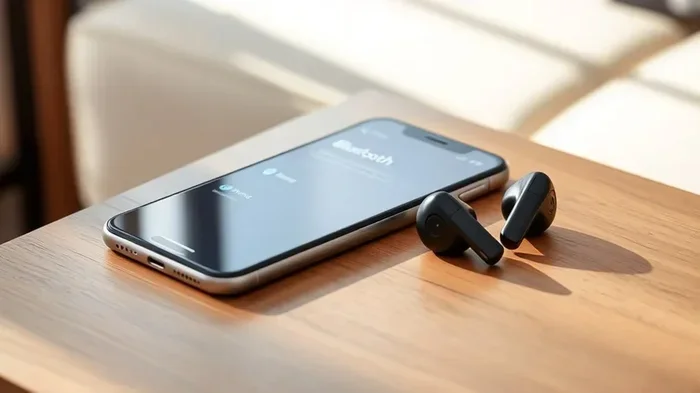
Visual guide about wireless earbuds iPhone pair
Image source: techyconcepts.com
Why AirPods Feel Magical with iPhone
AirPods contain a custom W1 chip (in older models) or H1 chip (in newer models). Think of this chip as a VIP pass that gets you into the Apple club with special privileges. When you open an AirPods case near your iPhone, a magical animation pops up on screen, and with one tap, you’re connected. No digging through Settings menus required.
Beyond easy pairing, AirPods offer these exclusive iPhone features:
- Automatic Device Switching: Move from your iPhone to your MacBook to your iPad without manually disconnecting. It’s like your earbuds follow you around the house.
- Find My Integration: Lost your AirPods? Use the Find My app to locate them on a map or make them chirp. Apple sold over 100 million AirPods in 2022 alone, making this feature incredibly useful for many users.
- Spatial Audio: This technology creates a 3D sound experience, like you’re sitting in a movie theater. It tracks your head movement for an immersive feel.
- Siri Integration: Simply say “Hey Siri” to change songs, make calls, or get directions, all hands-free.
What Non-AirPod Earbuds Still Offer
Here’s the exciting part. Many third-party earbuds offer features that AirPods don’t, often at lower prices. Let’s explore some advantages:
Better Sound Quality: Audiophiles often praise brands like Sony, Sennheiser, and Bose for superior sound. The Sony WF-1000XM5, for example, consistently ranks higher than AirPods Pro in audio quality reviews.
Superior Noise Cancellation: While AirPods Pro 2 offer excellent noise cancellation, some competitors match or beat them. The Bose QuietComfort Earbuds II are often cited as having the best active noise cancellation in the industry.
Longer Battery Life: Many non-AirPod earbuds offer 8-12 hours of listening per charge, compared to AirPods’ 6 hours. The Sennheiser Momentum True Wireless 3 delivers up to 7 hours, with the charging case extending total usage to 28 hours.
More Customization: Brands like Jabra and Samsung provide companion apps that let you tweak EQ settings, button controls, and noise cancellation levels to your exact preferences.
Lower Price Points: Quality wireless earbuds start at around $20-30, while AirPods start at $129. Budget brands like Anker Soundcore and JLab deliver surprisingly good audio for the price.
How to Connect Non-AirPod Wireless Earbuds to Your iPhone
So you’ve decided to explore beyond AirPods. Excellent choice! Let’s walk through the setup process. It’s a bit more hands-on than AirPods, but still very straightforward. Think of it like cooking from scratch instead of using a microwave meal. The extra effort is worth it.
Step-by-Step Pairing Guide
Step 1: Prepare Your Earbuds
Most wireless earbuds need to be in “pairing mode” before your iPhone can find them. This is usually done by:
- Taking the earbuds out of their charging case
- Pressing and holding a button on the case or earbuds (usually 3-5 seconds)
- Watching for an LED light to flash, usually blue or red/blue alternating
Check your earbuds’ manual for exact instructions, as the process varies by brand. For example, Sony earbuds typically require you to hold the touch sensors on both earbuds for 5 seconds, while Jabra earbuds use a dedicated button on the charging case.
Step 2: Open iPhone Settings
Navigate to Settings > Bluetooth. Make sure Bluetooth is toggled on (the switch should be green). You’ll see a list under “My Devices” and “Other Devices.”
Step 3: Find Your Earbuds
Wait a few seconds for your earbuds to appear in the “Other Devices” list. The name will match your brand (like “Sony WF-1000XM5” or “Jabra Elite 4”).
Step 4: Tap to Connect
Simply tap the name of your earbuds. Within 2-3 seconds, the status will change to “Connected,” and you’re ready to enjoy your music!
Troubleshooting Common Connection Issues
Sometimes things don’t go smoothly on the first try. Don’t worry. Here are solutions to common problems:
Earbuds Won’t Appear in the List:
- Make sure your earbuds are actually in pairing mode (LED should be flashing)
- Check that your earbuds aren’t already connected to another device
- Try resetting your earbuds (usually involves holding the button for 10-15 seconds)
- Restart your iPhone’s Bluetooth by toggling it off and on
Connection Keeps Dropping:
- Stay within 33 feet of your iPhone
- Avoid physical obstructions like walls or your body
- Check for iOS updates that might improve Bluetooth stability
- Forget the device and re-pair it (Settings > Bluetooth > tap the “i” icon > Forget This Device)
Audio Quality Sounds Bad:
- Ensure your earbuds support the AAC codec (most modern ones do)
- Check that the ear tips create a proper seal in your ears
- Clean any debris from the earbuds’ speakers
- Try a different pair of ear tips (many come with multiple sizes)
The Best Wireless Earbuds for iPhone (Besides AirPods)
Let’s get practical. If you’re ready to explore alternatives to AirPods, here are top recommendations across different price ranges. Each offers excellent compatibility with iPhones.
Premium Options ($200+)
Sony WF-1000XM5 ($299): Often called the gold standard for wireless earbuds, these deliver exceptional sound quality and industry-leading noise cancellation. They support AAC for optimal iPhone performance and offer 8 hours of battery life.
Bose QuietComfort Earbuds II ($279): If noise cancellation is your top priority, these are hard to beat. Bose’s CustomTune technology calibrates audio to your ears automatically. iPhone users enjoy seamless AAC support and a comfortable fit for long listening sessions.
Sennheiser Momentum True Wireless 4 ($299): Audiophiles’ choice for pristine sound. Sennheiser’s 7mm dynamic drivers deliver rich, detailed audio. The companion app allows extensive EQ customization, perfect for those who like to fine-tune their listening experience.
Mid-Range Champions ($75-$200)
Jabra Elite 7 Pro ($179): A fantastic all-rounder with excellent call quality, 8 hours of battery, and multipoint Bluetooth (connect to two devices at once). Great for people who switch between iPhone and other devices frequently.
Beats Fit Pro ($199): Made by Apple, so you get many AirPods benefits (H1 chip, Find My, Spatial Audio) with a sportier design and better fit for workouts. This is essentially AirPods Pro with a more secure fit.
Samsung Galaxy Buds2 Pro ($229): Don’t let the name fool you. These work beautifully with iPhones, though some advanced features are Samsung-exclusive. Sound quality rivals much more expensive options.
Budget-Friendly Gems (Under $75)
Anker Soundcore Life P3 ($80): Active noise cancellation, wireless charging, and 7 hours of battery at a fraction of the AirPods price. Honestly, it’s shocking how good these are for the money.
JLab Go Air Pop ($25): At this price, expectations should be modest, but these deliver solid sound for casual listening. Perfect as a backup pair or for someone just entering the wireless earbuds world.
EarFun Air Pro 3 ($70): Support for the latest Bluetooth 5.3, hybrid active noise cancellation, and 9 hours of battery. These punch well above their weight class.
Bluetooth Codecs: The Secret to Better Audio Quality
Here’s something most people don’t know but makes a huge difference. Bluetooth audio quality depends heavily on codecs, which are like translators that compress and decompress audio signals. Different codecs offer different levels of quality and efficiency.
What Codecs Does iPhone Support?
iPhones support three main Bluetooth audio codecs:
SBC (Subband Codec): The universal fallback. Every Bluetooth audio device supports SBC. It’s decent but not amazing, like watching a movie in standard definition.
AAC (Advanced Audio Coding): Apple’s preferred codec. It delivers better quality than SBC at similar bitrates. This is the codec your iPhone uses by default for most wireless earbuds. If your earbuds support AAC, you’ll get noticeably better sound.
aptX and LDAC: These higher-quality codecs are popular with Android phones and audiophile equipment. However, iPhones don’t support them natively. So even if you buy expensive earbuds with aptX HD or LDAC support, your iPhone will fall back to AAC.
Why This Matters for Your Choice
When shopping for wireless earbuds for your iPhone, prioritize models that explicitly mention AAC support. While most modern earbuds include AAC, some budget options only support SBC. The difference is audible, especially in complex music with multiple instruments.
Here’s a fun comparison. Think of codecs like different streaming quality options. SBC is like 144p video (watchable but rough), AAC is like 720p HD (sharp and clear), and aptX HD would be 4K (stunning but not supported by iPhones). For iPhone users, AAC is your ceiling, so make sure your earbuds can reach it.
Future-Proofing Your Wireless Earbuds Investment
Wireless earbuds aren’t cheap, so you want them to last. Here are key factors to consider for longevity and continued iPhone compatibility.
Bluetooth Version Considerations
While Bluetooth is backward compatible (as we discussed earlier), buying earbuds with the latest Bluetooth version offers several benefits:
- Better Battery Efficiency: Bluetooth 5.0+ uses less power, extending battery life by 20-30% compared to older versions.
- Improved Range: Bluetooth 5.0+ offers up to 800 feet in open air (though walls reduce this significantly). Bluetooth 4.2 maxed out at around 200 feet.
- Connection Stability: Newer versions handle interference better, meaning fewer audio dropouts in crowded environments.
- LE Audio Support: Bluetooth 5.2 introduced LE Audio, which will eventually support the LC3 codec. This promises better quality at lower power consumption, though iPhone support is still rolling out.
Software Updates and Longevity
Reputable brands regularly release firmware updates that improve performance, add features, and fix bugs. For example, Sony has added multipoint connectivity and improved noise cancellation through software updates on existing earbuds. Before purchasing, check the manufacturer’s track record for updates.
Brands Known for Good Software Support:
- Sony (frequent updates for WF-1000XM series)
- Sennheiser (regular improvements through Smart Control app)
- Jabra (excellent long-term support)
- Bose (periodic firmware updates)
Brands with Limited Update History:
- Budget brands often release earbuds and never update them
- Some lesser-known brands prioritize new product releases over supporting existing ones
Durability and Build Quality
Look for these features if you want earbuds that last:
- IPX4 or Higher Water Resistance: Protects against sweat and rain. IPX7 means fully waterproof.
- Quality Charging Case: The case often fails before the earbuds. Look for sturdy hinges and reliable charging contacts.
- Replaceable Parts: Some brands sell replacement ear tips and cases separately.
- Warranty: Premium brands typically offer 1-2 year warranties. Budget brands may offer only 90 days.
Making the Right Choice for Your Needs
We’ve covered a lot of ground. Let’s bring it all together with practical advice for choosing the perfect wireless earbuds for your iPhone.
Questions to Ask Yourself
What’s Your Budget? If you’re spending under $50, focus on getting reliable basics from brands like Anker, JLab, or EarFun. The $75-$200 range offers the best value, balancing features and quality. Above $200, you’re paying for premium materials, advanced features, and brand prestige.
What Will You Use Them For? Your primary use case matters more than specs:
- Commuting: Prioritize noise cancellation and comfort
- Working Out: Look for secure fit and water resistance (IPX4+)
- Office/Calls: Microphone quality matters most
- Travel: Long battery life and noise cancellation are essential
- Casual Listening: Sound quality and comfort are your priorities
Do You Already Own Apple Devices? If you have an Apple Watch, MacBook, or iPad, AirPods offer seamless switching that might be worth the premium. If your iPhone is your only Apple device, third-party earbuds offer better value.
Are You an Audiophile? If sound quality is paramount, consider premium brands like Sennheiser, Sony, or Bose. However, remember that iPhones max out at AAC codec, so you won’t fully benefit from aptX HD or LDAC.
The Bottom Line on Compatibility
Let’s circle back to the original question: Can you use any wireless earbuds with iPhone? Absolutely yes, with the caveat that they need Bluetooth connectivity. The iPhone’s open approach to Bluetooth means you’re not locked into Apple’s ecosystem for wireless audio.
Here’s a thought to leave you with. AirPods are like buying a premium car with excellent service included. You pay more, but everything just works, and service is convenient. Third-party earbuds are like buying a car from another manufacturer. You might get more features for your money, better performance in specific areas, but you’ll have to visit a different dealer for service.
Neither choice is wrong. They’re just different approaches to the same destination: enjoying great audio wirelessly on your iPhone. Whether you choose AirPods, Beats, Sony, Bose, or any other Bluetooth earbuds, your iPhone will welcome them with open arms.
The wireless earbuds market has exploded in recent years. Global shipments reached 287 million units in 2022, according to Counterpoint Research. This massive growth means more choices, better quality, and lower prices than ever before. There’s never been a better time to find your perfect pair.
So go ahead. Explore your options. Read reviews. Try different brands if possible. Your perfect wireless audio experience is waiting, and your iPhone is ready to connect to it. Whether you’re an AirPods devotee or a third-party enthusiast, the important thing is finding earbuds that make you smile every time you press play.
Frequently Asked Questions
Do all wireless earbuds work with iPhone?
Yes, all wireless earbuds that use Bluetooth technology will work with iPhone. Since Bluetooth is a universal standard, your iPhone can connect to virtually any Bluetooth earbuds regardless of brand. Just make sure the earbuds specifically mention Bluetooth compatibility before purchasing.
Why are AirPods better with iPhone than other earbuds?
AirPods contain Apple’s custom H1 chip, which enables exclusive features like instant pairing, automatic device switching between Apple devices, Find My tracking, and Spatial Audio. While other earbuds work fine with iPhones, they don’t have access to these deep iOS integration features.
Can I use AirPods with Android phones?
Yes, AirPods work with Android phones via standard Bluetooth pairing. However, you’ll lose access to Apple-specific features like instant pairing, Spatial Audio, and Find My. You’ll need to pair them manually through the Android phone’s Bluetooth settings each time.
Will cheap wireless earbuds damage my iPhone?
No, cheap wireless earbuds cannot damage your iPhone. Bluetooth is a safe, regulated technology with strict standards. However, very cheap earbuds from unknown brands might have poor build quality, shorter lifespans, or inconsistent Bluetooth performance. Stick with reputable budget brands for the best experience.
How do I check if wireless earbuds are compatible with my iPhone?
Check the earbuds’ packaging or specifications for the word “Bluetooth.” If they mention Bluetooth 4.0 or higher, they’ll work with any iPhone made in the last decade. Also, look for AAC codec support, as this ensures optimal audio quality on iOS devices.
Should I buy AirPods or cheaper alternatives for my iPhone?
It depends on your priorities. AirPods offer seamless iPhone integration and convenient features, but premium third-party earbuds from Sony, Bose, or Sennheiser often deliver better sound quality and noise cancellation. If you value ecosystem convenience, choose AirPods. If you want the best audio performance per dollar, explore quality alternatives.