Yes, AirPods have sound cancellation—but only on certain models. AirPods Pro, AirPods Pro 2, and AirPods Max feature Active Noise Cancellation (ANC) technology that uses built-in microphones to detect and cancel unwanted ambient noise. The standard AirPods (1st through 4th generation) do not have ANC, but they offer basic sound isolation through their in-ear fit. Understanding which model you own is key to accessing this feature.
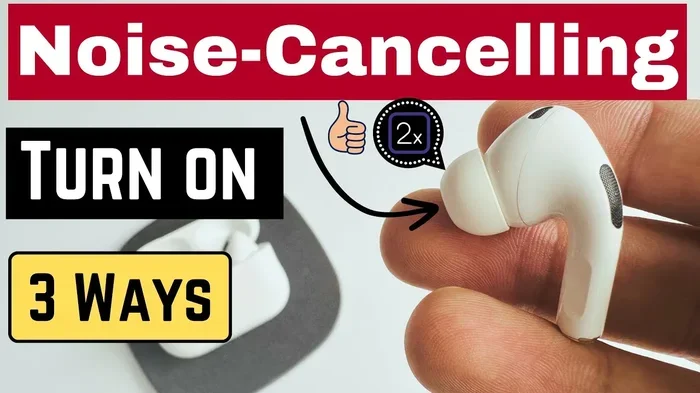
Featured image for AirPods noise cancellation feature
Image source: i.ytimg.com
Ever been on a noisy subway and wished you could just make the world go quiet? Or tried to focus at a busy coffee shop while the chatter around you just wouldn’t stop? If you own (or are thinking about buying) AirPods, you’re probably wondering: do AirPods have sound cancellation to help with that?
Here’s the short answer: some do, and some don’t. Apple makes several different AirPods models, and the sound cancellation feature depends on which one you choose. The premium models—AirPods Pro, AirPods Pro 2, and AirPods Max—come with Active Noise Cancellation (ANC) built right in. The standard AirPods, however, don’t have this technology, though they still block some noise just by fitting in your ears.
In this guide, we’ll break down everything you need to know about AirPods sound cancellation. We’ll explain how the technology actually works (without the confusing tech jargon), tell you which models have it, and share practical tips to get the most out of your listening experience. Whether you’re a daily commuter, a remote worker, or just someone who loves their music, this guide has something for you.
Key Takeaways
- Not All AirPods Have ANC: Only AirPods Pro, AirPods Pro 2, and AirPods Max feature Active Noise Cancellation. Standard AirPods rely on passive noise isolation only.
- How ANC Works: AirPods use outward-facing microphones to detect external sounds, then generate an “anti-noise” sound wave that cancels them out before you hear them.
- Transparency Mode: Most ANC-equipped AirPods also offer Transparency Mode, which lets outside sounds in so you can hear announcements or conversations without removing your earbuds.
- Adaptive Audio (Newer Models): AirPods Pro 2 and AirPods 4 (ANC) include Adaptive Audio, which automatically blends ANC and Transparency based on your environment.
- Battery Impact: Active Noise Cancellation uses more battery power, reducing listening time by roughly 20-30% compared to using AirPods with ANC turned off.
- Firmware Matters: ANC performance improves over time through software updates, so keeping your AirPods updated ensures the best noise cancellation experience.
- Best for Frequent Travelers: ANC AirPods are particularly valuable for airplane, train, and bus commuters who need to block engine and crowd noise.
📑 Table of Contents
- Understanding Sound Cancellation: The Basics
- Which AirPods Models Have Sound Cancellation?
- How Does AirPods Active Noise Cancellation Actually Work?
- Special Features: Transparency Mode and Adaptive Audio
- Tips to Maximize Your AirPods Sound Cancellation
- Sound Cancellation vs. Sound Isolation: Key Differences
- The Future of AirPods Sound Cancellation
- Common Questions About AirPods Sound Cancellation
- Conclusion
Understanding Sound Cancellation: The Basics
Before we dive into which AirPods have sound cancellation, let’s talk about what “sound cancellation” actually means. There are two main types you should know about: passive and active. Think of them like wearing a winter hat versus having a heater running—both keep you warm, but in very different ways.
Passive Noise Isolation
Passive noise isolation is the simplest form of noise blocking. It works just like putting your hands over your ears. When earbuds physically block your ear canal, they create a seal that stops some sound from getting in.
All AirPods provide some passive noise isolation. The standard AirPods (which don’t have silicone tips) offer a small amount, while the AirPods Pro—with their silicone ear tips—do a much better job because they create a tighter seal in your ear. It’s kind of like the difference between closing a door halfway versus all the way.
Did You Know? Studies show that well-fitted in-ear earbuds can block up to 15-20 decibels of outside noise through passive isolation alone. That’s roughly the difference between a quiet library and normal conversation volume.
Active Noise Cancellation (ANC)
Active Noise Cancellation is where the magic happens. This is the high-tech version that uses microphones and speakers to “cancel out” unwanted sounds. It’s like having a tiny superhero in your ear that fights noise on your behalf.
Here’s how it works in plain English: your AirPods listen to the sounds around you using tiny built-in microphones. Then, in less than a millisecond, they create a mirror-image sound wave (called “anti-noise”) that plays through the speaker. When the unwanted noise and the anti-noise meet, they essentially cancel each other out. The result? You hear more of your music and less of the world.
This works best for constant, low-frequency sounds—like the hum of an airplane engine, the rumble of a train, or the drone of an air conditioner. It’s less effective at canceling sudden, sharp sounds like a car horn or someone yelling.
Which AirPods Models Have Sound Cancellation?
Now let’s get to the main question: which AirPods actually have sound cancellation? Apple currently sells (or has sold) several AirPods models, and the answer varies.
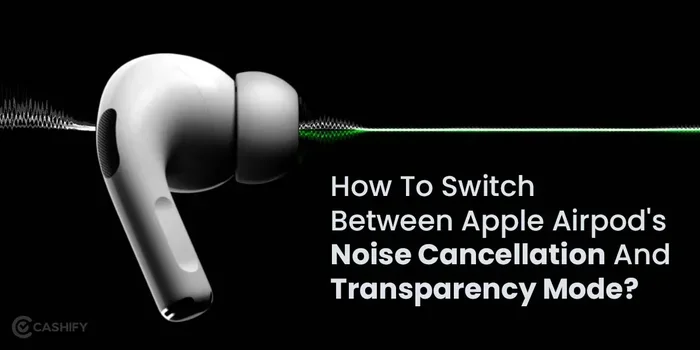
Visual guide about AirPods noise cancellation feature
Image source: s3b.cashify.in
AirPods Pro and AirPods Pro 2
Yes! The AirPods Pro and the newer AirPods Pro 2 (now called AirPods Pro 2 with USB-C or Lightning, depending on the version) both feature Active Noise Cancellation. They also include Transparency Mode and, on the Pro 2, Adaptive Audio.
The AirPods Pro uses two microphones: one facing outward to detect external sounds, and one facing inward to detect sound that has already entered your ear canal. Together, they analyze the noise 48,000 times per second. That means in the time it takes you to blink twice, your AirPods have already checked for noise over 200 times.
AirPods Max
Yes! AirPods Max are Apple’s over-ear headphones, and they have some of the best Active Noise Cancellation of any consumer headphones on the market. With eight microphones dedicated to noise cancellation (three on each ear cup plus two more for voice calls), they can handle even the noisiest environments.
AirPods Max are particularly popular with audio professionals, frequent flyers, and anyone who wants the most immersive listening experience Apple offers. They’re heavier than earbuds, but many users find the trade-off worth it for the superior noise cancellation.
AirPods 4 with ANC
In late 2024, Apple released AirPods 4, and they came in two versions: a standard AirPods 4 and AirPods 4 with Active Noise Cancellation. This was a big deal because it was the first time Apple offered ANC in its standard, non-Pro earbud line.
The AirPods 4 with ANC includes Transparency Mode and Adaptive Audio, making it a great mid-tier option for people who want noise cancellation without paying for the Pro version.
Standard AirPods (1st, 2nd, 3rd Generation) and AirPods 4 (without ANC)
The standard AirPods—1st generation, 2nd generation, 3rd generation, and the basic AirPods 4—do not have Active Noise Cancellation. They only offer passive noise isolation, which is limited because they don’t have silicone tips that seal in your ear.
That said, the 3rd generation AirPods and AirPods 4 do include some nice audio upgrades like Spatial Audio and Adaptive EQ. They just don’t have the noise-canceling magic.
How Does AirPods Active Noise Cancellation Actually Work?
If you’re curious about the science behind ANC, let’s break it down even further. We’ve already covered the basics, but there’s more to the story.
The Role of the H1 and H2 Chips
Here’s something cool: AirPods have tiny processors inside them. The original AirPods Pro used Apple’s H1 chip, while the AirPods Pro 2 uses the newer H2 chip. These chips are like tiny brains that handle all the sound processing in real time.
The H2 chip is especially powerful. According to Apple, it offers up to twice the noise cancellation performance of the original H1 chip. It can process audio faster and more efficiently, which means better noise cancellation and longer battery life.
Feedforward and Feedback Microphones
AirPods Pro and AirPods Max use two types of microphones to handle ANC:
- Feedforward microphones: These are on the outside of the ear cup or earbud. They listen to the world around you before the sound reaches your ear.
- Feedback microphones: These are on the inside, near your ear canal. They listen to what you’re actually hearing, including any noise that made it past the first layer of defense.
Together, these microphones give your AirPods a complete picture of the noise around you, allowing them to create more accurate anti-noise signals. It’s like having two security guards working together—one watching the front door and one watching the back.
Real-Time Adaptation
Modern AirPods don’t just cancel noise in one fixed way. They adapt in real time. If you move from a quiet office to a noisy street, your AirPods automatically adjust how much noise cancellation to apply. This happens so fast that you probably won’t even notice the transition.
Did You Know? The AirPods Pro 2 can process sound at a rate of 48,000 times per second. That’s faster than a hummingbird’s wings flap (which is about 80 times per second) by a factor of 600!
Special Features: Transparency Mode and Adaptive Audio
Active Noise Cancellation is amazing for blocking noise, but sometimes you actually want to hear the world around you. That’s where Transparency Mode and Adaptive Audio come in.
Transparency Mode Explained
Transparency Mode is the opposite of Active Noise Cancellation. Instead of blocking outside sounds, it lets them in. This is super useful when you need to:
- Hear a flight announcement at the airport
- Have a quick conversation without removing your AirPods
- Listen for traffic while walking through a city
- Be aware of your surroundings for safety reasons
The genius of Transparency Mode is that it sounds natural. Instead of just amplifying everything (which can sound harsh), AirPods use their microphones to pipe in outside sounds as if you weren’t wearing earbuds at all. Many people say it feels like they’re not wearing anything at all.
To switch between ANC and Transparency Mode, you can use the force sensor on the AirPods Pro (a small flat area on the stem) or the digital crown on AirPods Max. On iPhone, you can also swipe down from the top-right corner to access the Control Center and tap the volume slider to see noise control options.
Adaptive Audio: The Best of Both Worlds
Adaptive Audio is a feature introduced with iOS 17 and the AirPods Pro 2. It uses machine learning to automatically switch between ANC and Transparency Mode based on your environment. Think of it as having a smart assistant that decides how much noise cancellation you need at any given moment.
Here’s how it works in practice: if you’re sitting in a quiet room, Adaptive Audio might leave Transparency Mode on. But if you start walking past a construction site, it will automatically turn on Active Noise Cancellation. It’s like having noise cancellation that reads your mind.
Adaptive Audio also includes a feature called Conversation Awareness, which automatically lowers your music volume and turns on Transparency Mode when you start talking to someone. Once you’re done chatting, your music returns to normal volume. It’s perfect for those quick interactions with a barista or coworker.
Tips to Maximize Your AirPods Sound Cancellation
Just because your AirPods have ANC doesn’t mean you’re getting the most out of it. Here are some practical tips to maximize noise cancellation performance.
Get the Right Ear Tip Fit
This is the single most important thing you can do. If your AirPods Pro ear tips don’t fit properly, the seal will be broken, and noise cancellation will suffer dramatically. Apple’s AirPods Pro come with four sizes of silicone ear tips (XS, S, M, L), so experiment until you find the right fit.
To check your fit, use the Ear Tip Fit Test. Here’s how: go to Settings > Bluetooth on your iPhone, tap the “i” next to your AirPods Pro, and select “Ear Tip Fit Test.” Your iPhone will play a short sound and tell you if your seal is good or if you need to adjust.
Keep Your AirPods Updated
Apple regularly releases firmware updates that improve ANC performance, fix bugs, and add new features. To make sure your AirPods are updated:
- Connect your AirPods to your iPhone
- Make sure they’re charging
- Keep them near your iPhone
- The update will happen automatically in the background
Clean Your AirPods Regularly
Dirt, earwax, and debris can clog the microphones and ear tips, reducing ANC effectiveness. Clean your AirPods weekly using a soft, dry, lint-free cloth. For ear tips, you can remove them and rinse them with water (just make sure they’re completely dry before reattaching).
Did You Know? According to Apple, you should clean your AirPods’ microphone and speaker meshes with a dry cotton swab. Even a small amount of debris can reduce noise cancellation by up to 50%.
Use One AirPod at a Time
This might sound counterintuitive, but if you only use one AirPod, ANC won’t work as effectively. ANC requires both microphones (one on each earbud) to function optimally. If you need to be aware of your surroundings, switch to Transparency Mode instead of using one earbud.
Manage Battery Life
Active Noise Cancellation uses more power than regular listening. With ANC on, AirPods Pro typically last about 4.5-5 hours on a single charge (compared to 6 hours with ANC off). AirPods Max last around 20 hours with ANC on.
If you’re running low on battery and don’t need noise cancellation, turning off ANC can extend your listening time significantly. Just hold the force sensor on your AirPods Pro to cycle through noise control modes.
Sound Cancellation vs. Sound Isolation: Key Differences
Let’s clear up a common confusion. Sound cancellation and sound isolation are not the same thing, even though people often use the terms interchangeably.
Sound Isolation (Passive)
Sound isolation is purely physical. It works by physically blocking your ear canal, similar to how earplugs work. No batteries, no electronics, no fancy technology—just a good seal.
Pros of sound isolation:
- Works without power
- No impact on audio quality
- Doesn’t add any electronic noise
- Cheaper to manufacture
Cons of sound isolation:
- Only blocks a limited range of frequencies
- Can’t adapt to changing environments
- Less effective at low frequencies (like engine rumble)
Sound Cancellation (Active)
Active sound cancellation uses electronics to analyze and cancel out noise. It’s much more sophisticated than passive isolation.
Pros of sound cancellation:
- Highly effective at low frequencies
- Adapts to different environments
- Can be turned on and off
- Often paired with Transparency Mode for versatility
Cons of sound cancellation:
- Requires battery power
- Can introduce a slight “pressure” sensation for some users
- Less effective at sudden, sharp noises
- More expensive
The bottom line? Both technologies have their place. Ideally, you want earbuds that combine good passive isolation (a proper seal) with active cancellation. That’s exactly what AirPods Pro offers.
The Future of AirPods Sound Cancellation
Sound cancellation technology continues to evolve, and Apple is at the forefront. Here’s what we might see in future AirPods models.
Improved H-Series Chips
Each new generation of Apple’s H-series chips brings better noise cancellation. The H2 chip in AirPods Pro 2 already delivers double the ANC of its predecessor. We can expect even more powerful chips in future models, leading to better noise cancellation in even smaller form factors.
Personalized Noise Cancellation
Future AirPods might use machine learning to create personalized noise cancellation profiles. Your AirPods could learn which sounds bother you most (like specific voices or certain frequencies) and prioritize canceling those while letting through sounds you actually want to hear.
Health Integration
Apple has been expanding AirPods’ health features, including hearing tests and hearing aid functionality. Future sound cancellation could integrate with these features, automatically adjusting based on your hearing health needs.
Better Adaptive Audio
Adaptive Audio is still in its early stages. Future versions could be smarter, factoring in your location (using GPS), your activity (using motion sensors), and even your calendar (so it knows when you’re about to join a meeting).
Did You Know? Apple has filed patents for AirPods that can detect when you’re in a conversation, when you’re sleeping, and even when you’re exercising—all to adjust noise cancellation automatically.
Common Questions About AirPods Sound Cancellation
Let’s address some of the most common questions people have about AirPods sound cancellation.
Can I turn off sound cancellation?
Yes, absolutely. You can easily turn off Active Noise Cancellation on AirPods Pro by pressing and holding the force sensor on the stem. You can cycle through Active Noise Cancellation, Transparency Mode, and Off. You can also control this through your iPhone’s Control Center.
Does sound cancellation affect sound quality?
Most people find that sound cancellation actually improves their listening experience because it removes background noise that would otherwise interfere with their music. However, some audiophiles prefer to listen with ANC off in quiet environments, as they say it produces a slightly more natural sound.
Is sound cancellation safe for my ears?
Yes, sound cancellation is completely safe. In fact, it can be safer than not using it. Because ANC blocks background noise, you can listen to music at lower volumes, which is better for your long-term hearing health. The World Health Organization estimates that 1.1 billion young people are at risk of hearing damage from loud music, so anything that lets you listen at lower volumes is a good thing.
Can I use sound cancellation without music?
Yes! Many people use AirPods Pro with ANC turned on but without playing any music, just to enjoy silence. This is great for meditation, focus, or simply finding peace in a noisy environment.
Does sound cancellation work during phone calls?
Yes, but it works differently during calls. Instead of canceling noise for you, AirPods use their microphones to reduce background noise for the person on the other end of the call. So you’ll still hear some background noise, but your voice will come through clearly to the other person.
Conclusion
So, do AirPods have sound cancellation? Yes—but only on certain models. AirPods Pro, AirPods Pro 2, AirPods 4 with ANC, and AirPods Max all feature Active Noise Cancellation, while the standard AirPods rely on passive noise isolation alone.
Understanding the difference between these models is the key to choosing the right AirPods for your needs. If you commute on noisy public transit, travel frequently by plane, work in bustling offices, or simply crave quiet in a chaotic world, investing in AirPods with ANC is absolutely worth it. The technology has come a long way, and modern AirPods can cancel noise with impressive precision while offering Transparency Mode when you need to stay aware of your surroundings.
Remember that proper fit, regular cleaning, and updated firmware all play important roles in getting the best noise cancellation experience. Take care of your AirPods, and they’ll take care of your ears.
Whether you’re looking to block out the world, focus on your favorite podcast, or just enjoy your music the way the artist intended, AirPods with sound cancellation can transform your daily listening experience. It’s like having a personal mute button for the chaos of modern life—and once you try it, you’ll wonder how you ever lived without it.