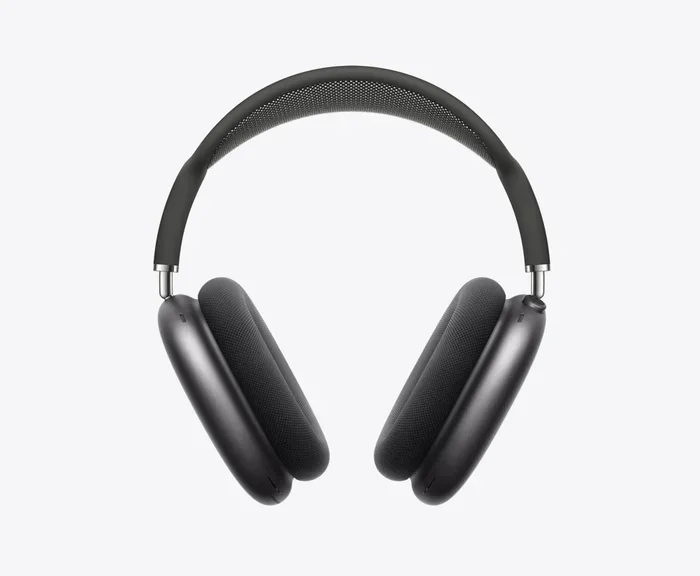
Featured image for AirPods Max Apple Music headphones
Image source: apple.com
Yes, AirPods Max sound significantly better with Apple Music thanks to exclusive features like Spatial Audio with Dolby Atmos, Personalized Spatial Audio, and seamless Apple ecosystem integration. While AirPods Max work with any audio source, Apple Music unlocks the headphones’ full potential by delivering lossless audio, high-resolution sound, and dynamic head tracking that other streaming services simply cannot match. Pairing these premium headphones with Apple Music creates the optimal listening experience Apple designed them for.
If you’ve invested in a pair of AirPods Max, you’re probably wondering one simple question: am I actually getting the best sound possible? The short answer is yes, but only if you’re using Apple Music. Think of it like buying a sports car and then filling it with regular gasoline. Sure, it still drives, but you’re leaving performance on the table.
Apple designed the AirPods Max to work hand-in-hand with Apple Music, creating a listening experience that goes beyond just playing songs. Features like Spatial Audio with Dolby Atmos, lossless audio streaming, and Personalized Spatial Audio are like secret ingredients that only work when you combine Apple hardware with Apple software. Without Apple Music, your $549 headphones are basically expensive regular headphones.
In this guide, we’ll break down exactly why AirPods Max sound better with Apple Music, what features you unlock, how to set everything up, and what limitations to expect. Whether you’re a casual listener or an audiophile chasing every note, you’ll understand exactly how to get the most from your premium headphones.
Key Takeaways
- Spatial Audio is Exclusive to Apple Ecosystem: AirPods Max deliver immersive Dolby Atmos sound only when used with Apple Music, Apple TV+, and other supported Apple services.
- Lossless Audio Adds Detail: Apple Music offers lossless and hi-res lossless streaming that preserves more audio detail than standard Bluetooth compression allows.
- Personalized Spatial Audio Customizes Sound: Using your iPhone’s TrueDepth camera, Apple creates a sound profile tailored to your unique ear shape and head size.
- Seamless Integration Enhances Experience: Automatic device switching, one-tap pairing, and Find My support create a frictionless experience unavailable with other services.
- The DAC Limitation Matters: AirPods Max cannot fully decode Apple Music’s highest resolution files through their Lightning cable, which is a known compromise.
- Bluetooth Codec Limitations Apply: Standard Bluetooth streaming uses lossy AAC compression, so most of Apple Music’s quality advantages require specific listening modes.
- Genre Matters for Spatial Audio: Spatial Audio with Dolby Atmos shines with remastered classics, new pop releases, and orchestral recordings, but may sound different on older tracks.
📑 Table of Contents
- Why AirPods Max Are Built for Apple Music
- Spatial Audio with Dolby Atmos: The Biggest Difference
- Lossless Audio: Studio-Quality Sound
- Personalized Spatial Audio: Sound Tuned to Your Ears
- Seamless Integration: The Invisible Benefits
- How to Get the Best Sound: Practical Tips
- Comparing Apple Music vs. Other Services on AirPods Max
- Common Misconceptions About AirPods Max and Apple Music
- Final Verdict: Should You Use Apple Music with AirPods Max?
Why AirPods Max Are Built for Apple Music
Apple didn’t just make the AirPods Max compatible with Apple Music. They engineered them to deliver features that simply don’t exist anywhere else. To understand why this matters, you need to know that Apple controls both the hardware (AirPods Max) and the software (Apple Music). This vertical integration is rare in the audio world.
Most headphone makers create products that work with everything equally well. Sony, Bose, and Sennheiser design headphones to play nicely with Spotify, Tidal, YouTube Music, and any other service. That’s great for flexibility, but it means those headphones can’t offer deeply integrated features with any single platform.
Apple took the opposite approach. They built AirPods Max specifically to unlock proprietary audio technologies that live inside Apple’s ecosystem. When you combine AirPods Max with Apple Music, you get access to:
- Spatial Audio with Dolby Atmos
- Personalized Spatial Audio
- Lossless and Hi-Res Lossless Audio
- Dolby Atmos Music Library
- Seamless Device Switching
- Dynamic Head Tracking
Did You Know? Apple Music offers over 100 million songs, with tens of thousands available in Spatial Audio with Dolby Atmos. As of 2024, Apple reported that 80% of global Apple Music subscribers regularly engage with Spatial Audio content.
The Ecosystem Advantage
Imagine you bought a universal TV remote that works with every TV brand. It’s flexible, but it lacks special buttons for Netflix, Disney+, or Apple TV+. Now imagine a remote designed specifically for Apple TV, with a dedicated Siri button, automatic sign-in, and seamless AirPods connection. That’s the difference between generic audio support and Apple’s ecosystem approach.
When AirPods Max detect you’re using Apple Music on an Apple device, they activate special processing modes that enhance sound quality. This happens automatically in the background, so you don’t need to fiddle with settings to get premium audio.
Spatial Audio with Dolby Atmos: The Biggest Difference
Spatial Audio with Dolby Atmos is hands down the most noticeable upgrade you’ll hear when pairing AirPods Max with Apple Music. If you’ve ever watched a Marvel movie in a theater and felt like you were surrounded by action, you’ve experienced Dolby Atmos. Now imagine that same immersive sound applied to music.
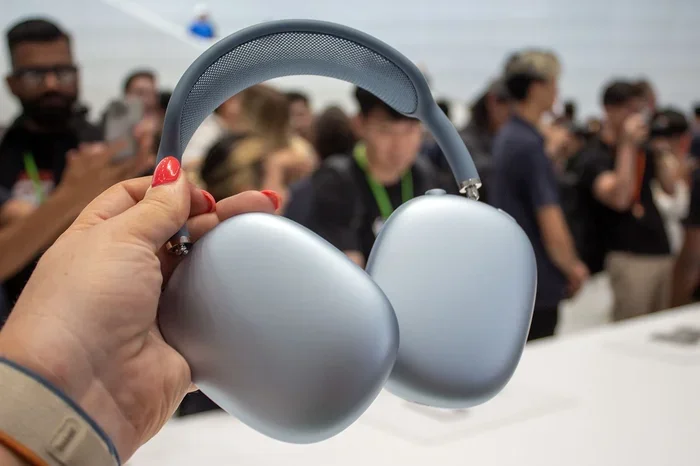
Visual guide about AirPods Max Apple Music headphones
Image source: cdn.mos.cms.futurecdn.net
Traditional stereo music plays sound through two channels: left ear and right ear. Spatial Audio breaks that limitation by placing individual instruments and vocals in a 3D space around your head. A guitar might come from your left side, drums from behind, and vocals directly in front, just like you’d hear at a live concert.
To enable Spatial Audio with Apple Music on your AirPods Max, follow these steps:
- Connect your AirPods Max to your iPhone or iPad
- Open the Settings app
- Tap on your AirPods Max name
- Scroll down and toggle on “Spatial Audio”
- Open Apple Music and play a Dolby Atmos-enabled track
- Look for the “Dolby Atmos” or “Spatial Audio” badge in Apple Music
Did You Know? Apple has been remastering classic albums in Dolby Atmos, including The Beatles’ “Abbey Road,” Ed Sheeran’s “Divide,” and Billie Eilish’s entire catalog. These remixes often sound completely different from their original stereo versions.
Dynamic Head Tracking
Here’s where AirPods Max get truly magical. Dynamic Head Tracking uses gyroscopes and accelerometers inside the headphones to track your head movement. When you turn your head left, the music adjusts so vocals stay anchored to your iPhone’s position. It’s like sitting in front of a speaker that never moves.
This feature might sound gimmicky, but it’s surprisingly effective for movies and music videos. Many users report that it makes listening feel more natural and less fatiguing, especially for longer listening sessions.
Lossless Audio: Studio-Quality Sound
Lossless audio is another major reason AirPods Max sound better with Apple Music. But here’s where things get a bit tricky. AirPods Max connect via Bluetooth, which inherently compresses audio. So even though Apple Music offers lossless streaming, standard Bluetooth connections can’t deliver the full quality.
Apple addressed this problem by using a Lightning to 3.5mm audio cable (sold separately for $35) that allows wired connections. When you connect AirPods Max to your iPhone with this cable, you can theoretically receive lossless audio. However, the headphones’ internal DAC (digital-to-analog converter) is the bottleneck. AirPods Max don’t have a high-quality DAC capable of fully decoding Apple Music’s highest resolution files.
This limitation has frustrated audiophiles since launch. Apple’s own support documentation confirms that AirPods Max cannot deliver true lossless audio quality even with a wired connection. So what does this mean for everyday listeners?
What You Actually Get
For most people, AirPods Max with Apple Music still sound excellent because of:
- Adaptive EQ: AirPods Max measure the sound seal and adjust frequencies in real-time for optimal bass response
- Computational Audio: Apple’s H1 chips process sound to reduce distortion and enhance clarity
- Premium Drivers: Apple’s custom 40mm drivers deliver detailed sound across the frequency range
While true lossless audio might not reach your ears, the overall sound quality remains exceptional thanks to Apple’s computational audio processing. You’re still getting a premium listening experience, even if the data path isn’t purely lossless.
Did You Know? Apple Music’s lossless tier starts at 16-bit/44.1 kHz (CD quality) and goes up to 24-bit/192 kHz (hi-res lossless). However, streaming these highest quality files requires significant bandwidth and storage on your device.
Personalized Spatial Audio: Sound Tuned to Your Ears
Personalized Spatial Audio is one of Apple’s most innovative features, and it only works with AirPods Max, AirPods Pro, AirPods (3rd generation), and Apple Music. Here’s how it works: Apple uses the TrueDepth camera on your iPhone to scan your face and ears, creating a unique audio profile based on your specific head and ear shape.
Why does this matter? Because everyone hears slightly differently. The size and shape of your ears affect how sound waves travel into your ear canal. By mapping your unique geometry, Apple can adjust the Spatial Audio profile to sound perfect for your anatomy specifically.
Setting up Personalized Spatial Audio takes just a few minutes:
- Make sure your iPhone is running iOS 16 or later
- Connect your AirPods Max
- Go to Settings, then Bluetooth, then tap the “i” next to your AirPods
- Select “Personalized Spatial Audio”
- Follow the TrueDepth camera scanning process
- Apple creates your custom profile automatically
Once configured, you’ll notice that music feels more precisely placed in space, with better separation between instruments. It’s subtle, but for critical listeners, the difference is meaningful.
Comparing Personalized vs. Standard Spatial Audio
Standard Spatial Audio applies a one-size-fits-all approach. Personalized Spatial Audio customizes that experience based on your measurements. In blind tests, most listeners prefer the personalized version because it feels more natural and accurate. Think of it like getting glasses with your exact prescription versus generic reading glasses from a pharmacy. Both help you see, but one is tailored to your specific needs.
Seamless Integration: The Invisible Benefits
Beyond pure audio quality, AirPods Max integrate with Apple Music in ways that make daily use effortless. These features might not show up on spec sheets, but they dramatically improve your overall experience.
Automatic Device Switching
Imagine you’re listening to Apple Music on your iPhone when a FaceTime call comes in on your Mac. AirPods Max automatically pause your music and switch to the call without you touching anything. When you finish the call, your music resumes on your iPhone. This magic happens because AirPods Max are signed into your iCloud account and recognize your active devices.
Try doing that with Sony WH-1000XM5 headphones and Spotify. You’d need to manually disconnect from one device, reconnect to another, and re-launch your music. Apple’s ecosystem removes those friction points completely.
One-Tap Pairing
The first time you bring AirPods Max near your iPhone, a pairing animation appears on screen. One tap, and you’re connected. Your AirPods Max also automatically pair with your iPad, Mac, Apple Watch, and Apple TV if they’re signed into the same Apple ID.
Find My Integration
Lost your AirPods Max? Open the Find My app on any Apple device, and you’ll see their last known location. Since AirPods Max don’t have a small form factor like regular AirPods, this feature provides genuine peace of mind for a $549 investment.
Hands-Free Siri
With AirPods Max connected to Apple Music, you can say “Hey Siri, play my Chill Mix” or “Hey Siri, skip this song” without touching your phone. Siri integrates directly with Apple Music to handle playback, search, and queue management. It’s like having a voice-controlled DJ in your head.
How to Get the Best Sound: Practical Tips
Owning AirPods Max and subscribing to Apple Music isn’t enough. You need to optimize your settings to unlock the full experience. Here’s a practical checklist to maximize your sound quality:
Step 1: Enable Spatial Audio
Go to Settings, then your AirPods Max, and toggle on Spatial Audio. This single setting activates Dolby Atmos playback in Apple Music. Without it, you’re missing the most significant upgrade.
Step 2: Set Up Personalized Spatial Audio
Take five minutes to complete the TrueDepth camera scan. This one-time setup permanently improves your Spatial Audio experience. You’ll appreciate the customized sound profile every time you listen.
Step 3: Choose the Right Apple Music Tier
Make sure you’re subscribed to Apple Music (the standard Individual, Family, or Student plan). Apple Music’s free tier doesn’t include Spatial Audio or lossless streaming. The subscription costs $10.99/month for individuals, which unlocks all premium features.
Step 4: Check Your Network Connection
Spatial Audio and lossless audio require stable internet. Wi-Fi works best for high-quality streams. If you’re on cellular data, make sure you have a strong signal, or download albums for offline listening to ensure consistent quality.
Step 5: Update Your Firmware
Apple regularly releases firmware updates that improve AirPods Max performance. To update, place your AirPods Max near your iPhone while connected to power, and keep them close for a few hours. Updates install automatically in the background.
Step 6: Try Dolby Atmos-First Playlists
Apple Music curates playlists specifically optimized for Spatial Audio, including “Today’s Hits in Spatial Audio,” “Pure Spatial Audio,” and various genre-specific collections. These playlists showcase what your AirPods Max can truly do.
Did You Know? When streaming over cellular, Apple Music defaults to standard quality to save data. Go to Settings, then Music, then Cellular Streaming, and choose “High Quality” or “Lossless” to ensure you’re getting premium sound even on the go.
Comparing Apple Music vs. Other Services on AirPods Max
You can use AirPods Max with any audio source, including Spotify, Tidal, YouTube Music, and Amazon Music. But how does the experience compare? Let’s break down the key differences.
Spatial Audio Availability
Spatial Audio with dynamic head tracking is exclusive to Apple Music, Apple TV+, and certain other Apple services. Spotify, Tidal, and Amazon Music don’t offer this feature through AirPods Max. You’d be missing the biggest sonic advantage.
Audio Quality
Tidal offers its own lossless and hi-res audio streaming, but AirPods Max can’t take advantage of Tidal’s highest quality files due to Bluetooth limitations. Apple Music’s integration, while imperfect, is specifically optimized for AirPods Max hardware.
Ecosystem Integration
Spotify works fine with AirPods Max for basic playback, but you lose automatic device switching, hands-free Siri control of playback, and Find My tracking integration. The experience feels generic rather than premium.
Bottom Line Comparison
If you already subscribe to Apple Music, AirPods Max will reward you with the best possible experience. If you’re a loyal Spotify user, you can still enjoy AirPods Max’s excellent hardware, but you’ll miss out on the features that make them special. Consider this before committing to either platform.
Common Misconceptions About AirPods Max and Apple Music
Several myths and misunderstandings float around this topic. Let’s clear up the most common ones.
Myth: AirPods Max Deliver True Lossless Audio
This is partially false. While AirPods Max technically support lossless audio playback through a wired connection, the built-in DAC can’t fully decode Apple Music’s highest resolution files. You get excellent sound, but not true audiophile-grade lossless quality.
Myth: Bluetooth Streaming Is Always Inferior
Not necessarily. AirPods Max use AAC (Advanced Audio Codec) which is efficient and high quality. Combined with Apple’s computational audio, Bluetooth streaming sounds excellent for most music. The differences between Bluetooth and lossless are subtle and often imperceptible to average listeners.
Myth: Spatial Audio Only Works for Movies
Completely false. Spatial Audio with Dolby Atmos is fully supported across Apple Music’s library. Many users prefer it for music because it creates a more immersive, concert-like experience.
Myth: Any Dolby Atmos Track Will Sound Identical
Actually, this one is partially true. While all Dolby Atmos tracks use the same technology, mixing quality varies significantly. A well-mixed track in Spatial Audio can sound breathtaking, while a poorly mixed one might feel hollow or unnatural. Album quality matters.
Final Verdict: Should You Use Apple Music with AirPods Max?
AirPods Max absolutely sound better with Apple Music. The combination unlocks features that no other music service can provide: Spatial Audio with Dolby Atmos, Personalized Spatial Audio, lossless streaming, and seamless ecosystem integration. These aren’t minor improvements. They fundamentally transform your listening experience from good to exceptional.
If you’ve already invested in AirPods Max, subscribing to Apple Music is practically a necessity to get your money’s worth. The $10.99 monthly subscription pays for itself through the dramatic improvement in audio quality and user experience.
For those deciding between AirPods Max and competing headphones, consider your music service of choice. If you’re deeply embedded in Apple’s ecosystem with an iPhone, iPad, Mac, and Apple TV, AirPods Max + Apple Music is a no-brainer. If you’re platform-agnostic and prefer Spotify or YouTube Music, you might be better served by Sony, Bose, or Sennheiser alternatives that offer universal compatibility.
Ultimately, AirPods Max represent Apple’s vision for premium personal audio. That vision only fully realizes when paired with Apple Music. Together, they create a listening experience that’s hard to match anywhere else in the market.
Frequently Asked Questions
Do AirPods Max sound better with Apple Music than Spotify?
Yes, AirPods Max sound noticeably better with Apple Music due to exclusive features like Spatial Audio with Dolby Atmos, Personalized Spatial Audio, and lossless audio streaming. Spotify doesn’t support these features on AirPods Max, so you’d be missing the headphones’ biggest sonic advantages.
Can AirPods Max play lossless audio from Apple Music?
AirPods Max support lossless audio playback through a wired Lightning connection, but the internal DAC (digital-to-analog converter) limits the quality. You won’t get true audiophile-grade lossless, but you’ll still hear excellent sound quality through Apple’s computational audio processing.
Do I need to pay extra for Spatial Audio on Apple Music?
No, Spatial Audio with Dolby Atmos is included with any standard Apple Music subscription (Individual, Family, or Student). It’s not a premium add-on. Just make sure you’re on at least the basic paid tier, not the free trial-only version.
Does Spatial Audio work on all Apple Music songs?
No, not all Apple Music tracks support Spatial Audio. Apple has been adding Dolby Atmos versions to many new releases and remastered classics, but a significant portion of the catalog remains stereo-only. Look for the “Dolby Atmos” or “Spatial Audio” badge in Apple Music to identify compatible tracks.
Is the Lightning to 3.5mm cable necessary for best sound quality?
Not necessarily. Most users won’t notice a meaningful difference between Bluetooth AAC streaming and wired listening on AirPods Max. The cable ($35 from Apple) is only beneficial if you want to connect to non-Bluetooth sources like older audio equipment or in-flight entertainment systems.
How do I turn off Spatial Audio if I don’t like it?
To disable Spatial Audio, go to Settings on your iPhone, tap your AirPods Max name, and toggle off the Spatial Audio option. You can also disable it temporarily by accessing the Control Center, pressing and holding the volume slider, and tapping the Spatial Audio icon to switch modes.