
Featured image for Person wearing AirPods in noisy environment
Image source: blogospherenews.com
Yes, AirPods can significantly reduce background noise during calls and recordings, but their effectiveness depends on the model and environment. The Pro, Max, and newer generations use advanced noise-canceling technology, while older models rely on basic mic placement. Understanding your specific AirPods version is key to getting the clearest sound possible.
Have you ever been on an important phone call when suddenly a dog starts barking, a siren wails, or your roommate turns on the blender? We’ve all been there. In those moments, you wish your earbuds had magical powers to block out the chaos around you. That’s exactly why so many people ask: do AirPods mic block out background noise?
The short answer is yes, but with some important caveats. Modern AirPods, especially the Pro and Max versions, use sophisticated technology to reduce unwanted sounds during calls and recordings. However, not all AirPods work the same way, and understanding the differences can help you choose the right pair for your needs. Think of it like this: some AirPods are like wearing earplugs at a concert, while others are like having a personal sound engineer cleaning up your audio in real time.
In this guide, we’ll break down everything you need to know about AirPods and background noise. We’ll explore how the microphones work, which models perform best, and share practical tips to get the clearest sound possible. Whether you’re working from a busy café, taking calls while commuting, or recording a podcast from home, you’ll find actionable advice here.
Key Takeaways
- AirPods Pro and Max offer active noise cancellation (ANC): These models use built-in microphones and processors to detect and cancel ambient sounds in real time.
- Standard AirPods don’t have ANC: The regular AirPods (1st, 2nd, and 3rd gen) lack active noise cancellation but use passive isolation to reduce some noise.
- Beamforming microphones help isolate your voice: All modern AirPods use beamforming tech that focuses on your speech while minimizing surrounding sounds.
- Background noise isn’t completely eliminated: Even the best AirPods can’t remove 100% of background noise, especially sudden or loud sounds.
- Software updates can improve performance: Apple regularly releases firmware updates that can enhance noise reduction algorithms.
- Third-party apps can help further: Apps like Krisp or built-in macOS/iOS features can add another layer of noise suppression.
- Proper fit matters a lot: A secure seal with ear tips dramatically improves both noise cancellation and microphone clarity.
📑 Table of Contents
- How AirPods Microphones Capture Your Voice
- Active Noise Cancellation vs. Passive Noise Isolation
- Which AirPods Models Handle Background Noise Best?
- Apple’s Noise Reduction Technology Explained
- Real-World Performance: How Well Do AirPods Actually Work?
- Tips to Maximize Noise Reduction During Calls
- Limitations and Realistic Expectations
- Comparing AirPods to Alternatives
- Future of AirPods Noise Reduction
- Final Thoughts
How AirPods Microphones Capture Your Voice
Before diving into noise blocking, it helps to understand how AirPods actually pick up your voice in the first place. Think of it like a photographer trying to capture one person in a crowded room. They might use a zoom lens to focus on that specific person, ignoring everyone else. AirPods do something similar with sound, using technology called beamforming.
Beamforming is like having a spotlight for your voice. AirPods contain multiple tiny microphones that work together as a team. One microphone typically faces inward, toward your mouth, while another faces outward, toward the environment. By comparing what each microphone hears, the AirPods can figure out which sounds are coming from you (your voice) and which are coming from somewhere else (background noise).
The Role of Dual Microphone Arrays
Most AirPods models feature at least two microphones per earbud. This dual setup is crucial because it allows the device to perform real-time audio analysis. Imagine you’re at a party and someone calls your name from across the room. Your brain instantly identifies the direction and filters out other conversations. AirPods try to mimic this ability through digital signal processing.
The inward-facing microphone primarily captures your voice, while the outward-facing microphone monitors the environment. The AirPods processor then subtracts the environmental sounds from your voice signal. It’s like having a chef remove unwanted ingredients from a recipe, leaving only the flavors you want.
Why Microphone Placement Matters
Where the microphones sit on the AirPods affects how well they can isolate your voice. Apple has carefully engineered the placement to be as close to your mouth as possible without compromising comfort. The stem of the AirPods, which hangs down from your ear, houses microphones that benefit from this positioning. Being closer to your mouth means your voice is louder relative to background noise, making it easier to distinguish.
Did you know that speaking directly into a microphone from one inch away produces sound roughly 10 times louder than background noise at the same distance? This is why professional podcasters get so close to their mics. AirPods try to replicate this principle through their design.
Active Noise Cancellation vs. Passive Noise Isolation
Here’s where many people get confused. There are two fundamentally different ways AirPods handle noise, and they work very differently. Understanding this distinction is like knowing the difference between noise-canceling headphones and simple earplugs.
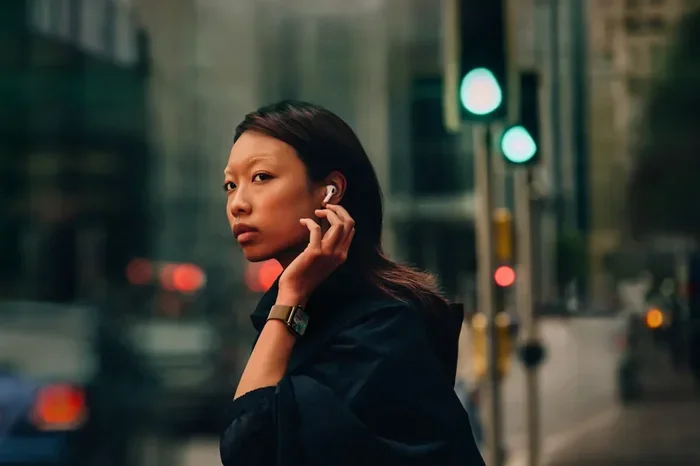
Visual guide about Person wearing AirPods in noisy environment
Image source: apple.com
What is Active Noise Cancellation (ANC)?
Active noise cancellation is like having an anti-sound generator in your ears. The AirPods continuously listen to environmental noise through their microphones, then produce a sound wave that’s the exact opposite, called an anti-phase signal. When these two waves meet, they cancel each other out, reducing the noise you hear.
This technology works incredibly well for consistent, low-frequency sounds like airplane engines, air conditioners, or the hum of a busy office. It’s less effective for sudden, sharp noises like a car horn or someone shouting, because the system needs a moment to analyze and respond.
AirPods Pro, AirPods Pro 2, and AirPods Max all feature active noise cancellation. The AirPods Pro 2 take it a step further with the H2 chip, which Apple claims offers up to twice the noise cancellation of the previous generation. The AirPods Max use larger drivers and more processing power, making them particularly effective for prolonged listening sessions.
What is Passive Noise Isolation?
Passive noise isolation is simpler. It’s just the physical barrier that blocks sound from entering your ears. Think of it like closing a window to keep out street noise. Regular AirPods (without Pro or Max in the name) don’t have active noise cancellation, but they still reduce some noise simply by sitting in your ears.
The third-generation AirPods introduced a contoured design that creates a better seal than earlier versions. This improved fit means more passive noise isolation than the older AirPods 1 and 2. However, without ANC, they can’t actively remove noise that’s already making it into your ear canal.
Why This Distinction Matters for Your Mic
Here’s an important point that surprises many people: noise cancellation primarily affects what you hear, not necessarily what your microphone captures. When you speak on a call, the people on the other end don’t benefit from your ANC. They only hear what your microphone picks up and transmits.
So while AirPods Pro can protect your ears from noisy environments, making your call experience more comfortable, the other person on the call depends on different technology: the microphone’s noise reduction capabilities. This is why having good microphones matters just as much as having good noise cancellation.
Which AirPods Models Handle Background Noise Best?
Not all AirPods are created equal when it comes to managing background noise during calls. Let’s look at how different models stack up, so you can make an informed decision based on your specific needs.
AirPods Pro (1st and 2nd Generation)
The AirPods Pro line is currently the gold standard for most users. Both generations feature active noise cancellation and excellent microphone arrays. The 2nd generation, released in 2022, brought significant improvements to call quality thanks to the H2 chip and enhanced algorithms.
In real-world testing, AirPods Pro 2 do an impressive job of suppressing background noise during calls. Whether you’re walking down a busy street, working in a coffee shop, or dealing with household noise, your voice comes through clearly. The microphones use computational audio to separate your voice from the environment in real time.
According to Apple, the AirPods Pro 2 can reduce up to twice as much ambient noise compared to the first generation. They also feature Adaptive Transparency mode, which lets you hear important sounds like sirens while still reducing overall noise levels.
AirPods Max
AirPods Max are Apple’s over-ear premium headphones. They offer the most powerful active noise cancellation in the AirPods lineup, thanks to their larger drivers and more sophisticated processing. The microphones are also positioned to capture your voice clearly while rejecting ambient sounds.
For people who take calls in very noisy environments regularly, AirPods Max provide the best overall performance. However, they’re significantly more expensive and heavier than in-ear options. They’re best suited for office workers, content creators, and frequent travelers who need premium noise management.
AirPods 3rd Generation
The AirPods 3 don’t have active noise cancellation, but they do feature an improved design that creates a better seal in your ears. This provides decent passive noise isolation and helps your microphones perform better by reducing the amount of environmental sound that reaches the inward-facing mic.
The beamforming microphones in AirPods 3 do a respectable job of voice isolation during calls. They’re a good middle-ground option for people who want better call quality than older AirPods but don’t need full noise cancellation.
AirPods 1st and 2nd Generation
The original AirPods and AirPods 2 are the weakest performers when it comes to blocking background noise. Their open design lets in a lot of sound, and without active noise cancellation, they rely entirely on beamforming microphone technology.
That said, they still use dual microphones and noise reduction algorithms that help isolate your voice. In quiet environments, they work fine. But in noisy settings, the people on your calls will likely hear significant background noise.
Apple’s Noise Reduction Technology Explained
Apple doesn’t just rely on hardware to block noise. The company has developed sophisticated software algorithms that work alongside the microphones. Think of this as the difference between having good ingredients and having a skilled chef. The hardware provides the raw data, and the software processes it intelligently.
Computational Audio
Apple uses what’s called computational audio, which means the AirPods processor analyzes sound and makes adjustments in real time. The H1 chip (in older models) and H2 chip (in newer models) can perform billions of operations per second to identify and reduce background noise.
This technology distinguishes between different types of sounds. Constant noises like fans or traffic get one type of treatment. Sudden noises like a door slamming get another. Your voice, which has specific characteristics, gets prioritized and preserved. It’s like having a very attentive assistant who knows exactly what you want to hear.
Voice Activity Detection
Modern AirPods can detect when you’re actually speaking versus when there’s just background noise. This voice activity detection helps the device know when to focus on your voice and when to apply maximum noise reduction. It’s particularly useful during phone calls, where silence between your words should be completely quiet.
Adaptive Algorithms
One of the smartest features of newer AirPods is their ability to adapt to changing environments. If you start talking in a quiet room and then move to a noisy street, the AirPods automatically adjust their noise reduction settings. This happens seamlessly, so you don’t need to fiddle with settings or take action manually.
Apple has filed numerous patents related to noise reduction in AirPods, indicating ongoing investment in improving call quality and noise management. Each firmware update has the potential to bring improvements, sometimes making older models perform better than they did at launch.
Real-World Performance: How Well Do AirPods Actually Work?
Specifications and technology are great, but what really matters is how AirPods perform in everyday situations. Let’s look at common scenarios and how different models handle them.
Taking Calls in a Coffee Shop
Coffee shops present a challenging audio environment with background chatter, espresso machines, and music. AirPods Pro 2 perform remarkably well in this setting. The people you call will hear your voice clearly, with most background noise significantly reduced. The constant hum of the espresso machine may still be slightly audible, but conversation remains intelligible.
AirPods 3 perform reasonably well here too, though some background noise will be more noticeable to your conversation partner. The people on your call might hear faint traces of surrounding conversations, but your voice will dominate the audio.
Working Out or Walking Outside
Wind is one of the biggest enemies of microphone clarity. AirPods Pro 2 include a mesh covering over the microphones that helps reduce wind noise, and the H2 chip actively suppresses remaining wind interference. Walking or jogging while on a call is much clearer than it was with older AirPods models.
Outside noise like traffic and crowds gets reduced effectively by AirPods Pro. The combination of noise cancellation for your ears and microphone processing for your voice creates a good experience for both you and the person you’re talking to.
Working From Home with Family Around
This is a scenario many people face. Kids playing, televisions in the background, dishwashers running, the list goes on. AirPods Pro handle this well, but it’s important to be realistic. They can’t perform miracles. Loud, sudden noises may still come through, but consistent background noise gets reduced significantly.
For the best results in this environment, consider combining your AirPods with software solutions. Apps like Krisp, which work on your computer, can add another layer of noise reduction that operates independently of your AirPods.
Recording Voice Memos or Podcasts
If you’re using AirPods to record audio, you’ll get better results in quieter environments. AirPods Pro 2 are the best choice for this purpose, as their noise reduction is most sophisticated. However, for professional-quality recordings, dedicated microphones still outperform AirPods significantly.
Did you know that professional voice actors can charge thousands of dollars for sessions recorded with high-end studio microphones? This isn’t because they’re being difficult. It’s because microphone quality dramatically affects the final product. AirPods are great for convenience and casual use, but they can’t replace professional equipment for serious recording work.
Tips to Maximize Noise Reduction During Calls
Regardless of which AirPods model you own, there are practical steps you can take to get the clearest possible sound during calls. These tips work with any model and can dramatically improve your experience.
Ensure a Proper Fit
The single most important factor is getting a good seal with your AirPods. For AirPods Pro, try different ear tip sizes to find the best fit. Apple includes small, medium, and large tips in the box. The Ear Tip Fit Test on iOS can help you determine which size works best for your ears.
A proper seal does two things: it improves noise cancellation effectiveness and helps your microphones work better by reducing environmental sound that reaches them. If your AirPods feel loose or fall out easily, you won’t get optimal performance regardless of how good the technology is.
Position the Microphone Correctly
The stem of your AirPods should hang down naturally, not be tucked behind your ear or pushed upward. The microphones sit in the stem, and proper positioning helps them capture your voice optimally. Many people instinctively adjust their AirPods, but try to keep them in the natural position that Apple designed.
Update Your Firmware
Apple regularly releases firmware updates that can improve noise reduction performance. Make sure your AirPods are running the latest firmware by connecting them to your iPhone or iPad and checking in Settings. The latest updates often include microphone and noise reduction improvements.
Use One AirPod at a Time in Some Situations
Surprisingly, using a single AirPod can sometimes improve call clarity in certain situations. With one AirPod in, you have one ear unobstructed, which some people find helps them speak more naturally. The microphone on the single AirPod still uses beamforming technology. This tip is especially useful for long calls where comfort matters.
Consider Your Environment
Even the best technology has limits. If you’re about to take an important call, try to position yourself in the quietest spot available. Move away from windows with street noise, close doors to noisy rooms, and let people around you know you need a few minutes of quiet.
Try Third-Party Noise Suppression Apps
Apps like Krisp, NVIDIA Broadcast (on compatible devices), or the built-in Voice Isolation feature on newer iOS versions can add another layer of noise reduction. These tools work on your device’s software level, separate from your AirPods. They use machine learning models trained to recognize and remove background noise.
iOS 15 and later include a Voice Isolation mode for phone calls and FaceTime that significantly reduces background noise. You can enable it in Control Center during calls. This works alongside your AirPods for improved clarity.
Clean Your AirPods Regularly
Dirty microphones perform worse. Earwax, dust, and debris can clog the microphone openings and reduce their effectiveness. Clean your AirPods gently with a soft, dry cloth or a slightly damp cloth. For stubborn debris, a soft-bristled brush can help. Never submerge AirPods in water, as they’re not designed for that.
A simple cleaning routine can make a noticeable difference in call quality. Think of it like cleaning your glasses. The clearer they are, the better you can see. The cleaner your microphones, the better they can hear.
Limitations and Realistic Expectations
It’s important to understand what AirPods can and cannot do. Even the best technology has limitations, and setting realistic expectations helps you use your AirPods effectively.
What AirPods Can Do Well
Modern AirPods excel at reducing consistent, low-frequency background noise. Air conditioners, fans, traffic hum, and office chatter all get handled well. Your voice comes through clearly in most everyday situations, making AirPods suitable for business calls, video conferences, and casual conversations.
They’re particularly good at maintaining call quality while you’re moving, thanks to their stable wireless connection and adaptive algorithms. Whether you’re walking, commuting, or multitasking, AirPods keep your voice sounding natural.
What AirPods Cannot Do
AirPods can’t completely eliminate all background noise. Very loud sounds, sudden impacts, and complex audio environments will still be partially audible to your conversation partner. Music playing nearby, multiple people talking, and construction noise will all present challenges.
They also can’t match the noise reduction capabilities of professional studio equipment. Dedicated microphones with proper acoustic treatment will always outperform AirPods for serious recording work. AirPods are designed for convenience and mobility, not for replacing professional audio gear.
Battery life is another practical limitation. Active noise cancellation and microphone processing use power, so heavy use of these features will drain your AirPods faster. For long work sessions, keeping a charger handy is wise.
Comparing AirPods to Alternatives
While this guide focuses on AirPods, it’s helpful to understand how they compare to other options. This context can help you decide if AirPods are right for your needs or if alternatives might serve you better.
AirPods vs. Other True Wireless Earbuds
Many true wireless earbuds now offer active noise cancellation and good microphone quality. Competitors from Sony, Bose, and Jabra sometimes outperform AirPods in pure noise cancellation effectiveness, particularly in challenging environments. However, AirPods integrate seamlessly with Apple devices, which is a significant advantage for iPhone, iPad, and Mac users.
The seamless integration means features like automatic device switching, spatial audio, and Siri access work effortlessly. Other earbuds may match or exceed noise cancellation but often lack this level of ecosystem integration.
AirPods vs. Dedicated Headset Microphones
For professional call centers, podcasting, or streaming, dedicated headsets often provide better microphone quality. Headsets from brands like Jabra, Sennheiser, or Blue Yeti feature larger microphones positioned closer to your mouth, capturing your voice more clearly.
However, headsets are less portable and convenient than AirPods. They serve different use cases. If you’re constantly on calls in various locations, AirPods win for portability. If you’re working from a fixed location and need the best possible audio, a dedicated headset is superior.
AirPods vs. AirPods Pro for Calls Specifically
If your primary concern is call quality in noisy environments, AirPods Pro 2 are clearly superior to standard AirPods. The active noise cancellation, better microphones, and computational audio processing make a real difference. The price difference is justified if you regularly take calls in challenging environments.
For occasional calls in relatively quiet settings, standard AirPods (especially the 3rd generation) work fine and cost less. Your specific use case should guide your decision.
Future of AirPods Noise Reduction
Apple continues investing in audio technology, and future AirPods will probably bring even better noise reduction capabilities. Understanding where the technology is heading can help you decide whether to buy now or wait.
Industry analysts predict that future AirPods will incorporate even more advanced AI processing, potentially distinguishing between different types of background noise more intelligently. Machine learning models running on improved chips could learn from your specific voice and environment, customizing noise reduction to your needs.
Apple has been granted patents for features like bone conduction microphones, which would capture your voice through vibrations in your skull rather than through air. This technology would be immune to background noise entirely because it only picks up sounds from your body. While not yet in production AirPods, this could be a future direction.
Health monitoring features are likely to expand, potentially including respiratory health indicators that could influence how AirPods process breathing sounds. The line between audio devices and health devices continues to blur, with noise reduction technology benefiting from these advances.
Final Thoughts
So, do AirPods mic block out background noise? The answer is a qualified yes. Modern AirPods, especially the Pro and Max models, do an impressive job of reducing background noise during calls and recordings. They use sophisticated beamforming microphones, computational audio processing, and active noise cancellation to deliver clear voice transmission even in challenging environments.
However, they’re not magic. Very loud noises, sudden sounds, and complex audio environments will still be partially audible. Realistic expectations, proper fit, and good technique all contribute to getting the best results. The technology has come incredibly far in just a few years, and it continues to improve with each generation and software update.
For most everyday situations, from business calls to casual conversations, AirPods provide more than adequate noise reduction. They’re convenient, portable, and integrate beautifully with Apple devices. While dedicated audio equipment still wins for professional applications, AirPods offer an excellent balance of quality and convenience for typical users.
If you’re choosing between AirPods models specifically for call quality in noisy environments, AirPods Pro 2 represent the best value. They offer excellent active noise cancellation, great microphone performance, and a comfortable fit. The investment pays off in better call clarity, more productive work, and less frustration for both you and the people you talk to.
Frequently Asked Questions
Do AirPods block background noise for the person on the other end of a call?
Yes, AirPods microphones use beamforming and noise reduction algorithms to minimize background noise that the other person hears. AirPods Pro and Max perform significantly better than standard AirPods thanks to their advanced processing and multiple microphones.
Which AirPods are best for blocking background noise?
AirPods Pro 2 offer the best balance of noise cancellation and microphone quality for most users. AirPods Max provide superior performance for over-ear preferences. Both use the H2 or H1 chips with computational audio to reduce background sounds effectively during calls.
Can AirPods completely eliminate background noise?
No, AirPods cannot completely eliminate all background noise. They significantly reduce consistent, low-frequency sounds like fans and traffic, but sudden, loud noises may still be partially audible. For completely silent recordings, professional equipment in controlled environments is necessary.
Do regular AirPods have noise cancellation?
Standard AirPods (1st, 2nd, and 3rd generation) do not have active noise cancellation. They rely on passive noise isolation from their design and beamforming microphones to reduce some background noise. Only AirPods Pro and AirPods Max feature active noise cancellation.
How does noise cancellation affect battery life on AirPods?
Active noise cancellation uses additional processing power and reduces battery life. AirPods Pro 2 offer about 6 hours of listening time with ANC off and about 5.5 hours with ANC on. Talk time is similarly affected, though microphone noise reduction has less impact than full ANC.
Can I use AirPods for podcasting or content creation?
AirPods work for casual recording but aren’t ideal for professional podcasting. They handle background noise reasonably well, but dedicated microphones provide significantly better audio quality. For serious content creation, invest in a proper microphone and recording environment.