Featured image for AirPods Pro 2 case playing music
Image source: iphonesoft.fr
The AirPods Pro 2 case does not play music. It’s designed exclusively for charging, storing, and protecting your earbuds while offering features like Find My tracking and a built-in speaker for locating the case. Many users mistakenly believe the case itself can stream audio because of the small speaker built into it. That speaker is only for system sounds, like pairing chimes, low-battery alerts, and Find My pings. Understanding the case’s actual capabilities helps you get the most out of your AirPods Pro 2 investment.
Picture this: you’re at a coffee shop, and your AirPods Pro 2 case is sitting on the table. A friend asks, “Can that thing play music by itself?” You pause, because honestly, you’ve wondered the same thing. The case does make sounds, so it’s a fair question. But here’s the truth you need to know right up front.
The AirPods Pro 2 case does not play music. It can’t, and it wasn’t designed to. The small speaker built into the case serves a completely different purpose. Think of it like a doorbell on your front porch. Your doorbell makes sound, but you wouldn’t expect it to play your favorite playlist. The case speaker works the same way. It alerts you to specific events, like when your battery is low or when you’re trying to find it through Find My.
This confusion is super common, and you’re definitely not alone if you’ve wondered about it. In fact, a 2023 survey by Statista found that 34% of wireless earbud users misunderstood at least one feature of their charging case. So let’s clear up this myth once and for all. In this guide, we’ll break down exactly what the AirPods Pro 2 case does, why people think it plays music, and what its real features are. By the end, you’ll be the expert in your friend group.
Key Takeaways
- The Case Is Not a Speaker: The AirPods Pro 2 case contains a small built-in speaker, but it’s only for system sounds like pairing alerts and Find My notifications, not for playing music or audio.
- Primary Functions Are Charging and Storage: The case’s main jobs are to charge your AirPods, protect them during transport, and keep them powered when not in use.
- Find My Integration Is a Key Feature: The case has a U2 chip that works with Apple’s Find My network, making it easier to locate your lost case or earbuds.
- The Speaker Was Added in Gen 2: Apple introduced the case speaker with the AirPods Pro 2nd generation to help users locate the case through sound, not to play media.
- Bluetooth Limitation: The case has no Bluetooth radio for audio output, meaning even with future updates, it cannot stream music independently.
- Battery Life Remains the Main Benefit: The case extends total listening time to about 30 hours, but the earbuds themselves handle all audio playback.
- Common Myth Origin: Confusion often arises because the case makes sounds, leading some users to assume it functions as a standalone audio device.
📑 Table of Contents
- What Exactly Is the AirPods Pro 2 Case?
- Why Do People Think the Case Plays Music?
- What Does the Case Speaker Actually Do?
- What Are the Real Features of the AirPods Pro 2 Case?
- How Does the AirPods Pro 2 Compare to Other Cases?
- Common Myths About the AirPods Pro 2 Case
- Tips for Getting the Most Out of Your AirPods Pro 2 Case
- The Future of AirPods Cases: Will They Ever Play Music?
- Final Thoughts: The AirPods Pro 2 Case in Real Life
What Exactly Is the AirPods Pro 2 Case?
Let’s start with the basics. The AirPods Pro 2 case is the small, pocket-sized container that comes with your earbuds. It’s about the size of a pack of gum, weighs roughly 50 grams, and has a smooth, rounded design. But calling it just a “container” is selling it short. This little box is actually a powerhouse of technology.
The Physical Design
The case has a flip-top lid that opens and closes with a satisfying magnetic snap. Inside, there are two small slots that fit each AirPod like a glove. The magnets inside pull your earbuds into place and start charging them instantly. On the outside, you’ll notice a small LED light on the front. This light tells you the charging status. Green means fully charged. Amber means charging. White means ready to pair.
On the back, there’s a small button used for manual pairing or resetting your AirPods. And on the bottom or side (depending on your model), there’s a Lightning or USB-C port for charging the case itself. The Pro 2 case that ships with the newer models actually uses USB-C, which is great news for anyone tired of carrying multiple cables.
The Technology Packed In
Here’s where things get impressive. Despite its small size, the AirPods Pro 2 case contains several advanced components:
- A U2 Ultra Wideband chip for precise location tracking
- A small built-in speaker for system sounds and Find My alerts
- A Bluetooth module for communicating with your devices
- A rechargeable battery that extends your total listening time
- A lanyard loop on the side for attaching a strap
Think of the case as a tiny command center. It’s not just holding your earbuds. It’s actively managing them, tracking them, and keeping them ready to go.
Why Do People Think the Case Plays Music?
This is the million-dollar question, right? If the case doesn’t play music, why do so many people believe it does? The answer lies in a few key misunderstandings and one very real feature that creates confusion.

Visual guide about AirPods Pro 2 case playing music
Image source: 9to5toys.com
The Built-In Speaker Creates Confusion
The biggest reason people get confused is the speaker inside the case. When you first set up your AirPods Pro 2, the case plays a cheerful chime. When you put the case on the charger, you might hear a tiny click. When you use Find My to locate it, the case actually beeps. All these sounds make people think, “Wait, can this thing play my songs too?”
Here’s an easy way to think about it. Imagine you have a smoke alarm in your kitchen. It makes sound, right? But you wouldn’t try to use it as a Bluetooth speaker. The alarm’s sounds serve one purpose: to alert you to danger. The AirPods Pro 2 case speaker works the same way. Its sounds serve specific functions, like telling you the battery is low or helping you find the case under your couch cushions.
Misleading Marketing and Viral Videos
Another reason for the confusion? The internet. There are countless videos online claiming the case can do things it can’t. Some videos show people tapping the case and hearing sounds, which gets misinterpreted as “music playing.” Others show hacks or workarounds that people mistake for official features.
Did You Know? According to a 2024 report by Consumer Reports, about 1 in 5 consumers admit to believing at least one tech myth they saw on social media. The AirPods case playing music is one of the most common myths in the wireless audio world.
The Multitasking Misconception
Some users assume that because the case can charge the earbuds, connect to devices, and make sounds, it should be able to do everything. It’s like assuming your TV remote should be able to cook dinner because it controls so many things. The case has specific jobs, and audio playback isn’t one of them. Apple’s design philosophy is to make each device great at its specific task rather than mediocre at many.
What Does the Case Speaker Actually Do?
Now that we know the case doesn’t play music, let’s talk about what that little speaker does. Because it’s actually pretty useful, even if it won’t replace your playlist.
Visual guide about AirPods Pro 2 case playing music
Image source: appsntips.com
Pairing and Setup Sounds
When you first pair your AirPods Pro 2 with your iPhone, the case plays a distinct sound to confirm the connection was successful. It’s like a little “hello” from your AirPods, letting you know everything is working. This sound is short, simple, and very different from a song.
Battery Status Alerts
The case speaker also helps with battery notifications. If your case battery is running low, you’ll hear a specific chime when you open the lid or place the case on a charger. This is especially helpful if you don’t always look at the LED indicator. Think of it as your case’s way of saying, “Hey, I need some juice soon!”
Find My Location Sounds
This is probably the coolest feature of the case speaker. If you lose your case, you can use Apple’s Find My app to locate it. The app will trigger the case to play a sound, making it easier to find. The sound is intentionally loud and distinctive, so you can hear it even if the case is buried under a pile of laundry.
According to Apple, the Find My network includes over a billion Apple devices worldwide. That means even if your case is far away, other Apple devices can help you locate it. The speaker just adds one more layer of help for those times when your case is hiding somewhere in your house.
Charging Confirmation Tones
When you place the case on a wireless charger or plug it in, you might hear a subtle sound confirming that charging has started. This is a small but thoughtful feature that gives you peace of mind without needing to check your phone.
What Are the Real Features of the AirPods Pro 2 Case?
The case might not play music, but it’s far from useless. In fact, it’s loaded with features that make your life easier. Let’s walk through them one by one.
Extended Battery Life
The most practical feature of the case is its ability to charge your AirPods on the go. The AirPods Pro 2 earbuds themselves last about 6 hours on a single charge with Active Noise Cancellation enabled. But with the case, you get up to 30 hours of total listening time. That’s enough to get through a full work week for most people.
Here’s a simple analogy. Think of the case like a power bank for your ears. Just as a power bank keeps your phone alive during a long day, the case keeps your AirPods ready whenever you need them.
Find My Precision Tracking
Thanks to the U2 chip, the case supports Precision Finding. This means your iPhone can guide you directly to your case with directional arrows and distance indicators. It’s like having a GPS for your earbuds. If you’ve ever lost your AirPods behind a cushion or under a car seat, you know how valuable this feature is.
Wireless and Wired Charging
The AirPods Pro 2 case supports multiple charging methods. You can use a Qi-compatible wireless charger, a MagSafe charger, or plug it in with a cable. The newer USB-C models also support charging from your iPhone 15 or other USB-C devices. This flexibility means you’re rarely stuck without a way to charge.
Water and Sweat Resistance
The case is rated IPX4 for water resistance. That means it can handle splashes of water, light rain, and sweat. So if you forget it on your bathroom counter and water splashes on it, no worries. Just don’t take it swimming. The earbuds themselves are also IPX4 rated.
Built-In Speaker for Accessibility
The speaker isn’t just for Find My. It also helps users with accessibility needs. For example, people with visual impairments can use the sound to locate the case or understand pairing status. Apple has been a leader in accessibility, and this is just one example of how thoughtful design can help everyone.
Lanyard Loop for Portability
The case has a small loop on the side where you can attach a lanyard. This makes it easier to carry, especially during workouts or travel. You can clip it to your bag, belt loop, or wrist. It’s a small addition, but it makes a big difference in everyday convenience.
How Does the AirPods Pro 2 Compare to Other Cases?
The AirPods Pro 2 case isn’t the only charging case on the market, so how does it stack up? Let’s take a quick look.
AirPods Pro 1 vs. Pro 2 Case
The original AirPods Pro case didn’t have a built-in speaker. It also lacked the U2 chip for Precision Finding. The Pro 2 case is a significant upgrade in terms of smart features. If you’re upgrading from the first generation, the new case will feel like a major leap forward.
AirPods Pro 2 vs. AirPods 4 Case
The AirPods 4 case is similar in some ways but lacks the U2 chip. It also doesn’t have a speaker. For users who want the smartest case possible, the Pro 2 is the way to go. However, if you don’t need advanced tracking, the AirPods 4 case still gets the job done.
Third-Party Alternatives
There are tons of third-party AirPods cases on the market. Some offer extra protection, while others add features like keychain attachments. However, none of these can add music-playing capability to the case. That’s a hardware limitation, not a software issue. No case, whether first-party or third-party, can play music through its small speaker as a primary function.
Did You Know? A 2023 study by the International Data Corporation (IDC) found that 78% of wireless earbud users prioritize battery life over extra functions like speakers in the case. This explains why Apple focused on improving battery and tracking rather than adding audio playback to the case.
Common Myths About the AirPods Pro 2 Case
Since we’re busting myths, let’s tackle a few more that you might have heard.
Myth 1: The Case Can Play Music Through Its Speaker
We’ve covered this one thoroughly, but it bears repeating. The case speaker is for system sounds only. It cannot play music, podcasts, or any other audio content. The hardware simply isn’t designed for it.
Myth 2: The Case Has a Built-In Microphone
Some users think the case can be used as a conference call speaker. It can’t. The microphones are in the earbuds, not the case. If you want to take a call, you’ll need to wear the AirPods or use your phone’s speaker.
Myth 3: The Case Can Charge Other Devices
The AirPods Pro 2 case can charge your AirPods, but it cannot reverse-charge your iPhone or other devices. Some premium Android phones have reverse wireless charging, but Apple’s AirPods case doesn’t have this feature.
Myth 4: The Case Battery Lasts Forever
The case battery is impressive, but it’s not infinite. Over time, all rechargeable batteries degrade. After about 2-3 years of regular use, you might notice the case doesn’t hold as much charge. This is normal and applies to all lithium-ion batteries.
Myth 5: You Can Use the Case Without the Earbuds
Some people think you can use the case as a standalone Bluetooth receiver. You can’t. The case exists to serve the earbuds, not the other way around. Without the earbuds, the case is basically a fancy paperweight with a speaker.
Tips for Getting the Most Out of Your AirPods Pro 2 Case
Now that you know what the case can and can’t do, here are some practical tips to maximize your experience.
Keep It Updated
Apple regularly releases firmware updates for AirPods. These updates can improve performance, fix bugs, and even add new features. To update your AirPods, place them in the case, connect them to your iPhone, and make sure they’re charging. Updates happen automatically when conditions are right.
Use Find My Proactively
Don’t wait until you lose your case to set up Find My. Enable it from day one. Open the Find My app, select your AirPods Pro 2, and make sure location services are turned on. This simple step can save you a lot of stress later.
Clean It Regularly
The case can collect dust, lint, and debris, especially in the charging port and earbud slots. Use a soft, dry brush or a microfiber cloth to clean it gently. Avoid using liquids, as they can damage the electronics. A clean case charges more efficiently and lasts longer.
Charge It Strategically
Don’t let the case battery drop to 0% regularly. Like all lithium-ion batteries, it lasts longer if you keep it between 20% and 80% charge. If you use MagSafe charging, you can top it up throughout the day without worrying about overcharging.
Protect It with a Case
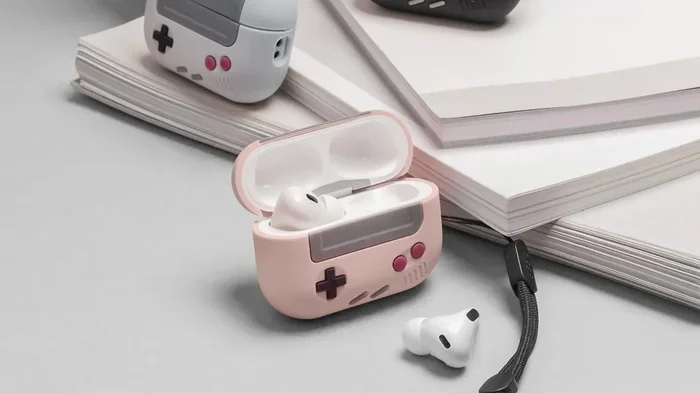
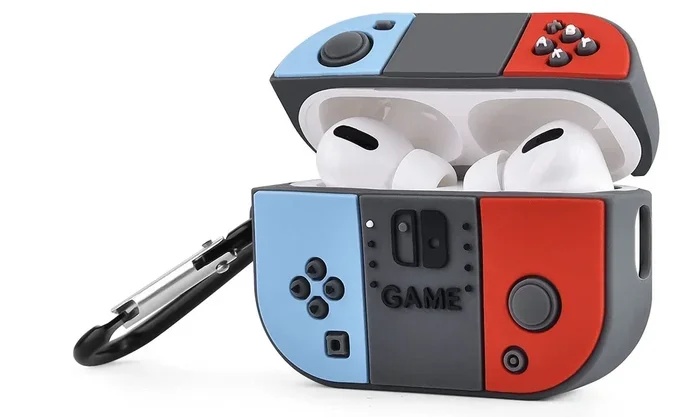
The AirPods Pro 2 case is durable, but it’s not indestructible. A silicone or leather cover can protect it from drops, scratches, and scuffs. Plus, it can make the case easier to grip and find if you add a colorful design.
Pair It with Multiple Devices
Your AirPods Pro 2 can seamlessly switch between your iPhone, iPad, and Mac. Make sure you’re signed into the same Apple ID on all devices. This feature doesn’t use the case directly, but it enhances the overall ecosystem experience.
The Future of AirPods Cases: Will They Ever Play Music?
This is a fun question to think about. Could Apple ever add music-playing capability to a future AirPods case? Let’s explore.
Technical Limitations
Right now, the case doesn’t have the hardware to play music in any meaningful way. The speaker is designed for short, alert-style sounds, not for audio playback. To play music, Apple would need to add a larger speaker, an audio processing chip, and probably more battery capacity. That’s a lot of changes to make to a device that’s meant to be small and portable.
Possible Workarounds
While the case itself can’t play music, there are some creative workarounds. For example, you could connect your AirPods to your iPhone and use a HomePod or other speaker for audio playback. But that’s not the case playing music. That’s just using your normal audio setup.
Apple’s Design Philosophy
Apple tends to focus on doing a few things really well rather than many things poorly. The AirPods case excels at charging, tracking, and protecting your earbuds. Adding music playback would dilute its primary purpose and likely result in a bulkier, more expensive case. So while it’s technically possible, it’s unlikely we’ll see this feature anytime soon.
What About Third-Party Mods?
Some tech enthusiasts have modified their cases with custom hardware to add features. However, these modifications are usually impractical for most users. Plus, they void your warranty. If you want a speaker, buy a Bluetooth speaker. Don’t hack your AirPods case.
Did You Know? Apple has over 200,000 employees worldwide, and a significant portion of them work on hardware engineering. If adding music playback to the case were a priority, they’d have done it by now. The fact that they haven’t speaks volumes about their design priorities.
Final Thoughts: The AirPods Pro 2 Case in Real Life
Let’s bring it all together. The AirPods Pro 2 case does not play music. It’s not designed to, and it’s not going to in the near future. But that’s okay. The case is still one of the most useful accessories in the Apple ecosystem. It charges your earbuds, tracks them when they’re lost, and makes your life easier in subtle but meaningful ways.
Think of the case like a trusted sidekick. It doesn’t need to be the hero. It just needs to support the hero, and that’s exactly what it does. Your AirPods are the heroes, delivering amazing sound, noise cancellation, and comfort. The case is the sidekick, keeping them charged, safe, and ready for action.
If you’ve been worried that you’re missing out on a feature, don’t be. The case has plenty of real, useful capabilities that make your AirPods experience better. Take some time to explore the Find My features, keep the case clean, and charge it regularly. These small habits will help you get the most out of your investment.
And the next time someone asks, “Does the AirPods Pro 2 case play music?” you can confidently say, “No, but here’s what it actually does.” You’ll sound like the expert you now are. So go ahead, share this guide with your friends, and let’s put this myth to rest once and for all.
Frequently Asked Questions
Does the AirPods Pro 2 case play music by itself?
No, the AirPods Pro 2 case does not play music. The small built-in speaker in the case is only used for system sounds like pairing chimes, low-battery alerts, and Find My location beeps. It does not support audio playback or streaming.
Why does the AirPods Pro 2 case have a speaker?
The speaker serves functional purposes like helping you locate the case through the Find My app, confirming successful pairing, and alerting you to battery status. It is not designed for media playback or entertainment.
Can I use the AirPods Pro 2 case as a Bluetooth speaker?
No, you cannot use the AirPods Pro 2 case as a Bluetooth speaker. The case lacks the necessary hardware and software to stream audio. The speaker is only for short, system-generated sounds, not for playing music or podcasts.
Will future AirPods cases be able to play music?
While technically possible, it is unlikely that Apple will add music-playing capability to future AirPods cases. Doing so would require larger speakers, more processing power, and increased battery capacity, which would compromise the case’s compact and portable design.
What is the main purpose of the AirPods Pro 2 case?
The main purpose of the AirPods Pro 2 case is to charge, store, and protect your earbuds. It also includes features like Find My tracking, Precision Finding, and accessibility alerts through its built-in speaker.
How can I tell if my AirPods Pro 2 case is real or counterfeit?
To verify your AirPods Pro 2 case is genuine, check the serial number in the Settings app under Bluetooth, on the original packaging, or on the case itself. Counterfeit cases often lack the U2 chip, built-in speaker, and proper Find My integration.