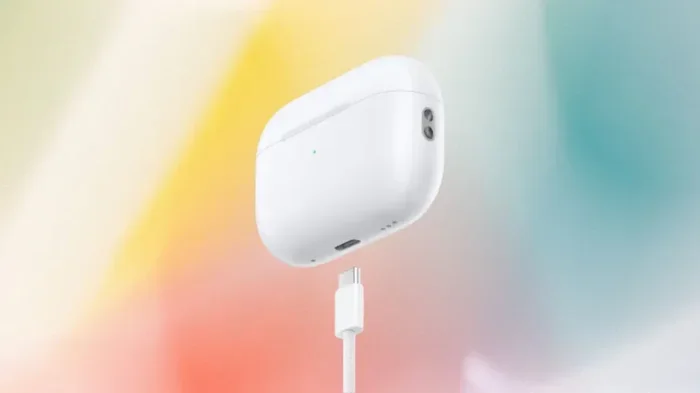
Featured image for AirPods Pro USB-C case
Image source: variety.com
Yes, AirPods Pro (2nd generation) made in 2023 and later come with a USB-C charging case. However, the original AirPods Pro and the 2nd generation version released in 2022 use a Lightning connector. Apple made the switch to USB-C in September 2023 to comply with new European Union regulations requiring a universal charging standard for small electronic devices.
Picture this: you just bought a shiny new pair of wireless earbuds, and you reach for that trusty USB-C cable to charge them up. But wait, is that even the right port? If you’ve been staring at your AirPods Pro case wondering, “does AirPod Pro have USB-C?”, you’re definitely not alone. This question has been buzzing around forums, social media, and even casual conversations at coffee shops since Apple made the big switch in 2023.
Here’s the thing, and it might surprise you: the answer isn’t a simple yes or no. It depends entirely on which AirPods Pro model you’re holding in your hand. Apple released two different versions of the 2nd generation AirPods Pro, and they look almost identical from the outside. But peek at the bottom of the case, and you’ll spot the difference right away. One has a Lightning port, and the other has a USB-C port.
This guide is going to clear up all the confusion. We’ll walk through every AirPods Pro model, explain when Apple made the switch to USB-C, why they did it, and how you can tell which version you own. By the end, you’ll be the go-to USB-C expert in your friend group, guaranteed.
Key Takeaways
- Two different AirPods Pro 2 models exist: The September 2022 version has a Lightning port, while the September 2023 version has a USB-C port.
- Apple switched to USB-C for legal reasons: The European Union mandated a common charging port, forcing Apple’s hand in late 2024.
- USB-C AirPods Pro charge faster: They support faster wired charging and work with the Apple Watch charger too.
- All AirPods Max and AirPods 4 models now use USB-C: The entire AirPods lineup transitioned to USB-C by late 2024.
- You can identify your model easily: Check the case’s charging port, the model number on the back, or the Settings app on your iPhone.
- USB-C offers universal compatibility: One cable now works for iPhone 15/16, iPad, Mac, and AirPods Pro.
- Wireless charging still works: Both MagSafe and Qi wireless charging are supported on USB-C AirPods Pro cases.
📑 Table of Contents
- Does AirPods Pro Have USB-C? The Short Answer
- Why Did Apple Switch AirPods Pro to USB-C?
- How to Tell If Your AirPods Pro Have USB-C
- What Are the Benefits of USB-C AirPods Pro?
- Common Misconceptions About AirPods Pro and USB-C
- What About Other AirPods Models?
- Practical Tips for AirPods Pro USB-C Users
- Conclusion
Does AirPods Pro Have USB-C? The Short Answer
Let’s cut straight to the chase. Some AirPods Pro models have USB-C, and some don’t. It all boils down to the generation and release date of your specific earbuds.
The Models That Have USB-C
The following AirPods Pro models come equipped with a USB-C charging port:
- AirPods Pro (2nd generation) with USB-C: Released in September 2023, this is the model most people are talking about when they ask about USB-C. It has a USB-C port on the bottom of the case and a built-in speaker on the case for Find My alerts.
- AirPods Pro (2nd generation) with USB-C and MagSafe: This is essentially the same as above but with MagSafe wireless charging built in. The model number is A2968.
The Models That Don’t Have USB-C
You might be surprised to learn that some AirPods Pro still use the older Lightning connector:
- AirPods Pro (1st generation): Released in October 2019, these only have a Lightning port. There’s no USB-C option here.
- AirPods Pro (2nd generation) with Lightning: Released in September 2022, this model looks nearly identical to the USB-C version but uses a Lightning port instead. The model number is A2700.
Think of it like this: it’s similar to how some cars come with a gas engine and others with a hybrid. They might look the same from the outside, but pop the hood (or in this case, check the bottom of the case), and you’ll find different technology underneath.
Why Did Apple Switch AirPods Pro to USB-C?
You might be wondering why Apple made this change in the first place. Was it because they suddenly fell in love with USB-C? Not exactly. The real reason comes from across the Atlantic Ocean.
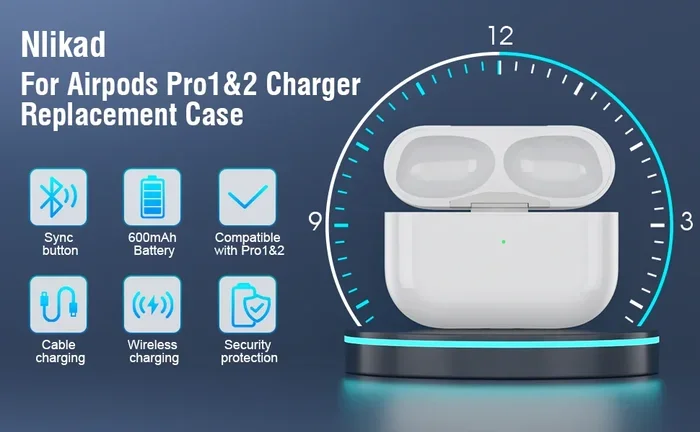
Visual guide about AirPods Pro USB-C case
Image source: m.media-amazon.com
The European Union Common Charger Directive
In October 2022, the European Union passed a landmark law called the Common Charger Directive. This regulation requires all small electronic devices, including earbuds, smartphones, and tablets, to use a single charging standard: USB-C. The goal is simple but powerful. Reduce electronic waste and make life easier for consumers.
Did you know that the average household in Europe had three or more different chargers for their mobile devices before this law? The EU estimated that switching to a universal charger would save consumers around 250 million euros annually on unnecessary charger purchases. It would also cut down on approximately 11,000 tonnes of electronic waste each year. That’s a lot of chargers heading to the landfill.
Apple has long been known for using its own proprietary connectors, first the 30-pin dock connector and then Lightning. The iPhone famously stuck with Lightning for over a decade. But when the EU passed this law, Apple had two choices: create a special USB-C version for Europe or switch the entire global lineup to USB-C. They chose the latter, and the rest is history.
The iPhone 15 Catalyst
Here’s a fun fact that ties everything together. Apple actually made the switch on AirPods Pro before the iPhone. The AirPods Pro (2nd generation) with USB-C launched in September 2023, just days before the iPhone 15, which was the first iPhone to feature USB-C. It was like Apple was testing the waters with AirPods before committing the iPhone to the new standard.
The AirPods Pro actually served as the perfect “trial balloon” for the USB-C transition. Since the AirPods Pro case is much smaller than a phone, it was less of a design overhaul. This gave Apple a chance to work out any kinks before making the bigger switch with the iPhone 15 line in the same month.
How to Tell If Your AirPods Pro Have USB-C
Okay, so now you know the difference exists. But how do you figure out which version you have? Don’t worry, there are three super simple ways to check.
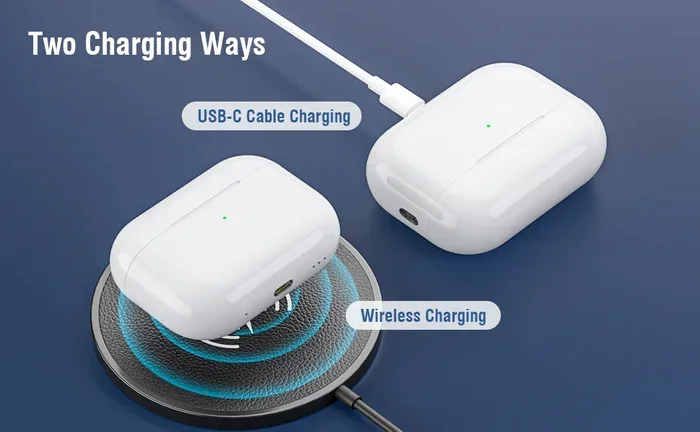
Visual guide about AirPods Pro USB-C case
Image source: m.media-amazon.com
Method 1: Look at the Charging Port
This is the easiest and fastest method. Simply flip your AirPods Pro case over and look at the bottom. You’ll see either a small Lightning port, which is narrow and rectangular with rounded edges, or a USB-C port, which is wider and oval-shaped. If your port looks like a tiny oval, congratulations, you have USB-C. If it’s a thin slit, you’re looking at Lightning.
Here’s a helpful analogy: Lightning looks like a skinny, flat tab, almost like a tiny guitar pick. USB-C looks like a fat oval, similar to the shape of a bean. Once you know what to look for, you’ll never mix them up again.
Method 2: Check the Model Number
Every Apple product has a model number printed somewhere. For AirPods Pro, you can find it on the bottom of the case or in the Settings app. Here’s what to look for:
- A2968: AirPods Pro (2nd generation) with USB-C and MagSafe charging case
- A2700: AirPods Pro (2nd generation) with Lightning and MagSafe charging case
- A2083, A2084: AirPods Pro (1st generation) with Lightning
To find the model number on your iPhone, open the Settings app, tap Bluetooth, find your AirPods in the list, tap the info button (the little “i” in a circle), and you’ll see the model number right there. It’s a piece of cake.
Method 3: Check the Case Features
There are some subtle differences between the cases beyond just the port. The USB-C AirPods Pro case has a built-in speaker on the bottom, right next to the USB-C port. This speaker plays sounds for Find My alerts, low battery notifications, and pairing confirmations. The Lightning version of the 2nd generation AirPods Pro also has this speaker, but the 1st generation case does not.
Another clue: the USB-C version supports charging with an Apple Watch charger. That’s right, you can use the same puck-shaped charger that charges your Apple Watch to top up your AirPods Pro case. The Lightning version cannot do this. This is a feature that quietly rolled out with the USB-C transition and many people don’t even know about it.
What Are the Benefits of USB-C AirPods Pro?
Now that you know which model you have, let’s talk about why the USB-C version is actually a pretty big deal. There are several real benefits that make it a worthy upgrade.
Faster Wired Charging
USB-C generally supports faster charging speeds than Lightning. While Apple hasn’t published exact specifications, tests have shown that the USB-C AirPods Pro case charges noticeably faster when plugged in. If you’re in a rush and need a quick top-up before heading out the door, those extra few minutes of faster charging can be a lifesaver.
Think of it like filling up a water bottle. Lightning is like using a small garden hose, while USB-C is like using a slightly bigger hose. The water gets there either way, but the bigger hose gets the job done faster.
Universal Cable Compatibility
This is probably the biggest win for most people. With a USB-C AirPods Pro case, you can use the same cable to charge your iPhone 15 or 16, your iPad, your MacBook, your Nintendo Switch, and countless other devices. No more hunting through drawers trying to find the right cable. One cable to rule them all, as they say.
Did you know that the USB-C connector is reversible? That means you can plug it in either way, upside down or right side up, and it will work. Lightning has this feature too, but older USB cables didn’t. This might seem like a small thing, but anyone who has fumbled with a USB cable in the dark knows how nice it is to not have to worry about orientation.
Apple Watch Charger Support
Here’s a feature that flew under the radar for many people. The USB-C AirPods Pro case can be charged using an Apple Watch magnetic charger. Just plop the case on the charger, and it will start juicing up. This is incredibly convenient if you already have an Apple Watch charger on your nightstand or desk. It’s one less cable to worry about.
Future-Proofing Your Investment
USB-C is here to stay. It’s the standard for nearly all new electronic devices, from laptops to phones to gaming consoles. By choosing USB-C AirPods Pro, you’re investing in a product that will work with the cables and chargers you’ll be using for the next decade. Lightning, on the other hand, is being phased out, which means finding cables will get harder and harder over time.
Statistically speaking, USB-C is the most popular charging port in the world. As of 2024, over 80% of new smartphones shipped globally use USB-C. That number is only going to grow, making USB-C AirPods Pro a smart long-term choice.
Common Misconceptions About AirPods Pro and USB-C
There are quite a few myths floating around about AirPods Pro and USB-C. Let’s bust some of the most common ones.
Myth 1: All AirPods Pro Have USB-C Now
This is false. As we discussed, the 1st generation AirPods Pro and the 2nd generation version released in 2022 still use Lightning. The USB-C switch only happened with the September 2023 update to the 2nd generation model. If you bought AirPods Pro before late 2023, there’s a good chance you have the Lightning version, even if you bought them recently. Many retailers sold old stock for months after the new model came out.
Myth 2: You Can’t Use AirPods Pro with a Non-Apple Charger
This is completely false. The USB-C AirPods Pro case works with any USB-C cable and any USB-C power adapter. You don’t need to buy Apple’s expensive charging brick. A $10 third-party USB-C cable will work just fine. Apple uses standard USB-C, so compatibility is universal.
Myth 3: USB-C AirPods Pro Sound Better
The sound quality is identical between the Lightning and USB-C versions of the 2nd generation AirPods Pro. The only differences are in the charging port, the addition of Lossless Audio support with the Vision Pro (which actually applies to both versions), and the dust resistance rating. So if sound quality is your main concern, you’ll be happy with either one.
Myth 4: Wireless Charging Only Works with USB-C Models
This is also false. Both the Lightning and USB-C versions of the 2nd generation AirPods Pro support wireless charging, including MagSafe and Qi. The 1st generation AirPods Pro also supported wireless charging, but only with standard Qi chargers, not MagSafe.
What About Other AirPods Models?
While we’re at it, let’s clear up the USB-C situation for the rest of the AirPods family. After all, the question “does AirPod Pro have USB-C?” often comes up alongside similar questions about other AirPods.
AirPods 4 and AirPods 4 with Active Noise Cancellation
Apple released the AirPods 4 in September 2024, and both versions come with USB-C charging cases. The standard AirPods 4 and the AirPods 4 with Active Noise Cancellation (ANC) both feature USB-C ports. The ANC version also supports wireless charging. So if you’re in the market for the latest AirPods, you’ll be getting USB-C no matter what.
AirPods Max
The original AirPods Max, released in December 2020, used a Lightning port for charging. However, Apple released a USB-C version of the AirPods Max in September 2024. This updated model also comes in new colors and supports Lossless Audio when paired with the Apple Vision Pro. The Lightning AirPods Max are still sold in some places, so make sure to check before you buy.
AirPods 2 and AirPods 3
These older models still use Lightning. Apple discontinued the AirPods 2 in September 2024, but the AirPods 3 are still available with a Lightning charging case. However, you can now buy the AirPods 3 with a USB-C case as well, thanks to a quiet update Apple made alongside the AirPods 4 release.
Here’s a quick table of the current AirPods lineup and their charging ports:
- AirPods 1st gen: Lightning (discontinued)
- AirPods 2nd gen: Lightning (discontinued)
- AirPods 3rd gen: Lightning or USB-C (current)
- AirPods 4: USB-C (current)
- AirPods 4 with ANC: USB-C (current)
- AirPods Pro 1st gen: Lightning (discontinued)
- AirPods Pro 2nd gen (2022): Lightning (discontinued)
- AirPods Pro 2nd gen (2023): USB-C (current)
- AirPods Max (2020): Lightning (discontinued)
- AirPods Max (2024): USB-C (current)
As you can see, every current AirPods model that Apple sells now uses USB-C. The transition is complete, and Lightning is officially a thing of the past for the AirPods lineup.
Practical Tips for AirPods Pro USB-C Users
Now that you’re armed with all this knowledge, here are some practical tips to get the most out of your USB-C AirPods Pro.
Tip 1: Take Advantage of Apple Watch Charging
If you have an Apple Watch, you can now charge your AirPods Pro and your watch with the same charger. This is perfect for travel, as it means one less cable to pack. Just place the AirPods Pro case on the Apple Watch charger, and you’re good to go.
Tip 2: Invest in a Good USB-C Cable
Not all USB-C cables are created equal. For the best charging speeds, look for a USB-C cable that supports at least 15W charging. Apple includes a USB-C cable in the box, but if you need extras, there are plenty of affordable options from brands like Anker, Belkin, and UGREEN. Avoid no-name cables from random sellers, as they can sometimes be poorly made and slow to charge.
Tip 3: Use Find My with the Speaker
The USB-C AirPods Pro case has a built-in speaker that plays sounds when you use Find My. If you misplace your case, open the Find My app on your iPhone, select your AirPods Pro, and tap “Play Sound.” The case will emit a loud chirp to help you locate it. This works even if the AirPods themselves are not in the case, as long as the case has battery power.
Tip 4: Keep the Port Clean
USB-C ports can collect dust, lint, and debris over time, especially if you carry your AirPods Pro in your pocket. If you notice charging issues, grab a flashlight and look inside the port. You can gently clean it out with a wooden toothpick or a can of compressed air. Just be careful not to use anything metal, as you could damage the delicate pins inside.
Tip 5: Charge with a Power Bank
One of the great things about USB-C is that you can charge your AirPods Pro with a portable power bank. If you’re traveling or just away from an outlet, a small USB-C power bank can top up your case in no time. This is a lifesaver on long flights or camping trips.
Conclusion
So, does AirPods Pro have USB-C? The answer is a clear yes, but with a caveat. The AirPods Pro (2nd generation) released in September 2023 and later feature USB-C charging ports, while the original AirPods Pro and the 2022 version of the 2nd generation use Apple’s older Lightning connector. Apple made this switch primarily to comply with the European Union’s Common Charger Directive, but the change has benefits that extend far beyond Europe.
USB-C AirPods Pro offer faster wired charging, universal cable compatibility, and the bonus ability to charge with an Apple Watch charger. Plus, you’re future-proofing your investment, as USB-C is the standard for the foreseeable future. To figure out which model you have, simply check the port on the bottom of the case, look for the model number, or use the Find My app on your iPhone.
Whether you’re a longtime AirPods user or thinking about buying your first pair, the USB-C version is the way to go. It’s the modern standard, and the rest of the tech world has fully embraced it. Say goodbye to tangled Lightning cables and hello to the simplicity of USB-C. Your future self will thank you.
Frequently Asked Questions
Does AirPods Pro 2 have USB-C?
Yes, but only if you have the version released in September 2023 or later. The AirPods Pro 2 released in September 2022 uses a Lightning port. To check, look at the bottom of the case or find the model number in your iPhone’s Settings app under Bluetooth.
When did AirPods Pro get USB-C?
Apple announced the AirPods Pro with USB-C on September 12, 2023, at its annual iPhone event. They went on sale on September 22, 2023, alongside the iPhone 15, which was the first iPhone to switch to USB-C.
Can I charge AirPods Pro with a Lightning cable?
Only if your AirPods Pro has a Lightning port, which is the case for the 1st generation and the 2022 version of the 2nd generation. The 2023 and later AirPods Pro 2 with USB-C cannot be charged with a Lightning cable, but they can be charged wirelessly with MagSafe or Qi chargers, or with an Apple Watch charger.
Is the AirPods Pro USB-C case waterproof?
The AirPods Pro themselves are sweat and water resistant with an IP54 rating, which means they can handle splashes and light rain. The USB-C case is also rated IP54 for dust and water resistance, which is an upgrade from the Lightning case’s IPX4 rating that only covered water.
Do AirPods Pro USB-C work with iPhone?
Yes, AirPods Pro with USB-C work with all iPhone models that support Bluetooth, including older iPhones with Lightning ports. The USB-C refers only to the charging case, not the connection to your phone. Your iPhone connects to the AirPods Pro via Bluetooth, not through the cable.
Why did Apple switch from Lightning to USB-C?
Apple switched to USB-C primarily to comply with the European Union’s Common Charger Directive, which required all small electronic devices to use a universal charging standard by the end of 2024. The change also benefits consumers by reducing cable clutter and electronic waste, as one USB-C cable can charge most modern devices.