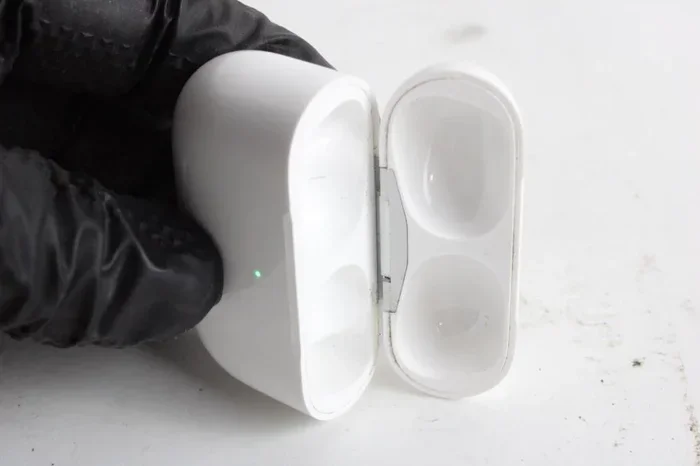
Featured image for AirPods Pro charging case close-up
Image source: content.propertyroom.com
AirPods Pro (1st and 2nd generation) use a Lightning cable for their charging case, not USB-C. The exception is AirPods Pro (2nd generation) with the USB-C MagSafe Case, released in September 2023, which uses a USB-C cable. Apple is gradually transitioning its products to USB-C due to European Union regulations.
Picture this: you’re about to leave for a trip, you grab your AirPods Pro, and realize they’re dead. You pat around in your bag for a cable and pull one out. Then the dreaded question hits you—will it even fit? If you’ve ever stood there squinting at your charging case wondering, “Does AirPod Pros take Type C or Lightning cable?” you’re definitely not alone. This single question has confused millions of Apple users worldwide.
The answer isn’t as simple as a yes or no, because Apple actually released two different versions of the AirPods Pro 2. One uses a Lightning cable, and one uses USB-C (Type-C). Which one you own depends on when you bought them. It’s kind of like how some cars take regular gas and others take premium—same model, different fuel needs.
This guide will clear up all the confusion. We’ll explain what type of cable each AirPods Pro model uses, how to tell which one you have, why Apple made the switch, and what it means for your daily charging routine. By the end, you’ll be the go-to expert among your friends on this exact topic.
Key Takeaways
- Lightning vs. USB-C: Original AirPods Pro cases use Apple’s proprietary Lightning port, while newer models (2nd gen USB-C version) use the universal USB-C standard.
- EU Mandate Impact: The European Union’s common charger directive forced Apple to transition many products, including select AirPods, to USB-C starting in late 2023.
- Identify Your Case: Check the bottom of your AirPods Pro charging case to see whether it has a Lightning port (small, oval-shaped) or a USB-C port (wider, rounded rectangle).
- Wireless Charging: All AirPods Pro generations support wireless charging via Qi or MagSafe, eliminating the need for cables entirely.
- Cable Quality Matters: Using Apple-certified (MFi) cables protects your AirPods’ battery health and ensures optimal charging speeds.
- iPhone Compatibility: If you own an iPhone 15 or newer, you’ll already have a USB-C cable that works with the USB-C AirPods Pro case.
- Future-Proofing: Buying USB-C AirPods Pro future-proofs your investment as Apple phases out Lightning across its entire ecosystem.
📑 Table of Contents
- What Type of Cable Does AirPods Pro Use?
- Lightning Cable AirPods Pro: What You Need to Know
- USB-C AirPods Pro: The New Standard
- How to Tell Which AirPods Pro You Have
- Why Did Apple Switch AirPods Pro to USB-C?
- Charging Your AirPods Pro: Practical Tips and Tricks
- What About AirPods 4 and Other AirPods Models?
- The Future of Charging: What’s Next for AirPods?
- Common Myths and Misconceptions
- Final Verdict: Which Cable Do Your AirPods Pro Use?
What Type of Cable Does AirPods Pro Use?
The AirPods Pro charging case doesn’t use a cable to charge the earbuds directly—the case itself is what needs charging. The earbuds snap into the case magnetically and charge through tiny metal contacts. So when people ask what cable AirPods Pro use, they’re really asking what cable charges the case.
Here’s the straightforward breakdown:
- AirPods Pro (1st generation): Lightning cable only
- AirPods Pro (2nd generation) with Lightning Case: Lightning cable
- AirPods Pro (2nd generation) with USB-C Case: USB-C cable
Did you know? Apple introduced the original AirPods Pro in October 2019. At that time, every iPhone, iPad, and AirPods case used the Lightning connector. It wasn’t until September 2023 that Apple quietly switched the AirPods Pro 2 to USB-C, aligning them with the iPhone 15 lineup.
Why the Confusion Exists
Most people associate AirPods with iPhones. If you have an iPhone 15 or newer, your phone charges with USB-C. So it’s natural to assume your AirPods would too. But if you have an older iPhone (iPhone 14 or earlier), it still uses Lightning. The AirPods Pro you bought alongside your iPhone will likely use the same cable as your phone—unless you purchased them after September 2023, when the USB-C version became the default.
Think of it like buying a matching set of luggage. For years, Apple sold matched “sets”—iPhone, AirPods, and accessories all using Lightning. Then they switched mid-stream, so now some customers have Lightning suitcases and others have USB-C ones, even though they’re the “same” product.
Lightning Cable AirPods Pro: What You Need to Know
The Lightning cable is Apple’s proprietary connector that debuted in 2012 with the iPhone 5. It’s small, oval-shaped, and reversible (meaning you can plug it in either way). Apple used it exclusively for over a decade across iPhones, iPads, AirPods, and various accessories.
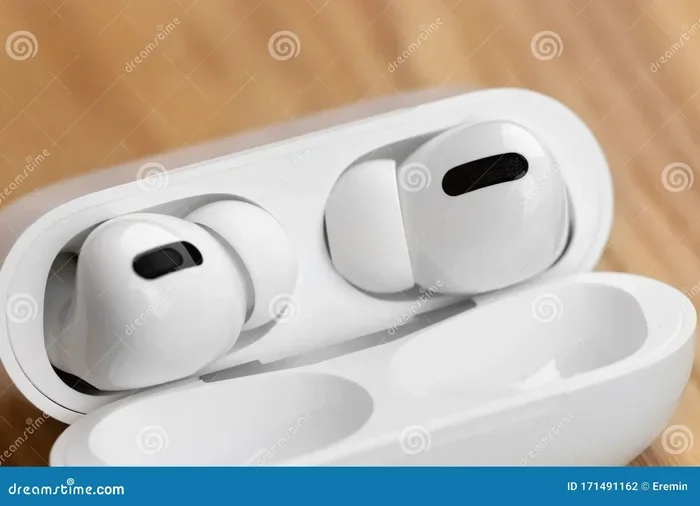
Visual guide about AirPods Pro charging case close-up
Image source: thumbs.dreamstime.com
How to Identify a Lightning Port
Look at the bottom of your AirPods Pro charging case. If you see a small, rounded oval slot, that’s Lightning. It’s about the size of a small pea. The port is narrower than USB-C and has a slightly curved, pill-like shape.
AirPods Pro Models That Use Lightning
The following AirPods Pro models come with Lightning charging cases:
- AirPods Pro (1st generation) — released October 2019
- AirPods Pro (2nd generation) with MagSafe Lightning Case — released September 2022
Fun fact: The Lightning connector was designed by Apple to replace the clunky 30-pin connector that iPhones and iPods had used since 2003. Apple wanted something smaller, faster, and reversible. Mission accomplished—but the standard has since been replaced globally by USB-C.
Lightning Cable Charging Speed
AirPods Pro cases charge relatively quickly with a Lightning cable. From empty, you can get a full charge in about an hour. A quick 5-minute charge in the case gives you roughly 1 hour of listening time. Not bad for such tiny devices!
USB-C AirPods Pro: The New Standard
USB-C (also called USB Type-C) is the universal charging port that’s becoming the global standard. It’s a small, rounded rectangular connector that’s also reversible. Unlike Lightning, USB-C is used by nearly every tech manufacturer—Samsung, Google, Microsoft, Nintendo, and thousands of other brands.
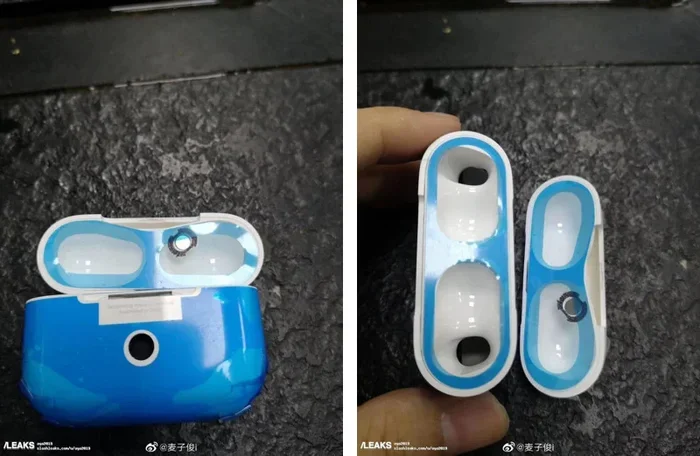
Visual guide about AirPods Pro charging case close-up
Image source: photos5.appleinsider.com
How to Identify a USB-C Port
Check the bottom of your AirPods Pro case. If you see a wider, oval-shaped port (almost like a flattened pill), that’s USB-C. It’s noticeably bigger than Lightning. The port opening is roughly 8.4mm wide, compared to Lightning’s 6.7mm.
AirPods Pro Models That Use USB-C
Only one AirPods Pro model currently uses USB-C:
- AirPods Pro (2nd generation) with USB-C MagSafe Case — released September 2023
Apple announced this version alongside the iPhone 15 lineup in September 2023. From that point forward, every AirPods Pro 2 sold through official channels comes with the USB-C case. The Lightning version was quietly discontinued.
USB-C Charging Advantages
The switch to USB-C isn’t just about following a trend. There are real benefits:
- Universal cables: One USB-C cable can charge your phone, laptop, tablet, headphones, and game controller
- Faster data transfer: USB-C supports much faster data speeds, though this matters more for iPads and Macs than AirPods
- Better durability: USB-C ports are rated for more insertion cycles than Lightning
- Future compatibility: USB-C will be around for decades; Lightning is being phased out
Did you know? The European Union passed a law in 2022 that requires all smartphones, tablets, and headphones sold in EU countries to use USB-C by the end of 2024. This law is the primary reason Apple switched the AirPods Pro to USB-C. When governments mandate a standard, even Apple has to comply!
How to Tell Which AirPods Pro You Have
Not sure which version of AirPods Pro you own? There are several easy ways to find out. Let’s go through them step by step.
Method 1: Check the Charging Port Directly
This is the fastest method. Grab your AirPods Pro charging case and flip it over. Look at the port on the bottom:
- Small oval (about 6.7mm wide): You have Lightning
- Larger oval (about 8.4mm wide): You have USB-C
The visual difference is obvious once you know what to look for. USB-C ports look more like a flattened capsule, while Lightning ports look like a narrow pill.
Method 2: Check the Model Number
Every Apple product has a model number printed on it. Here’s where to find yours:
- On the case: Look at the underside of the lid or the bottom of the case
- On your iPhone: Go to Settings > Bluetooth, tap the “i” next to your AirPods, and look for the model number
The model numbers are:
- A2083 / A2084: AirPods Pro 1st generation
- A2968: AirPods Pro 2nd generation with Lightning Case (MagSafe)
- A3047 / A3048 / A3049: AirPods Pro 2nd generation with USB-C Case
Method 3: Check the Purchase Date
If you remember roughly when you bought them:
- Before September 2022: You have AirPods Pro 1st gen (Lightning)
- September 2022 to September 2023: You likely have AirPods Pro 2nd gen (Lightning)
- After September 2023: You almost certainly have AirPods Pro 2nd gen (USB-C)
Method 4: Check the Packaging
If you still have the original box, look at the back. Apple prints the contents and specifications clearly. The box for USB-C AirPods Pro 2 will say “USB-C Cable” in the contents list.
Why Did Apple Switch AirPods Pro to USB-C?
Apple’s switch from Lightning to USB-C wasn’t voluntary—well, not entirely. A mix of regulations, market pressure, and engineering logic drove the change. Let’s explore the reasons.
The European Union Common Charger Directive
The biggest driver was a European Union law passed in October 2022. The law requires all smartphones, tablets, digital cameras, headphones, and several other devices to use USB-C by December 28, 2024. After that date, any device sold in EU countries must comply.
Apple fought this regulation for years. The company argued that Lightning was its proprietary standard and that regulation would stifle innovation. But the EU held firm, and Apple eventually gave in. Rather than making different versions for different markets, Apple switched its global products to USB-C.
Did you know? The EU estimates that the common charger rule will save consumers around €250 million per year by reducing unnecessary cable purchases. It will also cut electronic waste by about 11,000 tons annually. Pretty impressive numbers for a single law!
Consumer Convenience
Let’s be honest—having one cable for everything is incredibly convenient. Before USB-C, Apple users often needed separate cables for their iPhone (Lightning), MacBook (USB-C or MagSafe), iPad (Lightning or USB-C), and AirPods (Lightning). Now, with iPhone 15 and AirPods Pro 2 (USB-C), you can charge nearly everything with the same cable.
Market Pressure
Every major competitor—Samsung, OnePlus, Google, Sony, Bose—already uses USB-C. By sticking with Lightning, Apple was becoming the odd one out. The switch brings Apple in line with industry standards, making its products more appealing to consumers who already own USB-C accessories.
Future-Proofing
USB-C isn’t going away. It’s expected to remain the standard for at least the next 10 to 20 years. Investing in USB-C accessories means you won’t have to replace them anytime soon. For Apple, this means happier users.
Environmental Reasons
Reducing electronic waste is a growing priority for consumers and governments. Standardizing on USB-C means fewer cables end up in landfills. Apple has heavily marketed its environmental initiatives in recent years, and the USB-C switch aligns with that messaging.
Charging Your AirPods Pro: Practical Tips and Tricks
Now that you know which cable your AirPods Pro uses, let’s talk about how to charge them properly. Following a few simple tips will keep your battery healthy and your case in good shape.
Tip 1: Use Apple-Certified Cables
For Lightning AirPods Pro, look for cables with the “Made for iPhone” (MFi) certification. These cables have a small authentication chip that ensures compatibility with Apple devices. Non-certified cables may work but can sometimes cause charging errors or damage your battery over time.
For USB-C AirPods Pro, any USB-C cable that supports USB Power Delivery will work. However, cables that meet USB-IF certification standards are safer and more reliable.
Tip 2: Don’t Let the Battery Fully Die
Lithium-ion batteries (the kind in your AirPods case) last longest when you keep them between 20% and 80% charge. Letting the case drain to 0% regularly can shorten battery lifespan. Try to top it up when it gets low rather than waiting for a full drain.
Think of your battery like a rubber band. Stretching it all the way out (full drain) and all the way in (full charge) puts more stress on it. Keeping it in the middle is gentler.
Tip 3: Use Wireless Charging for Convenience
Every AirPods Pro case supports wireless charging:
- AirPods Pro 1st gen: Qi wireless charging (case must support it, some do)
- AirPods Pro 2nd gen Lightning Case: MagSafe and Qi wireless charging
- AirPods Pro 2nd gen USB-C Case: MagSafe, Qi, and even Apple Watch charger compatible
Wireless charging is slower than wired, but it’s incredibly convenient. Just set the case on a charging pad and forget about it. Plus, no cables to wear out.
Tip 4: Keep the Charging Port Clean
Lint, dust, and pocket fuzz love to hide inside charging ports. Use a soft, dry toothbrush or a wooden toothpick to gently clean out the port every few weeks. A clean port ensures a solid connection and prevents charging issues.
Tip 5: Avoid Extreme Temperatures
Don’t leave your AirPods case in a hot car or freezing cold conditions. Extreme temperatures can permanently damage the battery. Apple recommends using AirPods in environments between 0°C and 35°C (32°F to 95°F).
Tip 6: Check Your Battery Health Regularly
On your iPhone, you can monitor your AirPods battery health. If you notice significant battery drain or the case isn’t holding a charge, it might be time for a replacement. Apple offers battery service for AirPods Pro for a fee.
Tip 7: Carry a Spare Cable
If you travel often, keep a small charging cable in your bag. Both Lightning and USB-C cables are inexpensive and lightweight. A backup cable can save you when your battery hits zero at the worst possible moment.
What About AirPods 4 and Other AirPods Models?
AirPods Pro aren’t the only AirPods affected by the USB-C transition. Apple has been updating its entire AirPods lineup.
AirPods 4
Apple released the AirPods 4 in September 2024. There are two versions:
- AirPods 4 (standard): USB-C case
- AirPods 4 with Active Noise Cancellation: USB-C case with wireless charging
Both versions use USB-C. Apple no longer sells any AirPods with a Lightning case through its official store.
AirPods Max
The AirPods Max (Apple’s over-ear headphones) switched to USB-C in September 2024. The original AirPods Max used Lightning, but that version has been discontinued.
AirPods 2 and 3
Older AirPods models (AirPods 2 and AirPods 3) still have Lightning cases. These are being phased out, but you can still find them in some stores and on the secondhand market.
Did you know? As of late 2024, every current-generation AirPods model sold by Apple uses USB-C. The Lightning-to-USB-C transition for AirPods is essentially complete. If you buy new AirPods today, you’ll get a USB-C case.
The Future of Charging: What’s Next for AirPods?
Apple hasn’t stopped innovating when it comes to charging. The USB-C transition is just one step in a longer journey.
Wireless-Only Charging?
There have been rumors that future AirPods Pro might remove the charging port entirely and rely solely on wireless charging. Apple did this with the iPhone’s removal of the headphone jack in 2016—a controversial move that pushed the industry toward Bluetooth headphones.
If Apple follows the same playbook, future AirPods might charge exclusively via MagSafe or Qi. This would make the devices more water-resistant and potentially thinner. But for now, wired charging remains the norm.
Faster Charging Speeds
USB-C supports higher power delivery than Lightning. As Apple optimizes its charging circuits, future AirPods might charge even faster. We’re already seeing this with the iPhone, which can charge up to 50% in 30 minutes with a 20W adapter.
Better Battery Technology
Battery technology is improving year over year. Solid-state batteries, silicon-anode technology, and other innovations promise longer life, faster charging, and better safety. AirPods Pro 4 (or whatever Apple calls the next generation) will likely benefit from these advances.
Sustainability Initiatives
Apple has committed to being carbon-neutral across its entire supply chain by 2030. This includes using recycled materials in products and packaging. Future AirPods may use 100% recycled cobalt, rare earth elements, and other materials.
Common Myths and Misconceptions
Let’s bust a few myths about AirPods Pro charging that float around the internet.
Myth 1: “All AirPods Pro Use USB-C Now”
Not quite. While Apple stopped selling Lightning AirPods Pro in late 2023, millions of people still own older Lightning versions. If you bought AirPods Pro before September 2023, you almost certainly have the Lightning case. Apple’s transition doesn’t magically upgrade existing devices.
Myth 2: “You Can Charge AirPods Pro with Any USB-C Cable”
Generally true, but with caveats. Very cheap, low-quality USB-C cables may not meet safety standards. Always buy cables from reputable brands. Apple, Anker, Belkin, and other trusted manufacturers sell safe options.
Myth 3: “Wireless Charging Damages the Battery”
This is partially false. Wireless charging generates slightly more heat than wired charging, and heat can degrade batteries over time. However, modern AirPods Pro are designed to handle this. As long as you use a quality wireless charger, you’ll be fine. The convenience outweighs the minimal battery wear.
Myth 4: “You Need a Special Cable to Charge USB-C AirPods Pro”
Nope. Any standard USB-C cable will work. You don’t need a special “AirPods cable” or an Apple-branded cable. This is one of the main benefits of USB-C—universality.
Myth 5: “Lightning Cables Are Obsolete”
Not yet. Millions of Apple devices still use Lightning, including older iPhones, iPads, AirPods, Magic Mouse, Magic Trackpad, and more. You’ll still find Lightning cables in production for years to come. But for new purchases, USB-C is the way to go.
Myth 6: “Charging Overnight Damages AirPods”
Modern lithium-ion batteries have built-in protection circuits that prevent overcharging. Once the battery reaches 100%, the case stops charging. You can safely leave your AirPods on the charger overnight without worry.
Final Verdict: Which Cable Do Your AirPods Pro Use?
Let’s wrap up everything we’ve covered and give you a clear answer.
If you bought them before September 2023: You have the Lightning case. Use a Lightning cable.
If you bought them after September 2023: You have the USB-C case. Use a USB-C cable.
Apple’s transition to USB-C is part of a larger industry shift driven by consumer demand, government regulation, and environmental concerns. While Lightning served Apple well for over a decade, USB-C is the future. If you’re buying new AirPods today, you’re getting USB-C. If you have older Lightning models, they’ll continue to work with your existing cables for years to come.
The bottom line? Check the port on the bottom of your case. Small oval = Lightning. Larger oval = USB-C. Now you know.
Did you know? Apple’s shift to USB-C across its product lineup represents one of the largest connector transitions in consumer electronics history. When Apple switched from the 30-pin connector to Lightning in 2012, many consumers were frustrated. The USB-C transition has been smoother, partly because USB-C was already a widely adopted industry standard. This time, the company didn’t have to convince anyone—USB-C was already winning.
No matter which version you own, your AirPods Pro are fantastic wireless earbuds. The charging cable question is just a small detail in the grand scheme of things. Focus on enjoying your music, podcasts, and calls—and don’t forget to charge that case!
Frequently Asked Questions
Do all AirPods Pro use USB-C now?
No, not all AirPods Pro use USB-C. Only AirPods Pro (2nd generation) with the USB-C MagSafe Case, released in September 2023, use USB-C. Earlier AirPods Pro models, including the 1st generation and the original 2nd generation, use Apple’s Lightning connector.
Can I use a USB-C cable on a Lightning AirPods Pro?
No, you cannot. Lightning and USB-C are physically different connectors. A USB-C cable simply will not fit into a Lightning port. You’ll need to use the correct cable for your specific case. Using the wrong cable could damage the port.
How do I know if my AirPods Pro case is Lightning or USB-C?
Look at the bottom of your AirPods Pro case. A Lightning port is smaller and oval-shaped (about 6.7mm wide), while a USB-C port is larger and more rectangular with rounded edges (about 8.4mm wide). The visual difference is easy to spot once you know what to look for.
Why did Apple switch AirPods Pro to USB-C?
Apple switched AirPods Pro to USB-C primarily because of a European Union law requiring common charging standards. Additionally, USB-C is the industry standard used by most tech companies, making it more convenient for consumers who already own USB-C devices like laptops and Android phones.
Can I charge AirPods Pro wirelessly?
Yes, all AirPods Pro models support wireless charging. AirPods Pro 2nd generation cases support MagSafe and Qi wireless charging. AirPods Pro 1st generation supports Qi wireless charging only with compatible cases. Wireless charging is slower than wired but very convenient.
Will Lightning AirPods Pro still work in the future?
Yes, Lightning AirPods Pro will continue to work normally. Apple will keep supporting them with software updates, and Lightning cables will be available for years. However, Apple has discontinued selling new Lightning AirPods Pro, so only USB-C versions are available for purchase new.