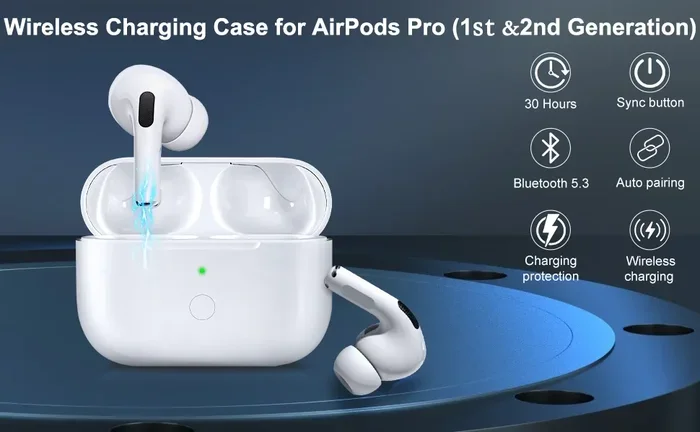
Featured image for Airpods Pro 2 charging case
Image source: m.media-amazon.com
Yes, AirPods Pro 2 support fast charging. Just 5 minutes in the case gives you about 1 hour of listening time or 1 hour of talk time. This works with Lightning, USB-C, and MagSafe cases. To fast charge, use an Apple-certified 20W or higher power adapter. The feature makes these earbuds perfect for people who are always on the go.
Have you ever rushed out the door only to find your AirPods Pro 2 are dead? Or maybe you forgot to charge them the night before, and now you’re stuck with silent earbuds on your commute. We’ve all been there. It’s one of the most annoying feelings in our connected world.
Here’s some great news. AirPods Pro 2 come with a really cool feature called fast charging. It’s a total game-changer for busy people. In just 5 minutes, you can get about 1 hour of listening time back. Think of it like a quick coffee refill for your ears.
This guide will walk you through everything you need to know about fast charging your AirPods Pro 2. We’ll cover what it is, how it works, and how to get the fastest speeds. Plus, we’ll bust some myths along the way. Let’s dive in!
Key Takeaways
- Fast Charging Exists: AirPods Pro 2 do have fast charging, giving 1 hour of battery from just 5 minutes in the case.
- Works Across All Cases: The feature works with Lightning, USB-C, and MagSafe charging case versions.
- Use the Right Adapter: A 20W or higher USB-C power adapter gives the fastest charging speeds.
- Full Charge Time: A complete charge takes about 30-60 minutes depending on the case type you own.
- Battery Health Matters: Frequent fast charging does not harm the battery when using certified chargers.
- Qi and MagSafe Compatible: You can charge wirelessly, but wired charging is still faster overall.
- Real-World Use: Fast charging is a lifesaver for commuters, travelers, and busy professionals who forget to charge.
📑 Table of Contents
- What Exactly Is Fast Charging on AirPods Pro 2?
- Does Every AirPods Pro 2 Case Support Fast Charging?
- How to Fast Charge Your AirPods Pro 2: Step-by-Step Guide
- How Long Does a Full Charge Take?
- Common Myths About AirPods Pro 2 Fast Charging
- Tips to Maximize Your AirPods Pro 2 Charging Experience
- The Science Behind Fast Charging: A Simple Explanation
- Fast Charging vs Regular Charging: The Real Difference
- Comparing AirPods Pro 2 Fast Charging to Other Earbuds
- Troubleshooting: When Fast Charging Doesn’t Work
- The Environmental Impact of Fast Charging
- What the Future Holds for AirPods Charging
- Final Thoughts: Is Fast Charging a Game-Changer?
What Exactly Is Fast Charging on AirPods Pro 2?
Let’s start with the basics. Fast charging is exactly what it sounds like. It’s a way to power up your earbuds way faster than normal. Instead of waiting an hour for a full charge, you get a usable amount of battery life in just a few minutes.
The 5-Minute Miracle
Apple says that 5 minutes in the charging case gives you around 1 hour of listening time. Or 1 hour of talk time if you’re using them for phone calls. That’s a pretty amazing feat of engineering when you think about it.
To put it in perspective, imagine your phone battery is dead. But if you plug it in for 5 minutes while you grab your keys and put on shoes, you suddenly have enough juice to last your whole train ride. That’s what fast charging does for your AirPods Pro 2.
How Does It Actually Work?
Inside your AirPods Pro 2, there’s a tiny lithium-ion battery. When you put them in the case and plug it in, electricity flows into the battery. Fast charging simply pushes more power into that battery at a safe rate.
Think of it like filling a swimming pool. A regular charge is like using a garden hose. Fast charging is like using a fire hose. The pool fills up much faster, but you need the right equipment to handle that water pressure.
Modern batteries can accept higher levels of power without overheating or getting damaged. Apple built smart circuits inside the AirPods Pro 2 case that control this flow. So even when you’re fast charging, your battery stays safe.
Does Every AirPods Pro 2 Case Support Fast Charging?
This is a really common question, and the answer might surprise you. There are actually three different versions of the AirPods Pro 2 charging case. The good news? They all support fast charging.
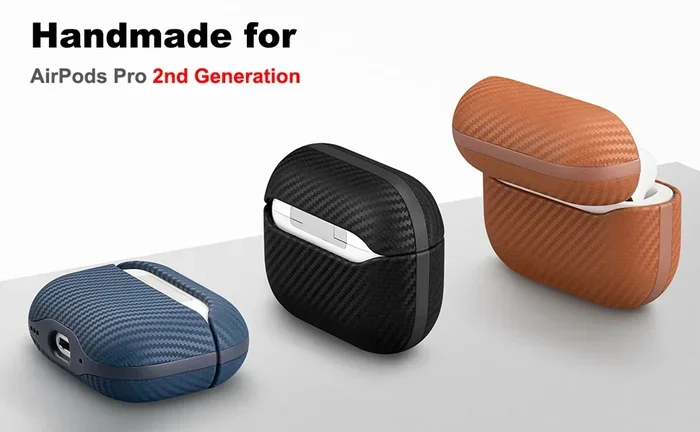
Visual guide about Airpods Pro 2 charging case
Image source: m.media-amazon.com
Lightning Port Case (2022 Release)
The original AirPods Pro 2 launched in September 2022. They came with a case that had a Lightning port at the bottom. This was the standard charging port for iPhones at the time.
This case supports fast charging when you use a Lightning cable. Apple recommends using a 20W or higher power adapter. The result? You get that magical 5-minute-to-1-hour boost.
USB-C Port Case (2023 Release)
In September 2023, Apple switched to USB-C across most of its products. This was due to new European Union rules about standard charging ports. The new AirPods Pro 2 came with a USB-C case instead of Lightning.
The fast charging feature works exactly the same way. Just plug in a USB-C cable, and you’re good to go. Many users find this version more convenient because they can use the same cable for their iPhone 15 or newer, iPad, and MacBook.
MagSafe and Qi Wireless Charging
Both versions of the case also work with wireless chargers. You can use any Qi-compatible charging pad. The USB-C case also works with MagSafe chargers and Apple Watch chargers.
Here’s an important note: wireless charging is slower than wired charging. A wired fast charge takes about 5 minutes for that 1-hour boost. Wireless charging takes longer to achieve the same result. But it’s still super convenient to just drop your case on a pad.
How to Fast Charge Your AirPods Pro 2: Step-by-Step Guide
Now that you know fast charging exists, let’s talk about how to actually do it. It’s pretty simple, but a few tips can help you get the fastest speeds possible.
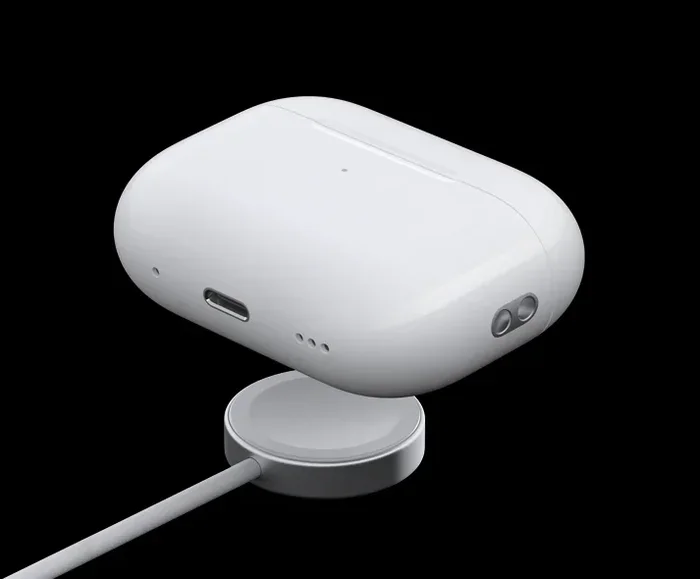
Visual guide about Airpods Pro 2 charging case
Image source: tradelinestores.s3.amazonaws.com
Step 1: Check Your Battery Level
Before you do anything, check how much battery you have left. You can do this in a few ways:
- Open the case near your iPhone: A popup will show the battery levels of both the case and each earbud.
- Ask Siri: Just say “Hey Siri, how much battery do my AirPods have?”
- Check the Batteries widget: Add the Batteries widget to your iPhone’s home screen for quick glances.
- Look at the status light: On the case, an amber light means less than one full charge remains.
Step 2: Make Sure You’re Using the Right Cable
Your cable matters a lot. If you have the Lightning case, use an Apple-certified Lightning cable. For the USB-C case, use a USB-C to USB-C cable or USB-C to Lightning cable depending on your adapter.
Did you know that using a damaged or low-quality cable can slow down charging? It’s true. Cheap cables often can’t handle the higher power levels needed for fast charging. So invest in good cables. Your battery will thank you.
Step 3: Use a Powerful Enough Adapter
This is the secret sauce. You need a power adapter that can deliver enough juice. Apple recommends a 20W USB-C power adapter. But you can use higher wattage adapters too.
Here’s a quick breakdown of adapter speeds:
- 5W adapter: Slow charging, not fast charging
- 12W adapter: Decent charging speed
- 20W adapter: Full fast charging speed (recommended)
- 30W or higher: Same as 20W for AirPods, but overkill
The AirPods Pro 2 will only draw as much power as they need. So a 100W MacBook adapter won’t damage them. It just won’t charge them any faster than a 20W adapter would.
Step 4: Plug In and Wait
Once everything is set up, just plug in the case. The status light on the front will turn amber if charging is needed, or green if fully charged. Wait about 5 minutes, and you’ll have an hour’s worth of listening time.
Pro tip: Charge the case with the AirPods inside for the best results. The case charges the earbuds, and the earbuds charge at their fastest rate this way.
How Long Does a Full Charge Take?
Fast charging is great for quick boosts. But sometimes you want a full charge. How long does that take?
Charging the Earbuds Only
If your earbuds are completely dead, a full charge takes about 30 minutes. So in the time it takes to watch a sitcom, you can have fully charged earbuds ready to go.
Many users like to charge their AirPods while they shower and get ready in the morning. By the time they’re dressed and have breakfast, the earbuds are fully juiced up.
Charging the Case Itself
The case holds multiple charges. Think of it like a power bank for your earbuds. A completely dead case takes about 1 hour to fully charge using a wired connection.
Wireless charging takes longer. Expect about 2-3 hours for a full case charge using a Qi or MagSafe charger. This is because wireless charging is less efficient than wired charging.
Total Battery Life Per Charge
Here’s a cool fact: AirPods Pro 2 give you up to 6 hours of listening time on a single charge. With the case, you can get up to 30 hours total before needing to find an outlet.
That means even if you listen to music all day at work, you can just pop them back in the case during lunch and get more battery. The case basically gives you 4-5 extra charges for your earbuds.
Common Myths About AirPods Pro 2 Fast Charging
There are a lot of myths floating around about charging AirPods. Let’s clear up the most common ones.
Myth 1: Fast Charging Damages Battery Health
Many people worry that fast charging will wear out their battery faster. The truth? It’s mostly false. Modern lithium-ion batteries are designed to handle fast charging. Apple has built-in protections to prevent damage.
What actually hurts battery health is extreme heat and keeping your battery at 100% all the time. Fast charging at room temperature is totally safe.
Myth 2: You Need an Apple Charger
You do not need to buy an official Apple charger. Any USB-C or Lightning power adapter that delivers 20W or more will work. Brands like Anker, Belkin, and Aukey make great options that cost less than Apple’s.
Just make sure the adapter has proper safety certifications. Look for UL, CE, or FCC marks on the product.
Myth 3: Wireless Charging Is Just as Fast
Sorry, wireless charging fans. This one is not true. Wired charging is significantly faster than wireless. The 5-minute fast charge only works with a wired connection.
Wireless charging is super convenient, but if speed is your priority, grab a cable.
Myth 4: You Can’t Use AirPods While Charging
This one is correct! You actually cannot use the earbuds while they are charging in the case. They have to be in the case to charge. So if you need to take a call, you’ll have to wait those 5 minutes.
Myth 5: All USB-C Cables Are Equal
This is false. Not all cables support fast charging. Cheap cables might only support slower charging speeds. Look for cables that specifically mention fast charging or USB Power Delivery support.
Tips to Maximize Your AirPods Pro 2 Charging Experience
Now let’s talk about some pro tips. These will help you get the most out of your AirPods Pro 2 battery.
Tip 1: Don’t Let Them Die Completely
Try not to let your AirPods drop to 0% regularly. Lithium-ion batteries last longer when you keep them between 20% and 80%. This is similar to how your phone battery performs best in that range.
Tip 2: Store Them in the Case
Whenever you’re not using your AirPods, put them back in the case. This keeps them charged and protects them. The case also keeps them safe from dust and damage.
Tip 3: Keep the Case Charged Too
Your case is your portable charger. If the case is dead, you can’t fast charge on the go. Try to keep your case charged above 50% so you always have backup power.
Tip 4: Avoid Extreme Temperatures
Don’t leave your AirPods in a hot car or freezing conditions. Extreme temperatures can damage the battery. Room temperature is ideal.
Tip 5: Update Your Firmware
Apple occasionally releases firmware updates that can improve battery performance. Make sure your AirPods are running the latest version. You can check this in your iPhone’s Bluetooth settings.
Tip 6: Use One Earbud at a Time
If you’re trying to extend battery life, use one earbud while the other charges in the case. Then swap them. This can effectively give you unlimited listening time if your case is charged.
The Science Behind Fast Charging: A Simple Explanation
Let’s get a tiny bit technical, but in a fun way. Understanding the science can help you appreciate this cool technology.
Battery Chemistry Basics
Your AirPods use lithium-ion batteries. These batteries store energy through chemical reactions. When you charge them, you’re reversing those reactions. When you use them, the reactions happen forward to create electricity.
Think of it like a spring. Charging is like compressing the spring (storing energy). Using the earbuds is like letting the spring push (releasing energy). Fast charging is just compressing that spring faster.
Why Fast Charging Is Safe Now
Older batteries couldn’t handle fast charging because they’d overheat. Modern batteries have better thermal management. Plus, smart chips in the charging case monitor temperature and adjust power flow.
It’s like having a really smart assistant watching your battery 1,000 times per second. If anything seems off, it slows down the charging automatically.
The Role of Wattage
Wattage is just a measure of how much power flows. Higher wattage means more power, which means faster charging. But there’s a limit to how much power a battery can accept safely. That’s why Apple recommends 20W. It’s the sweet spot for speed and safety.
Fast Charging vs Regular Charging: The Real Difference
You might be wondering how much faster fast charging really is. Let’s compare.
Regular Charging Speeds
With a 5W adapter (the old iPhone charger), AirPods Pro 2 take about 60-90 minutes for a full charge. The 5-minute boost might only give you 15-20 minutes of listening time. Not bad, but not amazing either.
Fast Charging Speeds
With a 20W adapter, you get that amazing 5-minute-to-1-hour boost. A full charge takes about 30 minutes. That’s at least twice as fast as regular charging.
When Each Makes Sense
Regular charging is fine if you charge overnight. You don’t need speed when you’re sleeping. Fast charging is perfect for those “oh no, I’m late” moments.
Comparing AirPods Pro 2 Fast Charging to Other Earbuds
How does AirPods Pro 2 stack up against the competition? Pretty well, actually.
vs. Regular AirPods (3rd Generation)
Regular AirPods 3 also support fast charging. They have similar 5-minute-to-1-hour capabilities. So if you have AirPods 3, you get the same fast charging benefits.
vs. AirPods Pro (1st Generation)
The original AirPods Pro also have fast charging. But AirPods Pro 2 are more efficient. They last longer on a single charge (6 hours vs 4.5 hours) and charge slightly faster.
vs. Other Brands
Many competitors like Samsung Galaxy Buds and Sony WF-1000XM4 also offer fast charging. The speeds are comparable. But Apple’s ecosystem integration makes the experience smoother for iPhone users.
Troubleshooting: When Fast Charging Doesn’t Work
Sometimes things go wrong. Here are common issues and how to fix them.
Issue 1: Slow Charging Speeds
If your AirPods are charging slowly, check your adapter wattage. Make sure it’s 20W or higher. Also, check your cable for damage. Try a different cable to see if that fixes the problem.
Issue 2: Not Charging At All
If your AirPods won’t charge, first make sure they’re seated properly in the case. The metal contacts need to touch. Clean the contacts with a dry cotton swab if there’s debris.
Issue 3: Case Not Charging
If the case itself won’t charge, try a different cable and adapter. Reset your AirPods by holding the setup button on the back of the case for 15 seconds. The light should flash amber, then white.
Issue 4: Battery Draining Fast
If your battery drains quickly, check for firmware updates. Also, make sure you’re not leaving features like Active Noise Cancellation on when you don’t need them. They use extra battery.
The Environmental Impact of Fast Charging
Here’s something many people don’t think about. Fast charging uses more energy than regular charging. But the difference is tiny. We’re talking about saving a few seconds of charging time versus a tiny bit more electricity.
Still, if you want to be eco-friendly, charge during off-peak hours. And always use certified chargers. Cheap chargers can waste energy and are more likely to fail early.
What the Future Holds for AirPods Charging
Battery technology is always improving. Apple is constantly working on better batteries. We might see even faster charging in future AirPods models.
Some rumors suggest future AirPods could charge in just 3 minutes for an hour of use. Others talk about solar charging or kinetic charging (charging from movement). The future is exciting!
Final Thoughts: Is Fast Charging a Game-Changer?
Absolutely yes. The ability to get 1 hour of listening from just 5 minutes of charging is a genuine quality-of-life improvement. It removes one of the biggest frustrations of wireless earbuds: dead batteries at the wrong moment.
Whether you’re a busy professional, a student, a parent, or a traveler, fast charging makes AirPods Pro 2 more practical. It’s one of those features you don’t appreciate until you need it. Then it becomes indispensable.
So yes, AirPods Pro 2 do have fast charging. And yes, it works as advertised. Just make sure you have the right cable and adapter. Then you can say goodbye to dead-battery anxiety forever.
Now go enjoy your music, podcasts, and calls without worrying about battery life. Your AirPods Pro 2 have got your back.
Frequently Asked Questions
How long does it take to fast charge AirPods Pro 2?
Fast charging AirPods Pro 2 takes just 5 minutes to get about 1 hour of listening time. A full charge takes roughly 30 minutes when using a 20W or higher power adapter with a wired connection.
Do I need a special charger for fast charging?
You need a 20W or higher USB-C power adapter for the fastest charging speeds. The Lightning version requires a 20W adapter with a Lightning cable. You don’t need an official Apple brand charger, just one that is safety certified.
Does wireless charging work as fast as wired fast charging?
No, wireless charging is slower than wired fast charging. The 5-minute-to-1-hour boost only works with a wired connection. Wireless charging via Qi or MagSafe takes 2-3 hours for a full case charge.
Can I use any USB-C cable for fast charging?
Not all USB-C cables support fast charging. You need a cable that supports USB Power Delivery or is rated for fast charging. Cheap cables may only support slower charging speeds and could potentially cause issues.
Does fast charging hurt the AirPods Pro 2 battery?
No, fast charging does not damage the battery when using certified chargers. Apple has built-in safety features that regulate power flow and temperature. The battery is designed to handle fast charging without long-term harm.
Is there a difference between Lightning and USB-C AirPods Pro 2 fast charging?
Both versions support the same fast charging speeds. The only difference is the port type. The USB-C version (2023) may be more convenient if you already use USB-C cables for other devices like newer iPhones or iPads.