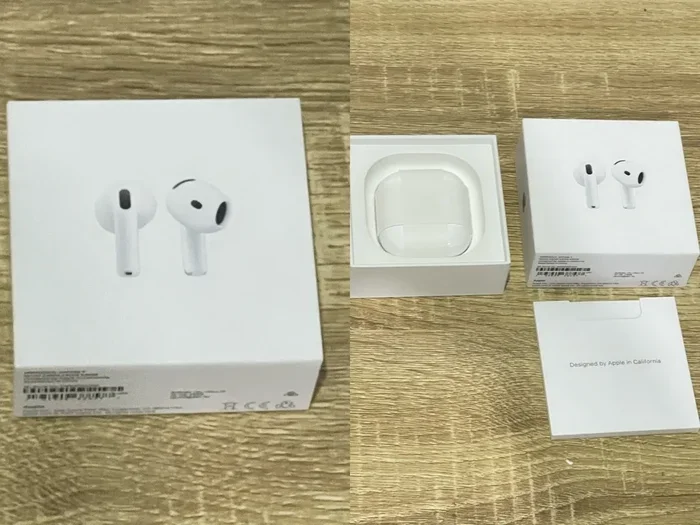
Featured image for Apple AirPods separate purchase
Image source: media.karousell.com
Does Apple sell separate AirPods? Absolutely. Apple offers individual replacement AirPods and charging cases through its official support channels and Apple Stores. Whether you’ve lost one bud or need a new case, you can purchase single AirPods without buying an entirely new set. This guide explains everything you need to know about getting individual replacements, including costs, compatibility, and practical tips to save money.
Imagine this: you’re rushing through the airport, your favorite playlist pumping through your AirPods, and suddenly you realize one earbud is missing. Your heart sinks. The first thought that races through your mind is, “Do I have to buy an entirely new set?”
Here’s the good news: Apple understands this exact scenario happens to millions of people every single year. In fact, lost or damaged AirPods account for a significant portion of Apple’s support requests globally. That’s exactly why Apple sells separate AirPods as replacement units. You don’t need to toss your entire collection and start over.
This comprehensive guide will walk you through everything you need to know about buying individual AirPods from Apple. We’ll cover costs, compatibility, the role of AppleCare+, third-party alternatives, and practical tips to make the process smooth and affordable. By the end, you’ll feel confident about replacing that missing piece without breaking the bank.
Key Takeaways
- Yes, Apple Sells Individual AirPods: Apple officially sells single AirPods and charging cases as replacement parts through Apple Support and Apple Stores.
- Replacement Costs Vary by Model: Prices differ depending on whether you own AirPods, AirPods Pro, or AirPods Max, and whether you need a left, right, or charging case.
- AppleCare+ Saves Money: If you have AppleCare+ for Headphones, your replacement costs drop significantly, sometimes to just $0 or a small service fee.
- Compatibility Matters: Replacement AirPods must match your existing generation to pair properly and work seamlessly with your devices.
- Third-Party Options Exist: While Apple sells separate ones, third-party sellers also offer individual AirPods, though quality and compatibility vary.
- You Need Your Serial Number: Apple typically requires your device’s serial number to process replacement orders and ensure correct pairing.
- Lost One? Don’t Buy a Whole New Set: Replacing a single lost AirPod is far cheaper than purchasing an entirely new pair, saving you up to 70% in costs.
📑 Table of Contents
- The Short Answer: Yes, Apple Sells Separate AirPods
- How Much Does a Single Replacement AirPod Cost?
- Why Apple Allows Individual Replacements: The Logic Behind the Policy
- The Role of AppleCare+ in Replacement Costs
- Compatibility: Why Matching Generations Is Essential
- Step-by-Step: How to Order Replacement AirPods from Apple
- Third-Party Alternatives: Are They Worth It?
- Practical Tips to Avoid Losing AirPods in the Future
- Understanding Warranty Coverage Without AppleCare+
- The Environmental Angle: Why Individual Replacements Matter
- Common Myths About Replacing AirPods
- Final Thoughts: Replacing AirPods Is Easier Than Ever
The Short Answer: Yes, Apple Sells Separate AirPods
Let’s get straight to the point: Apple does sell individual AirPods as replacement units. You can purchase a single left AirPod, a single right AirPod, or a replacement charging case directly from Apple’s official channels. This policy has been in place for years and covers all generations of standard AirPods, AirPods Pro, and even components for AirPods Max.
The reason Apple offers single replacements is simple: losing one tiny earbud shouldn’t punish you with the cost of an entire new set. Think of it like losing one mitten as a kid. Your mom didn’t throw away the other one, right? She bought you a new pair of mittens, not a whole new winter wardrobe. Apple applies the same practical logic to their earbuds.
Where Can You Buy Individual AirPods?
Apple offers single AirPod replacements through several official channels:
- Apple Support Online: Visit support.apple.com and navigate to the AirPods replacement section.
- Apple Store App: Use the Apple Store app on your iPhone to order replacements.
- Physical Apple Stores: Walk into any Apple retail location for in-person service.
- Apple Authorized Service Providers: These third-party repair shops authorized by Apple can also order replacements for you.
- Phone Support: Call Apple’s support line to order by voice.
Did You Know? Apple’s self-service repair initiative, launched in 2022, expanded to include AirPods in 2023, making it even easier for tech-savvy users to access official replacement parts.
How Much Does a Single Replacement AirPod Cost?
The cost of replacing a single AirPod depends heavily on which generation and model you own. Apple structures its replacement pricing to reflect the technology inside each earbud. More advanced models with active noise cancellation or spatial audio capabilities cost more to replace.
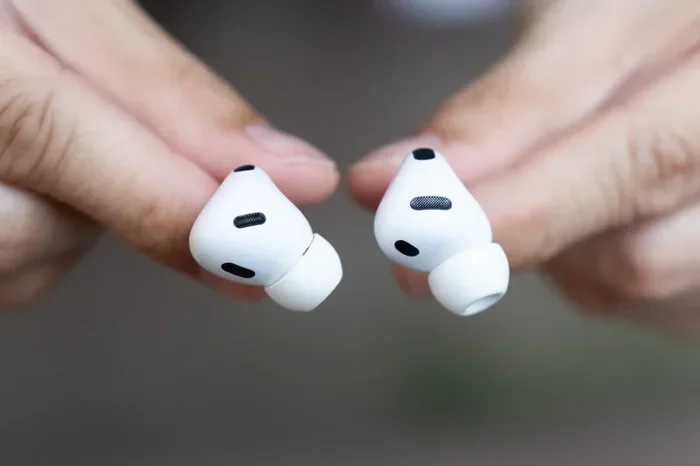
Visual guide about Apple AirPods separate purchase
Image source: gizmodo.com
Standard AirPods Replacement Pricing
For the regular AirPods line, here’s what you can expect to pay for individual replacements in the United States:
- AirPods (1st and 2nd Generation): A single replacement AirPod typically costs between $69 and $89, depending on availability and your region.
- AirPods (3rd Generation): Individual replacements run around $89 per earbud.
- AirPods (4th Generation): Pricing varies but generally falls in the $89 to $99 range per single AirPod.
AirPods Pro Replacement Pricing
Because AirPods Pro include advanced features like silicone tips, active noise cancellation, and sweat resistance, replacement costs are higher:
- AirPods Pro (1st Generation): A single replacement Pro earbud costs approximately $89.
- AirPods Pro (2nd Generation): Expect to pay around $99 per individual AirPod replacement.
- AirPods Pro (3rd Generation): If released or available, pricing typically starts around $99 to $109 per earbud.
Charging cases for AirPods Pro also come with premium pricing due to their built-in technology. A replacement MagSafe Charging Case for AirPods Pro 2, for instance, can cost between $99 and $129 depending on your region and the specific features.
AirPods Max Considerations
AirPods Max work a bit differently because they’re over-ear headphones with a single design unit. However, Apple does sell replacement ear cushions separately for $69 per pair. The headband and other components are also available through Apple Support, though pricing varies.
Did You Know? According to Apple’s environmental reports, offering individual replacements helps reduce electronic waste. If every lost AirPod led to a full set being discarded, millions of functional earbuds would end up in landfills each year.
Why Apple Allows Individual Replacements: The Logic Behind the Policy
You might wonder why a company would rather sell you one tiny earbud instead of an entire $200-plus set. The answer lies in a mix of customer service, brand loyalty, and environmental responsibility.
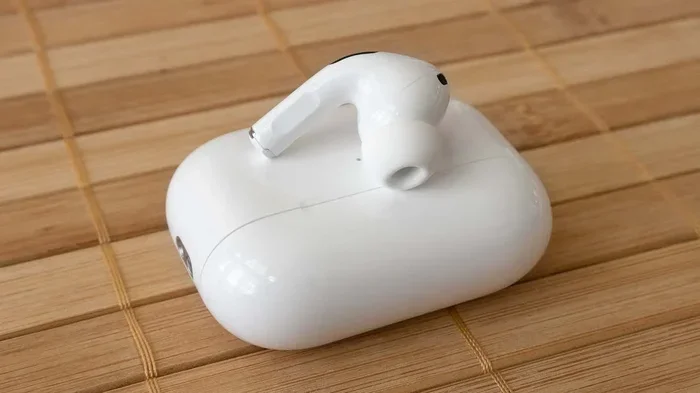
Visual guide about Apple AirPods separate purchase
Image source: gizmodo.com
Customer Retention and Brand Loyalty
Apple has built its empire on customer satisfaction. By offering individual replacements, Apple shows it understands real-life frustrations. Losing an earbud is common, and forcing customers to buy an entire new set would feel punitive. This approach builds trust and keeps customers loyal to the Apple ecosystem.
Think about it this way: if you lost one AirPod and Apple said, “Sorry, buy a whole new set for $249,” you’d probably feel annoyed. But if Apple says, “We’ll sell you just one for $89,” you feel relieved and appreciated. That positive experience translates into repeat purchases and word-of-mouth recommendations.
Environmental Impact
Apple has publicly committed to reducing its environmental footprint. Selling individual AirPods aligns with this mission because it keeps perfectly functional earbuds and cases in use rather than in landfills. When you replace just one AirPod, the other one continues serving you, reducing waste significantly.
Repairability Movement
The broader “Right to Repair” movement has pushed tech companies, including Apple, to make replacement parts more accessible. Apple has expanded its self-service repair program to include more products, and AirPods are part of this shift toward sustainability and user empowerment.
The Role of AppleCare+ in Replacement Costs
If you have AppleCare+ for Headphones, your replacement costs drop dramatically. This optional warranty program can save you significant money if you frequently lose or damage your AirPods.
What AppleCare+ Covers
AppleCare+ extends your warranty coverage and includes protection against accidental damage. For AirPods, this means:
- Coverage for Lost or Stolen AirPods: If you lose an AirPod, AppleCare+ covers the replacement (though you may pay a small service fee).
- Accidental Damage Protection: Drop your AirPod in water? AppleCare+ has you covered.
- Battery Service: If your battery degrades significantly, AppleCare+ includes battery replacement.
Cost Savings with AppleCare+
Without AppleCare+, replacing a single AirPod Pro might cost you $89 to $99. With AppleCare+, your service fee drops to around $29 per incident. That’s a savings of up to 70% per replacement.
For people who frequently lose earbuds, work in environments where AirPods get damaged, or simply want peace of mind, AppleCare+ often pays for itself after just one or two replacement incidents.
Is AppleCare+ Worth It?
Here’s a simple analogy: AppleCare+ is like insurance for your car. You hope you never need it, but when you do, you’re grateful it’s there. If you’re someone who’s already lost an AirPod once, you’re statistically more likely to lose one again. In that case, AppleCare+ makes solid financial sense.
Compatibility: Why Matching Generations Is Essential
One critical rule when buying replacement AirPods: you must match the generation of your existing AirPods. You can’t pair a 3rd generation AirPod with a 2nd generation case and expect seamless functionality.
Why Generations Matter
Each AirPods generation uses specific chips (like the H1 or H2 chip) that handle Bluetooth communication, audio processing, and pairing logic. Different generations have different chips, meaning an AirPod from one generation may not pair properly with a case or earbud from another generation.
Imagine trying to fit a square peg into a round hole. That’s essentially what happens when you try to mix generations. The technology inside is designed to work together as a matched set.
How to Check Your AirPods Generation
Not sure which generation you own? Here’s how to check:
- On Your iPhone: Go to Settings, then Bluetooth, and tap the “i” icon next to your AirPods. The model number will appear.
- On the AirPod Itself: Look for the model number printed in tiny text on each AirPod.
- On the Original Packaging: The box your AirPods came in displays the model and generation clearly.
- Apple Support Website: Apple’s support site has a tool where you can identify your AirPods by entering the serial number.
What Happens If You Buy the Wrong Generation?
If you accidentally purchase a replacement AirPod from the wrong generation, Apple’s return policy typically allows you to exchange it. However, it’s much easier to verify your generation before ordering. Apple’s website even has a handy lookup tool that helps you identify your exact model using just your serial number.
Step-by-Step: How to Order Replacement AirPods from Apple
Ready to order your replacement? Here’s exactly how to do it through Apple’s official channels.
Option 1: Online Through Apple Support
- Visit support.apple.com and navigate to the AirPods section.
- Select “Battery, Power, and Charging” or “Lost or Missing AirPods.”
- Choose the specific issue you’re experiencing.
- Sign in with your Apple ID when prompted.
- Enter your AirPods serial number when asked.
- Select whether you need a left AirPod, right AirPod, or charging case.
- Add the replacement to your cart and proceed to checkout.
- Confirm your shipping address and payment method.
Option 2: Visit an Apple Store
- Find your nearest Apple Store using Apple’s retail locator.
- Make a Genius Bar appointment through the Apple Store app or website.
- Bring your remaining AirPod, charging case, and proof of purchase if possible.
- A specialist will verify your AirPods generation and order the replacement.
- You may receive the replacement same-day, or it might need to be shipped.
Option 3: Call Apple Support
- Dial Apple’s support number: 1-800-MY-APPLE (in the US).
- Explain that you need a replacement AirPod.
- Provide your serial number and shipping information.
- Place your order over the phone.
- Receive your replacement within a few business days.
What You’ll Need to Provide
Regardless of which method you choose, Apple typically requires:
- Your AirPods Serial Number: This ensures you receive the correct generation.
- Proof of Ownership: Your Apple ID, original receipt, or original packaging helps verify ownership.
- Payment Information: Credit card, debit card, or Apple Pay for the replacement cost.
- Shipping Address: Where you want the replacement delivered.
Did You Know? Apple’s replacement AirPods typically come with a 90-day warranty or the remainder of your original warranty, whichever is longer. This means your replacement is protected too.
Third-Party Alternatives: Are They Worth It?
While Apple sells separate AirPods, third-party sellers also offer individual AirPods at varying prices. Should you consider these alternatives?
Types of Third-Party Options
Several third-party categories exist:
- Used or Refurbished AirPods: Sellers on platforms like eBay, Swappa, or Facebook Marketplace offer individual AirPods pulled from broken sets.
- Compatible Knock-offs: Generic earbuds designed to look and work like AirPods, often at a fraction of the price.
- Repair Services: Some specialized shops repair damaged AirPods rather than replacing them entirely.
Pros of Third-Party Options
- Lower Prices: Used AirPods often cost significantly less than Apple’s replacement pricing.
- Faster Availability: You might find what you need immediately rather than waiting for shipping.
- More Options: You can sometimes find rare or discontinued models.
Cons of Third-Party Options
- No Warranty: Third-party sellers typically don’t offer Apple’s quality guarantee.
- Compatibility Issues: Used AirPods might have battery degradation or pairing problems.
- Counterfeit Risk: Knock-off AirPods might look real but offer poor sound quality and unreliable connectivity.
- No Apple Support: If something goes wrong, Apple won’t help you troubleshoot third-party components.
Our Recommendation
If budget is your primary concern and you’re comfortable with some risk, third-party options can work. However, if you want guaranteed compatibility, full warranty coverage, and reliable performance, stick with Apple’s official replacement program. The small premium you pay buys peace of mind.
Practical Tips to Avoid Losing AirPods in the Future
Now that you know how to replace a lost AirPod, let’s talk about how to avoid needing a replacement in the first place. Prevention is always cheaper than replacement.
Use a Lanyard or Strap
Several third-party companies make lanyards and straps that attach to your AirPods case. These keep your AirPods tethered to your bag or clothing, dramatically reducing the chance of loss. Think of it like a seatbelt for your earbuds.
Enable Find My AirPods
Apple’s Find My app can locate lost AirPods using Bluetooth and sound alerts. Make sure this feature is enabled on your iPhone:
- Open the Find My app on your iPhone.
- Tap Devices at the bottom.
- Select your AirPods from the list.
- Ensure location sharing is turned on.
If you lose an AirPod, you can play a sound through it (even if it’s just the case) to help locate it. The Find My network also leverages other Apple devices to help pinpoint your AirPods’ location.
Create a “Home” for Your AirPods
Designate a specific spot in your home where your AirPods always live when not in use. A nightstand, desk drawer, or charging station works perfectly. The less you move them around, the less likely you’ll misplace them.
Keep Them in the Case When Not in Use
This sounds obvious, but many people leave AirPods loose in pockets, bags, or on surfaces. Always return them to their charging case. The case protects them and makes them easier to track.
Avoid Using AirPods in High-Risk Situations
Skip wearing AirPods during intense workouts, while swimming, or in environments where they’re likely to fall out. Consider using over-ear headphones or sport-specific earbuds for these activities instead.
Did You Know? Apple’s Find My network includes hundreds of millions of Apple devices worldwide. If you lose your AirPods, nearby Apple devices can anonymously help locate them, even if they’re offline.
Understanding Warranty Coverage Without AppleCare+
Apple’s standard warranty (without AppleCare+) covers manufacturing defects and hardware failures under normal use. However, it does NOT cover lost or stolen AirPods.
What’s Covered Under Standard Warranty
- Manufacturing defects that appear during normal use
- Hardware failures not caused by user damage
- Battery defects (though battery degradation over time isn’t covered)
What’s NOT Covered
- Lost AirPods (one or both)
- Stolen AirPods
- Accidental damage (drops, water damage)
- Cosmetic damage that doesn’t affect functionality
If your AirPod stops functioning without any clear damage, you might qualify for a warranty replacement. Apple’s support team will assess your case and determine eligibility. This is where keeping your proof of purchase and serial number handy really helps.
The Environmental Angle: Why Individual Replacements Matter
Beyond personal convenience, Apple’s individual replacement program has broader environmental implications. Electronic waste is a growing global problem, with millions of tons discarded annually.
The Numbers Behind E-Waste
According to the United Nations, the world generated approximately 53.6 million metric tons of e-waste in 2019, and that number grows each year. Small electronics like earbuds contribute to this problem when discarded prematurely.
By allowing individual replacements, Apple keeps millions of functional AirPods in use. If every lost AirPod resulted in a full set being replaced, the environmental cost would be astronomical. Each individual replacement represents one less piece of e-waste entering landfills.
Apple’s Carbon Neutrality Goals
Apple has committed to becoming carbon neutral across its entire supply chain by 2030. Initiatives like individual replacement parts support this goal by extending product lifespans and reducing unnecessary manufacturing.
Common Myths About Replacing AirPods
Let’s clear up some common misconceptions floating around the internet.
Myth 1: “You Must Buy a Full Set If You Lose One”
False. This is the biggest myth. Apple explicitly sells individual AirPods and charging cases as replacement units. You only pay for what you need.
Myth 2: “Third-Party AirPods Work Just as Well”
Mixed Truth. Used genuine Apple AirPods work reasonably well. However, counterfeit “AirPods” rarely match Apple’s sound quality, connectivity, and battery performance.
Myth 3: “AppleCare+ Is Too Expensive to Be Worth It”
False. AppleCare+ for Headphones costs around $29 to $39 for a two-year period. Considering a lost AirPod Pro replacement can cost $99 without AppleCare+, the program pays for itself after just one incident.
Myth 4: “You Can’t Replace AirPods If They’re Out of Warranty”
False. Apple will sell you individual AirPods regardless of warranty status. Out of warranty simply means you pay the full replacement cost without any coverage discounts.
Myth 5: “Lost AirPods Can Be Tracked Anywhere”
Partially False. AirPods can be tracked through the Find My network, but only if they have battery power and are within Bluetooth range of Apple devices. If the battery dies, tracking becomes much more difficult.
Final Thoughts: Replacing AirPods Is Easier Than Ever
Losing an AirPod feels like a disaster, but it doesn’t have to be. Apple has designed its replacement program to be straightforward, affordable, and accessible. Whether you need a single earbud or a complete charging case, official channels exist to get you back to listening quickly.
Remember these key points: Apple sells separate AirPods for a reason, and that reason is to make your life simpler. Costs vary by model, but replacement is always cheaper than buying an entirely new set. If you have AppleCare+, your costs drop even further. And if you want to avoid replacements altogether, simple habits and accessories can keep them safe.
Don’t let the fear of losing an AirPod stop you from enjoying wireless audio. Apple’s support infrastructure exists specifically to help you when accidents happen. Take advantage of it, and you’ll be back to your favorite playlist in no time.
The next time someone asks, “Does Apple sell separate AirPods?” you can confidently answer yes and explain exactly how the process works. Share this knowledge with friends and family, because someone you know will eventually need this information. And when they do, you’ll be the helpful friend who knew exactly what to do.
Frequently Asked Questions
Does Apple officially sell individual AirPods as replacements?
Yes, Apple officially sells individual replacement AirPods through its support website, Apple Stores, and authorized service providers. You can purchase a single left AirPod, single right AirPod, or replacement charging case without buying an entire new set.
How much does it cost to replace a single AirPod?
Replacement costs vary by model. Standard AirPods replacements typically cost between $69 and $99 per earbud. AirPods Pro replacements run around $89 to $109 per single earbud. If you have AppleCare+, your service fee drops significantly to around $29 per incident.
Can I replace just the charging case for my AirPods?
Yes, Apple sells replacement charging cases separately. You can purchase a new charging case for your AirPods through Apple Support or an Apple Store. This is especially useful if your case is lost, damaged, or has battery issues.
Will a replacement AirPod work with my existing AirPod and case?
Yes, as long as the replacement matches the generation of your existing AirPods. Apple uses the same chip technology within each generation, ensuring seamless pairing and functionality. You cannot mix generations, however, as the chips differ between versions.
What information do I need to order a replacement AirPod from Apple?
You’ll need your AirPods serial number, which can be found on the original packaging, on the charging case, or in your iPhone’s Bluetooth settings. You may also need proof of purchase, your Apple ID, and a payment method to complete the order.
Are third-party replacement AirPods a good alternative to Apple’s official replacements?
Third-party options can save money but come with risks. Used genuine AirPods from reputable sellers may work fine, but counterfeit or generic AirPods often have poor sound quality, battery life, and connectivity issues. Apple’s official replacements include warranty coverage and guaranteed compatibility, making them the safer choice for most users.