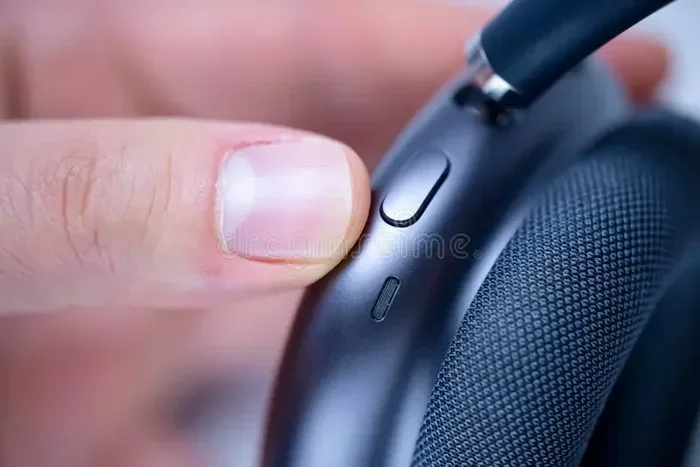
Featured image for airpods noise cancellation close-up
Image source: thumbs.dreamstime.com
AirPods can block noise, but how well they do it depends on the model you choose and whether they feature Active Noise Cancellation (ANC). Standard AirPods physically muffle some sound, while AirPods Pro and AirPods Max use advanced technology to actively cancel noise, making them ideal for noisy environments, travel, and focused work.
Key Takeaways
- Noise Blocking vs. Noise Cancellation: AirPods offer two types of noise reduction: passive (physical seal) and active (electronic cancellation).
- Only Premium Models Have ANC: AirPods Pro 1st gen, Pro 2nd gen, and AirPods Max feature Active Noise Cancellation.
- Passive Noise Reduction Is Modest: Standard AirPods 1, 2, 3, and 4 block only 10–20 dB of ambient noise due to their open design.
- Fit Matters Most: A proper seal with silicone or foam tips dramatically improves noise isolation.
- Transparency Mode Lets Sound In: You can switch to Transparency Mode when you need to hear your surroundings.
- ANC Uses Counter Sound Waves: Tiny microphones detect outside noise and produce opposite frequencies to cancel it.
- Not Equal to Hearing Protection: AirPods are not certified hearing protection devices and shouldn’t replace earplugs in loud environments.
📑 Table of Contents
- The Short Answer: Yes, But It Depends on the Model
- Who, What, Where, When, and Why of AirPods Noise Blocking
- How Does Active Noise Cancellation Work in AirPods?
- Which AirPods Models Block Noise Best?
- How to Maximize Noise Blocking with Your AirPods
- AirPods Noise Blocking vs. Competitors
- Common Misconceptions About AirPods and Noise Blocking
- Did You Know? Interesting Facts About AirPods and Noise
- The Future of AirPods Noise Blocking
- Final Thoughts: Making the Right Choice for Your Needs
The Short Answer: Yes, But It Depends on the Model
Do AirPods block noise? Yes, but not all AirPods are created equal when it comes to quieting the world around you. Apple’s AirPods lineup has grown significantly since the original release in 2016, and each generation offers different noise-blocking capabilities.
Think of noise blocking like closing a window. Standard AirPods are like leaving a window cracked open. You still hear things, but they’re quieter. AirPods Pro and AirPods Max are like shutting the window and adding weatherstripping. They keep most noise outside.
The two main types of noise reduction are passive and active. Passive noise reduction means the physical design of the earbud blocks sound, similar to putting your fingers in your ears. Active noise cancellation, or ANC, uses microphones and speakers to create “anti-noise” that cancels out unwanted sounds electronically.
Understanding which AirPods you own, or plan to buy, is the first step in knowing what kind of noise blocking you can expect.
Who, What, Where, When, and Why of AirPods Noise Blocking
Who Should Care About Noise Blocking?
Anyone who uses AirPods in loud environments benefits from noise blocking. This includes commuters on buses and trains, office workers in open-plan spaces, students in noisy dorms, travelers on airplanes, and people who work from home with kids or roommates around. Even casual listeners benefit because blocking outside noise means you can lower the volume, which protects your hearing over time.
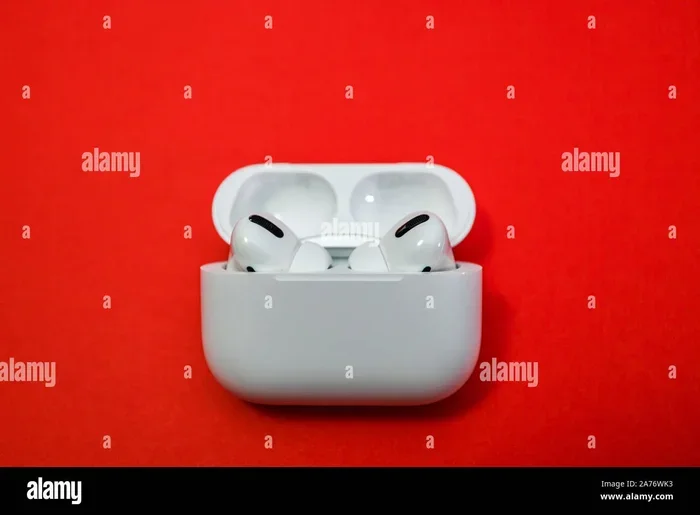
Visual guide about airpods noise cancellation close-up
Image source: c8.alamy.com
What Types of Noise Blocking Do AirPods Offer?
AirPods use two approaches. Passive noise isolation relies on the physical fit and design of the earbuds. When ear tips create a seal in your ear canal, they physically block sound waves from entering. Active Noise Cancellation goes further. Tiny microphones on the outside and inside of the earbuds listen to ambient noise. The AirPods then generate a sound wave that’s the exact opposite frequency, called anti-phase. When the two waves meet, they cancel each other out, reducing the noise you hear.
Where Do AirPods Work Best for Noise Blocking?
AirPods perform best in environments with consistent, low-frequency noise. This includes airplane cabins, train rides, office air conditioning, and busy cafes. They handle steady hums and drones very well. However, they struggle more with sudden, sharp sounds like a baby crying, a dog barking, or a door slamming. These unpredictable sounds are harder to cancel in real time.
When Did AirPods Get Noise Cancellation?
Apple introduced Active Noise Cancellation with the AirPods Pro in October 2019. Before that, all AirPods relied solely on passive noise isolation. The AirPods Max, released in December 2020, also featured ANC. The AirPods Pro 2nd generation, launched in September 2022, brought even better noise cancellation thanks to the new H2 chip.
Why Does Noise Blocking Matter?
Noise blocking isn’t just about enjoying your music more. It protects your hearing. The World Health Organization estimates that 1.1 billion young people worldwide are at risk of hearing loss due to noisy environments and unsafe listening habits. When AirPods block outside noise, you don’t need to crank up the volume to hear your music clearly. This reduces your overall sound exposure and keeps your ears healthier for longer.
How Does Active Noise Cancellation Work in AirPods?
Active Noise Cancellation sounds like magic, but it’s really just clever physics. Here’s the simple version: sound travels in waves, and every sound has a frequency, which is how fast the wave vibrates. When you hear an airplane engine, you’re hearing low-frequency waves. When you hear a scream, you’re hearing high-frequency waves.
AirPods with ANC have microphones that “listen” to the noise around you. The H1 or H2 chip inside the AirPods processes that sound in less than a millisecond. It then generates a sound wave that’s the exact mirror image, or inverse, of the noise. Imagine a wave going up and down. The anti-noise wave goes down where the original wave goes up. When they meet, they cancel each other out, and you hear silence, or at least much quieter sound.
The Role of the H1 and H2 Chips
The chip inside your AirPods is the brain that makes ANC possible. The H1 chip powered the first AirPods Pro and AirPods Max. The newer H2 chip, found in AirPods Pro 2, is twice as fast at processing noise. This means it can cancel a wider range of frequencies and adapt to changing environments more quickly. Apple claims the AirPods Pro 2 cancel up to twice as much noise as the first generation.
Adaptive Transparency Mode
Introduced with the AirPods Pro 2, Adaptive Transparency Mode uses the H2 chip to reduce loud noises while still letting you hear important sounds like sirens, conversations, and announcements. It’s like having a smart filter on your ears. The AirPods detect sudden loud sounds and soften them in real time without making everything completely silent.
Imagine standing on a busy street. You want to hear the person talking to you, but not the truck that just drove by. Adaptive Transparency lets the conversation through while dimming the truck noise. It’s a clever balance between safety and focus.
Which AirPods Models Block Noise Best?
Not all AirPods block noise equally. Here’s a breakdown of what each model offers.
AirPods 1st and 2nd Generation
These original AirPods have an open-ear design with no silicone tips. They sit in your ear but don’t create a seal. This means they block very little noise, maybe 5 to 10 decibels. They’re the worst option for noise blocking because outside sound flows in easily. If you’re in a quiet room, they work fine. On a busy subway, you’ll struggle to hear your music without turning the volume way up.
AirPods 3rd Generation
The AirPods 3 have a slightly redesigned shape that fits more snugly in your ear, but they still don’t have silicone tips or ANC. They offer a small improvement in passive noise isolation compared to earlier models, around 10 to 15 decibels, but it’s still modest. These are better for casual listening but not ideal for loud environments.
AirPods 4 (Standard Model)
The basic AirPods 4, released in 2024, still feature an open-ear design without silicone tips. They don’t have Active Noise Cancellation. They offer similar passive noise reduction to the AirPods 3, around 10 to 15 decibels. Apple designed these for users who prefer the open feel and don’t need maximum noise blocking.
AirPods 4 with Active Noise Cancellation
Here’s where things get interesting. Apple released a version of the AirPods 4 that includes ANC. This is the first time Apple put noise cancellation in non-Pro AirPods. It uses an updated H2 chip and features a redesigned acoustic architecture. However, because these still use an open-ear design without silicone tips, the ANC isn’t as powerful as the Pro models. They block noticeable noise, especially low-frequency hums, but they don’t create a tight seal, so higher-pitched sounds still leak in. They offer around 20 to 25 decibels of total noise reduction, a mix of passive and active.
AirPods Pro 1st Generation
The original AirPods Pro introduced most users to Active Noise Cancellation in the AirPods lineup. They feature silicone tips in three sizes, which create a seal in your ear canal. Combined with ANC, they block an impressive amount of noise, around 25 to 30 decibels. This makes them great for commutes, offices, and travel.
AirPods Pro 2nd Generation
The AirPods Pro 2 are currently the best AirPods for noise blocking in the in-ear category. They use the newer H2 chip, which cancels up to twice as much noise as the first generation. They also come with four sizes of silicone tips, including XS, so you can find a perfect seal. Independent tests show they block around 30 to 35 decibels of noise, which is impressive for earbuds. They’re excellent for airplanes, noisy offices, and crowded places.
AirPods Max
The AirPods Max are over-ear headphones with large ear cups that fully cover your ears. They feature Active Noise Cancellation powered by the H1 chip in each ear cup. The ear cushions create a strong passive seal, and the ANC adds active cancellation. Together, they block around 35 to 40 decibels of noise, the most of any AirPods model. They’re the best choice for audiophiles, frequent flyers, and anyone who wants maximum quiet.
How to Maximize Noise Blocking with Your AirPods
Even the best AirPods won’t block noise well if you don’t use them correctly. Here are practical tips to get the most out of your noise-blocking experience.
Get the Right Fit
Fit is everything when it comes to noise blocking. If your AirPods Pro don’t create a seal, ANC won’t work as well because sound leaks in around the edges. Try all the included ear tip sizes. Many people use the default tips without realizing they could get a better seal with a smaller or larger size. Your ear tips should feel snug but comfortable. When you shake your head, the AirPods should stay securely in place.
Run the Ear Tip Fit Test
Apple includes an Ear Tip Fit Test on AirPods Pro. Here’s how to use it. First, put your AirPods in your ears and connect them to your iPhone or iPad. Then go to Settings, then Bluetooth, and tap the “i” next to your AirPods. Select “Ear Tip Fit Test” and follow the prompts. The test plays a short sound and uses the microphones to determine if you have a good seal. If it says the fit is poor, try a different size tip.
Keep Your AirPods Clean
Dirt, earwax, and debris on your AirPods or ear tips can break the seal and reduce noise blocking. Clean your AirPods regularly using a soft, dry, lint-free cloth. For ear tips, remove them and rinse with water, but don’t use soap. Let them dry completely before reattaching. The speaker grilles should also be cleaned carefully with a dry cotton swab.
Use the Right Mode for the Right Situation
Switching between Noise Cancellation, Transparency Mode, and Off helps you adapt to your environment. Use Noise Cancellation on airplanes, in loud offices, or when you need to focus. Use Transparency Mode when walking on streets, waiting for announcements, or having quick conversations. Turn off both modes when you want to save battery or are in a quiet place where you don’t need them.
Update Your Firmware
Apple regularly updates AirPods firmware to improve noise cancellation performance, fix bugs, and add features. Make sure your AirPods are running the latest firmware. The update happens automatically when your AirPods are connected to your iPhone and charging. You can check the firmware version in Settings, then Bluetooth, then tap the “i” next to your AirPods.
Consider Ear Tip Replacement
If you’ve had your AirPods Pro for a while, the silicone tips may have worn out or stretched. Worn tips don’t seal as well, which reduces noise blocking. Apple sells replacement ear tips separately. You can also find third-party memory foam tips that some users find even more comfortable and effective at creating a seal.
AirPods Noise Blocking vs. Competitors
How do AirPods compare to other noise-cancelling earbuds on the market? The answer depends on the model and what you’re comparing.
Against Sony WF-1000XM5
Sony’s flagship earbuds are often considered the gold standard for noise cancellation. Independent tests show the Sony WF-1000XM5 block slightly more noise than AirPods Pro 2, especially in the mid-frequency range where human voices sit. However, the difference is small, and many people prefer the AirPods’ seamless integration with Apple devices. If you use an iPhone, iPad, and Mac together, AirPods offer unmatched convenience.
Against Bose QuietComfort Ultra Earbuds
Bose has a long history of excellence in noise cancellation. The QuietComfort Ultra Earbuds are excellent performers, often matching or slightly beating AirPods Pro 2 in noise blocking. Bose is particularly strong at cancelling low-frequency rumble, like airplane engines. Again, the integration with Apple devices may tip the scales for AirPods users.
Against Cheaper Alternatives
Many cheaper earbuds advertise “Active Noise Cancellation” but don’t perform nearly as well as AirPods Pro. Budget ANC often produces a faint hiss or doesn’t cancel noise evenly across frequencies. The H2 chip in AirPods Pro 2 processes sound with high precision, which results in cleaner, more effective noise cancellation. You generally get what you pay for.
Where AirPods Win
AirPods shine in the Apple ecosystem. Features like automatic device switching, spatial audio, Find My integration, and hands-free Siri make them incredibly convenient. The noise cancellation may not always be the absolute best on the market, but the overall user experience is hard to beat for Apple users.
Common Misconceptions About AirPods and Noise Blocking
There are several myths about AirPods and noise blocking that deserve clarification.
Myth: All AirPods Block Noise Equally
This is false. The amount of noise AirPods block varies dramatically by model. Standard AirPods with no ANC and an open design block very little noise. AirPods Pro and AirPods Max block a lot. Always check the specifications before buying.
Myth: AirPods Are Hearing Protection
AirPods are not certified hearing protection devices. They can reduce noise, but they’re not designed to protect your hearing in very loud environments like concerts, construction sites, or while operating loud machinery. For these situations, use proper earplugs or earmuffs rated for hearing protection.
Myth: Higher Volume Equals Better Noise Blocking
Some people think turning up the volume is the same as blocking noise. It’s not. Noise blocking works by preventing sound from reaching your ears. Cranking up the volume actually increases the total sound your ears receive, which can damage hearing over time. Use proper noise cancellation or isolation instead.
Myth: Transparency Mode Is Just Turning Off ANC
Transparency Mode is more sophisticated than simply turning off noise cancellation. It uses the microphones to amplify outside sounds and play them through your AirPods. This makes voices clearer and more natural, almost like you’re not wearing earbuds at all. It’s a designed feature, not just an off switch.
Myth: AirPods Noise Cancellation Worsens Sound Quality
Some people worry that ANC degrades audio quality. In reality, modern AirPods are designed so that noise cancellation and sound quality work together. The H2 chip processes both your music and the noise cancellation simultaneously, so there’s no conflict. Many listeners actually prefer the sound with ANC on because they can hear more detail without competing background noise.
Did You Know? Interesting Facts About AirPods and Noise
Here are some fascinating facts that build on what we’ve covered.
- Noise cancellation was inspired by helicopter pilots. The technology was originally developed for helicopter pilots who needed to hear their instruments over the loud rotor noise. Bose created the first ANC headphones for this purpose in the 1980s.
- The H2 chip processes sound 48,000 times per second. That’s how fast AirPods Pro 2 analyze and cancel noise. It happens so quickly that you never notice the processing.
- Apple tests AirPods on over 100 different head and ear shapes. This is how they ensure the fit works for a wide range of users, which directly affects noise-blocking performance.
- AirPods Pro 2 can cancel up to 48 dB of noise in ideal conditions. While real-world performance is typically 30-35 dB, peak performance in controlled environments is much higher.
- Transparency Mode uses 48,000 samples per second. Just like ANC, Transparency processes sound incredibly fast to make outside noises sound natural.
The Future of AirPods Noise Blocking
Apple continues to invest in noise cancellation technology. Future AirPods may include even more advanced features, such as personalized noise cancellation profiles based on your specific ear shape, AI-powered sound processing that adapts to your environment in real time, and integration with health features like hearing tests and monitoring. There are also rumors of future AirPods with built-in cameras for spatial awareness, though that’s not confirmed.
As chips get faster and microphones get smaller, noise cancellation will only improve. The AirPods Pro you buy today will likely be outperformed by models released in the next few years. That’s the nature of technology, but it also means your investment in current AirPods will serve you well for years to come.
Final Thoughts: Making the Right Choice for Your Needs
Do AirPods block noise? Yes, but the answer is nuanced. If you want maximum noise blocking, choose AirPods Pro 2 or AirPods Max. These models offer Active Noise Cancellation, a proper seal, and the best sound quality. If you prefer the open-ear feel and don’t need heavy noise blocking, standard AirPods 4 or AirPods 3 work fine for quiet environments.
Think about where you’ll use your AirPods most. Loud commutes, open offices, and airplanes call for AirPods Pro or AirPods Max. Quiet homes and casual walks might be fine with standard AirPods. Consider your budget too. AirPods Pro 2 start at $249, while AirPods Max cost $549. Standard AirPods are more affordable at $129 to $179.
No matter which model you choose, remember that proper fit is essential. Take the time to find the right ear tip size, keep your AirPods clean, and keep the firmware updated. These simple steps ensure you get the best noise-blocking experience possible.
AirPods have become some of the most popular earbuds in the world for good reason. They offer a great balance of sound quality, convenience, and yes, noise blocking, especially when you choose the right model for your needs. Whether you’re trying to focus in a busy cafe, enjoy music on a flight, or just hear your podcast clearly on a walk, there’s an AirPods model that can help.
Frequently Asked Questions
Do all AirPods have noise cancellation?
No, only AirPods Pro 1st gen, AirPods Pro 2nd gen, AirPods Max, and AirPods 4 with ANC have Active Noise Cancellation. Standard AirPods 1, 2, 3, and the basic AirPods 4 rely on passive noise isolation only.
How much noise do AirPods Pro 2 block?
AirPods Pro 2 block approximately 30 to 35 decibels of noise in real-world conditions when properly fitted. This makes them effective for airplane noise, office chatter, and traffic hum.
Can AirPods damage your hearing by blocking noise?
AirPods actually help protect hearing by reducing the need to turn up volume in noisy environments. However, they are not certified hearing protection and should not replace earplugs in extremely loud settings like concerts.
Do AirPods work without music to block noise?
Yes, you can use AirPods Pro or AirPods Max in Noise Cancellation mode without playing any audio. This is great for focus, meditation, or simply enjoying quiet in loud places.
Why do my AirPods Pro not block noise well?
Poor noise blocking is usually caused by a bad seal from incorrect ear tip size, dirty ear tips or speaker grilles, worn-out silicone tips, or outdated firmware. Try the Ear Tip Fit Test and clean your AirPods regularly.
Are AirPods good for airplane noise?
Yes, AirPods Pro 2 and AirPods Max are excellent for airplane noise. They effectively cancel the low-frequency engine rumble that makes flights uncomfortable, making your journey much more pleasant.