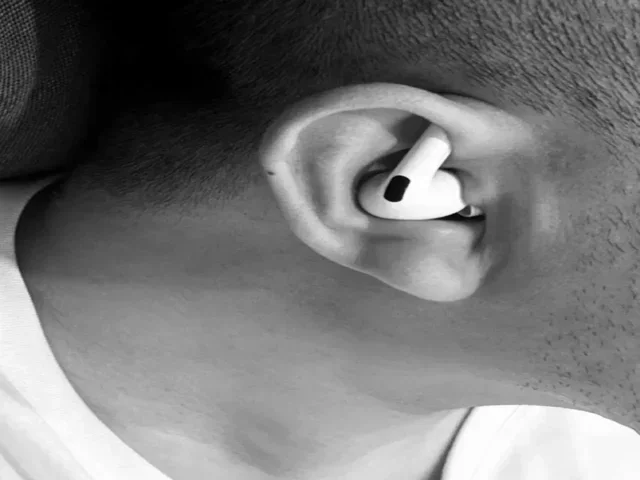
Featured image for person wearing airpods listening secretly
Image source: img-s-msn-com.akamaized.net
AirPods Pro cannot secretly eavesdrop on conversations like a spy device, but they do feature a built-in accessibility tool called “Live Listen” that lets your iPhone’s microphone pick up sounds and send them to your AirPods from a distance. This feature is designed for accessibility, not surveillance, and requires explicit setup on your iPhone. Using AirPods Pro to eavesdrop without consent raises serious legal and ethical issues in most jurisdictions.
Picture this: you’re sitting in a coffee shop, and across the room, someone is talking on their phone. Their voice is muffled, but suddenly they pull out what looks like wireless earbuds, point them vaguely in your direction, and you start wondering, “Wait, can you eavesdrop with AirPods Pro?”
It’s a fair question. With all the spy movies showing people listening in from a distance using tiny gadgets, it’s natural to wonder if consumer tech has caught up. The short answer? AirPods Pro aren’t spy devices. But they do have a feature that has sparked curiosity, concern, and more than a few Reddit threads: it’s called Live Listen.
This guide breaks down exactly what AirPods Pro can and can’t do when it comes to picking up sound. We’ll cover the Live Listen feature in plain English, explain Transparency Mode, and walk through the legal stuff you should know. Whether you’re curious, concerned about privacy, or just love knowing how your gadgets work, you’re in the right place.
Key Takeaways
- Live Listen Feature: AirPods Pro have a built-in accessibility feature called Live Listen that uses your iPhone’s microphone to stream audio to your AirPods from up to 50 feet away.
- Not a Spy Device: AirPods Pro cannot record conversations independently, hack into other devices, or function as hidden surveillance equipment out of the box.
- Transparency Mode: This mode lets you hear your surroundings through external microphones but doesn’t enable eavesdropping on distant conversations.
- Legal Concerns: Recording conversations without consent is illegal in most U.S. states and many countries, with penalties ranging from fines to criminal charges.
- Limited Range: Effective eavesdropping distance with Live Listen is typically 15-50 feet, depending on environmental noise and obstacles.
- Setup Required: Someone cannot eavesdrop on you using AirPods Pro remotely; the feature requires manual setup and physical access to your iPhone.
- Apple’s Privacy Focus: Apple’s design prioritizes user privacy, with features that require deliberate user action rather than functioning as covert surveillance tools.
📑 Table of Contents
- What Is the Live Listen Feature on AirPods Pro?
- Can You Eavesdrop with AirPods Pro Without Someone Knowing?
- Understanding Transparency Mode and Conversation Boost
- The Legal Side of Eavesdropping with AirPods Pro
- How Far Can AirPods Pro “Hear” with Live Listen?
- Can AirPods Pro Record Conversations?
- Privacy Tips: Protecting Yourself from Unwanted Listening
- Common Myths About AirPods Pro and Eavesdropping
- Who, What, Where, When, and Why: AirPods Pro Eavesdropping Explained
- Final Thoughts: The Truth About AirPods Pro and Eavesdropping
What Is the Live Listen Feature on AirPods Pro?
Live Listen is the feature that gets most people asking, “Can you eavesdrop with AirPods Pro?” To put it simply, Live Listen turns your iPhone into a remote microphone. It sends the sounds your iPhone picks up straight to your AirPods Pro in real time.
Think of it like this: imagine you’re having dinner in a noisy restaurant. You can hear your date perfectly across the table, but the person three tables over is harder to hear. Live Listen works similarly, except you’re the listener, your iPhone is doing the hearing, and your AirPods are delivering the sound.
How Live Listen Works Step by Step
Here’s the basic flow: you place your iPhone somewhere within hearing range of the sound you want to hear, pop in your AirPods Pro, and the audio streams wirelessly to your ears. The feature uses Bluetooth, and the range depends on obstacles and interference, but most users report it works well within 15 to 50 feet.
Apple introduced Live Listen back in 2018 with iOS 12, originally designed as an accessibility tool for people who are hard of hearing. The idea is simple: if you have hearing difficulties, you can place your iPhone closer to a speaker (like a teacher or a meeting presenter) and hear them more clearly through your AirPods.
But here’s where things get interesting. The same feature that helps someone hear a lecture can, in theory, be used to listen in on conversations. That’s why so many people ask if AirPods Pro can eavesdrop.
The Built-In Safeguards
Apple didn’t design this feature to be sneaky. To activate Live Listen, you have to manually enable it through your iPhone’s settings or Control Center. It requires deliberate action, physical access to the device, and the iPhone must remain within Bluetooth range.
There’s no way for someone to remotely turn on Live Listen on your iPhone without your permission. They can’t hack it, they can’t activate it from their own device, and they can’t use it to record audio. It’s a one-way audio stream, not a recording tool.
Can You Eavesdrop with AirPods Pro Without Someone Knowing?
This is the heart of the question, and the answer is no, at least not in any sneaky way. AirPods Pro cannot be used as a covert eavesdropping device right out of the box. There’s no hidden mode, no secret setting, and no way to activate listening features remotely.
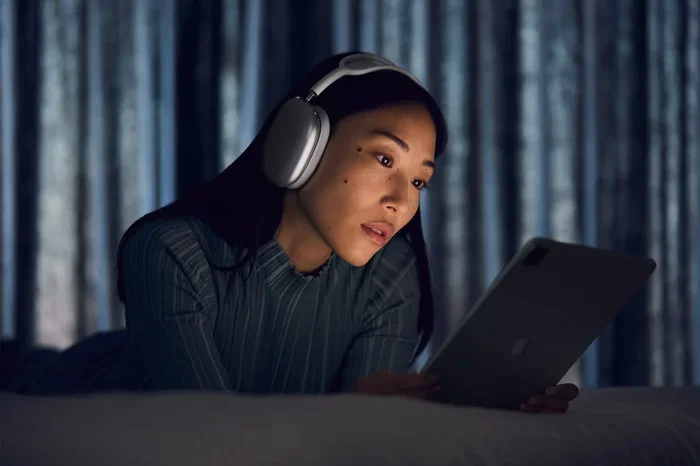
Visual guide about person wearing airpods listening secretly
Image source: apple.com
To use Live Listen, the person doing the listening has to:
- Have AirPods Pro (or compatible AirPods) connected to their iPhone.
- Manually turn on Live Listen through their iPhone settings.
- Physically place their iPhone within hearing range of the target sound.
- Keep the iPhone in range during the entire listening session.
If someone wanted to “eavesdrop” on a conversation across a room using AirPods Pro, they’d have to walk over, place their iPhone near the target, then walk back to their seat while wearing their AirPods. That’s not exactly subtle, and it’s definitely not something you can do without the people involved noticing a phone sitting nearby.
What About the iPhone Itself?
Here’s an important point: AirPods Pro are just the speakers (or earbuds, in this case). The actual microphone is on the iPhone. So if you’re worried about someone listening to you through their AirPods, you should be paying attention to where their iPhone is, not their AirPods.
This is similar to how a baby monitor works. The monitor has a microphone that picks up sound and transmits it to a receiver. With Live Listen, your iPhone is the monitor and your AirPods are the receiver. Both pieces need to be in play for it to work.
Understanding Transparency Mode and Conversation Boost
Transparency Mode is another feature that causes confusion. When you switch to Transparency Mode on your AirPods Pro, you can hear the world around you while still wearing your earbuds. It’s like having superhuman hearing, but it doesn’t extend your listening range beyond normal.
Transparency Mode uses external microphones built into the AirPods Pro to let ambient sound in. It’s great for crossing streets, hearing announcements, or having quick conversations without removing your earbuds. But it doesn’t amplify distant sounds or turn your AirPods into long-range listening devices.
What Transparency Mode Actually Does
Imagine you’re wearing sunglasses that also work as regular glasses when you flip a switch. That’s essentially what Transparency Mode does for your ears. It mixes the audio from your device with the sounds around you, so you can listen to music while still hearing traffic, voices, and other environmental noises.
It’s helpful for safety and convenience, but it’s not a surveillance tool. The microphones on your AirPods Pro pick up sound from your immediate surroundings, typically within a few feet, not across a room or building.
Conversation Boost: A Close Relative
Apple added a feature called Conversation Boost in iOS 15, specifically for AirPods Pro. This feature uses beamforming microphones (the same tech used in hearing aids) to focus on the person directly in front of you during face-to-face conversations.
It’s designed to make in-person conversations clearer, especially in noisy environments. Like Transparency Mode, it’s meant to help you hear the person you’re talking to, not to spy on people from a distance. It won’t pick up whispers from 30 feet away.
The Legal Side of Eavesdropping with AirPods Pro
Even if the technology allows for some form of remote listening, the law generally doesn’t look kindly on it. Recording or listening to private conversations without consent is illegal in most places, with serious consequences.
In the United States, laws vary by state. Some states are “one-party consent” states, meaning only one person in the conversation needs to agree to the recording. Other states are “all-party consent” states, where everyone involved must give permission.
A Quick Look at Consent Laws
- One-Party Consent States: About 38 states allow recording if at least one party consents. You can record your own conversation without telling the other person.
- All-Party Consent States: 11 states (including California, Florida, and Illinois) require everyone in the conversation to agree to being recorded.
- Federal Law: Under federal wiretap laws, recording is allowed if one party consents, but state laws may impose stricter rules.
Outside the U.S., many countries have even stricter privacy laws. In the European Union, for example, the General Data Protection Regulation (GDPR) makes unauthorized recording of private conversations a serious offense.
Penalties for Illegal Eavesdropping
The consequences for illegal eavesdropping can be severe. Depending on the jurisdiction and circumstances, penalties can include:
- Fines ranging from hundreds to tens of thousands of dollars.
- Criminal charges, potentially including felony classifications.
- Civil lawsuits from the people whose conversations were recorded.
- Imprisonment in extreme cases, especially if the recordings are used for blackmail or fraud.
Did you know that in some states, illegally recording a conversation is considered a more serious crime than the conversation itself? For example, in Illinois, eavesdropping can be a Class 1 or Class 4 felony, even if the conversation itself was perfectly legal.
How Far Can AirPods Pro “Hear” with Live Listen?
Let’s get practical. If someone did decide to use Live Listen for eavesdropping (which, again, is legally and ethically questionable), how far could they actually hear? The answer depends on a few factors.
Bluetooth range is the first limitation. AirPods Pro typically maintain a stable connection within 30 to 50 feet in open spaces. Walls, doors, and other obstacles reduce this range significantly. Beyond that distance, the audio starts to cut out or become choppy.
Environmental Factors That Affect Range
- Background Noise: A noisy environment makes it harder to hear distant conversations clearly.
- Physical Barriers: Walls, furniture, and doors all reduce both Bluetooth range and audio clarity.
- Microphone Quality: The iPhone’s microphone is good, but it’s not designed for surveillance-grade audio pickup.
- Voice Volume: Quiet conversations are harder to pick up than loud ones, obviously.
In a quiet room with minimal background noise, someone using Live Listen might be able to hear a conversation from 20 to 30 feet away reasonably well. In a noisy café or busy office, that range drops significantly, and the audio quality suffers.
For comparison, professional surveillance equipment can pick up conversations from hundreds of feet away using parabolic microphones and other specialized gear. Consumer AirPods Pro are nowhere near that level. They’re great for accessibility, but they’re not spy gear.
Can AirPods Pro Record Conversations?
Here’s another common question: can AirPods Pro record audio? The simple answer is no, not directly. AirPods Pro themselves don’t have storage or recording capabilities. They’re essentially wireless speakers with some smart features.
When you use Live Listen, audio is streamed in real time to your AirPods, but it’s not saved. There’s no recording taking place. If you want to capture the audio, you’d need to use a separate recording app on your iPhone, and you’d need to comply with all applicable consent laws.
What About Voice Memos and Other Recording Apps?
You can use your iPhone to record audio while wearing AirPods Pro, but that’s just the iPhone doing the recording, not the AirPods. The AirPods are simply playing back the audio as it happens. This works through any standard recording app, including Voice Memos, but the legal implications are the same.
If you’re thinking about using this setup to record a conversation you’re part of, that’s generally legal in one-party consent states. If you’re planning to record a conversation you’re not part of, that’s almost always illegal, regardless of what equipment you use.
Privacy Tips: Protecting Yourself from Unwanted Listening
Now that we’ve covered what AirPods Pro can do, let’s talk about how to protect yourself. If you’re worried about someone trying to use this kind of tech to eavesdrop on you, here are some practical steps.
Watch for Suspicious Phone Placement
Since the iPhone is the actual listening device in the Live Listen setup, pay attention to where phones are placed in your vicinity. If someone leaves their phone face-up on a table near you during a private conversation, that might be a red flag.
Of course, people set their phones down for lots of reasons. But if you notice someone’s phone sitting unusually close during a sensitive conversation, it’s reasonable to ask them to move it or take it with them.
Be Mindful of Your Own Setup
On the flip side, if you use Live Listen for its intended accessibility purposes, be aware of where you place your iPhone. If you’re using it in a public space, make sure you’re not inadvertently picking up private conversations that others would consider confidential.
Respect goes both ways. Just as you wouldn’t want someone listening in on your conversations, don’t use technology to listen in on theirs.
Keep Your Devices Secure
While AirPods Pro can’t be hacked into for eavesdropping purposes, your iPhone can be if someone gains physical access to it. Use a strong passcode, enable Face ID or Touch ID, and keep your iOS updated with the latest security patches.
If you lose your iPhone or AirPods Pro, use the Find My app to locate them. If you can’t recover them, use the remote erase feature to protect your data. This won’t directly prevent eavesdropping, but it’s good general security hygiene.
Common Myths About AirPods Pro and Eavesdropping
The internet is full of misinformation about what consumer tech can do. Let’s bust a few myths about AirPods Pro and eavesdropping.
Myth 1: AirPods Pro Can Hear Through Walls
False. AirPods Pro cannot hear through walls. Live Listen relies on Bluetooth connectivity, which is significantly weakened by walls and other solid obstacles. Even if the iPhone microphone could theoretically pick up faint sounds through a wall, the Bluetooth signal can’t reliably transmit that audio to your AirPods.
Myth 2: Someone Can Activate Live Listen Remotely
False. Live Listen requires physical access to your iPhone to set up. There’s no way for someone to turn it on remotely, hack it through software, or activate it without your knowledge. If your iPhone is secure, you don’t need to worry about this scenario.
Myth 3: AirPods Pro Are Designed for Surveillance
False. Apple designed AirPods Pro as consumer audio devices, not surveillance equipment. Live Listen is an accessibility feature, similar to features found in hearing aids. Apple’s focus on privacy is well-documented, and they’ve built numerous safeguards into their products.
Myth 4: Live Listen Works from Miles Away
False. Live Listen is limited by Bluetooth range, which is typically 30 to 50 feet in optimal conditions. Beyond that, the connection becomes unstable or drops entirely. This isn’t a long-range surveillance tool by any stretch.
Myth 5: AirPods Pro Record Everything Automatically
False. AirPods Pro don’t record audio on their own. Live Listen streams audio in real time but doesn’t save it. There’s no hidden recording function, no automatic capture of conversations, and no data being sent to Apple’s servers through this feature.
Who, What, Where, When, and Why: AirPods Pro Eavesdropping Explained
Let’s wrap up with a clear breakdown of the key questions, just like a journalist would approach a story.
Who Can Use Live Listen?
Anyone with AirPods Pro (or compatible AirPods) paired with an iPhone or iPad running iOS 12 or later. The feature is available to all users, but it’s particularly helpful for people with hearing difficulties.
What Does Live Listen Actually Do?
It streams audio from your iPhone’s microphone to your AirPods in real time, allowing you to hear sounds from a distance as long as your iPhone is within Bluetooth range.
Where Can You Use It?
Anywhere your iPhone and AirPods have a stable Bluetooth connection. It’s commonly used in classrooms, meetings, restaurants, and other situations where hearing can be challenging.
When Should You Use It?
Use it for its intended purpose: improving your ability to hear in difficult listening situations. Avoid using it to listen in on private conversations you’re not part of, both for ethical and legal reasons.
Why Did Apple Add This Feature?
Apple added Live Listen as part of their commitment to accessibility. It’s designed to help people with hearing loss participate more fully in conversations and activities. The feature has genuine benefits for users who need it.
Final Thoughts: The Truth About AirPods Pro and Eavesdropping
So, can you eavesdrop with AirPods Pro? Technically, the Live Listen feature lets you hear sounds from a distance using your iPhone as a microphone. But it’s not a spy gadget, it’s not designed for surveillance, and using it to listen in on private conversations without consent is both unethical and, in many places, illegal.
AirPods Pro are consumer electronics designed for music, calls, and accessibility. The features that have sparked eavesdropping concerns, namely Live Listen and Transparency Mode, are built to help users hear better in their daily lives, not to spy on others. The range is limited, the setup is deliberate, and the legal landscape is clear.
If you’re using Live Listen for its intended purpose, like hearing a lecture or a meeting presenter more clearly, you’re using it exactly as Apple intended. If you’re thinking about using it to listen in on conversations that don’t involve you, save yourself the legal headache and don’t. The feature wasn’t designed for that, and the consequences aren’t worth the curiosity.
The bottom line: AirPods Pro are impressive pieces of technology, but they’re not spy gear. They’re tools for better audio experiences, and they work best when used responsibly and ethically. Respect others’ privacy, stay informed about the laws in your area, and enjoy your AirPods for what they do best: delivering great sound right to your ears.
Frequently Asked Questions
Can you eavesdrop with AirPods Pro?
AirPods Pro cannot be used as a covert eavesdropping device, though they do have a Live Listen feature that streams audio from your iPhone’s microphone to your earbuds. This feature requires manual setup and works within Bluetooth range (typically 30-50 feet). Using it to listen to private conversations without consent is illegal in many jurisdictions.
What is Live Listen on AirPods Pro?
Live Listen is an accessibility feature that turns your iPhone into a remote microphone, streaming sounds directly to your AirPods Pro in real time. It was designed to help people with hearing difficulties hear better in challenging environments like classrooms or meetings. You can activate it through your iPhone’s Control Center or Accessibility settings.
How far can AirPods Pro Live Listen work?
Live Listen typically works within 30 to 50 feet in open spaces with minimal obstacles. Walls, furniture, and background noise can significantly reduce this range. The feature relies on Bluetooth connectivity, which has inherent distance limitations compared to professional surveillance equipment.
Is it legal to use AirPods Pro to eavesdrop on conversations?
The legality depends on your location and whether you have consent from the people being recorded. In the U.S., 38 states are one-party consent states, but 11 states (including California and Florida) require all parties to consent. Many countries have even stricter privacy laws. Penalties can include fines, criminal charges, and imprisonment.
Can someone eavesdrop on me through my AirPods without my knowledge?
No, someone cannot remotely activate eavesdropping features on your AirPods without physical access to your iPhone. Live Listen requires manual setup through your device’s settings, and there’s no way for someone to hack into your AirPods to listen in. Keeping your iPhone secure with a passcode prevents unauthorized access.
Do AirPods Pro record conversations?
AirPods Pro themselves do not record audio. Live Listen streams sound from your iPhone to your earbuds in real time but doesn’t save any recordings. To capture audio, you would need to use a separate recording app on your iPhone, and you’d still need to comply with consent laws in your jurisdiction.