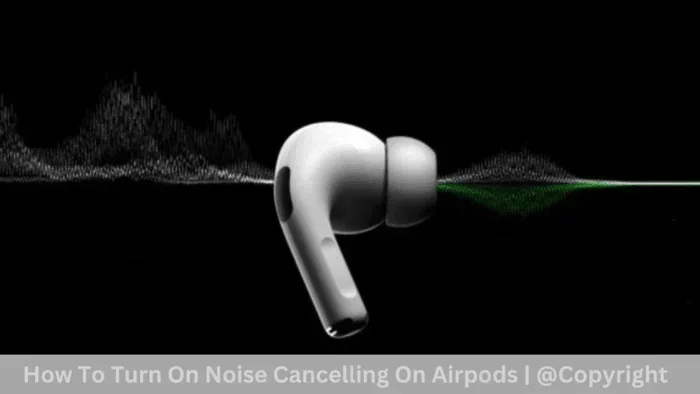
Featured image for AirPods noise cancellation demonstration
Image source: gsmchina.com
Yes, certain AirPods models block out noise—but it depends on which version you own. AirPods Pro and AirPods Max use Active Noise Cancellation (ANC) to silence the world around you, while standard AirPods only provide minimal passive noise reduction. For the best noise-blocking experience, ANC-enabled models are the way to go.
Imagine you’re sitting on a noisy subway. The train rattles, people chat loudly, and your favorite podcast is impossible to hear. You reach into your pocket, pop in your AirPods, and suddenly—the world goes quiet. The train noise fades, the chatter disappears, and you hear every word of your show. Sounds like magic, right?
But here’s the thing: not all AirPods can do this. Some AirPods are like putting soft earplugs in your ears. Others are like having a “mute” button for the world around you. The difference comes down to something called noise cancellation technology. And trust me, once you understand how it works, you’ll never look at your earbuds the same way again.
In this guide, we’ll break down everything you need to know about whether AirPods block out noise. We’ll explain the science in simple terms, compare different models, and help you figure out which AirPods are right for your needs. Whether you’re trying to focus at work, sleep on a plane, or just enjoy your music without distractions, this article has you covered.
Key Takeaways
- Not All AirPods Block Noise: Standard AirPods (1st, 2nd, 3rd gen) offer only basic passive noise reduction, not true noise cancellation.
- Active Noise Cancellation (ANC) is the Key: AirPods Pro (all generations) and AirPods Max feature ANC, which uses microphones and speakers to cancel external sound waves.
- Adaptive Audio Adjusts in Real Time: AirPods Pro 2 and later use Adaptive Audio to automatically blend ANC and Transparency mode based on your environment.
- Fit Matters a Lot: Even the best ANC won’t work well if your AirPods don’t fit snugly—ear tip size can make a huge difference.
- Battery Life is Affected: Using ANC and other smart features drains the battery faster than basic listening.
- Transparency Mode Lets Sound In: When you need to hear announcements or conversations, Transparency Mode lets outside noise in naturally.
- They’re Great for Travel and Focus: AirPods with ANC are popular for flights, commutes, and working in noisy environments.
📑 Table of Contents
- How AirPods Handle Noise: The Basics
- How Does Active Noise Cancellation Work in AirPods?
- AirPods Pro vs. AirPods Max: Which Blocks More Noise?
- The Magic of Adaptive Audio and Transparency Mode
- Tips to Get the Best Noise Blocking from Your AirPods
- Who Should Buy Noise-Cancelling AirPods?
- Common Myths About AirPods and Noise Cancellation
- Final Verdict: Do AirPods Block Out Noise?
How AirPods Handle Noise: The Basics
Let’s start with the big question: do AirPods block out noise? The short answer is yes—but how well they do it depends on the model and the technology inside.
Think of noise like water. Some AirPods are like a small umbrella that keeps a little rain off your head. Others are like a full raincoat that keeps you completely dry. Both work, but one is much more effective.
Passive Noise Isolation vs. Active Noise Cancellation
There are two main ways earbuds can block noise:
- Passive Noise Isolation: This is the basic method. The earbuds physically block sound by sitting in or on your ears. It’s like closing a door to keep noise out—simple but limited.
- Active Noise Cancellation (ANC): This is the fancy method. Tiny microphones listen to the noise around you, and the earbuds create a special “anti-noise” sound wave to cancel it out. It’s like having a superhero power that erases sound.
Did You Know? The concept of active noise cancellation was first developed in the 1930s by physicist Paul Lueg. He figured out that you could use sound waves to cancel out other sound waves. Today, that same idea is built into your earbuds!
Which AirPods Have Noise Cancellation?
Here’s a quick breakdown of every AirPods model and what kind of noise control they offer:
- AirPods (1st Generation): No noise cancellation, just passive isolation.
- AirPods (2nd Generation): Same as first gen—no active noise cancellation.
- AirPods (3rd Generation): Still no ANC, but better fit and sound quality.
- AirPods Pro (1st Generation): Active Noise Cancellation and Transparency Mode.
- AirPods Pro (2nd Generation): All of the above, plus Adaptive Audio and Conversation Awareness.
- AirPods Pro (3rd Generation): Latest model with improved ANC and smarter features.
- AirPods Max: Premium over-ear headphones with top-tier ANC.
- AirPods 4 (with ANC): Apple’s newest open-ear design that somehow includes noise cancellation.
So if you have regular AirPods (the kind without silicone tips), you’re getting minimal noise blocking. If you have AirPods Pro or AirPods Max, you’re getting the real deal.
How Does Active Noise Cancellation Work in AirPods?
This is where things get really cool. Active Noise Cancellation might sound like rocket science, but the basic idea is pretty simple once you break it down.
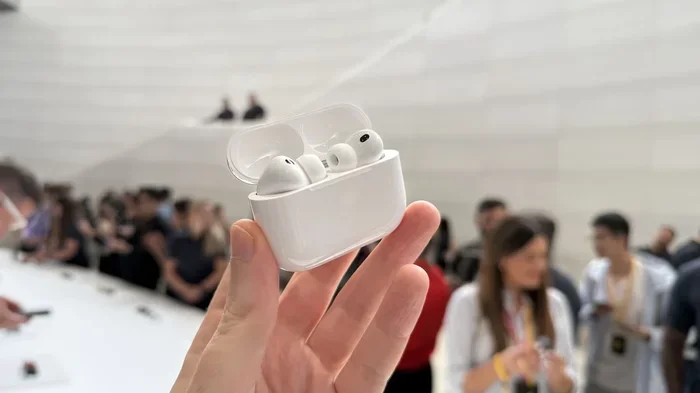
Visual guide about AirPods noise cancellation demonstration
Image source: cdn.mos.cms.futurecdn.net
Think of sound as a wave, like ripples in a pond. When two waves meet, they can either add together (getting louder) or cancel each other out (going quiet). ANC uses this exact principle.
The Three-Step ANC Process
Here’s how your AirPods cancel noise in real time:
- Step 1: Listen to the Noise Tiny microphones on the outside and inside of your AirPods pick up the sounds around you—airplane engines, traffic, chatty coworkers, you name it.
- Step 2: Create Anti-Noise The chip inside your AirPods (called the H1 or H2 chip) analyzes that sound and creates a mirror-image sound wave. This “anti-noise” is the exact opposite of the noise around you.
- Step 3: Play It Back Your AirPods play the anti-noise through the speaker at the same time as the original noise reaches your ear. The two waves cancel each other out, and you hear… silence.
Did You Know? All of this happens in milliseconds. Your AirPods are analyzing and canceling noise thousands of times per second. That’s why it feels so seamless.
What Types of Noise Do AirPods Cancel Best?
Not all noise is created equal. ANC works best on steady, constant sounds. Think:
- Airplane engine hum
- Train and bus rumble
- Air conditioner whir
- Office background chatter (somewhat)
Sudden, sharp noises—like a dog barking, a car horn, or someone dropping something—are harder to cancel out. That’s because they happen so quickly that the AirPods don’t have time to create the anti-noise wave. However, higher-end models like the AirPods Pro 2 are getting much better at handling these unpredictable sounds.
AirPods Pro vs. AirPods Max: Which Blocks More Noise?
Now that you know the basics, let’s compare the two heavyweights in Apple’s lineup. If noise blocking is your top priority, you have two main choices: AirPods Pro or AirPods Max.
AirPods Pro (2nd and 3rd Generation)
The AirPods Pro are Apple’s most popular noise-canceling earbuds. They use silicone ear tips that seal inside your ear canal, which already blocks a lot of sound. Then the ANC kicks in to handle the rest.
According to Apple, the AirPods Pro 2 can cancel “up to 2x more noise” than the first generation. In real-world use, that means:
- Airplane cabin noise becomes a faint hum
- Subway sounds almost disappear
- Office chatter fades into the background
- Gym噪音 gets significantly reduced
The newer AirPods Pro 3 (released in late 2024) take things even further with an upgraded H3 chip and better microphones. Reviewers have noted that they handle mid-range frequencies (like human voices) better than ever before.
AirPods Max
The AirPods Max are Apple’s over-ear headphones. Because they cover your entire ear, they create a natural seal that blocks a lot of noise even before ANC kicks in. Add in Apple’s computational audio, and you get some of the best noise cancellation in any consumer headphone.
Key advantages of AirPods Max:
- Larger drivers for richer sound
- Better passive isolation due to over-ear design
- Premium materials for comfort during long listening sessions
- Excellent for flights and long focus sessions
The downside? They’re heavy (about 384 grams) and expensive. They’re not as portable as AirPods Pro, but for pure noise-blocking power, they’re hard to beat.
The Verdict
If you want portability and great ANC, go with AirPods Pro. If you want the absolute best noise cancellation and don’t mind the size, AirPods Max is the winner. Either way, you’ll be impressed.
The Magic of Adaptive Audio and Transparency Mode
Apple didn’t stop at basic noise cancellation. They added some really smart features that make AirPods even more useful in everyday life.
What is Adaptive Audio?
Adaptive Audio is like having a personal sound assistant. It automatically adjusts your noise cancellation based on where you are and what you’re doing. Here’s how it works:
- In a quiet place: Adaptive Audio might turn off ANC to save battery.
- On a noisy street: It cranks up the ANC to block traffic noise.
- In a coffee shop: It blends ANC and Transparency Mode so you can still hear your order being called.
This feature is available on AirPods Pro 2 (with the latest firmware) and AirPods Pro 3. It’s incredibly convenient because you don’t have to fiddle with settings—your AirPods just adapt.
What is Transparency Mode?
Transparency Mode is the opposite of noise cancellation. It actively lets outside sound in, so you can hear the world around you without taking your earbuds out.
Think of it like this: ANC is closing a window to keep noise out. Transparency Mode is opening a window to let noise in. But here’s the cool part—it uses the microphones to make outside sounds sound natural, not tinny or digital.
When is Transparency Mode useful?
- Walking on a busy street (so you can hear traffic)
- Listening for airport announcements
- Having a quick conversation without removing your earbuds
- Ordering coffee at a café
Conversation Awareness
This is another smart feature on newer AirPods Pro. When you start talking to someone, your AirPods automatically lower your music volume and let in outside sound. Once you stop talking, everything goes back to normal. It’s perfect for those quick “excuse me, do you have the time?” moments.
Did You Know? Apple spent over a decade refining these features. The original AirPods Pro launched in 2019, and each generation has gotten noticeably better at handling real-world noise.
Tips to Get the Best Noise Blocking from Your AirPods
Even with the best AirPods, you might not be getting the noise blocking you expect. Here are some tips to maximize your experience:
1. Get the Right Ear Tip Fit
This is the most important tip. If your AirPods Pro don’t fit snugly, noise will leak in and ANC won’t work as well. Apple includes four sizes of silicone tips (XS, S, M, L) with the AirPods Pro. Try different sizes—you might be surprised which one fits best.
You can check your fit using the Ear Tip Fit Test on your iPhone. Go to Settings > Bluetooth > AirPods Pro > Ear Tip Fit Test. It’s like a hearing test for your earbuds.
2. Keep Your AirPods Clean
Earwax and debris can block the microphones and speakers, reducing noise cancellation performance. Wipe your AirPods regularly with a dry, soft cloth. Don’t use water or cleaning products directly on them.
3. Update Your Firmware
Apple regularly releases firmware updates that improve noise cancellation. Make sure your AirPods are up to date by connecting them to your iPhone and checking Settings > Bluetooth > AirPods Pro > About.
4. Use the Right Mode for the Situation
Don’t use full ANC in quiet environments—it can cause that “pressure” feeling some people experience. Save it for noisy places, and use Transparency Mode when you need to stay aware.
5. Charge Your AirPods
ANC requires battery power. If your AirPods are running low, noise cancellation might not work as well. Keep them charged for the best experience.
6. Consider Your Environment
ANC works best on consistent, low-frequency noise. For sudden loud sounds (like construction or screaming), even the best AirPods might struggle. In those cases, playing music at a reasonable volume can help mask the noise.
Who Should Buy Noise-Cancelling AirPods?
Now that you know how AirPods block noise, let’s talk about who really needs this feature. Spoiler alert: it’s more people than you think!
For the Frequent Flyer
If you travel often, noise-cancelling AirPods are a game-changer. Airplane cabin noise is around 60-80 decibels—loud enough to cause fatigue on long flights. ANC reduces that to a whisper, making flights more relaxing and helping you sleep.
For the Remote Worker
Working from home has its perks, but noisy neighbors, barking dogs, and street sounds can be distracting. AirPods Pro create a bubble of silence that helps you focus. Pair them with focus music or white noise, and you’re in the zone.
For the Commuter
Whether you take the subway, bus, or train, daily commutes can be loud. ANC lets you listen to podcasts or music at lower volumes, which is also better for your hearing in the long run.
For the Student
Studying in a dorm or library can be tough with all the background noise. AirPods Pro help you concentrate, and Transparency Mode lets you hear your professor when needed.
For People with Noise Sensitivity
If certain sounds bother you (a condition sometimes called misophonia or hyperacusis), noise-cancelling AirPods can provide relief. They won’t eliminate every sound, but they make daily life much more comfortable.
For the Audiophile
If you care about sound quality, ANC matters. By blocking outside noise, your music sounds cleaner and more detailed. You hear the bass, mids, and highs the way the artist intended.
Common Myths About AirPods and Noise Cancellation
There are a lot of misconceptions out there. Let’s clear up a few of the most common ones.
Myth 1: All AirPods Block Noise the Same
False! As we covered, only certain models have Active Noise Cancellation. Standard AirPods rely solely on passive isolation, which is much less effective.
Myth 2: ANC is Bad for Your Ears
Not true. ANC is actually safer than cranking up the volume to drown out noise. With ANC, you can listen at lower volumes, which protects your hearing over time. Some people feel a slight “pressure” sensation, but this isn’t harmful.
Myth 3: Noise Cancelling Means Total Silence
No noise-cancelling headphones block 100% of sound. Even the best AirPods let some noise through—especially sudden, sharp sounds. The goal is to reduce noise, not eliminate it entirely.
Myth 4: ANC Drains the Battery Quickly
Yes, ANC uses more battery than regular listening, but AirPods are pretty efficient. You can still get 5-6 hours of listening time with ANC on, and the charging case extends that significantly.
Myth 5: You Can’t Use AirPods for Phone Calls with ANC
Wrong! AirPods Pro and Max have excellent microphones and noise reduction for calls. Your voice comes through clearly, and background noise is minimized for the person on the other end.
Final Verdict: Do AirPods Block Out Noise?
So, do AirPods block out noise? Absolutely—if you have the right model. AirPods Pro and AirPods Max are among the best noise-cancelling earbuds and headphones on the market. They use advanced technology to analyze and cancel noise in real time, making them perfect for travel, work, and everyday listening.
Standard AirPods (1st, 2nd, and 3rd gen) don’t offer true noise cancellation, but they do provide some passive isolation. They’re fine for quiet environments, but they won’t help much on a plane or in a busy office.
Here’s a quick summary to help you decide:
- Choose AirPods Pro (2nd or 3rd gen) if: You want great noise cancellation in a portable, comfortable design.
- Choose AirPods Max if: You want the best noise cancellation and don’t mind over-ear headphones.
- Choose standard AirPods if: You mostly listen in quiet places and don’t need ANC.
No matter which model you pick, remember that fit, cleanliness, and software updates all play a role in how well your AirPods block noise. Take care of them, and they’ll take care of you.
Now go enjoy your music—without all that background noise!
Frequently Asked Questions
Do regular AirPods block out noise?
Regular AirPods (1st, 2nd, and 3rd generation) don’t have Active Noise Cancellation. They provide minimal passive noise isolation, but they won’t significantly block loud sounds. For real noise blocking, you need AirPods Pro or AirPods Max.
How good is AirPods Pro noise cancellation?
AirPods Pro offer excellent noise cancellation, especially the 2nd and 3rd generation models. They use advanced algorithms and multiple microphones to cancel out a wide range of sounds, from airplane engines to office chatter. Reviewers consistently rank them among the best noise-cancelling earbuds available.
Can AirPods block out voices?
AirPods Pro and Max can reduce voices, but they won’t eliminate them completely. Human voices are harder to cancel because they vary in pitch and volume. However, higher-end models like the AirPods Pro 2 and 3 are much better at handling voices than earlier versions.
What’s the difference between Noise Cancellation and Transparency Mode?
Noise Cancellation blocks outside sound, while Transparency Mode lets outside sound in naturally. Use Noise Cancellation when you want to focus or enjoy music, and Transparency Mode when you need to hear announcements or have conversations without removing your AirPods.
Does noise cancellation affect sound quality?
On high-quality AirPods, noise cancellation actually improves sound quality because it removes distractions. However, some people notice a slight change in audio when ANC is on. Overall, the difference is minimal, and most users prefer listening with ANC active.
How long does the battery last with noise cancellation on?
AirPods Pro 2 and 3 offer around 5-6 hours of listening time with ANC enabled, and AirPods Max provide about 20 hours. Using additional features like Adaptive Audio or spatial audio may slightly reduce battery life, but the case and fast charging help keep you powered up throughout the day.