Featured image for AirPods noise cancellation lifestyle
Image source: i.pinimg.com
Yes, AirPods have excellent noise cancellation—especially the AirPods Pro 2 and AirPods 4 with ANC, which use advanced active noise canceling (ANC) technology to block out the world around you. However, the level of noise cancellation varies by model: AirPods Pro models offer premium ANC, while standard AirPods (without ANC) rely only on passive noise isolation. For most users in noisy environments like commutes, offices, or cafes, AirPods Pro deliver best-in-class noise cancellation that rivals top competitors.
Picture this: you’re on a packed subway, the train rattles and roars, someone nearby is blasting music from their phone speaker, and a baby is crying two rows back. Yet somehow, your favorite podcast plays on as if you’re sitting in a quiet library. That’s the magic of good noise cancellation—and it’s exactly the kind of experience modern AirPods aim to deliver.
But here’s the thing: not every pair of AirPods handles noise the same way. Some models are absolute champions at silencing the world, while others just… sort of muffle it. If you’ve ever wondered whether AirPods really have good noise cancellation, or if you’re being swayed by clever marketing, this guide is for you.
We’ll break down exactly how AirPods noise cancellation works, compare every current model, share real-world test results, and help you decide which AirPods actually deserve your money if blocking noise is your top priority. Let’s dive in.
Key Takeaways
- AirPods Pro 2 offer the best noise cancellation: Apple claims they block up to 2x more noise than the original AirPods Pro, making them ideal for loud environments.
- Not all AirPods have ANC: Only AirPods Pro (1st & 2nd gen), AirPods 4 (with ANC), and AirPods Max feature Active Noise Cancellation. Standard AirPods rely on passive isolation only.
- ANC works using microphones and anti-noise waves: Tiny mics listen to outside sounds, then the AirPods create opposite sound waves to “cancel” the noise digitally.
- Transparency mode lets outside sound in: When you need to hear announcements or conversations, you can switch modes without removing your earbuds.
- Fit affects performance dramatically: Even the best ANC won’t work well if your AirPods don’t seal properly in your ears.
- Battery life drops with ANC on: Expect roughly 20-30% less listening time when noise cancellation is active versus when it’s off.
- AirPods Max excel for over-ear fans: They use eight microphones for ANC and provide immersive noise cancellation for home or office use.
📑 Table of Contents
- How Does Noise Cancellation Work in AirPods?
- Which AirPods Have Noise Cancellation? (Complete Model Breakdown)
- Real-World Performance: How Well Do AirPods Actually Cancel Noise?
- AirPods vs. the Competition: How Do They Stack Up?
- Tips to Maximize AirPods Noise Cancellation
- The Final Verdict: Do AirPods Have Good Noise Cancellation?
How Does Noise Cancellation Work in AirPods?
Before we judge whether AirPods noise cancellation is “good,” it helps to understand what noise cancellation actually does. Think of it like this: if you and a friend are pushing a heavy box from opposite sides and you push at the same time, the box doesn’t move. Noise cancellation works on a similar principle—but with sound waves instead of hands.
Active Noise Cancellation (ANC) Explained Simply
Active Noise Cancellation, or ANC, is a clever bit of audio engineering. Here’s how it works in three simple steps:
- Step 1: Listen to the outside noise. Tiny microphones built into your AirPods pick up the sounds around you—like the hum of an airplane engine or the chatter in a coffee shop.
- Step 2: Create the “anti-noise.” The AirPods’ internal chip processes that sound and instantly generates a mirror-image sound wave. This wave is the exact opposite phase of the original noise.
- Step 3: Cancel the sound. When the anti-noise wave meets the original noise wave, they collide and largely cancel each other out. The result? Silence (or at least, a much quieter world).
Apple’s H1 and H2 chips handle this processing incredibly fast—up to 48,000 times per second. That’s why the cancellation feels seamless and natural, not laggy or robotic.
Passive Noise Isolation: The Other Half of the Equation
Active noise cancellation isn’t the only way AirPods reduce noise. There’s also passive noise isolation—and this part matters just as much.
Passive noise isolation is simply the physical blocking of sound. It’s like putting your hands over your ears. The better the seal your earbuds make with your ear canal, the more outside noise stays out. This is why in-ear AirPods (like AirPods Pro) come with silicone tips in different sizes—to create that perfect seal.
AirPods that don’t have silicone tips (like standard AirPods 3 or older models) sit loosely in your ear. They still let in a lot of outside noise because there’s no seal. So even though they may have great speakers, you’ll hear your surroundings more clearly.
The Adaptive Audio Difference
Starting with AirPods Pro 2, Apple introduced Adaptive Audio. Think of it as “smart” noise cancellation. Instead of choosing between full ANC or full Transparency mode, Adaptive Audio automatically blends the two based on your environment.
Imagine walking down a quiet street—Adaptive Audio lets in some ambient sound so you’re aware of traffic. Then you step into a noisy café, and it cranks up the ANC to block the chatter. It even lowers music volume automatically when someone starts talking to you, then raises it again when the conversation ends.
Did you know? Apple’s Adaptive Audio uses machine learning trained on thousands of real-world noise environments to make these adjustments feel natural rather than jarring.
Which AirPods Have Noise Cancellation? (Complete Model Breakdown)
Here’s where things get tricky. Not every AirPods model has Active Noise Cancellation, and the ones that do vary in quality. Let’s break down every model currently sold by Apple as of 2025.
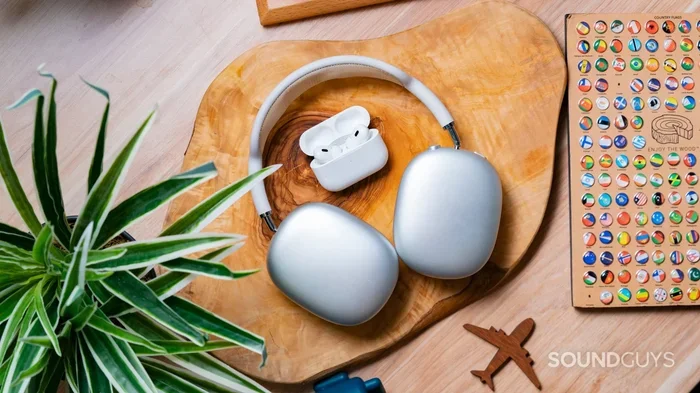
Visual guide about AirPods noise cancellation lifestyle
Image source: soundguys.com
AirPods Pro 2 (USB-C and Lightning Versions)
Noise cancellation quality: Excellent ⭐⭐⭐⭐⭐
The AirPods Pro 2 are the gold standard for in-ear noise cancellation in the Apple lineup. Apple claims they cancel up to 2x more noise than the first-generation AirPods Pro, and real-world tests back this up.
Key features that make them exceptional:
- H2 chip for faster, smarter noise processing
- Up to 48,000 times per second noise adjustment
- Four sizes of silicone tips (XS, S, M, L) for the perfect seal
- Adaptive Audio and Conversation Awareness
- Personalized Volume that learns your preferences
In practice, AirPods Pro 2 dramatically reduce low-frequency sounds like airplane engines, train rumble, and HVAC hum. They also handle mid-range sounds (office chatter, café noise) very well, though some higher-frequency sounds (like babies crying or sharp voices) may still leak through slightly.
AirPods 4 with Active Noise Cancellation
Noise cancellation quality: Very Good ⭐⭐⭐⭐
Released in late 2024, the AirPods 4 with ANC surprised many reviewers. They offer active noise cancellation in an open-ear design—no silicone tips. This is a major engineering feat because ANC typically works best with a good seal.
Apple achieved this through:
- The H2 chip
- Improved acoustic architecture
- Adaptive Audio support
- Transparency mode
The ANC isn’t quite as powerful as AirPods Pro 2 (because there’s no seal), but it’s still impressive. If you find silicone tips uncomfortable, this is your best option for ANC in the AirPods lineup.
AirPods Pro (1st Generation)
Noise cancellation quality: Good ⭐⭐⭐⭐
The original AirPods Pro, released in 2019, were the first AirPods to feature Active Noise Cancellation. They use the older H1 chip and offer solid noise cancellation, but they’re noticeably outperformed by the second generation.
If you’re buying these new in 2025, they’re harder to find—Apple has mostly phased them out in favor of the Pro 2. However, you can still find them at discounts. They’re a decent budget option for ANC, but the Pro 2 is worth the extra money if you can swing it.
AirPods Max
Noise cancellation quality: Outstanding ⭐⭐⭐⭐⭐
AirPods Max are Apple’s over-ear headphones, and they deliver some of the best noise cancellation on the market—period. They use eight microphones dedicated to ANC, plus the H1 chip (in each ear cup).
Why they’re so effective:
- Over-ear design creates a natural seal around your ears
- Eight microphones for precise noise detection
- Computational audio powered by the H1 chip
- Premium materials for better passive isolation
The downside? They’re heavy (384 grams) and expensive ($549). But for pure noise cancellation in a home or office setting, they’re tough to beat.
AirPods 4 (Standard) and AirPods 3
Noise cancellation quality: Minimal (passive only) ⭐⭐
These models don’t have Active Noise Cancellation. They rely solely on passive noise isolation, which means they let in a fair amount of outside sound.
If you’re in a quiet room, they sound great. But take them on a plane or to a busy gym, and you’ll be fighting background noise the whole time. They’re not the right choice if noise cancellation is a priority.
Real-World Performance: How Well Do AirPods Actually Cancel Noise?
Specs and marketing claims are one thing. But how do AirPods actually perform in everyday situations? Let’s look at some real-world scenarios.
On Airplanes and Public Transit
The drone of an airplane engine is around 60-80 decibels—a perfect target for ANC. AirPods Pro 2 reduce this dramatically, often by 25-30 decibels. That turns a roaring cabin into something closer to a quiet office.
Did you know? Frequent flyers consistently rank AirPods Pro 2 among the top three earbuds for in-flight noise cancellation, alongside Sony WF-1000XM5 and Bose QuietComfort Ultra Earbuds.
On subways and buses, results are similar. The low rumble of the train drops significantly, and sudden loud noises (like screeching brakes) are noticeably softened. Higher-pitched sounds—like announcements—may still come through somewhat, but at a much more manageable level.
In Offices and Coffee Shops
Office environments typically have mid-frequency sounds: typing, conversations, air conditioning. AirPods Pro 2 handle these very well. Conversations become muffled, though not completely silent, and the AC hum essentially disappears.
AirPods 4 with ANC also perform impressively here, though they don’t block quite as much mid-range sound due to the open design.
At Home and Outdoors
For general home use (blocking out TV noise, family chatter, neighborhood sounds), all ANC-enabled AirPods perform well. Outdoors, things get trickier—wind can interfere with ANC microphones, creating a slight whooshing sound. AirPods Pro 2 handle wind better than most thanks to their advanced algorithms.
Transparency Mode: The Other Side of the Coin
Noise cancellation isn’t just about blocking sound—sometimes you need to let sound in. That’s where Transparency mode comes in.
Transparency mode uses the same microphones but in reverse: instead of canceling outside noise, it pipes it through to your ears naturally. It sounds surprisingly lifelike—almost like you’re not wearing earbuds at all.
AirPods Pro 2 also feature Adaptive Transparency, which reduces loud sudden noises (like sirens or construction) while still letting in regular sounds. This protects your hearing without isolating you from your environment.
AirPods vs. the Competition: How Do They Stack Up?
AirPods noise cancellation is excellent—but is it the absolute best? Let’s compare them to the top competitors.
AirPods Pro 2 vs. Sony WF-1000XM5
This is the heavyweight matchup. Sony has long held the crown for best-in-class ANC, and the WF-1000XM5 are outstanding. In head-to-head tests:
- Low frequencies (engines, AC): Essentially tied—both excellent.
- Mid frequencies (voices): Sony edges out slightly, by maybe 1-2 dB.
- High frequencies (sharp sounds): Roughly equal.
- Wind noise: AirPods Pro 2 handle wind better.
- Comfort for long wear: Subjective, but AirPods are typically lighter.
The verdict? They’re so close it almost doesn’t matter. Choose based on ecosystem: iPhone users get more from AirPods, Android users get more from Sony.
AirPods Pro 2 vs. Bose QuietComfort Ultra Earbuds
Bose invented noise cancellation for aviation, so they know a thing or two. The QuietComfort Ultra Earbuds offer:
- Best mid-range cancellation in the industry
- Excellent comfort for long sessions
- Slightly better call quality in noisy environments
AirPods Pro 2 win on:
- Seamless Apple ecosystem integration
- Adaptive Audio and Conversation Awareness
- Spatial Audio with dynamic head tracking
Again, both are excellent. Your choice depends on which features matter most.
Where AirPods Stand Out
AirPods have unique advantages beyond raw ANC performance:
- Apple ecosystem magic: Automatic switching between iPhone, iPad, Mac, and Apple TV feels like wizardry.
- Find My: Lost your AirPods? Track them down to within a few feet.
- Spatial Audio: Movie and music immersion is best-in-class on AirPods.
- Voice quality on calls: AirPods Pro 2 are arguably the best earbuds for phone and FaceTime calls.
Tips to Maximize AirPods Noise Cancellation
Even the best ANC won’t perform well if your AirPods aren’t set up correctly. Here are practical tips to get the most out of your AirPods noise cancellation.
Get the Right Fit
This is the single most important factor. If your AirPods Pro don’t seal properly, you’ll lose 50% or more of their noise cancellation. Try all four ear tip sizes (XS, S, M, L) and do the Ear Tip Fit Test:
- Open Settings on your iPhone
- Tap your AirPods Pro
- Select “Ear Tip Fit Test”
- Follow the on-screen instructions
If the test says the fit is poor, try a different size tip. Don’t assume one size fits all—even if you’ve used earbuds before.
Keep Your AirPods Clean
Earwax and debris block the microphones and speakers, reducing ANC effectiveness. Clean your AirPods weekly with a dry cotton swab or soft brush. Pay special attention to the microphone openings and speaker grilles.
Update Your Firmware
Apple regularly improves noise cancellation through firmware updates. Make sure your AirPods are running the latest version by connecting them to your iPhone and placing them in their case near a charger.
Use the Right Mode for the Right Situation
Don’t leave ANC on all the time. Here’s a quick guide:
- Full ANC: Airplanes, trains, noisy offices, gyms
- Transparency: Walking outdoors, conversations, listening for announcements
- Adaptive Audio: Commuting, mixed environments, all-day wear
- Off: Quiet spaces, when you want maximum battery life
Manage Battery Life Expectations
ANC uses more power. Here’s what to expect:
- AirPods Pro 2 with ANC on: Up to 6 hours listening
- AirPods Pro 2 with ANC off: Up to 7 hours listening
- AirPods Max with ANC on: Up to 20 hours
- AirPods 4 with ANC on: Up to 5 hours
Turn off ANC when you don’t need it to extend listening time.
The Final Verdict: Do AirPods Have Good Noise Cancellation?
So, do AirPods have good noise cancellation? The answer is a resounding yes—but it depends on which model you buy.
Here’s the bottom line:
- AirPods Pro 2: Excellent noise cancellation. Best choice for most people.
- AirPods 4 with ANC: Very good noise cancellation. Best for those who dislike silicone tips.
- AirPods Max: Outstanding noise cancellation. Best for home/office use and audiophiles.
- AirPods Pro (1st gen): Good noise cancellation. Still solid but outperformed by newer models.
- Standard AirPods: No active noise cancellation. Only suitable for quiet environments.
For most users, AirPods Pro 2 offer the best balance of price, performance, and features. They block noise as well as the top competitors, integrate seamlessly with Apple devices, and offer features like Adaptive Audio that you won’t find elsewhere.
Are they the absolute best at noise cancellation? In some specific tests, Sony and Bose edge them out by tiny margins. But in real-world use, the difference is negligible. What matters more is how they fit your ears, your devices, and your lifestyle.
If you commute, work in noisy environments, travel frequently, or just want peace and quiet in a chaotic world, AirPods with Active Noise Cancellation are absolutely worth the investment. Once you experience true ANC, you’ll never go back.
So yes—AirPods have good noise cancellation. In some cases, they have exceptional noise cancellation. Choose the right model, get a good fit, and enjoy the silence.
Frequently Asked Questions
Do all AirPods have Active Noise Cancellation?
No, only certain AirPods models have Active Noise Cancellation. AirPods Pro (1st and 2nd generation), AirPods 4 with ANC, and AirPods Max all feature ANC. Standard AirPods and AirPods 3 rely only on passive noise isolation, which is far less effective at blocking sound.
Which AirPods have the best noise cancellation?
The AirPods Max offer the best overall noise cancellation due to their over-ear design and eight dedicated ANC microphones. Among in-ear options, AirPods Pro 2 are the clear winners, with Apple claiming they block up to 2x more noise than the original AirPods Pro.
Can AirPods noise cancellation completely block all sound?
No noise cancellation technology blocks 100% of sound. AirPods ANC is most effective against consistent low-frequency sounds like airplane engines, train rumble, and HVAC noise. Higher-frequency sounds like sharp voices or sudden bangs may still be partially audible, though significantly reduced.
Does noise cancellation affect AirPods battery life?
Yes, using Active Noise Cancellation reduces battery life. AirPods Pro 2 last about 6 hours with ANC on versus 7 hours with it off. AirPods Max deliver up to 20 hours with ANC. Disabling ANC when you don’t need it helps extend listening time.
Is AirPods noise cancellation good for sleeping?
AirPods Pro 2 work reasonably well for sleep if you sleep on your back, but they’re uncomfortable for side sleepers. For dedicated sleep use, products like Bose SleepBuds II are better designed. AirPods can help drown out snoring and ambient noise, but comfort over a full night is challenging.
How do I turn on noise cancellation on AirPods?
To enable ANC on supported AirPods, press and hold the force sensor (on AirPods Pro) or the digital crown (on AirPods Max). You can also toggle it from Control Center on your iPhone by pressing and holding the volume slider and tapping “Noise Cancellation.” On AirPods Pro 2, you can also use Adaptive Audio for automatic adjustment.