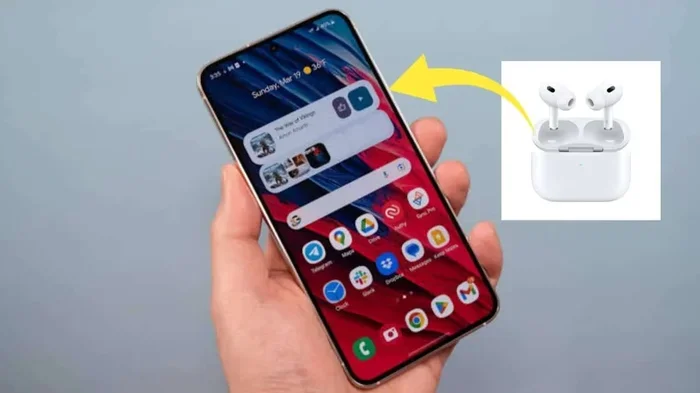
Featured image for AirPods with Android phone
Image source: hogatoga.com
Yes, AirPods do offer noise cancellation on Android, but with limitations. Active Noise Cancellation (ANC) and Transparency mode work directly through the earbuds’ hardware, regardless of your device. However, you won’t get the seamless control features found on iOS, and you’ll need a third-party app to customize settings like Adaptive Audio or Conversation Awareness.
Picture this: you’re sitting on a crowded subway train, the rumble of the tracks mixing with the chatter of strangers, and you pull out your AirPods hoping for a moment of peace. But wait, you’re using an Android phone. Will your AirPods actually cancel that noise, or are you stuck listening to the chaos around you?
It’s one of the most common questions in the wireless earbud world, and the answer isn’t as simple as “yes” or “no.” AirPods were designed with Apple users in mind, which can make Android owners feel a little left out. The better news? The core noise cancellation technology lives inside the earbuds themselves, not your phone.
That means even if you’re team Android, you can still enjoy a quieter, more focused listening experience. You just need to know which features work, which ones don’t, and how to squeeze every drop of performance out of your AirPods. Let’s break it all down so you can decide if AirPods are worth your money or if you should look elsewhere.
Key Takeaways
- Hardware-Based ANC: AirPods feature built-in Active Noise Cancellation that works independently of the operating system, meaning Android users can still block out ambient sound.
- Missing Software Features: Advanced features like Adaptive Audio, Personalized Spatial Audio, and automatic ear detection are either limited or unavailable on Android devices.
- Manual Controls Required: Without iOS integration, you’ll need to use physical button presses or third-party apps to switch between noise cancellation modes.
- Battery Drain Consideration: Using ANC on Android consumes slightly more battery because your phone cannot optimize power delivery to the earbuds as efficiently as an iPhone.
- Compatibility Tiers: AirPods Pro and AirPods 4 deliver full ANC support, while standard AirPods (2nd and 3rd gen) offer no noise cancellation at all.
- Third-Party Solutions: Apps like MaterialPods, AirBattery, and Assistant Trigger can help bridge the feature gap between iOS and Android.
- Microphone Quality Drops: Call quality and microphone performance are noticeably worse on Android due to the lack of AAC optimization and Siri integration.
📑 Table of Contents
- How Noise Cancellation Works in AirPods
- Which AirPods Models Support Noise Cancellation?
- What Works on Android (And What Doesn’t)
- How to Control Noise Cancellation on Android
- Sound Quality and Call Performance on Android
- Are AirPods Worth Buying for Android Users?
- Tips to Maximize Your AirPods Experience on Android
- Common Myths About AirPods and Android
- The Future of AirPods on Android
- Final Verdict
How Noise Cancellation Works in AirPods
Think of noise cancellation like a tug-of-war match happening inside your ears. The AirPods listen to the sounds around you using tiny built-in microphones, then create an “anti-noise” sound wave that’s the exact opposite. When these two waves meet, they cancel each other out, leaving you with sweet silence. Pretty cool, right?
This technology is called Active Noise Cancellation (ANC), and it’s entirely hardware-based. The microphones, processors, and speakers all live inside the tiny AirPods casing. Your phone’s operating system simply tells the earbuds what to do through Bluetooth, but the heavy lifting happens in the earbuds themselves.
The Difference Between ANC and Passive Noise Isolation
It’s easy to mix these two up, but they work differently. Passive noise isolation is just the physical barrier your earbuds create by plugging up your ear canal, like putting your hands over your ears. ANC, on the other hand, uses that fancy anti-noise technology to actively fight sound waves.
Most premium earbuds, including AirPods Pro, combine both methods for the best results. The silicone tips create a seal, and the ANC technology handles whatever sound leaks through. This one-two punch is why AirPods Pro can make a noisy coffee shop feel like a quiet library.
Transparency Mode Explained
Transparency mode is basically the opposite of noise cancellation. Instead of blocking the outside world, it lets sound in through the microphones. Imagine having a window open in a soundproof room. That’s Transparency mode.
This feature is incredibly useful when you need to hear announcements at an airport, have a quick conversation without removing your earbuds, or stay aware of traffic while walking down the street. Like ANC, Transparency mode works on Android because it’s a hardware feature controlled by physical button presses on the AirPods themselves.
Which AirPods Models Support Noise Cancellation?
Here’s where things get a little tricky. Not all AirPods are created equal, and the noise cancellation feature is only available on certain models. Buying the wrong pair could leave you wondering why your expensive earbuds aren’t blocking any noise at all.
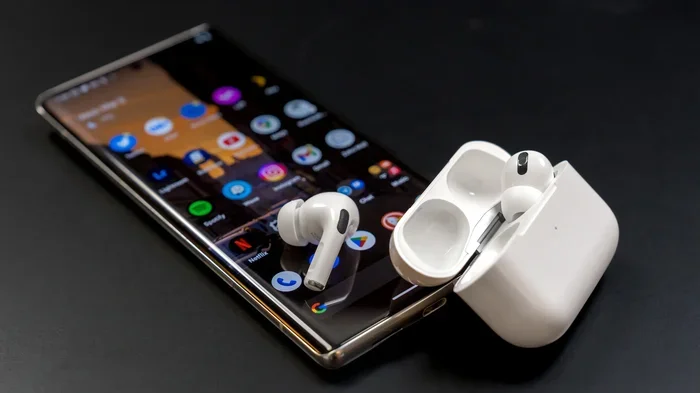
Visual guide about AirPods with Android phone
Image source: cdn.mos.cms.futurecdn.net
AirPods Pro (1st and 2nd Generation)
The AirPods Pro line is the gold standard for noise cancellation in the AirPods family. Both the original AirPods Pro and the newer AirPods Pro 2 feature Apple’s most advanced ANC technology. The second generation takes it even further with the H2 chip, which Apple claims cancels up to twice as much noise as the previous model.
Did You Know? The AirPods Pro 2’s H2 chip processes audio 48,000 times per second to detect and cancel incoming noise. That’s faster than the blink of an eye!
Both models also support Transparency mode and Adaptive Audio (a feature that automatically adjusts noise cancellation based on your environment, but more on that later).
AirPods 4 and AirPods 4 with Active Noise Cancellation
Apple shook things up in late 2024 by releasing the AirPods 4 in two versions: one with ANC and one without. The standard AirPods 4 don’t offer noise cancellation, but the AirPods 4 with Active Noise Cancellation do, thanks to the H2 chip.
This was a big deal because it brought ANC to a more affordable price point, making it accessible to more users. Even better, the ANC works just as well on Android as it does on iOS.
Standard AirPods (2nd and 3rd Generation)
These older models don’t have noise cancellation at all. They rely entirely on passive noise isolation, which means they physically block some sound but don’t actively cancel it. If noise cancellation is a priority for you, skip these models entirely.
AirPods Max
Apple’s over-ear headphones, the AirPods Max, offer some of the best noise cancellation in the industry. They use the same H1 chip as the original AirPods Pro and provide excellent ANC performance. Like the other models, this works on Android, though you lose some software features.
What Works on Android (And What Doesn’t)
Now for the million-dollar question: what exactly can you do with AirPods on an Android phone? The answer depends on whether you’re talking about hardware features or software features. Hardware features generally work great, while software features are where things get limited.
Features That Work on Android
The good news is that all the core noise cancellation features work perfectly on Android. You can:
- Toggle ANC on and off using the force sensor or touch controls on the AirPods themselves.
- Switch to Transparency mode by pressing and holding the force sensor.
- Enjoy high-quality audio through standard Bluetooth codecs like SBC and AAC.
- Use Siri through your AirPods by setting them up, though this requires workarounds on Android.
These features don’t need any special software to function. They’re built into the earbuds and activated by your finger pressing a button, not your phone sending a command.
Features That Don’t Work (Or Are Limited) on Android
Here’s where the experience takes a hit. Several advanced features require iOS to function properly:
- Adaptive Audio: This smart feature automatically adjusts noise cancellation levels based on your surroundings. It needs iOS 17 or later to work.
- Conversation Awareness: When you start talking, your AirPods automatically lower the volume and switch to Transparency mode. This is iOS-only.
- Personalized Spatial Audio: Creates a 3D sound experience tailored to your ears. Requires iOS 16 or later and an iPhone with Face ID.
- Ear Tip Fit Test: Helps you find the right size silicone tips. Only available through iOS settings.
- Automatic Switching: Seamlessly switches between Apple devices. Doesn’t work with Android at all.
- Find My Integration: While Find My works somewhat on Android through third-party apps, the native experience is iOS-only.
How to Control Noise Cancellation on Android
Since you can’t use the iOS settings menu, you’ll need alternative methods to control your AirPods’ noise cancellation on Android. Don’t worry, it’s easier than you think.
Using Physical Button Controls
The most reliable method is using the force sensor (or touch controls, depending on your model). On AirPods Pro and AirPods 4 with ANC, press and hold the force sensor on the stem to cycle through noise control modes. You’ll hear a chime to confirm the change.
The cycle typically goes: Noise Cancellation on, Transparency mode on, then back to Noise Cancellation. You can’t customize this order on Android like you can on iOS, but it covers the basics.
Using Third-Party Apps
Several Android apps can help you unlock more control over your AirPods. Here are the most popular options:
MaterialPods
This free app adds an AirPods-style status bar to your Android phone. It shows battery levels for each earbud and the charging case. It can also let you toggle noise cancellation modes from your phone’s notification panel, which is super convenient.
AirBattery
Similar to MaterialPods, AirBattery displays battery information for your AirPods. It also supports some noise control features and works well with most Android versions.
Assistant Trigger
If you want to use Google Assistant with your AirPods, this app is a lifesaver. It lets you trigger Google Assistant by tapping your AirPods, replacing the default Siri functionality that doesn’t work on Android.
MacroDroid
For power users, MacroDroid lets you create custom automations. You could, for example, automatically turn on Transparency mode when you open certain apps or arrive at specific locations.
Sound Quality and Call Performance on Android
Noise cancellation isn’t just about blocking ambient sound. It also affects how your voice sounds during calls and how music sounds overall. Here’s what to expect.
Audio Quality Differences
AirPods use Apple’s preferred AAC Bluetooth codec, which Android supports but doesn’t always optimize for. Some Android phones handle AAC poorly, leading to slight audio quality drops or connection stutters.
If you notice audio issues, try using the SBC codec instead. SBC is universally supported and often more stable on Android, though it doesn’t quite match AAC’s quality potential.
Microphone and Call Quality
This is where AirPods show their biggest weakness on Android. The microphone quality drops noticeably during calls because Apple designed the microphones to work best with iOS noise reduction algorithms.
Android phones use different noise reduction techniques, and they don’t communicate with AirPods the same way iPhones do. The result? Callers might hear more background noise, and your voice might sound less clear, especially in windy or loud environments.
Battery Life Impact
Using ANC on Android drains the battery slightly faster than on iOS. Why? Because iPhones can communicate with AirPods more efficiently, managing power delivery in real-time. Android phones can’t do this as effectively.
It’s not a massive difference, maybe 10-15% less battery life, but worth noting if you’re planning all-day listening sessions.
Are AirPods Worth Buying for Android Users?
After all this information, the big question remains: should you buy AirPods if you’re an Android user? The answer depends on what matters most to you.
When AirPods Make Sense for Android
AirPods are a solid choice if:
- You already own other Apple devices and want seamless ecosystem integration.
- You prioritize noise cancellation quality above all else.
- You’re willing to use third-party apps to unlock extra features.
- You love the AirPods design and comfort.
- You want the best Transparency mode available.
When You Should Consider Alternatives
You might want to look elsewhere if:
- You need full feature parity with your phone’s operating system.
- Call quality is a top priority for work or business.
- You’re on a tight budget and don’t want to pay extra for features you can’t use.
- You need customizable equalizer settings or audio profiles.
- You want a more “Android-native” experience with apps like Galaxy Wearable or Google Pixel Buds.
Top Android-Friendly Alternatives to Consider
If you decide AirPods aren’t right for you, these alternatives offer excellent noise cancellation with full Android integration:
- Sony WF-1000XM5: Industry-leading ANC with customizable apps.
- Bose QuietComfort Earbuds II: Superior noise cancellation and comfort.
- Samsung Galaxy Watch Pro 3: Best for Samsung phone users with seamless integration.
- Google Pixel Buds Pro 2: Designed specifically for Android with smart features.
- JBL Tour Pro 3: Budget-friendly option with solid ANC performance.
Tips to Maximize Your AirPods Experience on Android
If you’ve decided to stick with AirPods on Android, here are some pro tips to get the most out of them.
Get the Right Fit
Noise cancellation works best when your AirPods fit properly. For AirPods Pro, try all three sizes of silicone tips (small, medium, large) to find the best seal. A poor seal lets in outside noise and makes ANC much less effective.
Unfortunately, you can’t use Apple’s Ear Tip Fit Test on Android, so you’ll have to trust your ears. A good fit should feel snug without being uncomfortable, and outside noise should sound noticeably muffled even without ANC turned on.
Update Your AirPods Firmware
Apple regularly releases firmware updates that improve performance, including noise cancellation quality. To update your AirPods on Android, you typically need access to an iOS device, an Apple TV, or a Mac. Some newer updates can install automatically, but it’s not guaranteed.
Did You Know? Apple has released over 50 firmware updates for AirPods Pro since launch, each one tweaking performance and fixing bugs. Staying current can make a real difference!
Clean Your AirPods Regularly
Dirty earbuds don’t just look gross, they perform worse. Earwax and debris can block the microphones needed for ANC to work properly. Clean your AirPods weekly using a soft, dry cloth and avoid getting moisture in the speaker grilles.
For stubborn debris, use a dry cotton swab or a soft-bristled brush. Never use water or cleaning solutions directly on the earbuds.
Manage Battery Life Wisely
Turn off noise cancellation when you don’t need it. If you’re in a quiet room, ANC isn’t necessary, and disabling it can extend your listening time significantly. Transparency mode uses less battery than ANC, so use that instead when you need to stay aware.
Also, keep your charging case topped up. The case provides multiple full charges for your AirPods, extending total listening time to 24-30 hours depending on the model.
Explore Accessibility Features
Android has built-in accessibility features that can enhance your AirPods experience. Look for options in Settings > Accessibility > Hearing enhancements to customize audio output, enable mono audio, or adjust balance between left and right earbuds.
These features work with any Bluetooth earbuds, including AirPods, and can make a big difference if you have specific hearing needs.
Common Myths About AirPods and Android
Let’s clear up some confusion that’s been floating around the internet for years.
Myth: AirPods Won’t Work With Android at All
False! AirPods use standard Bluetooth technology, which means they work with virtually any Bluetooth-enabled device, including Android phones, Windows PCs, smart TVs, and gaming consoles. You won’t get all the fancy features, but they absolutely work.
Myth: Noise Cancellation Is Completely Disabled on Android
Also false. As we’ve covered extensively, ANC works on Android through physical controls. Apple didn’t “block” noise cancellation for Android users, it’s simply not controllable through Android software.
Myth: AirPods Sound Worse on Android
Partially true. AirPods sound slightly different on Android due to codec handling differences, but it’s not a dramatic difference. Most casual listeners won’t notice anything wrong. Audiophiles might detect subtle quality changes, especially with complex music or high-bitrate audio.
Myth: You Need an iPhone to Set Up AirPods
Not true anymore. While initial setup is easier on iOS, you can pair AirPods with Android just like any other Bluetooth device. Open the case, press the pairing button, find them in your Bluetooth settings, and connect. Done.
The Future of AirPods on Android
As AirPods continue evolving, the question of Android compatibility becomes more interesting. Will Apple ever release a dedicated Android app? Probably not, given their ecosystem strategy. But will AirPods continue working well on Android? Almost certainly yes.
Apple has been gradually making AirPods more platform-agnostic. Features like Find My now work through third-party apps, and many core functions have always been cross-platform. As Bluetooth technology improves and standards become more unified, we can expect even better compatibility in the future.
Did You Know? Over 100 million Android users own AirPods, according to various market research estimates. That’s a huge market that Apple can’t afford to ignore, even if they won’t officially acknowledge it.
The bottom line? AirPods with noise cancellation work on Android, just not as seamlessly as on iOS. If you’re willing to accept some limitations and do a little extra setup, AirPods can be a great choice for Android users who prioritize noise cancellation quality and brand reliability.
Final Verdict
AirPods absolutely have noise cancellation on Android. The hardware works independently of your operating system, so you can enjoy ANC, Transparency mode, and great audio quality regardless of whether you’re team iOS or team Android.
However, you’ll miss out on some software features that make the AirPods experience truly magical on iOS. Adaptive Audio, Conversation Awareness, and Personalized Spatial Audio are all missing on Android, which might be a dealbreaker for some users.
If you’re an Android user who already loves AirPods or is willing to use third-party apps to enhance the experience, go for it. The noise cancellation quality is excellent, and the earbuds themselves are well-designed and comfortable. Just don’t expect the same seamless integration you’d get with an iPhone.
For those who want full Android integration with comparable noise cancellation, consider alternatives like the Sony WF-1000XM5, Bose QuietComfort Earbuds II, or Google Pixel Buds Pro. These options offer similar ANC quality with better Android-specific features.
Whatever you choose, remember that great noise cancellation can transform your daily life. Whether you’re commuting, working in a busy office, or just trying to find some peace at home, the right earbuds make all the difference. Happy listening!
Frequently Asked Questions
Do AirPods Pro noise cancellation work on Android?
Yes, AirPods Pro noise cancellation works fully on Android devices. The ANC feature is hardware-based and activated through the force sensor on the earbuds. You can toggle between Noise Cancellation and Transparency mode without needing any special app.
Can you control AirPods noise cancellation from an Android phone?
Not directly through native settings, but you can use third-party apps like MaterialPods or AirBattery to control noise cancellation modes from your Android phone’s notification panel or through customizable widgets.
Do all AirPods have noise cancellation?
No, only AirPods Pro (1st and 2nd generation), AirPods 4 with Active Noise Cancellation, and AirPods Max have noise cancellation. Standard AirPods 2, 3, and the base AirPods 4 do not offer ANC and rely solely on passive noise isolation.
Does AirPods Transparency mode work on Android?
Yes, Transparency mode works on Android just like noise cancellation. Press and hold the force sensor on your AirPods Pro or AirPods 4 with ANC to switch between Transparency mode and noise cancellation.
Is sound quality worse when using AirPods on Android?
Audio quality is very similar but can be slightly different due to Bluetooth codec handling. Some Android phones handle the AAC codec less efficiently than iPhones, which may cause minor audio quality variations, though most users won’t notice significant differences.
Do AirPods drain battery faster on Android with ANC on?
Yes, AirPods typically drain battery 10-15% faster on Android when using active noise cancellation. This is because iPhones can communicate more efficiently with AirPods for power management, while Android phones lack this optimized power delivery system.