Featured image for AirPods Pro 2 Apple Music
Image source: iphones.ru
AirPods Pro 2 do not come with a free Apple Music subscription included in the box. When you buy AirPods Pro 2, you get the earbuds, charging case, and documentation—but no Apple Music access. However, Apple often runs promotions offering free Apple Music trials with new AirPods purchases, and you can easily pair AirPods Pro 2 with any Apple Music account on your iPhone, iPad, or Mac.
Picture this: you just unboxed your shiny new AirPods Pro 2. You’re excited to try them out, maybe listen to some music, and enjoy that fancy noise cancellation. Then a thought pops into your head—do these come with Apple Music? It seems like a reasonable expectation, right? After all, you bought Apple earbuds, so maybe Apple throws in some free music too?
Here’s the straight answer: AirPods Pro 2 do not come with a free Apple Music subscription. You won’t find a card in the box that gives you six months of streaming, and there’s no activation code for Apple Music tucked inside the packaging. What you get are the earbuds, a charging case, silicone ear tips, and a USB-C or Lightning cable (depending on the model you buy).
But don’t close this page just yet! While Apple Music isn’t included for free, there are some great promotional offers that frequently come with new AirPods purchases. Plus, pairing your AirPods Pro 2 with Apple Music is one of the smoothest experiences in tech. Let me walk you through everything you need to know—what’s in the box, how to get free Apple Music trials, and how to make the most of your shiny new earbuds.
Key Takeaways
- No Built-In Apple Music: AirPods Pro 2 do not include a free Apple Music subscription when purchased.
- Free Trials Available: Apple frequently offers 1-6 month free Apple Music trials with new AirPods purchases.
- Seamless Compatibility: AirPods Pro 2 work perfectly with Apple Music through any Apple device.
- Charging Case Included: The box contains earbuds, charging case (USB-C or Lightning), and ear tips.
- New Apple Music Subscriptions Only: Promotional trials typically apply only to new or returning Apple Music subscribers.
- Lossless Audio Limitation: AirPods Pro 2 support Apple Music’s standard and Spatial Audio, but not lossless quality.
- Activation Required: Free trial offers must be activated within 90 days of pairing your AirPods.
📑 Table of Contents
- What’s Actually in the AirPods Pro 2 Box?
- How to Get Free Apple Music with AirPods Pro 2
- How AirPods Pro 2 Work with Apple Music
- Can You Use AirPods Pro 2 with Other Music Services?
- Tips for Getting the Most Out of AirPods Pro 2 and Apple Music
- Comparing AirPods Pro 2 to Other Apple Earbuds
- Common Misconceptions About AirPods and Apple Music
- The Final Verdict: Do AirPods Pro 2 Come with Apple Music?
What’s Actually in the AirPods Pro 2 Box?
Before we dive into the Apple Music question, let’s talk about what you actually get when you buy AirPods Pro 2. Apple keeps the packaging pretty simple, which is part of their design philosophy. Less clutter, more focus on the product.
The Core Components
When you crack open that white box, here’s what you’ll find inside:
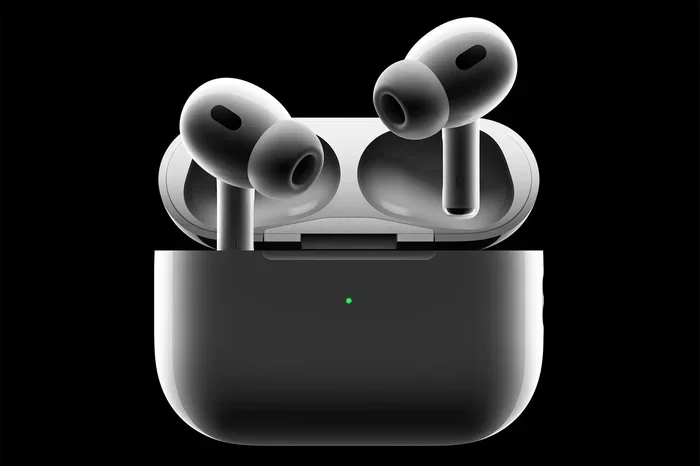
- AirPods Pro 2 Earbuds: Two wireless earbuds featuring the H2 chip, which powers active noise cancellation, adaptive transparency mode, and personalized spatial audio.
- Charging Case: The MagSafe-compatible case (USB-C version) or Lightning case (older version) that also has a built-in speaker and U1 chip for Find My precision tracking.
- Silicone Ear Tips: Four sizes (XS, S, M, L) to help you find the perfect fit.
- USB-C Cable: For charging the case (USB-C to USB-C or USB-C to Lightning, depending on the model).
- Documentation: Quick start guide, warranty information, and regulatory compliance papers.
That’s it. No Apple Music code, no free trial card, no music subscription of any kind. Apple separates its hardware products from its services, so even though AirPods and Apple Music are both Apple products, they don’t bundle them together for free.
Why Apple Doesn’t Include Apple Music with AirPods
You might wonder why Apple doesn’t just throw in a free year of Apple Music with every AirPods purchase. There are a few good reasons. First, Apple Music is a separate subscription service that generates its own revenue. If they gave it away with every AirPods purchase, they’d lose that income. Second, Apple already offers free trials directly through the Apple Music app, so they don’t need to bundle it to get people to try the service. Third, many AirPods owners already have Apple Music accounts, so including a free subscription wouldn’t add much value for them.
Think of it like buying a TV. The TV doesn’t come with a free Netflix subscription, even though they’re often used together. Same idea with AirPods and Apple Music.
How to Get Free Apple Music with AirPods Pro 2
Okay, so Apple Music isn’t included in the box. But that doesn’t mean you can’t get it for free—at least for a little while. Apple regularly runs promotions that give you free Apple Music access when you buy new AirPods. Let me explain how this works.
Visual guide about AirPods Pro 2 Apple Music
Image source: i.blogs.es
The Standard Apple Music Free Trial
First, let’s talk about the always-available free trial. Anyone with an Apple ID can sign up for a free month of Apple Music through the Music app on their iPhone, iPad, Mac, or even through iTunes on Windows. You don’t need AirPods to do this. You just need a device with internet access and an Apple ID that hasn’t been used for Apple Music before (or hasn’t been used in a while if you’re a returning subscriber).
Here’s how to start your free trial:
- Open the Music app on your Apple device.
- Tap or click the “Try Apple Music Free” button (or similar wording).
- Choose your subscription tier (Individual, Student, or Family).
- Sign in with your Apple ID.
- Add a payment method (you’ll be charged after the trial ends unless you cancel).
This trial gives you full access to Apple Music’s entire catalog—over 100 million songs, playlists, radio stations, and more. You can use it with or without AirPods, but pairing AirPods Pro 2 makes the experience much better thanks to features like Spatial Audio and active noise cancellation.
Promotional Free Trials with AirPods Purchases
Now, here’s the exciting part. Apple frequently offers extended free Apple Music trials when you buy new AirPods. In the past, these promotions have ranged from 1 month to 6 months of free Apple Music, depending on the promotion period and your region.
For example, in late 2023 and early 2024, Apple offered 2-3 month free Apple Music trials with AirPods Pro 2 purchases in the United States. These offers change often, so it’s worth checking Apple’s website or visiting your local Apple Store to see what’s currently available.
To take advantage of these promotional offers, you typically need to:
- Buy new AirPods Pro 2 from Apple (either online or in-store).
- Pair your AirPods with your iPhone, iPad, or Mac within a certain timeframe (usually 30-90 days).
- Open the Apple Music app on that device.
- Follow the prompts to activate your free trial.
Important note: these promotional trials are usually only available to new Apple Music subscribers or those who haven’t subscribed in a while. If you’re a current Apple Music subscriber, you might not qualify for the promotional free trial.
Student and Family Plan Discounts
If you’re a college student, you can get Apple Music for half price—$5.99/month instead of $10.99/month in the US. And if you have a family, the Family Plan lets up to six people share one subscription for $16.99/month. These aren’t free, but they’re more affordable options that work perfectly with AirPods Pro 2.
How AirPods Pro 2 Work with Apple Music
Even though AirPods Pro 2 don’t come with Apple Music included, they’re designed to work beautifully with the service. The integration is so smooth that it almost feels like they were made for each other—because they were. Let me explain the key features and how to set everything up.
Effortless Pairing and Setup
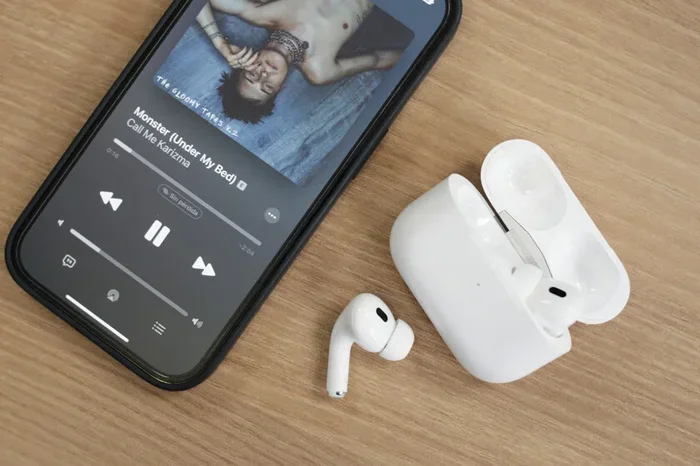
One of the coolest things about AirPods is how easy they are to pair with your Apple devices. The first time you open the AirPods Pro 2 case near your iPhone, a setup animation pops up on your screen. One tap, and you’re connected. The same applies to your iPad, Mac, Apple Watch, and Apple TV. They all share the same iCloud account, so your AirPods automatically switch between devices based on what you’re using.
For example, if you’re listening to music on your iPhone and then start watching a movie on your Mac, your AirPods will automatically switch to the Mac. It’s like magic, and it works seamlessly with Apple Music.
Spatial Audio: The Killer Feature
AirPods Pro 2 support Spatial Audio with Dolby Atmos, which Apple Music has fully embraced. Spatial Audio creates a 3D listening experience where sound seems to come from all around you, not just from the left and right. It’s like being in the middle of a concert hall or a movie theater.
To use Spatial Audio with Apple Music:
- Open the Settings app on your iPhone or iPad.
- Tap on “Music.”
- Scroll down and enable “Dolby Atmos.”
- Choose “Always On” or “Automatic.”
Once enabled, compatible songs in Apple Music will automatically play in Spatial Audio when you’re using your AirPods Pro 2. Thousands of songs in Apple Music’s catalog support Spatial Audio, and the list keeps growing. Major artists like Billie Eilish, The Weeknd, Ariana Grande, and many others have released tracks in this format.
Did you know? Apple Music was one of the first major streaming services to fully adopt Spatial Audio and lossless audio, giving them a competitive edge over Spotify and other rivals. As of 2024, Apple Music offers over 100 million songs, with tens of thousands available in Spatial Audio.
Active Noise Cancellation and Transparency Mode
While these aren’t Apple Music features specifically, they dramatically improve your listening experience. Active Noise Cancellation on AirPods Pro 2 blocks out external sounds, so you can focus on your music without distractions. Transparency Mode does the opposite—it lets outside sounds in, so you can hear announcements, have conversations, or stay aware of your surroundings without taking your earbuds out.
Imagine you’re on a noisy subway. With Active Noise Cancellation on, the train sounds disappear, and it’s just you and your favorite playlist. With Transparency Mode, you can hear the conductor announce your stop without missing a beat. Apple Music sounds great in both modes, and switching between them is as easy as pressing and holding the force sensor on the AirPods stem.
Lossless Audio: What AirPods Pro 2 Can and Can’t Do
Here’s an important technical point: Apple Music offers lossless audio (ALAC format) at various quality levels, from CD-quality (16-bit/44.1 kHz) all the way up to Hi-Res Lossless (24-bit/192 kHz). However, AirPods Pro 2 cannot play lossless audio. They connect via Bluetooth, which compresses audio and doesn’t support true lossless playback.
Apple has introduced a feature called “Lossless Audio” on Apple Music, but it requires either wired headphones, a wired connection to a DAC (digital-to-analog converter), or a HomePod speaker. AirPods Pro 2 use the AAC Bluetooth codec, which is high quality but not lossless.
That said, AirPods Pro 2 still sound excellent with Apple Music. The H2 chip processes audio beautifully, and the difference between standard and lossless audio is subtle for most listeners—especially in noisy environments. Unless you’re an audiophile with perfect hearing in a perfectly quiet room, you’ll likely be perfectly happy with AirPods Pro 2’s audio quality.
Can You Use AirPods Pro 2 with Other Music Services?
Absolutely! Even though AirPods Pro 2 work seamlessly with Apple Music, you can use them with any music streaming service. Spotify, YouTube Music, Amazon Music, Tidal, Pandora, Deezer—if it plays audio on your device, your AirPods will play it.
The basic Bluetooth connection works with any Bluetooth-enabled device, including Android phones, Windows PCs, and non-Apple devices. However, some advanced features (like automatic device switching and Spatial Audio) only work when your AirPods are paired with Apple devices.
Using AirPods Pro 2 with Spotify
Spotify is the world’s most popular music streaming service, with over 600 million active users as of 2024. You can use AirPods Pro 2 with Spotify just like you would with Apple Music. Pair them via Bluetooth, open Spotify, and press play. The audio quality won’t be lossless unless you’re using a wired connection, but Spotify Premium offers high-quality streaming at 320 kbps, which sounds great on AirPods Pro 2.
One thing to note: Spotify’s integration with AirPods isn’t quite as tight as Apple Music’s. For example, you won’t get the same seamless hands-free Siri control, and the connection process is slightly more manual. But the core listening experience is excellent.
Why Some People Prefer Apple Music with AirPods
There are several reasons why Apple Music and AirPods are a popular combination:
- Better Integration: Hands-free “Hey Siri” works perfectly for controlling playback, adjusting volume, and more.
- Spatial Audio Support: Apple Music has the largest library of Spatial Audio tracks.
- Lyrics Display: Real-time lyrics appear on your iPhone, iPad, or Mac screen, and Siri can read them aloud.
- Apple Music Radio: Beats 1 (now Apple Music Radio) offers live radio shows hosted by popular artists and DJs.
- iCloud Music Library: Sync your personal music collection across all your Apple devices.
None of these features are deal-breakers, but they make the Apple ecosystem feel more cohesive.
Tips for Getting the Most Out of AirPods Pro 2 and Apple Music
Now that you know AirPods Pro 2 don’t come with Apple Music but work wonderfully with it, let me share some tips to maximize your experience. These are the same tips I’d give to a friend who just bought their first pair of AirPods Pro 2.
Tip 1: Take the Ear Tip Fit Test
Before you do anything else, make sure your AirPods fit properly. A good seal is essential for noise cancellation, bass response, and overall sound quality. Apple includes a built-in Ear Tip Fit Test in iOS. Here’s how to access it:
- Put your AirPods Pro 2 in your ears.
- Go to Settings > Bluetooth.
- Tap the “i” next to your AirPods Pro 2.
- Select “Ear Tip Fit Test.”
- Follow the on-screen instructions.
The test plays some tones and uses the AirPods’ microphones to determine if you have a good seal. If the test suggests a different ear tip size, swap them out and try again. This small step makes a huge difference in audio quality.
Tip 2: Customize Your Force Sensor Controls
Each AirPod has a small force sensor on the stem. You press it to control playback, answer calls, and switch between noise cancellation modes. You can customize what the press-and-hold action does in Settings > Bluetooth > AirPods Pro 2. For example, you can set it to invoke Siri instead of switching noise control modes, or vice versa.
Tip 3: Use Find My to Locate Lost AirPods
AirPods Pro 2 have a U1 chip in the charging case, which means you can use the Find My app to locate them with precision. If you misplace your AirPods, open the Find My app on your iPhone, tap on your AirPods, and follow the on-screen directions. You can even make them play a sound to help you find them if they’re nearby. This feature works even if the AirPods are in the case and the case is closed.
Tip 4: Explore Apple Music’s Hidden Features
Apple Music has tons of features you might not know about. For example, did you know you can create shared playlists with friends? Or that you can download songs for offline listening? Or that Apple Music has a karaoke mode with real-time lyrics? Take some time to explore the app and discover what it can do.
Tip 5: Take Advantage of Spatial Audio
Once you’ve set up Apple Music, make sure to enable Spatial Audio. Many people don’t realize that it’s off by default, or they don’t know how to turn it on. Spatial Audio really does change the listening experience, especially for genres like electronic, classical, and cinematic music. Try listening to a familiar song in Spatial Audio—you’ll hear details you’ve never noticed before.
Tip 6: Keep Your AirPods and Case Updated
Apple releases firmware updates for AirPods periodically. These updates improve performance, fix bugs, and sometimes add new features. To make sure your AirPods are up to date, keep them in their case, connected to your iPhone, and near a Wi-Fi network. The updates happen automatically in the background.
Comparing AirPods Pro 2 to Other Apple Earbuds
You might be wondering how AirPods Pro 2 compare to other Apple earbuds in terms of features and Apple Music integration. Let me break it down.
AirPods (3rd Generation)
AirPods 3 are the non-Pro version with a similar design but without silicone ear tips. They support Spatial Audio but have less impressive noise isolation (no active noise cancellation). They work with Apple Music in the same way as AirPods Pro 2, and they sometimes come with free Apple Music trial offers too.
AirPods Max
AirPods Max are Apple’s over-ear headphones. They support Spatial Audio and high-quality audio, and they’re better suited for audiophiles who want a more immersive experience. However, they don’t support lossless audio either, and they’re significantly more expensive ($549 vs. $249 for AirPods Pro 2).
Beats Fit Pro
Beats Fit Pro are made by Apple (Beats is an Apple subsidiary) and offer similar features to AirPods Pro 2 but with a different design that includes ear hooks for a more secure fit during workouts. They work with Apple Music and sometimes come with free trial offers as well.
No matter which Apple earbuds you choose, the Apple Music experience is largely the same. The main differences are in audio quality, noise cancellation, fit, and price.
Common Misconceptions About AirPods and Apple Music
There are a few common myths and misconceptions about AirPods and Apple Music that I want to clear up. Some of these come up in online forums and social media all the time, so let’s set the record straight.
Myth 1: AirPods Pro 2 Include a Free Year of Apple Music
This is one of the most persistent rumors. Some people claim that buying AirPods gets you a free year of Apple Music. This is false. The longest free trial Apple has ever offered with AirPods is 6 months, and even that’s a rare promotion. Standard free trials are 1 month, and promotional offers range from 2-6 months depending on the time and region.
Myth 2: You Can Only Use AirPods with Apple Music
Wrong! AirPods work with any audio source. You can use them with Spotify, YouTube Music, podcasts, audiobooks, videos, phone calls, and more. Apple Music is just one of many options.
Myth 3: AirPods Pro 2 Sound Bad Because They Don’t Support Lossless
Not true. AirPods Pro 2 sound excellent. The H2 chip and custom drivers deliver rich, detailed audio. While they don’t support true lossless playback, the difference is minimal for most listeners. The convenience and features of AirPods Pro 2 more than make up for the lack of lossless support.
Myth 4: You Need an Apple Music Subscription to Use AirPods
Absolutely not. You can use AirPods Pro 2 without any music subscription at all. They work for phone calls, FaceTime, podcasts, YouTube, and any other audio source. Apple Music is an optional subscription service, not a requirement.
The Final Verdict: Do AirPods Pro 2 Come with Apple Music?
Let’s wrap this up with a clear, definitive answer. No, AirPods Pro 2 do not come with a free Apple Music subscription included in the box. When you purchase AirPods Pro 2, you get the earbuds, charging case, ear tips, and a charging cable. That’s it.
However, Apple Music works beautifully with AirPods Pro 2, and you can easily get a free trial to test it out. Apple regularly offers promotional free trials ranging from 1-6 months when you buy new AirPods, and there’s always the standard 1-month free trial available through the Apple Music app. After the trial, Apple Music costs $10.99/month for individuals, $5.99/month for students, or $16.99/month for families (up to 6 people) in the US.
So, should you buy AirPods Pro 2 even without Apple Music included? Absolutely. They’re fantastic earbuds that work with any audio source, and the Apple Music integration is just the cherry on top. If you’re already in the Apple ecosystem and you love music, AirPods Pro 2 and Apple Music together are a match made in heaven.
Just remember: buy the AirPods for the amazing earbuds they are, and treat Apple Music as a separate (optional) subscription. That way, you’ll be happy with your purchase no matter what.
Frequently Asked Questions
Do AirPods Pro 2 come with a free Apple Music subscription?
No, AirPods Pro 2 do not come with a free Apple Music subscription included in the box. However, Apple frequently offers promotional free Apple Music trials (ranging from 1-6 months) when you purchase new AirPods. These trials must be activated within a specific timeframe after pairing your AirPods with an Apple device.
What comes in the AirPods Pro 2 box?
The AirPods Pro 2 box includes the wireless earbuds, a MagSafe-compatible charging case (USB-C or Lightning depending on the model), four sizes of silicone ear tips (XS, S, M, L), a USB-C charging cable, and documentation. There’s no Apple Music code or free trial card included.
Can I use AirPods Pro 2 with Spotify or other music apps?
Yes, AirPods Pro 2 work with any music streaming service, including Spotify, YouTube Music, Amazon Music, Tidal, and more. While the integration with Apple Music is the smoothest, you can use any audio app on your device and the audio will play through your AirPods.
How do I activate a free Apple Music trial with new AirPods?
To activate a promotional free Apple Music trial with new AirPods, pair your AirPods Pro 2 with your iPhone, iPad, or Mac. Then open the Apple Music app and look for a prompt or banner offering the free trial. You typically need to be a new or returning Apple Music subscriber to qualify, and the offer must be activated within 30-90 days of purchase.
Do AirPods Pro 2 support lossless audio from Apple Music?
No, AirPods Pro 2 do not support lossless audio from Apple Music. They use Bluetooth connectivity, which compresses audio. AirPods Pro 2 support standard AAC Bluetooth audio, as well as Spatial Audio with Dolby Atmos. For true lossless playback, you would need wired headphones or a HomePod speaker.
Is Apple Music worth getting with AirPods Pro 2?
Yes, Apple Music is an excellent companion to AirPods Pro 2. The integration is seamless, with features like hands-free Siri control, Spatial Audio support, real-time lyrics, and automatic device switching. Plus, Apple Music has a catalog of over 100 million songs and thousands of tracks in Spatial Audio, making it one of the best music streaming services for AirPods users.