
Featured image for AirPods Pro USB-C charging case
Image source: m.media-amazon.com
The AirPods Pro (2nd generation) uses USB-C for charging, while the standard AirPods (3rd generation) does not have a “Pro” variant and uses a Lightning connector. Apple’s transition to USB-C began with the iPhone 15 in 2023, and the AirPods Pro 2 received a USB-C charging case in September 2023. The regular AirPods 3, released in 2021, still relies on Apple’s proprietary Lightning port. If you’re looking for USB-C compatibility in AirPods, you’ll need the AirPods Pro 2 with the updated case.
If you’ve been searching for “AirPods third gen pro” and wondering whether they use USB-C, you’re not alone. This is one of the most common questions in the AirPods world, and the confusion makes total sense. Apple has multiple AirPods lines, confusing generational numbers, and a recent shift in charging technology that left many people scratching their heads.
Here’s the simple truth upfront: there is no product called “AirPods Third Gen Pro.” Apple sells AirPods (standard, now in its 3rd generation) and AirPods Pro (currently in its 2nd generation). The standard AirPods 3 use a Lightning port, while the AirPods Pro 2 have moved to USB-C. Understanding this difference can save you money, frustration, and a lot of wasted time searching online.
In this guide, we’ll break down everything you need to know about AirPods and USB-C. You’ll learn which models use which connector, why Apple made the switch, and what it means for your daily charging routine. Let’s clear up the confusion once and for all.
Key Takeaways
- There is no “AirPods 3rd Gen Pro”: Apple makes separate lines—AirPods (standard) and AirPods Pro. The “3rd generation” refers to standard AirPods, not a Pro model.
- AirPods (3rd Gen) use Lightning: Released in October 2021, these earbuds charge via Apple’s Lightning connector, not USB-C.
- AirPods Pro 2 has USB-C: In September 2023, Apple updated the AirPods Pro 2 charging case to USB-C, replacing the Lightning version.
- EU regulations drove the change: The European Union’s common charger directive required USB-C on many devices by late 2024, pushing Apple to transition.
- MagSafe and wireless charging work too: Both AirPods 3 and AirPods Pro 2 cases support Qi and MagSafe wireless charging regardless of port type.
- Cable differences matter: USB-C cables are reversible and universal, while Lightning cables are Apple-specific and have a fragile design.
- Future AirPods will likely all use USB-C: Apple’s product lineup is moving toward full USB-C adoption across its entire ecosystem.
📑 Table of Contents
- Understanding the AirPods Lineup: Clearing Up the Naming Confusion
- The Truth About AirPods 3rd Generation and Charging Ports
- AirPods Pro 2 and the USB-C Transition
- USB-C vs Lightning: What You Need to Know
- Charging Your AirPods: Practical Tips and Scenarios
- The Future of AirPods and Charging
- Final Thoughts: Making Sense of AirPods and USB-C
Understanding the AirPods Lineup: Clearing Up the Naming Confusion
Before we dive into USB-C specifics, let’s untangle the AirPods naming system. Think of it like coffee shop menu items. You have regular coffee, and then you have premium coffee. They’re both coffee, but they’re different products. Apple does something similar with AirPods.
The Two Main AirPods Families
Apple currently sells two main AirPods product lines:
- AirPods (standard): The basic earbuds, now in their 3rd generation. These are the open-ear design that doesn’t have silicone tips.
- AirPods Pro: The premium earbuds with noise cancellation and silicone ear tips, currently in their 2nd generation.
When someone says “AirPods 3rd generation,” they mean the standard AirPods released in 2021. When someone says “AirPods Pro,” they mean the noise-cancelling version. There has never been a hybrid product called “AirPods 3rd Gen Pro.” It’s a mashup of two different naming conventions.
Why People Get Confused
Did you know that Apple has released over five different AirPods models since 2016? That’s a lot of variations to keep track of. The confusion often happens because:
- People assume “Pro” means a generation rather than a product line
- Apple updates charging cases separately from the earbuds themselves
- Marketing materials sometimes blur the lines between models
- Online sellers sometimes use incorrect product names
Understanding this naming system is the first step to answering your USB-C question correctly.
The Truth About AirPods 3rd Generation and Charging Ports
Let’s address the AirPods 3rd generation directly. These earbuds were announced on October 18, 2021, and they hit stores on October 26, 2021. They brought significant upgrades over the AirPods 2, including spatial audio, better water resistance, and a redesigned contoured shape.
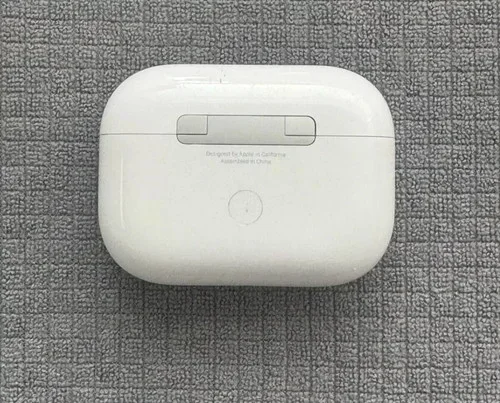
Visual guide about AirPods Pro USB-C charging case
Image source: i.ebayimg.com
What Charging Port Does AirPods 3 Use?
The AirPods 3rd generation use a Lightning connector for wired charging. This is the same proprietary port Apple used on iPhones from 2012 to 2023. The Lightning port looks like a small, thin oval with a distinctive shape that only fits one way into the charging case.
Here’s what came in the original AirPods 3 box:
- AirPods (3rd generation) earbuds
- Lightning charging case (or MagSafe charging case, depending on which version you bought)
- Lightning to USB-C cable
- Documentation
Notice that the cable included is Lightning to USB-C. This means the AirPods 3 case has a Lightning port, but the other end of the cable is USB-C. You can plug this into a USB-C wall adapter or your MacBook to charge the case.
Did Apple Ever Release a USB-C Version of AirPods 3?
As of 2024, Apple has not released a USB-C version of the standard AirPods 3. The AirPods 3 continue to use Lightning, even though Apple has transitioned most of its other products to USB-C. The AirPods 4, released in September 2024, finally brought USB-C to the standard AirPods line, but the older AirPods 3 remain Lightning-based.
If you’re shopping for AirPods today, here’s a quick guide:
- AirPods 3: Lightning port (still sold by Apple)
- AirPods 4: USB-C port (newest standard model)
- AirPods Pro 2 (original): Lightning port
- AirPods Pro 2 (updated): USB-C port (released September 2023)
AirPods Pro 2 and the USB-C Transition
Now let’s talk about the AirPods Pro, which is where the USB-C story gets interesting. The AirPods Pro 2 launched in September 2022 with a Lightning charging case. Then, almost exactly one year later in September 2023, Apple released an updated version with a USB-C case.
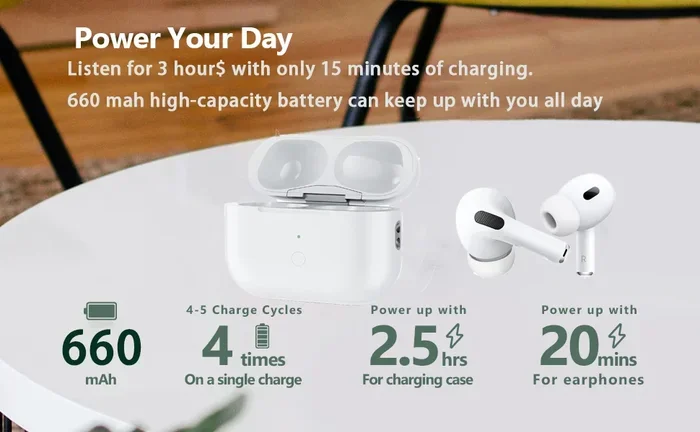
Visual guide about AirPods Pro USB-C charging case
Image source: m.media-amazon.com
What Changed in the USB-C AirPods Pro 2?
The September 2023 update wasn’t just about the charging port. Apple also made the new AirPods Pro 2 more rugged. Here’s a comparison:
- Original AirPods Pro 2 (2022): IPX4 water resistance, Lightning port, works with Find My with U1 chip
- Updated AirPods Pro 2 (2023): IP54 dust and water resistance, USB-C port, works with Find My with U1 chip
The USB-C version also supports lossless audio when used with the Apple Vision Pro headset. This is a fancy feature that means the audio doesn’t get compressed when sent from the Vision Pro to your AirPods Pro.
Why Did Apple Switch to USB-C?
Apple didn’t switch to USB-C just to be trendy. Several factors pushed this change:
- EU regulations: The European Union passed a law requiring USB-C on many electronic devices by December 28, 2024. This applied to phones, tablets, headphones, and more.
- Industry standards: USB-C has become the universal standard for most electronics, from laptops to game consoles.
- User convenience: One cable for everything reduces clutter and confusion.
- Faster data and power: USB-C can transfer data faster and charge devices more quickly than Lightning.
The EU’s common charger directive was probably the biggest motivator. Think of it like a traffic law. When everyone drives on the same side of the road, accidents decrease. When everyone uses the same charger, life gets simpler.
How to Tell If You Have USB-C or Lightning AirPods Pro 2
Not sure which version you own? Here’s a simple trick. Look at the bottom of your charging case where the charging port is located. If you see:
- A small, thin oval slot, you have the Lightning version
- A wider, symmetrical oval slot, you have the USB-C version
You can also check the model number. The Lightning AirPods Pro 2 has model number A2968, while the USB-C version is A3102. This information is printed in tiny letters on the bottom of the case or in your iPhone’s Settings app under Bluetooth.
USB-C vs Lightning: What You Need to Know
If you’re new to the USB-C world, or you’ve been an Apple user for years and are used to Lightning, let’s break down what makes these connectors different.
Physical Differences
The most obvious difference is the shape. Lightning connectors are small, thin, and have a slightly tapered design. They only fit into the port one way. USB-C connectors are larger, symmetrical ovals that look the same no matter which way you flip them. Think of Lightning like a one-way street and USB-C like a roundabout where you can enter from any direction.
Technical Capabilities
USB-C is technically superior in several ways:
- Faster charging: USB-C can deliver more power, up to 240 watts in some versions, though AirPods cases only need a small amount.
- Faster data transfer: USB-C supports USB 3.1 and USB 4 standards, transferring data at speeds up to 40 Gbps. Lightning maxes out at USB 2.0 speeds.
- Universal compatibility: USB-C works with Android phones, Windows laptops, MacBooks, iPads, game consoles, and more.
- Better durability: USB-C ports are rated for more insertion cycles than Lightning ports.
The Downsides of USB-C
It’s not all sunshine and roses. USB-C has some drawbacks too:
- Cable quality varies wildly. Cheap cables might not charge properly or could even damage devices.
- The standard is complex, with different versions supporting different features.
- Older USB-C cables might not support fast charging or high-speed data.
For AirPods specifically, these downsides don’t matter much. AirPods cases only need a small amount of power, and they don’t transfer data over the cable. Any USB-C cable will work just fine for charging.
Charging Your AirPods: Practical Tips and Scenarios
Let’s get practical. Whether you have Lightning or USB-C AirPods, here’s how to make the most of your charging situation.
Wired Charging Basics
To charge your AirPods case with a cable, you need:
- A Lightning cable (for Lightning AirPods) or USB-C cable (for USB-C AirPods)
- A power source, like a wall adapter, computer, or power bank
- About 5 minutes of time to set up
Here’s a simple step-by-step process:
- Plug the cable into a power source
- Plug the other end into your AirPods case
- Wait for the status light to turn on (amber means charging, green means fully charged)
- Unplug when done
It’s really that simple. There’s no app to open or settings to configure. Just plug and charge.
Wireless Charging Options
Both AirPods 3 and AirPods Pro 2 support wireless charging. This means you can charge them without any cable at all. Here’s what you need to know:
- Qi charging: Any Qi-compatible wireless charger will work. This is the industry standard for wireless charging.
- MagSafe charging: Apple’s MagSafe chargers will magnetically snap to compatible AirPods cases, ensuring perfect alignment.
- Charging speed: Wireless charging is typically slower than wired charging, but it’s more convenient.
Did you know that over 1 billion devices worldwide support Qi wireless charging? AirPods fit right into this ecosystem, making them compatible with wireless chargers you might already own.
What If You Have Both Lightning and USB-C AirPods?
Many people own multiple Apple devices. If you have an older iPhone with Lightning and newer AirPods with USB-C (or vice versa), you’ll need both cable types. Here’s a tip: invest in a few high-quality USB-C to Lightning cables and USB-C to USB-C cables. They’re inexpensive and will cover all your needs.
A multi-port charger can also help. These small blocks have both USB-C and USB-A ports, letting you charge any device with one wall adapter.
The Future of AirPods and Charging
Apple’s transition to USB-C is just getting started. As of 2024, the standard AirPods 4 finally adopted USB-C, and it’s likely that future AirPods will all use this standard.
What’s Next for AirPods Charging?
Industry experts predict several developments in the coming years:
- Full USB-C adoption: All new AirPods will use USB-C by 2025.
- Faster wireless charging: New Qi standards support faster wireless charging speeds.
- Better battery life: Apple is always working on extending AirPods battery life.
- Possible portless design: Some rumors suggest Apple might eventually remove charging ports entirely, relying solely on wireless charging.
Should You Buy AirPods Today?
Here’s some practical advice if you’re shopping for AirPods:
- Want USB-C? Buy the AirPods Pro 2 (USB-C version) or AirPods 4.
- Don’t care about USB-C? The AirPods 3 are still excellent and often available at discounted prices.
- On a budget? The AirPods 3 with Lightning might be your best bet, especially if you already have Lightning cables.
- Future-proofing: USB-C is the safer long-term choice since it works with more devices.
Remember, the port type shouldn’t be the only factor in your decision. Sound quality, comfort, and features matter too. The AirPods Pro 2 with USB-C offers active noise cancellation, which the AirPods 3 don’t have. This might be worth the extra cost for many people.
Final Thoughts: Making Sense of AirPods and USB-C
The world of AirPods can feel confusing, especially with multiple generations and product lines. Let’s recap the key points one more time.
There is no “AirPods Third Gen Pro.” You have standard AirPods and AirPods Pro as separate product lines. The AirPods 3rd generation uses Lightning, while the AirPods Pro 2 has a USB-C version released in September 2023. Apple’s transition to USB-C is driven by EU regulations, industry standards, and user convenience.
When shopping for AirPods, think about what features matter most to you. Do you need noise cancellation? Go for the AirPods Pro. Do you prefer an open-ear design? The AirPods 3 or 4 might be better. Do you want the latest USB-C port? The AirPods Pro 2 (USB-C) or AirPods 4 are your best options.
Whichever AirPods you choose, you’ll get great sound quality and seamless integration with Apple devices. The charging port is just one piece of the puzzle, but it’s an important one if you want to use the same cables as your other devices.
Hope this guide cleared up the confusion about AirPods and USB-C. Now you can make an informed decision and never wonder again whether you need a Lightning or USB-C cable!
Frequently Asked Questions
Does AirPods 3rd generation have USB-C?
No, the AirPods 3rd generation use a Lightning connector for charging. Apple has not released a USB-C version of the standard AirPods 3. If you want USB-C in a standard AirPods model, you’ll need the newer AirPods 4, which was released in September 2024.
Is there an AirPods 3rd generation Pro?
No, Apple does not make a product called “AirPods 3rd generation Pro.” AirPods Pro is a separate product line, currently in its 2nd generation. The naming confusion happens because Apple has multiple AirPods lines and generational numbers, but they remain distinct products.
Which AirPods use USB-C?
As of 2024, the AirPods Pro 2 (updated version from September 2023) and AirPods 4 use USB-C. The original AirPods Pro 2 from 2022 and AirPods 3 still use Lightning. Apple continues to transition its products to USB-C gradually.
Why did Apple switch to USB-C for AirPods?
Apple switched to USB-C primarily due to European Union regulations requiring USB-C on electronic devices by late 2024. Additional reasons include faster data transfer, universal compatibility, and user convenience. USB-C has become the industry standard across most electronic devices.
Can I charge USB-C AirPods with a Lightning cable?
No, you cannot charge USB-C AirPods with a Lightning cable. The connectors are physically different and incompatible. If you have the AirPods Pro 2 with USB-C, you need a USB-C cable to charge it. The same applies in reverse. Lightning AirPods require Lightning cables.
Will AirPods 3 get a USB-C version?
It’s unlikely that Apple will release a USB-C version of the AirPods 3 specifically. Instead, Apple has moved forward with the AirPods 4 as the standard model with USB-C. The AirPods 3 will likely remain a Lightning product until it’s discontinued entirely from Apple’s lineup.