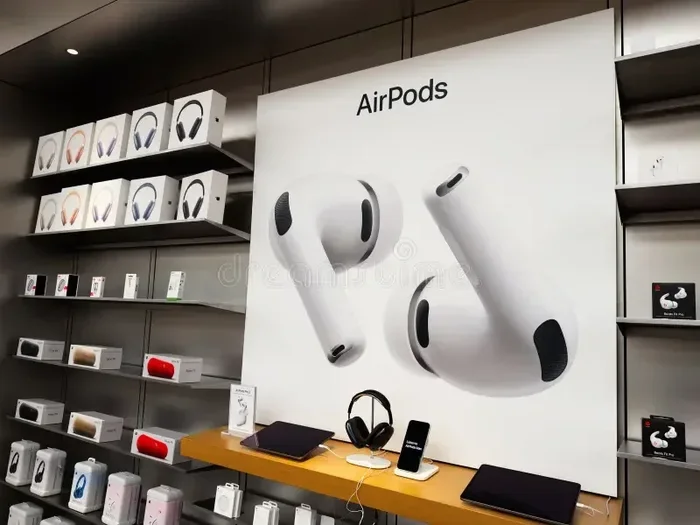
Featured image for AirPods retail packaging display
Image source: thumbs.dreamstime.com
Yes, Apple absolutely sells AirPods separately from iPhones and other devices. You can purchase individual AirPods, replacement charging cases, and even single earbuds (left or right) directly from Apple’s website, Apple Stores, and authorized retailers. This makes replacing lost or damaged pieces affordable and convenient, without needing to buy an entirely new set.
Have you ever lost a single AirPod and wondered if you had to buy an entirely new set? Or maybe you’re curious about upgrading just your charging case without replacing the earbuds you already love? You’re definitely not alone in asking these questions. Millions of AirPods users face these exact situations every year, and the good news is that Apple has made the process of buying individual components surprisingly straightforward.
Here’s the straightforward answer you came for: Yes, Apple sells AirPods separately, and they have been doing so for years. Whether you need a single replacement earbud, a new charging case, or want to gift someone just one AirPod, Apple has official channels to make it happen. This guide will walk you through everything you need to know about purchasing AirPods individually, including pricing, where to buy, and how the process works.
Understanding your options can save you significant money. After all, replacing one lost AirPod costs far less than buying a whole new set. In the sections ahead, we’ll break down the details, share helpful tips, and answer the most common questions about buying AirPods separately.
Key Takeaways
- Individual AirPods Are Available: Apple sells single left or right AirPods as replacement units through their website and retail stores.
- Replacement Cases Sold Separately: You can buy just a charging case without earbuds, useful for upgrades or replacements.
- All Generations Sold Separately: AirPods 1, 2, 3, 4, and Pro models can all be purchased individually.
- AppleCare+ Coverage Helps: If you have AppleCare+, replacement fees are significantly reduced for lost or damaged pieces.
- Third-Party Options Exist: Many retailers like Best Buy, Amazon, and Walmart sell AirPods separately at competitive prices.
- Cost Varies by Generation: Prices differ depending on whether you need AirPods, AirPods Pro, or AirPods Max components.
- Pairing Is Simple: Replacement AirPods connect to your existing device using the same pairing process as new ones.
📑 Table of Contents
- Apple’s Official Policy on Selling AirPods Separately
- How to Buy AirPods Separately from Apple
- Pricing Breakdown for Individual AirPods and Components
- Buying AirPods Separately from Third-Party Retailers
- Pairing Replacement AirPods with Your Existing Setup
- Special Considerations and Helpful Tips
- Frequently Asked Questions About Buying AirPods Separately
Apple’s Official Policy on Selling AirPods Separately
Apple has long recognized that customers sometimes need individual pieces rather than full sets. This is especially true since AirPods are small, easy to misplace, and can suffer damage in everyday use. To address these common situations, Apple officially sells replacement AirPods, charging cases, and even single earbuds directly to consumers.
What Apple Sells as Separate Items
Apple’s separate AirPod offerings include several components:
- Single AirPod replacements (left or right earbud only)
- Replacement charging cases (for all generations including Wireless and MagSafe versions)
- Full AirPod sets (bought without an iPhone or other Apple device)
- AirPods Pro ear tips (sold in multiple sizes for replacement)
Did you know that Apple introduced the option to buy single AirPod replacements way back in 2018? This was a game-changer for customers who lost just one earbud. Before this policy existed, people had no choice but to buy an entirely new set, which was both expensive and wasteful.
Why Apple Offers Individual Sales
There are several reasons why Apple makes individual sales available:
- Customer convenience: Life happens, and losing an earbud shouldn’t mean buying everything again.
- Environmental responsibility: Selling replacements reduces electronic waste significantly.
- Customer loyalty: Making repairs affordable keeps users within the Apple ecosystem.
- Profitability: Replacement parts remain a strong revenue stream for the company.
How to Buy AirPods Separately from Apple
Purchasing individual AirPods from Apple is a simple process, whether you prefer shopping online or visiting a physical store. Let me walk you through both options so you can choose what works best for you.
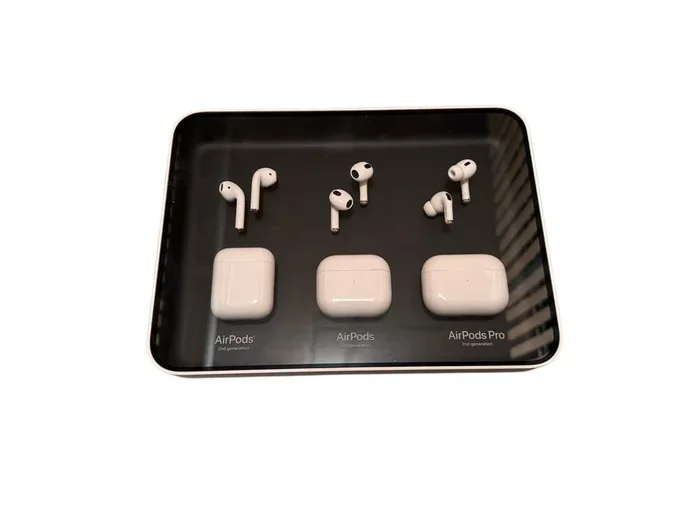
Visual guide about AirPods retail packaging display
Image source: img.ricardostatic.ch
Shopping Through Apple’s Website
The easiest way to buy AirPods separately is through Apple’s official website. Here’s how the process works:
- Visit apple.com and navigate to the AirPods section.
- Look for the “Replacement” or “Individual” purchase options.
- Select whether you need a left AirPod, right AirPod, or case.
- Choose your generation (AirPods 2, 3, 4, Pro, Pro 2, etc.).
- Add the item to your cart and complete checkout.
Apple’s website uses your serial number to ensure compatibility with your existing AirPods. This means you won’t accidentally buy a replacement that doesn’t match your current charging case or generation.
Visiting an Apple Store in Person
Prefer face-to-face service? Apple Stores carry replacement AirPods and cases in stock, though availability varies by location. When you arrive, an Apple Specialist can help you:
- Identify the correct generation for your needs.
- Check compatibility with your existing charging case.
- Process your purchase on the spot.
- Answer any pairing questions you might have.
Pro tip: Make sure to bring your iPhone or know your AirPods serial number when visiting the store. This helps the specialist find exactly what you need without any guesswork.
Contacting Apple Support
You can also purchase replacements by calling Apple Support directly. This option works well if you have questions about compatibility or need help identifying your specific AirPod model. A support representative can place the order for you and ship it directly to your home.
Pricing Breakdown for Individual AirPods and Components
Understanding the costs involved helps you budget for your purchase. While prices change periodically, here’s a general overview of what you can expect to pay for separate AirPods components.
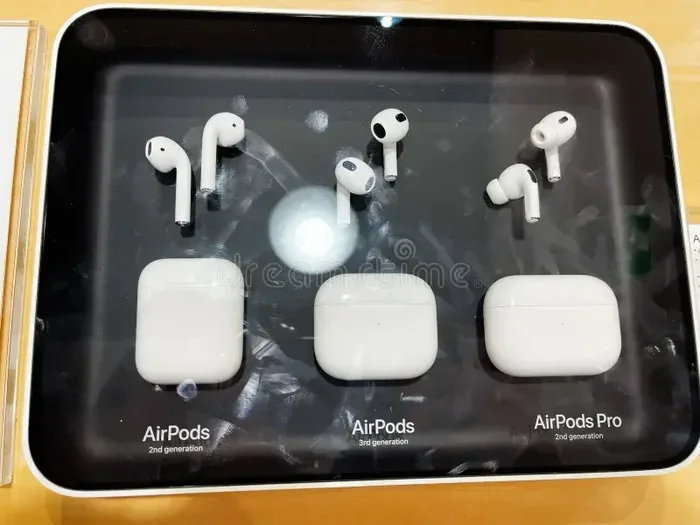
Visual guide about AirPods retail packaging display
Image source: thumbs.dreamstime.com
Single AirPod Replacement Costs
The price for a single AirPod depends on the generation and whether you have AppleCare+ coverage:
- AirPods (2nd generation): Replacement earbud costs around $69 per side
- AirPods (3rd generation): Replacement runs approximately $69-$79 per side
- AirPods (4th generation): Similar pricing, typically $69-$79 per side
- AirPods Pro: Replacement earbud costs about $89 per side
- AirPods Pro 2: Replacement earbud runs around $89 per side
Charging Case Replacement Prices
If you need just a case, here’s what to expect:
- Standard charging case: Around $79-$99 depending on generation
- Wireless charging case: Approximately $99-$129
- MagSafe charging case: Usually $99-$149
AppleCare+ Benefits
If you have AppleCare+ for Headphones, your replacement costs drop dramatically. For example, AirPods Pro replacement might cost only $29 per incident instead of $89. This coverage is well worth considering if you frequently lose or damage your earbuds.
Did You Know? Apple reports that AirPods are one of their most commonly replaced products. The compact size makes them easier to lose than larger electronics, which is exactly why Apple made individual replacements available.
Buying AirPods Separately from Third-Party Retailers
While Apple is the official source, many third-party retailers also sell AirPods separately. These options can sometimes offer better prices or faster shipping, though there are important considerations to keep in mind.
Authorized Apple Resellers
Retailers like Best Buy, Walmart, Target, and B&H Photo are authorized Apple resellers. They sell genuine AirPods and replacement components, often with competitive pricing. Buying from these retailers comes with several advantages:
- Price matching: Many will match Apple’s prices or offer their own deals.
- Faster availability: Local stores may have stock when Apple doesn’t.
- Bundle deals: Some retailers offer discounts on AirPods with other purchases.
- Return policies: These retailers often have flexible return windows.
Online Marketplaces
Amazon and eBay also sell individual AirPods, but you need to be careful here. While legitimate sellers exist, these platforms also host third-party listings that may not be genuine Apple products. Always check seller ratings and reviews before purchasing.
Warning: Counterfeit AirPods are common on online marketplaces. They may look identical to genuine products but offer inferior sound quality, battery life, and may not work with all Apple features. Stick to “Sold by Amazon” listings or highly-rated sellers with strong return policies.
Repair Shops and Refurbished Options
Some repair shops and refurbished electronics retailers sell used AirPods at lower prices. These can be legitimate options, but verify the condition and authenticity before buying. Apple itself also sells certified refurbished AirPods with warranties, providing a middle ground between new and used.
Pairing Replacement AirPods with Your Existing Setup
Once you receive your replacement AirPod or case, you’ll need to pair it with your existing setup. The good news is that Apple has made this process nearly as simple as setting up brand-new AirPods.
Pairing a Single Replacement AirPod
When you buy a single replacement AirPod from Apple, it arrives ready to pair. Here’s the process:
- Place both your existing AirPod and the new replacement in the charging case.
- Make sure your iPhone is nearby with Bluetooth enabled.
- Open the charging case lid near your iPhone.
- A setup animation should appear on your screen.
- Follow the prompts to complete pairing.
The replacement AirPod is pre-linked to your original charging case, so it should work immediately. If you encounter any issues, resetting your AirPods often solves the problem.
Setting Up a New Charging Case
If you bought a replacement charging case, the setup is equally simple:
- Place your AirPods in the new case.
- Open the lid near your iPhone.
- Follow the on-screen pairing instructions.
- The case will sync with your AirPods and iCloud account automatically.
Troubleshooting Common Pairing Issues
Sometimes pairing doesn’t work perfectly on the first try. If you experience problems:
- Reset your AirPods: Press and hold the setup button on the case for 15 seconds.
- Update your iOS: Make sure your iPhone runs the latest iOS version.
- Check Bluetooth settings: Forget the AirPods and try pairing again.
- Contact Apple Support: If issues persist, Apple can help troubleshoot.
Special Considerations and Helpful Tips
Now that you understand the basics of buying AirPods separately, let me share some insider tips and special considerations that can make the process even smoother.
Understanding AirPods Generations and Compatibility
AirPods generations don’t always work together. For example, AirPods Pro earbuds won’t pair with a standard AirPods charging case, even from the same generation. Before making a purchase, confirm compatibility by checking your serial number on Apple’s website or in your iPhone’s settings.
Helpful analogy: Think of AirPods generations like different car models from the same brand. A Honda Civic key won’t start a Honda Accord, even though they’re both Hondas. Similarly, different AirPods generations have specific hardware requirements.
Tips to Avoid Needing Replacements
While buying replacements is convenient, avoiding loss in the first place saves money. Consider these strategies:
- Use a bright case: Colorful or distinctive cases are easier to spot.
- Attach a tracker: AirTag or Tile trackers help locate lost AirPods.
- Establish a routine: Always return AirPods to the same spot when not in use.
- Enable Find My: Apple’s Find My feature can locate lost AirPods on a map.
When Buying Used AirPods Makes Sense
Sometimes purchasing used individual AirPods from friends, family, or trusted sources makes sense. If you go this route:
- Verify the AirPods work with your existing case before paying.
- Check battery health in your iPhone settings.
- Confirm the seller is the original owner to avoid activation lock issues.
- Document the serial number for warranty purposes.
The Environmental Impact
Buying individual replacements rather than full sets has a positive environmental impact. According to Apple, their replacement program helps keep millions of functional AirPods out of landfills each year. By repairing rather than replacing, you contribute to reducing electronic waste while saving money.
Looking Toward the Future
Apple continues to expand its replacement and repair programs. The company has committed to making repairs more accessible as part of its environmental goals. Future AirPods models will likely have even better individual replacement options, potentially including user-replaceable batteries in upcoming generations.
Frequently Asked Questions About Buying AirPods Separately
Let’s address some of the most common questions people have about purchasing AirPods individually. These answers should clear up any remaining confusion and help you make informed decisions.
Did You Know? Apple’s AirPods business generated over $15 billion in revenue in 2023, making it one of the company’s most successful product lines. This success has led Apple to invest heavily in replacement options and customer support.
Can I buy just one AirPod from Apple?
Yes, Apple sells individual left or right AirPods as replacement units. You don’t need to purchase a full set if only one earbud is lost or damaged. Simply visit Apple’s website or an Apple Store and request the specific side you need.
How much does it cost to replace a single AirPod?
Pricing varies by generation. Standard AirPods replacements typically cost $69-$79 per earbud, while AirPods Pro replacements run around $89 per side. AppleCare+ subscribers pay significantly less, often just $29 per incident.
Can I mix and match AirPods from different generations?
No, AirPods must be from the same generation to work together properly. Different generations have different chips and hardware that prevent cross-compatibility. Always match your replacement to your existing AirPods generation.
Does Apple sell AirPods Pro ear tips separately?
Yes, Apple sells replacement ear tips for AirPods Pro in small, medium, and large sizes. You can purchase these directly from Apple for around $7-$10 per pair, which is much cheaper than replacing entire AirPods.
Can I use a friend’s old AirPod with my case?
Generally, no. AirPods are paired to specific charging cases and Apple IDs. Using someone else’s AirPod with your case may not work due to activation locks and pairing restrictions. It’s best to buy replacements directly from Apple.
What if I lost both AirPods but still have the case?
You can buy a replacement set of AirPods that works with your existing case. This is much cheaper than buying a completely new AirPods package. Contact Apple with your serial number to ensure you get the correct generation.
The bottom line is clear: Apple makes it easy and affordable to buy AirPods separately. Whether you’re dealing with a lost earbud, a damaged case, or simply want to expand your collection, official and third-party options exist to meet your needs. By understanding your choices and shopping smart, you can keep your AirPods experience going strong without breaking the bank.
Remember to always verify compatibility, buy from trusted sources, and consider AppleCare+ for long-term peace of mind. With these tips in mind, you’re well-equipped to handle any AirPods replacement situation that comes your way.