Yes, you can charge AirPods Pro with a USB cable—but only certain ones. All AirPods Pro models charge exclusively through their dedicated Lightning or USB-C charging case, and never directly through the earbuds themselves. The cable you need depends on whether your case has a Lightning port (older models) or a USB-C port (newer models), and using the wrong or a non-compliant cable simply won’t work or could harm your device.
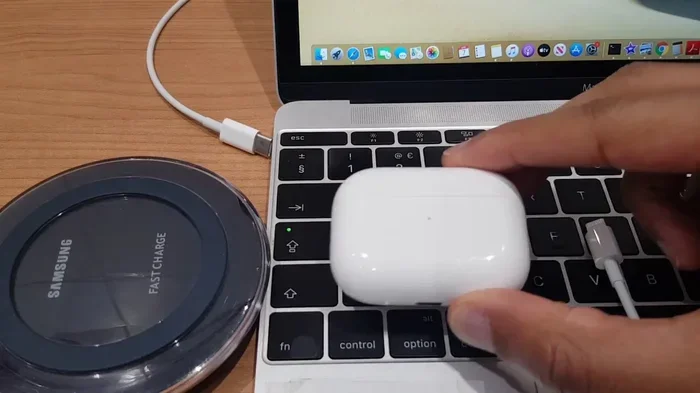
Featured image for AirPods Pro USB charging cable
Image source: i.ytimg.com
Picture this: you’re about to head out for a jog, you grab your AirPods Pro, and… silence. No music. No battery. You scramble for a charging cable and stare at the drawer full of wires. Which one fits? Will it actually charge? Will it break your pricey earbuds?
You’re not alone in this confusion. Apple has quietly switched the charging port on AirPods Pro over the years, leaving many users guessing which cable they actually need. The short answer is yes, you can absolutely charge AirPods Pro with a USB cable—but the type of cable depends entirely on which model of charging case you own.
In this guide, we’ll walk through every detail you need to know: which port your case has, which cables are safe, how fast they charge, and what to do when things go wrong. By the end, you’ll be able to charge your AirPods Pro confidently anywhere, anytime.
Key Takeaways
- Yes, USB cables work—but only the right type: AirPods Pro cases use either Lightning (older) or USB-C (newer) ports, never both at once.
- Earbuds never charge directly: The AirPods themselves only get power from the charging case’s internal battery.
- Use MFi-certified or compliant cables: Cheap, non-certified cables can fail to charge, overheat, or damage your case’s battery over time.
- USB-C AirPods Pro support faster charging: Models like AirPods Pro 2 (USB-C) and AirPods Pro 3 can reach 60 minutes of listening time in just 5 minutes of charging.
- Wireless charging is an option: All AirPods Pro cases also support Qi or MagSafe wireless pads, but wired USB is still faster and more reliable.
- Wired charging is safer in extreme temperatures: Batteries charge most efficiently between 0°C and 35°C (32°F–95°F), so check your environment first.
- Third-party USB-C cables are generally fine: As long as they meet USB-IF specifications, any quality USB-C cable will charge AirPods Pro safely.
📑 Table of Contents
- Who Needs to Know About AirPods Pro Charging Cables?
- What Type of USB Cable Charges AirPods Pro?
- Where Can You Safely Charge AirPods Pro with a USB Cable?
- When and How to Charge AirPods Pro: Best Practices
- Why Some USB Cables Won’t Charge AirPods Pro
- How to Troubleshoot AirPods Pro Charging Problems
- Charging AirPods Pro: Quick Answers to Common Questions
- The Future of AirPods Pro Charging
- Conclusion: Charging AirPods Pro with a USB Cable Made Simple
Who Needs to Know About AirPods Pro Charging Cables?
Honestly? Almost everyone who owns AirPods Pro. Whether you’re a daily commuter, a remote worker hopping between Zoom calls, a fitness lover who sweats through playlists, or just someone who likes podcasts on walks—knowing how to charge your AirPods Pro with the right USB cable saves you time, money, and frustration.
Apple has sold millions of AirPods Pro units worldwide. According to Counterpoint Research, Apple dominated the global true wireless earbuds market with around 25% share in 2024. That means hundreds of millions of people rely on these little earbuds daily. Yet many of them don’t know which cable works, which is why this topic matters so much.
What Changed About AirPods Pro Charging?
Here’s the quick history lesson: the original AirPods Pro (released in October 2019) and AirPods Pro 2 (released in September 2022, Lightning version) both used Apple’s proprietary Lightning port on the case. Then in September 2023, Apple quietly released a USB-C version of AirPods Pro 2, aligning with EU regulations and the iPhone 15’s switch to USB-C.
The newest AirPods Pro 3 (released in 2025) continues the USB-C trend. This is important because if you buy an old Lightning cable thinking it will work with a newer case, you’ll be disappointed. And if you try to jam a USB-C cable into a Lightning port, well, it just won’t fit—thank goodness.
What Type of USB Cable Charges AirPods Pro?
Let’s break this down simply. The cable you need depends entirely on the port built into your AirPods Pro charging case. There are two possibilities today.
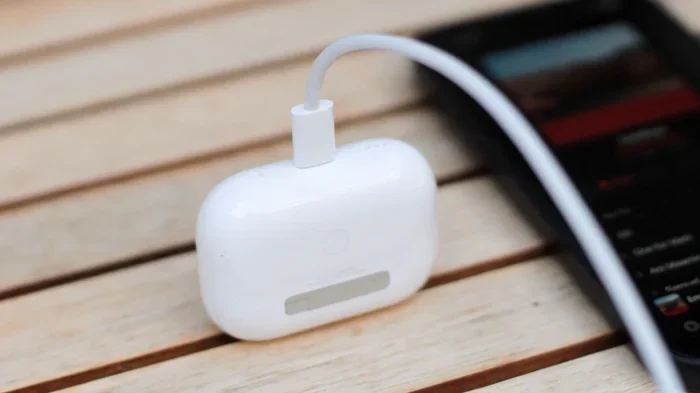
Visual guide about AirPods Pro USB charging cable
Image source: helios-i.mashable.com
Lightning Cable (For Older AirPods Pro Models)
If you own an AirPods Pro (1st generation) or the original AirPods Pro 2, your case has a Lightning port. This is the small, flat, eight-pin connector Apple introduced back in 2012 with the iPhone 5.
You’ll need a USB-A to Lightning cable or a USB-C to Lightning cable. The first plugs into a traditional rectangular USB-A port (the kind found on older laptops, wall adapters, and power strips). The second plugs into a smaller oval-shaped USB-C port, which is more modern and faster.
Did You Know? Apple started including USB-C to Lightning cables with iPhones starting with the iPhone 12 Pro in 2020. This means newer Apple users often have these cables lying around, ready to charge older AirPods Pro cases.
USB-C Cable (For Newer AirPods Pro Models)
If you own the AirPods Pro 2 (USB-C version) released in September 2023 or the AirPods Pro 3, your case has a USB-C port. This is the same reversible, oval-shaped connector now used by most modern Android phones, iPads, MacBooks, and the iPhone 15 and later.
You’ll need a USB-C to USB-C cable. That’s it. Any standard USB-C cable works. You can plug one end into the case and the other into any USB-C power source: a laptop, a wall adapter, a power bank, even a car charger.
The big advantage? USB-C cables are universal. You likely already have several around your home, office, and car. No need to hunt for a special Apple-branded cord.
How to Tell Which Port Your Case Has
Not sure which case you have? Here’s the easiest trick. Flip your charging case over and look at the bottom edge where the hinge is.
- Small, flat, rounded slot? That’s a Lightning port.
- Small, oval, symmetrical slot? That’s a USB-C port.
You can also check the model number on the back of the case or in your iPhone’s settings under Bluetooth, tap the “i” next to your AirPods Pro, and view the model number. But really, just looking at the port is faster.
Where Can You Safely Charge AirPods Pro with a USB Cable?
Charging location matters more than most people think. The power source you plug into affects charging speed, safety, and battery longevity.
Wall Outlets Are the Best Choice
Using a wall adapter with a USB-A or USB-C port is the gold standard. Apple recommends using at least a 5W charger, but anything up to 20W works perfectly fine. The AirPods Pro case only draws what it needs, so a more powerful adapter won’t harm it.
Think of it like filling a small cup with water. You can use a tall faucet or a short one—the cup only takes what it can hold.
Laptop and Computer USB Ports Work Well
Plugging into a MacBook or PC is convenient and safe. Modern laptops deliver plenty of power for the tiny AirPods Pro case. The only downside is charging might be slightly slower if your laptop’s USB port is older or lower-powered.
Power Banks Are Perfect for Travel
If you’re on the go, a power bank with a USB-A or USB-C output will charge your AirPods Pro case just like a wall outlet. This is a lifesaver on flights, road trips, or long commutes. Just make sure your power bank is from a reputable brand to avoid power surges.
Car Chargers Are Convenient
Most modern cars come with built-in USB-A or USB-C ports. These work great for charging AirPods Pro during drives. Older cars with cigarette-lighter USB adapters also work, but check that the adapter provides stable power output.
What About Charging Hubs and Strips?
Multi-port USB hubs and power strips are generally safe, but quality varies. Cheap hubs can deliver inconsistent power, which may confuse your AirPods Pro case or slow charging. Stick with hubs from brands like Anker, Belkin, or UGREEN.
When and How to Charge AirPods Pro: Best Practices
Charging isn’t just about plugging in. When you charge and how you do it can dramatically extend the lifespan of your AirPods Pro battery.
Don’t Wait for 0%
Lithium-ion batteries, like the ones in your AirPods Pro case, last longest when you keep them between 20% and 80% charge. Draining them to zero every time stresses the battery and reduces its total capacity over time. Try to top up before they hit empty.
Did You Know? Apple says AirPods Pro batteries are designed to retain up to 80% of their original capacity after 500 complete charge cycles. That’s roughly 2–3 years of regular use before you might notice shorter battery life.
Avoid Charging in Extreme Temperatures
Batteries hate heat and cold. The ideal charging range is between 0°C and 35°C (32°F to 95°F). Charging your AirPods Pro case in a hot car in summer or a freezing backpack in winter can damage the battery permanently.
If your case ever feels hot to the touch during charging, unplug it and let it cool down. Similarly, if it’s ice-cold, bring it to room temperature first.
Use the Right Wattage
AirPods Pro cases don’t need fast chargers. Even though you can use a 20W or 30W adapter safely, the case only draws around 2.5W. So don’t worry about buying an expensive high-wattage charger—the cheapest 5W Apple adapter works perfectly fine.
Fast Charging: 5 Minutes for 60 Minutes of Listening
One of the underrated features of newer AirPods Pro models is fast charging. With a USB-C cable and a compatible power source, you can get about 60 minutes of listening time from just 5 minutes of charging. This is a game-changer when you’re rushing out the door.
Charge the Case and Earbuds Together
Your AirPods Pro earbuds only charge when they’re inside the case. There’s no way to charge them independently. So whenever you charge the case, pop the earbuds in and close the lid. The case charges the earbuds first, then itself.
Check the Charging Status
Wondering if your AirPods Pro are actually charging? Here are the signs:
- Status light on the front (or inside) glows orange when charging and turns green when fully charged.
- On your iPhone: Open the case near your phone, and a popup shows the battery percentage for the case and each earbud.
- Battery widget: Add the Batteries widget to your iPhone’s home screen for at-a-glance updates.
- Notification sound: A chime plays when you place the earbuds in the case and connect power.
Why Some USB Cables Won’t Charge AirPods Pro
Here’s where things get tricky. Not every USB cable works the same, and using the wrong one can lead to frustration.
MFi Certification Matters for Lightning Cables
If you have an older AirPods Pro with a Lightning port, Apple requires cables to be MFi-certified (Made for iPhone/iPad/iPod). This certification ensures the cable meets Apple’s safety and performance standards. Non-MFi cables often don’t work at all, or worse, they charge intermittently and can damage your case over time.
When shopping for a Lightning cable, look for the “Made for iPhone” badge on the packaging, or buy directly from Apple. Yes, they cost more, but the peace of mind is worth it.
USB-C Cables Are More Universal but Still Vary
USB-C cables are more standardized, but quality differences exist. Some cheap cables support only charging, while others handle high-speed data and high-wattage charging. For AirPods Pro, you only need basic charging support, but a USB-IF certified cable ensures safety and durability.
Did You Know? The USB Implementers Forum (USB-IF) is the organization that sets USB standards. Cables with their certification logo have passed rigorous testing for safety and performance.
Damaged or Frayed Cables Are Risky
If your cable has exposed wires, bent connectors, or loose plugs, throw it out. Damaged cables can cause short circuits, overheating, or simply fail to deliver consistent power. Your AirPods Pro case isn’t worth a $5 cable saving.
Counterfeit Cables Are Everywhere
The market is flooded with fake Apple cables, especially online marketplaces. These cables often look identical to genuine ones but use inferior components. They might charge slowly, overheat, or stop working after a few weeks. Always buy from authorized Apple resellers or trusted brands.
How to Troubleshoot AirPods Pro Charging Problems
Sometimes your AirPods Pro just won’t charge, even with the right cable. Here’s a step-by-step troubleshooting guide.
Step 1: Check the Cable and Power Source
Start with the basics. Try a different cable. Try a different wall outlet. If your AirPods Pro case charges with another cable, the original cable was the problem. If it doesn’t charge anywhere, move to step 2.
Step 2: Clean the Charging Port
Lint, dust, and debris love to collect in tiny charging ports. Use a dry, soft-bristled brush (like a clean toothbrush or anti-static brush) to gently clean out the port. Don’t use metal objects, water, or compressed air, as these can damage the contacts.
This is the #1 fix for AirPods Pro not charging. You’d be surprised how much pocket lint can block a connection.
Step 3: Reset Your AirPods Pro
Sometimes the issue isn’t hardware—it’s software. To reset your AirPods Pro:
- Put the earbuds in the case and close the lid. Wait 30 seconds.
- Open the lid, but don’t remove the earbuds.
- On your iPhone, go to Settings > Bluetooth and tap the “i” next to your AirPods Pro. Select “Forget This Device.”
- Press and hold the setup button on the back of the case for about 15 seconds until the status light flashes amber, then white.
- Re-pair your AirPods Pro with your phone.
Step 4: Try Wireless Charging
If you have a Qi or MagSafe wireless charger, place your AirPods Pro case on it (status light facing up). If it charges wirelessly but not with a cable, your cable or the case’s port is the problem.
Step 5: Check for Software Updates
Apple sometimes releases firmware updates that fix charging bugs. To update, place your AirPods Pro in the case, connect them to power, and keep them near your iPhone that’s connected to Wi-Fi. Updates happen automatically in the background.
Step 6: Contact Apple Support
If none of the above works, your AirPods Pro case may have a hardware issue. Apple’s AirPods Pro come with a one-year limited warranty, and AppleCare+ extends coverage. Contact Apple Support or visit an Apple Store for diagnosis and potential replacement.
Charging AirPods Pro: Quick Answers to Common Questions
Let’s tackle a few quick questions that often come up about charging AirPods Pro with USB cables.
Can I Charge AirPods Pro with an iPhone Charger?
Yes! Any Apple USB power adapter works perfectly with the correct cable. The wattage doesn’t matter because the AirPods Pro case only draws what it needs.
Can I Use Any USB-C Cable?
For USB-C AirPods Pro models, most quality USB-C cables will work. Just avoid very cheap, no-name cables with no certification. Look for USB-IF certification or trusted brands.
Can I Charge AirPods Pro with My Laptop?
Absolutely. Plug the USB cable into your laptop’s USB-A or USB-C port, and the case will charge. Some laptops even keep charging when in sleep mode, but others stop, so keep your laptop awake if you want continuous charging.
Can I Charge AirPods Pro in a Car?
Yes. Use your car’s USB port or a USB car charger adapter. This is great for road trips or quick top-ups during commutes.
Can I Charge AirPods Pro Without the Case?
Unfortunately, no. The AirPods Pro earbuds don’t have charging ports. They only charge through contact points inside the case. So if you lose your case, your earbuds won’t charge at all until you replace it.
Is Wireless Charging Slower Than Wired?
Yes, wired USB charging is generally faster and more energy-efficient than wireless charging. But wireless is more convenient—just drop and go. Both work great; it’s a matter of preference.
How Long Does It Take to Fully Charge AirPods Pro?
Using a USB cable, a completely drained AirPods Pro case reaches 100% in about 1 hour. The earbuds themselves take about 30 minutes to fully charge inside the case. A quick 5-minute charge gives you about 60 minutes of listening time.
The Future of AirPods Pro Charging
Looking ahead, charging technology continues to evolve. The EU has pushed Apple toward USB-C, and that’s where the industry is heading. We may eventually see AirPods Pro with even faster charging, longer battery life, or even solar-assisted charging in future models.
Did You Know? The global wireless earbuds market is expected to grow from $45 billion in 2024 to over $100 billion by 2030, according to Grand View Research. With more users comes more innovation in charging tech.
For now, knowing how to charge your AirPods Pro with the right USB cable is the most practical skill you can have. It saves you time, keeps your earbuds ready, and extends their lifespan for years of great audio.
Conclusion: Charging AirPods Pro with a USB Cable Made Simple
Charging your AirPods Pro with a USB cable doesn’t have to be confusing. Here’s the entire guide in one short paragraph:
Check your case for a Lightning or USB-C port, grab the matching cable, plug it into any reliable power source like a wall adapter, laptop, or power bank, and you’re good to go. Use MFi-certified cables for older models and any USB-IF certified USB-C cable for newer ones. Charge when the battery hits 20%, avoid extreme temperatures, and clean the port occasionally. That’s it.
AirPods Pro are designed to make life easier, and charging them should be just as easy. With the right cable in your bag, you’ll never have to suffer through silence again.
Pro tip: Buy two or three extra certified cables and stash them in your car, office, and travel bag. That way, you’ll always have one within reach when your AirPods Pro need power.
Happy listening!