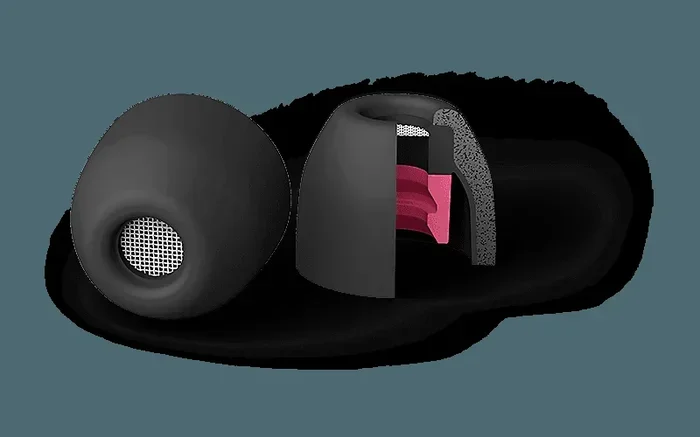
Featured image for single wireless earbud isolation
Image source: sonyimages.blob.core.windows.net
Yes, you can use noise cancellation with a single AirPod on most modern Apple models, including AirPods Pro, AirPods 4, and AirPods Pro 2. However, the feature works differently than when both earbuds are in use, and some older AirPods models don’t support single-ear ANC at all. This guide breaks down exactly how it works, which models support it, and how to get the best results.
Picture this: you’re walking down a busy street, you need to take a call, but you also want to hear the cars around you. You pop in a single AirPod and wonder, “Can I actually block out noise with just one?” You’re not alone. Millions of Apple users ask this exact question every month.
The short answer is yes, you absolutely can use noise cancellation with one AirPod, but there’s a catch. It depends entirely on which AirPods model you own and which features you want to access. Older AirPods simply can’t do it. Newer ones handle it beautifully.
In this guide, we’ll walk you through everything you need to know about single-ear AirPod noise cancellation. We’ll cover which models support it, how to turn it on, what changes when you use one earbud, and some clever tips to get the most out of this feature. By the end, you’ll be a single-AirPod ANC pro.
Key Takeaways
- Single AirPod ANC works on AirPods Pro, AirPods Pro 2, and AirPods 4: Most newer Apple earbuds support noise cancellation with just one earbud in your ear.
- Older AirPods models don’t support single ANC: AirPods 1, 2, and 3 cannot run active noise cancellation with only one AirPod in use.
- Transparency Mode is often better for one-ear use: Since you have one ear open, many users find Transparency Mode more practical than full ANC.
- You’ll sacrifice some stereo and immersive features: Spatial Audio and Adaptive Audio may behave differently or be unavailable with a single AirPod.
- Battery drain is slightly higher per earbud: When using one AirPod with ANC, that single earbud works harder, which can drain its battery faster.
- You can toggle ANC on/off from your iPhone, Mac, or directly on the AirPod: Control Center, Settings, and the force sensor all let you manage single-ear noise cancellation.
- Single AirPod listening is great for awareness and battery saving: Using one earbud is ideal for work calls, walking in traffic, or extending overall listening time.
📑 Table of Contents
- Understanding Noise Cancellation in AirPods
- Which AirPods Support Noise Cancellation with One Ear?
- How to Enable Noise Cancellation with a Single AirPod
- What Changes When You Use Noise Cancellation with One AirPod?
- Practical Tips and Best Use Cases
- Troubleshooting Common Issues
- The Future of Single-Ear Noise Cancellation
- Final Thoughts
Understanding Noise Cancellation in AirPods
Before we dive into single-AirPod use, let’s make sure we’re on the same page about what noise cancellation actually does. It’s a small piece of tech magic that makes your listening experience way better.
What Is Active Noise Cancellation (ANC)?
Active Noise Cancellation is like having a tiny sound eraser inside your earbuds. The AirPod has a microphone that listens to the noise around you. Then it creates a mirror-image sound wave, called an “anti-noise” signal, that cancels out the unwanted sound. It’s the same idea as pushing your hand forward and someone else pushing back with equal force, except with sound waves.
Think of it like this: imagine you’re standing in a room with a noisy fan. ANC listens to the fan’s hum and creates the opposite sound. When the two meet, they cancel each other out, and you hear mostly silence. Pretty cool, right?
Did You Know? The science behind ANC was first developed in the 1930s for use in airplane cockpits. Pilots needed a way to block out the loud engine noise, and the same technology now sits inside your tiny earbuds.
Types of Noise Cancellation in AirPods
Apple offers three main listening modes across its AirPods lineup:
- Active Noise Cancellation (ANC): Blocks outside sounds using the anti-noise technology we just described. Great for planes, trains, and loud offices.
- Transparency Mode: Lets outside sounds in naturally while still playing your audio. Perfect for crossing streets or chatting with coworkers without removing your AirPods.
- Adaptive Audio (newer feature): A smart blend of ANC and Transparency that adjusts automatically based on your environment. It was introduced with AirPods Pro 2 and works like a smart volume dial for the world.
- Off: No noise control at all. You hear everything naturally, like wearing earplugs that don’t seal your ear.
Which AirPods Support Noise Cancellation with One Ear?
Here’s where things get interesting. Not every AirPod can handle single-ear noise cancellation. In fact, older models flat-out refuse to do it.
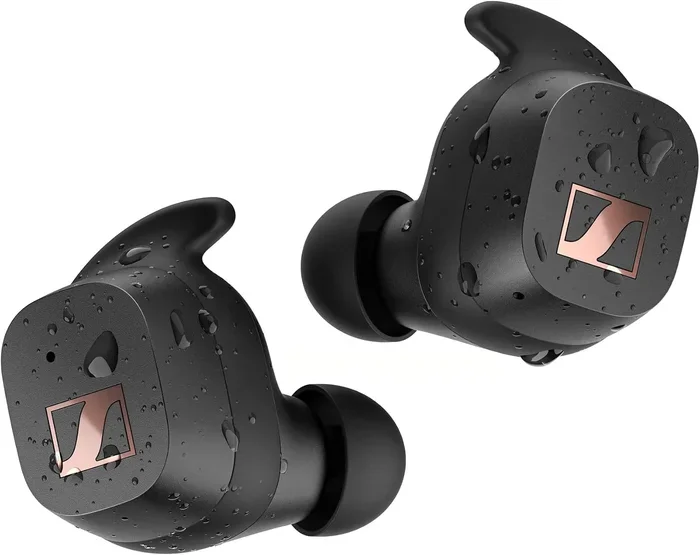
Visual guide about single wireless earbud isolation
Image source: m.media-amazon.com
The Supported Models
As of early 2026, these AirPods models support noise cancellation with a single AirPod:
- AirPods Pro (1st generation): Released in 2019, these were the first AirPods to offer ANC. They support single-ear ANC after firmware updates.
- AirPods Pro 2 (with USB-C and Lightning versions): Apple’s flagship noise-canceling earbuds, released in 2022 and refreshed in 2023. These handle single ANC beautifully.
- AirPods 4 (Active Noise Cancellation model): Released in 2024, this is the first non-Pro AirPods model to include ANC. It supports single-ear noise cancellation.
- AirPods 4 (standard model): Does NOT support ANC at all, so single-ear ANC isn’t possible.
Did You Know? According to Apple’s support documentation, the AirPods Pro 2 use the H2 chip, which is twice as powerful as the H1 chip in the original AirPods Pro. That extra power is what makes smarter features like Adaptive Audio and single-ear ANC possible.
The Unsupported Models
If you own any of these, you’re out of luck for single-ear ANC:
- AirPods 1st generation (2016): No ANC at all, even with both ears.
- AirPods 2nd generation (2019): Same story as the originals.
- AirPods 3rd generation (2021): No ANC, so single-ear ANC is not possible.
- AirPods 4 standard (2024): No ANC hardware inside.
Here’s a simple way to think about it: if your AirPods don’t have ANC when both are in your ears, they definitely won’t have it with just one.
How to Enable Noise Cancellation with a Single AirPod
Now for the fun part: actually turning it on. The good news is, Apple makes this pretty easy. There are three main ways to control noise cancellation when using one AirPod.
Method 1: Using the Force Sensor on the AirPod
This is the fastest way and doesn’t require your phone at all.
- Step 1: Put one AirPod in your ear and leave the other in the case or on a table.
- Step 2: Locate the small flat stem on your AirPod (the force sensor).
- Step 3: Press and hold the force sensor for about two seconds.
- Step 4: You’ll hear a soft chime indicating the mode has switched. The cycle goes: ANC → Transparency → Off.
Think of it like a light switch with three settings. Each long press flips to the next one.
Method 2: Using Control Center on iPhone or iPad
If your phone is handy, this method gives you more visual feedback.
- Step 1: Swipe down from the top-right corner of your iPhone screen to open Control Center.
- Step 2: Press and hold the volume slider in the top-right corner.
- Step 3: You’ll see three options appear at the bottom: Noise Cancellation, Transparency, and Off.
- Step 4: Tap “Noise Cancellation” to enable it with your single AirPod.
Method 3: Using Settings on iPhone or Mac
For a more permanent setup, head to Settings.
- Step 1: Open Settings on your iPhone.
- Step 2: Tap on your AirPods name at the top.
- Step 3: Scroll to “Noise Control” or “Noise Cancellation.”
- Step 4: Toggle it on.
On Mac, go to System Settings → Bluetooth → click the “i” next to your AirPods → and you’ll find the same options.
What Changes When You Use Noise Cancellation with One AirPod?
Using a single AirPod with ANC isn’t exactly the same as using both. Some things change, and it’s good to know what to expect so you aren’t surprised.
Battery Life Differences
Here’s the deal: when both AirPods share the work of noise cancellation, the load is split between them. When you use just one, that single AirPod has to do all the work alone. That means its battery drains faster.
Apple claims AirPods Pro 2 offer about 6 hours of listening time with ANC on using both earbuds. With a single AirPod and ANC, you might get around 4 to 5 hours instead. It’s not a huge difference, but it’s noticeable.
Did You Know? You can extend your total listening time by swapping AirPods. Use your right AirPod until its battery drops to about 50%, then switch to the left one. This “AirPod ping-pong” trick can keep you listening all day.
Audio Quality and Spatial Audio
With only one AirPod in your ear, you lose the stereo effect by default. Stereo means you hear different sounds in your left and right ears, creating a sense of space. With one earbud, both channels get mixed together into mono.
Spatial Audio, which makes sound feel like it’s coming from all around you (like in a movie theater), also works differently with one AirPod. Apple automatically turns off Spatial Audio when it detects only one AirPod is in use. This is intentional, since the effect requires both ears to work properly.
Think of Spatial Audio like surround sound in a movie theater. Take away one speaker, and you lose the magic.
Comfort and Awareness
Here’s where single AirPod use actually shines. Your open ear can hear the world around you naturally, which is a big safety plus. Walking in a city? You can hear cars. Working from home? You can hear the doorbell.
Many users prefer Transparency Mode over ANC when using a single AirPod for exactly this reason. ANC blocks outside sound, but with one ear open, you might still hear plenty of noise through that uncovered ear. Transparency Mode keeps your audio sounding good while letting you stay aware.
Practical Tips and Best Use Cases
Single-AirPod ANC isn’t just a party trick. It has some genuinely useful applications that make it worth knowing about.
Best Times to Use Single AirPod with ANC
- Office and work calls: Keep one ear free to hear coworkers, while the other ear blocks distractions and delivers clear call audio.
- Walking or commuting: Stay aware of traffic and announcements while still enjoying your music or podcast.
- Studying or focusing: Block noise from one side without fully isolating yourself. Great for libraries or cafes.
- Cooking at home: Hear your timers and family while still enjoying background music.
- Listening for someone at the door: No more ripping out both AirPods when the delivery arrives.
Smart Pairing with Adaptive Audio
If you have AirPods Pro 2 or AirPods 4 with ANC, try combining single-ear use with Adaptive Audio. This feature automatically lowers the volume of your audio when it detects important sounds, like a siren or someone calling your name. With one AirPod in, it’s like having a smart hearing assistant.
The Battery Swap Strategy
Here’s a pro tip: use one AirPod for a while, then swap to the other. This lets you keep listening almost indefinitely, especially during long flights or workdays. Just make sure your case is charged up so each AirPod can rest and recharge in between.
Troubleshooting Common Issues
Sometimes single-AirPod ANC doesn’t work the way you expect. Here are the most common problems and how to fix them.
Noise Cancellation Won’t Turn On with One AirPod
If the force sensor or settings don’t activate ANC with just one AirPod in, try these fixes:
- Check your model: Make sure your AirPods actually support ANC. Original AirPods and AirPods 3 won’t work, period.
- Update your firmware: Apple sometimes adds features via firmware updates. Go to Settings → Bluetooth → tap the “i” next to your AirPods to check the firmware version.
- Reset your AirPods: Hold the setup button on the back of the case for about 15 seconds until the light flashes amber, then white.
- Clean the sensors: Dirt on the force sensor or microphones can interfere with the controls and noise detection.
Audio Sounds Different with One AirPod
Don’t worry, this is normal. When you switch from two AirPods to one, the audio profile changes because:
- You’re hearing mono instead of stereo.
- The ear canal is no longer sealed on one side, which changes how bass sounds.
- The microphone configuration is different.
Try adjusting the EQ in your music app’s settings if the audio feels off. Apple’s Music app has a “Reduce Bass” or “Increase Bass” option that can help.
Battery Drains Too Fast
If one AirPod is dying much faster than expected:
- Reset your AirPods: This often fixes strange battery behavior.
- Check for firmware updates: Battery bugs are commonly fixed in updates.
- Lower the volume: Higher volume with ANC drains the battery faster.
- Disable Spatial Audio: Although it usually turns off automatically, sometimes it lingers and uses extra power.
Connection Drops or Stutters
If your audio cuts out when using a single AirPod:
- Keep your phone on the same side as the AirPod you’re using. Bluetooth signals travel better when there’s less body obstruction.
- Make sure your AirPods are charged. Low battery can cause connection issues.
- Check for interference from other devices, like microwaves or Wi-Fi routers.
The Future of Single-Ear Noise Cancellation
Apple keeps pushing the boundaries of what tiny earbuds can do. The future looks exciting for single-ear users.
What’s Coming Next?
Based on Apple’s patent filings and industry trends, we might see:
- Smarter Adaptive Audio: AI-powered noise cancellation that learns your preferences over time.
- Hearing Health Features: AirPods are already being used as basic hearing aids. Expect deeper hearing assistance features soon.
- Better Voice Isolation: Improved microphone technology for crystal-clear calls in noisy environments.
- Longer Battery Life: New chip designs are making AirPods more efficient every year.
Did You Know? Apple’s H2 chip in AirPods Pro 2 performs over 10 billion operations per second, all while sipping tiny amounts of battery. That’s roughly the processing power of an early 2000s desktop computer, packed into a chip smaller than a pea.
Why This Matters for You
Single-ear listening with ANC is becoming a key feature, not just a bonus. As remote work, hybrid offices, and on-the-go lifestyles continue to grow, the ability to stay connected to both your audio and your surroundings is more valuable than ever.
Whether you’re a busy professional, a student, a traveler, or just someone who likes to keep one ear free, knowing how to use single-AirPod ANC gives you more flexibility and control over how you listen to the world.
Final Thoughts
So, can you do noise cancellation with one AirPod? Yes, you can, and it’s actually a really useful feature once you know how it works. The key things to remember are:
- You need a model that supports ANC in the first place. AirPods Pro, AirPods Pro 2, and AirPods 4 with ANC are your go-to options.
- You can turn ANC on and off using the force sensor, Control Center, or Settings.
- Expect some changes to audio quality and battery life compared to using both AirPods.
- Transparency Mode is often a better fit for single-ear use, since one ear is already open to the world.
- Keep your firmware updated and your AirPods clean for the best experience.
Give it a try today. Pop in a single AirPod, press and hold that little force sensor, and listen as the world goes quiet. It’s a small feature that makes a big difference, and now you know exactly how to make the most of it.
Frequently Asked Questions
Can you use noise cancellation with just one AirPod in?
Yes, you can use noise cancellation with one AirPod on supported models including AirPods Pro, AirPods Pro 2, and AirPods 4 (ANC model). Older AirPods without ANC hardware cannot do this at all. To enable it, press and hold the force sensor on the AirPod stem or use Control Center on your iPhone.
Why won’t noise cancellation work with one AirPod?
If noise cancellation won’t work with one AirPod, you likely own a model that doesn’t support it, such as AirPods 1, 2, or 3. Even on supported models, outdated firmware, dirt on the microphones, or software glitches can block the feature. Try resetting your AirPods, updating firmware, and cleaning the sensors.
Does using one AirPod drain the battery faster?
Yes, using one AirPod with noise cancellation on will drain that single AirPod’s battery faster because it has to do all the noise-canceling work alone. On AirPods Pro 2, you might get around 4 to 5 hours instead of the usual 6 with both earbuds. To extend listening time, swap between your left and right AirPods.
Is Transparency Mode better than ANC for one AirPod?
Many users find Transparency Mode more practical than ANC when using one AirPod. Since your uncovered ear already hears the world naturally, Transparency Mode keeps audio balanced and lets you stay aware of your surroundings. ANC still works, but it can feel redundant when one ear is open.
Does Spatial Audio work with a single AirPod?
No, Spatial Audio does not work with a single AirPod. Apple’s Spatial Audio requires both ears to create the surround-sound effect, so it automatically turns off when the system detects only one AirPod is in use. Your audio will switch to standard stereo or mono playback.
Which AirPods have the best noise cancellation for single-ear use?
AirPods Pro 2 offer the best noise cancellation for single-ear use thanks to the powerful H2 chip, Adaptive Audio, and Conversation Awareness. AirPods Pro 1st gen and AirPods 4 (ANC model) also work well for single-ear ANC, but the Pro 2 delivers the strongest noise blocking and smartest features.