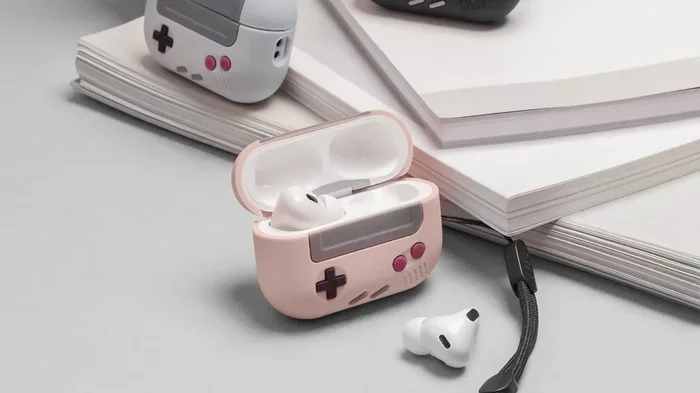
Featured image for AirPods Pro 2 case playing music
Image source: iphonesoft.fr
The AirPods Pro 2 case cannot play music on its own. It’s designed to charge, protect, and locate your earbuds—not to stream audio. The case contains a speaker and Apple’s U1 chip for Find My features, but it lacks the audio drivers needed for music playback. Only the actual AirPods Pro 2 earbuds can deliver music to your ears.
Have you ever wondered if that little charging case for your AirPods Pro 2 could do more than just charge your earbuds? Maybe you’ve seen a video online or heard a friend mention something about sound coming from the case. It’s a fair question, especially since Apple has packed some surprising technology into that tiny box.
The short answer is no—you cannot play music through the AirPods Pro 2 case. But the full story is way more interesting than a simple yes or no. The case actually does make sounds. It has a speaker, after all. The thing is, those sounds are very different from your favorite playlist. Understanding what the case can and cannot do will help you get the most out of your AirPods Pro 2 experience.
In this guide, we’ll break down exactly what’s happening inside your AirPods Pro 2 case. You’ll learn why it makes certain sounds, what the U1 chip does, and why the case will never replace your earbuds for music. Think of this as your friendly tour through the technology you carry in your pocket every day.
Key Takeaways
- The case is a charger, not a speaker: The AirPods Pro 2 case contains a small speaker for system alerts and Find My chimes, but it cannot play music or audio content.
- U1 chip enables location tracking: Apple’s U1 ultra-wideband chip in the case helps you find lost earbuds through the Find My app, but it doesn’t transmit audio.
- Bluetooth is reserved for earbuds: The case doesn’t have its own Bluetooth audio connection to your phone—it only pairs to relay information to the earbuds.
- Lightning and USB-C versions exist: Both the Lightning and USB-C AirPods Pro 2 cases have the same audio limitations regarding music playback.
- Case speaker has specific purposes: The built-in speaker plays pairing sounds, battery notifications, and Find My alerts—nothing more.
- Audio comes from the earbuds only: For music, calls, podcasts, or any audio content, the earbuds themselves are the only output devices.
- Future updates won’t change this: The case hardware lacks the necessary components (audio drivers, battery capacity, user controls) to ever function as a standalone music player.
📑 Table of Contents
- What Exactly Is the AirPods Pro 2 Case?
- Why the Case Makes Sounds (But Not Music)
- The U1 Chip and Find My Features
- What the Case Actually Transmits
- Common Misconceptions About the Case Speaker
- Practical Tips for Getting the Most from Your AirPods Pro 2
- The Future of AirPods Cases: What Might Come Next?
- Final Thoughts
What Exactly Is the AirPods Pro 2 Case?
Let’s start with the basics. The AirPods Pro 2 case is a small protective box that does three main jobs: it charges your earbuds, it keeps them safe, and it helps you find them when they’re lost. Apple released the second generation of AirPods Pro in September 2022, and the case got some major upgrades compared to the original.
The Physical Design and Build
The case is roughly the size of a small box of dental floss. It weighs about 50 grams, which is light enough to forget in your pocket. The exterior is made of smooth white plastic with a small LED light on the front and a pairing button on the back. There’s a Lightning port (or USB-C port, depending on which version you bought) on the bottom for charging.
Inside the case, you’ll find two magnetic wells where the earbuds snap into place. Magnets hold them securely, so they won’t fall out even if you shake the case upside down. The lid closes with a satisfying click thanks to another magnet.
Two Versions Available
Apple now sells two versions of the AirPods Pro 2 case:
- Lightning version: The original model released in 2022 with a Lightning charging port
- USB-C version: Released in September 2023 with a USB-C port and improved dust resistance
Both versions have the same core features, including the built-in speaker and U1 chip. The main difference is the charging port type and slightly better durability on the USB-C model.
Did You Know?
The AirPods Pro 2 case has an IP54 rating for dust and water resistance (USB-C version). This means it can handle light splashes and dust exposure, but you shouldn’t submerge it in water. Apple also sells a lanyard loop attachment that connects to the side of the case.
Why the Case Makes Sounds (But Not Music)
Here’s where things get interesting. The AirPods Pro 2 case actually has a speaker built into the bottom. If you’ve never heard it, you might be surprised. But the sounds it makes are not music—they’re system alerts.

Visual guide about AirPods Pro 2 case playing music
Image source: 9to5toys.com
What Sounds Does the Case Make?
The case speaker is designed to communicate specific information to you. Here are the main sounds it produces:
- Pairing confirmation: When you first set up your AirPods with a new device, the case plays a chime to confirm the connection was successful.
- Battery low alert: If your case battery is running low, you’ll hear a soft warning sound when you open the lid or place the earbuds inside.
- Charging status: Some sounds indicate when charging begins or completes.
- Find My chime: When you use the Find My app to locate your case, it plays a loud, distinctive sound so you can follow your ears to it.
Think of the case speaker like a doorbell. It only makes noise when something specific happens that you need to know about. It doesn’t play background music, podcasts, or any entertainment content.
The Technical Reason Behind the Limitation
Why can’t the case just play music if it already has a speaker? The answer comes down to hardware. The speaker in the case is tiny—much smaller than even the smallest earbud driver. It lacks the audio quality components needed to reproduce music in any meaningful way. More importantly, the case doesn’t have:
- An audio source connection (no direct Bluetooth audio link to your phone)
- A digital-to-analog converter (DAC) for processing music files
- User controls for playing, pausing, or skipping tracks
- A screen or interface to select what to play
It’s kind of like asking your smoke detector to play your Spotify playlist. The device has a speaker, sure, but that’s not what it was designed to do.
The U1 Chip and Find My Features
One of the most exciting features in the AirPods Pro 2 case is the U1 ultra-wideband chip. This tiny piece of technology enables some really cool features that go beyond just charging.
What Is the U1 Chip?
The U1 chip uses ultra-wideband (UWB) technology to precisely locate objects in space. Unlike Bluetooth, which only tells you roughly how far away something is, UWB can pinpoint location within a few centimeters. Apple first introduced this chip in the iPhone 11 and has been adding it to more products ever since.
When your AirPods Pro 2 case has the U1 chip, your iPhone can show you exactly where it is. Open the Find My app, tap on your AirPods Pro 2 case, and you’ll see a directional arrow that guides you right to it. If you’re in the same room, the app can even tell if the case is on a shelf, under a couch cushion, or in a drawer.
How Find My Works with the Case
Here’s a practical example of how this helps in real life. Imagine you lost your AirPods case somewhere in your house. Instead of frantically searching every room, you can:
- Open the Find My app on your iPhone
- Select your AirPods Pro 2 from the device list
- Tap “Find” to see the proximity view
- Follow the on-screen arrow and distance indicator
- Trigger a loud chime from the case when you’re close
The chime is genuinely loud—around 80 decibels, which is roughly as loud as a vacuum cleaner. This makes it easy to hear even if the case is buried under a jacket or sitting in another room.
Did You Know?
According to Apple, the Find My network includes over a billion Apple devices worldwide. If you lose your AirPods Pro 2 case somewhere away from home, other people’s iPhones can anonymously help locate it. This crowdsourced tracking network is one of the most powerful find-my-lost-item systems ever created.
What the Case Actually Transmits
You might be wondering: if the case has Bluetooth and a speaker, can it at least relay audio from your phone? The answer is still no, but let’s explore why.
Bluetooth Connections Explained
The AirPods Pro 2 case does use Bluetooth Low Energy (BLE) to communicate with your iPhone. However, this connection is reserved for specific tasks:
- Pairing information: When you first connect your AirPods to a device, the case helps facilitate that connection
- Battery status updates: The case reports its own battery level and the battery level of the earbuds inside
- Firmware updates: When Apple releases software improvements, the case helps manage that update process
- Find My data: Location and status information for the Find My network
None of these functions involve streaming audio. The Bluetooth connection is like a control channel, not a music pipeline.
The Relay Misconception
Some people assume the case acts as a middleman between the phone and the earbuds. While the case does communicate with both, it doesn’t process or pass through audio signals. The actual Bluetooth audio connection happens directly between your iPhone and the AirPods themselves.
Here’s a simple analogy: imagine you’re at a restaurant. The case is like the host who greets you and shows you to your table. But the waiter (the earbuds) is who actually brings you your food (the music). The host might tell the kitchen that you arrived, but they don’t carry the meal to you.
Where the Speaker Falls Short
Even if the case could somehow receive audio data, its speaker isn’t designed for music reproduction. The frequency response is limited, meaning it can only produce certain tones and beeps. Try this test: play a song on your phone’s speaker, then compare it to the case’s pairing sound. You’ll immediately notice the difference in richness and quality.
Common Misconceptions About the Case Speaker
Several myths and misunderstandings float around about what the AirPods Pro 2 case can do with audio. Let’s clear up the most common ones.
Myth 1: “The Case Can Play Music as a Speaker”
Reality: The case speaker is a notification system, not an entertainment speaker. It plays system sounds only. The volume, quality, and type of audio it produces are not suitable for music playback.
Myth 2: “You Can Use the Case as a Bluetooth Speaker”
Reality: The case doesn’t accept Bluetooth audio input from your phone or any other device. Even if you wanted to use it as a tiny speaker, there’s no way to send music to it.
Myth 3: “The Case Speaker Works for Calls”
Reality: The microphone in your AirPods Pro 2 earbuds handles all call audio. The case doesn’t have a microphone for voice capture, and the speaker isn’t used for speakerphone functionality.
Myth 4: “Siri Comes Through the Case”
Reality: When you activate Siri, the response comes through your earbuds (or your phone, depending on your settings). The case doesn’t relay Siri’s voice.
Myth 5: “The Case Can Be Updated to Play Music”
Reality: Apple could theoretically update the case firmware, but the hardware limitations make this impossible. You’d need a larger speaker, audio processing components, and a proper Bluetooth audio receiver—all of which would require physical changes.
Practical Tips for Getting the Most from Your AirPods Pro 2
Now that you know the case can’t play music, let’s focus on what it can do—and how to maximize your entire AirPods Pro 2 experience.
Tip 1: Master the Find My Feature
If you frequently misplace your case, spend time learning the Find My app. Set up notifications so your iPhone alerts you if you leave your AirPods behind somewhere. This feature has saved countless people from losing their expensive earbuds.
Tip 2: Use Precision Finding Strategically
The U1 chip’s precision finding works best indoors, within about 30 feet of your iPhone. In larger spaces or outdoors, the regular Find My map view is more useful. Always start with the map to get close, then switch to precision finding for the final search.
Tip 3: Keep the Case Updated
Apple regularly releases firmware updates for AirPods Pro 2. These updates can improve battery life, fix bugs, and occasionally add new features. To update, place your AirPods in the case, connect them to power, and keep them near your iPhone. The update happens automatically.
Tip 4: Customize the Case Sound
You can disable certain case sounds if they bother you. Go to Settings > Bluetooth > tap the “i” next to your AirPods Pro 2. From there, you can manage various notification preferences. Just remember that disabling sounds means you might miss important alerts.
Tip 5: Use the Lanyard Loop
The USB-C AirPods Pro 2 case supports a lanyard loop. Attaching one to your bag or keys can prevent you from losing the case in the first place. It’s a simple accessory that makes a big difference in keeping track of your gear.
Tip 6: Understand Battery Indicators
The case LED tells you a lot about battery status:
- Green: Fully charged or more than one charge cycle remaining
- Amber: Less than one full charge remaining
- White (flashing): Ready to pair with a new device
- Amber (flashing): Pairing error or needs reset
Learning these signals helps you know when to charge and when something needs attention.
The Future of AirPods Cases: What Might Come Next?
While the current AirPods Pro 2 case cannot play music, it’s fun to think about what future versions might offer. Apple continues to add features to these small devices with each generation.
Potential Future Features
Based on Apple’s patent filings and industry trends, future AirPods cases might include:
- Tiny displays: For showing battery status, track information, or notifications without opening your phone
- Health sensors: Heart rate monitoring or temperature sensing built into the case
- Improved speakers: Better audio quality for alerts and possibly basic sound reproduction
- AirDrop functionality: For sharing content directly from the case to nearby devices
Even with these potential improvements, it’s unlikely the case will ever replace dedicated audio devices. The form factor is just too small to provide meaningful music playback. The case will probably remain a charging and tracking accessory rather than a true audio device.
Why This Design Makes Sense
From Apple’s perspective, separating the case and earbuds makes engineering sense. Each component can be optimized for its specific job. The case focuses on power, protection, and location. The earbuds focus on audio quality, comfort, and noise cancellation. Combining all these functions into one device would compromise both.
Think of it like a car and a gas station. The gas station fuels your car, but it doesn’t drive for you. Each has a specific purpose, and trying to combine them would create something that does neither job well.
Final Thoughts
The AirPods Pro 2 case is a remarkable piece of technology, even without music playback capabilities. It charges your earbuds, protects them, helps you find them when they’re lost, and even makes helpful notification sounds. The built-in U1 chip and Find My integration make it one of the most advanced earbud cases ever created.
While you might wish the case could double as a tiny Bluetooth speaker, the current hardware simply doesn’t support that function. And honestly, it doesn’t need to. Your AirPods Pro 2 earbuds deliver incredible audio quality, and the case does its job of keeping them powered and findable.
So the next time someone asks if they can play music through their AirPods Pro 2 case, you’ll have a clear answer: no, but the case does plenty of other cool things that make your listening experience better. Focus on enjoying your music through the earbuds, and let the case handle the behind-the-scenes work of keeping everything running smoothly.
Whether you have the Lightning or USB-C version, your AirPods Pro 2 case is a powerful little companion. It may not play your favorite songs, but it ensures your earbuds are always ready when you are. And in the end, that’s what really matters.
Frequently Asked Questions
Can the AirPods Pro 2 case play music like a speaker?
No, the AirPods Pro 2 case cannot play music. The built-in speaker only produces system sounds like pairing chimes, battery alerts, and Find My notifications. It lacks the hardware needed to stream or play audio content from your phone or any other source.
Why does my AirPods Pro 2 case make sounds?
The case makes sounds to communicate important information. These include pairing confirmations, low battery warnings, charging status updates, and the loud chime that plays when you use Find My to locate the case. These sounds are designed to be functional alerts, not entertainment.
Does the AirPods Pro 2 case have Bluetooth audio?
The case uses Bluetooth Low Energy for specific tasks like pairing, battery reporting, and Find My connectivity, but it does not support Bluetooth audio streaming. Music and other audio content can only play through the actual AirPods earbuds, not the case.
Is there a difference between the Lightning and USB-C AirPods Pro 2 cases regarding sound?
No, both versions have the same audio capabilities. Neither the Lightning nor the USB-C case can play music. They both feature the same built-in speaker for system alerts and the same U1 chip for Find My functionality.
Can future updates make the case play music?
No software update can enable music playback on the current AirPods Pro 2 case. The physical hardware lacks the necessary components, including a proper audio driver, digital-to-analog converter, and Bluetooth audio receiver. Music playback would require entirely new hardware.
How loud is the AirPods Pro 2 case speaker?
The case speaker can reach approximately 80 decibels, which is about as loud as a vacuum cleaner. This makes it easy to hear when you’re trying to locate the case using Find My, even if it’s in another room or under some clothing.