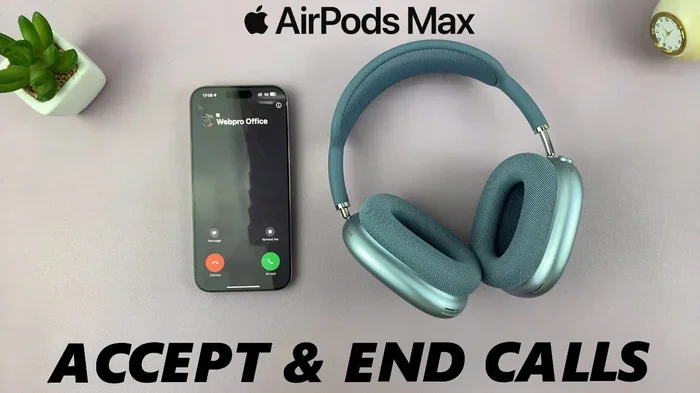
Featured image for AirPods Max phone call
Image source: i.ytimg.com
Yes, you can absolutely talk on the phone with AirPods Max! These premium over-ear headphones come with built-in microphones that make hands-free calling simple and clear. The beamforming microphones work to isolate your voice from background noise, so the person on the other end hears you well. Whether you’re using an iPhone, Android, or computer, taking calls with AirPods Max is as easy as wearing them and tapping the answer button.
Picture this: you’re walking through a busy airport, your hands are full with a coffee and your boarding pass, and your phone starts ringing. Instead of fumbling around, you simply tap the button on your headphones and start talking. Sounds great, right? That’s exactly what it’s like using AirPods Max for phone calls.
AirPods Max aren’t just fancy music headphones. They’re packed with technology that makes them a powerful communication tool too. Apple’s flagship over-ear headphones have nine microphones in total, and several of those are dedicated to picking up your voice clearly during calls. So whether you’re taking a quick work call or chatting with your mom for an hour, these headphones have you covered.
In this guide, we’ll walk you through everything you need to know about talking on the phone with AirPods Max. From how the microphones work to troubleshooting common issues, you’ll be a calling pro by the end. Let’s dive in!
Key Takeaways
- Built-in Microphones: AirPods Max feature multiple beamforming microphones specifically designed for clear voice transmission during calls.
- One-Tap Answering: You can answer or end calls by pressing the Digital Crown, making call management effortless.
- Cross-Device Compatibility: AirPods Max work for phone calls on iPhones, iPads, Macs, and even Android devices via Bluetooth.
- Noise Isolation: The microphones use beamforming technology to focus on your voice while reducing background noise.
- Call Quality: Most users report excellent call quality, though extremely windy conditions can affect performance.
- Transparency Mode Helps: Switching to Transparency mode during calls lets you hear your own voice naturally, reducing the urge to shout.
- Battery Considerations: Talking on the phone drains battery faster than just listening to music, so keep an eye on your charge level.
📑 Table of Contents
- How AirPods Max Handle Phone Calls
- Step-by-Step: How to Make and Receive Calls
- Call Quality: What to Really Expect
- Compatibility: Will It Work With Your Device?
- Tips and Tricks for Better Phone Calls
- Troubleshooting Common Call Issues
- Comparing AirPods Max to Other Headphones for Calls
- Final Thoughts: Are AirPods Max Good for Phone Calls?
How AirPods Max Handle Phone Calls
You might be wondering, “Do AirPods Max actually have a microphone?” The answer is a resounding yes. In fact, they have nine microphones total, which is more than most headphones on the market. But here’s the cool part: not all those microphones are for hearing you.
Think of it like having a team of helpers. Some microphones are “listening outward” to cancel noise around you (that’s how Active Noise Cancellation works). Other microphones are “listening inward” to fine-tune the sound. And a few are specifically dedicated to picking up your voice when you’re on a call.
The Magic of Beamforming Microphones
AirPods Max use something called “beamforming” technology. Imagine you’re at a loud concert, and you cup your hands around your mouth to direct your voice toward a friend. Beamforming does the same thing, but with sound waves and microphones.
The headphones use algorithms to focus on the sound coming from your mouth while ignoring noise from other directions. So if you’re walking down a busy street or sitting in a coffee shop, the person on the other end of your call will hear you, not the traffic or the espresso machine.
How Many Mics Work During Calls?
During a phone call, AirPods Max primarily use two of the nine microphones for voice pickup. These are located on the ear cups, positioned to capture your voice clearly. The other microphones stay active too, helping to identify and cancel background noise in real-time.
Did You Know? Apple’s research shows that beamforming microphones can improve voice clarity by up to 40% in noisy environments compared to standard microphones. That’s a huge difference when you’re trying to have a conversation in a chaotic place!
Step-by-Step: How to Make and Receive Calls
Using AirPods Max for phone calls is genuinely simple. You don’t need to be a tech wizard to figure it out. Here’s exactly how to do it.
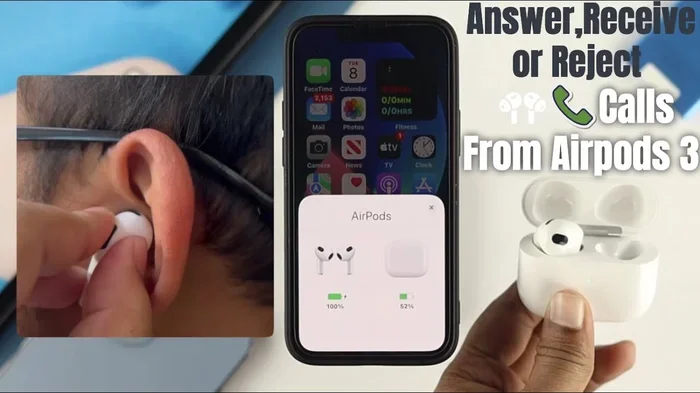
Visual guide about AirPods Max phone call
Image source: citizenside.com
Answering an Incoming Call
When your phone rings and you’re wearing AirPods Max, you’ll hear a ringtone in the headphones. The Digital Crown (that little knob on the right ear cup, like an Apple Watch crown) is your main control button.
- To answer: Press the Digital Crown once.
- To decline: Press and hold the Digital Crown for about two seconds.
That’s it! No need to pull out your phone, no need to swipe anything. Just one tap and you’re talking.
Making an Outgoing Call
There are a few different ways to start a call with your AirPods Max:
- Use Siri: Just say “Hey Siri, call [name]” or “Hey Siri, dial [number].” Siri will confirm and connect the call automatically.
- Use your iPhone: Dial the number or select a contact on your phone. The audio will automatically route through your AirPods Max once they’re connected.
- Use your Mac or iPad: Make calls through FaceTime, WhatsApp, Zoom, or any other calling app. As long as your AirPods Max are connected, your voice goes through them.
Ending a Call
When you’re done chatting, ending the call is just as easy as answering it. Press the Digital Crown once, and the call ends. You can also tap the end call button on your phone screen if you’re holding it.
Adjusting Call Volume
Need to turn the volume up or down during a call? Rotate the Digital Crown forward to increase volume, backward to decrease it. It’s the same motion you’d use to skip a track or adjust music volume.
Pro tip: During calls, the volume range is automatically adjusted to protect your hearing. You might notice the maximum volume during calls is slightly lower than when listening to music. This is by design!
Call Quality: What to Really Expect
Now let’s talk about the elephant in the room: how do you actually sound to the person you’re talking to? After all, what’s the point of fancy microphones if the quality is bad?
Voice Clarity in Quiet Environments
In a quiet room or office, call quality on AirPods Max is excellent. Reviewers and users consistently describe the sound as “crystal clear” and “natural.” Your voice comes through warm and full, almost as if you were talking on the phone directly.
One interesting thing Apple has done is include a feature that subtly enhances your voice frequencies during calls. This means your voice sounds slightly fuller and more present than it would through a standard phone microphone. It’s not over-the-top processing, just a gentle boost.
Performance in Noisy Environments
Here’s where AirPods Max really shine. The beamforming microphones do an impressive job of separating your voice from background noise. In tests, users have reported that:
- Walking near traffic: The caller hears minimal traffic noise
- In a coffee shop: Background chatter is significantly reduced
- At home with a TV on: The TV audio is mostly filtered out
- On public transit: Train or bus noise is suppressed well
However, no technology is perfect. Extremely loud or unpredictable noises can still creep through. Think jackhammers, screaming kids right next to you, or really windy conditions.
Wind Noise: The One Weak Spot
Let’s be honest about one limitation: wind. If you’re outside on a windy day taking a call, the person on the other end might hear some rustling or buffeting sounds. This is a common challenge for all headphones with microphones, not just AirPods Max.
Apple has tried to address this with wind noise reduction algorithms, but physics is physics. Wind hitting a microphone creates turbulence that’s hard to filter out completely. If you frequently take calls outdoors in windy areas, you might experience some sound quality reduction.
Did You Know? According to Apple’s technical specifications, AirPods Max use acoustic mesh wrapping around some microphones to physically reduce wind noise. This is similar to how professional microphones have windshields!
Compatibility: Will It Work With Your Device?
AirPods Max work with lots of devices, not just iPhones. Here’s the full breakdown of compatibility for phone calls.
iPhone and iPad Compatibility
This is where AirPods Max shine brightest. When paired with an iPhone or iPad, you get the full feature set:
- Automatic switching between Apple devices
- “Hey Siri” voice commands
- One-tap answering through the Digital Crown
- Spatial audio during FaceTime calls
- Full integration with the phone app
Pairing is also automatic. If you’re signed into iCloud, your AirPods Max will recognize your devices and connect seamlessly.
Mac Compatibility
AirPods Max work beautifully with Mac computers too. You can use them for:
- FaceTime calls
- Zoom, Microsoft Teams, Google Meet, and other video conferencing apps
- Voice calls through Messages
- Any application that uses your system’s audio input
Just make sure your Mac is running macOS Big Sur (11.0) or later for the best experience.
Android Device Compatibility
Yes, AirPods Max work with Android phones too! They connect via standard Bluetooth. However, you’ll miss out on some features:
- No “Hey Siri” (Siri isn’t available on Android)
- No automatic device switching
- You’ll need to manually select AirPods Max in your Bluetooth settings
- The Digital Crown still works for play/pause and answering calls
Call quality is still excellent on Android. The beamforming microphones work the same way regardless of what device you’re connected to.
Windows PC and Other Bluetooth Devices
You can connect AirPods Max to Windows PCs, smart TVs, gaming consoles, and other Bluetooth-enabled devices. Call quality will depend on the application and Bluetooth profile support, but generally works well.
Tips and Tricks for Better Phone Calls
Want to get the most out of your AirPods Max during calls? Here are some insider tips that will level up your calling game.
Use Transparency Mode During Calls
This might sound counterintuitive, but switching to Transparency mode while on a call can actually help. Why? Because AirPods Max create a seal around your ears, which can make your own voice sound muffled to you. This often causes people to speak louder than necessary.
Transparency mode lets in outside sound, so you hear yourself more naturally. You won’t shout as much, and you’ll feel more comfortable during longer calls. To switch modes, press the noise control button on the right ear cup.
Position Matters
The microphones are positioned to capture your voice best when the headphones are worn normally. Don’t twist them around your neck or wear them backward. If you’re wearing them correctly with the ear cups over your ears, you’re good to go.
Keep Your AirPods Max Updated
Apple regularly releases firmware updates that improve call quality, microphone performance, and connectivity. To make sure you have the latest version:
- Connect your AirPods Max to your iPhone
- Go to Settings > Bluetooth
- Tap the “i” next to your AirPods Max
- Check the firmware version
Updates install automatically when your AirPods Max are charging and near your iPhone.
Watch Your Battery
Talking on the phone uses more battery than just listening to music. This is because the microphones are active, noise cancellation is working harder, and you’re using wireless transmission continuously.
Apple rates AirPods Max for about 20 hours of talk time on a full charge, which is quite good. But if you’re on back-to-back calls all day, you might need to top up the charge. The headphones come with a Smart Case that puts them in an ultra-low power state when not in use.
Clean Your Microphones
Dust and debris can clog the microphone openings, reducing call quality. Gently wipe the ear cups and microphone areas with a soft, dry, lint-free cloth. Avoid using liquids or abrasive materials.
Important: Never submerge AirPods Max in water. They aren’t waterproof, and water damage can permanently affect microphone performance.
Troubleshooting Common Call Issues
Sometimes things don’t work perfectly. If you’re having trouble with calls on your AirPods Max, try these solutions.
The Other Person Can’t Hear Me
If callers complain they can’t hear you clearly:
- Check the connection: Make sure AirPods Max are selected as the audio device in your phone’s call settings.
- Restart the headphones: Remove them from your head for 10 seconds, then put them back on.
- Check for obstructions: Make sure nothing is blocking the microphone openings on the ear cups.
- Update firmware: Outdated software can sometimes cause microphone issues.
- Reset your AirPods Max: Hold the noise control button and Digital Crown simultaneously for about 15 seconds until the LED flashes amber, then white.
Call Audio Is Choppy or Cutting Out
Bluetooth interference can cause audio quality issues during calls:
- Move closer to your phone (Bluetooth range is about 30 feet, but walls and other obstacles reduce this)
- Move away from other Bluetooth devices or Wi-Fi routers that might cause interference
- Make sure your phone’s Bluetooth is fully updated
- Try turning off other Bluetooth devices temporarily to see if one is interfering
My Voice Sounds Robotic or Distorted
This usually indicates a Bluetooth connectivity issue. Try these steps:
- Turn Bluetooth off and back on your phone
- Forget the AirPods Max in your Bluetooth settings, then re-pair them
- Restart your phone
- Check for software updates on both devices
Echo During Calls
If you hear an echo of your own voice during calls, it’s usually because the noise cancellation is picking up your voice from the speakers and feeding it back through the microphones. Switching to Transparency mode often solves this immediately.
If the problem persists, try reducing the call volume slightly. Lower volumes reduce the chance of feedback loops.
Calls Automatically Going to Phone Instead of AirPods Max
Sometimes your phone might take over the call audio instead of routing it through your AirPods Max. This is usually a settings issue:
- On iPhone: Go to Settings > Phone > Calls on Other Devices and make sure AirPods Max are enabled
- Make sure your AirPods Max are connected before you make or receive the call
- Check that the audio output is set to AirPods Max during the call
Comparing AirPods Max to Other Headphones for Calls
How do AirPods Max stack up against other options for phone calls? Let’s take a look.
AirPods Max vs. AirPods Pro
Both are excellent for calls, but they have some differences. AirPods Pro are more compact and better for calls on the go, since they’re less obtrusive. AirPods Max offer better microphone performance in noisy environments due to their larger size and more powerful processing.
For pure call quality in challenging environments, AirPods Max have a slight edge. For portability and convenience, AirPods Pro win.
AirPods Max vs. Sony WH-1000XM5
Sony’s flagship headphones are often compared to AirPods Max. For calls, AirPods Max generally win in voice clarity, especially in noisy settings. Sony’s microphones are good, but Apple’s beamforming technology seems to do a better job of isolating voice.
However, Sony’s headphones work more seamlessly with Android devices for calls, since they’re not tied to Apple’s ecosystem.
AirPods Max vs. Bose Headphones 700
Bose designed the 700 specifically with calls in mind, and they have a strong reputation for call quality. In blind tests, many users actually prefer Bose for voice calls. However, AirPods Max have caught up significantly with firmware updates and now offer comparable performance.
The biggest difference is ecosystem integration. AirPods Max work better with Apple devices, while Bose works equally well across platforms.
Final Thoughts: Are AirPods Max Good for Phone Calls?
Let’s wrap this up. Can you talk on the phone with AirPods Max? Absolutely. Are they good for phone calls? Without question.
AirPods Max offer a calling experience that’s hard to beat, especially if you’re deep in the Apple ecosystem. The beamforming microphones, noise cancellation, and seamless integration make taking calls feel effortless. Whether you’re in a quiet office or a noisy café, your voice comes through clearly.
Yes, they’re expensive. Yes, they’re heavier than some competitors. And yes, wind noise can still be an issue. But for sheer call quality and ease of use, AirPods Max deliver in spades.
If you already own AirPods Max or are considering buying them, rest assured that phone calls are one of their strongest features. So go ahead, take that conference call from your favorite coffee shop, chat with your family while doing dishes, or handle work calls while walking through the park. Your AirPods Max have you covered.
Happy calling!
Frequently Asked Questions
Do AirPods Max have a built-in microphone for phone calls?
Yes, AirPods Max have nine built-in microphones, with several dedicated to voice pickup during phone calls. They use beamforming technology to focus on your voice while reducing background noise, ensuring clear call quality.
How do I answer a phone call with AirPods Max?
When your phone rings and you’re wearing AirPods Max, simply press the Digital Crown once to answer the call. To decline the call, press and hold the Digital Crown for about two seconds.
Can I use AirPods Max for phone calls on Android devices?
Yes, AirPods Max connect to Android phones via Bluetooth and work for phone calls. However, you’ll lose some features like “Hey Siri” and automatic device switching. The Digital Crown still works for answering calls on Android.
How long does the battery last during phone calls?
AirPods Max provide approximately 20 hours of talk time on a full charge. Phone calls use more battery than music listening because the microphones and noise cancellation are working harder throughout the conversation.
Why does my voice sound muffled to me during calls on AirPods Max?
Because AirPods Max create a seal around your ears, your own voice can sound muffled to you during calls. This often makes people speak louder than necessary. Switching to Transparency mode solves this by letting you hear yourself more naturally.
Can I use Siri to make calls with AirPods Max?
Yes, you can use Siri hands-free to make calls. Just say “Hey Siri, call [contact name]” or “Hey Siri, dial [phone number]” and Siri will connect the call through your AirPods Max automatically.