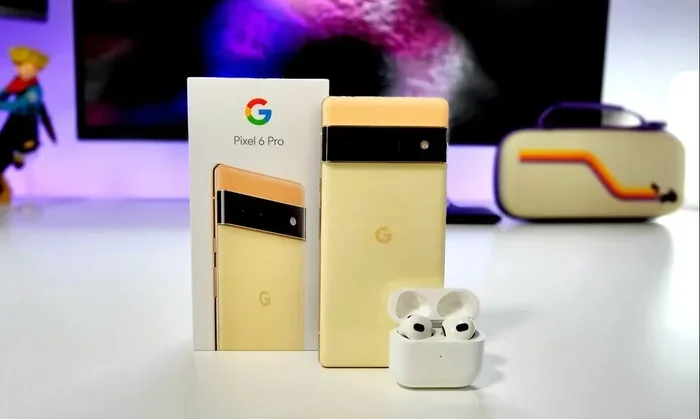
Featured image for Airpods Max with Pixel phone
Image source: citizenside.com
Yes, AirPods Max work perfectly with Google Pixel phones via Bluetooth, though you’ll miss some Apple-exclusive features like spatial audio with head tracking and automatic device switching. You can still enjoy high-quality audio, active noise cancellation, transparency mode, and hands-free Google Assistant. This guide covers everything you need to know about pairing, optimizing, and troubleshooting your AirPods Max on any Pixel device.
Imagine this: you just got your hands on a brand new Google Pixel 9 Pro. It’s sleek, fast, and takes incredible photos. But your trusty headphones are a pair of Apple AirPods Max—the premium over-ear cans with the distinctive mesh canopy and aluminum ear cups. Can these two tech worlds collide and work together?
The short answer is a resounding yes. AirPods Max are Bluetooth headphones at their core, and Bluetooth is a universal language spoken by virtually every modern smartphone. Your Pixel speaks it fluently. However, like two people from different countries having a conversation, some nuances get lost in translation.
This comprehensive guide walks you through everything you need to know about using AirPods Max with Pixel phones. We’ll cover the simple pairing process, which Apple features you’ll keep and which you’ll lose, how to control everything manually, and some clever workarounds to maximize your experience. Whether you own a Pixel 6, 7, 8, or the latest Pixel 9 series, this article has you covered.
Key Takeaways
- Universal Bluetooth Compatibility: AirPods Max connect to any Pixel phone through standard Bluetooth 5.0, just like any other wireless headphones.
- Most Core Features Work: Active Noise Cancellation, Transparency mode, and high-fidelity audio function fully on Pixel devices.
- Some Apple Features Are Lost: Spatial audio with dynamic head tracking, automatic device switching, and Siri integration don’t work on Android.
- Manual Controls Required: You’ll use the Digital Crown and noise control button directly on the headphones since Pixel lacks the AirPods Max settings menu.
- Battery Life Stays Excellent: The 20-hour battery rating remains the same regardless of which device you connect to.
- Codec Support Differs: Pixel phones use aptX and LDAC codecs, but AirPods Max only support AAC and SBC on non-Apple devices.
- Google Assistant Works: You can trigger Google Assistant hands-free on Pixel, replacing Siri functionality.
📑 Table of Contents
- The Simple Truth About AirPods Max and Pixel Compatibility
- How to Connect AirPods Max to Your Pixel: A Step-by-Step Guide
- Which Features Work on Pixel (And Which Don’t)
- Optimizing Your AirPods Max Experience on Pixel
- Troubleshooting Common Issues
- Should You Buy AirPods Max for Pixel? The Honest Assessment
- Final Thoughts: A Cross-Platform Love Story
The Simple Truth About AirPods Max and Pixel Compatibility
Let’s start with the basics. AirPods Max are premium wireless headphones released by Apple in December 2020. They feature high-fidelity audio, active noise cancellation, and Apple’s signature minimalist design with physical controls (the Digital Crown borrowed from Apple Watch). At launch, they retailed for $549, positioning them as a direct competitor to offerings from Sony and Bose.
How Bluetooth Makes Everything Possible
Think of Bluetooth as a common language that all modern gadgets speak. Your Pixel phone has Bluetooth 5.0 or newer. The AirPods Max have Bluetooth 5.0. When two devices speak the same version of this language, they can connect and communicate, regardless of who manufactured them. It’s like how you can call any phone number in the world, whether the person on the other end uses an iPhone or a Samsung.
According to Statista, over 5 billion Bluetooth devices ship worldwide each year. This massive adoption means manufacturers like Apple and Google follow strict compatibility standards. Your AirPods Max will appear in your Pixel’s Bluetooth settings just like any other pair of wireless headphones would.
What You’re Really Giving Up (And Gaining)
Here’s where things get interesting. AirPods Max have certain features that work exclusively within Apple’s ecosystem—the “walled garden” that includes iPhones, iPads, Macs, and Apple TVs. When you venture outside this garden and pair with a Pixel, some features stay home.
But here’s the good news: the most important features still work beautifully. You’re not getting a lesser headphone experience. You’re getting the same stunning audio quality, the same powerful noise cancellation, and the same comfortable design. You’re just losing some software smarts.
How to Connect AirPods Max to Your Pixel: A Step-by-Step Guide
Pairing AirPods Max with a Pixel phone is refreshingly simple. You don’t need any special apps, adapters, or technical knowledge. Just follow these straightforward steps.
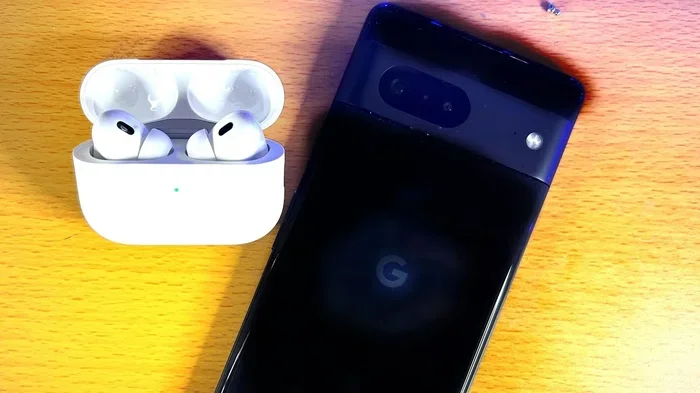
Visual guide about Airpods Max with Pixel phone
Image source: i.ytimg.com
The First-Time Pairing Process
Start by making sure your AirPods Max have some battery life. If they just came out of the box, they should have enough charge to get going. If they’ve been sitting around for a while, give them at least 30 minutes of charging via USB-C before starting.
Hold down the noise control button on the right ear cup of your AirPods Max. This is the small button located opposite the Digital Crown. Hold it until the LED light on the bottom of the right ear cup starts flashing white. This white flashing light is your headphones saying, “Hey, I’m ready to pair with someone new!”
On your Pixel phone, swipe down from the top of the screen to open the Quick Settings panel. Tap the Bluetooth icon to make sure Bluetooth is turned on. Then press and hold the Bluetooth icon to open Bluetooth settings, or navigate to Settings > Connected Devices > Bluetooth.
Under “Available devices,” you should see “AirPods Max” appear in the list. Tap on it. Within seconds, you’ll see “Connected” appear beneath the name. That’s it—you’re done! Your AirPods Max will now play all audio from your Pixel phone.
What the LED Light Tells You
The little status light on your AirPods Max is like a mood ring for your headphones. It communicates different states through different colors:
- White flashing: Ready to pair with a new device
- Amber (orange): Less than one full charge remaining
- Green: Battery is at 95% or higher when unplugged
- No light: Battery is sufficiently charged (you can check exact percentage from the device)
Reconnecting After the Initial Pairing
Once paired, your Pixel will remember your AirPods Max. You don’t need to go through the pairing process every time. Simply turn on your headphones (the noise control button also serves as the power button when held for one second) and they’ll automatically connect to your Pixel if Bluetooth is on and no other device is currently connected.
Did you know? AirPods Max can remember up to nine different devices, but they’ll only actively connect to two at a time on Apple devices. On Android, they’ll simply connect to whichever available device you’ve previously paired with most recently.
Which Features Work on Pixel (And Which Don’t)
This is the section most people care about, so let’s be thorough. AirPods Max have a feature list as long as your arm, but not all of them translate when used with Android.
Features That Work Fully on Pixel
Active Noise Cancellation (ANC) works perfectly. This is the technology that uses microphones to listen to the world around you, then creates “anti-noise” sound waves to cancel out distractions. The AirPods Max ANC is among the best in the industry, blocking up to 80-90% of ambient noise according to independent testing by RTINGS.com. You can toggle it on and off using the noise control button.
Transparency Mode also works flawlessly. This mode does the opposite of ANC—it uses the same microphones to let outside sound in, so you can have conversations or hear traffic without removing your headphones. It’s like having a window that you can open or close on the world.
High-Quality Audio remains intact. The AirPods Max feature a 40mm Apple-designed dynamic driver and computational audio processing that adapts sound in real-time. Whether you’re listening to Spotify, YouTube Music, or local files, the audio quality is identical to what you’d get on an iPhone.
The Digital Crown works for its basic functions: volume up, volume down, play, pause, skip tracks, and answer phone calls. You won’t get Siri integration when you press and hold it, but the physical controls function normally.
Hands-Free Voice Assistant works with Google Assistant on Pixel. When you say “Hey Google,” your Pixel’s voice recognition kicks in through the AirPods Max microphones. You can ask questions, send texts, set reminders, and control smart home devices.
Phone Calls work beautifully. The AirPods Max have excellent microphones for calls, and call quality is often praised by reviewers. Your Pixel will use the AirPods Max as both an input and output device when you’re on calls.
Features That Don’t Work on Pixel
Spatial Audio with Dynamic Head Tracking is a notable loss. This Apple feature creates a 3D surround sound experience where audio appears to come from a fixed point in space—even when you turn your head. It works brilliantly for movies and supported content on Apple devices but is completely unavailable on Android.
Automatic Device Switching is another ecosystem-only feature. On Apple devices, your AirPods Max can seamlessly switch between your iPhone, iPad, and Mac based on which device you’re actively using. On Pixel, you have to manually disconnect and reconnect.
Personalized Spatial Audio uses your ear shape and head measurements (scanned with an iPhone’s TrueDepth camera) to calibrate the spatial audio experience. This setup process requires an iPhone.
Find My Integration is limited. On Apple devices, you can locate lost AirPods Max using the Find My app, even seeing the last known location. On Pixel, you’ll need to rely on Bluetooth range and your memory.
Audio Sharing between two sets of AirPods only works on Apple devices. You can’t pair two AirPods Max to one Pixel for shared listening.
Firmware Updates are tricky. Apple occasionally releases firmware updates for AirPods Max, but these typically install automatically only when connected to an iOS device. Without an iPhone, you might miss some updates, though this is rarely a dealbreaker.
The Codec Conundrum
Here’s something most guides don’t mention. Bluetooth audio uses “codecs”—essentially compression algorithms that determine how audio data travels from your phone to your headphones. Different devices support different codecs.
Pixel phones support excellent codecs including Qualcomm aptX HD, Sony LDAC (on many models), and the standard SBC and AAC codecs. However, the AirPods Max hardware only supports AAC and SBC when connected to non-Apple devices. AAC is still quite good—it powers Apple Music’s standard quality tier and most streaming services—but it’s not the highest-resolution option.
In practical terms, most listeners won’t notice this difference. The human ear can barely distinguish between high-quality codecs in blind tests. But if you’re an audiophile with trained ears, this is something to consider.
Optimizing Your AirPods Max Experience on Pixel
Just because some Apple features are missing doesn’t mean you can’t have an excellent experience. Here are some tips and workarounds to maximize your setup.
Master the Manual Controls
Without the AirPods Max settings menu that iPhone users enjoy, you’ll need to learn the physical controls thoroughly.
The Digital Crown (located on the top of the right ear cup) functions like an Apple Watch crown:
- Press once: Play/pause or answer/end call
- Press twice: Skip forward
- Press three times: Skip backward
- Press and hold: Activate Siri (won’t work on Pixel) or do nothing
- Rotate: Adjust volume up or down
The Noise Control Button (small button on the back of the right ear cup):
- Single press: Toggle between Active Noise Cancellation and Transparency Mode
- Long press: While wearing the headphones, this activates Siri (won’t work on Pixel)
One neat trick: you can turn off both ANC and Transparency by pressing the noise control button. When both are off, the headphones act like passive headphones, which can be useful if you want to save battery or just listen in peace.
Use Google Assistant for Voice Commands
Since Siri doesn’t work on Pixel, Google Assistant becomes your voice companion. Set up “Hey Google” detection in your Pixel settings (Settings > Apps > Assistant > Hey Google & Voice Match), and you can use your AirPods Max microphones to issue voice commands.
“Hey Google, play my Discover Weekly playlist.” “Hey Google, text Mom that I’ll be there at 7.” “Hey Google, what’s the weather tomorrow?” All of these work through your AirPods Max with the same accuracy as if you were using Pixel Buds.
Check Battery Levels Easily
One small annoyance is that you can’t see the precise battery percentage of your AirPods Max in a quick notification like you can with AirPods Pro on iPhone. However, you can check the approximate battery level in your Pixel’s Bluetooth settings.
Navigate to Settings > Connected Devices > Bluetooth, find your AirPods Max in the list of paired devices, tap the gear icon next to them, and you’ll see battery percentage. It’s not as elegant as the iOS experience, but it gets the job done.
Did you know? AirPods Max have a battery life of approximately 20 hours with ANC or Transparency Mode enabled. This remains true regardless of what device they’re connected to, so your listening sessions won’t be cut short by the Pixel pairing.
Manage Multipoint Connections Manually
While AirPods Max don’t have true multipoint Bluetooth on Android (the ability to connect to two devices simultaneously), you can quickly switch between devices. If you also use a laptop or tablet, here’s how to swap connections:
- On the new device, go to Bluetooth settings
- Find AirPods Max in the available devices list
- Tap to connect—the headphones will disconnect from your Pixel
- To return to your Pixel, do the same process
It’s a few extra steps compared to Apple’s automatic switching, but it works reliably.
Consider a Third-Party App for Enhanced Functionality
Several Android apps in the Google Play Store claim to add AirPods-specific functionality to your phone. Apps like “AirBattery” or “Assistant Trigger” can show battery percentages in notifications or let you customize what happens when you press and hold the Digital Crown.
However, be cautious. These apps require accessibility permissions that grant deep access to your phone. Read reviews carefully and download only from trusted developers. The built-in Pixel experience is solid enough that most users won’t need third-party solutions.
Troubleshooting Common Issues
Even with universal Bluetooth, you might occasionally run into hiccups. Here are solutions to the most common problems.
AirPods Max Won’t Connect to Pixel
If your AirPods Max aren’t appearing in your Pixel’s Bluetooth list, try these steps in order:
First, make sure your headphones are in pairing mode (the LED should be flashing white). If the light isn’t flashing, hold down the noise control button until it starts.
Second, restart Bluetooth on your Pixel. Toggle it off, wait five seconds, and toggle it back on.
Third, restart your Pixel phone. Sometimes a fresh start solves mysterious connectivity issues.
Fourth, “forget” the device if it’s already paired. Go to Settings > Connected Devices > Bluetooth, find AirPods Max, tap the gear icon, and select “Forget.” Then try pairing from scratch.
Fifth, charge your AirPods Max. If the battery is completely dead, they won’t respond to any button presses until they have minimum charge.
Audio Quality Sounds Worse Than Expected
If audio sounds flat, distorted, or crackly, several factors could be at play. Bluetooth signals can be disrupted by interference from Wi-Fi routers, microwaves, or other electronics. Try moving closer to your Pixel or away from potential interference sources.
Check your audio source quality. Streaming at low bitrates (below 256 kbps) can make even premium headphones sound mediocre. Use high-quality streaming settings on Spotify, YouTube Music, or Apple Music.
Make sure the headphones are properly positioned on your ears. AirPods Max use adaptive EQ that adjusts based on the seal and position of the ear cups. Adjust them until they sit comfortably and create a good seal.
One Ear Cup Stops Working
If audio only plays through one ear cup, this is usually a simple fix. Reset your AirPods Max by holding both the Digital Crown and the noise control button for about 15 seconds until the LED flashes amber, then white.
This hard reset clears the headphones’ internal memory and often resolves audio routing issues.
Microphone Doesn’t Work During Calls
If people can’t hear you during calls, check that your Pixel is routing audio correctly. During a call, tap the speaker/audio output button on the call screen and select “AirPods Max” as the audio source.
Also, clean the microphone openings on your AirPods Max. Tiny openings at the bottom of the ear cups can get clogged with debris. Use a soft, dry brush to gently clean them.
Battery Drains Quickly
If you notice unusually fast battery drain, the most common culprits are leaving ANC on when not needed or having the headphones disconnected but still “awake.”
AirPods Max don’t have a traditional power-off mode. Instead, they enter a low-power state when placed in the Smart Case. If you don’t have the Smart Case (or don’t use it), your headphones may drain faster than expected. Third-party cases are available if you’ve lost or never had the original.
Should You Buy AirPods Max for Pixel? The Honest Assessment
Now for the big question: if you own a Pixel phone (or plan to buy one), should you spend $549 on AirPods Max? Or are you better off with headphones designed for Android?
The Case For Buying AirPods Max for Pixel
The audio quality is objectively excellent. Reviewers consistently rank AirPods Max among the top five wireless headphones for sound quality, competing with the Sony WH-1000XM5 and Bose QuietComfort Ultra. The build quality is exceptional—premium materials like aluminum and mesh create a headphone that feels substantial and luxurious.
The noise cancellation is best-in-class for many environments. If you frequently work in cafes, open offices, or fly often, the ANC alone might justify the price.
If you already own AirPods Max and are switching from iPhone to Pixel, there’s no need to buy new headphones. They work well enough that the cost of replacement would be wasteful.
Pixel phones do support the AAC codec well, so audio quality remains high even without aptX or LDAC support.
The Case Against Buying AirPods Max for Pixel
If you’re starting fresh and exclusively use Android, you’re paying for features you can’t access. The Sony WH-1000XM5 or Bose QuietComfort Ultra offer comparable (or better) noise cancellation, similar audio quality, and full feature support on Android—including multipoint Bluetooth, LDAC codec support, and companion apps with customizable EQ.
You also lose access to firmware updates and future features. Apple may add new capabilities to AirPods Max that will only be available on Apple devices.
The price premium is significant. At $549, AirPods Max cost more than most flagship wireless headphones from competitors. For Pixel users specifically, this premium is harder to justify.
Who Should Buy AirPods Max for Pixel
Based on the above, here’s who should consider this purchase:
- Existing AirPods Max owners who are switching from iPhone to Pixel—keep using your investment
- Audio enthusiasts who prioritize build quality and have already tried alternatives
- Apple ecosystem users with one Pixel—if you use multiple Apple devices and just need occasional Pixel connectivity
- Design lovers who value the aesthetic and don’t mind losing some features
Who Should Look Elsewhere
- Pure Android users who want the best value and feature access
- Budget-conscious buyers—there are excellent options at half the price
- Feature-maximalists who want every bell and whistle their phone can offer
Final Thoughts: A Cross-Platform Love Story
Technology doesn’t always play nicely across brand lines, but Bluetooth has done more to bridge the gap between Apple and Android than any other standard. AirPods Max and Pixel phones prove that you can have premium experiences even when mixing ecosystems.
Yes, you’ll miss some Apple-exclusive features. Spatial audio with head tracking is genuinely impressive, and automatic device switching is wonderfully convenient. But the core experience—the reason you buy premium headphones in the first place—delivers beautifully on Pixel. The audio sounds rich and detailed. The noise cancellation works like a charm. The comfort holds up during long listening sessions.
If you’re already an AirPods Max owner contemplating a switch to Pixel, don’t let headphone compatibility hold you back. The grass is green on both sides of the walled garden, and your favorite headphones will follow you across.
If you’re shopping for new headphones and you’re firmly in the Android camp, the calculus changes. Excellent Android-first options exist that will give you more features for less money. But if your heart is set on AirPods Max, rest assured that your Pixel will treat them well. Sometimes love means accepting a partner’s quirks—and that’s true for technology too.
The bottom line: AirPods Max work on Pixel phones, work well, and provide an experience that’s 85-90% of what iPhone users enjoy. For many people, that’s more than enough.
Frequently Asked Questions
Can AirPods Max connect to Android phones in general?
Yes, AirPods Max use standard Bluetooth 5.0 and can connect to any Android phone that supports Bluetooth audio, including Samsung Galaxy, Google Pixel, OnePlus, and countless other devices. The pairing process is identical to pairing any other Bluetooth headphones.
Do AirPods Max have an app for Android?
No, Apple has not released an official AirPods Max app for Android. The companion features available on iPhone (like the settings menu in iOS Settings) are exclusive to Apple devices. Third-party apps exist but require accessibility permissions and come with security considerations.
Will noise cancellation work on AirPods Max with a Pixel?
Yes, Active Noise Cancellation and Transparency Mode work perfectly when AirPods Max are connected to a Pixel phone. The noise cancellation processing happens entirely within the headphones themselves, so no special app or connection is needed. You toggle between modes using the physical noise control button.
Can I use Google Assistant with AirPods Max on Pixel?
Yes, Google Assistant works through AirPods Max when connected to a Pixel phone. You can set up “Hey Google” voice detection, and your Pixel will use the AirPods Max microphones to hear your commands. This effectively replaces Siri functionality for most daily tasks.
Do AirPods Max sound different on Pixel compared to iPhone?
The audio quality is essentially identical. The internal DAC and amplifier in the AirPods Max handle all audio processing. The only minor difference is the Bluetooth codec used—iPhone uses AAC, while Pixel phones also use AAC (since AirPods Max don’t support aptX or LDAC on non-Apple devices). Most listeners cannot detect this difference.
Can I see the battery percentage of AirPods Max on my Pixel?
Yes, though not as prominently as on iPhone. On Pixel, you can check battery levels by going to Settings > Connected Devices > Bluetooth, tapping the gear icon next to your AirPods Max, and viewing the battery percentage. Some third-party apps can also display this in your notification shade.