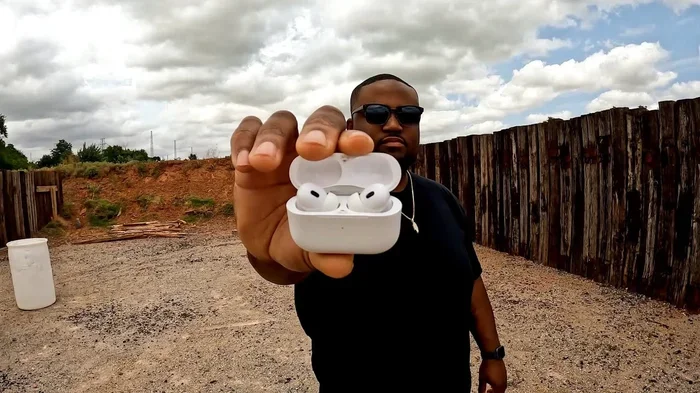
Featured image for AirPods Pro 2 range shooting
Image source: i.ytimg.com
Yes, you can use AirPod Pro 2 for shooting in limited ways—they work great as a remote shutter trigger and audio monitor but aren’t ideal as your main recording device. The AirPod Pro 2 offer decent sound quality and seamless iPhone integration, making them useful for casual content creators who want wireless convenience. However, professional shooters should invest in dedicated equipment for better audio capture, noise cancellation, and reliability in demanding shooting environments.
Ever wondered if those fancy earbuds sitting in your pocket could double as shooting gear? You’re not alone. The question of whether you can use AirPod Pro 2 for shooting pops up constantly among content creators, vloggers, and photography enthusiasts. After all, if you already own a pair, why not maximize their potential?
Here’s the deal: AirPod Pro 2 are incredibly versatile little gadgets. Think of them like a Swiss Army knife for audio—they can do many things reasonably well, even if they’re not the absolute best at any single task. When it comes to shooting, whether that’s photography or videography, your AirPods can actually pull double duty in surprising ways.
In this guide, we’ll break down exactly what AirPod Pro 2 can (and can’t) do for your shooting needs. We’ll cover remote camera control, audio monitoring, practical limitations, and when you should consider upgrading to dedicated equipment. By the end, you’ll know precisely whether your AirPods deserve a spot in your camera bag.
Key Takeaways
- Remote Shutter Capability: AirPod Pro 2 can trigger your iPhone camera remotely using the stem squeeze controls, working at distances up to 30-40 feet in optimal conditions.
- Audio Monitoring: The earbuds provide real-time audio monitoring when paired with your iPhone, letting you hear what your camera captures during video shoots.
- Not a Recording Microphone: AirPod Pro 2 cannot function as an external microphone input for your camera—they only receive audio, not transmit it to recording devices.
- Active Noise Cancellation Helps: The ANC feature lets you clearly monitor audio in noisy environments like outdoor shoots, construction areas, or crowded events.
- Battery Limitations Exist: With 6 hours of listening time per charge, AirPod Pro 2 may not last through extended shooting sessions without the charging case.
- Better Alternatives Exist: Professional videographers should consider dedicated wireless mic systems like Rode Wireless GO or DJI Mic for superior audio quality.
- Casual vs. Professional Use: AirPod Pro 2 work perfectly for casual social media content but fall short for professional film, documentary, or broadcast applications.
📑 Table of Contents
- Understanding What “Shooting” Really Means
- Using AirPod Pro 2 as a Remote Camera Shutter
- Audio Monitoring Capabilities During Shoots
- Major Limitations You Need to Know
- When AirPod Pro 2 Make Sense for Shooting
- When You Should Upgrade to Professional Gear
- Comparing AirPod Pro 2 to Dedicated Shooting Audio Gear
- Pro Tips for Maximizing AirPod Pro 2 in Shooting
- The Final Verdict on AirPod Pro 2 for Shooting
Understanding What “Shooting” Really Means
Before diving in, let’s clear up some confusion. “Shooting” in the content creation world means different things to different people. It’s like how the word “shot” can mean a photo, a video clip, or even a basketball attempt—context matters.
Photography vs. Videography Applications
For photographers, shooting typically means capturing still images. Your AirPod Pro 2 can help here by acting as a remote trigger, letting you snap photos without touching your phone. This is super handy for group shots, selfies, or long exposure photography where camera shake ruins everything.
Videographers and vloggers have different needs. They need quality audio capture, reliable monitoring, and sometimes remote start/stop functionality. Your AirPods can assist with some of these tasks but not all of them. It’s like having a car that can drive in snow but isn’t a full snowplow—useful in certain situations but limited in extreme conditions.
Different Shooting Scenarios
Think about a vlogger filming a travel video in a busy market. They need to hear their own audio clearly, maybe monitor background noise, and possibly trigger recordings hands-free. An AirPod Pro 2 user could absolutely handle this scenario.
Now picture a documentary filmmaker recording an interview in a windy field. They need pristine audio capture, multiple mic inputs, and rock-solid reliability. In this case, AirPods would fall short. It’s the difference between a bicycle and a motorcycle—both get you places, but they’re built for different journeys.
Using AirPod Pro 2 as a Remote Camera Shutter
Here’s where things get interesting. Your AirPod Pro 2 can actually control your iPhone camera without you touching the screen. This feature feels almost magical the first time you try it.
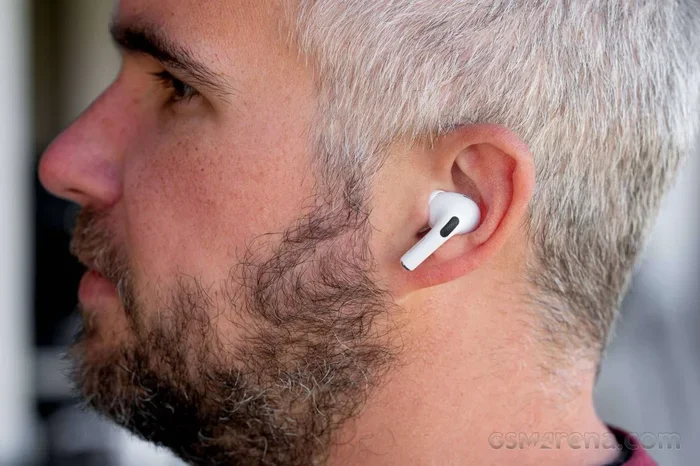
Visual guide about AirPods Pro 2 range shooting
Image source: fdn.gsmarena.com
How to Set It Up
The setup is surprisingly simple. Open your iPhone’s camera app while wearing your AirPods. Then, squeeze the stem of either AirPod once to take a photo. In video mode, a single squeeze starts and stops recording. That’s it—no app downloads, no complicated settings.
But wait, there’s more. You can also use Siri voice commands through your AirPods. Just say “Hey Siri, take a picture” or “Hey Siri, start recording video.” Your phone will respond without you lifting a finger. It’s like having a tiny photographer assistant living in your ear.
Range and Reliability
Your AirPod Pro 2 maintain a Bluetooth connection up to about 30-40 feet from your iPhone in open spaces. Walls, furniture, and other obstacles can reduce this range significantly. Think of Bluetooth like a conversation across a room—it works great when nothing’s in the way but gets muffled by barriers.
In real-world shooting scenarios, staying within 15-20 feet gives you the most reliable connection. The response time between squeezing your AirPod stem and the photo capturing is nearly instant—usually less than a second. For most casual shooting, this delay is completely unnoticeable.
Practical Shooting Tips
Want to nail those group photos at family gatherings? Set up your phone on a tripod, position everyone in frame, then squeeze your AirPod stem. No more awkward sprints back to join the group before the timer runs out.
For long exposure photography, this remote function is a game-changer. Even the steadiest hands introduce tiny vibrations when pressing a shutter button. By using your AirPods, you eliminate that physical contact entirely. The result? Sharper images, especially in low light.
Here’s a pro tip: if your AirPods disconnect mid-shoot, don’t panic. Put them back in the charging case for 10 seconds, then try again. This usually resolves minor connection hiccups.
Audio Monitoring Capabilities During Shoots
Audio quality makes or breaks video content. Even gorgeous footage falls flat with poor sound. Your AirPod Pro 2 can actually help you monitor audio while shooting—something many creators overlook.
Real-Time Audio Monitoring
When you’re recording video on your iPhone, your AirPods play back the audio in real-time. This means you can hear exactly what your phone’s microphone captures as you record. It’s like having a tiny sound engineer whispering in your ear, telling you if the audio is good or noisy.
This feature shines during vlogging or interview situations. You can immediately tell if there’s too much background noise, if your voice is too quiet, or if a plane is about to ruin your perfect take. Caught these issues early, you can adjust your position, speak louder, or wait for the disturbance to pass.
Active Noise Cancellation Advantages
The AirPod Pro 2’s Active Noise Cancellation (ANC) is a secret weapon for shooters. Imagine filming at a busy street corner—the traffic noise, conversations, and sirens would normally overwhelm your monitoring experience. With ANC turned on, all that chaos fades away, letting you focus purely on the audio you actually care about.
Did You Know? According to Apple, the AirPod Pro 2’s ANC blocks up to 2x more noise than the original AirPod Pro. This improvement matters significantly for shooters working in unpredictable environments.
To activate ANC during shooting, simply press and hold the stem of either AirPod until you hear a chime. Switch between ANC and Transparency mode depending on your needs. Transparency mode is great when you need to stay aware of your surroundings—like filming in traffic or near water.
Transparency Mode for Safety
Filming in public spaces requires situational awareness. Transparency mode lets outside sound in while still delivering your audio monitoring. You can hear if someone approaches, a vehicle gets too close, or if your subject is speaking to you between takes.
This dual functionality—noise cancellation when you need focus, transparency when you need awareness—makes AirPod Pro 2 uniquely suited for shooting in varied environments. Dedicated audio equipment rarely offers this flexibility.
Major Limitations You Need to Know
Let’s be real about the downsides. AirPod Pro 2 aren’t perfect shooting companions. Knowing their limitations helps you decide when they’re sufficient and when you need better gear.
The Microphone Input Problem
Here’s the biggest issue: AirPod Pro 2 cannot function as an external microphone input for your camera. They receive audio from your phone, but they don’t send professional-quality audio to your recording device.
Think of it like a one-way street. AirPods receive sound from your iPhone, but they can’t transmit high-quality audio back to a camera or external recorder. The microphones in AirPods are designed for voice calls and Siri commands, not professional audio capture.
For serious video production, this limitation is a deal-breaker. If you need pristine dialogue, environmental sounds, or music capture, you’ll need a dedicated microphone system. Period.
Battery Life Concerns
AirPod Pro 2 deliver about 6 hours of listening time on a single charge with ANC enabled. A typical shooting day often exceeds this. The charging case provides an additional 24 hours of total listening time, but you need to pause shooting to recharge.
Compare this to dedicated shooting equipment that often runs 10-12 hours on a single charge. For all-day shoots, AirPods might leave you stranded mid-session. It’s like bringing a snack to an all-day hike—helpful but not sufficient for the full journey.
Audio Quality Limitations
While AirPod Pro 2 sound great for music and calls, they compress audio during transmission. This compression is fine for casual listening but introduces subtle quality loss for professional monitoring purposes. Trained audio engineers can definitely hear this difference.
The Bluetooth connection itself adds latency—a slight delay between what’s happening and what you hear through the AirPods. This delay is usually only milliseconds, but it can be distracting when monitoring live performances or time-sensitive content.
When AirPod Pro 2 Make Sense for Shooting
Despite limitations, there are plenty of situations where AirPod Pro 2 excel as shooting companions. Let’s explore the sweet spot where they truly shine.
Social Media Content Creation
Creating Instagram Reels, TikTok videos, or YouTube Shorts? AirPod Pro 2 are perfect for this level of content. The audio quality exceeds what most social media platforms even compress, so you’re not losing meaningful quality.
The convenience factor is huge here. You can monitor audio, trigger recordings remotely, and stay mobile—all with one device already in your pocket. No extra gear to carry, no complicated setup, no technical headaches.
Casual Vlogging and Travel Videos
Documenting a vacation or sharing daily life? AirPod Pro 2 handle this beautifully. You get decent audio monitoring, the ability to start recording without touching your phone, and enough battery for typical day’s worth of casual clips.
Travel creators especially benefit from the compact form factor. Dedicated audio equipment takes up valuable luggage space. AirPods slip into your pocket and serve double duty for music listening and shooting assistance.
Behind-the-Scenes Documentation
Filming behind-the-scenes content or making-of videos? AirPod Pro 2 are absolutely sufficient. These videos prioritize authenticity and spontaneity over pristine audio quality. Your AirPods let you capture candid moments without fumbling with your phone.
When You Should Upgrade to Professional Gear
Sometimes good enough isn’t good enough. Here’s when you need to invest beyond AirPod Pro 2 for your shooting needs.
Professional Film and Documentary Work
If you’re producing content for paying clients, broadcast, or theatrical release, AirPods won’t cut it. Professional productions demand:
- Multiple simultaneous audio inputs
- Backup recording capabilities
- Superior dynamic range
- Reliable wireless transmission over longer distances
- Professional-grade connectors (XLR, TRS)
Dedicated systems like the Rode Wireless GO II, DJI Mic, or Sennheiser EW systems deliver this performance. Yes, they cost more, but they deliver professional results.
Interview and Podcast Filming
Conducting interviews where dialogue clarity matters? Lavalier microphones that clip to clothing capture voice audio far better than any AirPod microphone. Wireless lavalier systems let your subjects move naturally without sacrificing audio quality.
For podcast-style filming, audio quality is everything. Viewers forgive mediocre video but rarely tolerate poor sound. Invest in proper microphones here.
Extreme Environment Shooting
Filming in rain, dust, extreme temperatures, or underwater? AirPod Pro 2 have IP54 rating—splash and dust resistant but not waterproof or ruggedized. Professional audio equipment often handles harsh conditions that would destroy consumer electronics.
Action sports filming, wildlife documentation, or adventure content requires gear built for punishment. Your AirPods might survive a light drizzle but won’t hold up to a rainstorm or sandy beach.
Comparing AirPod Pro 2 to Dedicated Shooting Audio Gear
Let’s put this in perspective with a clear comparison. Understanding the trade-offs helps you make informed decisions.
Price Point Analysis
AirPod Pro 2 cost around $249. A professional wireless microphone system ranges from $200-600 depending on features. If you already own AirPods for daily use, leveraging them for shooting is essentially free. If you need to buy dedicated gear, it’s a significant additional investment.
However, consider value beyond price. Dedicated systems last years, often with replaceable batteries and upgradable firmware. AirPods have a limited lifespan as Apple inevitably discontinues older models.
Audio Quality Differences
Dedicated wireless mic systems capture audio at much higher bitrates than Bluetooth transmission allows. They also support features like backup recording (recording to both transmitter and receiver simultaneously), adjustable gain, and multiple channel recording.
For dialogue-heavy content, this quality difference is audible to most listeners. For ambient sound or background music, the difference is less noticeable.
Workflow Integration
AirPod Pro 2 integrate seamlessly with iPhone workflows. No pairing hassles, no compatibility issues. Dedicated systems sometimes require adapters, specific apps, or manual configuration.
This integration advantage is real. You can start shooting within seconds of opening your camera app. Dedicated systems might add 30-60 seconds of setup time per session.
Pro Tips for Maximizing AirPod Pro 2 in Shooting
Want to get the most from your AirPods during shoots? These tips come from creators who’ve tested every scenario.
Optimize Your Settings
Before important shoots, fully charge your AirPods and update their firmware. Apple regularly improves performance through software updates. Also, clean the microphone and speaker meshes—debris buildup degrades audio quality significantly.
Turn off automatic ear detection if you plan to use just one AirPod. This prevents connection issues when you’re frequently removing them to hear your surroundings.
Backup Plans Matter
Never rely solely on AirPods for critical shoots. Have a backup plan—either another audio solution or a secondary recording method. Murphy’s Law guarantees technology fails when you need it most.
Consider this: professional shoots often record audio twice—once to the camera and once to a separate recorder. You can’t do this with AirPods, but you can plan around their limitations.
Test Before Important Shoots
Always test your entire setup before the real thing. This includes your AirPods, phone, camera app, and any accessories. A 10-minute test run can save hours of frustration during actual production.
Pay attention to connection reliability, audio levels, and battery drain during tests. If something feels off, troubleshoot before you’re under pressure to perform.
The Final Verdict on AirPod Pro 2 for Shooting
So, can you use AirPod Pro 2 for shooting? Absolutely—but with realistic expectations. They’re fantastic for casual content creation, social media, travel videos, and behind-the-scenes footage. They offer unique advantages like seamless iPhone integration, active noise cancellation, and pocketable form factor.
However, they fall short for professional productions, critical audio applications, and extreme environments. The microphone input limitation alone disqualifies them from serious video work where audio quality matters.
Think of AirPod Pro 2 as a versatile tool in your creator toolkit. They’re not your primary weapon, but they’re excellent support equipment that handles many tasks admirably. For creators just starting out or working on casual projects, they’re often all you need.
As your skills and ambitions grow, you’ll naturally invest in dedicated equipment. Until then, your AirPod Pro 2 can absolutely help you create compelling content. They’re proof that the best camera is the one you have with you—and the best audio solution is the one that fits your current needs and budget.
The key is matching the tool to the task. Use your AirPods for what they do well, and recognize when situations demand specialized gear. This balanced approach makes you a smarter creator who maximizes resources while delivering quality content.
Frequently Asked Questions
Can AirPod Pro 2 actually trigger my iPhone camera remotely?
Yes! When your AirPods are connected to your iPhone, opening the camera app and squeezing either AirPod stem will take a photo or start/stop video recording. You can also use Siri voice commands for completely hands-free operation, making it perfect for group shots and long exposure photography.
Do AirPod Pro 2 work as an external microphone for video recording?
No, AirPod Pro 2 cannot function as an external microphone input for your camera. They only receive audio from your phone—they don’t transmit professional-quality audio to recording devices. For serious video production, you’ll need a dedicated external microphone system.
How far can I be from my phone while using AirPod Pro 2 as a remote?
AirPod Pro 2 maintain reliable Bluetooth connectivity up to 30-40 feet in open spaces. However, walls, furniture, and other obstacles reduce this range. For most reliable performance during shoots, stay within 15-20 feet of your iPhone.
Is the audio quality from AirPod Pro 2 good enough for YouTube videos?
For YouTube videos, vlogs, and social media content, AirPod Pro 2 audio monitoring is perfectly adequate. The quality exceeds what most platforms compress anyway. However, for professional productions or podcast-style content where dialogue clarity is critical, dedicated microphones deliver noticeably better results.
Can I use AirPod Pro 2 for shooting videos on Android phones?
Yes, AirPod Pro 2 work with Android devices, but functionality is limited compared to iPhone integration. The remote camera shutter feature may not work reliably across all Android devices and camera apps. You’ll likely get better experience using AirPods with Apple devices for shooting purposes.
How long does the AirPod Pro 2 battery last during shooting sessions?
AirPod Pro 2 provide approximately 6 hours of listening time with Active Noise Cancellation enabled on a single charge. The charging case extends total listening time to about 24 hours. For all-day shooting sessions, plan to recharge periodically or have backup audio monitoring solutions ready.