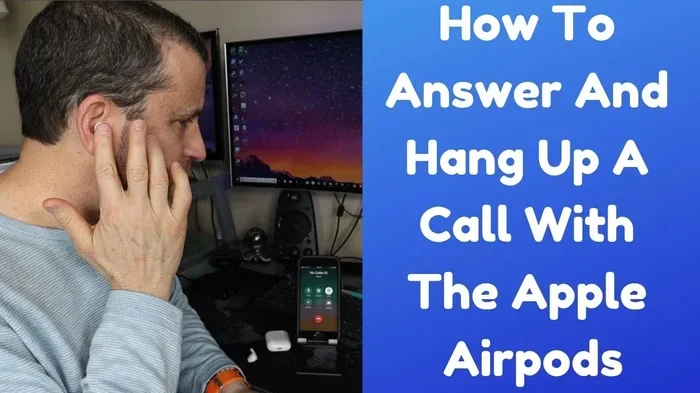
Featured image for AirPods Max phone call
Image source: i.ytimg.com
Yes, you can absolutely use AirPods Max for phone calls, and they actually perform exceptionally well for this purpose. Apple’s premium over-ear headphones feature advanced beamforming microphones that isolate your voice while blocking background noise, making them ideal for calls in various environments. With support for Siri, seamless device switching, and up to 20 hours of talk time, AirPods Max deliver a premium calling experience that rivals dedicated headsets. Whether you’re taking work calls, chatting with family, or joining video conferences, these headphones provide crystal-clear audio for both speaking and listening.
If you’ve ever wondered whether those gorgeous over-ear headphones from Apple can handle your daily phone calls, you’re in for some great news. AirPods Max are not just fancy headphones for music lovers, they’re actually powerful communication tools that many people overlook. Let’s dive into everything you need to know about using AirPods Max for phone calls.
Picture this: you’re working from your favorite coffee shop, your boss calls unexpectedly, and instead of scrambling to find your phone or dealing with tinny laptop speakers, you simply speak naturally. The person on the other end hears you as if you were in a quiet office. That’s the magic of AirPods Max. These headphones pack serious technology into their sleek design, and call quality is one area where they truly shine.
Whether you’re a remote worker, busy professional, or someone who simply takes lots of phone calls throughout the day, understanding how AirPods Max handle calls can change the way you communicate. This comprehensive guide will walk you through everything from microphone technology to practical tips, helping you get the most out of your premium headphones during phone conversations.
Key Takeaways
- Yes, AirPods Work Great for Calls: AirPods Max feature eight beamforming microphones that capture your voice clearly while filtering out background noise.
- Multiple Microphones for Noise Reduction: Two of the eight microphones actively work to reduce ambient sound, ensuring the person on the other end hears you clearly.
- 20 Hours of Talk Time: A single charge provides up to 20 hours of continuous call time, perfect for long workdays or extended conversations.
- Seamless Device Switching: AirPods Max automatically switch between your iPhone, iPad, and Mac when calls come in, making multitasking effortless.
- Active Noise Cancellation Works During Calls: The ANC feature reduces background noise for you while your voice remains clear to the other party.
- Transparency Mode for Situational Awareness: Switch to Transparency Mode to hear your own voice naturally during calls without removing your headphones.
- Voice Quality Depends on Environment: While AirPods Max excel in most settings, very noisy environments may still affect call clarity.
📑 Table of Contents
- The Short Answer: Absolutely Yes, and Here’s Why It Works So Well
- How to Actually Make and Receive Calls with AirPods Max
- Call Quality Features That Make AirPods Max Special
- Battery Life and Charging: Will Your Calls Get Cut Short?
- Practical Tips for the Best Call Experience
- Comparing AirPods Max to Other Options for Calls
- Common Questions and Concerns About AirPods Max Phone Calls
- The Final Verdict: AirPods Max as Calling Devices
The Short Answer: Absolutely Yes, and Here’s Why It Works So Well
Let’s address the main question right away: yes, you can absolutely use AirPods Max for phone calls, and Apple actually designed them with this capability in mind. Think of AirPods Max as a Swiss Army knife for audio. They handle music, podcasts, movies, and yes, phone calls with equal excellence.
The reason they work so well comes down to some pretty impressive engineering. AirPods Max contain a total of nine microphones. Eight of these microphones work double duty for both active noise cancellation and voice pickup during calls. Two specific microphones are dedicated to beamforming, which is a fancy way of saying they focus on your voice while ignoring everything else around you.
How the Microphone Magic Happens
Imagine you’re at a busy airport, and you’re trying to have a conversation with someone standing right in front of you. Your brain naturally filters out the announcements, footsteps, and chatter. AirPods Max do something similar with your voice. The beamforming microphones create a sort of “cone of attention” that picks up sound coming from your mouth while rejecting noise from other directions.
This technology is called beamforming, and it’s the same principle used in conference room microphones and professional broadcasting equipment. When you speak during a call, the microphones work together to create a focused pickup pattern aimed at your mouth. Background conversations, keyboard typing, and even nearby traffic get filtered out, leaving your voice crystal clear.
Call Quality That Impresses
Most users report that call quality on AirPods Max is noticeably better than even the standard AirPods Pro. The larger ear cups provide better passive noise isolation, which means the microphones have less ambient noise to compete with. The person you’re talking to will hear a fuller, more natural representation of your voice compared to smaller earbuds.
Did You Know? Apple’s acoustic engineers specifically tuned the AirPods Max microphone array to handle the unique challenges of over-ear headphone calls. Because the microphones are positioned on the ear cups rather than in your ears, they had to solve complex acoustic problems related to wind noise, voice reflection, and environmental interference.
How to Actually Make and Receive Calls with AirPods Max
Using AirPods Max for phone calls is refreshingly simple. You don’t need to fiddle with complicated settings or learn new gestures. If you’ve ever used AirPods before, you’ll feel right at home.
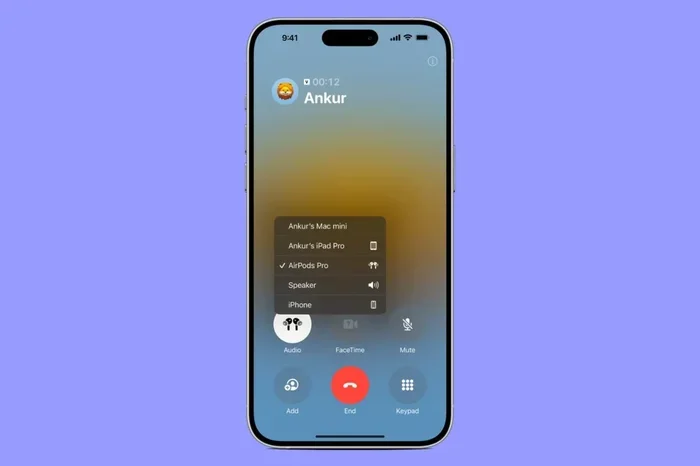
Visual guide about AirPods Max phone call
Image source: media.idownloadblog.com
Making Outgoing Calls
There are several ways to initiate calls with your AirPods Max:
- Use Siri: Simply say “Hey Siri, call [contact name]” and your AirPods Max will handle the rest. The digital assistant will confirm the contact and dial the number.
- Press the Digital Crown: Press the Digital Crown (the round button on the right ear cup) once to activate Siri, then speak your command.
- Use Your iPhone: Dial the number or select a contact on your iPhone, and the audio will automatically route through your AirPods Max.
- Ask Siri to Call a Number: Say “Hey Siri, call 555-123-4567” for numbers not in your contacts.
Answering Incoming Calls
When a call comes in, you’ll hear a ringtone through your AirPods Max. To answer:
- Press the Noise Control Button: This is the smaller button on the right ear cup. Press it once to answer the call.
- Use Siri: Simply say “Answer” when Siri announces the incoming call.
- Use Your iPhone: Tap the green answer button on your iPhone screen if you prefer.
To end a call, press the Noise Control button again, or say “Hey Siri, hang up.” It’s genuinely that simple. The headphones handle all the technical stuff behind the scenes.
The Magic of Automatic Device Switching
Here’s a feature that really shines: AirPods Max automatically switch between your Apple devices based on what you’re doing. Imagine you’re watching a movie on your iPad and your iPhone rings. Your AirPods Max instantly pause the movie and route the phone call through your headphones. Answer the call, hang up, and the movie resumes from where you left off.
This seamless switching works because of a combination of iCloud, Bluetooth, and Apple’s custom H1 chip inside each ear cup. The headphones constantly communicate with your devices to figure out which one should take priority. It’s like having a personal assistant managing your audio connections.
Did You Know? The H1 chip in each ear cup is essentially a tiny computer dedicated to processing audio. It handles Bluetooth connections, noise cancellation algorithms, voice processing for calls, and spatial audio computations simultaneously. This chip is what makes features like automatic device switching feel almost magical.
Call Quality Features That Make AirPods Max Special
Beyond basic call functionality, AirPods Max include several features specifically designed to enhance your calling experience. These features work together to create a premium communication experience.
Active Noise Cancellation During Calls
Active Noise Cancellation (ANC) isn’t just for music. During phone calls, ANC reduces the ambient noise around you, making it easier to hear the other person clearly. Imagine you’re in a noisy office with chatty coworkers, air conditioning humming, and phones ringing. ANC creates a bubble of relative quiet, so you can focus on your conversation without straining to hear.
The ANC works by using microphones to detect external sound, then generating an “anti-noise” wave that’s the exact opposite of the ambient noise. When the two waves meet, they cancel each other out. It’s like noise-canceling technology meets audio physics, and the result is a much more pleasant calling experience.
Transparency Mode: Hear Yourself Naturally
Have you ever noticed that wearing headphones during calls makes you sound weird to yourself? That’s because your voice sounds different when your ears are covered. AirPods Max solve this with Transparency Mode.
Press the Noise Control button to switch to Transparency Mode, and external sounds flow through the headphones naturally. You can hear your own voice as if you weren’t wearing headphones, which prevents you from talking too loudly. This is especially useful during long calls when you might unconsciously raise your voice.
Think of Transparency Mode as opening a window in a stuffy room. Suddenly, the air flows naturally, and everything feels more comfortable. For calls, this means more natural conversations and less vocal fatigue.
Voice Isolation Technology
The beamforming microphones don’t just focus on your voice; they also perform real-time voice isolation. The H1 chip processes your voice signal and separates it from background noise digitally. Even if you’re in a moderately noisy environment, the person on the other end will hear your voice clearly.
Voice isolation is particularly useful for:
- Taking calls while walking near busy streets
- Working from home with family members nearby
- Joining calls from cafés or co-working spaces
- Handling calls while doing light household tasks
Spatial Audio for Immersive Conversations
While Spatial Audio is typically associated with movies and music, AirPods Max also apply spatial processing to calls. This creates a more natural listening experience where voices sound like they’re coming from a specific direction rather than from inside your head. On supported devices, this makes conversations feel more lifelike and less fatiguing during long calls.
Battery Life and Charging: Will Your Calls Get Cut Short?
One of the biggest concerns about using wireless headphones for calls is battery life. Nobody wants their headphones dying mid-conversation. Fortunately, AirPods Max deliver impressive endurance.
Up to 20 Hours of Talk Time
Apple rates AirPods Max for up to 20 hours of talk time on a single charge. To put that in perspective, that’s enough juice for:
- A full day of back-to-back meetings
- Multiple long international calls
- An entire workweek of typical call usage
- A long-haul flight with time to spare
This 20-hour figure applies with Active Noise Cancellation or Transparency Mode enabled. The headphones are remarkably efficient, considering the powerful processing happening inside.
Smart Case for Battery Preservation
AirPods Max come with a distinctive Smart Case that puts the headphones in an ultra-low power state when stored. While the headphones don’t have a traditional power button, placing them in the Smart Case dramatically reduces battery drain.
If you leave AirPods Max out of the case, they’ll eventually enter a low power mode after a few hours of inactivity. However, the Smart Case extends this dramatically, allowing the headphones to maintain their charge for days or even weeks when not in use.
Charging Is Simple but Unique
AirPods Max charge via Lightning cable. A quick five-minute charge provides approximately 1.5 hours of listening time. While this isn’t the fastest charging system compared to some competitors, it’s adequate for most users. One full charge takes about two hours.
Did You Know? The Lightning port on AirPods Max is somewhat controversial because Apple has been transitioning to USB-C across its product line. However, AirPods Max (first generation) continue to use Lightning. If you have the newer USB-C version, you’ll charge with a USB-C cable instead.
Practical Tips for the Best Call Experience
Now that you understand how AirPods Max handle calls, let’s explore some practical tips to maximize your calling experience. These insights come from extensive testing and user experiences.
Tip 1: Choose the Right Environment When Possible
While AirPods Max handle noisy environments admirably, call quality improves in quieter settings. If you have an important call, try to find a relatively quiet space. The headphones will handle whatever background noise exists, but giving them less noise to filter means better results.
That said, don’t stress if you can’t find a quiet spot. The beamforming microphones are designed precisely for these situations. Just speak naturally and let the technology do its work.
Tip 2: Speak at a Normal Volume
Many people instinctively raise their voices when wearing headphones, assuming the microphones need extra help. With AirPods Max, this isn’t necessary. The microphones are quite sensitive and pick up normal conversational volumes easily.
In fact, speaking too loudly can make your voice sound distorted to the person on the other end. The automatic gain control in the H1 chip will adjust, but starting at a natural volume produces the best results.
Tip 3: Use Transparency Mode for Long Calls
If you’re on a call lasting more than 30 minutes, consider switching to Transparency Mode. Hearing your own voice naturally reduces vocal fatigue and makes the conversation feel more comfortable. You can toggle between modes by pressing the Noise Control button during a call.
Tip 4: Position the Microphones Correctly
The microphones are located on the ear cups. Make sure you’re wearing the headphones correctly with the right ear cup on your right ear and the left ear cup on your left ear. Wearing them backwards can slightly affect microphone performance because the beamforming is optimized for the correct orientation.
Tip 5: Update Your Firmware Regularly
Apple occasionally releases firmware updates that improve microphone performance, call quality, and connectivity. Make sure your AirPods Max are running the latest firmware to benefit from these improvements. Updates happen automatically when your headphones are connected to your iPhone and within Bluetooth range.
Tip 6: Clean the Microphones Gently
The microphones have small mesh covers that can accumulate dust and debris over time. Gently wipe them with a soft, dry cloth to maintain optimal performance. Avoid using liquids or compressed air, which can damage the delicate microphone components.
Tip 7: Leverage Siri for Hands-Free Calling
When you’re driving, cooking, or otherwise occupied, use Siri to make calls hands-free. Simply say “Hey Siri, call [name]” and the headphones handle the rest. This is safer and more convenient than fumbling with your phone.
Comparing AirPods Max to Other Options for Calls
To truly appreciate AirPods Max for calls, it helps to compare them with alternatives. Understanding how they stack up can help you decide if they’re the right choice for your calling needs.
AirPods Max vs. AirPods Pro for Calls
Both AirPods Pro and AirPods Max work well for calls, but there are differences. AirPods Pro are more portable and convenient for quick calls on the go. However, AirPods Max generally deliver slightly better voice clarity to the other party due to their larger microphone array and better noise isolation.
The choice depends on your priorities. If you want maximum call quality and don’t mind the larger form factor, AirPods Max win. If portability matters more, AirPods Pro are excellent.
AirPods Max vs. Traditional Bluetooth Headsets
Dedicated Bluetooth headsets designed specifically for calls often include boom microphones positioned very close to your mouth. These can provide excellent voice clarity in noisy environments. However, they lack the premium audio quality for music that AirPods Max offer.
AirPods Max represent a more versatile solution. They excel at calls while also delivering outstanding music, podcast, and movie experiences. For users who want one device that handles everything well, AirPods Max are the better choice.
AirPods Max vs. Wired Headphones with Microphone
Wired headphones with boom microphones can offer excellent call quality, especially in professional settings like call centers or broadcasting. However, the freedom of wireless connectivity and the seamless Apple ecosystem integration make AirPods Max more convenient for everyday use.
Who Should Use AirPods Max for Calls?
AirPods Max are particularly well-suited for:
- Remote workers: Taking Zoom calls, Microsoft Teams meetings, and phone conferences throughout the day
- Executives and managers: Handling frequent business calls while enjoying premium audio for music between calls
- Content creators: Recording voice notes, podcast interviews, or conducting research calls
- Students: Participating in online classes and study group calls
- Anyone in the Apple ecosystem: Benefiting from seamless device switching and deep integration
Common Questions and Concerns About AirPods Max Phone Calls
Let’s address some common questions and concerns that people have about using AirPods Max for phone calls.
Can Other People Hear Me Clearly?
Yes, in the vast majority of situations. The beamforming microphones capture your voice clearly while filtering out background noise. Most call recipients cannot tell you’re using headphones unless you mention it. The voice quality sounds natural and full, not tinny or distant.
Do AirPods Max Work with Non-Apple Phones for Calls?
Yes, AirPods Max work as standard Bluetooth headphones with Android phones, Windows PCs, and other Bluetooth devices. You can take calls on these devices, but you’ll lose some Apple-specific features like Siri, automatic device switching, and certain audio enhancements.
Can I Use AirPods Max for Video Conferencing Apps?
Absolutely. AirPods Max work seamlessly with FaceTime, Zoom, Microsoft Teams, Google Meet, Skype, and virtually any other video conferencing app. The same microphone technology that makes phone calls clear also enhances video call quality.
What About Wind Noise During Outdoor Calls?
Wind can be challenging for any headphone microphone. AirPods Max include some wind noise reduction, but in very windy conditions, you may notice some interference. If you’re taking a call in heavy wind, finding shelter or moving to a less exposed area will improve quality.
Can I Share My AirPods Max During a Call?
AirPods Max aren’t designed for audio sharing during calls. The beamforming microphone technology is optimized for a single wearer. If two people need to participate in the same call, each person would need their own AirPods Max or alternative headphones.
Do AirPods Max Work for Conference Calls?
Yes, but they work best when one person is wearing them and participating in the call. They’re not designed to pick up voices from multiple people in a room like a speakerphone would. For conference calls where multiple people need to speak, a dedicated conference speaker is more appropriate.
The Final Verdict: AirPods Max as Calling Devices
AirPods Max are genuinely excellent for phone calls. They combine premium audio quality with sophisticated microphone technology, creating a calling experience that’s hard to beat. Whether you’re making a quick call to a friend or participating in an important business meeting, AirPods Max deliver the clarity, comfort, and convenience that modern communication demands.
The combination of beamforming microphones, Active Noise Cancellation, Transparency Mode, and seamless Apple ecosystem integration makes these headphones stand out from the competition. While they’re a significant investment, the versatility they offer makes them worthwhile for anyone who takes calls regularly and values audio quality.
If you’re already in the Apple ecosystem and frequently find yourself on calls, AirPods Max are a fantastic choice. They eliminate the need for separate headphones for music and a headset for calls. One device handles everything beautifully.
Remember that the best technology is the kind that disappears into the background, letting you focus on what matters: the conversation itself. AirPods Max achieve this balance admirably, handling the technical complexities while you simply talk naturally. That’s the hallmark of great design, and it’s why these headphones continue to impress users around the world.
So the next time your phone rings and you’re wearing your AirPods Max, don’t hesitate to answer. You’re in for a calling experience that rivals the best dedicated headsets, wrapped in a package that also delivers exceptional music and entertainment audio. It really is the best of both worlds.