Yes, AirPod Max do extend through a telescoping headband mechanism that slides out from each ear cup, providing approximately 1.5 inches of total adjustment range. This allows the headphones to comfortably fit a wide variety of head sizes and shapes. The extension is smooth, silent, and holds firmly in place once set, though some users find the range slightly limited compared to traditional over-ear headphones.
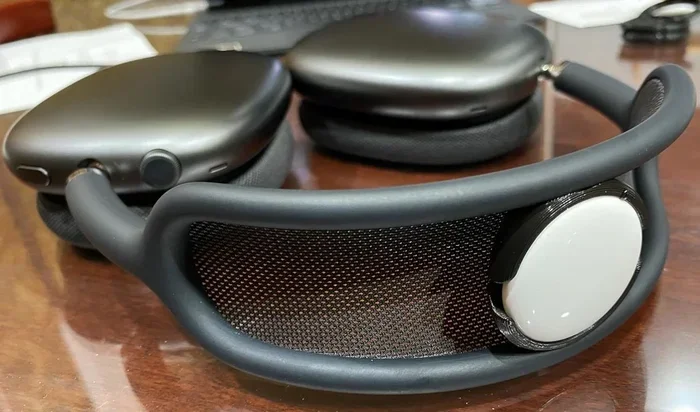
Featured image for AirPod Max extended headband
Image source: media.printables.com
If you’ve ever picked up a pair of premium over-ear headphones, the first thing you usually do is stretch them out to see how far they extend. It’s almost a reflex, right? You pull the ear cups down, listen for that satisfying click-click-click of the adjustment notches, and try to figure out if the headphones will actually fit your head. It’s a small but important moment in any headphone-buying decision.
The AirPod Max took a slightly different approach when they launched in December 2020. Instead of the familiar notched headband found on most traditional headphones, Apple designed a smooth telescoping mechanism that silently extends and retracts. There’s no clicking into place. No numbered settings. No tiny detents to count. Just a smooth, continuous slide that stops wherever you want it to stop.
This design choice has sparked a lot of questions. Do AirPod Max actually extend enough to fit bigger heads? How does the adjustment compare to other premium headphones? And is the mechanism durable enough for daily use? In this guide, we’ll answer all of those questions and more, walking you through exactly how the AirPod Max extension system works, what its limits are, and how to get the most comfortable fit possible.
Key Takeaways
- Yes, They Extend: AirPod Max feature a telescoping headband that slides out from each ear cup for size adjustment.
- Adjustment Range: The total extension provides roughly 1.5 inches of additional room beyond the default position.
- How It Works: Each side moves independently and locks into place with friction-based stops rather than clicking notches.
- Fit Flexibility: The extension accommodates most head sizes, though users with very large heads may find the range somewhat limited.
- Premium Mechanism: The stainless steel sliders feel smooth, durable, and quiet during adjustment, matching the headphones’ premium build.
- No App Required: Adjustment is purely mechanical—no settings, software, or calibration needed.
- One-Person Fit: Since there are no indexed positions, each user must find their own comfortable spot, which can be inconvenient for shared use.
📑 Table of Contents
- How the AirPod Max Extension System Actually Works
- How Far Do AirPod Max Actually Extend?
- Who Needs to Extend AirPod Max the Most?
- Step-by-Step: How to Extend Your AirPod Max Properly
- Common Problems With AirPod Max Extension (And How to Fix Them)
- Tips for Getting the Most Comfortable Fit
- Why Apple Chose a Smooth Extension Mechanism
- Final Verdict: Do AirPod Max Extend Enough?
How the AirPod Max Extension System Actually Works
Let’s start with the basics. The AirPod Max headband is made from stainless steel, and inside that steel frame are two telescoping arms—one on each side. These arms slide in and out of the headband to adjust the overall size of the headphones. Think of it like a tiny telescope: the inner piece slides smoothly into the outer piece, allowing the headphones to grow or shrink in size.
When you pull the ear cups downward, the telescoping arms extend. When you push them back up, the arms retract. The whole motion is buttery smooth, which feels premium in the hand but also takes some getting used to if you’re coming from traditional notched headphones.
The Friction-Based Locking Mechanism
Here’s where the AirPod Max differ from most of their competitors. Traditional headphones usually have a series of notches or detents that click into place at fixed positions. You pull the headband down, hear a click, and know the size is locked. The AirPod Max don’t do this.
Instead, they rely on friction to hold the arms in place. Inside each telescoping arm is a small mechanism that grips the inner rod tightly enough to keep it from moving on its own, but loosely enough that you can still adjust it by hand. It’s a bit like the adjustable straps on a backpack—the buckle holds the strap tight, but you can still slide it to loosen or tighten whenever you want.
This friction-based approach has both pros and cons. On the positive side, it allows for infinite adjustment within the available range, meaning you can find exactly the size that fits your head perfectly. There’s no “almost right” setting. On the negative side, it means the headphones don’t audibly confirm that they’ve been set to a specific position, which can feel a bit uncertain at first.
Independent Left and Right Adjustment
One detail worth noting is that each side of the headband adjusts independently. This is important because most heads aren’t perfectly symmetrical, and being able to fine-tune each side separately can actually help you get a more comfortable, balanced fit. If one side of your head sits a bit higher than the other (which is surprisingly common), you can compensate by extending that side slightly more.
That said, in practice, most people adjust both sides to roughly the same length and don’t worry about the asymmetry. It’s a subtle feature that exists more for fit perfectionists than for everyday users.
How Far Do AirPod Max Actually Extend?
Now for the question everyone really wants to know: how much extra room do you get when you fully extend the AirPod Max? The answer is approximately 1.5 inches of total adjustment, split evenly between the two sides.
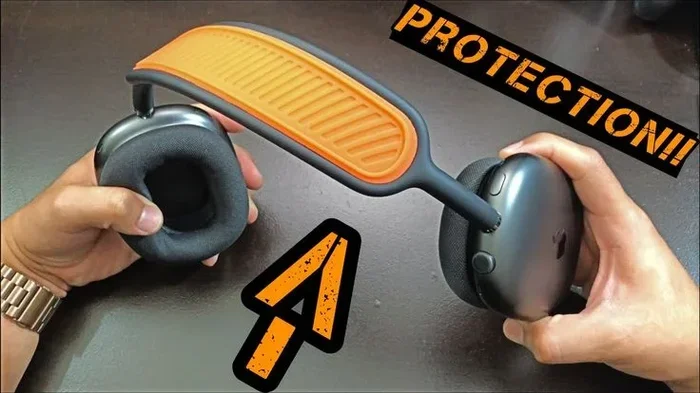
Visual guide about AirPod Max extended headband
Image source: i.pinimg.com
To put that in perspective, the default (fully retracted) headband fits comfortably on smaller heads—roughly equivalent to a child’s or petite adult’s head. As you extend the arms, you add room for medium and then larger head sizes. At full extension, the headphones can accommodate most adult heads, including those on the larger end of the spectrum.
Real-World Fit Experience
According to user reports and reviews, the AirPod Max fit comfortably on the vast majority of adults. People with head sizes ranging from about 21 inches (54 cm) to 24 inches (61 cm) in circumference generally report a good fit. The clamping force is moderate—noticeable but not painful—and the memory foam ear cushions help distribute pressure evenly.
However, some users with very large heads (over 24 inches or 61 cm in circumference) have reported that even at full extension, the AirPod Max feel slightly snug. This is a small percentage of the population, but it’s worth noting if you know you’re on the larger side of head sizes.
Comparison to Other Premium Headphones
How does the AirPod Max extension range compare to other high-end over-ear headphones? Generally speaking, the AirPod Max offer a similar adjustment range to competitors like the Sony WH-1000XM5 and Bose QuietComfort Ultra. Where they differ is in the mechanism itself:
- Sony WH-1000XM5: Uses a notched adjustment system. Provides about 1.5 inches of extension. Audible clicks at each position.
- Bose QuietComfort Ultra: Uses a smooth sliding mechanism. Provides about 1.25 inches of extension. Locks with friction.
- AirPod Max: Uses a smooth sliding mechanism. Provides about 1.5 inches of extension. Locks with friction.
So in terms of pure range, the AirPod Max are right in line with their main competitors. The main difference is the silent, smooth adjustment versus the audible clicks of a notched system.
Who Needs to Extend AirPod Max the Most?
While the AirPod Max fit a wide range of head sizes right out of the box, some people will definitely need to extend them more than others. Let’s break down who benefits most from the extension mechanism.
People With Larger Heads
The most obvious group is people with larger-than-average heads. If you’ve ever struggled to find comfortable headphones because they always feel too tight, the extension is going to matter a lot to you. The good news is that the AirPod Max extension range is generous enough to accommodate most adults with larger heads, though as mentioned earlier, those with very large heads (above 24 inches in circumference) may find the fit slightly snug.
People Who Wear Glasses
Here’s a less obvious group: people who wear glasses. If you wear glasses with thick frames, you may need a little extra room inside the ear cups to keep the headphones from pressing the frames uncomfortably against your temples. Extending the headband slightly can create more space inside the cups and reduce that pressure.
People With Different Hairstyles
Your hairstyle can actually affect how your headphones fit. If you have very thick, voluminous hair (think afros, thick curls, or large braids), you may need to extend the AirPod Max more than someone with thin, straight hair. The extra volume on top of your head effectively makes your head “taller,” requiring more extension to fit comfortably.
Kids and Teens
At the other end of the spectrum, kids and teenagers with smaller heads may need to use the AirPod Max at a slightly retracted position. The minimum size of the AirPod Max is designed for adult use, so very young children (under about 10 years old) may find them too large even when fully retracted. For teenagers and pre-teens, however, the fit is generally fine.
Step-by-Step: How to Extend Your AirPod Max Properly
If you’ve just gotten a pair of AirPod Max and want to extend them for the first time, here’s a simple step-by-step guide to doing it correctly.
Step 1: Hold the Headphones Properly
Before you start adjusting, hold the AirPod Max with both hands—one hand on each ear cup. Avoid pulling on the headband itself, as this can put stress on the wrong parts of the mechanism. The ear cups are designed to slide, so grip them there.
Step 2: Pull the Ear Cups Downward Gently
Using a smooth, even motion, pull both ear cups downward. Don’t yank them or use sudden force. The telescoping arms should slide out smoothly. If they feel stuck or gritty, stop and check that you’re holding the headphones correctly before continuing.
Step 3: Extend Each Side Independently If Needed
If your head is asymmetrical (and most people’s are, to some degree), you can extend each side by a different amount. Hold one ear cup in place while extending the other to fine-tune the fit.
Step 4: Place the Headphones on Your Head
Once you’ve extended them to a rough estimate of your size, put the headphones on your head. The ear cups should sit comfortably over your ears without pressing too hard against your jaw or the sides of your head.
Step 5: Fine-Tune as Necessary
If the fit still isn’t quite right, take the headphones off and adjust slightly. Extend a tiny bit more if they feel too tight, or push the cups up slightly if they feel too loose. Repeat until the fit feels just right.
Step 6: Mark Your Size (Optional)
Since the AirPod Max don’t have indexed positions, finding your perfect size can be tricky if multiple people use the same pair. One tip is to use a small piece of tape or a tiny mark with a non-permanent marker on the inside of each telescoping arm to indicate your preferred position. Just be careful not to damage the mechanism or leave permanent marks.
Common Problems With AirPod Max Extension (And How to Fix Them)
Even though the AirPod Max extension mechanism is generally reliable, there are a few common issues users encounter. Let’s go through the most frequent problems and what you can do about them.
Problem: The Headband Won’t Extend
If the telescoping arms seem stuck and won’t extend, the most common cause is debris or dust buildup inside the mechanism. The fix is to gently clean the area where the arms slide in and out using a soft, dry cloth or a can of compressed air. Avoid using liquids, as these can damage the internal components.
If cleaning doesn’t help, the mechanism may have a more serious issue, and you should contact Apple Support or visit an Apple Store for service.
Problem: The Headband Slips Down During Use
Some users report that the AirPod Max gradually slip to a larger size during use, especially if they’re moving around a lot or shaking their head. This is usually due to the friction mechanism wearing down slightly over time. The fix is to extend the headphones to a slightly smaller size than you think you need, so when they slip a bit, they end up at your perfect size.
Problem: Uneven Extension Between Left and Right
If one side extends further than the other when you apply the same amount of force, it’s usually because the friction mechanisms are slightly different on each side (a normal manufacturing tolerance). To fix this, just adjust each side independently until the fit is balanced on your head.
Problem: The Mechanism Feels Loose or Wobbly
If the telescoping arms feel loose or wobbly after extended use, the friction grips inside may be wearing down. Unfortunately, this isn’t something you can easily fix at home. Your best option is to contact Apple Support, as the headphones should still be under warranty (or AppleCare+ if you purchased it).
Tips for Getting the Most Comfortable Fit
Beyond just extending the headphones to the right size, there are a few additional tips that can help you get the most comfortable fit possible from your AirPod Max.
Tip 1: Adjust the Clamping Force With Hair Positioning
The AirPod Max have a moderate clamping force, which most people find comfortable. But if the clamping feels too tight, you can reduce it slightly by positioning your hair between the headband and your head. Thicker hair acts as a cushion and can relieve some of the pressure.
Conversely, if the clamping feels too loose, wearing your hair in a tighter style (such as pulled back) can reduce the cushioning effect and create a snugger fit.
Tip 2: Use the Ear Cup Rotation for Better Positioning
The AirPod Max ear cups can rotate slightly to better conform to the angle of your head. If you find the cups pressing uncomfortably against your jaw or the back of your ears, try rotating them slightly forward or backward until you find a comfortable angle.
Tip 3: Take Breaks Every Hour or Two
Even with the perfect fit, wearing over-ear headphones for extended periods can cause discomfort, especially around the ears and on top of the head. The general recommendation is to take a 5-10 minute break every hour or two to let your ears and head “breathe.”
Tip 4: Store Them Properly to Maintain the Mechanism
To keep the extension mechanism working smoothly for years to come, store your AirPod Max in their Smart Case when not in use. The case protects the headband from being accidentally extended or compressed, which can wear out the friction mechanism over time.
Tip 5: Don’t Force the Adjustment
If the telescoping arms feel resistant or stuck, don’t force them. Forcing the mechanism can damage the internal components and may void your warranty. Instead, try the cleaning steps mentioned earlier, or contact Apple Support if the issue persists.
Why Apple Chose a Smooth Extension Mechanism
You might be wondering why Apple went with a smooth, friction-based extension system instead of the more traditional notched design. The answer comes down to a combination of aesthetics, user experience, and brand philosophy.
The Aesthetic Argument
Apple is known for minimalist, clean design. Notched headband adjustments create visible bumps and gaps along the headband when extended, which can disrupt the smooth, seamless look that Apple prefers. The smooth telescoping system maintains the visual continuity of the headband, making the headphones look more refined even when fully extended.
The User Experience Argument
From a user experience perspective, smooth adjustment offers more flexibility. Instead of being limited to a handful of preset sizes, users can fine-tune the fit to exactly where they want it. For people with non-standard head sizes, this can mean the difference between a comfortable fit and a frustrating one.
The Brand Philosophy Argument
Finally, the silent mechanism aligns with Apple’s brand philosophy of products that “just work” without drawing attention to themselves. There’s no clicking noise to interrupt your music, no visible notches to count, and no numbered settings to remember. You just adjust the size, put them on, and enjoy your audio.
Final Verdict: Do AirPod Max Extend Enough?
So, after everything we’ve covered, do the AirPod Max extend enough for most people? The short answer is yes—for the vast majority of users, the extension range is more than sufficient to provide a comfortable fit.
The AirPod Max offer approximately 1.5 inches of total adjustment through their smooth telescoping mechanism, which is comparable to other premium over-ear headphones on the market. The friction-based locking system allows for infinite fine-tuning within that range, meaning you can dial in the exact fit that’s most comfortable for your unique head shape.
The only group of users who might find the extension insufficient is people with very large heads (over 24 inches in circumference). For this small percentage of users, the fit may feel slightly snug even at full extension. If you fall into this category, it’s worth trying the AirPod Max on in person before purchasing, if possible.
For everyone else, the AirPod Max extension system is well-designed, durable, and easy to use. The smooth, silent adjustment mechanism feels premium in the hand, and once you’ve found your perfect fit, the headphones stay put comfortably for hours of listening.
If you’re considering buying a pair of AirPod Max and wondering whether they’ll fit your head, the answer is almost certainly yes. Just remember to take a moment to extend them properly when you first put them on, and don’t be afraid to fine-tune the adjustment until it feels just right. Your ears (and your head) will thank you.
Frequently Asked Questions
Do AirPod Max extend to fit bigger heads?
Yes, AirPod Max extend through a telescoping headband that provides approximately 1.5 inches of additional adjustment. This range accommodates most adult head sizes, though users with very large heads (above 24 inches in circumference) may find the fit slightly snug even at maximum extension.
How do you extend AirPod Max headphones?
To extend AirPod Max, hold each ear cup with one hand and gently pull them downward. The telescoping arms will slide out smoothly. Each side adjusts independently, so you can extend them unevenly if needed for an asymmetrical fit.
Do AirPod Max have clicking adjustments like other headphones?
No, AirPod Max do not have clicking adjustments or notched positions. Instead, they use a smooth, friction-based mechanism that locks at any position within the adjustment range. There are no preset sizes or numbered settings.
Can multiple people share one pair of AirPod Max?
Yes, multiple people can share AirPod Max, but since there are no indexed positions, each user will need to manually adjust the size each time they use the headphones. Using small marks or tape to indicate preferred positions can help speed up this process.
What if my AirPod Max won’t extend or feel stuck?
If your AirPod Max won’t extend smoothly, first try cleaning the mechanism with a soft, dry cloth or compressed air to remove any debris. If the issue persists, contact Apple Support or visit an Apple Store for service, as forcing the mechanism can cause damage.
Do AirPod Max slip out of adjustment during use?
Generally, no. The friction-based mechanism holds the size firmly during normal use. However, with extended wear over time, the friction grips can wear down slightly, which may cause gradual slipping. If this happens, contact Apple Support, especially if your headphones are still under warranty.