Yes, many AirPods models can effectively mute or reduce background noise. AirPods Pro and AirPods Max feature Active Noise Cancellation (ANC), which uses microphones and advanced algorithms to block outside sounds. Standard AirPods rely on passive noise isolation, which physically blocks some noise but isn’t as powerful. Choosing the right model and fit is key to getting the best background noise reduction.
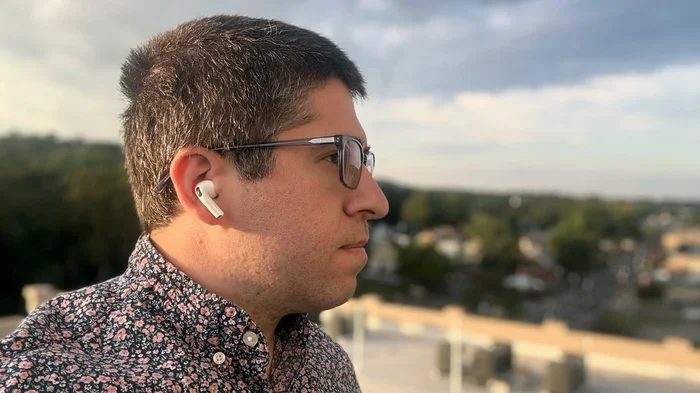
Featured image for Person wearing AirPods in noisy environment
Image source: cdn.mos.cms.futurecdn.net
Imagine sitting in a crowded café. The espresso machine hisses, people chatter, and music plays in the background. You pop in your AirPods, press play, and — poof — the world goes quiet. That’s the magic question many Apple users ask: do AirPods mute background noise?
The short answer is yes, but only certain models and only when used correctly. Apple’s AirPods lineup ranges from basic earbuds to premium noise-cancelling headphones. Knowing the difference can save you frustration and help you pick the right pair for your lifestyle. Whether you’re commuting, working from home, or just trying to enjoy a podcast in peace, understanding how AirPods handle background noise is essential.
This guide breaks it all down in simple terms. You’ll learn how AirPods block noise, which models do it best, and tips to maximize their performance. By the end, you’ll know exactly what to expect — and how to get the most silence possible from your earbuds.
Key Takeaways
- Not All AirPods Are Equal: AirPods Pro (1st, 2nd, and USB-C gen) and AirPods Max have Active Noise Cancellation, while standard AirPods (1st–4th gen) only offer passive noise isolation.
- ANC vs. Passive Isolation: Active Noise Cancellation uses microphones and sound waves to “cancel” noise, while passive isolation simply blocks sound through the physical seal of the earbuds.
- Transparency Mode: AirPods Pro and Max also offer Transparency Mode, which lets outside sound in intentionally — useful for safety or quick conversations.
- Fit Matters: A proper seal with the right ear tip size is critical. Without a tight fit, even ANC struggles to block background noise effectively.
- Battery Drain: Using ANC consumes more battery. If you don’t need it, turning it off extends listening time by up to 30%.
- Adaptive Audio (Newer Models): AirPods Pro 2nd gen (USB-C) introduced Adaptive Audio, which blends ANC and Transparency automatically based on your environment.
- Great for Many Environments: From airplanes to coffee shops, AirPods Pro and Max reduce low-frequency hums especially well, making them travel and work-friendly.
📑 Table of Contents
- How Do AirPods Cancel or Reduce Noise?
- Which AirPods Models Mute Background Noise Best?
- How Well Does AirPods Noise Cancellation Actually Work?
- Tips to Maximize Background Noise Reduction
- Common Myths About AirPods and Noise Cancellation
- When AirPods Might Not Be Enough
- The Future of AirPods Noise Cancellation
- Final Verdict: Do AirPods Mute Background Noise?
How Do AirPods Cancel or Reduce Noise?
AirPods use two main methods to deal with background noise: passive noise isolation and active noise cancellation (ANC). Think of these like wearing earplugs versus having a smart helper that “erases” sound waves.
Passive Noise Isolation: The Simple Seal
All in-ear headphones, including standard AirPods, block some noise just by physically covering your ear canal. This is called passive isolation. It’s like stuffing cotton in your ears — sound still gets through, but it’s muffled.
Standard AirPods (1st through 4th generation) rely on this method alone. They don’t have microphones dedicated to noise cancellation. So if you’re in a quiet office, they might help a little. But on a plane? You’ll still hear that engine hum.
Active Noise Cancellation: The Smart Helper
ANC is where things get fancy. AirPods Pro and AirPods Max have tiny microphones on the outside and inside of each earbud. These mics listen to the world around you, then create an “anti-noise” sound wave that cancels out the unwanted noise.
Imagine throwing a rock into a pond. The ripples spread out. Now imagine throwing a rock that creates the opposite ripple — the waves cancel each other out. That’s how ANC works, but with sound instead of water.
This tech is especially good at blocking low-frequency sounds, like airplane engines, air conditioners, or traffic hum. Higher-pitched sounds, like someone talking nearby, are harder to eliminate completely.
Transparency Mode: Letting Sound In
Sometimes you want to hear the world. Transparency Mode uses the same microphones to let outside sound in naturally. It’s like having super-hearing — you can listen to music while still hearing announcements at the train station or a car honking as you cross the street.
This is a safety feature built into AirPods Pro and AirPods Max. You can switch between ANC and Transparency with a quick squeeze of the stem or a tap on the Digital Crown (on Max).
Which AirPods Models Mute Background Noise Best?
Not every AirPod is built the same. Here’s how the lineup compares in 2024 and beyond.
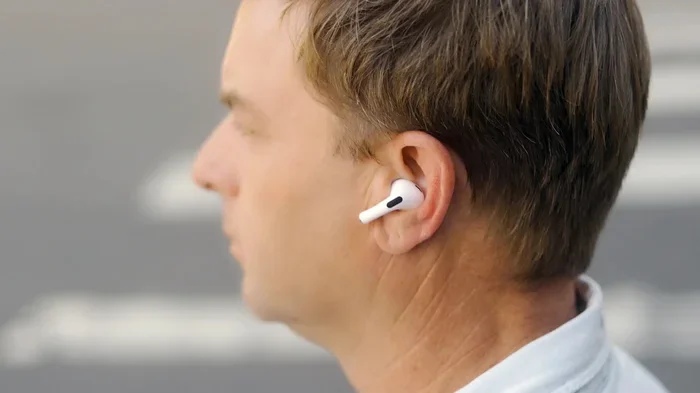
Visual guide about Person wearing AirPods in noisy environment
Image source: robots.net
AirPods Pro (1st, 2nd Gen, and USB-C)
The AirPods Pro line is Apple’s flagship for noise cancellation in earbuds. The original AirPods Pro launched in 2019, the 2nd gen arrived in 2022, and a USB-C version came in 2023 with slight upgrades.
Noise Cancellation Strength: Up to 2x more ANC than the original. The USB-C version includes the same H2 chip as the 2nd gen, offering top-tier performance.
These are the best choice if you want true noise cancellation in a small, portable package.
AirPods Max
AirPods Max are Apple’s over-ear premium headphones, released in 2020. They use the same ANC tech as AirPods Pro but with larger drivers and a better seal around your ears.
Noise Cancellation Strength: Excellent for long listening sessions. The ear cups create a natural barrier, plus the ANC adds an extra layer of silence.
They’re heavier and pricier than earbuds, but audiophiles love them for travel and focus work.
Standard AirPods (3rd and 4th Generation)
The 3rd gen AirPods (2021) and 4th gen AirPods (2024) are Apple’s basic models. They don’t have Active Noise Cancellation — only passive isolation.
Did You Know? The 4th gen AirPods actually come in two versions: one with ANC and one without. This was a first for the standard AirPods line. The ANC version offers reduced noise, though it’s not as powerful as AirPods Pro.
These are great for casual listeners who don’t need silence but still want a decent listening experience.
AirPods (1st and 2nd Generation)
These are older models, still floating around in drawers and resale markets. They have the weakest noise isolation of the bunch. If background noise bothers you, these aren’t ideal.
How Well Does AirPods Noise Cancellation Actually Work?
Apple claims AirPods Pro cancel up to 2x more noise than the original model. Independent reviews back this up. In real-world tests, AirPods Pro block around 85–95% of low-frequency ambient noise.
Airplane and Train Noise
This is where AirPods shine. The low drone of engines is exactly the kind of sound ANC was designed to fight. Many travelers swear by AirPods Pro for long flights.
Office and Café Chatter
Higher-frequency sounds, like people talking or clinking dishes, are trickier. ANC reduces them, but doesn’t eliminate them. For best results, pair ANC with music or a white noise playlist.
Wind Noise
Wind can interfere with the microphones on AirPods, causing a whooshing sound. Newer models have better wind reduction algorithms, but it’s still a weakness. Walking on a breezy day with ANC on might be a bit noisy.
Home and Apartment Noise
Neighbors, TVs, and HVAC systems? ANC handles low hums well. Sharp sounds, like a dog barking, will still cut through somewhat.
Did You Know? According to a 2023 Apple support document, AirPods Pro 2 can process noise cancellation at 48,000 times per second. That’s faster than your eyes can blink.
Tips to Maximize Background Noise Reduction
Even the best AirPods won’t help if they’re not used properly. Here’s how to get the most silence out of your earbuds.
Get the Right Fit
Ear tip size matters more than you think. AirPods Pro come with small, medium, and large silicone tips. Try each one. A poor seal lets sound leak in and ANC performance drop dramatically.
Apple includes an “Ear Tip Fit Test” in iOS settings. It plays a few seconds of sound and tells you if your tips are sealing correctly. Run this test — it’s worth the two minutes.
Use Adaptive Audio (Newer Models)
AirPods Pro 2 (USB-C) introduced Adaptive Audio. This smart feature blends ANC and Transparency based on your surroundings. Walking into a loud café? ANC kicks in. Someone starts talking to you? Transparency lets them through.
It’s like having automatic volume and noise control for your ears.
Update Your Firmware
Apple regularly releases firmware updates that improve ANC performance. Make sure your AirPods are up to date. You can check by going to Settings > Bluetooth > tap the “i” next to your AirPods.
Combine ANC With Music
ANC blocks noise, but music masks it. For maximum quiet, play soft instrumental music or white noise alongside ANC. This is the ultimate focus combo for studying or working.
Clean Your AirPods Regularly
Earwax and debris block the microphones and ear tips. This reduces both passive isolation and ANC. Wipe them down weekly with a dry, soft cloth. Don’t use water or harsh cleaners.
Common Myths About AirPods and Noise Cancellation
There’s a lot of confusion out there. Here are some myths debunked.
Myth 1: All AirPods Cancel Noise
False. Only AirPods Pro, AirPods Max, and the ANC version of AirPods 4 have Active Noise Cancellation. Standard AirPods do not.
Myth 2: ANC Damages Your Hearing
No. ANC doesn’t emit harmful frequencies. In fact, it may protect your hearing by letting you listen at lower volumes in noisy environments.
Myth 3: ANC Works the Same for Everyone
Not quite. Ear shape, tip fit, and even ear hair can affect performance. Two people using the same AirPods may experience different levels of noise reduction.
Myth 4: Transparency Mode Cancels Noise
Wrong. Transparency is the opposite — it amplifies outside sound so you can hear it clearly without removing your AirPods.
Myth 5: Turning Off ANC Saves Tons of Battery
It helps, but not as much as you’d think. Turning off ANC saves around 15–30% battery life, depending on the model. Other features, like spatial audio, also drain power.
When AirPods Might Not Be Enough
AirPods are great for everyday noise, but they’re not industrial-grade earplugs. If you’re in extremely loud environments, they may fall short.
Construction Sites
AirPods aren’t hearing protection. OSHA recommends earplugs or earmuffs with a Noise Reduction Rating (NRR) of 30+ for heavy machinery. Don’t rely on AirPods in these settings.
Concerts and Loud Events
ANC doesn’t block sudden, sharp sounds well. At a concert, you’ll still hear the bass and screaming fans. For this, consider high-fidelity earplugs designed for musicians.
Sleep and Snoring Partners
AirPods Pro can help, but they’re not the most comfortable for side-sleepers. Specialized sleep earbuds might be a better choice.
Did You Know? Apple sells AirPods Pro with custom-molded ear tips through some audiologists. A perfect fit can boost noise cancellation by up to 10%.
The Future of AirPods Noise Cancellation
Apple is investing heavily in audio tech. Patents filed in 2023 and 2024 suggest future AirPods may include:
- Biometric sensors that adjust ANC based on heart rate or stress levels.
- AI-powered sound profiles that learn your environment and preferences.
- Better bone conduction for clearer Transparency Mode in windy conditions.
As competition from Sony, Bose, and other brands heats up, Apple will likely push ANC further. Expect quieter, smarter earbuds in the coming years.
Final Verdict: Do AirPods Mute Background Noise?
Yes — but it depends on which AirPods you have and how you use them. Here’s a quick recap:
- AirPods Pro (any generation): Excellent noise cancellation. Best for travel, work, and focus.
- AirPods Max: Premium over-ear noise cancellation. Great for audiophiles.
- AirPods 4 (ANC version): Decent noise cancellation for casual use.
- Standard AirPods (1st, 2nd, 3rd gen): Limited noise isolation. Best for quiet spaces.
If background noise is a major concern, invest in AirPods Pro. They’re portable, effective, and packed with smart features like Adaptive Audio. For the best experience, make sure your ear tips fit well, keep your firmware updated, and don’t be afraid to mix ANC with music or white noise.
The bottom line? AirPods are a solid choice for muting the world — as long as you pick the right model and use them wisely. Happy listening!
Frequently Asked Questions
Do all AirPods cancel background noise?
No. Only AirPods Pro (all generations), AirPods Max, and the ANC-equipped AirPods 4 feature Active Noise Cancellation. Standard AirPods rely on passive noise isolation, which is less effective.
Is AirPods noise cancellation better than over-ear headphones?
It depends. AirPods Max and other premium over-ear headphones often cancel more noise due to their larger ear cups and stronger drivers. However, AirPods Pro are surprisingly close in performance and much more portable.
Can AirPods block out voices and talking?
AirPods Pro reduce voices, but don’t fully eliminate them. Higher-frequency sounds are harder to cancel. For best results, pair ANC with music or ambient noise.
How do I turn noise cancellation on or off?
On AirPods Pro, press and hold the force sensor on the stem to switch between ANC and Transparency. You can also control it from your iPhone’s Control Center or Settings app.
Does noise cancellation drain AirPods battery faster?
Yes. Using ANC consumes more power. Turning it off can extend battery life by 15–30%, depending on the model and usage.
Can I use AirPods for sleeping to block snoring?
AirPods Pro can help reduce snoring noise, but they’re uncomfortable for side-sleepers. Dedicated sleep earbuds are a better option for overnight use.