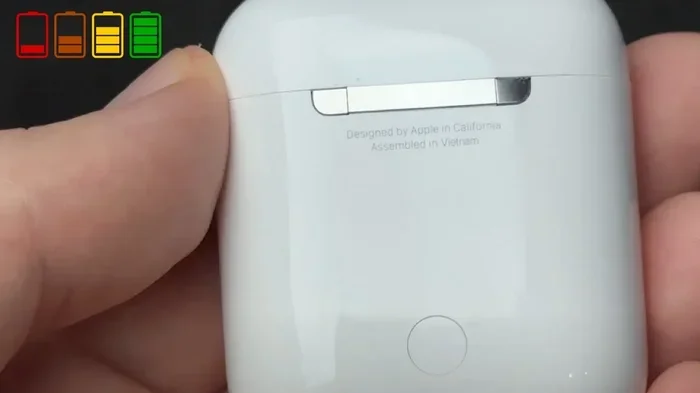
Featured image for AirPods 2 charging case close-up
Image source: i.ytimg.com
No, AirPods 2 do not support USB-C charging. They use Apple’s proprietary Lightning connector for both the charging case and cable. AirPods with USB-C charging only became available starting with AirPods Pro (2nd generation) in September 2023. If you own AirPods 2, you’ll need a Lightning cable or a Qi-compatible wireless charging pad to power them up.
Picture opening a snack-sized bag of chips only to find the bag sealed with a twist tie when everyone around you has a resealable zipper. That’s exactly how it feels to plug an AirPods 2 case into a wall and realize the cable doesn’t match your other devices. For years, Apple users have wrestled with a messy cable drawer, and AirPods 2 sit right in the middle of that confusion.
Whether you’re a student rushing between classes, a remote worker hopping from one cafe to the next, or a parent trying to keep a kid’s tech alive, knowing how your AirPods charge matters. One dead battery can ruin a commute, a workout, or an important phone call. This guide clears up the biggest charging myth floating around AirPods 2 and gives you everything you need to keep your earbuds powered up.
We’ll cover what charging port AirPods 2 actually use, why Apple took so long to switch to USB-C, what alternatives you have, and what your options are if you want to move into the USB-C world. Let’s dive in.
Key Takeaways
- Lightning Port Only: AirPods 2 feature a Lightning connector, not USB-C, for wired charging of the case.
- USB-C Arrived Later: Apple introduced USB-C charging cases with AirPods Pro 2 (2023), not the standard AirPods 2.
- Wireless Option Available: AirPods 2 (with Wireless Charging Case) support Qi wireless charging pads for cable-free power.
- No Adapter Needed: You can still charge AirPods 2 using any standard Lightning cable you likely already own.
- Battery Life Remains Strong: AirPods 2 deliver up to 5 hours of listening time per charge, regardless of charging method.
- Future-Proofing Tip: If USB-C matters to you, consider upgrading to AirPods 3, AirPods Pro 2, or AirPods 4.
- EU Regulation Impact: Apple’s shift to USB-C across devices was driven by EU laws requiring a universal charging standard.
📑 Table of Contents
- The Short Answer: AirPods 2 and USB-C Charging Explained
- Why AirPods 2 Don’t Have USB-C (And Why That Matters)
- How to Actually Charge Your AirPods 2 (Three Working Methods)
- Comparing AirPods Models: Which Ones Have USB-C?
- What to Do If You Already Own AirPods 2
- Common Myths About AirPods 2 and USB-C (Debunked)
- The Future of AirPods and Charging: What’s Coming Next
- Final Thoughts: Embrace What You Have
The Short Answer: AirPods 2 and USB-C Charging Explained
Let’s cut right to the chase because nobody likes waiting for the answer. AirPods 2 do not support USB-C charging. The charging case that comes with AirPods 2 uses Apple’s Lightning port, the same small connector Apple used on iPhones from 2012 to 2023.
Think of it like trying to fit a square peg into a round hole. A USB-C cable has a small, rounded, oval-shaped connector. A Lightning cable has a smaller, rectangular connector with a smooth, curved edge. They look similar at a glance, but they are physically different and electrically different. You simply cannot plug a USB-C cable into an AirPods 2 case.
What Charging Cable Do AirPods 2 Use?
AirPods 2 ship with a Lightning to USB-A cable in the box. This cable has a Lightning connector on one side (which plugs into the case) and a standard USB-A connector on the other side (which plugs into a wall adapter, computer, or power bank).
If you bought the version with the Wireless Charging Case, you also have the option of charging the case by placing it on any Qi-certified wireless charging pad. That little freedom is the only thing that breaks up the Lightning-only experience.
Why the Confusion Exists
Here’s where things get messy. Apple has released so many different AirPods models over the years that it’s easy to mix them up. There’s the AirPods 2, AirPods 3, AirPods 4, AirPods Pro, AirPods Pro 2, and AirPods Max. Each one has different charging options. Some use Lightning. Some use USB-C. Some support wireless charging. Some don’t.
Did You Know? Apple sells more than 150 million AirPods every year, making AirPods one of the most popular earbuds on the planet. With that many devices floating around, no wonder charging myths spread like wildfire.
Why AirPods 2 Don’t Have USB-C (And Why That Matters)
Apple has used the Lightning connector on iPhones, iPads, and AirPods for over a decade. The Lightning port first appeared on the iPhone 5 in 2012. It was thinner than the old 30-pin connector, which made it perfect for slim devices like AirPods cases.
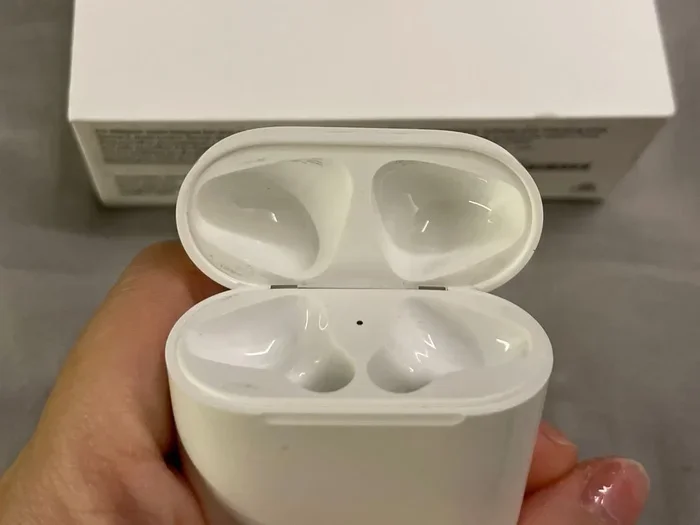
Visual guide about AirPods 2 charging case close-up
Image source: media.karousell.com
AirPods 2 launched in March 2019, right in the heart of the Lightning-only era. At that time, USB-C was still mostly a laptop and Android phone thing. Apple had no reason to change what was working. The Lightning port was tiny, durable, and proprietary to Apple.
The EU Rule That Changed Everything
The biggest reason Apple finally moved toward USB-C isn’t because they wanted to. It was because they had to. In 2022, the European Union passed a law requiring all smartphones, tablets, and earbuds sold in EU countries to use USB-C charging by the end of 2024.
Imagine if every car in the world required a different fuel type. You’d have a garage full of different pumps and a lot of frustration. That’s exactly what was happening with chargers, and they decided to fix it. The EU’s common charger rule forced Apple’s hand.
Did You Know? The EU estimates that the common charger rule will save consumers around 250 million euros per year on unnecessary cable purchases. That’s a lot of money that won’t end up in landfills.
When Did AirPods Finally Get USB-C?
Apple introduced the first USB-C charging AirPods case with the AirPods Pro (2nd generation) in September 2023. The updated AirPods Pro 2 came with a USB-C charging case, MagSafe support, and even lossless audio when paired with Apple Vision Pro.
Following that, AirPods 4 (released in September 2024) also came with USB-C charging cases. Even AirPods Max got a USB-C upgrade in 2024. But AirPods 2? They are still sold in some places with Lightning cases, especially older inventory or refurbished units.
How to Actually Charge Your AirPods 2 (Three Working Methods)
Even though AirPods 2 don’t support USB-C, you have three solid ways to keep them powered up. None of them are difficult, but knowing the differences can save you time and frustration.
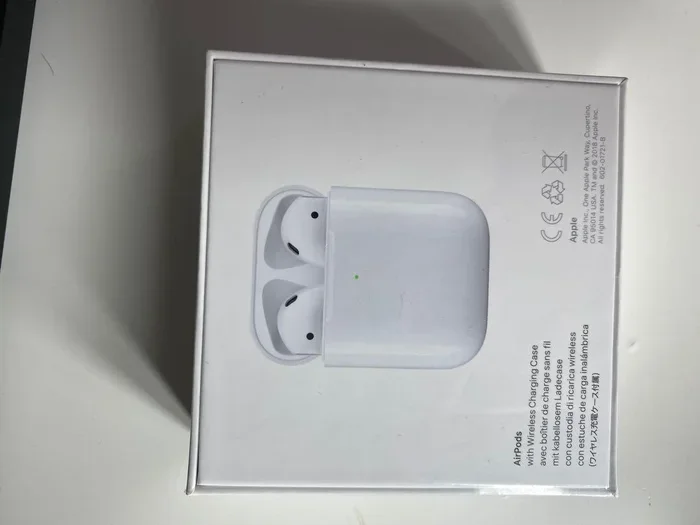
Visual guide about AirPods 2 charging case close-up
Image source: media.karousell.com
Method 1: Lightning Cable Charging
This is the most common and straightforward way to charge AirPods 2. Here’s a quick step-by-step:
- Grab the Lightning to USB cable that came with your AirPods 2.
- Plug the Lightning end into the port at the bottom of the AirPods charging case.
- Plug the USB end into a wall adapter, laptop, or power bank.
- Wait for the status light on the front of the case to turn amber (charging) or green (fully charged).
It’s as simple as charging a phone. The case takes about an hour to fully fill up from empty, and a 15-minute quick charge gives you around 3 hours of listening time. Not bad for a quick top-up.
Method 2: Qi Wireless Charging
If you own the AirPods 2 with Wireless Charging Case (a slightly more expensive version released alongside AirPods 2), you can charge them without any cable at all. Just set the case on a Qi-certified wireless charging pad, and watch the magic happen.
Think of it like setting your phone down on a magical plate that fills it with energy. Qi (pronounced “chee”) is the universal standard for wireless charging, and many pads work with iPhones, Android phones, and AirPods alike.
One small tip: make sure the case is centered on the pad. Wireless charging works through magnetic alignment, and if the case is off-center, it won’t charge. The status light will pulse amber when properly charging.
Method 3: Charging on the Go Without a Cable
Here’s a fun fact most people miss: you don’t actually have to charge the case to charge the AirPods. If the case has any battery life left, just pop the AirPods in, close it, and they’ll soak up power from the internal battery. The case is basically a portable power bank for your earbuds.
This is incredibly useful for travelers. Imagine flying across the country. You can charge the case overnight, then use that power to recharge your AirPods three or four times before needing to find an outlet. The case holds enough juice for over 24 hours of total listening time.
Comparing AirPods Models: Which Ones Have USB-C?
Since AirPods 2 are stuck in the Lightning era, it’s worth knowing which AirPods models do support USB-C. If you’re shopping for new earbuds or considering an upgrade, this comparison will help.
AirPods With USB-C Charging (2023 and Later)
- AirPods Pro 2 (2023): The first AirPods with USB-C. Supports MagSafe, wireless, and USB-C charging.
- AirPods 4 (2024): The standard AirPods 4 come with a USB-C case. AirPods 4 with Active Noise Cancellation also use USB-C.
- AirPods Max (2024): Apple finally switched the over-ear headphones to USB-C.
- AirPods Pro 3 (if released): Expected to continue the USB-C trend.
AirPods Still Using Lightning
- AirPods 2: Lightning case only (or wireless case for the upgraded model).
- AirPods 3: Lightning case (the 2022 version). Note: There is no USB-C AirPods 3.
- AirPods Pro 1: Lightning case only.
- AirPods Max (2020): Lightning connector.
Did You Know? Apple sells at least four different AirPods models at any given time, each with different charging capabilities. This is one of the most confusing product lineups in consumer tech.
Quick Comparison Chart in Plain Words
If you’re shopping for AirPods and care about USB-C, here’s the bottom line. AirPods Pro 2 (2023), AirPods 4, and AirPods Max (2024) are the only current models with USB-C. Everything older, including AirPods 2 and AirPods 3, still uses Lightning.
If you already own AirPods 2, there’s no reason to panic. They still work great, sound great, and charge perfectly fine with the cable you already have. The lack of USB-C is a minor inconvenience, not a deal-breaker.
What to Do If You Already Own AirPods 2
If you’ve been using AirPods 2 for years, you probably already have a Lightning cable or two lying around. Maybe even more. You’re set. But if you’re like many people and have switched to USB-C for everything else, here are some workarounds.
Tip 1: Use a Lightning Cable You Already Own
The cheapest solution is right in your drawer. iPhones from the iPhone 5 through iPhone 14 all shipped with Lightning cables. If you’ve owned iPhones for a while, you likely have at least one or two extras. Use those.
If you don’t have one, a brand-new Lightning cable costs around $10 to $20 from Apple or third-party sellers. That’s a tiny price to pay to keep your AirPods 2 alive.
Tip 2: Buy a Wireless Charging Pad
If you own the Wireless Charging Case version of AirPods 2, this is the easiest solution. Pick up a Qi-certified wireless charging pad, and you’ll never need a cable again for your earbuds. Prices range from $10 to $40, depending on the brand and features.
Some pads even charge multiple devices at once. Imagine one pad on your nightstand that charges your phone, your AirPods, and your Apple Watch all at the same time. That’s a tidy setup.
Tip 3: Keep One Lightning Cable in a Strategic Spot
Here’s a life hack: dedicate one Lightning cable to AirPods 2 only. Put it in your bag, your car, or next to your bed. That way, you always have a charging cable when you need one, and you don’t have to fight with your USB-C cables.
It sounds simple, but it’s the kind of small habit that prevents the dreaded low-battery moment at the worst possible time.
Tip 4: Consider an Upgrade (Only If You Really Want USB-C)
If the lack of USB-C truly bothers you, it might be time to upgrade. AirPods 4 with Active Noise Cancellation start at $179 and come with USB-C. AirPods Pro 2 with USB-C start at around $199 to $249, depending on sales and retailers.
Both options give you USB-C, better sound quality, and newer features like personalized spatial audio and improved battery life. But if your AirPods 2 still work fine and sound good to you, there’s no urgent reason to upgrade. Save your money.
Common Myths About AirPods 2 and USB-C (Debunked)
The internet is full of misinformation, and AirPods charging is no exception. Let’s clear up the most common myths that confuse AirPods 2 owners.
Myth 1: “A USB-C to Lightning Adapter Will Work”
This is one of the most persistent myths floating around tech forums. Unfortunately, it’s not true. There is no adapter that converts a Lightning port into a USB-C port. The connectors are physically and electrically incompatible.
You can buy adapters that convert Lightning to USB-A or USB-C to USB-A, but you cannot convert Lightning to USB-C at the port level. If a product claims to do this, it’s a scam or a misunderstanding.
Myth 2: “AirPods 2 Will Get a USB-C Update Through Software”
Nope. The charging port is hardware, not software. No firmware update can change a physical Lightning port into a USB-C port. It’s like trying to turn a Honda into a Tesla through a software update. The metal is different, the wiring is different, the entire system is different.
Myth 3: “You Can Charge AirPods 2 With Any USB-C Cable”
Only if you have the Wireless Charging Case. Otherwise, you absolutely need a Lightning cable. Don’t force a USB-C plug into a Lightning port. You’ll damage the port, the cable, or both.
Myth 4: “AirPods 2 Are Obsolete Because They Don’t Have USB-C”
Far from it. AirPods 2 still receive firmware updates, work with all Apple devices, and deliver excellent sound for the price. Many people continue to use them daily with no issues. They’re not obsolete. They’re just older.
Did You Know? Apple still sells AirPods 2 in some markets, including India and parts of Europe, as a budget-friendly option. That tells you they’re far from obsolete.
Myth 5: “Wireless Charging Is Slower Than Wired”
It’s a bit slower, but not by much. A wired Lightning charge fills the case in about an hour. Wireless charging takes around 75 to 90 minutes. The difference is small, and for most people, the convenience of wireless charging outweighs the small time difference.
The Future of AirPods and Charging: What’s Coming Next
Looking ahead, the charging world for AirPods is getting simpler, not more complex. Here’s what to expect in the coming years.
USB-C Is Now the Standard
With the EU common charger rule in full swing, every new AirPods model from here on out will likely feature USB-C. The Lightning era is officially over. If you’re buying new AirPods in 2024 or beyond, you’re buying USB-C.
This means future-proofing your setup is easier. One USB-C cable can charge your MacBook, iPhone 15 or newer, AirPods, iPad, and countless other devices. No more cable drawer chaos.
Wireless Charging Is Getting Better
Apple has been pushing wireless charging hard. The new MagSafe ecosystem offers faster, more efficient wireless charging. AirPods Pro 2 with USB-C support both MagSafe and Qi2 wireless charging, which is faster and more reliable than older Qi standards.
In the next few years, expect Apple to lean even harder into wireless charging. Some rumors suggest future iPhones might not even have a charging port at all, relying entirely on wireless power.
Battery Life Improvements Are Coming
Each new AirPods generation brings longer battery life. AirPods 2 offer 5 hours of listening per charge. AirPods 4 bump that up to 5 hours with noise cancellation off and 30 hours total with the case. AirPods Pro 2 deliver 6 hours per charge and 30 hours total.
Battery technology keeps improving, and future AirPods will likely push those numbers even higher. Less time charging. More time listening.
Final Thoughts: Embrace What You Have
AirPods 2 don’t support USB-C charging, and that’s okay. They’re still great earbuds that deliver solid sound, seamless Apple ecosystem integration, and reliable battery life. The lack of USB-C is a small inconvenience, not a deal-breaker.
If you already own AirPods 2, take care of them. Charge them with the Lightning cable you already have. Consider a wireless charging pad if you want a cable-free life. And don’t fall for the myths about adapters and software updates that promise USB-C compatibility.
If you’re shopping for new earbuds and USB-C matters to you, look at AirPods 4 or AirPods Pro 2. Both give you USB-C, better sound, and the latest features.
But if your AirPods 2 still work great, save your money. A working pair of AirPods 2 is better than a fancy new pair sitting in a box. Charge them up, pop them in, and enjoy your music. That’s what they’re built for.
Frequently Asked Questions
Does AirPods 2 have a USB-C port?
No, AirPods 2 do not have a USB-C port. They use Apple’s Lightning connector for wired charging. The only AirPods with USB-C as of 2024 are AirPods Pro 2 (2023), AirPods 4, and the 2024 AirPods Max.
Can I charge AirPods 2 with a USB-C cable?
No, you cannot charge AirPods 2 with a USB-C cable directly. The case has a Lightning port, not a USB-C port. However, if you have the AirPods 2 Wireless Charging Case, you can charge it wirelessly on any Qi-certified pad without needing any cable.
How do I know if my AirPods 2 support wireless charging?
Check the model number on the inside of the charging case lid. AirPods 2 with Wireless Charging Case have model number A2032. The standard AirPods 2 case has model number A1938. You can also tell by looking at the case. The Wireless Charging Case has a small status light on the front of the case, while the standard case has the light inside between the AirPods.
Will Apple ever release AirPods 2 with USB-C?
No, Apple will not release a USB-C version of AirPods 2. Instead, they’ve replaced AirPods 2 in their lineup with newer models like AirPods 4, which already feature USB-C. Apple does not typically update older models with new ports.
How long does it take to charge AirPods 2?
A full charge of the AirPods 2 case takes about 60 minutes with a Lightning cable. The AirPods themselves charge in about 20 to 30 minutes inside the case. A quick 15-minute charge in the case gives you around 3 hours of listening time.
Are AirPods 2 still worth buying in 2024?
Yes, AirPods 2 are still worth buying if you want budget-friendly Apple earbuds. They offer solid sound, seamless iPhone integration, and reliable battery life. Just know that you’ll need a Lightning cable to charge them, and they lack features like spatial audio and noise cancellation.