
Featured image for AirPods active noise cancelling testing
Image source: i.ytimg.com
Yes, certain AirPods models can cancel background noise—but only those with Active Noise Cancellation (ANC) technology. Standard AirPods rely on passive noise isolation, while AirPods Pro and AirPods Max use advanced microphones and algorithms to detect and neutralize ambient sound. Understanding the difference helps you choose the right pair for your environment and get the most out of their noise-canceling features.
Picture yourself on a noisy morning commute. The bus engine roars, people chat loudly, and your phone buzzes with notifications. You pop in your AirPods, press play, and—suddenly—the world goes quiet. Sounds like magic, right? But does AirPods cancel background noise, or is it just your imagination? Let’s break down exactly what’s happening inside those tiny white devices.
The short answer is: it depends on which AirPods you own. If you have the standard AirPods (2nd or 3rd generation without ANC), they don’t truly “cancel” noise—they simply block some of it, like putting your hands over your ears. But if you have AirPods Pro or AirPods Max, you’re carrying a powerful piece of audio engineering that uses Active Noise Cancellation (ANC) to actively fight against unwanted sound.
In this guide, we’ll walk you through the science behind noise cancellation, which AirPods models actually have this feature, how to use it effectively, and some honest truths about its limitations. Whether you’re trying to focus at work, sleep on a plane, or just enjoy your music without distractions, understanding how AirPods handle background noise will help you get the most out of them.
Key Takeaways
- Not All AirPods Cancel Noise: Only AirPods Pro (1st, 2nd, and 3rd gen with ANC) and AirPods Max feature Active Noise Cancellation. Basic AirPods only offer passive isolation.
- ANC Uses Microphones and Algorithms: Tiny microphones listen to outside sounds, then the AirPods produce “anti-noise” sound waves to cancel them out.
- Transparency Mode Lets Sound Through: You can switch to Transparency Mode when you need to hear your surroundings without removing your AirPods.
- Fit Matters: A proper seal with the right ear tip size dramatically improves noise cancellation, especially for low-frequency sounds.
- ANC Blocks Low Frequencies Best: AirPods are excellent at canceling engine hums, AC noise, and office chatter, but struggle more with sudden, sharp sounds.
- Battery Drain Is Real: Using ANC reduces battery life by roughly 20-30% compared to listening without it.
- Adaptive Audio (Newer Models): AirPods Pro 2 and newer dynamically adjust noise control based on your environment for a smarter experience.
📑 Table of Contents
- How Does Noise Cancellation Work in AirPods?
- Which AirPods Models Have Noise Cancellation?
- How Well Do AirPods Actually Cancel Background Noise?
- Using Transparency Mode and Adaptive Audio
- Tips to Maximize AirPods Noise Cancellation
- Common Myths About AirPods Noise Cancellation
- The Bottom Line: Do AirPods Cancel Background Noise?
How Does Noise Cancellation Work in AirPods?
Think of Active Noise Cancellation like this: imagine you’re pushing a child on a swing, and someone else pushes at the exact opposite time with equal force. The swing stops moving. That’s basically how ANC works with noise.
The Science Behind Anti-Noise
Every sound is a wave—it has peaks (loud moments) and valleys (quiet moments). AirPods with ANC have tiny microphones both inside and outside the ear that listen to incoming sounds. In less than a millisecond, the chip inside the AirPods creates a mirror-image sound wave, called “anti-noise,” that flips those peaks and valleys. When the original sound wave and the anti-noise wave meet, they cancel each other out. The result? Silence, or at least a much quieter version of the noise around you.
Passive vs. Active Noise Cancellation
Not all noise blocking is created equal. Here’s the difference:
- Passive Noise Isolation: This is what standard AirPods do. The physical shape of the earbud blocks some sound from entering your ear canal, similar to how earplugs work. It’s effective for higher-pitched sounds but doesn’t do much against low, rumbling noises.
- Active Noise Cancellation (ANC): This is the high-tech version found in AirPods Pro and AirPods Max. It uses microphones and processors to actively fight noise, especially low-frequency sounds like airplane engines, air conditioners, or traffic hum.
Did You Know? The concept of active noise cancellation was first patented by Dr. Lawrence Fogel in the 1950s. He originally invented it for helicopter pilots to communicate clearly without engine noise interference. Today, the same principle is in your earbuds!
Which AirPods Models Have Noise Cancellation?
Here’s where things get important—because not every AirPod can cancel noise. Apple has separated its lineup into two categories: those that offer true Active Noise Cancellation and those that don’t.
Visual guide about AirPods active noise cancelling testing
Image source: i.ytimg.com
AirPods With Active Noise Cancellation
- AirPods Pro (1st Generation): Released in October 2019, these were the first in-ear AirPods with ANC. They use two microphones (one outward-facing, one inward-facing) to detect and cancel sound.
- AirPods Pro (2nd Generation): Released in September 2022, these offer up to 2x more noise cancellation than the previous generation, thanks to the new H2 chip.
- AirPods Pro (3rd Generation): The newest in-ear option (released 2025), featuring even smarter adaptive audio features.
- AirPods Max: Released in December 2020, these over-ear headphones offer premium ANC with eight microphones dedicated to noise cancellation.
AirPods Without Active Noise Cancellation
- AirPods (1st, 2nd, and 3rd Generation): These have no ANC. They only offer passive isolation from their fit in your ears.
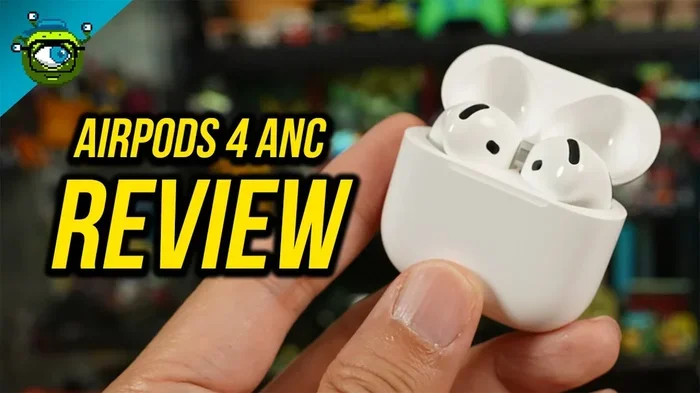
- AirPods 4 (Standard Version): Released in 2024, this base model doesn’t include ANC. However, Apple introduced an ANC version of AirPods 4, which does have noise cancellation.
Quick Tip: If you’re shopping for AirPods specifically for noise cancellation, look for the word “Pro” in the name, or check the specifications for “Active Noise Cancellation.” Don’t assume every white earbud from Apple has this feature.
How Well Do AirPods Actually Cancel Background Noise?
Apple claims impressive numbers, but what does that mean in real life? Let’s look at the facts.
Visual guide about AirPods active noise cancelling testing
Image source: i.ytimg.com
Performance Claims vs. Reality
Apple says the AirPods Pro 2 cancels up to 2x more noise than the first generation. Independent tests from outlets like RTINGS and Wirecutter confirm that AirPods Pro 2 significantly reduce low-frequency noise by 20-30 decibels in ideal conditions. For context, a 30 dB reduction is the difference between a quiet library and a busy restaurant.
Did You Know? The human ear perceives a 10 dB drop in noise as roughly “half as loud.” So a 30 dB reduction makes background noise sound about eight times quieter to your brain. That’s huge!
What AirPods ANC Does Best
ANC technology excels at handling consistent, low-frequency sounds. This includes:
- Airplane cabin noise (the drone of jet engines)
- Air conditioners and HVAC systems
- Bus and train rumble
- Office hum from computers and fluorescent lights
- Café chatter (the background murmur, not sharp voices)
What AirPods ANC Struggles With
No noise-canceling technology is perfect. AirPods have a harder time with:
- Sudden, sharp noises like a dog barking or a car horn—these change too quickly for the system to react.
- High-frequency sounds such as baby screams or squeaky brakes—ANC focuses on low frequencies.
- Voices in close proximity—someone talking right next to you may still be heard, especially if they’re loud.
Using Transparency Mode and Adaptive Audio
Sometimes you don’t want all the noise gone. Maybe you’re crossing a street, waiting for an announcement at the airport, or having a quick chat with a coworker. That’s where Transparency Mode comes in.
What Is Transparency Mode?
Transparency Mode is the opposite of Noise Cancellation. Instead of blocking outside sounds, it uses the microphones to pipe ambient noise into your ears alongside your music. It’s like having super-hearing—you hear your music clearly, but you can also hear the world around you naturally. This is perfect for safety situations or brief conversations without removing your AirPods.
Adaptive Audio: The Smart Middle Ground
Introduced with iOS 17 and the AirPods Pro 2, Adaptive Audio is like having a smart assistant controlling your noise settings. It automatically blends Active Noise Cancellation and Transparency Mode based on your environment. Walk into a noisy area, and the AirPods crank up the ANC. Stop at a coffee shop, and they switch to Transparency so you can order without taking them out.
Did You Know? According to Apple, Adaptive Audio can reduce loud environmental sounds (like a siren passing by) in real time without completely canceling your music. It’s been praised by users with sensory sensitivities who find sudden noise distressing.
Conversation Mode
Another handy feature on newer AirPods Pro models is Conversation Awareness. When you start speaking, the AirPods automatically lower your music volume and boost the voices in front of you. After the conversation ends, your music fades back in. It’s a small feature that makes daily life much smoother.
Tips to Maximize AirPods Noise Cancellation
Even the best noise-canceling AirPods won’t work well if they’re not used correctly. Here are some practical tips to get the most out of your device.
Get the Right Ear Tip Fit
This is the single most important tip. If your AirPods Pro don’t seal properly in your ear canal, ANC performance drops because outside sound leaks in. Apple includes four sizes of silicone ear tips (XS, S, M, L) with AirPods Pro. Try each size and do the “ear tip fit test” in your iPhone settings:
- Go to Settings > Bluetooth > AirPods Pro > Ear Tip Fit Test
- Follow the on-screen instructions
- If the test says “Adjust or try a different ear tip,” switch sizes
Pro Tip: Many people wear the wrong size without realizing it. The medium tips come pre-installed, but that doesn’t mean they’re right for you. A proper seal should feel snug but not painful.
Keep Your AirPods Clean
Dirt, earwax, and debris on the mesh or silicone tips can affect both sound quality and noise cancellation. Clean your AirPods weekly using a soft, dry, lint-free cloth. For stubborn wax on the tips, use a dry cotton swab or a dedicated earbud cleaning tool. Never use water or liquids directly on the AirPods.
Update Your Firmware
Apple frequently releases firmware updates that improve ANC performance. Make sure your AirPods are connected to your iPhone and charging, and updates install automatically. You can check your current firmware version under Settings > Bluetooth > [Your AirPods] > Version.
Use the Correct Noise Control Mode
Many users don’t realize they can cycle through modes manually. On AirPods Pro, press and hold the force sensor on the stem to switch between Noise Cancellation, Transparency, and Off. Or use Control Center on your iPhone to switch modes quickly. If you think ANC isn’t working, you might accidentally be in Transparency Mode.
Charge Them Properly
Active Noise Cancellation is a power-hungry feature. If your battery is below 20%, you might notice weaker performance. Keep your AirPods charged for the best results. AirPods Pro 2 offers about 6 hours of listening with ANC on, and up to 30 hours with the charging case.
Common Myths About AirPods Noise Cancellation
Let’s clear up some confusion. With so much marketing hype, it’s easy to believe things that aren’t true.
Myth 1: All AirPods Cancel Noise
False. Only specific models have ANC. Basic AirPods rely entirely on passive isolation. Always check the model before assuming you have this feature.
Myth 2: Noise Cancellation Means Total Silence
False. Even the best ANC doesn’t make your world completely silent. It significantly reduces ambient noise, especially low frequencies, but you may still hear very loud or sharp sounds. Think of it as “noise reduction,” not “noise elimination.”
Myth 3: ANC Is Bad for Your Ears
Mostly false. ANC itself doesn’t harm your hearing. In fact, it may protect your ears by allowing you to listen to music at lower volumes in noisy environments. However, listening at maximum volume for extended periods can damage hearing, regardless of ANC use.
Myth 4: AirPods ANC Works as Well as Premium Headphones
It depends. AirPods Pro 2 and AirPods Max compete well with premium brands like Sony and Bose in most environments. However, audiophiles and frequent flyers might notice subtle differences. For most casual users, AirPods perform excellently.
Myth 5: You Need Music On for ANC to Work
False. ANC works independently of music playback. You can use AirPods Pro with ANC turned on and nothing playing—just enjoy the silence. This is great for focus or relaxation.
The Bottom Line: Do AirPods Cancel Background Noise?
So, do AirPods cancel background noise? The honest answer is: yes, but only certain models do it well. If you own AirPods Pro (any generation) or AirPods Max, you have access to some of the best consumer-grade Active Noise Cancellation on the market. These models actively fight low-frequency noise, reduce distractions, and create a peaceful listening environment.
On the other hand, if you have standard AirPods (1st, 2nd, or 3rd gen, or the base AirPods 4), you’re relying on passive isolation—which helps a little but doesn’t truly cancel noise. If background noise is a major concern for you, upgrading to AirPods Pro is one of the best investments you can make.
The technology continues to evolve. With features like Adaptive Audio and Conversation Awareness, Apple is making AirPods smarter about how they handle sound. What was once a simple “noise on, noise off” toggle is now an intelligent system that fits seamlessly into your daily life.
To get the most out of your AirPods’ noise cancellation, remember three things: choose the right model, ensure a proper fit, and keep them updated. Do that, and you’ll wonder how you ever lived without them—whether you’re trying to focus at work, sleep on a red-eye flight, or simply enjoy your favorite song without distractions.
The next time someone asks, “Do AirPods cancel background noise?” you’ll have a confident, knowledgeable answer. And more importantly, you’ll know exactly which features to use and how to use them like a pro.
Frequently Asked Questions
Do all AirPods cancel background noise?
No, only AirPods Pro (1st, 2nd, and 3rd generation) and AirPods Max have Active Noise Cancellation. Standard AirPods (1st, 2nd, and 3rd gen, and the base AirPods 4) only offer passive noise isolation, which is much less effective.
How do I turn on noise cancellation on AirPods?
On AirPods Pro, press and hold the force sensor on the stem to cycle between Noise Cancellation, Transparency, and Off. You can also control it from your iPhone’s Control Center by pressing and holding the volume slider, or through Settings > Bluetooth.
Can AirPods cancel voices and talking?
AirPods ANC is best at canceling consistent, low-frequency sounds like engine hum or air conditioners. It reduces voices and chatter but doesn’t eliminate them completely, especially for sudden or loud conversations.
Does noise cancellation work without playing music?
Yes, you can use Active Noise Cancellation without any audio playing. This is useful for focusing, meditating, or simply enjoying silence in noisy environments like cafes or airplanes.
Do AirPods noise cancellation hurt your ears?
No, ANC itself doesn’t harm your ears. Some people feel slight pressure or a “vacuum” sensation when ANC is on, but this is harmless. If it bothers you, switch to Transparency Mode or turn ANC off.
What’s the difference between AirPods Pro 1 and 2 for noise cancellation?
The AirPods Pro 2 offers up to 2x more noise cancellation than the first generation, thanks to the new H2 chip and improved microphone placement. It also adds Adaptive Audio and Conversation Awareness, which the first generation lacks.