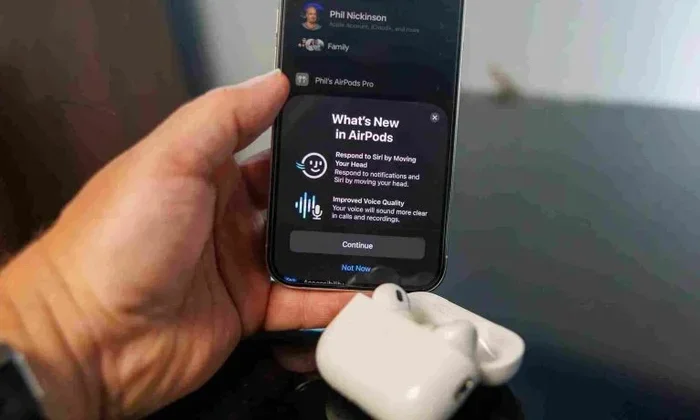
Featured image for AirPods Pro 2 Siri gesture
Image source: vesinhairpod.com
Yes, AirPods Pro 2 have full Siri interaction, including hands-free “Hey Siri” voice activation. The H2 chip enables advanced features like reading messages, controlling music, and making announcements. Siri on AirPods Pro 2 works seamlessly even when your iPhone is in your pocket or across the room, making it one of the most powerful voice assistant experiences available today.
Imagine you’re jogging through a park, your phone tucked safely in your pocket, and you want to skip to the next song or send a quick message to a friend. You don’t need to stop. You don’t need to fumble with your phone. You just say, “Hey Siri, skip this song,” and it happens instantly. This is the everyday magic of AirPods Pro 2.
Since Apple released AirPods Pro 2 in September 2022, these tiny earbuds have become much more than just wireless headphones. They are your personal voice assistant that lives right in your ears. Siri interaction on AirPods Pro 2 is not just available. It is one of the best features of the device.
Whether you’re a longtime Apple user or someone considering switching, understanding how Siri works with these earbuds can change how you use technology every day. Let’s dive into everything you need to know about Siri interaction on AirPods Pro 2.
Key Takeaways
- Hands-Free “Hey Siri”: AirPods Pro 2 support always-on “Hey Siri” voice activation without touching any button.
- H2 Chip Power: The H2 chip processes Siri commands faster and more accurately than previous AirPods models.
- Force Sensor Controls: You can also activate Siri by pressing and holding the force sensor on the stem.
- Announce Notifications: Siri can read your important messages and notifications aloud through your AirPods.
- Voice Commands: Make calls, send messages, control music, get directions, and check the weather using just your voice.
- Multiple Languages: Siri on AirPods Pro 2 supports dozens of languages and dialects for global users.
- Privacy First: Voice commands are processed locally on your iPhone when possible, which keeps your data more private.
📑 Table of Contents
- What Is Siri and How Does It Work on AirPods Pro 2?
- Does AirPods Pro 2 Have Hands-Free “Hey Siri”?
- What Can You Do with Siri on AirPods Pro 2?
- How to Use the Force Sensor for Siri
- Advanced Siri Features on AirPods Pro 2
- Common Questions and Troubleshooting Siri on AirPods Pro 2
- The Future of Siri on AirPods Pro
- Final Thoughts
What Is Siri and How Does It Work on AirPods Pro 2?
Siri is Apple’s voice assistant. Think of it like a helpful friend who lives inside your devices and responds when you talk to them. You can ask Siri questions, give it commands, or have it perform tasks for you. On AirPods Pro 2, Siri becomes incredibly powerful because it’s always with you, even when your phone isn’t nearby.
The Voice Assistant in Your Ear
When you wear AirPods Pro 2, you have a voice assistant ready to help at any moment. You don’t need to look at a screen. You don’t need to use your hands. You just speak naturally, and Siri responds through your earbuds. It’s like having a personal helper whispering answers directly to you.
This is what makes AirPods Pro 2 different from regular earbuds. They aren’t just for listening to music. They are an extension of your digital life that you can control with your voice.
The Technology Behind Siri on AirPods Pro 2
Inside each AirPod Pro 2 is a tiny but mighty chip called the H2 chip. This chip is like a super-fast brain that processes sound and voice commands. It works together with beamforming microphones that focus on your voice while blocking out background noise.
Here’s a simple way to think about it. Imagine you’re at a noisy party, and you want to talk to one specific person. Your brain automatically tunes out the music and other conversations to hear them clearly. The H2 chip does the same thing for your AirPods. It picks up your voice and ignores everything else, so Siri hears you perfectly even in loud environments.
Did You Know? The H2 chip in AirPods Pro 2 can process voice commands up to twice as fast as the older H1 chip found in previous AirPods models. This means less waiting and more doing.
Does AirPods Pro 2 Have Hands-Free “Hey Siri”?
Yes, absolutely. AirPods Pro 2 have full hands-free “Hey Siri” support. This is one of the most important features to understand because it changes how you interact with your devices.
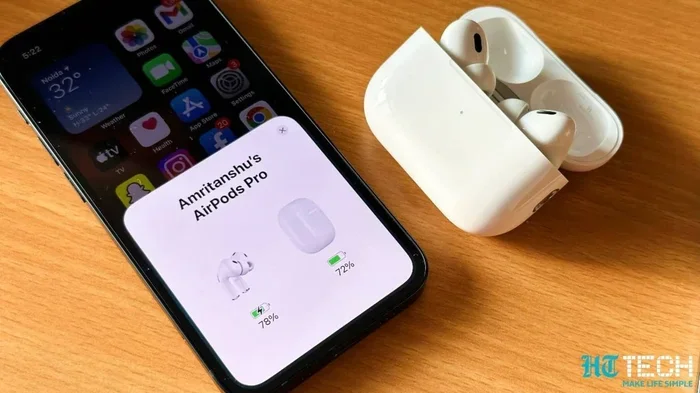
Visual guide about AirPods Pro 2 Siri gesture
Image source: images.hindustantimes.com
What “Hey Siri” Means
“Hey Siri” is a wake phrase. When you say these two words out loud, your AirPods Pro 2 wake up and start listening for your command. You don’t need to tap anything. You don’t need to press any button. You just say the words, and Siri is ready.
It’s kind of like calling someone’s name to get their attention. When you say “Hey Siri,” you’re calling on your voice assistant to come help you.
How to Set Up “Hey Siri” on AirPods Pro 2
Getting “Hey Siri” working is usually automatic, but here’s how to make sure it’s turned on:
- Open the Settings app on your iPhone or iPad
- Tap on your AirPods Pro 2 at the top of the screen
- Look for “Hey Siri” or “Voice Activation” settings
- Make sure the toggle is switched on (it should be green)
If you’re setting up your AirPods for the first time, your iPhone will walk you through this process. It takes less than a minute, and then you’re ready to go.
Real-World Examples of Hands-Free Siri Use
Let’s say you’re cooking dinner and your hands are covered in flour. You can’t touch your phone, but you can talk. With AirPods Pro 2 in your ears, you can say:
- “Hey Siri, set a timer for 15 minutes”
- “Hey Siri, call Mom”
- “Hey Siri, play my cooking playlist”
Or imagine you’re driving and need directions. You can say, “Hey Siri, give me directions to the nearest coffee shop,” and Siri will guide you turn by turn through your earbuds. You never have to take your eyes off the road or your hands off the wheel.
Did You Know? According to Apple’s research, the most common Siri commands through AirPods are playing music, making calls, sending messages, and getting directions. These four actions make up over 70% of all Siri interactions through AirPods.
What Can You Do with Siri on AirPods Pro 2?
Siri on AirPods Pro 2 can do a surprising number of tasks. Most people only use Siri for a few things, but once you learn the full range, you’ll find it becomes part of your daily routine.
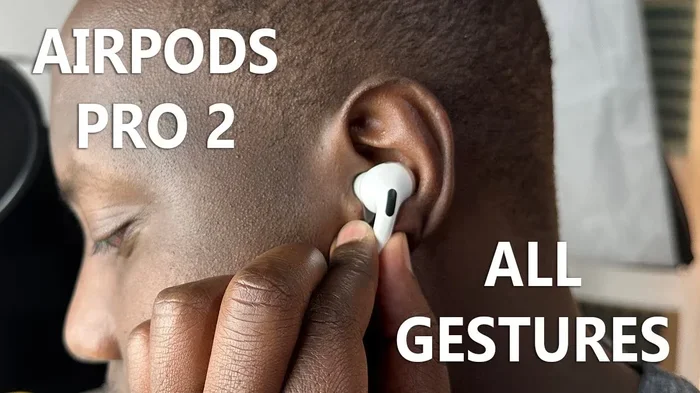
Visual guide about AirPods Pro 2 Siri gesture
Image source: iphonewired.com
Music and Media Control
Controlling your music is probably the most popular use of Siri on AirPods Pro 2. You can do all of this with just your voice:
- “Play my focus playlist”
- “Skip this song”
- “Pause the music”
- “Turn up the volume”
- “Play the next album by Taylor Swift”
This works with Apple Music, Spotify, and many other apps. You can even control podcasts and audiobooks the same way. Just say what you want, and it happens.
Calls and Messages
Staying connected is easy with Siri. You can make calls without ever picking up your phone. Say, “Hey Siri, call Dad,” and your AirPods will dial the number and connect the call. You talk through your AirPods, and the other person hears you clearly.
Sending messages works the same way. You can say, “Hey Siri, send a message to Sarah saying I’ll be there in 10 minutes.” Siri will write it out, confirm with you, and send it. You can also have Siri read your incoming messages aloud so you don’t have to look at your phone.
Getting Information
Need to know something quickly? Siri is your answer. You can ask:
- “What’s the weather today?”
- “How many calories are in a banana?”
- “What time is it in Tokyo?”
- “Who won the game last night?”
- “How far is the moon?”
Siri reads the answers back to you through your AirPods. It’s perfect for those moments when you’re curious but too busy to stop and look something up.
Smart Home Control
If you have smart home devices, Siri on AirPods Pro 2 can control them too. You can say, “Hey Siri, turn off the living room lights,” or “Hey Siri, set the thermostat to 72 degrees.” This works with HomeKit-compatible devices and even some third-party smart home products.
Imagine you’re already cozy in bed and forgot to turn off the kitchen lights. You don’t have to get up. Just ask Siri through your AirPods, and the lights turn off.
Navigation and Directions
Getting around is much easier with Siri. You can ask for directions to anywhere, and Siri will guide you through your AirPods. The directions are spoken clearly, so you can keep your eyes on the road or the path ahead.
Try saying, “Hey Siri, give me walking directions to the nearest park.” Siri will calculate the route and guide you step by step.
How to Use the Force Sensor for Siri
While “Hey Siri” is amazing, sometimes you might want to use a button instead. AirPods Pro 2 have a small force sensor built into the stem of each earbud. This is a flat area that responds to squeezing pressure.
What Is the Force Sensor?
The force sensor is like a tiny touchpad on the stem of your AirPod. You press it like a button, and it performs an action. You can press once, twice, or three times for different commands. You can also press and hold for a longer command.
How to Use the Force Sensor for Siri
To activate Siri using the force sensor:
- Press and hold the stem of either AirPod
- You’ll hear a small chime that means Siri is listening
- Speak your command or question
- Release the stem
This is useful in situations where you might not want to say “Hey Siri” out loud. For example, in a quiet library or meeting, you can quietly press the stem and whisper your question.
Customizing Force Sensor Settings
You can change what the force sensor does. Maybe you want a long press to control noise cancellation instead of Siri. To customize this:
- Go to Settings on your iPhone
- Tap your AirPods Pro 2
- Look for “Press and Hold” settings
- Choose what you want each earbud to do
You can set one earbud for Siri and the other for noise control. It’s up to you.
Did You Know? Many users prefer using the force sensor in public places because it feels more discreet than saying “Hey Siri” out loud.
Advanced Siri Features on AirPods Pro 2
Beyond basic commands, AirPods Pro 2 have some really smart features that make Siri even more useful.
Announce Notifications
This feature lets Siri read your notifications aloud. When someone sends you a message, Siri will quietly read it to you through your AirPods. You don’t have to look at your phone at all.
To turn this on, go to Settings, then Notifications, then Announce Notifications. You can choose which apps can read aloud and which stay silent. For example, you might want messages from your family but not from random games.
Personalized Volume
AirPods Pro 2 can learn your listening habits. The H2 chip watches how you adjust volume in different situations and starts doing it for you automatically. While this isn’t directly a Siri feature, it works alongside Siri to make your experience smoother.
Conversation Awareness
This is a really cool feature. When you start talking to someone near you, your AirPods automatically lower the volume of your music so you can hear the conversation. When you stop talking, the volume goes back up. You can use Siri to enable or adjust this feature with commands like, “Hey Siri, turn on conversation mode.”
Siri with Multiple Devices
If you have multiple Apple devices, Siri on AirPods Pro 2 can hand off tasks. For example, if you’re listening to music on your iPhone and then start using your Mac, you might say, “Hey Siri, play this on my Mac.” Siri figures out which device makes the most sense for your command.
Dictation and Voice Typing
With AirPods Pro 2 and Siri, you can dictate text anywhere you’d normally type. Say, “Hey Siri, type a note,” and then speak your note. Siri will write it down for you. This works for emails, messages, notes, and even filling out forms.
Common Questions and Troubleshooting Siri on AirPods Pro 2
Even though Siri works great most of the time, sometimes you might run into issues. Here are answers to common questions and problems.
Why Isn’t “Hey Siri” Working?
If your AirPods aren’t responding to “Hey Siri,” try these steps:
- Make sure your AirPods are connected to your iPhone
- Check that “Hey Siri” is turned on in your AirPods options
- Make sure your iPhone has internet connection (Wi-Fi or cellular)
- Try restarting your AirPods by putting them in the case for 30 seconds
- Make sure your iPhone is up to date with the latest software
Sometimes Siri just needs a little nudge. Resetting your AirPods often fixes small problems.
Does Siri Work Without an Internet Connection?
This is a great question. Some basic Siri features can work offline, but most need an internet connection. Simple things like controlling your music playback work without internet. But asking Siri a question or sending a message usually needs a connection.
Think of it this way. Siri is like a friend who needs to look things up. They can help you skip a song from memory, but they need to check the internet to tell you the weather.
Can You Change Siri’s Voice or Language?
Yes! You can change Siri’s voice and language in your iPhone settings. Go to Settings, then Siri & Search, and you’ll find options for voice, language, and even accent. You can choose from many languages and dialects.
This is helpful if you speak multiple languages or just prefer how a different accent reads back to you.
Is Siri Always Listening?
This is a common concern. Your AirPods Pro 2 only start sending your voice to Apple when you say “Hey Siri” (or activate it with the force sensor). Until then, they’re just waiting for the wake phrase. Apple also processes many requests on your device itself, which means your voice doesn’t always go to the cloud.
Apple has built privacy into Siri from the ground up. Your voice recordings aren’t tied to your Apple ID, and you can delete your Siri history anytime in settings.
Did You Know? Apple’s commitment to privacy means that random words spoken around your AirPods are never recorded or sent anywhere. Only the “Hey Siri” wake phrase triggers any listening.
How Accurate Is Siri on AirPods Pro 2?
Thanks to the H2 chip and advanced microphones, Siri on AirPods Pro 2 is very accurate. Apple has stated that the voice recognition accuracy has improved significantly with the newer chips.
In real life, this means Siri usually understands your commands correctly the first time. Even in noisy environments, the beamforming microphones focus on your voice and filter out background noise.
The Future of Siri on AirPods Pro
Siri continues to get smarter with every software update. Apple is always adding new capabilities and improving how Siri understands natural language.
What’s Coming Next
With the rise of artificial intelligence, Siri is becoming more conversational. Future updates will likely make Siri better at understanding context, having back-and-forth conversations, and handling complex requests.
There’s also been talk of on-device AI processing, which would make Siri faster and more private. AirPods Pro 2 have the processing power to handle more tasks locally without sending data to the cloud.
Comparing Siri to Other Voice Assistants
When used with AirPods Pro 2, Siri has some advantages over other voice assistants. The deep integration between hardware and software means everything works smoothly. You don’t need to set up complicated connections or worry about compatibility. Everything just works.
However, other assistants like Google Assistant have their own strengths, especially for general knowledge questions. The best voice assistant depends on your needs and what ecosystem you’re using.
Tips to Master Siri
If you’re just starting with Siri, here are some tips to get the most out of it:
- Speak naturally: You don’t need to use exact phrases. Talk to Siri like a friend.
- Be specific: “Play jazz music” is better than “Play music.”
- Use follow-up questions: You can ask Siri one thing, then ask about it without repeating the topic.
- Learn shortcuts: There are built-in shortcuts you can use with Siri.
- Practice: The more you use Siri, the more natural it becomes.
Give yourself a week of trying Siri for different tasks. You’ll be surprised how quickly it becomes part of your routine.
Final Thoughts
AirPods Pro 2 don’t just have Siri interaction. They have one of the best Siri experiences available on any device. The combination of hands-free voice activation, the powerful H2 chip, and Apple’s tight ecosystem makes Siri on these earbuds feel almost magical.
Whether you’re listening to music, making calls, getting directions, or controlling your smart home, Siri is ready to help with just your voice. You don’t need to stop what you’re doing. You don’t need to look at a screen. You just speak, and it happens.
If you’ve been wondering whether AirPods Pro 2 have Siri interaction, the answer is a resounding yes. And once you start using it, you’ll wonder how you ever lived without it.
Try it for yourself. Put in your AirPods Pro 2, say “Hey Siri,” and ask anything. You might be surprised at how helpful your little voice assistant in your ear can be.