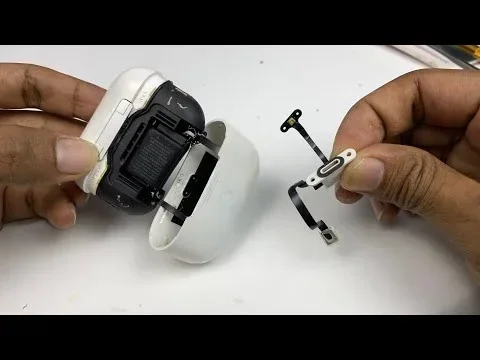
Featured image for AirPods Pro 2 case opening
Image source: i.ytimg.com
AirPods Pro 2 do make a small sound when you first open the case. This is a normal startup chime that confirms the earbuds have powered on and connected to your device. If you’re hearing unusual or unexpected noises, it could signal a firmware glitch, low battery, or a pairing issue that needs troubleshooting.
Have you ever opened your AirPods Pro 2 case and heard a small sound? Maybe a tiny chime, a soft beep, or even a strange crackle? You’re not alone. Thousands of users ask the same question every single day: do AirPods Pros 2 make noise when you open them? The short answer is yes, they do. But there’s more to it than a simple yes or no.
That little sound you hear isn’t random. It’s actually your AirPods talking to you. Think of it like a friendly knock on the door from your earbuds. They’re saying, “Hey, I’m awake and ready to go!” This tiny startup chime happens every time you flip open the lid, as long as your AirPods are charged and ready to pair.
But what if the sound is weird? What if it’s loud, crackly, or keeps repeating? That’s when things get a bit tricky. Sometimes, strange noises can mean your AirPods need attention. Maybe the battery is low, or the software has a bug. In this guide, we’ll break down every sound your AirPods Pro 2 can make, what each one means, and exactly how to fix any problems.
Key Takeaways
- Startup Chime is Normal: AirPods Pro 2 emit a brief tone when the case is opened, indicating they’re powering on.
- Connection Confirmation: The sound signals that your AirPods are trying to pair with a nearby Apple device.
- Unusual Noises Signal Issues: Crackling, static, or repeated beeping may indicate low battery, firmware bugs, or hardware damage.
- Battery Alerts are Audible: A low-battery chime plays when your AirPods Pro 2 or case need charging.
- Update for Best Performance: Keeping your firmware updated prevents most random sound glitches.
- Reset Solves Most Problems: A factory reset often resolves persistent strange noises from your AirPods Pro 2.
📑 Table of Contents
- Why Do AirPods Pro 2 Make a Sound When You Open the Case?
- What Does the Normal AirPods Pro 2 Sound Mean?
- Common Unusual Noises and What They Mean
- How to Fix Weird Noises from AirPods Pro 2
- When to Contact Apple Support
- Did You Know? Fun Facts About AirPods Pro 2 Sounds
- Conclusion: Understanding Your AirPods Pro 2 Sounds
Why Do AirPods Pro 2 Make a Sound When You Open the Case?
Apple designed AirPods Pro 2 to communicate with you through sounds. When you open the case, the earbuds wake up from sleep mode. They need to tell you, “We’re on!” So they play a quick, pleasant chime. This is completely normal and happens on every model of AirPods, not just the Pro 2.
The Startup Chime Explained
Imagine turning on a small flashlight. You expect a tiny click or a beam of light, right? That’s how you know it works. The AirPods Pro 2 startup chime works the same way. It’s a short, musical tone that plays as soon as you open the case lid. The sound lasts less than a second and is soft enough not to startle you.
This chime is different from the famous Apple “bloop” sound that plays on your iPhone when AirPods connect. The case-opening sound is quieter and comes directly from the AirPods themselves, not from your phone.
What Triggers the Sound?
Several things happen when you open your AirPods Pro 2 case:
- Power Activation: The earbuds turn on automatically when the lid lifts.
- Bluetooth Broadcasting: They start looking for devices they’ve paired with before.
- Status Check: The AirPods run a quick diagnostic to check battery and connection status.
The startup sound is the result of all these actions happening at once. It’s like a car’s engine starting up before you drive. Everything is checking out and getting ready to roll.
What Does the Normal AirPods Pro 2 Sound Mean?
The sound your AirPods Pro 2 make when opening the case is a good thing. It means your earbuds are functioning properly. But what exactly does it tell you? Let’s break it down.
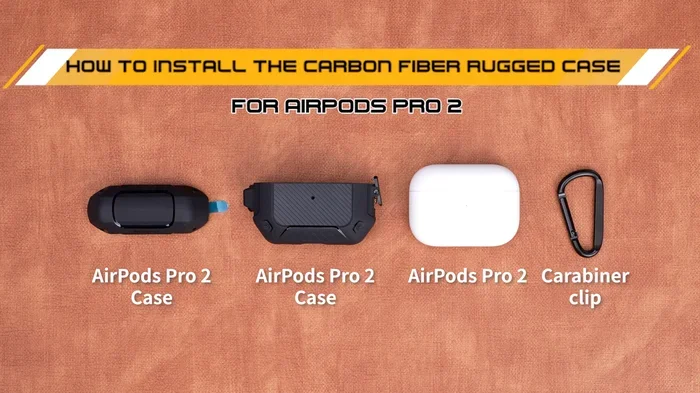
Visual guide about AirPods Pro 2 case opening
Image source: m.media-amazon.com
A Sign of Successful Power-On
The first and most important thing the sound confirms is that your AirPods are turning on. AirPods spend most of their time in a low-power sleep mode to save battery. When you open the case, they “wake up” and need to announce themselves. The startup chime is that announcement.
Connection Readiness
After the initial chime, your AirPods Pro 2 are actively searching for your iPhone, iPad, Mac, or other paired devices. The sound lets you know they’re ready to connect. If your phone is nearby and Bluetooth is on, the connection should happen within seconds. You’ll then hear a different sound on your device confirming the pairing.
Battery Status Indicator
Sometimes, the chime can also hint at battery status. If you hear a lower-pitched tone or no sound at all, your AirPods might be out of battery. The case itself can also play a sound if it’s charging or has low power.
Common Unusual Noises and What They Mean
Not all sounds from your AirPods Pro 2 are normal. Sometimes, you might hear noises that seem off. These could be signs of small problems that you can usually fix at home. Let’s explore the most common unusual sounds.
Crackling or Static Noise
Have you ever heard a slight crackle when opening your case? This is one of the most reported issues with AirPods Pro 2. It sounds like static on an old TV or like rice cereal being poured. It usually happens right when the earbuds power on.
Common Causes:
- Firmware Bugs: Older firmware versions had known crackling issues. Apple has released updates to fix this.
- Bluetooth Interference: Other devices nearby can mess with the signal.
- Dirty Charging Contacts: Dust on the metal points inside the case can cause connection problems.
How to Fix It: Clean the charging contacts gently with a dry cotton swab. Make sure your AirPods firmware is up to date. Also, try moving away from other Bluetooth devices.
Repeated Beeping
If your AirPods Pro 2 keep beeping every few seconds after you open the case, something is wrong. This isn’t a normal sound. It’s a warning signal.
What It Means: Your AirPods are likely low on battery. The beeping is a low-battery alert telling you to charge them soon.
Solution: Put the AirPods back in the case and charge them for at least 30 minutes. If the beeping continues after charging, you might have a deeper issue.
Clicking Sounds
A clicking noise is different from crackling. It’s sharper and more defined. Clicking sounds usually mean there’s a hardware issue.
Possible Causes:
- Debris stuck in the speaker mesh
- Water damage from sweat or rain
- Physical damage from dropping the case
What to Do: Inspect your AirPods carefully. Look for visible debris and clean them gently. If you see damage or the sound persists, contact Apple Support.
No Sound at All
What if you open the case and hear absolutely nothing? This is also a concern. It usually means one of three things:
- The AirPods are completely dead and need charging.
- The case itself is out of battery.
- There’s a firmware glitch preventing the startup sound.
Try charging everything for an hour and try again. If you still hear nothing, you may need to reset your AirPods.
How to Fix Weird Noises from AirPods Pro 2
Don’t panic if your AirPods Pro 2 are making strange sounds. Most issues have simple fixes you can try at home. Let’s walk through them step by step.
Step 1: Update Your Firmware
Apple regularly releases firmware updates to fix bugs and improve performance. If your AirPods Pro 2 are making weird noises, outdated firmware could be the culprit.
How to Update:
- Connect your AirPods to your iPhone or iPad.
- Go to Settings, then Bluetooth.
- Find your AirPods in the list and tap the “i” icon.
- Check the firmware version. The latest version for AirPods Pro 2 is typically 7E12 or higher.
Updates happen automatically when your AirPods are charging and near your iPhone. Just make sure your phone has Wi-Fi and is up to date.
Step 2: Reset Your AirPods Pro 2
A factory reset is like giving your AirPods a fresh start. It clears all settings and connections, which can fix many software-related sound issues.
Reset Instructions:
- Put your AirPods in the case and close the lid. Wait 30 seconds.
- Open the lid, but don’t remove the AirPods.
- On your iPhone, go to Settings, then Bluetooth, and tap the “i” next to your AirPods.
- Select “Forget This Device” and confirm.
- Press and hold the setup button on the back of the case for about 15 seconds. The light should flash amber, then white.
- Reconnect your AirPods to your device.
Step 3: Clean Your AirPods and Case
Dirt and debris can cause all sorts of sound problems. The charging contacts inside the case are especially sensitive.
Cleaning Tips:
- Use a soft, dry, lint-free cloth to wipe the exterior.
- Use a dry cotton swab to clean the metal charging contacts inside the case.
- For the speaker mesh, use a soft-bristled brush to gently remove earwax and debris.
- Never use water or cleaning solutions directly on your AirPods.
Step 4: Check Battery Levels
Low battery can cause all kinds of weird behavior. Make sure both your AirPods and the charging case have enough power.
Open the case near your iPhone and check the popup that appears. It shows the battery percentage for each AirPod and the case. If any are below 20%, charge them up.
Step 5: Test on Another Device
Sometimes, the problem isn’t your AirPods at all. It’s your device. Try connecting your AirPods Pro 2 to a different iPhone, iPad, or Mac. If the sound issue disappears, the problem is with your original device’s Bluetooth or settings.
When to Contact Apple Support
Most AirPods Pro 2 sound issues can be solved at home. But sometimes, you need professional help. Here are signs that it’s time to reach out to Apple.
Your AirPods Are Still Under Warranty
AirPods Pro 2 come with a one-year limited warranty. If you’re hearing strange noises and nothing has fixed them, Apple might repair or replace them for free. You can check your warranty status at checkcoverage.apple.com.
AppleCare+ Coverage
If you purchased AppleCare+, you have extended coverage including accidental damage. If you dropped your AirPods in water or damaged the case, AppleCare+ can save you money on repairs or replacements.
Physical Damage
If your AirPods case is cracked, the AirPods have visible damage, or the sound issue started after a drop, it’s time for professional help. Don’t try to fix physical damage yourself. You could make things worse.
Persistent Software Issues
If you’ve tried all the troubleshooting steps and your AirPods Pro 2 still make strange noises, there might be a deeper software issue. Apple Support can run diagnostics and find problems you can’t see.
How to Contact Apple:
- Visit support.apple.com to start a chat or schedule a call.
- Visit your local Apple Store for in-person help.
- Use the Apple Support app on your iPhone.
Did You Know? Fun Facts About AirPods Pro 2 Sounds
Here are some interesting facts that might surprise you about your AirPods Pro 2 and the sounds they make.
The Sound Was Designed by Apple Audio Engineers
The startup chime you hear when opening the case wasn’t just picked randomly. Apple’s team of audio engineers designed it specifically to be pleasant and non-intrusive. They tested multiple sounds before settling on the final version.
AirPods Can Detect When They’re in Your Ears
Your AirPods Pro 2 have tiny sensors that know when they’re in your ears. This is how they automatically pause music when you take one out. These sensors also help regulate the sounds you hear during connection.
The H2 Chip Controls Sound Processing
The H2 chip inside AirPods Pro 2 handles all the audio magic. It processes sound 48,000 times per second to deliver active noise cancellation and adaptive transparency mode. This same chip manages the startup sounds and connection chimes.
You Can Customize Some Sounds
Did you know you can change some AirPods sounds? You can adjust the noise cancellation levels and transparency mode settings. While you can’t change the startup chime, you can control many other audio behaviors.
The Charging Case Has Its Own Speaker
AirPods Pro 2 cases have a built-in speaker for Find My alerts. This speaker also plays sounds when charging starts or when the battery is low. It’s located at the bottom of the case near the Lightning port.
Conclusion: Understanding Your AirPods Pro 2 Sounds
So, do AirPods Pro 2 make noise when you open them? Yes, they absolutely do, and that’s a good thing! That little chime is your earbuds telling you they’re ready to use. It means your AirPods are powered on, functioning properly, and searching for your device.
But not all sounds are created equal. Crackling, static, and repeated beeping can signal problems. The good news is that most issues have simple fixes. Updating your firmware, resetting your AirPods, and cleaning the charging contacts can solve the majority of sound-related problems.
If you’ve tried everything and the strange noises persist, don’t hesitate to contact Apple Support. Your AirPods Pro 2 are premium devices with a warranty to match. Whether you need a firmware fix, a cleaning, or a replacement, Apple has you covered.
Now that you understand every sound your AirPods Pro 2 can make, you can enjoy them with confidence. Keep them clean, keep them updated, and they’ll keep delivering amazing sound for years to come.
Frequently Asked Questions
Do AirPods Pro 2 always make a sound when you open the case?
Yes, AirPods Pro 2 emit a short startup chime whenever you open the case lid, as long as they have battery power. This sound confirms the earbuds are turning on and connecting to your device.
Why does my AirPods Pro 2 case make a crackling noise when opened?
Crackling noises often come from firmware glitches, Bluetooth interference, or dirty charging contacts. Cleaning the case contacts and updating to the latest firmware usually solves this issue.
Can I turn off the startup sound on AirPods Pro 2?
Unfortunately, you cannot disable the startup chime on AirPods Pro 2. This sound is built into the hardware and operating system, with no setting to mute it in iOS or macOS.
What does it mean if my AirPods Pro 2 make no sound at all when opened?
If you hear nothing when opening your case, your AirPods or case likely have dead batteries. Charge them for at least 30 minutes and try again. If the issue continues, try resetting the AirPods.
How do I know if my AirPods Pro 2 needs a firmware update?
Go to Settings, then Bluetooth, and tap the “i” next to your AirPods Pro 2. The firmware version appears there. Compare it to the latest version listed on Apple’s support page to see if you’re up to date.
Can water damage cause AirPods Pro 2 to make weird noises?
Yes, exposure to water or excessive moisture can damage the internal components, leading to clicking, crackling, or distorted sounds. If your AirPods got wet, dry them thoroughly and contact Apple Support if issues persist.