Yes, AirPods microphones can significantly reduce background noise during calls, thanks to built-in noise-canceling technology and advanced algorithms. The effectiveness depends on your AirPods model, with AirPods Pro and AirPods 4 offering the best results. This guide breaks down exactly how the feature works, which models perform best, and practical tips to maximize call clarity in noisy environments.
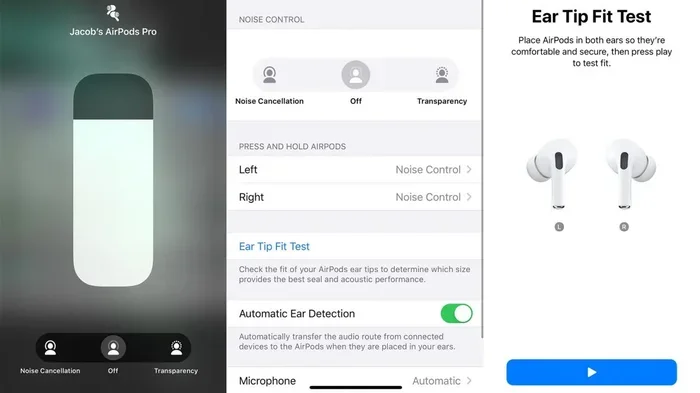
Featured image for AirPods microphone noise cancellation
Image source: media.cnn.com
If you’ve ever taken a phone call on your AirPods in a coffee shop, busy street, or crowded office, you’ve probably wondered, “Can people on the other end actually hear me clearly?” You’re not alone. Millions of people rely on AirPods every day for work calls, virtual meetings, and casual conversations, often in less-than-quiet environments.
The good news? AirPods microphones do cancel background noise, and they do it quite well, especially on newer models. But the technology behind this isn’t magic. It’s a combination of smart hardware design, clever software algorithms, and years of refinement by Apple’s engineers.
In this guide, we’ll explain exactly how AirPods mic noise cancellation works, which models perform best, and give you practical tips to get the clearest possible sound on your calls. Whether you’re a remote worker, student, or just someone who hates repeating themselves on calls, this article is for you.
Key Takeaways
- Active Noise Cancellation vs. Microphone Noise Reduction: AirPods use two different technologies, ANC blocks sound from reaching your ears, while mic noise reduction filters sound during calls and recordings.
- Best Models for Background Noise: AirPods Pro (1st, 2nd, and 3rd generation) and AirPods 4 with ANC deliver the strongest microphone noise reduction.
- Beamforming Microphones: AirPods use dual beamforming mics that focus on your voice while minimizing ambient sounds.
- Wind Noise Reduction: Mesh covers and acoustic design help reduce wind interference during outdoor calls.
- Transparency Mode: Lets outside sound in while still using mics to reduce background noise on calls.
- Limitations Exist: No AirPods can eliminate 100% of background noise, especially loud or unpredictable sounds.
- Simple Tips Help: Proper fit, clean microphones, and updated firmware improve noise cancellation performance significantly.
📑 Table of Contents
- How AirPods Microphone Noise Cancellation Works
- Which AirPods Models Cancel Background Noise Best?
- The Difference Between Active Noise Cancellation and Mic Noise Reduction
- Real-World Performance: How Well Do AirPods Mics Actually Work?
- Tips to Maximize AirPods Microphone Noise Cancellation
- Common Misconceptions About AirPods Mic Noise Cancellation
- The Future of AirPods Microphone Technology
- Final Thoughts
How AirPods Microphone Noise Cancellation Works
Let’s start with the basics. When you speak into your AirPods, the microphones don’t just record everything around you equally. Instead, they work smartly to pick up your voice while ignoring as much background noise as possible. Think of it like a friend at a loud concert who somehow hears only your voice and not the band behind you.
The Role of Beamforming Microphones
Every pair of AirPods (except the original 1st generation) includes dual beamforming microphones. These tiny mics are positioned to detect where sound is coming from. One microphone points outward to capture ambient noise, while the other points inward toward your mouth to capture your voice.
Here’s the key trick: the AirPods processor compares the signals from both microphones in real time. Sounds that hit the outward-facing mic first but the inward-facing mic later (like traffic or chatter) get identified as background noise and reduced. Sounds that come from your direction (your voice) get amplified and prioritized.
Imagine you’re sitting by a window with traffic outside. The outside mic hears the cars loudly. Your mouth mic hears the cars quietly (because they’re farther away) but hears your voice loudly. The AirPods use this difference to subtract the traffic sound from what gets sent to the person you’re calling.
What About Adaptive Algorithms?
On AirPods Pro and newer models, Apple uses computational audio powered by the H1 or H2 chip. This means your AirPods are constantly analyzing the sound environment and adjusting on the fly.
Did You Know? The H2 chip in AirPods Pro 2 processes audio up to 48,000 times per second when handling active noise cancellation. That lightning-fast processing is what makes the noise reduction feel seamless during calls.
This adaptive processing helps in tricky situations like:
- Wind noise, which traditional mics struggle with
- Sudden loud sounds, like a door slamming
- Variable noise, like a fan that turns on and off
- Multiple speakers in a meeting room environment
Which AirPods Models Cancel Background Noise Best?
Not all AirPods are created equal when it comes to microphone noise cancellation. Here’s a breakdown from best to good.
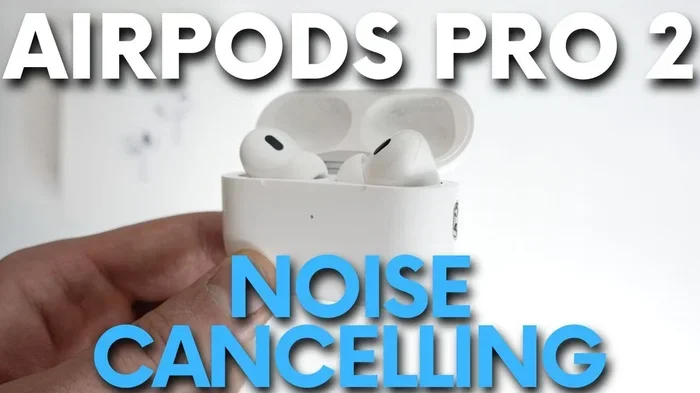
Visual guide about AirPods microphone noise cancellation
Image source: i.ytimg.com
1. AirPods Pro 3rd Generation (Best Overall)
The newest AirPods Pro deliver the best mic noise cancellation available in the lineup. They feature the H2 chip, improved beamforming, and Apple’s most advanced computational audio. If your top priority is crystal-clear calls in noisy environments, these are the gold standard.
2. AirPods Pro 2nd Generation
Released in 2022, these remain excellent for call quality. The H2 chip brought major improvements over the original AirPods Pro, especially in handling wind noise and complex sound environments. Many remote workers still consider these the best value for professional calls.
3. AirPods 4 with Active Noise Cancellation
The standard AirPods 4 (the premium version) include ANC for the first time in the non-Pro line. They also benefit from the H2 chip and modern beamforming tech. They’re a solid mid-tier option for clear calls.
4. AirPods Pro 1st Generation
Still good, but a step behind. The H1 chip handles noise reduction well in most situations but struggles more in windy or very loud environments. If you’re still using these, you’ll notice the difference compared to newer models.
5. AirPods 4 (Without ANC)
These offer decent mic noise reduction thanks to beamforming, but without ANC, you’re more likely to be distracted by background noise yourself, which can affect how loudly and clearly you speak.
6. AirPods 3rd Generation
Solid call quality in quiet environments, but less effective at suppressing loud background noise compared to Pro models.
7. AirPods 2nd and 1st Generation
Basic mic noise reduction only. Fine for quiet rooms, but not recommended for noisy environments or important calls.
The Difference Between Active Noise Cancellation and Mic Noise Reduction
This is where many people get confused, so let’s clear it up. There are two completely separate features, and they do different things.
Active Noise Cancellation (ANC)
ANC is for your ears. It uses microphones to listen to outside noise, then creates an opposite sound wave to cancel it out before it reaches your eardrums. The result? You hear less of the world around you.
Think of ANC like noise-canceling earmuffs on an airplane. They don’t make the engines quieter; they just stop that sound from reaching you.
Microphone Noise Reduction
Mic noise reduction (what this article focuses on) is for the other person’s ears. It cleans up what they hear from your AirPods. So even if you can hear traffic in your surroundings, the person on your call hears mostly your voice.
Think of it like a podcast recorded in a studio. Even if there’s noise outside the studio, the microphone only picks up the host’s voice clearly.
Why You Need Both
Both technologies serve different purposes, and ideally, you want both working together. ANC helps you focus and speak more naturally (without raising your voice), while mic noise reduction makes sure your voice sounds clean to others.
Did You Know? Studies show that people speak 20-30% louder in noisy environments, even when wearing headphones. This is called the Lombard effect. ANC helps prevent this, which actually improves how your microphone captures your voice.
Real-World Performance: How Well Do AirPods Mics Actually Work?
Specs and features are great, but what really matters is how AirPods perform in everyday situations. Let’s look at common environments.
Coffee Shops and Cafés
AirPods Pro models handle coffee shop noise impressively well. Background chatter, espresso machines, and music get reduced significantly. The person on your call will mostly hear your voice with maybe a faint hint of background hum.
Outdoor and Windy Conditions
Wind is the trickiest challenge for any microphone. Apple addressed this with acoustic mesh on the outer microphone of newer AirPods. The mesh disrupts wind flow before it reaches the mic, dramatically reducing that annoying “whooshing” sound.
That said, strong direct wind (like cycling or running) can still cause issues. The Pro models handle wind best.
Public Transportation
On buses, trains, or subways, AirPods Pro and AirPods 4 with ANC perform admirably. They reduce the rumble and announcements well. Just be aware that sudden loud sounds (like train doors beeping) might still leak through briefly.
Home Offices and Quiet Rooms
In quiet environments, even basic AirPods work great. There’s simply less noise to filter, and your voice comes through cleanly.
Crowded Meetings or Conferences
This is where AirPods shine. The beamforming tech focuses on your voice even when others are talking nearby. People on video calls often comment that AirPods users sound clearer than those using laptop mics.
Tips to Maximize AirPods Microphone Noise Cancellation
Even with great technology, a few simple habits can dramatically improve your call quality.
1. Keep Your AirPods Clean
Dirt, earwax, and debris on the microphones muffle sound and confuse the noise-canceling algorithms. Use a soft, dry, lint-free cloth to gently clean the microphone areas (usually small openings on the stem or earbud body). Avoid liquids and sharp objects.
2. Ensure a Proper Fit
If your AirPods are loose, the microphones may not align optimally with your mouth. For Pro models, try different ear tip sizes to find the best seal. A secure fit also improves ANC, which indirectly improves your voice quality (as we discussed earlier).
3. Update Your Firmware
Apple regularly releases firmware updates that improve noise reduction algorithms and fix bugs. Make sure your AirPods are up to date by connecting them to your iPhone and ensuring they’re charged. Updates happen automatically when AirPods are in their case and near your iPhone.
4. Use One AirPod at a Time When Needed
If you’re in an extremely noisy environment and need maximum voice clarity, using just one AirPod places the microphone closer to your mouth. Just be aware that ANC only works with both AirPods in.
5. Turn Off ANC in Some Situations
Counterintuitively, sometimes turning off ANC helps. If you’re in a quiet-ish environment but on a long call, ANC can cause ear fatigue. Without ANC, you might also speak more naturally and at a normal volume.
6. Be Mindful of the Stem Microphone
On AirPods with stems (most models), the primary microphone is near the bottom of the stem. Hairs, scarves, or hands touching this area can muffle your voice. Keep the stem area unobstructed.
7. Try Voice Isolation on iPhone
Did You Know? iOS has a feature called Voice Isolation that works with AirPods? During a FaceTime or phone call, swipe down from the top-right corner of your iPhone to access Control Center. Tap “Mic Mode” and select “Voice Isolation.” This adds an extra layer of background noise filtering on top of what your AirPods already do.
Common Misconceptions About AirPods Mic Noise Cancellation
Let’s clear up a few things people often get wrong.
Myth 1: “AirPods Block All Background Noise”
False. No wireless earbuds can block 100% of background noise. AirPods reduce background noise significantly, but loud or sudden sounds may still be audible to the person on your call.
Myth 2: “ANC Helps the Other Person Hear You Better”
Not directly. ANC is for your ears, not the microphone. However, by helping you hear yourself and your environment better, ANC can help you speak more naturally and at a consistent volume, which indirectly improves call quality.
Myth 3: “All AirPods Have the Same Mic Quality”
Absolutely not. There’s a huge difference between AirPods 1st gen and AirPods Pro 2 or 3. The newer the model, the better the noise reduction, thanks to improved chips and algorithms.
Myth 4: “Noise Cancellation Drains Battery Too Fast”
While ANC does use more battery, the impact is minimal in real-world use. AirPods Pro typically last 4.5-6 hours with ANC on during calls, which is plenty for most users.
Myth 5: “Third-Party Apps Improve Mic Noise Reduction”
Some apps claim to enhance AirPods microphone quality, but most don’t work as advertised. Apple’s native processing is already excellent. Stick with built-in features like Voice Isolation for best results.
The Future of AirPods Microphone Technology
Apple continues to invest heavily in AirPods audio technology. Based on patents and industry trends, here’s what we might see in future models.
AI-Powered Noise Separation
Future AirPods may use on-device AI to not just reduce noise but actively separate your voice from background sounds. Imagine your AirPods recognizing your voice and reconstructing it cleanly, even in extremely noisy environments.
Better Bone Conduction
Some patents suggest Apple is exploring bone conduction microphones, which capture vibrations from your jaw and skull directly. This would be immune to airborne background noise entirely.
Health Monitoring Integration
Future AirPods may include sensors that detect when you’re speaking and adjust mic sensitivity automatically. This could improve call quality in dynamic environments.
Improved Spatial Audio for Calls
Just as AirPods offer spatial audio for music, future models might offer spatial voice pickup, helping call recipients feel like they’re in the same room as you.
Final Thoughts
So, do AirPods mic cancel background noise? Absolutely yes. Apple has built impressive noise-cancellation capabilities into AirPods microphones, especially in the Pro lineup and newer AirPods 4 models. Using beamforming microphones, advanced chips, and adaptive algorithms, AirPods do an excellent job of making sure your voice comes through clearly, even in noisy environments.
That said, the technology isn’t perfect. No wireless earbuds can eliminate all background noise in every situation. The best approach is to choose the right AirPods model for your needs, keep them clean and updated, and use them properly during calls.
If you’re deciding between AirPods models primarily for call quality, the AirPods Pro 2nd or 3rd generation are your best bets. They combine excellent mic noise reduction with great overall sound quality and comfort.
For most users, AirPods deliver call clarity that’s good enough for professional meetings, casual conversations, and everything in between. Just remember the simple tips we covered: keep them clean, ensure a good fit, and use features like Voice Isolation when needed.
With the right setup and a bit of know-how, you’ll sound clear and professional on every call, no matter where you are.
Frequently Asked Questions
Do AirPods microphones cancel background noise during phone calls?
Yes, AirPods microphones use beamforming technology and computational audio to significantly reduce background noise during phone calls. The effectiveness varies by model, with AirPods Pro and AirPods 4 with ANC delivering the best results.
Which AirPods model has the best microphone noise cancellation?
The AirPods Pro 3rd generation offers the best microphone noise cancellation in the lineup, thanks to the H2 chip and advanced algorithms. The AirPods Pro 2nd generation is a close second and still excellent for most users.
How does Active Noise Cancellation differ from microphone noise reduction?
Active Noise Cancellation (ANC) blocks outside noise from reaching your ears, while microphone noise reduction filters background sounds from what your caller hears. Both work together to create better call experiences, but they serve different purposes.
Can AirPods eliminate 100% of background noise?
No, no wireless earbuds can eliminate all background noise. AirPods significantly reduce ambient sounds like chatter, traffic, and fan noise, but very loud or sudden sounds may still be partially audible to the person on your call.
Do AirPods work well for calls in windy conditions?
Newer AirPods models feature acoustic mesh over the microphones to reduce wind noise significantly. AirPods Pro models handle wind best, though very strong direct wind can still cause minor audio issues during calls.
Does turning on Active Noise Cancellation improve call quality?
Indirectly, yes. ANC helps you hear your environment better and prevents you from raising your voice (the Lombard effect), which leads to more natural-sounding voice transmission. For maximum noise reduction on the other side, use both ANC and Voice Isolation on your iPhone.