Featured image for AirPods Pro charging case
Image source: m.media-amazon.com
Yes, AirPods Pro 2 come partially charged out of the box, typically holding around 60-80% battery in the case and buds. This means you can start using them right away, though a full charge is recommended before extended listening. Apple designs their products with enough initial power for immediate setup, pairing, and testing.
Imagine this: you just unboxed your shiny new AirPods Pro 2, excited to experience that legendary noise cancellation and spatial audio. You pop them in your ears, ready to dive into your favorite playlist, and… nothing happens. Dead silence. The dreaded empty battery.
Don’t worry, this won’t happen to you. Apple understands that anticipation. That’s why they make sure your AirPods Pro 2 arrive with enough juice to get you started immediately. But there’s more to the story than just “yes, they come charged.”
In this comprehensive guide, we’ll explore exactly how much charge your new AirPods Pro 2 will have right out of the box, why Apple ships them this way, how to check the battery level, and pro tips to keep your investment powered up for years to come. Let’s dive in.
Key Takeaways
- Pre-Charged for Convenience: AirPods Pro 2 arrive partially charged, usually between 60-80%, so you can use them right out of the box without waiting.
- Initial Charge is for Setup Only: The pre-charge is primarily designed to help you pair, test features, and run initial setup, not for all-day listening.
- Charging Case Holds Extra Power: The MagSafe charging case stores additional charges, giving you up to 24-30 hours of total listening time when fully charged.
- First Full Charge Recommended: While you can use them immediately, charging to 100% before your first long session ensures maximum battery life.
- Charging Takes About an Hour: A complete charge for the AirPods themselves takes roughly 60 minutes, with the case taking about 2-3 hours via Lightning or MagSafe.
- Battery Health Matters: The lithium-ion battery in AirPods will gradually lose capacity over time, so proper charging habits from day one help preserve longevity.
- Multiple Charging Options Available: You can charge via Lightning cable, MagSafe wireless charger, Qi-compatible pad, or Apple Watch charger (USB-C version only).
📑 Table of Contents
- Yes, AirPods Pro 2 Come Charged — Here’s What to Expect
- How to Check Your AirPods Pro 2 Battery Level
- Charging Your AirPods Pro 2 for the First Time
- Maximizing Your AirPods Pro 2 Battery Life
- Troubleshooting Common Charging Issues
- Understanding the Technology Behind the Charge
- What to Do If Your AirPods Pro 2 Arrive Dead
- The Environmental and Safety Aspects of Pre-Charged Devices
- Final Thoughts: Embrace the Convenience
Yes, AirPods Pro 2 Come Charged — Here’s What to Expect
The short answer is a resounding yes. When you unbox your brand-new AirPods Pro 2, they will indeed have a charge ready to go. However, the exact amount of that charge can vary slightly depending on several factors, including how long the product sat in transit and storage conditions.
On average, you can expect your AirPods Pro 2 to arrive with somewhere between 60% and 80% battery capacity in both the earbuds and the charging case. This is more than enough power to complete the initial pairing process, test out the noise cancellation features, and enjoy a solid listening session of around 1.5 to 2.5 hours on a single charge.
Why Apple Ships AirPods with a Partial Charge
You might wonder why Apple doesn’t just ship them at 100% if they’re going to include a charge at all. The answer lies in battery chemistry and longevity.
Lithium-ion batteries, which power your AirPods Pro 2, experience the most stress when they’re kept at 100% charge for extended periods. By shipping them at around 70-80%, Apple protects the long-term health of the battery. Think of it like this: it’s similar to how you shouldn’t keep your phone plugged in at 100% all night, every night.
Additionally, shipping regulations for lithium-ion batteries require specific charge levels for safety during transport. The 30-70% range is generally considered the safest window for shipping electronics with built-in batteries.
How Much Listening Time Does the Initial Charge Provide?
With a partial charge of around 70%, you can expect approximately:
- 1.5 to 2 hours of listening time with Active Noise Cancellation enabled
- 2 to 2.5 hours of talk time
- About 3 hours of basic listening with Transparency mode off
This is plenty of time to set up your AirPods, test the different ear tip sizes for the best fit, and decide whether you love the spatial audio feature before committing to a full charge.
How to Check Your AirPods Pro 2 Battery Level
Before we get into charging tips, let’s talk about how to actually check how much juice is left in your AirPods. Apple has made this pretty intuitive across their ecosystem.
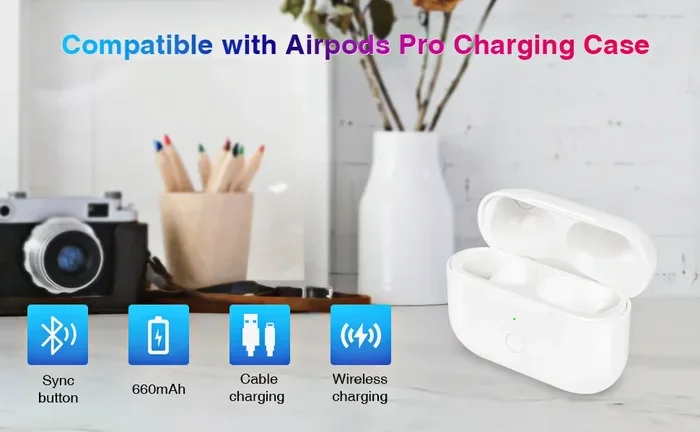
Visual guide about AirPods Pro charging case
Image source: m.media-amazon.com
Check Battery on iPhone or iPad
When you open your AirPods Pro 2 case near your iPhone, a pop-up animation will appear showing the battery percentage for both the earbuds and the case. This is the quickest and most visual method. You can also add the “Batteries” widget to your home screen or Today View to monitor charge levels at a glance.
Check Battery on Mac
If you’re using your AirPods with a Mac, simply open the lid of the case or take the AirPods out while they’re connected to your computer. Click the Bluetooth icon in your menu bar, hover over your AirPods Pro 2, and you’ll see the battery percentage displayed.
Ask Siri for a Battery Report
For a hands-free approach, just say “Hey Siri, what’s the battery on my AirPods?” and your virtual assistant will tell you the exact percentage. This is especially handy when your phone is across the room and you want a quick status update before heading out the door.
The Case Status Light
The tiny LED on the front of your AirPods Pro 2 case communicates battery status through color codes:
- Green: Battery is above 50% charged
- Amber/Orange: Battery is below 50% charged and needs charging soon
- White (flashing): AirPods are ready to pair
- Amber (flashing): Pairing error or critically low battery
To see this status, open the case lid with the AirPods inside and check the light. If you don’t see it, place the case near your iPhone with the lid open, and the battery widget will appear on screen.
Charging Your AirPods Pro 2 for the First Time
While your AirPods Pro 2 arrive with enough charge for immediate use, you’ll want to top them off before any extended listening sessions. Here’s everything you need to know about that first critical charge.
What You’ll Need
Depending on which version of the AirPods Pro 2 you purchased, your charging options will vary slightly. The original AirPods Pro 2 (released in 2022) comes with a Lightning charging case, while the updated version (released in 2023) features a USB-C charging case. Both support wireless charging, but the methods differ slightly.
To charge your AirPods Pro 2, you’ll need one of the following:
- A Lightning cable (for the Lightning case version)
- A USB-C cable (for the USB-C case version)
- A MagSafe wireless charger
- A Qi-compatible wireless charging pad
- An Apple Watch charger (only works with the USB-C version)
Step-by-Step Charging Instructions
Charging your AirPods Pro 2 is incredibly simple, which is part of Apple’s design philosophy. Here’s the process:
- Place your AirPods in the charging case and close the lid.
- Connect a Lightning or USB-C cable to the port on the bottom of the case, then plug the other end into a power source.
- For wireless charging, place the case on a MagSafe or Qi charger with the status light facing up.
- Wait for the status light to indicate charging is complete (green means charged, amber means still charging).
That’s it! No buttons to press, no special sequences to follow. The case and AirPods will charge simultaneously, and the case will automatically stop charging once the AirPods reach 100%.
How Long Does a Full Charge Take?
Timing your first charge helps you plan your listening schedule. Here’s a breakdown of typical charging times for the AirPods Pro 2:
- AirPods in case: Approximately 60 minutes for a full charge from empty
- Charging case (wired): Around 2-3 hours from completely empty
- Charging case (MagSafe/Qi wireless): Approximately 3-4 hours from empty
- Quick charge: Just 5 minutes in the case provides about 1 hour of listening time
Did you know that the AirPods Pro 2 case supports a remarkable 24-30 hours of total listening time when fully charged? That’s enough to power through a full work week of commutes without needing to find an outlet.
Maximizing Your AirPods Pro 2 Battery Life
Now that you know the basics, let’s talk about how to squeeze every last minute out of your battery. These tips will help you enjoy longer listening sessions and extend the overall lifespan of your AirPods.
Smart Charging Habits
How you charge your AirPods Pro 2 affects how long the battery will last over the years. Unlike older battery technologies, modern lithium-ion batteries don’t have a “memory effect,” but they do degrade with time and use. Here are the golden rules of AirPods battery care:
- Avoid extreme temperatures: Don’t leave your AirPods in a hot car or freezing conditions. The ideal operating range is between 32°F and 95°F (0°C to 35°C).
- Don’t keep them at 100% constantly: While it’s fine to charge them overnight occasionally, try not to store them perpetually at full charge.
- Use optimized battery charging: This iOS feature learns your routine and delays charging past 80% until you need them, reducing battery aging.
- Keep the case topped off: The case is your portable charger, so keeping it charged means you can recharge your AirPods on the go.
Enable Optimized Battery Charging on iPhone
This feature is a game-changer for long-term battery health. To enable it:
- Open the Settings app on your iPhone.
- Tap on your AirPods Pro 2 (listed at the top of settings when connected).
- Scroll down and tap “Optimized Battery Charging.”
- Toggle it on if it isn’t already.
Your iPhone will use on-device machine learning to understand your daily charging patterns. If you typically charge your AirPods overnight, it will pause the charge at 80% and finish charging to 100% just before you normally wake up. This dramatically reduces battery wear.
Disable Features You Don’t Use
Several features on the AirPods Pro 2 can drain battery faster than necessary. If you don’t need them, consider turning them off:
- Active Noise Cancellation: This is one of the biggest battery drains. Switch to Transparency mode or off when you don’t need it.
- Spatial Audio: While amazing, it requires extra processing power and can reduce battery life by 10-15%.
- Always-on Siri: Having Siri always listening uses additional power. Disable it if you don’t use voice commands frequently.
- Automatic Ear Detection: This is generally useful, but if you want to squeeze out every minute, disabling it saves a small amount of power.
Real-World Battery Expectations
Apple’s official battery life claims for the AirPods Pro 2 are:
- Up to 6 hours of listening time on a single charge (with ANC off)
- Up to 5.5 hours with Active Noise Cancellation enabled
- Up to 4.5 hours of talk time
- Up to 24 hours of total listening time with the case
In real-world testing, most users report getting between 4-5.5 hours per charge with noise cancellation on, which is generally considered excellent for true wireless earbuds. The charging case adds another 3-4 full charges before needing to be plugged in.
Troubleshooting Common Charging Issues
Even with the best technology, sometimes things don’t work as expected. Here are solutions to the most common AirPods Pro 2 charging problems.
My AirPods Won’t Charge in the Case
If your AirPods aren’t charging when placed in the case, try these troubleshooting steps:
- Check the connection: Make sure the AirPods are properly seated in the case. The metal contacts on the bottom of each AirPod should align with the charging pins in the case.
- Clean the charging contacts: Dirt, earwax, or debris on the metal contacts can prevent charging. Use a dry cotton swab or soft, lint-free cloth to gently clean both the AirPods and the case interior.
- Reset your AirPods: Place the AirPods in the case, close the lid, wait 30 seconds, then open the lid. Press and hold the setup button on the back of the case for about 15 seconds until the status light flashes amber, then white.
- Try a different cable and power source: The issue might be with your charging cable or wall adapter, not the AirPods themselves.
The Case Itself Won’t Charge
If the charging case isn’t holding a charge or won’t charge, here are some potential solutions:
- Try a different charging cable to rule out a faulty cable.
- Clean the Lightning or USB-C port in the case using a dry, soft-bristled brush.
- Try wireless charging if you’re using a wired connection (or vice versa).
- Reset the AirPods as described above.
- Check for iOS updates, as bugs can sometimes affect charging behavior.
Battery Drains Quickly When Not in Use
If you notice your AirPods losing charge while sitting in the case, this could indicate a few things:
- The case battery is simply discharging naturally (this is normal over time).
- Bluetooth interference is keeping the AirPods active.
- The case needs a reset to recalibrate the battery indicator.
- There’s a software bug that may be fixed with a firmware update.
To recalibrate, drain both the AirPods and case completely, then charge them to 100% without interruption. This helps the battery percentage display more accurately.
Understanding the Technology Behind the Charge
For the curious minds out there, let’s take a deeper dive into the technology that makes AirPods Pro 2 charging so convenient and efficient.
Lithium-Ion Battery Chemistry
The AirPods Pro 2 uses lithium-ion battery cells, which have become the industry standard for portable electronics. These batteries offer an excellent balance of energy density, weight, and longevity. The tiny cells in each AirPod are about the size of a fingernail yet store enough energy to power sophisticated audio processing, Bluetooth connectivity, and active noise cancellation for hours.
Here’s a fascinating fact: the battery in each AirPod is approximately 1/100th the size of the battery in your iPhone, yet it can power devices that are arguably more complex in terms of real-time audio processing. This miniaturization represents decades of battery technology advancement.
Wireless Charging Efficiency
The AirPods Pro 2 case uses Qi wireless charging technology, which works through electromagnetic induction. When you place the case on a charging pad, an alternating electromagnetic field transfers energy from the pad to a receiver coil in the case. This energy is then converted back into electrical current to charge the battery.
However, wireless charging is inherently less efficient than wired charging, with about 20-30% of energy lost as heat during the transfer process. That’s why wireless charging takes longer and why the case might feel slightly warm during charging.
MagSafe and the Magnetic Alignment Feature
If you have the MagSafe-compatible case, you’ll notice that it snaps magnetically to MagSafe chargers. This isn’t just for show — the precise alignment ensures optimal charging efficiency by positioning the charging coils in the case and charger in perfect alignment. This reduces energy loss and speeds up charging compared to non-magnetic Qi chargers.
The USB-C version of the AirPods Pro 2 case introduced another cool feature: you can charge it using an Apple Watch charger. This is particularly useful for travelers who want to minimize the number of cables they carry.
Smart Power Management
The H2 chip in the AirPods Pro 2 doesn’t just enable advanced features like adaptive transparency and personalized spatial audio — it also manages power consumption intelligently. The chip can dynamically adjust power usage based on what you’re doing, allocating more energy to noise cancellation when you’re in a loud environment and conserving power when you’re in a quiet space.
Additionally, the AirPods can detect when they’re not in your ears and enter a low-power state to preserve battery. They can also completely shut down after extended periods of inactivity to prevent unnecessary battery drain.
What to Do If Your AirPods Pro 2 Arrive Dead
While it’s rare, sometimes AirPods arrive with no charge at all. This usually happens if the product has been sitting on a shelf for a long time or has been exposed to extreme temperatures during shipping.
If you unbox your AirPods Pro 2 and find they have no charge, don’t panic. Simply:
- Place them in the charging case.
- Connect the case to a power source using the appropriate cable.
- Wait at least 15-30 minutes before trying to use them.
- Try pairing them with your device after this initial charge.
If they still won’t turn on after 30 minutes of charging, you may have a defective unit and should contact Apple Support or the retailer you purchased from for a replacement. Apple offers a one-year warranty that covers manufacturing defects, including battery issues that aren’t caused by normal wear and tear.
When to Consider Battery Service
Like all rechargeable batteries, the battery in your AirPods Pro 2 will degrade over time. After about 2-3 years of regular use, you may notice significantly reduced battery life. At this point, you have a few options:
- Apple Battery Service: Apple offers out-of-warranty battery service for AirPods, though it may be more cost-effective to replace them entirely.
- Purchase new AirPods: Sometimes the most economical solution is to simply buy a new pair, especially if you can take advantage of trade-in offers.
- AppleCare+: If you have AppleCare+ for Headphones, battery service is included if your AirPods hold less than 80% of their original capacity.
To check your AirPods Pro 2 battery health, go to Settings > [Your AirPods] > Battery, or use the Batteries widget on your iPhone. This gives you a real-time view of current charge levels, though it doesn’t show long-term battery health directly.
The Environmental and Safety Aspects of Pre-Charged Devices
Beyond convenience, there are important reasons why products like AirPods Pro 2 arrive partially charged. Understanding these reasons can help you make better decisions about how you charge and care for your devices.
Shipping Safety Regulations
Lithium-ion batteries are classified as dangerous goods for air transport due to their potential fire risk. International shipping regulations require that lithium batteries be shipped at a state of charge between 30% and 70% to minimize the risk of thermal runaway — a dangerous condition where the battery overheats and potentially catches fire.
This is why your AirPods Pro 2 don’t arrive at 100% — it would actually violate safety regulations in many countries. The partial charge is a compromise between giving you enough power to start using the product immediately and maintaining safe shipping standards.
Environmental Impact of Battery Production
Apple has made significant commitments to environmental sustainability, and the way they ship their products reflects this. By not requiring customers to charge the device immediately upon receipt, they reduce the overall energy consumption associated with first-use charging. This might seem minor, but when multiplied across millions of units sold, the energy savings are substantial.
Additionally, the batteries in AirPods Pro 2 are designed to last as long as possible, reducing electronic waste. Apple’s recycling program, Apple Trade In, allows you to return old devices for proper recycling or refurbishment.
User Safety Considerations
Charging lithium-ion batteries improperly can pose safety risks, including overheating and potential fire hazards. By shipping AirPods with a partial charge, Apple reduces the stress on the battery during transport and storage, which contributes to overall product safety. Once you take ownership, following the charging best practices outlined above will help maintain both safety and battery longevity.
Final Thoughts: Embrace the Convenience
So, do AirPods Pro 2 come charged? Absolutely. They arrive with enough power to get you through the excitement of unboxing, pairing, and that crucial first listening session. This thoughtful touch from Apple eliminates the frustrating “charge before use” step that plagues many electronic devices.
But remember that this initial charge is just the beginning of your AirPods journey. To get the most out of your investment, develop good charging habits from day one. Keep the case topped off, avoid extreme temperatures, and use features like Optimized Battery Charging to preserve long-term battery health.
With proper care, your AirPods Pro 2 will deliver thousands of hours of premium audio, seamless device switching, and the magical experience that has made Apple a leader in personal audio. Whether you’re using them for work calls, workout motivation, or simply enjoying your favorite music, these little white earbuds are ready to perform when you are.
Now that you know everything about charging your AirPods Pro 2, it’s time to put that initial charge to good use. Pop them in, enable that noise cancellation, and experience the audio quality that has made AirPods a cultural phenomenon. Happy listening!
Frequently Asked Questions
Do AirPods Pro 2 come fully charged out of the box?
No, AirPods Pro 2 do not come fully charged out of the box. They typically arrive with around 60-80% battery to preserve battery health and comply with shipping safety regulations. This is still enough to use them immediately for setup and initial testing.
How long does it take to fully charge AirPods Pro 2 the first time?
A complete charge from empty takes about 60 minutes for the AirPods themselves, while the case requires approximately 2-3 hours via wired charging or 3-4 hours via wireless charging. A quick 5-minute charge provides about 1 hour of listening time.
Can I use AirPods Pro 2 immediately without charging them first?
Yes, you can use AirPods Pro 2 immediately after unboxing without additional charging. The pre-charge provides about 1.5-2.5 hours of listening time, which is sufficient for initial setup, testing features, and short listening sessions.
Why don’t AirPods Pro 2 come 100% charged from the factory?
Apple ships AirPods Pro 2 with a partial charge to preserve battery longevity, as lithium-ion batteries experience stress when stored at 100%. Additionally, international shipping regulations require lithium batteries to be transported at 30-70% charge for safety reasons.
How do I know if my AirPods Pro 2 are charging properly?
You can verify proper charging by checking the status light on the case (amber means charging, green means fully charged), looking at the battery pop-up on your iPhone, asking Siri for battery status, or checking the Batteries widget on your device.
What should I do if my new AirPods Pro 2 won’t turn on?
If your AirPods Pro 2 don’t turn on after unboxing, place them in the charging case and connect the case to power for at least 15-30 minutes. If they still won’t respond after charging, try resetting them by holding the setup button for 15 seconds, or contact Apple Support for a replacement.